Here’s What We’re Covering
Alright, so this article is pushing 4k words, so I won’t launch into prose that sets the stage or describes a situation you’re in… let’s just break right into the information you came here to find.
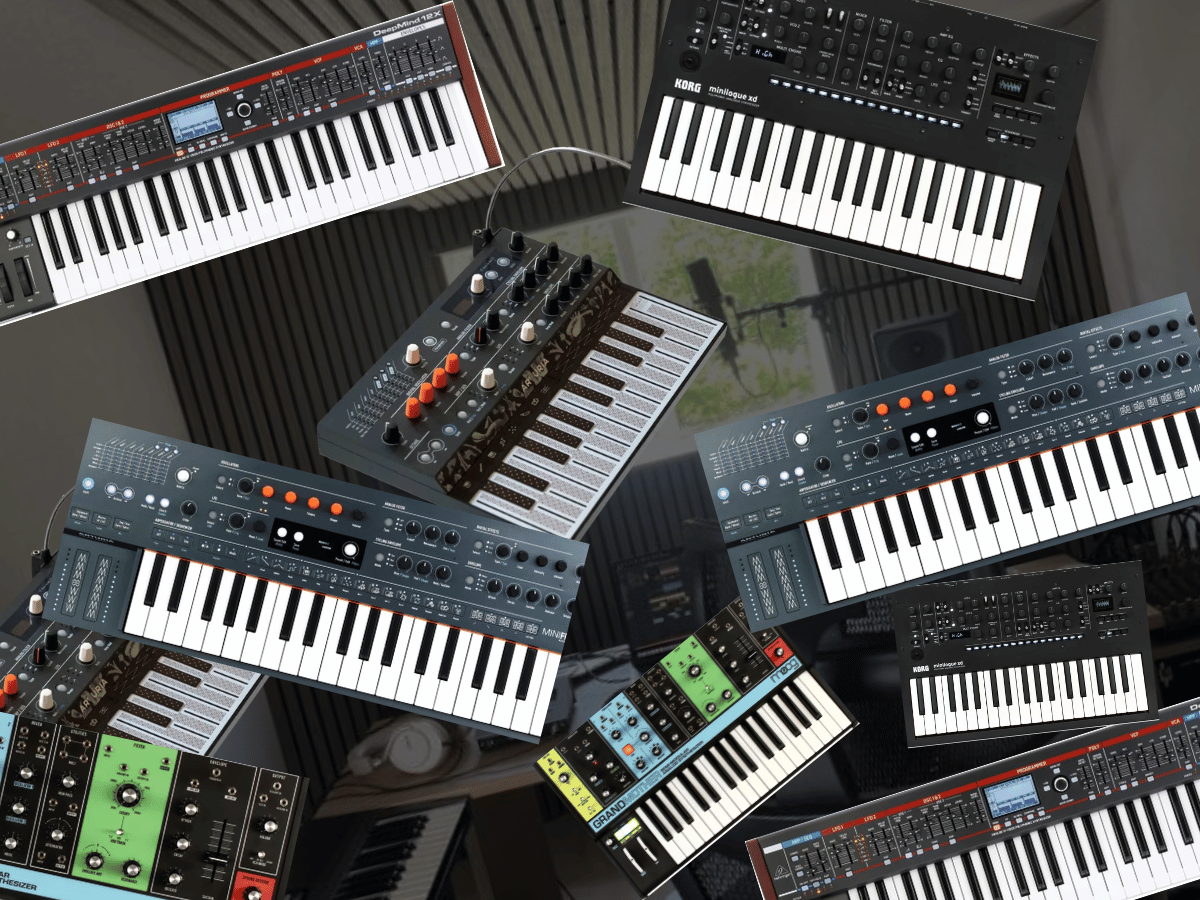
If I were buying my first hardware synth in 2026, I would start with the Korg Minilogue XD if I wanted to learn synthesis while still having chords, presets, effects, and a sequencer from day one. The Arturia MiniFreak is the better choice for someone coming from plugins who wants lots of sound options and a tight hardware-software connection.
I would choose the Novation Bass Station II for house, techno, basslines, leads, and a more focused analog learning experience. The Arturia MicroFreak is the lower-cost experimental option, while the Moog Grandmother is the better teacher if understanding analog routing and patching is the priority. The Behringer DeepMind 12X is the option I would look at when proper polyphony, a larger keyboard, and classic analog-style pads matter enough to spend closer to $1,000The goal is to buy the one you’ll use constantly, not the synth with the longest feature list so let’s get into the nuts and the bolts and the nitty and all the gritty…
Disclosure: This article contains affiliate links. Magnetic may receive a commission if you purchase something after following one of them. That does not change which products I include or what I say about their limitations.
How I chose these synths
I am looking at these from the perspective of a producer buying a first serious hardware instrument rather than someone building a collection.
That changes the criteria quite a bit.
The first thing I want is a panel that teaches me what I am changing. Oscillator, filter, envelope, LFO, modulation, effects, and sequencing should become concepts I understand because I have physically changed them and heard what happened. Deep synthesis eventually involves menus and modulation pages, but I would rather have the first instrument make the basics obvious.
The second question is what happens when I make something worth keeping.
Patch memory matters for some producers. MIDI matters if Ableton, Logic, or another DAW will sequence the synth. Stereo outputs matter on some polysynths. A built-in sequencer or arpeggiator can also help when you use the instrument away from the computer.
I also looked closely at how artists have actually used these machines in the Magnetic production features. Those examples matter because a synthesizer can look fantastic on a retailer page and still lead to a completely different working method once it reaches a real record.
Finally, I am considering how quickly each synth can be outgrown. A simpler instrument can be the better teacher, but I still want enough depth to keep finding new ideas six months after buying it.
| Synth | Best use | Key specification | Main limitation | Typical price |
|---|---|---|---|---|
| Korg Minilogue XD | Best overall first hardware synth | 4 voices, analog oscillators plus digital Multi Engine | Four voices and no aftertouch | Around $700 |
| Arturia MiniFreak | Best for producers coming from plugins | 6 voices, dual digital engines, analog filters, effects | Deeper system can take longer to learn | Around $600 |
| Novation Bass Station II | Best for basslines and leads | Analog mono/paraphonic synth, sequencer, aftertouch | Cannot play normal polyphonic chords | Around $580 |
| Arturia MicroFreak | Best affordable experimental synth | Digital oscillator modes, analog filter, modulation matrix | Touch keyboard and paraphony are unconventional | Around $350 |
| Moog Grandmother | Best for learning analog routing | 2 analog oscillators, 41 patch points, spring reverb | Monophonic, no patch memory, around $1,000 | Around $1,000 |
| Behringer DeepMind 12X | Best first polysynth for keyboard players | 12 voices, 49 keys, aftertouch, effects | Bigger investment and deeper modulation pages | Around $825 |
Korg Minilogue XD
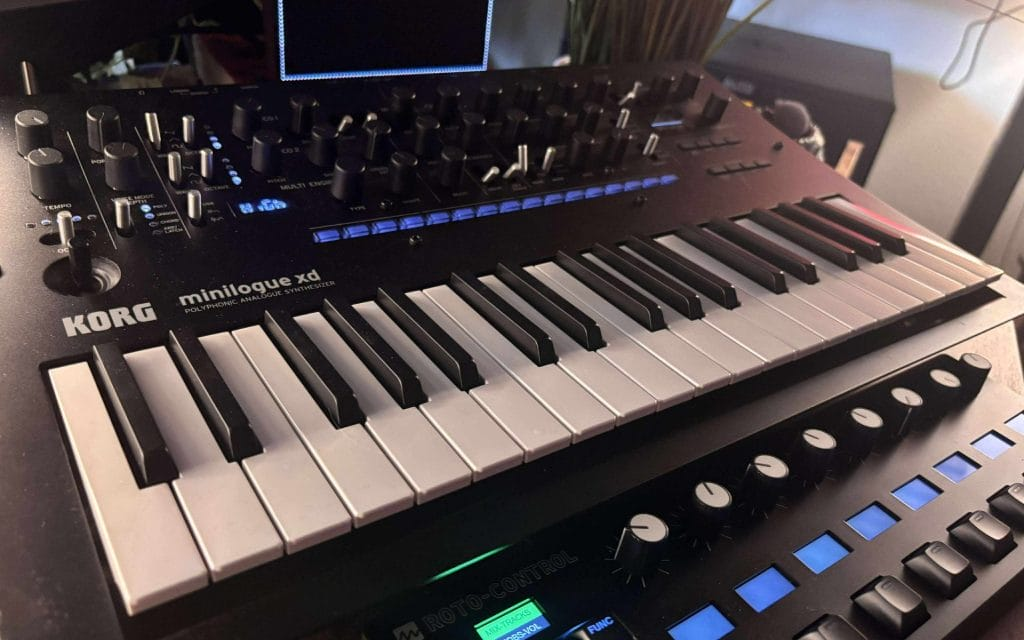
The Korg Minilogue XD is where I would start for most producers because it shows you enough of synthesis to teach the fundamentals while still giving you presets, effects, sequencing, and polyphony when you just want to write.
I went back to it extensively for my updated Minilogue XD review, and the thing I kept appreciating was how quickly I could initialize a patch and understand exactly what was happening across the panel.
Two analog oscillators handle the familiar subtractive side, while the digital Multi Engine adds a third oscillator that can move into FM, wavetable-style material, and third-party user oscillators. The little oscilloscope is also genuinely helpful when you are learning because changing the waveform, envelope, or modulation produces visual feedback alongside what you hear.
That combination is why I prefer it over something deeper like the MiniFreak for someone who wants to understand the basics first. The MiniFreak can travel much farther into different synthesis methods, but the Minilogue XD gives the first-time buyer a very readable oscillator-to-filter-to-envelope path.
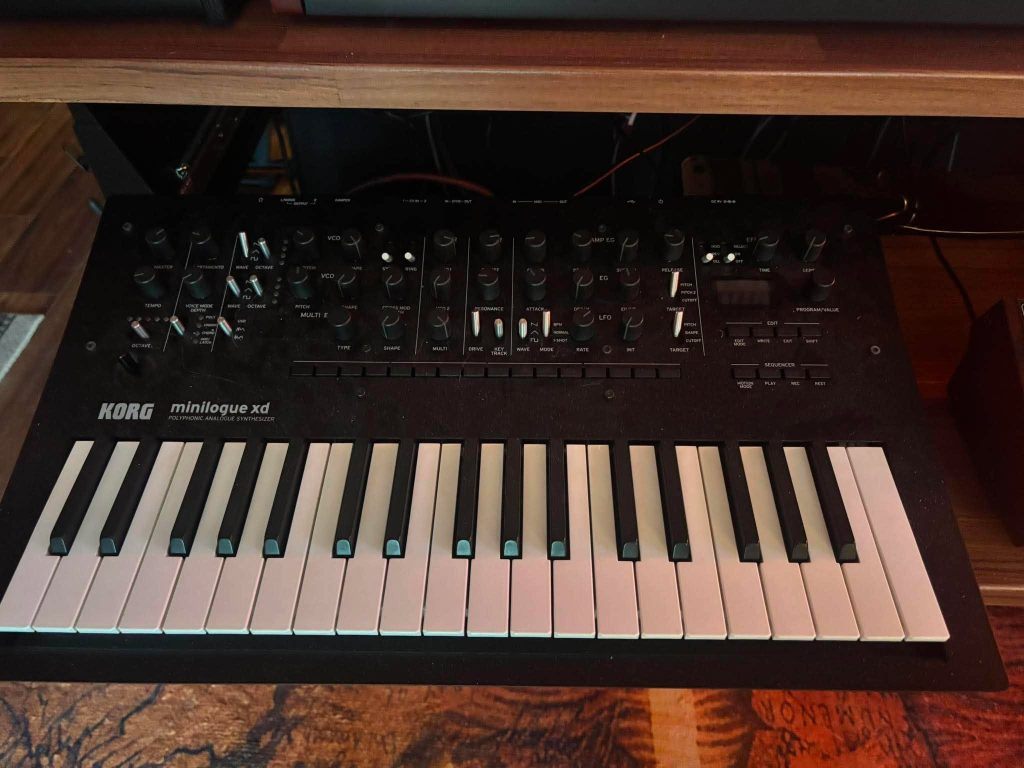
The four-voice limit is the biggest purchase warning. Basic triads, suspended chords, and simple pads are fine, but extended chords and long release tails can steal voices from each other. If playing large chords is the main reason you want hardware, I would move down to the DeepMind section before buying this.
What keeps the Minilogue XD near the top of my list is how often artists I interview arrive at the same conclusion from completely different directions. In Fourth Daughter’s breakdown of HYPERREAL, she explained that the Minilogue XD became one of the pieces that helped push her production toward dance music, with the opening chords of “Should Have Told You” coming directly from a stock patch.
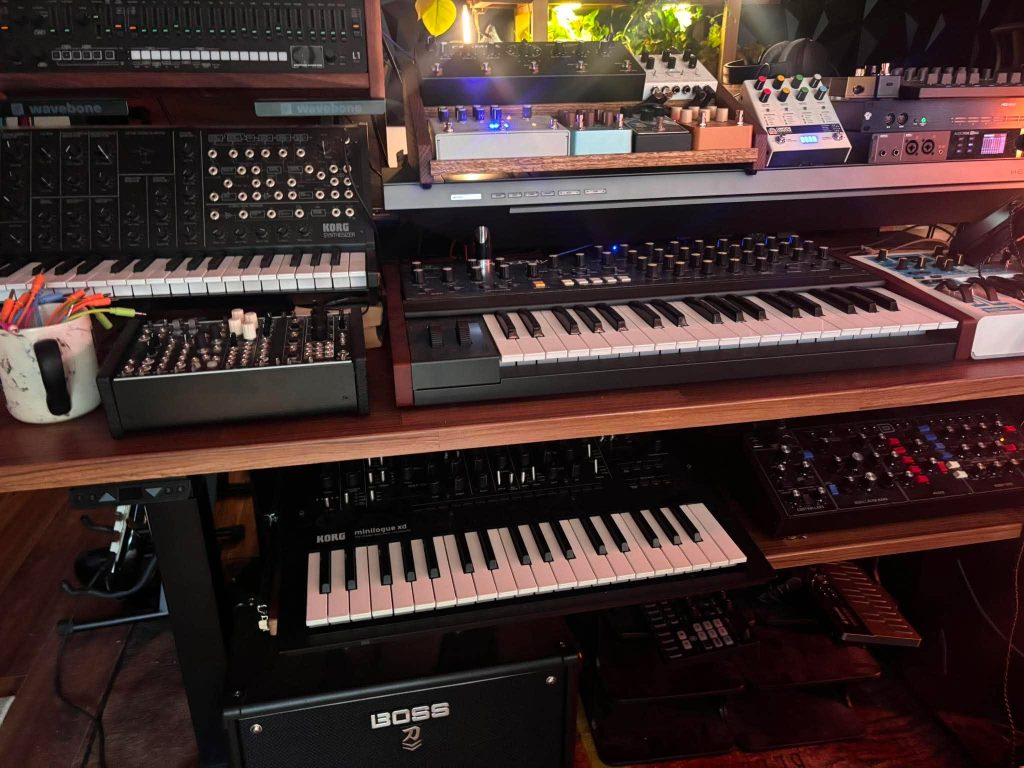
Dualist Inquiry made the workflow argument even more directly in his How It Was Made feature for Life Forms, explaining that he prefers instruments that get him to a sound quickly while the musical idea is still fresh. That is one of the biggest reasons I would recommend the XD to a first-time buyer. Learning synthesis should happen while you are writing music, instead of becoming a separate hobby that keeps you away from finishing tracks.
It also has enough room for later experimentation which can really turn into a game changer.
Pihka Is My Name talked about starting from an initialized panel and designing sounds from scratch in the production breakdown for “Forest Syntax”, while ONYVAA described the XD as one of her favorite synths to program and perform with in the Lost Angeles production feature.
Who should buy it: Someone who wants one compact synth for chords, basses, leads, arps, and learning subtractive synthesis.
Who should skip it: Keyboard players who need more than four voices or producers who already know they want a deep modulation matrix.
Korg Minilogue XD at Sweetwater
Arturia MiniFreak
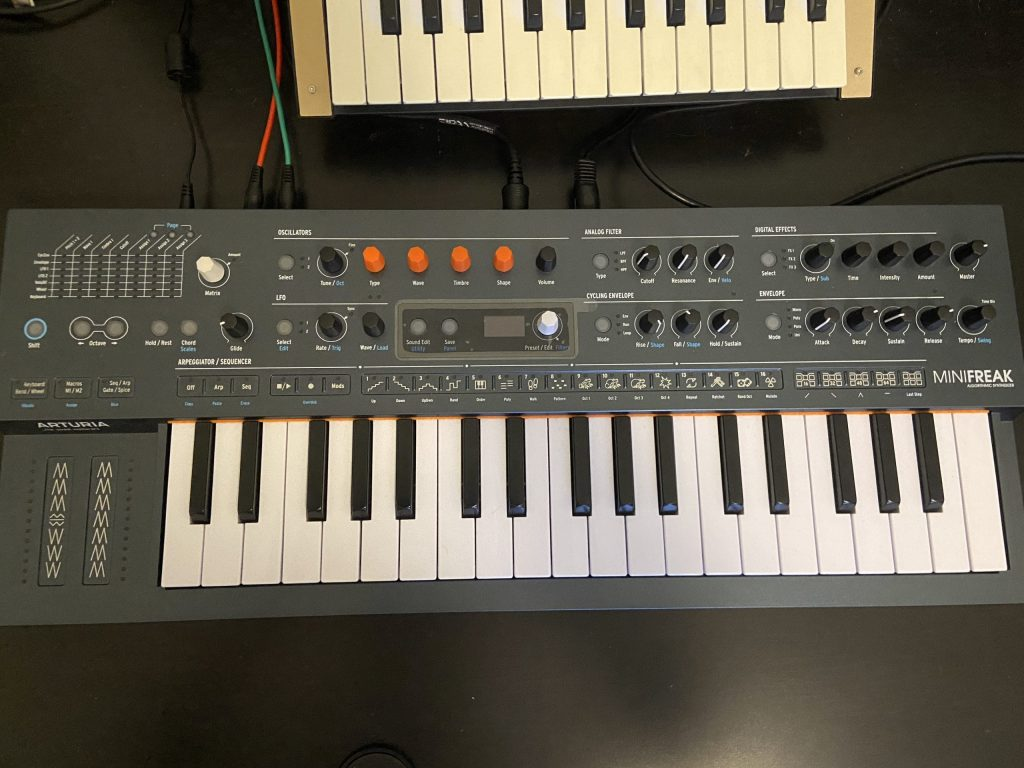
The Arturia MiniFreak is the first synth I would show a producer who already understands plugins and wants hardware without giving up the range of sounds they are accustomed to getting from software.
It uses six-voice polyphony, two digital sound engines, analog filters, onboard effects, a 64-step sequencer, an arpeggiator, aftertouch, and a fairly deep modulation matrix. Sweetwater currently lists it around $599, putting it close enough to the Minilogue XD that the decision comes down to what kind of learning experience you want.
My strongest reason for including it comes from talking to artists who made that exact move from software into hardware. In Louen Poppé’s How It Was Made feature for “Kwaak”, he explained that he wanted a synthesizer he could use for composition and live performance after years of working with plugins. He picked the MiniFreak because the six voices, presets, effects, sequencer, and arpeggiator gave him a bridge into hardware without giving up the breadth he was used to inside the computer.
That is exactly who I would point toward this synth.

Compared with the Minilogue XD, the MiniFreak has deeper modulation and a much broader group of oscillator types. It is easier to build unusual digital textures, FM-like sounds, metallic material, evolving patches, and parts that would take extra processing to pull out of a basic analog synth.
The tradeoff is that a first-time buyer can spend a lot of time exploring before understanding why a patch works. That is fun, but it is different from the educational value of looking at a Minilogue panel where the subtractive path is easier to follow.
QRTR gives a better picture of where the MiniFreak can go once the owner knows it well. In her breakdown of the ONDAS live set, she talked about using its modulation, onboard effects, sequencing, and arpeggiator for production, then bringing those patches into live versions of her tracks. She also gave a simple hardware lesson that first-time buyers should learn early: save your custom patches properly and label them in the DAW when they belong to a song.
That sounds minor until six months have passed and you have no idea how you made the lead sitting in an old project.
Another advantage for a software producer is MiniFreak V. Arturia gives you a software counterpart to the hardware engine, which makes editing and project recall much easier when the physical synth is tied into a DAW-based room.
Who should buy it: Producers moving from plugins into hardware who want lots of sonic territory, presets, polyphony, and live potential.
Who should skip it: Someone whose main goal is understanding traditional analog synthesis with the fewest distractions.
Arturia MiniFreak at Sweetwater
Novation Bass Station II
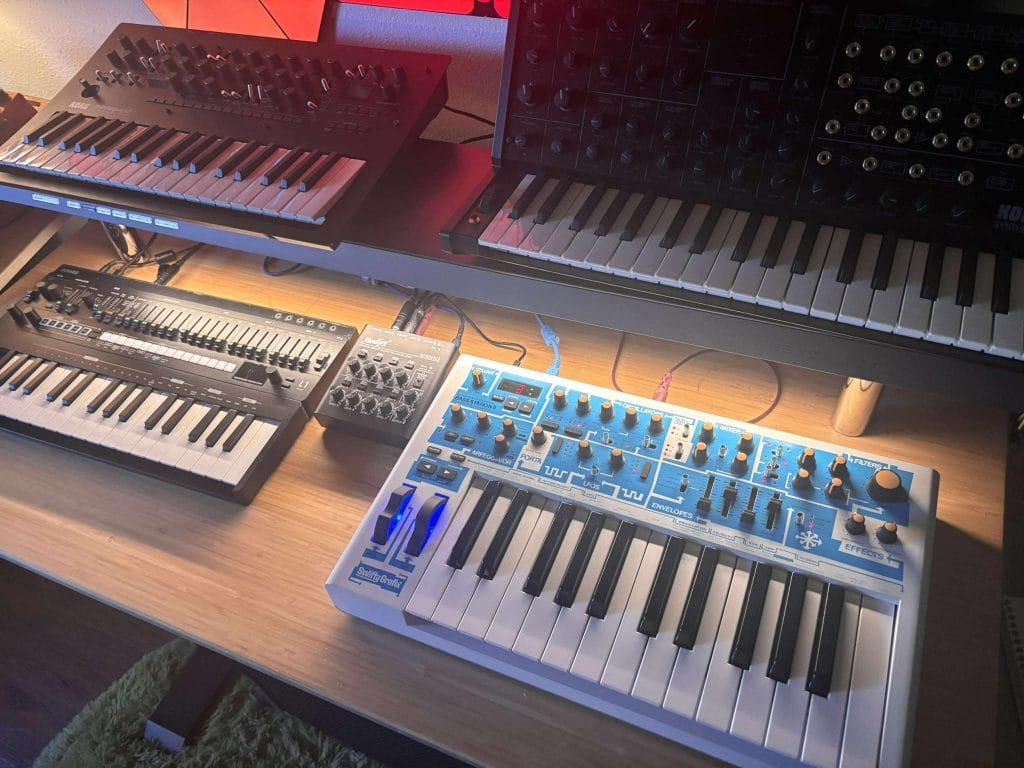
The Novation Bass Station II is my choice for a producer who mostly wants basslines, leads, sequences, and one-note parts rather than pads and chords.
I somehow went years without spending serious time with one, then reviewed the Bass Station II Swifty Edition and understood almost immediately why the original has stayed in studios for so long. Coming to it without years of muscle memory also gave me something close to the experience a first-time buyer would have.
The panel is approachable, the analog engine is easy to hear as you change it, and there is enough depth underneath that first layer to keep the instrument interesting after the basic oscillator-filter-envelope relationship becomes familiar. Two oscillators, a sub oscillator, two filter types, aftertouch, an arpeggiator, and pattern sequencing give it a lot of room without making the front panel look intimidating.

For electronic producers, the mono limitation can actually help at first. A bassline only needs one note at a time. The same goes for a huge percentage of techno sequences, acid-adjacent parts, arps, and lead lines. Removing chord voicing from the equation can keep the first month focused on timbre, envelopes, filter movement, modulation, and performance.
I mentioned in my review that I had recently watched Chris Lake working with a Bass Station before I finally got one in the studio myself. That was another reminder that “beginner-friendly” does not mean something becomes irrelevant once the owner knows what they are doing. Good simple hardware often stays around because it can get from zero to a recorded part quickly.
Compared with the Minilogue XD, the Bass Station II is the more focused teacher. It gives up normal chord playing and broad digital synthesis, but it rewards someone who wants to learn how an analog bass or lead patch is built.

Compared with the Moog Grandmother, it is less expensive, stores patches, and integrates into a normal DAW setup with less planning. Grandmother teaches patching and analog routing at a deeper level, but Bass Station II is easier to treat as an everyday production instrument.
Who should buy it: House, techno, progressive, drum and bass, and electronic producers who mainly want basses, leads, and sequences.
Who should skip it: Anyone buying a first synth specifically to play chords and pads.
Novation Bass Station II Swifty Edition at Sweetwater
Arturia MicroFreak

The Arturia MicroFreak is the lower-cost choice for a first-time buyer who cares less about learning a traditional analog panel and more about discovering weird sounds quickly.
Sweetwater currently lists it around $349, which puts it well below the MiniFreak, Minilogue XD, and Bass Station II. The architecture uses digital oscillator models feeding an analog filter, with a modulation matrix, arpeggiator, sequencer, and an unusual flat touch keyboard with polyphonic aftertouch.
That keyboard is the first thing I would think about before buying. Someone coming from piano may dislike it immediately. Someone coming from pads, controllers, or no keyboard experience at all may find it far less strange.

The reason it stays on this list is how often it appears in actual artist projects despite its relatively low price. In QRTR’s breakdown of “reach me”, she explained that she regularly uses the MicroFreak’s arpeggiator and sequencer when she wants melodic ideas quickly. On that particular track, a MicroFreak factory preset became a major synth part after she chopped the recorded audio and turned the sustained notes into a rhythmic pattern.
That is a great lesson for a new hardware owner because the synth does not need to generate a finished sound directly from its outputs. Record it, cut the audio apart, process it, resample it, and treat the hardware as source material.
Villager reached a similar conclusion from a different direction in the How It Was Made feature for Frontier, where the MicroFreak appeared across the LP because of its unusual character.
Compared with the MiniFreak, the MicroFreak costs far less and takes up almost no room, but it gives up true six-voice polyphony, the larger keyboard, onboard effects, and the broader two-engine architecture. Compared with the Minilogue XD, it teaches a less traditional version of synthesis.
That makes it harder for me to call the MicroFreak the universal first synth. It is a very good first synth for the right person, especially someone drawn to experimental electronic music, odd textures, unusual sequences, or a small desk.
Who should buy it: Producers who want an affordable, compact hardware synth with a lot of experimental potential.
Who should skip it: Keyboard players looking for a normal keybed or anyone who specifically wants a classic subtractive analog learning experience.
Arturia MicroFreak at Sweetwater
Moog Grandmother
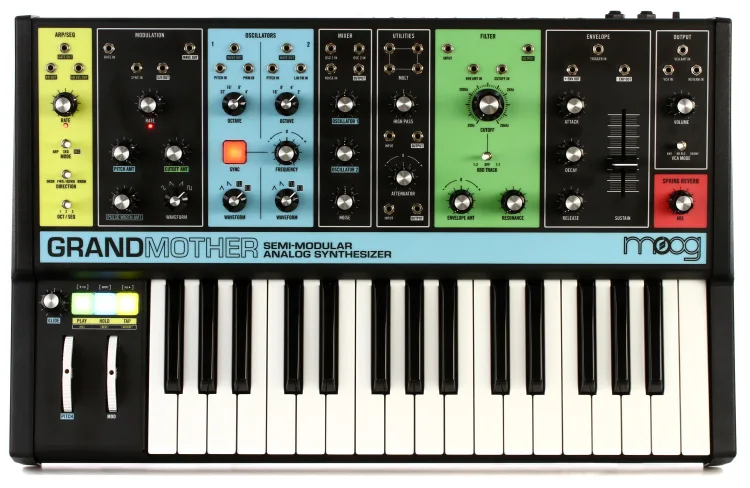
The Moog Grandmother is the synth I would choose when the main reason for buying hardware is learning how synthesis and routing actually work.
It costs considerably more than the MicroFreak or Bass Station II, with Sweetwater currently listing the standard model around $999. What that money buys is a semi-modular analog instrument with two oscillators, a Moog ladder filter, a 32-note keyboard, a sequencer and arpeggiator, spring reverb, MIDI, and 41 patch points.
The important part for a first-time buyer is that patch cables are optional. The normalled audio path means you can turn it on and start playing without connecting anything across the panel. Once that familiar path starts making sense, patch cables let you interrupt it and begin learning what control voltage actually does.
That is why I would rather start someone here than throw them directly into a wall of Eurorack modules.
I have included the Grandmother before in my Magnetic roundup of semi-modular synths for learning sound design, because its layout turns concepts that can feel abstract inside software into physical connections you can follow across the instrument.

The artist examples back up the creative side of that education. Durante explained in his How It Was Made feature for his Booka Shade “Fire & Rain” remix that he moved from soft synth ideas to the Grandmother when he wanted the lead to have the 90s progressive house character he was chasing. He then used velocity to control filter movement from Ableton, which is exactly the kind of hybrid hardware/software technique a new owner can grow into.
Gromo described another side of the instrument in our interview around The Vortex, talking about how the Grandmother’s patching created random discoveries that were harder for him to reach inside software.
The downside is recall. There are no patch memories, so the instrument expects you to understand what the knobs and cables are doing. For some first-time buyers that is the entire reason to own it. For others it will become annoying the first time a project needs the exact same sound two weeks later.
Who should buy it: Someone who wants to learn analog synthesis deeply and has the budget for an instrument that can later connect with modular gear.
Who should skip it: Producers who need instant preset recall, polyphonic chords, or a smaller first investment.
Moog Grandmother at Sweetwater
Behringer DeepMind 12X
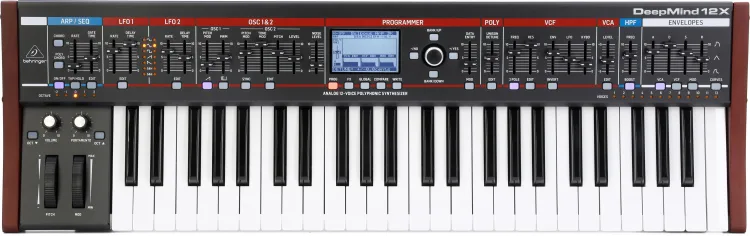
The Behringer DeepMind 12X is the choice I would look at for a first-time hardware buyer who already plays keys and knows that chords, pads, and large polyphonic parts will be central to the purchase.
There is one important caveat here. My hands-on Magnetic testing was with the earlier DeepMind 12, which I covered in my full DeepMind 12 review. The current DeepMind 12X is the updated model Sweetwater carries, so I am drawing my first-person observations from the earlier instrument while using the current model’s specifications and price for this recommendation.
The current 12X gives you 12 voices, 49 keys with aftertouch, dual oscillators per voice, three envelopes, two LFOs per voice, a modulation matrix, four effects engines, preset memory, and a 32-step sequencer. Sweetwater currently lists it around $825.
What I liked about the earlier version was how approachable it felt despite the amount of synthesis available. The main sound controls are presented physically, so a software producer moving into hardware can adjust oscillators, filter, envelopes, and modulation without spending the first day buried in pages.
The 12 voices are the big distinction from the Minilogue XD. If you play extended chords, pads with long releases, or two-handed keyboard parts, four voices disappear quickly. Twelve voices leave far more room for that kind of playing.
The downside is that it is physically larger, costs more, and eventually leads into deeper modulation and effects pages. Someone who only needs a bassline and a lead would be spending money on polyphony they barely touch.
It is also worth comparing this against the MiniFreak. The Arturia gives wider digital synthesis possibilities in a smaller instrument, while DeepMind is closer to the traditional analog-poly experience and gives keyboard players twice the MiniFreak’s voice count.
Who should buy it: Keyboard players, house and progressive producers making big pads, and software producers who already know they need proper polyphony.
Who should skip it: Anyone who wants a tiny desk synth, a low-cost experiment, or a simple mono instrument for bass and leads.
Behringer DeepMind 12X at Sweetwater
Common mistakes when buying your first hardware synth

The first mistake is assuming analog automatically means better.
I have talked with enough artists using Minilogues, MiniFreaks, MicroFreaks, wavetable synths, modular rigs, and software instruments to stop caring about that argument. The more important question is whether the synth gets you into musical decisions quickly.
The second mistake is misunderstanding polyphony. A monophonic Bass Station II can be exactly what a house producer needs for bass and leads, but it will never become a normal chord keyboard. Four voices on the Minilogue XD can handle plenty of writing, though sustained seventh chords can expose that limit quickly.
The third mistake is buying depth before knowing whether you enjoy sound design. A massive modulation system sounds appealing when you are researching gear, but a front panel that makes five good sounds in twenty minutes may teach you far more during the first year.
The fourth mistake is forgetting recall. QRTR’s advice in her MiniFreak live-set breakdown about naming and saving patches becomes increasingly important as hardware enters finished projects. Synths without patch memory need photographs, notes, or recorded audio if you expect to revisit the part later.
The fifth mistake is assuming the hardware has to finish the sound itself. In Lake Night’s production breakdown for “Bound”, he ran Minilogue XD parts into a Tech 21 SansAmp before recording them. In Braxton’s “Indigo” production feature, Minilogue XD pads were sent into an OTO BAM reverb. The synth can be the beginning of the audio chain instead of the finished result.
How to choose your first hardware synthesizer
Start with mono versus poly.
If the synth is mainly handling basslines, leads, sequences, and effects, a mono instrument can teach you an enormous amount without paying for voices you never use. Bass Station II and Grandmother fit that approach from very different price points.
If you play chords, start with polyphony. Four voices can work, six gives more breathing room, and twelve begins feeling far closer to a normal keyboard instrument.
Then decide how you want to learn.
The Minilogue XD is the easiest choice here for seeing traditional synthesis laid across a front panel. Grandmother goes further by letting you physically reroute the instrument. MiniFreak and MicroFreak teach a wider digital and hybrid vocabulary, while DeepMind gives a more traditional polysynth layout with enough voices for larger keyboard parts.
After that, think about recall. A producer working on dozens of DAW projects may want presets and MIDI automation. Someone sampling every hardware part immediately into audio may care much less.
Finally, look at the synth you actually want to touch.
That sounds simplistic, but hardware has to justify the desk space. KUBA told Magnetic that the Minilogue XD became his go-to partly because he could take it with him while traveling. The instrument that fits your room and gets turned on several times a week will teach you far more than the technically superior synth sitting in its box.
Honorable mentions
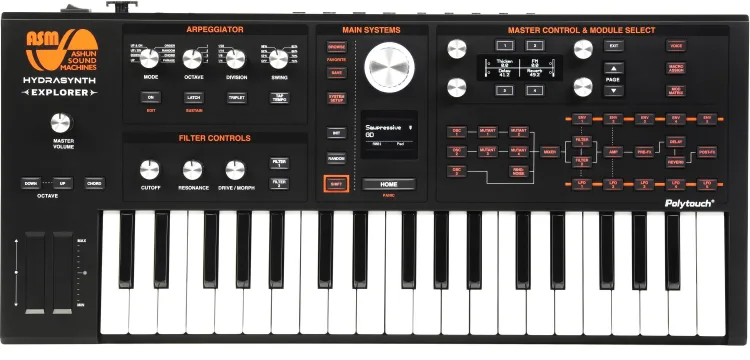
ASM Hydrasynth Explorer: Eight voices and polyphonic aftertouch give it an enormous amount of expressive and digital sound-design potential for the money. I would keep it outside the main recommendations until I have enough Magnetic source material to give it the same editorial backing as the synths above.
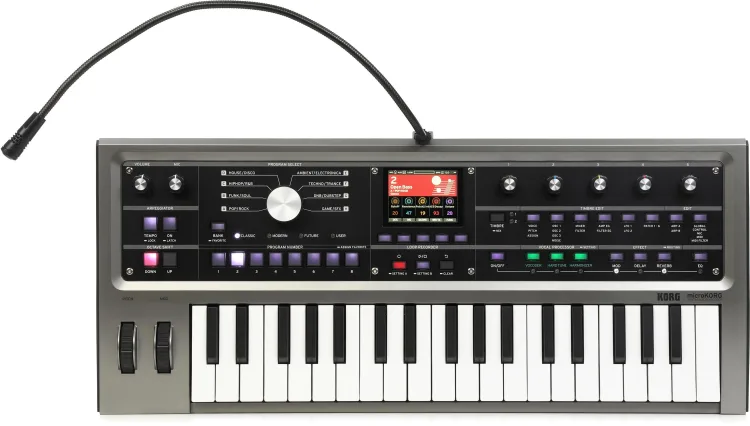
Korg microKORG2: A current compact virtual-analog option with a vocoder and an interface built around a long-running Korg concept. This is one I would like to spend proper review time with before putting it above Minilogue XD or MiniFreak for a first purchase.
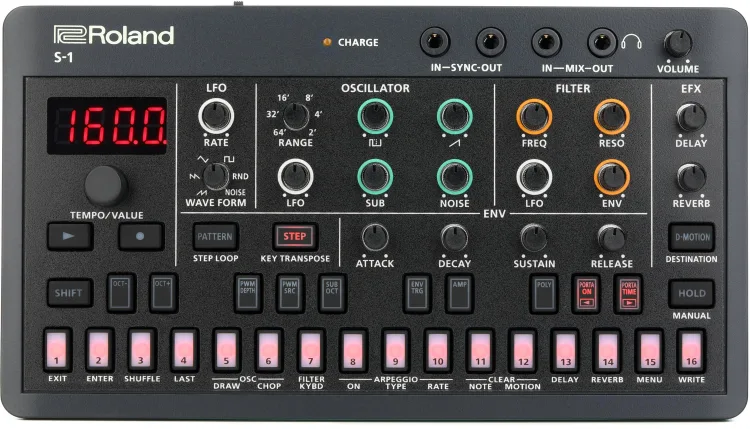
Roland AIRA Compact S-1: The small footprint and low price make it interesting for someone who wants to test hardware synthesis without giving up much desk space or money. The miniature controls are also exactly why I would hesitate to call it the best device for learning basic synthesis.
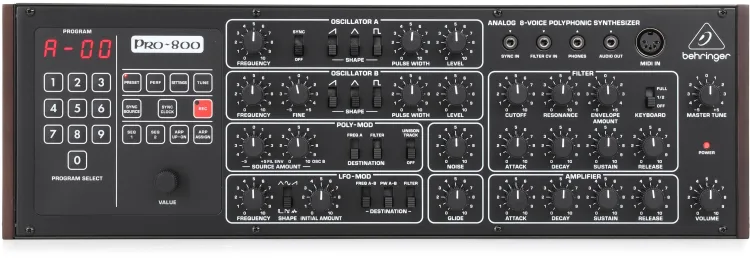
Behringer Pro-800: Eight voices at a low price make it compelling for producers who already own a MIDI keyboard. I would put it higher for someone buying a first synth module, but this article is aimed at people who may have no hardware setup at all yet.
Wrapping Things Up
The best hardware synths for first-time buyers should teach you how sound changes while giving you enough immediate musical results to keep turning the instrument on.
I would buy the Korg Minilogue XD first for the widest group of producers because its analog oscillators, digital engine, effects, sequencer, presets, and readable panel cover most of what I would want from a first serious synth. Artists including Fourth Daughter, Dualist Inquiry, and ONYVAA have also shown how easily that same instrument can move from basic writing into finished records and performance setups.
The MiniFreak is where I would go if software synthesis already feels natural and the point of buying hardware is adding tactile control without dramatically narrowing the sound palette. Bass Station II is the better first purchase when basslines and leads are the job, and MicroFreak keeps the initial investment lower while opening a lot of stranger sound-design territory.
Grandmother costs much more, though its patchable analog panel gives a new synthesist a direct education in how oscillators, modulation, filtering, envelopes, and control voltage relate to each other. DeepMind 12X serves a different buyer entirely, especially someone who already plays keys and knows four or six voices will feel restrictive.
I would decide what type of part you expect to record first, then choose between mono and poly before comparing anything else. That one decision removes a surprising amount of noise from the first-synth search.

Will Vance is a professional music producer who has been involved in the industry for the better part of a decade and has been the managing editor at Magnetic Magazine since mid-2022. In that time period, he has published thousands of articles on music production, industry think pieces and educational articles about the music industry. Over the last decade as a professional music producer, Will Vance has also ran multiple successful and highly respected record labels in the industry, including Where The Heart Is Records as well as having launched a new label with a focus on community through Magnetic Magazine. When not running these labels or producing his own music, Vance is likely writing for other top industry sites like Waves or the Hyperbits Masterclass or working on his upcoming book on mindfulness in music production. On the rare chance he's not thinking about music production, he's probably running a game of Dungeons and Dragons with his friends which he has been the dungeon master for for many years.