Disclosure: Magnetic Magazine may earn a commission when you purchase an item using a retailer link in this article. This does not affect the price you pay or the editorial criteria used here.
The best microphone boom arms for studio desks solve one physical problem before anything else: they place the microphone where I can use it without surrendering the desk to a floor stand.
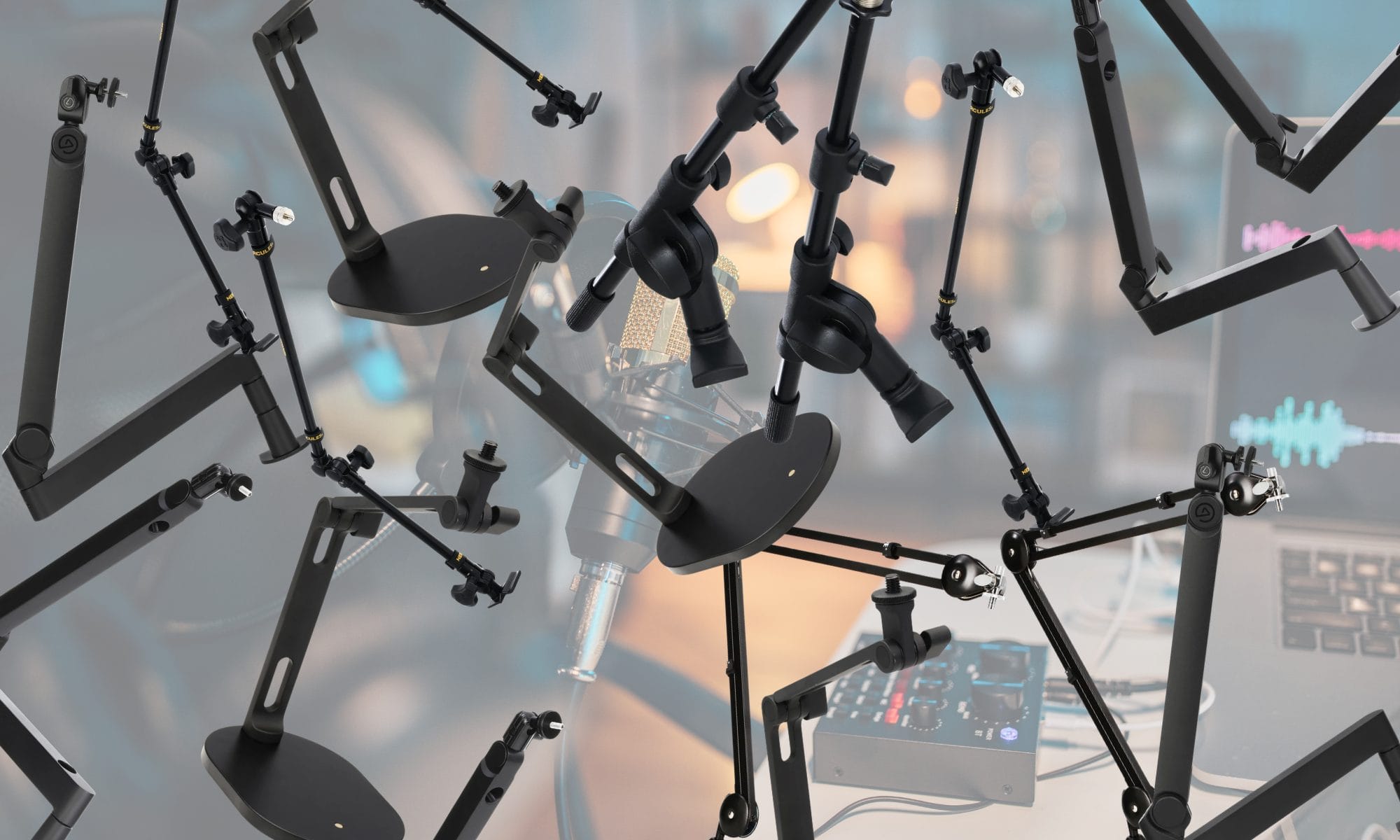
That sounds basic until a rear cable tray blocks the clamp, a wide display occupies the ideal mounting point, or a heavy broadcast mic pulls an undersized arm downward. I approached this microphone boom stand comparison by matching each model to a specific desk condition instead of ranking seven similar arms from cheapest to most expensive.
Load rating was part of the decision, along with clamp opening, horizontal reach, joint design, cable routing, thread compatibility, and the room an arm occupies while parked. I have previously reviewed the Joby Wavo Pod and Boom Arm, so I know how much easier a desk becomes to use when the arm holds its position and routes the microphone cable away from the keyboard, and all seven of the current picks below cover materially different producer needs and make the purchase decision easier to narrow.
You want the quick answer, ay?!: The RØDE PSA1+ is the safest general recommendation for producers using a conventional studio desk and a microphone assembly between 0.21 and 2.65 pounds. Choose the Elgato Wave Mic Arm LP when a display blocks a conventional arm, the Elgato Wave Mic Arm Pro for an assembly up to 6.6 pounds, or the RØDE DS2 when your desk cannot accept a clamp.
| Product | Best for | Main reason and purchase limit |
|---|---|---|
| RØDE PSA1+ | Most studio desks | Smooth full-size design; 2.65-pound maximum load |
| Elgato Wave Mic Arm LP | Desks with large displays | Low-profile path; needs 2.4 inches of clamp clearance |
| Elgato Wave Mic Arm Pro | Heavy microphone assemblies | 6.6-pound capacity; costs about $180 |
| RØDE DS2 | Desks that cannot take a clamp | Weighted base; occupies 6.7 by 4.7 inches of desktop |
| Samson MBA18 | Small desks and light microphones | Short 18-inch reach; retailer feedback raises concerns with heavy mics |
| Samson MBA38 | Wide desks on a lower budget | 38-inch reach and 5-pound stated capacity; exposed-arm format takes space |
| Hercules DG107B | Producers mounting microphones or cameras | Includes mic and camera threads; 1.1-pound stated load limit |
How I compared microphone boom stands for producers
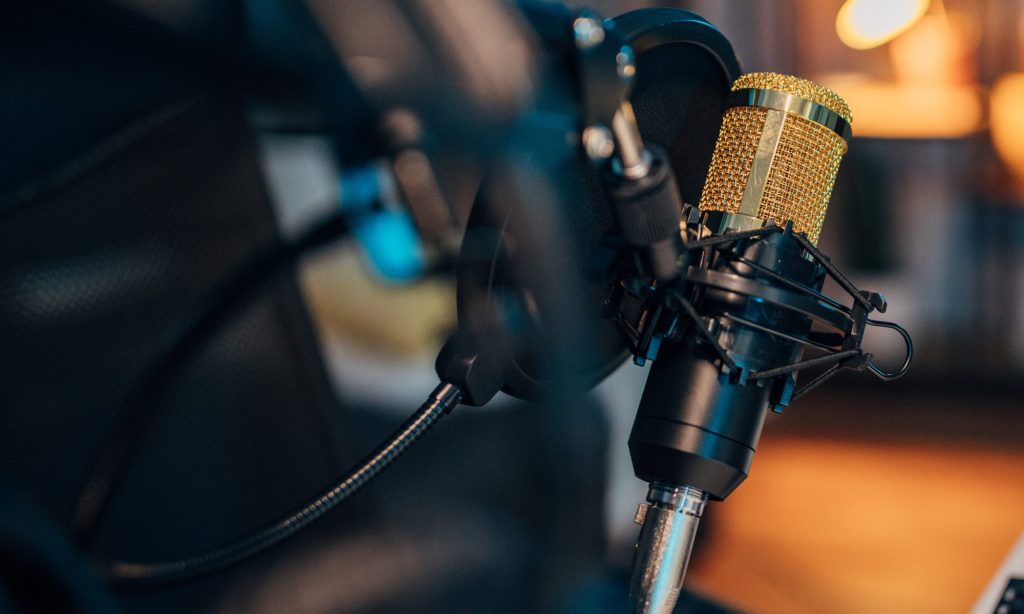
I began with the complete mounted assembly, since the microphone body is only part of what the arm carries. A shock mount, pop filter, thread adapter, and cable can push a setup past an arm’s stated range even when the microphone alone appears compatible.
Clamp opening came next because a thick desktop, rear support rail, beveled edge, or cable tray can prevent installation before arm performance enters the discussion.
Reach determines whether the microphone can move from the rear corner of a desk to a seated vocal position without forcing me toward the display. Arm profile also changes the decision because a conventional upper arm can cross the screen, while a low-profile design runs beneath it and approaches the microphone from below.
Cable routing deserves attention because a cable pulled too tightly across a moving joint can resist repositioning and transmit contact noise. I also checked the supplied thread sizes and adapters, since microphones and shock mounts commonly use 1/4-inch, 3/8-inch, or 5/8-inch connections. A manufacturer’s stated capacity remains a limit rather than proof that every microphone will hold perfectly at every extension angle, so I leave room below the maximum where possible.
If I were mounting the 1.6-pound Universal Audio SD-1 that I reviewed with an added shock mount and pop filter, I would calculate the entire assembly before choosing the arm. Desk movement deserves attention too, especially on a height-adjustable surface where a microphone cable needs enough slack for the highest position.
My continuing use of the FlexiSpot E7 Plus with a loaded production desk has made rear-edge access and cable allowance routine checks for anything clamped to the surface.
RØDE PSA1+ is the best microphone boom arm for most studio desks
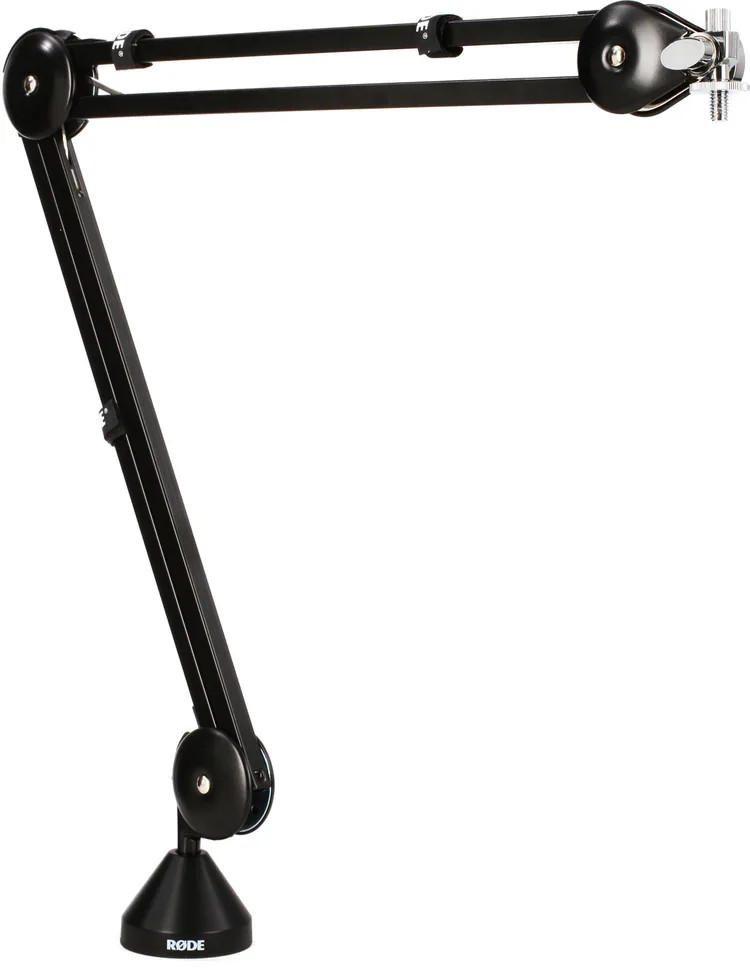
The RØDE PSA1+ is the one I would recommend first for most producers because it handles the common middle ground between small USB microphones and heavier broadcast setups, while its covered spring system keeps the arm from looking like office equipment bolted onto the desk.
It supports microphone assemblies between 0.21 and 2.65 pounds, reaches about 37 inches, rotates fully around its mounting point, and gives you the choice between a padded clamp and a drilled desk mount. That load range works particularly well with the Shure SM7B I spent several months using, since the microphone comes in around 1.69 pounds before the cable and still leaves room for the accessories that usually join it.
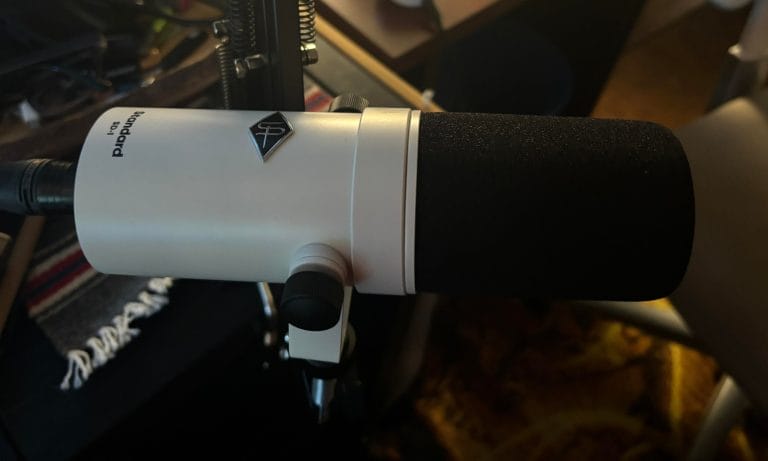
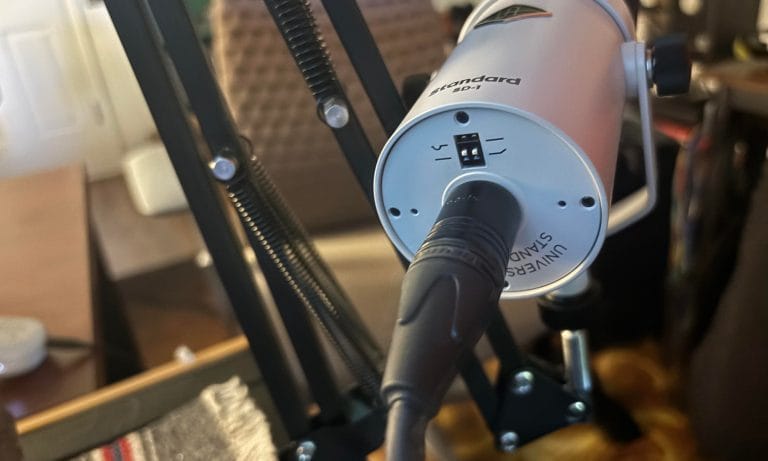
The same logic applies to the Universal Audio SD-1 I checked out, which already includes a shock mount inside the body and makes a straightforward pairing for anyone recording vocals or spoken content from the same desk. I also like the PSA1+ for producers who keep a microphone wired beside the computer, since I discussed in my article on content creation for music producers how much easier recording becomes when the camera and microphone are already positioned and ready.
Skip it if your complete microphone assembly exceeds 2.65 pounds, or if a large display occupies the path where a conventional upper arm would need to move. It usually sells around $129, which places it above the basic Samson options while remaining reasonable for an arm that can stay attached to the primary studio desk for years.
Elgato Wave Mic Arm LP is best below a large display
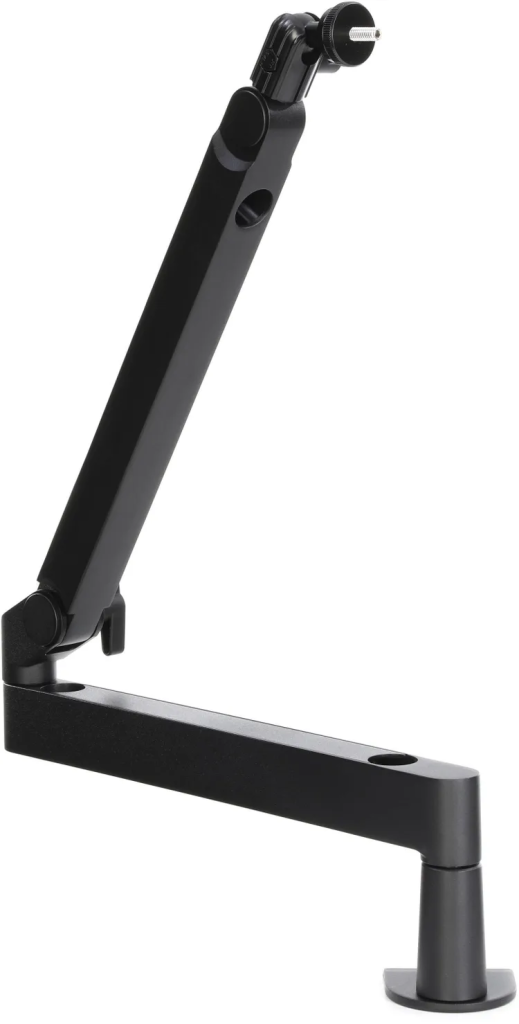
The Elgato Wave Mic Arm LP earns its place because it approaches microphone placement from below the display, which can solve a problem that conventional boom arms create in studios built around wide monitors.
Its lower section sits roughly 2.8 inches above the desktop, the arm reaches 29.1 inches, and the joints rotate around the base and elbow, so the microphone can come up beside the keyboard and move away when recording ends. This immediately caught my attention because I use a large display in my own room, and when I checked out the Hexcal monitor arm, one of the main benefits was being able to raise the screen while keeping the vocal recording area accessible.
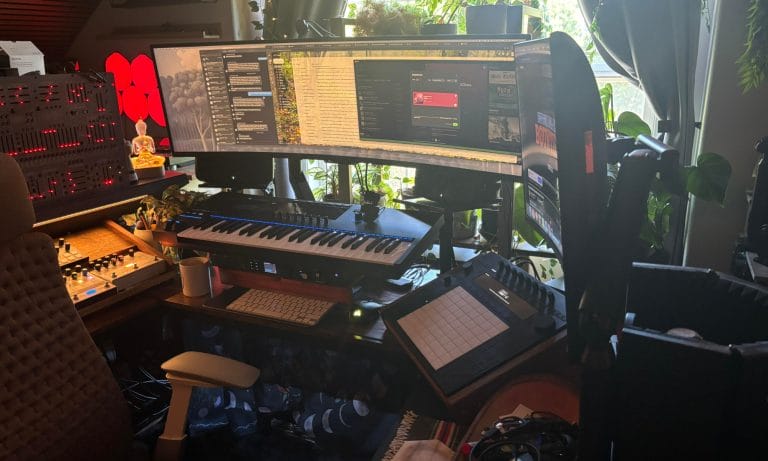
Elgato gives the arm a 4.4-pound capacity and includes adapters for the common microphone threads, so it can carry a compact USB mic, an SM7B-style broadcast mic, or a condenser inside a shock mount without forcing you to build a questionable adapter stack. It is best for producers working with one large screen, stacked displays, camera-facing content, or a desk where a tall arm would sit directly inside the viewing area.
Skip it if controllers, desktop synths, or rack equipment already occupy the narrow lane below your display, since the low arm needs that same area to move.
At around $100, this is a focused purchase for someone solving screen clearance, and that specific job gives it a clearer reason to exist than another conventional arm with slightly different measurements.
Elgato Wave Mic Arm Pro is best for heavy microphone assemblies
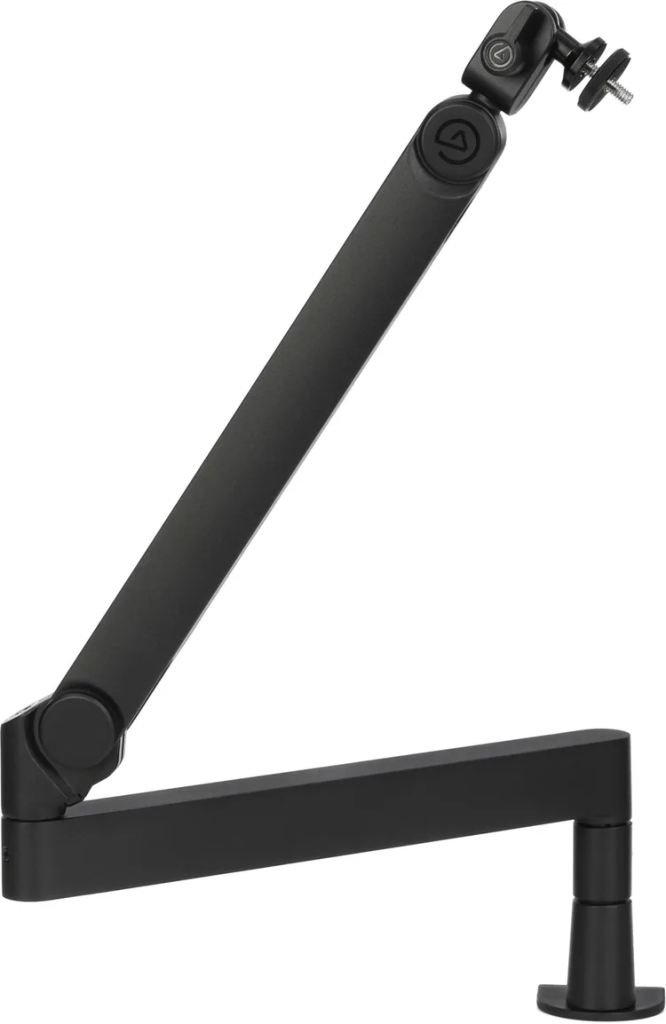
The Elgato Wave Mic Arm Pro is the heavy-capacity option here, supporting a complete assembly up to 6.6 pounds while using two 11.8-inch sections and an included riser to clear smaller equipment along the rear edge of the desk. That capacity can look excessive until a large condenser, metal shock mount, pop filter, cable, and mounting adapter are installed together, at which point a standard arm may sit much closer to its limit than the microphone description suggests.
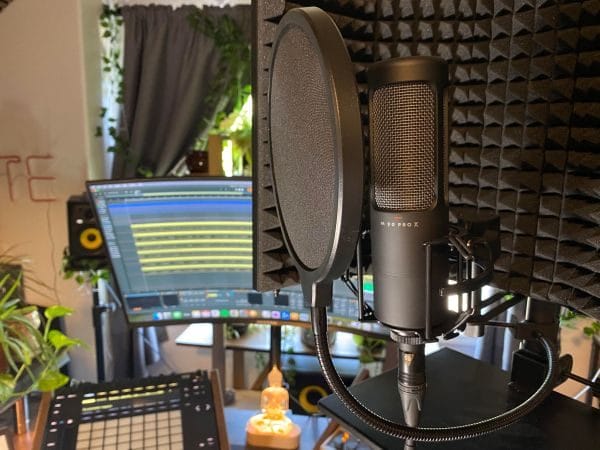
This is where something like the beyerdynamic M 90 PRO X I covered helps explain the larger purchasing decision, since a studio condenser often brings a shock mount and pop filter into the setup before recording begins. I would also consider the Wave Mic Arm Pro for someone who changes microphones regularly, because the added capacity provides room to move between a compact recording mic and a larger vocal setup without reconsidering the arm each time. The 2.4-inch clamp opening deserves attention on thick studio furniture, especially desks with rear supports or cable trays that leave less mounting access than the visible desktop suggests.
Skip it if you use a lightweight USB microphone or keep the mic in one fixed position, because the larger clamp body and roughly $180 price will add capacity you are unlikely to use. This recommendation is for the producer who has measured the complete mounted assembly and already knows that a general-purpose arm leaves too little room.
RØDE DS2 is best when a clamp will not fit
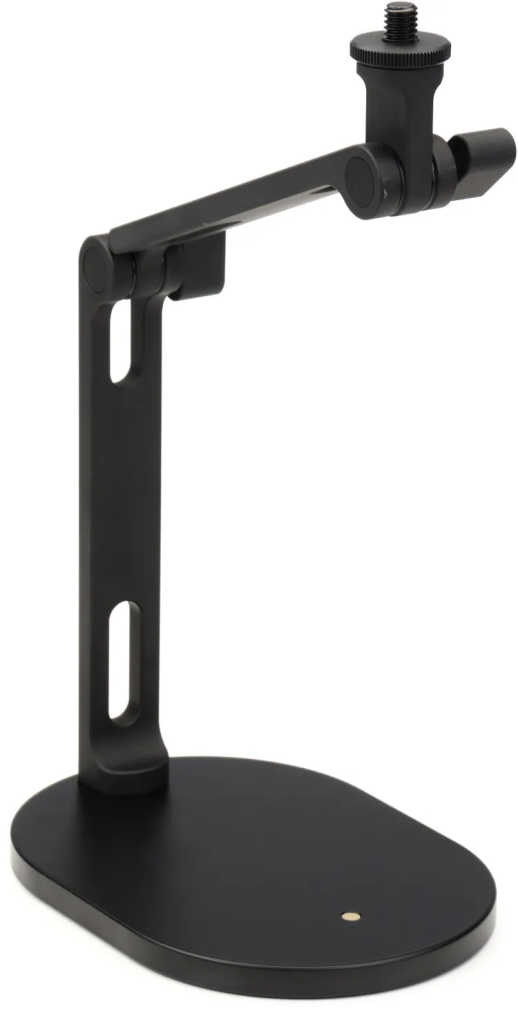
The RØDE DS2 uses a weighted desktop base instead of a clamp, which makes it the immediate answer for glass tops, enclosed rear panels, temporary workspaces, or furniture that you do not want to drill.
It rises to about 15 inches, supports equipment up to roughly 2.09 pounds, and uses two pivot points that provide enough movement for close vocal recording, calls, streaming, or filming at a seated workstation.
I like the logic here because studio furniture rarely follows one standard layout, and my coverage of the ISOVOX WorkSpace looked at the same broader problem of adding production equipment to smaller rooms without rebuilding the entire desk. The DS2 can also move between rooms as one assembled unit, which suits someone working between a permanent studio, an office, a writing area, or a temporary recording location. Its base occupies roughly 6.7 by 4.7 inches, so the freedom from a clamp comes at the cost of surface area beside the keyboard.
Skip it if you need to pull a microphone across a deep production desk, or if your microphone and accessories exceed the 950-gram capacity. At around $85, it fills a real gap between a short fixed desktop stand and a permanently mounted boom arm, especially when the furniture decides the purchase before the microphone does.
Samson MBA18 is the budget pick for shallow desks
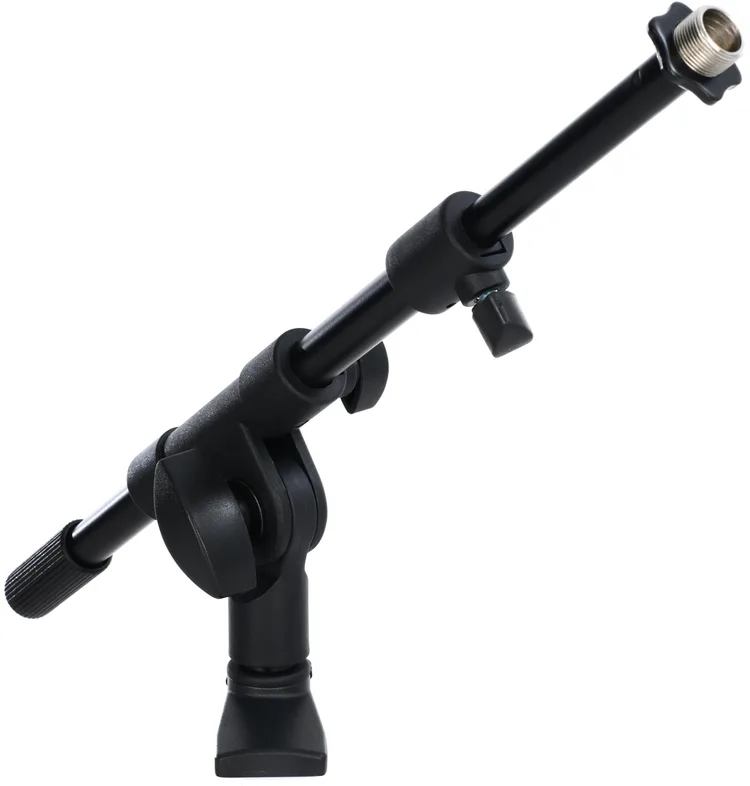
The Samson MBA18 is a short telescoping arm for producers who need to move a lightweight microphone forward from the edge of a shallow desk without installing a large articulated model. Its 18-inch reach, two-inch clamp opening, and standard 5/8-inch connection cover a basic seated recording position, and the arm usually costs around $30. This is the sort of recommendation I would pair with one of the lighter options from my article on microphones for people new to recording, where the complete setup is intentionally smaller and less expensive.
It also belongs beside the affordable microphones and interfaces in my budget music production gear breakdown, since spending $100 or $180 on an arm can be difficult to justify when the microphone itself sits in the same price range. Samson publishes a five-pound capacity, although retailer comments describe sagging with heavier RØDE broadcast microphones at full extension, so I would keep this paired with a lighter mic and avoid treating the maximum as a target. Skip it if you use an SM7B, record while standing, reposition the microphone during a performance, or need the arm to cross a deep desk.
The MBA18 works because it does a small job for little money, and trying to turn it into a full broadcast arm removes the reason I would recommend it.
Samson MBA38 is best for long reach on a smaller budget

The Samson MBA38 takes the budget idea in another direction, giving producers 38 inches of reach when the microphone has to travel from the rear corner of a wide desk to a seated recording position. It includes a clamp that opens to three inches, a permanent flange mount, enclosed springs, and a published five-pound capacity, which is a substantial specification set for its price of roughly $60.
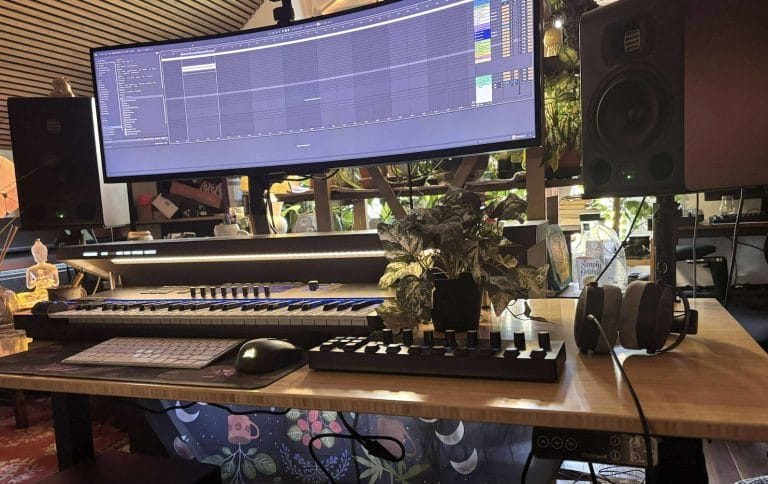
Reach becomes much easier to understand when you look at furniture such as the Platform Studio Desk by Output that I covered, because a 36-inch-deep workstation can leave a short microphone arm nowhere near the person sitting at it. The same applies to my FlexiSpot E7 Plus setup, where a wide display, keyboard, controllers, and other hardware all compete for mounting space along the rear edge.
I would choose the MBA38 for distance and price, then leave room below the maximum load once the microphone clip, shock mount, pop filter, adapters, and cable have been counted. Skip it if you film yourself at the desk, want the arm hidden below a display, or have limited space beside the monitor for a full-size articulated arm to move.
This is a straightforward recommendation for a large desktop on a controlled budget, and the extra reach provides the purchasing reason rather than a collection of minor features.
Hercules DG107B is best for microphones and cameras

The Hercules DG107B is the option I would put in front of producers whose desks also serve as filming spaces, because the included connections support common microphone mounts, small cameras, phone holders, and compact lights. Its published capacity is roughly 1.1 pounds, so this is aimed at lighter equipment and should stay well away from an SM7B or a large condenser inside a metal shock mount.
That lower limit becomes easier to accept when the purpose is flexibility, since the same arm can hold a small microphone for one video and carry a camera or light for the next without adding another permanent stand to the desk. I explored this kind of setup in my article on content creation for music producers, where keeping recording equipment connected and positioned removes much of the setup work between producing music and filming it.
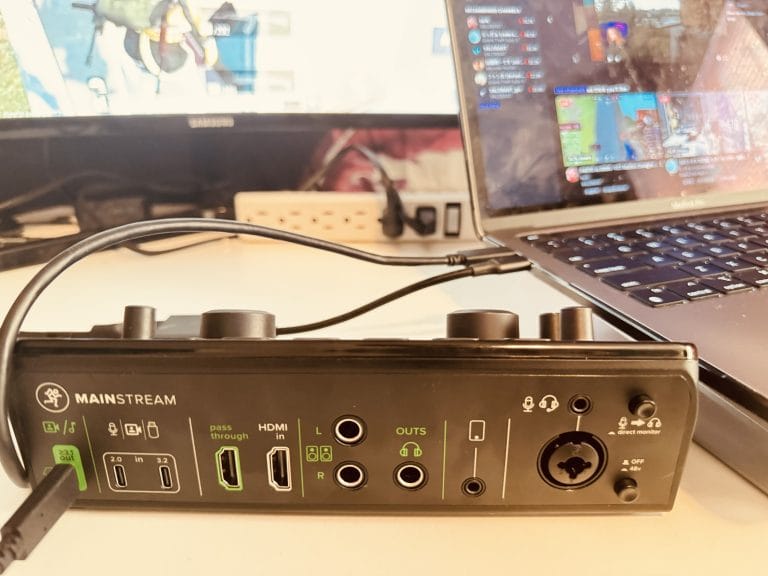
It also pairs naturally with a creator-focused interface such as the one in my Mackie MainStream coverage, since that type of workstation already combines music production, streaming, calls, and video capture on one surface. Skip it if your microphone assembly approaches the published capacity, because every adapter, holder, cable, and accessory contributes to what the arm has to carry.
At around $66, the DG107B earns its recommendation by replacing several light-duty mounting positions, which is a different purchasing case from every microphone-first arm above.
Common microphone boom arm buying mistakes
The easiest mistake is choosing an arm from the microphone name alone, because the mic clip, shock mount, pop screen, adapters, and supported section of cable all contribute to the final load placed on the joints. I would also measure the underside of the desk before buying anything, since rear supports, drawers, beveled edges, and cable trays can leave a clamp with nowhere flat to sit even when the visible desktop appears thin enough.
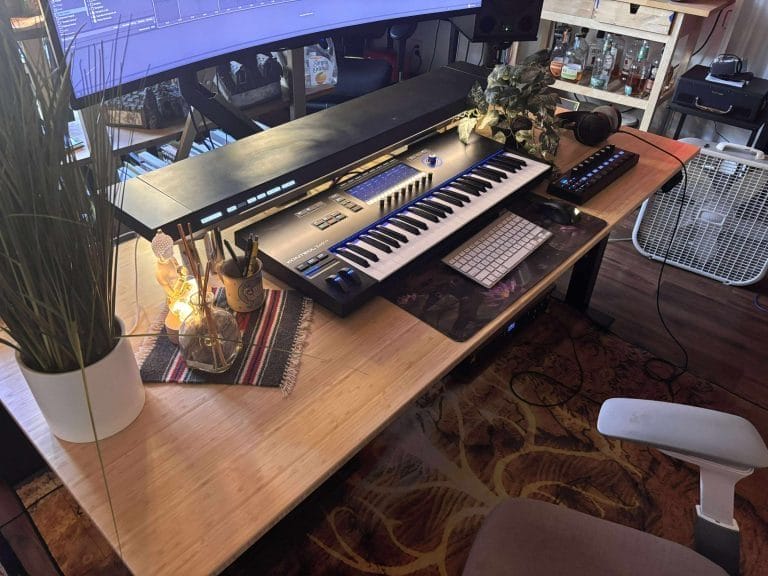
This became especially obvious while working with the FlexiSpot E7 Plus in my studio, where the desk had plenty of surface area, although the ultrawide display, monitor riser, keyboard, and production hardware quickly reduced the number of sensible mounting positions. Producers also tend to assume that maximum reach describes the best recording position, even though an arm stretched to its full length places greater pressure on the joints and leaves less room for easy repositioning. The better move is to place the clamp as close to the recording position as the desk allows, then use the arm for smaller adjustments around the microphone instead of asking it to cross the entire surface every time you record.
A boom arm also cannot correct a reflective room, poor vocal distance, or a microphone whose pickup pattern works against the space, which is why my discussion with Lauten Audio on choosing a microphone for your room is worth reading before spending heavily on mounting hardware. I covered the wider recording chain again in my article on vocal enhancers for home studios, where microphone distance, room reflections, recording level, and performer monitoring all affect the original recording before any processing begins.
Desk organization plays a role as well, because my article on keeping a music studio organized gets into how cables and equipment can interrupt the working process once the room becomes crowded. If typing, controller performance, or contact with the desktop keeps entering the recording, a floor stand, wall mount, weighted desktop base, or separate mobile surface may serve the room better than another clamped arm, and the Sihoo D01 I checked out is one example of how an additional adjustable surface can create a dedicated position for recording equipment without rebuilding the primary desk.
Which microphone boom arm should you buy?
I would start with the RØDE PSA1+ for a conventional studio desk, since its reach and 2.65-pound capacity cover many of the broadcast microphones and home-recording setups producers are likely to use.
The Elgato Wave Mic Arm LP is the better answer when a large display controls the layout, while the Wave Mic Arm Pro earns its higher cost when a heavy microphone assembly pushes ordinary arms too close to their published limits. Choose the RØDE DS2 when the furniture cannot take a clamp, the Samson MBA18 when a lightweight microphone only needs to move across a shallow surface, the MBA38 when a wide desk demands extra reach, or the Hercules DG107B when the same mounting point will alternate between audio and video equipment.
Those decisions should follow the room you already have, which is the same reason I focused so heavily on furniture dimensions when I checked out the Wavebone Starship studio desk and the Platform Studio Desk by Output.
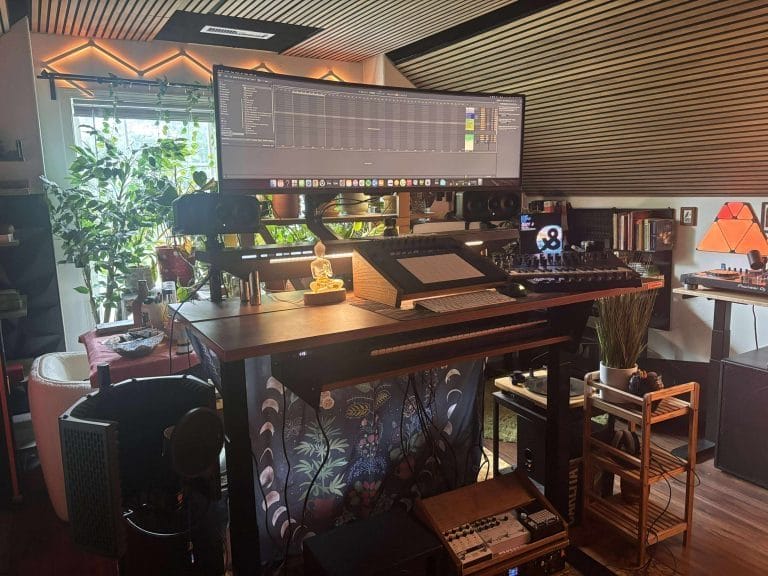
I would also think beyond the arm itself, because microphone position changes where the chair sits, how easily the keyboard can be reached, and whether the display remains comfortable to view during longer production days. My Voyager II studio chair review goes further into that part of the setup, including how adjustable armrests and seating position affect producers who move between a computer keyboard and musical hardware.
Ross Lara made a related point during our Archipelago Studios tour when discussing how his sit-and-stand desk supports different kinds of studio work, and that same thinking applies to choosing a microphone arm that can move aside when the desk returns to production duty. Before ordering, measure the complete microphone assembly, inspect the clamp area beneath the desk, trace the arm’s movement around the display and hardware, and confirm that the cable can reach the highest or furthest recording position without pulling against the interface.
Once those checks are finished, the best microphone boom arm becomes the one that fits naturally into how you already record, produce, film, and work at the desk.

Will Vance is a professional music producer who has been involved in the industry for the better part of a decade and has been the managing editor at Magnetic Magazine since mid-2022. In that time period, he has published thousands of articles on music production, industry think pieces and educational articles about the music industry. Over the last decade as a professional music producer, Will Vance has also ran multiple successful and highly respected record labels in the industry, including Where The Heart Is Records as well as having launched a new label with a focus on community through Magnetic Magazine. When not running these labels or producing his own music, Vance is likely writing for other top industry sites like Waves or the Hyperbits Masterclass or working on his upcoming book on mindfulness in music production. On the rare chance he's not thinking about music production, he's probably running a game of Dungeons and Dragons with his friends which he has been the dungeon master for for many years.