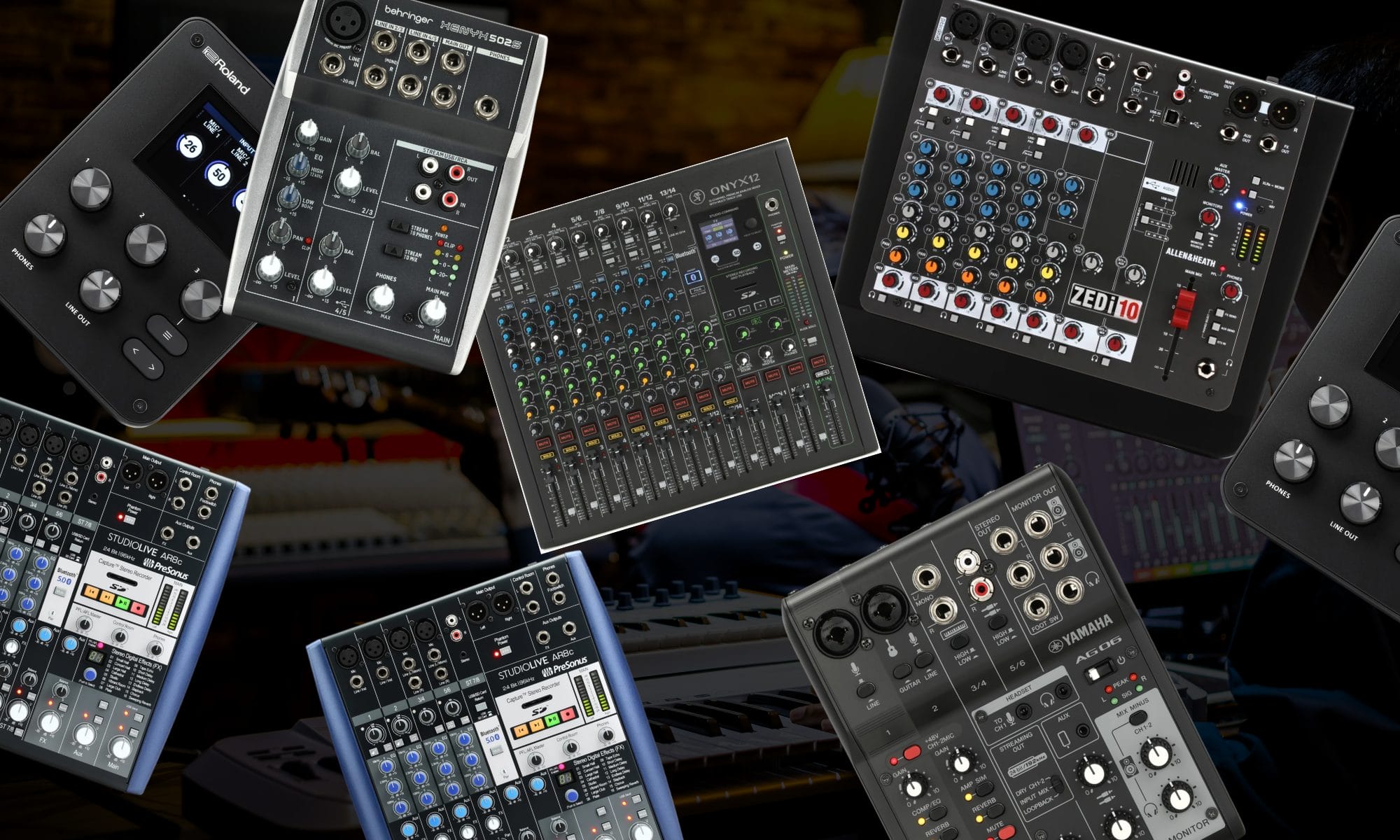
A USB mixer starts becoming appealing once your studio has several instruments connected and adjusting every source inside software begins slowing down the work. I have accumulated enough synthesizers and outboard equipment in my own room to appreciate having physical controls within reach, especially when I want to play several devices without opening another Ableton project.
That hands-on approach is far from unusual, and Mind Enterprises explained in my feature on the production of “Up And Down” why an old eight-track analog mixer remains central to balancing sounds before they reach the computer.
The difficult part is that USB audio mixers can look remarkably similar while giving the computer completely different recording access. Some capture one completed stereo mix, while others send independent channels that can still be edited after the performance.
That distinction should influence the purchase before channel count, onboard effects, or sample rate enters the conversation. It also becomes increasingly important as the studio expands, which is something producers can see across the setups included in my article on hardware synthesizers for house music production.
Streaming adds another set of purchasing questions because computer playback, microphone audio, monitoring, and feedback prevention need to be handled during the broadcast.
The same applies to remote teaching, and my article on setting up online music production lessons explains how microphone audio and DAW playback need to remain easy to manage while demonstrating ideas in real time. I built this USB audio mixers comparison around those specific jobs, with separate recommendations for hardware production, multichannel recording, streaming, mobile filming, computer-free capture, and smaller budgets.
Disclosure: This article contains affiliate links, and Magnetic may receive a commission when you purchase something after following one. This does not affect which products appear or how their limitations are described.
The best USB audio mixers at a glance
| Product | Best use | Key specification | Main limitation |
|---|---|---|---|
| Yamaha AG06MK2 | Producers who stream | 24-bit/192kHz stereo USB; loopback | No independent multichannel DAW capture |
| Allen & Heath ZEDi-10 | Hardware synthesizers | 24-bit/96kHz 4-in/4-out USB | No channel mute switches |
| Mackie Onyx12 | Multitrack studio recording | 24-bit/96kHz multitrack USB | Large for an ordinary creator desk |
| PreSonus StudioLive AR8c | Recording without a computer | 8-in/4-out USB; stereo SD recorder | SD card capture is stereo |
| Roland GO Studio | Mobile music production | Phone-focused recording with onboard effects | Smaller control surface than a full mixer |
| Behringer Xenyx 502S | Limited budgets | Five-channel format with stereo USB | Basic USB recording and monitoring |
The quick answer
You want the quick answer, ay?!
I would recommend the Yamaha AG06MK2 first for a producer who regularly streams, records spoken content, films studio videos, or needs to combine a microphone with music from a computer. Its loopback mode, physical mute control, onboard processing, compact dimensions, and 24-bit/192kHz stereo USB connection cover that job without occupying much of the desk.
The Allen & Heath ZEDi-10 is the better purchase for a hardware-heavy studio because its two stereo line channels can accommodate synthesizers or drum machines, while its 4-in/4-out USB connection gives a DAW greater recording access than a basic stereo mixer. Mackie’s Onyx12 goes further when several sources need independent DAW tracks and the mixer will also handle rehearsals or small performances.
Choose the PreSonus StudioLive AR8c when recording a stereo mix to an SD card is part of the plan, or consider the Roland GO Studio when a phone or tablet sits at the center of the recording setup. The Behringer Xenyx 502S covers basic stereo mixing for around $77, although its USB implementation and channel facilities are considerably simpler.
How I compared these USB audio mixers
The first specification I checked was what the computer can record. A mixer described as having USB connectivity may send one stereo mix to the DAW, even when several sources are connected across the control surface.
That can be perfectly adequate for streaming because the broadcast platform usually needs one finished mix. It becomes restrictive when recording hardware because a synthesizer, microphone, and drum machine combined before reaching the DAW cannot be edited independently afterward.
A multichannel USB mixer provides separate recording paths, although the number shown in the product name does not always match the number of channels sent to the computer. “Ten-channel mixer” describes the analog mixing capacity, while “4-in/4-out USB” describes the computer connection.
Loopback was another major consideration. Loopback lets the mixer return computer audio to a streaming or recording application alongside connected microphones or instruments, which is central to screen demonstrations, streamed production, remote interviews, and software tutorials.
I also checked how monitoring is handled. A producer may need to hear the microphone directly, listen to the DAW return, control studio monitors, and prevent computer audio from being routed back into itself.
Physical connections were judged according to the intended job. A solo streamer may need one microphone channel and an auxiliary connection, while a hardware room can consume several stereo line pairs before a second microphone enters the setup.
Price only becomes meaningful after those needs have been established. Paying for twelve analog channels makes little sense when the entire setup consists of one microphone and a laptop, and saving money on stereo USB can become expensive when separate DAW tracks were needed from the beginning.
Yamaha AG06MK2: best overall for producers who stream
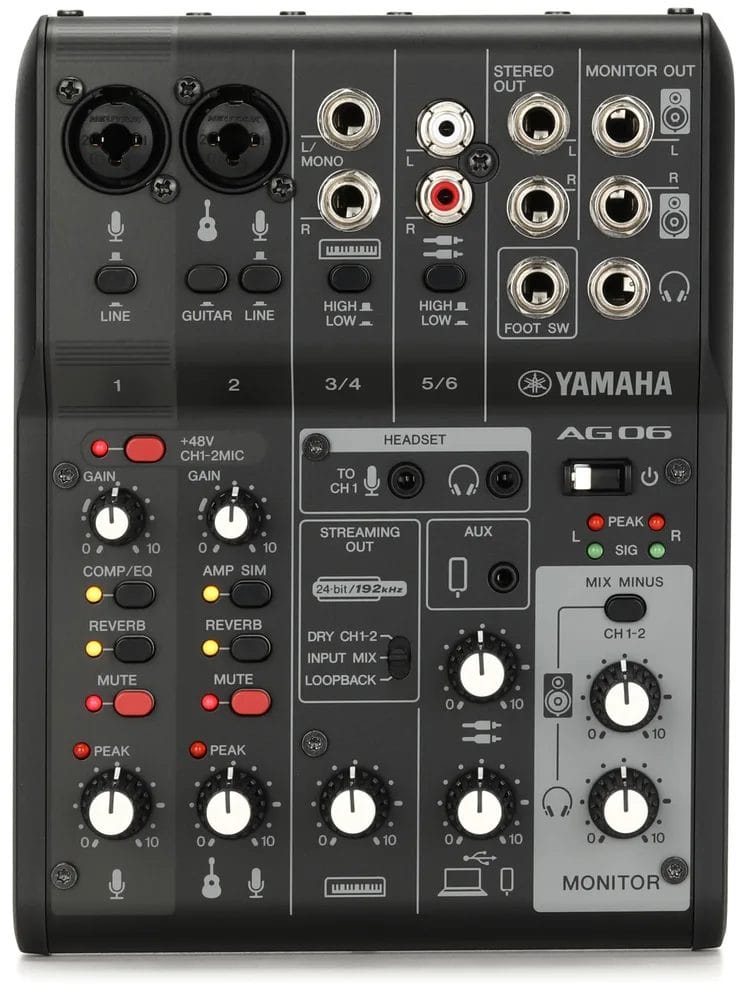
The Yamaha AG06MK2 is the USB mixer I would recommend first for someone dividing the same desk between music production, streaming, calls, and filmed content. Yamaha gives it two microphone connections, a stereo line channel, RCA connections, a headset connection, and a 3.5mm auxiliary port, which covers a surprising amount of equipment within a six-inch-wide chassis.
Its USB connection records and plays two channels at up to 24-bit/192kHz. That is stereo recording rather than independent capture for every connected source, so the AG06MK2 should be understood as a creator mixer rather than a multitrack studio console.
The main attraction is how the streaming controls are handled. Yamaha includes loopback, a streaming-output selector, mix-minus operation, a physical mute button, and onboard processing for compression, EQ, reverb, and guitar amp simulation. The AG Controller application provides deeper access to that processing when the front-panel buttons feel too broad.
A concrete example helps explain the recommendation. You could connect a vocal microphone, run a synthesizer into the stereo line channel, bring audio back from Ableton Live, and send the combined mix to a livestream without building the entire routing setup inside broadcasting software.
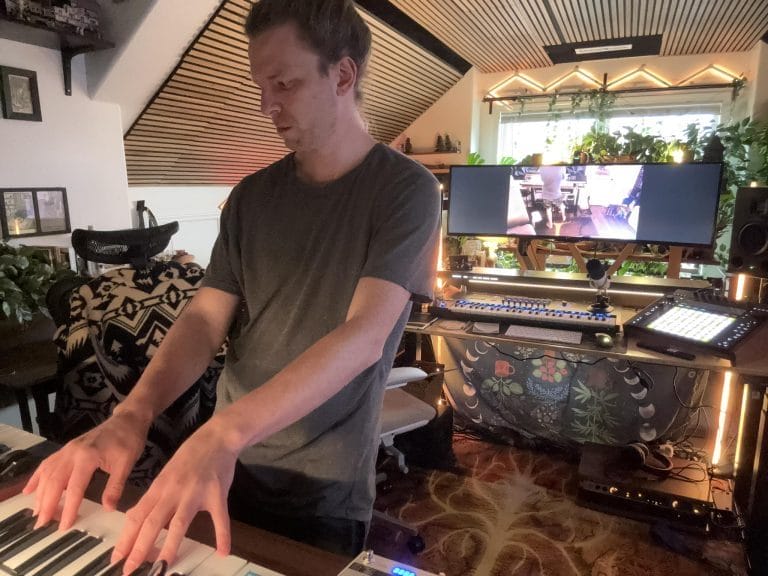
This connects directly with the issues I discussed in my article on content creation for music producers, where keeping cameras and audio equipment ready reduces the preparation needed before filming. The AG06MK2 can remain connected as the central audio control for that desk, which is far easier than rebuilding a temporary streaming setup each time.
It also suits someone recording demonstrations, remote lessons, podcasts, vocal ideas, guitar parts, or livestreamed production work. The compact design will fit beside a controller or laptop, and USB bus power reduces the number of power supplies around a mobile setup.
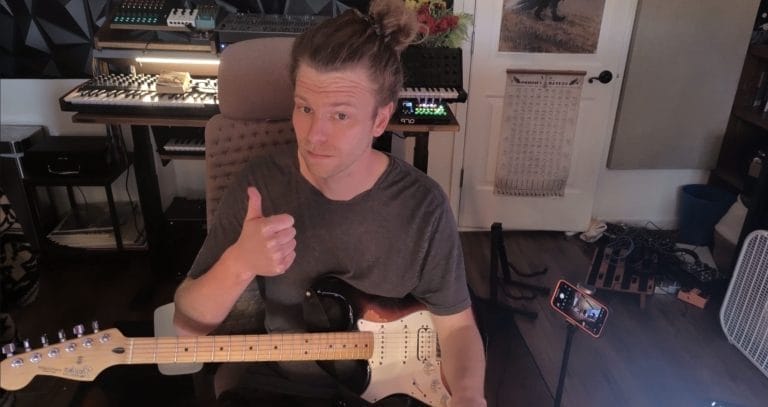
Skip it if you need every instrument recorded onto an independent DAW track. Once multiple sources have been combined into the stereo USB feed, their balance and processing cannot be reconsidered separately.
At around $204, it sits well above entry-level analog mixers, although the loopback controls and onboard processing justify that difference for someone who will use the streaming facilities regularly.
Allen & Heath ZEDi-10: best for hardware synthesizers
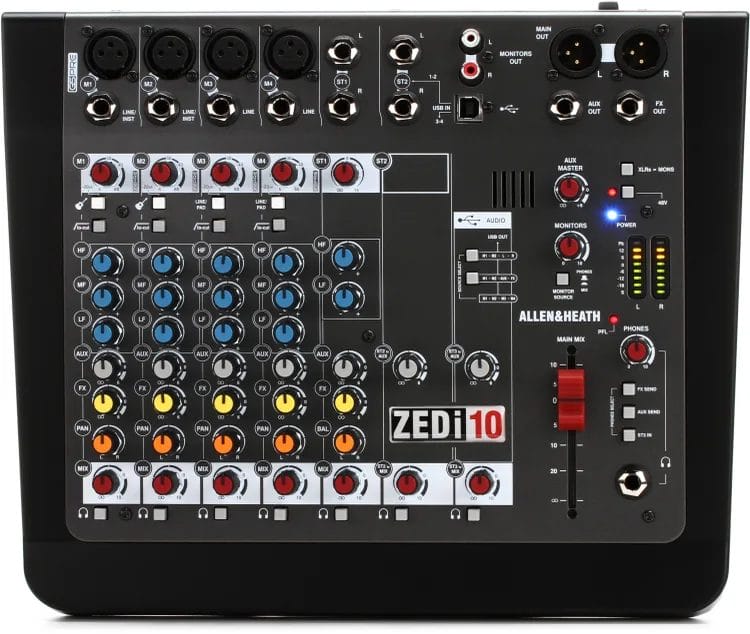
The Allen & Heath ZEDi-10 would be my first choice for a smaller hardware studio that needs physical mixing alongside four-channel USB recording. It provides four microphone or line channels, two switchable high-impedance instrument connections, and two stereo line channels for equipment such as synthesizers or drum machines.
Its 24-bit/96kHz USB interface records and plays four channels. That gives a producer far greater flexibility than a stereo USB mixer because selected sources can reach separate DAW tracks rather than being permanently combined on the mixer.
This distinction is especially relevant to my own studio because hardware can consume connections very quickly. A stereo synthesizer occupies two mono connections, so a seemingly spacious eight-channel mixer may accommodate fewer instruments than the product name suggests.
The ZEDi-10 avoids part of that problem with dedicated stereo channels, which can keep a pair of synthesizers connected while the mono channels remain available for microphones, guitars, or additional hardware. The two high-impedance connections also allow compatible guitars to connect without separate DI boxes.
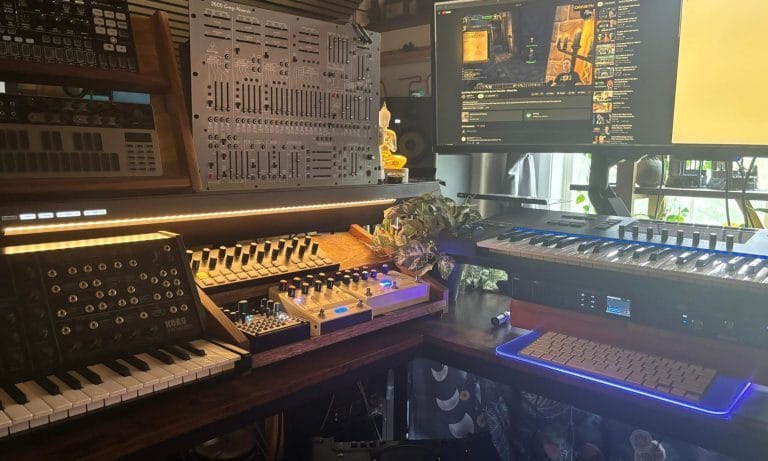
I have written about this wider connection problem in my discussion of MIDI interfaces for hardware synthesizers, because adding hardware involves audio, MIDI, power, and monitoring decisions that quickly extend beyond the instrument itself. A mixer can manage the audio side while a dedicated MIDI interface handles communication between devices.
The ZEDi-10 also includes a three-band EQ, low-cut filters, an auxiliary send, XLR main connections, RCA monitor connections, and a dedicated headphone section. Its analog controls make it easy to adjust several connected instruments without opening interface software.
There are limits. The mixer has no channel mute switches, which can become irritating when several machines remain connected and only certain sources should reach the main mix. The four-channel USB connection is a considerable improvement over stereo, although it still cannot send every analog channel to an independent DAW track at once.
Skip it if your main concern is a solo livestream, since the Yamaha provides streaming controls in a smaller format. It should also be avoided when a large hardware setup needs eight or twelve independent recording channels.
At roughly $380, the ZEDi-10 costs considerably more than a basic stereo mixer, although it gives a small hardware room room to grow without immediately adding a separate audio interface.
Mackie Onyx12: best for multitrack recording

The Mackie Onyx12 is the option I would choose when the mixer needs to record several sources into a DAW while retaining the physical controls expected from an analog console. It supports multitrack computer recording at up to 24-bit/96kHz, which separates it from mixers that send only the completed stereo mix over USB.
That independent recording access is the reason to consider the Onyx12. A producer can connect hardware instruments, microphones, or a small live group and preserve separate DAW tracks for editing and processing later.
Mackie also includes stereo recording and playback using an SD card. The SD recorder captures the main mix rather than independent channels, although it provides a convenient backup for rehearsals, streamed performances, or writing periods where opening a DAW would add unnecessary preparation.
The mixer includes eight Onyx microphone preamps, British-style channel EQ, four one-knob compressors, assignable effects, and a dedicated control-room section. Bluetooth audio can also be routed to a channel, which is convenient for reference material or playback from a phone.
Its physical size is probably the clearest limitation.
A twelve-channel console can consume much of a normal production desk, especially when the computer keyboard, display, MIDI controller, interface, and desktop synthesizers already need permanent positions.
My review of the Platform Studio Desk by Output looked closely at this issue because equipment capacity depends on depth and placement rather than width alone. A mixer this size needs enough space for comfortable fader access, rear cabling, and ventilation without forcing the computer keyboard into an awkward location.
The Onyx12 suits producers recording several hardware instruments, small live acts, streamed performances, or collaborative writing periods. It also works for someone who wants one console serving as a studio interface and rehearsal mixer.
Skip it when the setup rarely exceeds one microphone and one stereo instrument. The added channels, larger chassis, and higher price will create extra expense without improving a basic streaming desk.
It usually sells around $650, placing it in a different part of the market from the Yamaha or Behringer. That cost becomes easier to justify when it replaces a separate multichannel interface and analog mixer.
PreSonus StudioLive AR8c: best for recording without a computer

The PreSonus StudioLive AR8c is the model I would consider when direct SD recording needs to sit beside multichannel USB operation. It combines an eight-channel analog mixer with an 8-in/4-out, 24-bit/96kHz USB interface and a stereo SD recorder.
The SD recorder is the purchasing reason here. A producer can capture a stereo rehearsal, hardware performance, DJ mix, or writing idea without starting a computer, selecting a DAW project, and configuring recording channels.
That convenience comes with an important limit: the SD card captures a stereo mix. Producers who want independent tracks for later editing must use the USB connection and a computer.
The AR8c provides four microphone preamps, stereo line channels, onboard effects, a high-impedance instrument connection, and a Super Channel designed for playback sources. The Super Channel can accept RCA, 3.5mm, SD, USB, or Bluetooth audio, which gives phones and reference devices a dedicated place on the mixer.
This would work particularly well in a hardware writing room where the initial goal is capturing complete performances. Pressing record on the mixer can preserve an idea immediately, then the USB connection can handle a formal multichannel recording when the arrangement is ready.
I approached a related idea in my Roland GO Studio review (and in the video below where you can see me talking about it), where reducing post-production begins with getting several sources balanced before recording. The AR8c applies that concept to a larger tabletop mixer with SD storage and conventional channel controls.
Skip it if you expect the SD card to replace multitrack DAW recording, or if you need independent headphone mixes for several performers. A dedicated multitrack recorder or larger digital console would suit those requirements better.
The AR8c commonly sells around $400. That price is sensible when stereo SD capture will be used often, although someone recording exclusively into a DAW may find the ZEDi-10 or Onyx line easier to match with a specific channel requirement.
Roland GO Studio: best for mobile production
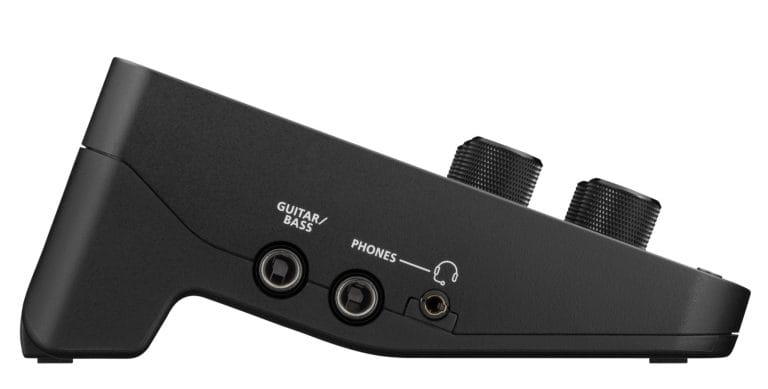
The Roland GO Studio is the model I would recommend when a phone or tablet is the primary recording device. It is designed around musicians filming performances, streamed production, lessons, and social content away from a conventional desktop studio.
I reviewed the GO Studio after using it for mobile recording, and the main appeal was the ability to balance several sources before pressing record. That can reduce corrective editing afterward because the microphone, instrument, and backing audio have already been managed during the performance.
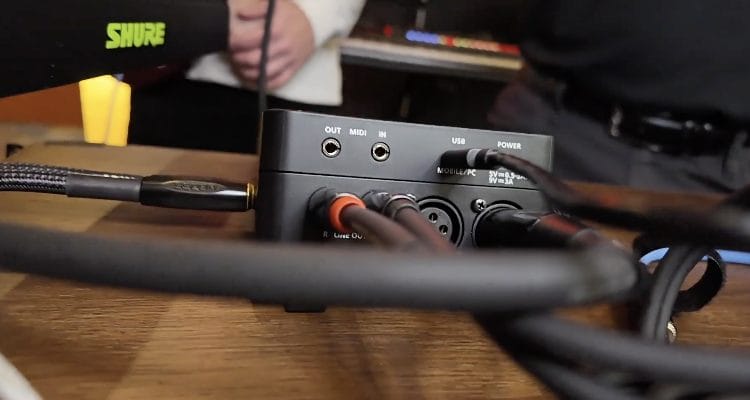
Its control surface is smaller than a conventional analog mixer, although Roland provides dedicated access to channel levels, effects, monitoring, and mobile-device recording. The format suits a keyboard player, electronic performer, or producer who wants to film directly to a phone without relying on the phone’s microphone.
The GO Studio also works as a desktop interface, although I see mobile recording as the reason to choose it over the Yamaha AG06MK2. The Yamaha is easier to understand as a permanent streaming mixer, while the Roland earns its place when the recording device and location change regularly.
This is also relevant to producers making short-form studio content. A completed phone recording can move directly into editing without replacing low-quality camera audio or synchronizing a separate recorder afterward.

Compatibility deserves careful checking because mobile recording depends on the phone, operating system, connection type, and recording application. Confirm support for the exact device before buying, especially when using an older Lightning-equipped iPhone or an Android model with manufacturer-specific USB behavior.
Skip it if you need long faders, extensive analog routing, or several independent DAW channels. A tabletop production mixer such as the ZEDi-10 or Onyx12 gives a permanent studio much greater physical access.
The GO Studio suits producers who film hardware performances, stream away from the main room, record lessons, or create content directly on a phone. It is a focused purchase, and someone who rarely records outside a computer may be paying for mobility that remains unused.
Behringer Xenyx 502S: best budget USB mixer

The Behringer Xenyx 502S is the budget recommendation for someone who needs to combine a microphone with a small number of stereo sources and send the result to a computer. It costs around $77, occupies little desk space, and provides physical level control without asking the buyer to commit several hundred dollars.
The five-channel layout includes one XLR microphone connection, stereo line connections, RCA playback connections, and USB audio. The microphone channel receives two-band EQ, while the stereo channels provide level control without the broader processing found on larger mixers.
I would use it as a small streaming mixer, keyboard submixer, rehearsal device, or desktop listening hub. It can also combine a hardware instrument with computer playback for someone who wants immediate control from the desk.
The limitation is that this remains a simple stereo USB design. It should not be purchased for independent multichannel recording, advanced loopback management, detailed onboard processing, or a studio that is likely to add several instruments soon.
This is where my Scarlett 4i4 4th Gen review provides an important comparison. A compact audio interface can offer better DAW routing and recording facilities when physical mixing is secondary, while the Behringer is easier for someone who wants several sources combined using straightforward knobs.

Skip the 502S if a second microphone will be needed, if condenser microphone support is central to the setup, or if each source must remain editable inside the DAW. Spending less at the beginning does not help when the mixer has to be replaced after the first equipment addition.
For a small and fixed setup, its low price is the reason to buy it. It completes a basic job without the size or cost of a multichannel recording mixer.
Common USB audio mixer buying mistakes
The easiest mistake is assuming every channel shown on the mixer can be recorded independently. A twelve-channel control surface may still send one stereo mix to the computer, so the USB specification needs to be checked separately from the analog channel count.
This distinction changes the recording process. When a microphone and synthesizer are combined into a stereo USB feed, you cannot adjust their relative levels, replace processing, or edit one source without affecting the other after recording.
Another mistake is paying for a mixer when an audio interface fits the work better. If you record one source at a time and complete all mixing inside a DAW, a conventional interface can provide the necessary recording and monitoring functions in a smaller space.
A mixer becomes easier to justify when several sources remain connected, physical level controls are used regularly, computer audio must join a livestream, or the same equipment serves rehearsals and recording. The purchase should follow those needs rather than an assumption that additional channels automatically improve a studio.
Producers also underestimate how much desk space a mixer consumes once cables are connected. Rear-facing XLR and quarter-inch cables add depth, side access may be needed for headphones, and a large console must remain close enough for comfortable fader movement.
My FlexiSpot E7 Plus studio setup demonstrates why surface planning becomes important once a wide display and hardware share the same desk. Adding a mixer can force another device into a poor position unless its full footprint and cable direction are measured first.

Streaming creates another common error: routing computer audio back to the computer without checking for feedback. Loopback and USB-return controls should be tested at low monitoring levels before broadcasting, and unused return paths should remain disabled.
Finally, check whether USB power is enough for the intended setup. Some compact mixers can operate from the connected computer, while larger models need their own power connection. Mobile recording may also need an external power supply to prevent the phone or tablet from carrying the full electrical load.
How to choose between a USB mixer and an audio interface
Start by counting how many sources need to remain connected and how many must be recorded independently. Those numbers are often different, and recognizing the difference can remove half the products from consideration immediately.
A producer with four synthesizers may want every instrument connected to a mixer, although only one stereo pair is recorded at a time. That person can use a stereo USB mixer or run an analog submix into an existing interface.
Someone recording a live hardware performance will usually want independent DAW tracks. A multichannel mixer such as the Mackie Onyx12 provides far greater editing access once the performance has ended.
Streaming changes the calculation again. Loopback, mix-minus operation, a mute button, and easy monitoring may matter far more than multichannel DAW recording, which gives the Yamaha AG06MK2 a clear advantage for solo creator work.
Mobile production places device compatibility first. Confirm the operating system, USB connection, available power, supported recording applications, and monitoring method before choosing a mixer around phone recording.
I would also consider the setup two years from now. A producer expecting to add stereo synthesizers should count connections in pairs, while someone planning interviews should reserve enough microphone channels and headphone connections for every participant.
Do not pay for an oversized console solely to prepare for every possible addition. Choose enough capacity for the current equipment and the next credible expansion, then keep room on the desk for the devices the mixer is meant to control.
Which USB audio mixer should you buy?
For most producers who stream or create filmed studio content, I would begin with the Yamaha AG06MK2. It handles computer audio and live sources from a compact control surface, and its loopback and mute functions address the problems that appear during broadcasting.
Choose the Allen & Heath ZEDi-10 when hardware instruments are central to the room and four-channel USB recording is enough. Move to the Mackie Onyx12 when several sources need independent DAW tracks and the desk can accommodate a larger console.
The PreSonus StudioLive AR8c is the better fit when stereo SD capture will be used for rehearsals or hardware performances. Roland’s GO Studio should be considered when a phone or tablet is the main recording device.
The Behringer Xenyx 502S covers a small, fixed setup on a limited budget. Its low price should not distract from its stereo recording limits, so buy it after confirming that separate DAW tracks will not be needed.
Before ordering, count microphone channels, count stereo instruments as two connections each, decide how many sources the DAW must receive independently, and confirm whether loopback or SD recording is part of the work. Those answers will identify the right USB mixer faster than comparing the total number of knobs.

Will Vance is a professional music producer who has been involved in the industry for the better part of a decade and has been the managing editor at Magnetic Magazine since mid-2022. In that time period, he has published thousands of articles on music production, industry think pieces and educational articles about the music industry. Over the last decade as a professional music producer, Will Vance has also ran multiple successful and highly respected record labels in the industry, including Where The Heart Is Records as well as having launched a new label with a focus on community through Magnetic Magazine. When not running these labels or producing his own music, Vance is likely writing for other top industry sites like Waves or the Hyperbits Masterclass or working on his upcoming book on mindfulness in music production. On the rare chance he's not thinking about music production, he's probably running a game of Dungeons and Dragons with his friends which he has been the dungeon master for for many years.