Table of Contents
Putting studio monitors on a desk is easy, although getting the tweeters near ear level, keeping the cabinets pointed at the listening position, and avoiding a workspace swallowed by speaker hardware takes more thought than most producers expect.
I have worked from enough cramped production desks to know that monitor placement tends to become whatever fits around the display, MIDI keyboard, laptop, interface, and coffee cup, even though those compromises can affect what reaches your ears.
The best stands for studio monitors help reclaim some of that control by raising the speakers, giving them a more deliberate angle, or getting their footprint off the desktop altogether.
They cannot correct a poorly treated room, and they will not turn small speakers into a mastering system, yet they can put the monitors in a position where their existing design has a fair chance to perform properly. I built this list around the actual problems producers encounter, including undersized desks, wide monitor cabinets, low tweeter positions, limited clamp access, and budgets that do not leave much room after buying the speakers themselves. I also looked closely at platform dimensions and load limits because a stand can look perfect in a photograph while being completely wrong for the cabinet sitting on top of it.
If I were rebuilding a desktop production setup in 2026, these are the options I would start with.
Disclosure: This article contains affiliate links, and Magnetic may receive a commission if you purchase something after following one of them. This does not change which products I include or what I say about their limitations.
The best stands for studio monitors at a glance
| Product | Best use | Key specification | Main limitation | Typical price |
|---|---|---|---|---|
| IsoAcoustics ISO-155 | Most medium-sized monitors | 6.1 x 7.5-inch platform; two height settings | Open construction has an industrial look | About $136 per pair |
| IsoAcoustics ISO-130 | Compact speakers and narrow desks | 5.1 x 6-inch platform; 20-pound load limit | Too small for wide monitor cabinets | About $115 per pair |
| Gator Frameworks Clamp-On | Reclaiming desktop space | 12 x 9-inch platforms; adjustable height and tilt | Needs a suitable exposed desk edge | About $100 per pair |
| K&M 26772 | Precise, continuous height adjustment | 6.57 to 10 inches tall; 33-pound load limit | Sold individually at many retailers | About $166 per pair |
| K&M 26774 | Large monitors with wide bases | 9.06 x 9.84-inch tray | Consumes a lot of desk space | About $258 per pair |
| Gator Desktop Wedges | Low-cost upward aiming | 7.25 x 5.9-inch steel base | No height adjustment | About $35 per pair |
For a fairly normal pair of five-inch monitors, I would begin with the IsoAcoustics ISO-155 because its platform fits a broad range of cabinets, its two height settings solve the most common desktop placement problems, and the included tilt options let you aim the speakers without balancing them on improvised foam.
The ISO-130 is the better match for genuinely compact speakers because it occupies less space and will not look comically large beneath something like the KRK Kreate 3 or iLoud Micro Monitor. If the desk itself is already full, the Gator clamp-on stands are the smarter direction because they relocate the speakers to the rear edge and leave more working area around the keyboard and controller.
Producers with heavier speakers who care more about exact tweeter height than isolation should look at the K&M 26772, while anyone using a wider cabinet should measure the K&M 26774 before buying. For a smaller budget, the Gator wedges provide a basic upward angle for roughly the price of a few cables, although they do very little for a speaker that needs several additional inches of elevation.
How I compared these desktop monitor stands
The first measurement I care about is platform size. A stand does not always need to cover the speaker’s entire base, although the cabinet must sit securely, with its mass centered over the stand and no awkward front-heavy overhang.
Height comes next because the acoustic axis of the speaker should be directed toward the listening position. In many two-way monitors, that means getting the tweeter near ear level, although the manufacturer’s own placement advice should take priority when its design calls for something different.
I also considered angle adjustment, isolation, desktop footprint, and the amount each stand can safely support. Isolation-style products and solid steel stands solve related yet distinct problems: the former reduce energy transferred into the desk, while the latter tend to offer a firmer platform and more exact height adjustment.
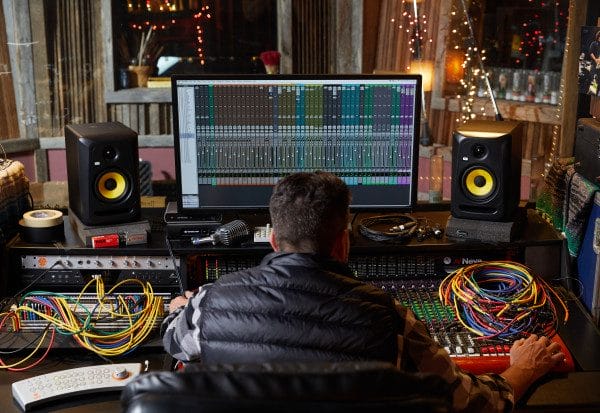
The room still plays a larger role than the stand. When I spoke with recording engineer Phil O’Keefe about setting up monitors in a bedroom studio, his advice centered on choosing speakers suited to the room and building an equilateral listening triangle, which is a far better starting point than buying expensive accessories around poorly placed monitors.
I have also kept price in perspective. Spending $250 on stands beneath a $150 pair of speakers may be a peculiar allocation unless those stands solve a specific problem or will remain in the room after the speakers are upgraded.
Connection format matters here as well, although it means something different than it would with a microphone arm. These products either sit directly on the desktop or clamp onto its edge, so you need to inspect the desk surface, underside clearance, platform depth, and speaker base before ordering anything.
IsoAcoustics ISO-155: best overall for medium-sized monitors
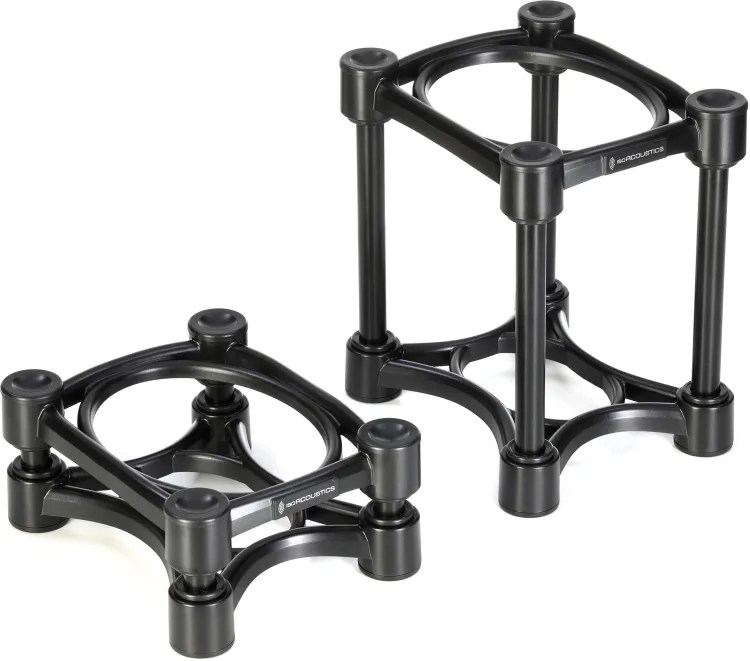
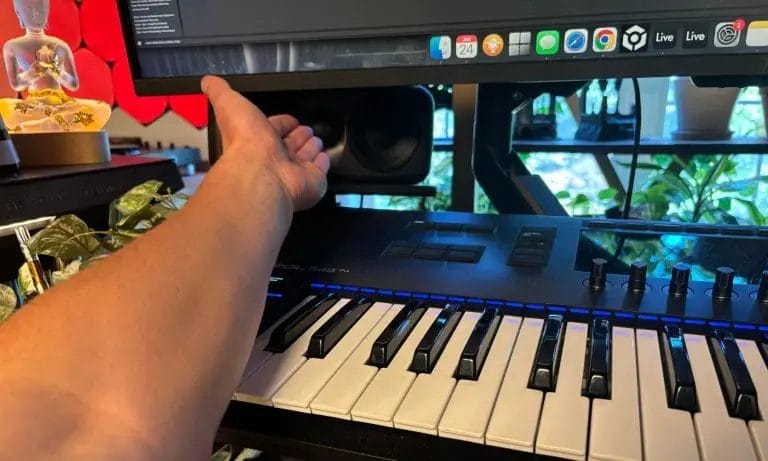
The IsoAcoustics ISO-155 is the pair I would show most producers first because it addresses height, angle, and desktop vibration without committing the room to a large steel base. Each stand measures 6.1 inches wide by 7.5 inches deep, supports up to 40 pounds in its lower configuration, and can be assembled at either three or 8.25 inches tall, with up to 6.5 degrees of tilt available.
That range covers plenty of common five-inch monitors while leaving enough room to point the drivers toward your ears when the desk sits lower than it should. I especially like this format for producers who change chairs, desks, or rooms every few years because the riser tubes can be reconfigured as the listening position changes.
The open construction is more visually technical than decorative, and speakers with especially wide bases may be better suited to the ISO-200 or a larger steel platform. Producers who already have their tweeters at the correct height, own a desk with effective speaker shelves, or simply dislike the appearance should skip this pair and spend the money on room treatment. At roughly $136 per pair, the ISO-155 is not cheap foam dressed up as studio furniture, although its price remains reasonable for someone who wants one purchase that covers most ordinary desktop monitor arrangements.
This is also the option I would pair with many of the five-inch speakers in my roundup of the best desktop studio monitors for producers working in small rooms. Those monitors are large enough to benefit from deliberate elevation, while remaining small enough that the ISO-155 does not consume half the desk.
IsoAcoustics ISO-130: best for compact studio monitors
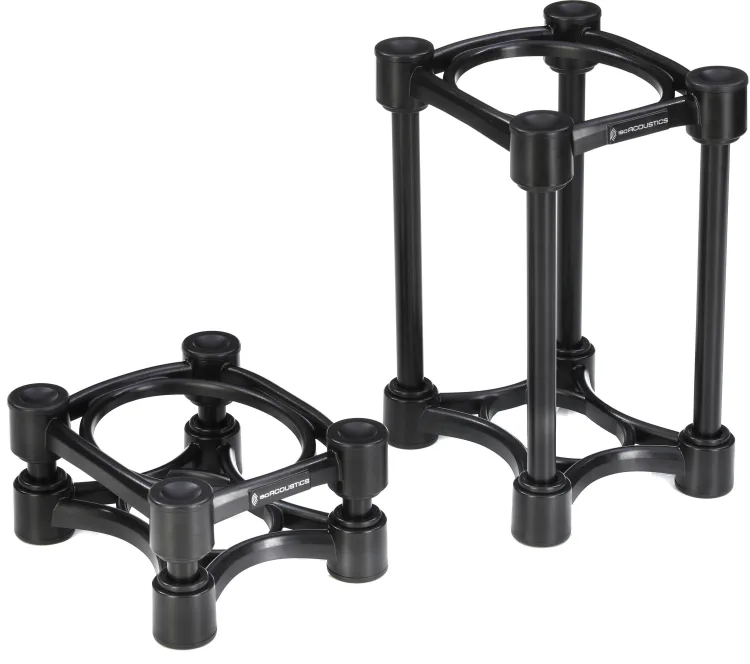
The IsoAcoustics ISO-130 takes the same general approach and shrinks it into a format that feels far more appropriate beneath compact nearfields. Its 5.1-by-6-inch platform supports monitors up to 20 pounds, while the short and tall configurations measure 2.8 and 8.25 inches, respectively. I would use these with small cabinets that need genuine elevation rather than placing a tiny speaker in the middle of a much larger tray.
When I checked out the KRK Kreate 3, its genuinely compact cabinet was a large part of the appeal, and a narrow stand like the ISO-130 preserves that space-saving character. This pair also suits producers working from bedroom desks, mobile production rooms, or side workstations where an ISO-155 would extend unnecessarily beyond the cabinet. Owners of broad six-inch monitors should skip it, as should anyone whose speaker exceeds the stated load limit or sits uncomfortably close to the platform edges.
The price usually lands around $115 per pair, so I would buy it for fit and adjustment rather than treating it as a cheaper substitute for every larger ISO model.
The ISO-130 is especially appealing when the rest of the setup is meant to remain compact. My look at the best portable studio monitors covers speakers from ADAM Audio, IK Multimedia, KRK, and Genelec, and several of those products deserve a stand sized for their actual cabinet rather than one inherited from a much larger nearfield.
Gator Frameworks Clamp-On Stands: best for crowded desks

The Gator Frameworks Clamp-On Studio Monitor Stands are my pick for the producer whose desk has enough width for two speakers and absolutely nowhere sensible to place their bases. Each stand clamps to the rear or side edge of the desk, then supports the monitor on a 12-by-9-inch EVA-lined platform with adjustable height and up to 15 degrees of tilt. That arrangement frees the desktop beneath each speaker, which can be a real advantage when a large display, controller, interface, and computer keyboard are all competing for the same few feet.
The 60-pound load limit is generous, although the desk edge and clamp connection are the parts I would inspect most carefully before trusting a heavy cabinet to it. Desks with deep rear panels, cable trays, enclosed undersides, delicate finishes, or beveled edges may prevent the clamp from seating properly, so this is not a blind purchase based on speaker dimensions alone. Producers who move their desk frequently should also remember that the speakers remain connected to the furniture whenever it is raised, lowered, or repositioned. At about $100 per pair, these can be less expensive than many desktop isolation stands while solving a bigger spatial problem.

This is the category I would consider first for an equipment-heavy standing desk. In my FlexiSpot E7 Plus standing desk review, I had an ultrawide display, controllers, computer gear, and plenty of production hardware sharing one surface, and moving the speakers onto the rear edge can open space exactly where hands and controllers need it most.
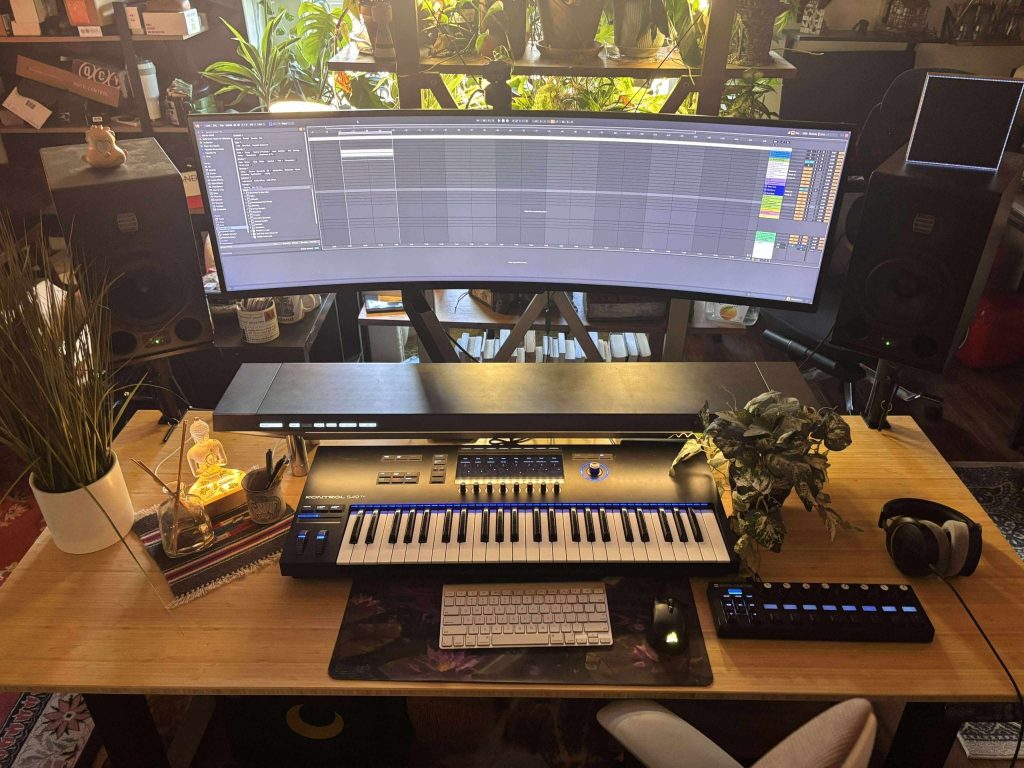
There is one practical catch with motorized desks: every audio and power cable must have enough slack for the full travel range, and nothing should snag when the desk moves. I would raise and lower the empty desk once with the stands installed, then repeat the movement with the speakers mounted while keeping one hand near the controls.
K&M 26772: best for precise tweeter height
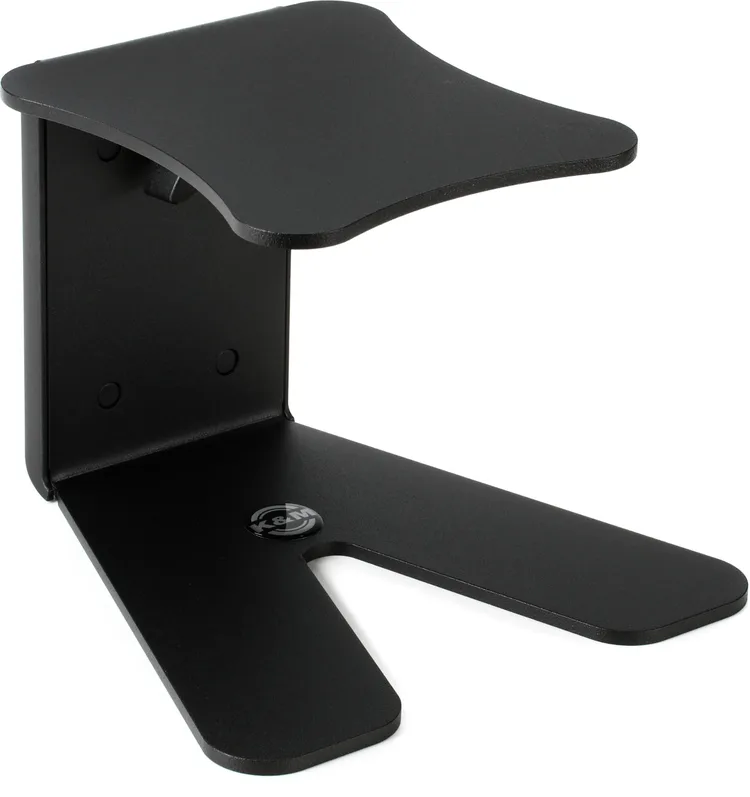
The K&M 26772 tabletop monitor stand is the one I would choose when I want a conventional steel stand and more exact height control than modular riser tubes provide. Its height adjusts continuously from 6.57 to 10 inches, the 5.91-by-6.69-inch tray supports up to 33 pounds, and rubber pads protect both the speaker and desktop.
That adjustment range gives you room to set tweeter height around the chair and desk you actually own instead of selecting between two preset positions. The square 8.43-inch base is still relatively manageable, although it takes considerably more working area than an open isolation stand or clamp-on design.
This suits producers with medium-sized monitors, solid desks, and a listening position that rarely moves once it has been measured. People using very wide speaker cabinets should skip it, while producers who regularly carry their rig elsewhere may find the steel construction unnecessarily cumbersome. A pair works out to roughly $166 because the stand is often priced individually, so double-check the cart before assuming the displayed price covers both speakers.
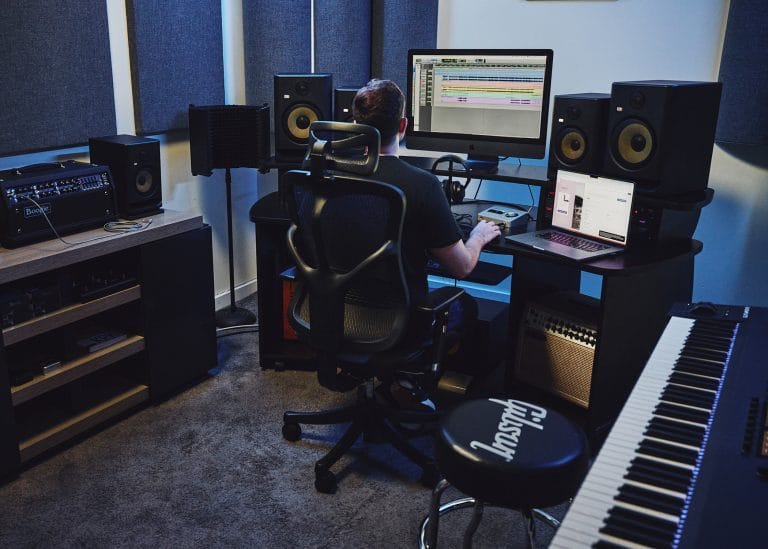
The 26772 also fits the way I think producers should approach their first serious monitoring setup: choose the speaker for the room, establish the listening position, then purchase the stand that places the drivers where they belong. My article on getting the most from a first pair of studio monitors goes further into centered listening positions, speaker angles, early reflections, and the room decisions that should happen alongside stand placement.
K&M 26774: best for larger monitor cabinets
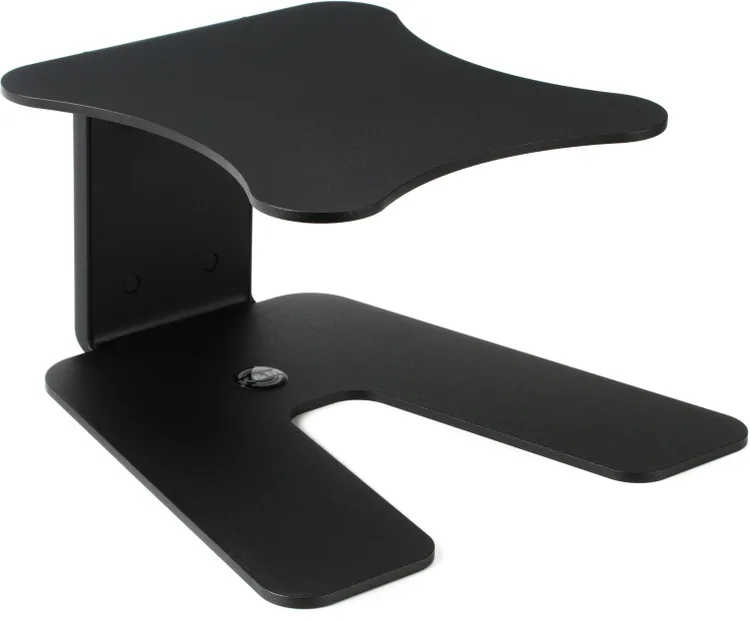
The K&M 26774 large tabletop monitor stand is built for speakers that look precarious on the smaller platforms scattered across this category. Its tray measures 9.06 by 9.84 inches, its height adjusts continuously from 6.57 to 10 inches, and each stand can support up to 33 pounds. That broad platform is the main reason to spend more because it gives larger cabinets a far more convincing place to sit without balancing their mass over a narrow center plate. The downside is an equally broad base measuring roughly 11.4 by 11.6 inches, which can take over a shallow desk before the monitor itself has even been added.
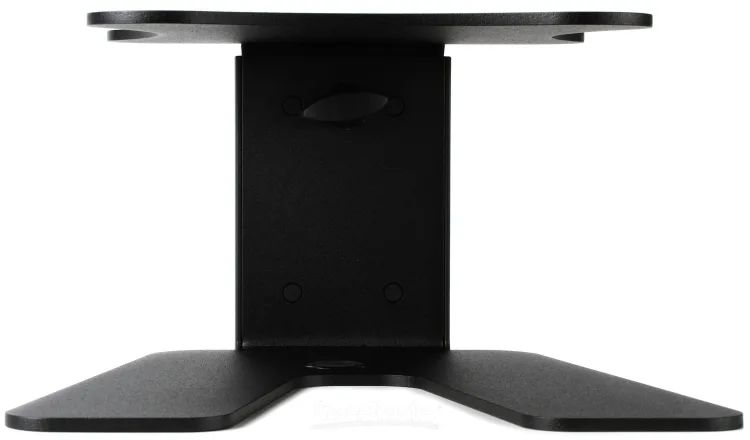
I would buy this for a producer using larger nearfields on a deep, solid workstation where exact height is important and there is no practical way to move the speakers onto floor stands. Someone with compact three-inch or four-inch monitors should skip it, and anyone working from a lightweight folding desk needs to reconsider the furniture before adding two substantial steel stands and larger speakers.
At around $258 per pair, this is the most expensive recommendation here, so the cabinet measurements and intended listening position need to justify it.
This is where desk selection becomes part of the monitoring decision.
When I looked at the Platform Studio Desk by Output, its depth and equipment-focused layout offered a very different starting point from an ordinary office desk, and a broad stand like the 26774 needs that kind of physical room around it.
Larger speakers also deserve a larger room. My conversation with Amphion about audiophile speakers and studio monitors touched on listening distance, room interaction, and why nearfield placement remains such a practical advantage in home studios.
Gator Frameworks Desktop Wedges: best budget option
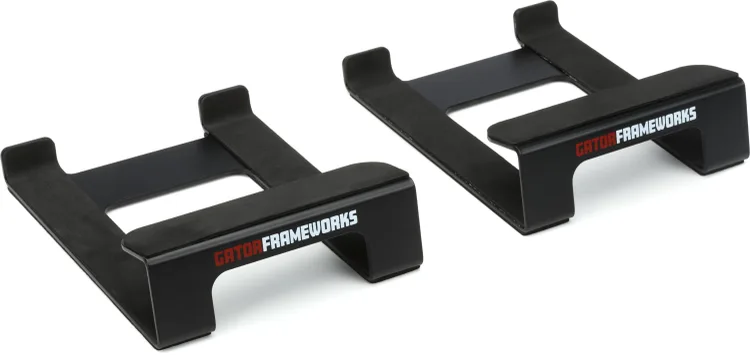
The Gator Frameworks Desktop Speaker Wedge Stands are the inexpensive option I would choose when the monitors need a modest upward angle and the budget does not support a fully adjustable pair. These compact steel wedges measure 7.25 inches deep by 5.9 inches wide and use EVA foam padding beneath the speaker. They do not raise a monitor anywhere near as high as the other products here, although the angle can direct a low desktop speaker more effectively toward a seated listener.
At roughly $35 per pair, they are also cheap enough for a secondary workstation, editing desk, gaming setup, or temporary production room.
They suit small and medium speakers whose tweeters are already reasonably close to ear height, particularly when the desk itself is fairly tall. Anyone whose monitors need another six inches of elevation should skip them, and producers seeking adjustable height will outgrow this format quickly. I see these as a tidy answer to one modest placement problem rather than an all-purpose monitor support system.
This sort of purchase works best when you have already measured the listening geometry and know that angle, rather than major elevation, is the missing piece. It is also a sensible companion to an affordable speaker such as the KRK ROKIT 5 Generation Five, especially when buying premium stands would consume money better reserved for absorption panels or monitor calibration.
Common mistakes when buying stands for studio monitors
The most common mistake is shopping by appearance before measuring the speaker. Record the cabinet width and depth, locate its center of mass as best you can, and compare those figures with the stand platform instead of trusting a generic small, medium, or large label.
The second mistake is assuming isolation automatically fixes low-frequency problems. A decoupling stand can reduce energy transferred into a resonant desktop, although bass peaks and cancellations caused by the room still need placement work and acoustic treatment.
This is why I would spend time with our explanation of why room acoustics matter in a recording studio before expecting a pair of stands to repair everything below 200 Hz. The stand affects the relationship between the speaker and supporting surface; the room still determines how reflections and standing waves behave around the listening position.
Another mistake is raising the speakers without checking their angle. A tweeter sitting above ear level can be fine when the monitor is tilted downward toward the listener, yet a tall stand aimed straight ahead may send the acoustic axis over your head.
Producers also forget the display sitting between the speakers. Raising both monitors may expose them to the top corners of a large screen, while moving them outward can create a listening triangle that is much wider than the distance from the chair to either speaker.
Clamp-on stands bring their own buying limits. You need a level mounting surface, enough underside access for the clamp, room for the rear hardware, and audio cables long enough to reach the raised speaker without hanging under tension.
Finally, do not choose the stand before deciding where the listening position belongs. Measure the room, place the chair, establish the left and right speaker positions, and then determine how much height or tilt the monitors need.
How to choose the right stand for your desktop setup
Start with the physical dimensions of the monitor, then compare its base with the platform. I am comfortable with a small amount of overhang when the cabinet remains centered and secure, although I would avoid any arrangement where the speaker rocks, tips easily, or places most of its mass outside the tray.
Next, sit in the chair at your normal working height and measure from the desktop to your ears. Compare that with the tweeter’s position on the cabinet, and the missing distance will tell you whether you need a wedge, a three-inch riser, or something closer to the K&M’s ten-inch maximum.
Desk size should narrow the list quickly. On a shallow desk, the K&M 26774 may be physically excellent and practically unusable, while the Gator clamp-on pair could preserve the area needed for a full-size MIDI controller.
The type of work also changes my recommendation. A producer writing on headphones and checking occasionally on compact monitors can live with a simpler stand, while someone mixing for hours each day benefits more from precise positioning that remains consistent every time they sit down.
I would also consider what the next monitor upgrade might look like. The ISO-155 supports a broad selection of common nearfields, whereas the ISO-130 is purpose-built around smaller cabinets and may need to be replaced if a substantially larger speaker enters the room.
If your setup already includes a substantial monitor shelf, start by measuring what that shelf accomplishes. An integrated platform such as the one found on the Hexcal Studio Plus can already provide elevation and reclaim desk space, leaving only angle or isolation to address.
The final budget decision is fairly straightforward. Buy the Gator wedges when a modest upward angle solves the issue, choose the ISO-130 or ISO-155 when you want elevation and isolation in a compact format, move to the K&M models when exact height and broad steel platforms take priority, or use the Gator clamps when desk space is the real problem.
Frequently asked questions
Are desktop monitor stands better than foam isolation pads?
They solve more placement problems because many stands provide height, tilt, or both, while a foam pad generally offers a fixed elevation and a small selection of angles. Foam remains a reasonable low-cost option when the speakers already sit at the correct height.
How high should studio monitor stands be?
The correct height depends on the speaker and your seated listening position. For many conventional two-way monitors, placing the tweeters near ear level is a sensible starting point, followed by any placement advice provided by the manufacturer.
Do monitor stands improve sound?
They can improve what you hear by placing the drivers at a better height and angle, and isolation designs can reduce vibration transferred into the desk. They cannot correct an untreated room, a badly placed listening position, or speakers that are poorly matched to the space.
Can a studio monitor be wider than the stand platform?
A slight overhang is common, provided the cabinet remains centered and securely supported. Check the manufacturer’s sizing recommendations, avoid blocking ports or controls, and do not use a small tray when the monitor feels easy to tip.
Which studio monitor stands should you buy?
For most medium-sized desktop monitors, I would buy the IsoAcoustics ISO-155 and spend the remaining setup time checking speaker distance, listening angle, and room placement. It covers the widest range of common desktop needs without occupying the area demanded by a large steel base.
Choose the ISO-130 when compact speakers are part of the plan, and choose the Gator clamp-on pair when the desk surface itself is the bottleneck. The K&M 26772 is my choice for exact height adjustment, while the 26774 earns its higher price only when the speaker cabinet genuinely needs that broad platform.
If your monitors are already close to ear height and simply point too low, the Gator wedges may be all you need. I would rather see a producer buy that inexpensive pair and put the remaining budget into room treatment than purchase an elaborate stand without addressing the listening position.
The next decision is therefore a measurement, not another hour of browsing. Measure the speaker base, desktop depth, ear height, and available desk edge, then choose the model built around the problem those numbers reveal.

Will Vance is a professional music producer who has been involved in the industry for the better part of a decade and has been the managing editor at Magnetic Magazine since mid-2022. In that time period, he has published thousands of articles on music production, industry think pieces and educational articles about the music industry. Over the last decade as a professional music producer, Will Vance has also ran multiple successful and highly respected record labels in the industry, including Where The Heart Is Records as well as having launched a new label with a focus on community through Magnetic Magazine. When not running these labels or producing his own music, Vance is likely writing for other top industry sites like Waves or the Hyperbits Masterclass or working on his upcoming book on mindfulness in music production. On the rare chance he's not thinking about music production, he's probably running a game of Dungeons and Dragons with his friends which he has been the dungeon master for for many years.