Table of Contents
Regardless of your level as a producer, you should probably have several ways to listen to the music you’re working on to hear how it will sound in different contexts. Headphones are a great start, sure, but they usually have built-in frequency curves that affect what you hear. If you want to hear your music through speakers and get a better idea of how it will translate beyond your headphones, you should consider studio monitors.
Here’s the problem with that. Studio monitors are not the cheapest pieces of equipment to grab, and they are usually large, heavy, and take up a lot of space. Plus, if you are not grabbing a paired set of monitors, you have to double the cost and deal with the power and connections required for two separate speakers. For any budget-conscious producer working in a bedroom, a small basement, or anywhere space is limited, traditional studio monitors may not fit the equation.
This is where the KRK Kreate series comes in. It is a newer line of monitors geared toward home producers, podcasters, and creators who want KRK’s familiar speaker identity at a much lower entry price. If you do not know KRK by name, you probably know the brand by its yellow speaker cones.
I was lucky enough to get my hands on an early copy of the KRK Kreate 3 monitors, which are the 3.5-inch model. The inches refer to the size of the low-frequency driver, so each speaker is about 8 inches tall and a little over 5 inches wide. I had just moved and set up a new workspace, and I needed to downsize a few things to fit the limited space I had. These monitors could not have come at a better time.
Quick answer: The KRK Kreate 3 is still worth buying in 2026 if you need a compact, affordable, Bluetooth-ready pair of studio monitors for a small desk, bedroom setup, content station, or first production room. The low end is limited by the 3.5-inch driver size, but the $179 pair price still makes the value case easy.

What Is The 2026 Verdict On The KRK Kreate 3?
The KRK Kreate 3 still gets a positive verdict, with one clear condition: you need to understand what a compact 3.5-inch monitor can and cannot do.
For $179 per pair, the value is still excellent. You get a paired monitor system, Bluetooth 5.3, balanced 1/4-inch TRS inputs, RCA inputs, a 1/8-inch aux input, high and low frequency adjustment, 65 watts total power, and a speaker size that can fit on a desk without taking over the room.
The Kreate 3 is best for producers who need a small, affordable second reference or a first pair of monitors for a tight space. It is also a good fit for content creators, podcast editors, and casual listening setups where desk space matters.
The low end is still the main limitation. That was true in the original review, and it remains true now. The Kreate 3 can give you enough information to work, but it will not replace a larger monitor or a subwoofer when you need to make careful decisions below the upper bass range.
My updated verdict is simple: buy the Kreate 3 if size, price, and convenience matter most. Skip it if your music depends on deep sub information and you need your monitors to tell you everything down there without headphones or a sub.
What Changed For 2026?
The biggest update is that the Kreate 3 is still current and still priced at $179 per pair at common retail. That is important because many small monitors have shifted toward higher prices, app control, USB-C, or premium desktop positioning. KRK has kept this model simple and affordable.
The second update is the alternatives list. The Yamaha HS3, PreSonus Eris 3.5 2nd Gen, ADAM Audio D3V, Kali Audio LP-UNF, Mackie CR3.5, M-Audio Forty Sixty, and AIAIAI UNIT-4 Wireless+ all make sense as current comparisons, though some cost much more than the KRK.
The third update is that small monitors now have to be judged by setup reality, not specs alone. A desk-sized monitor can help a bedroom producer work faster, but placement, room reflections, and low-end checking still matter. I covered the larger KRK side of this in KRK V8 S4 Studio Monitors 10s 4 Sub Reviewed, which shows how different the conversation gets when you move into bigger monitors and a subwoofer.
Unboxing & Setup
It’s important to note first that these are PAIRED monitors, meaning that both will be sent in the box (you don’t have to buy two!!) and you will control the output of both monitors by using the right one.
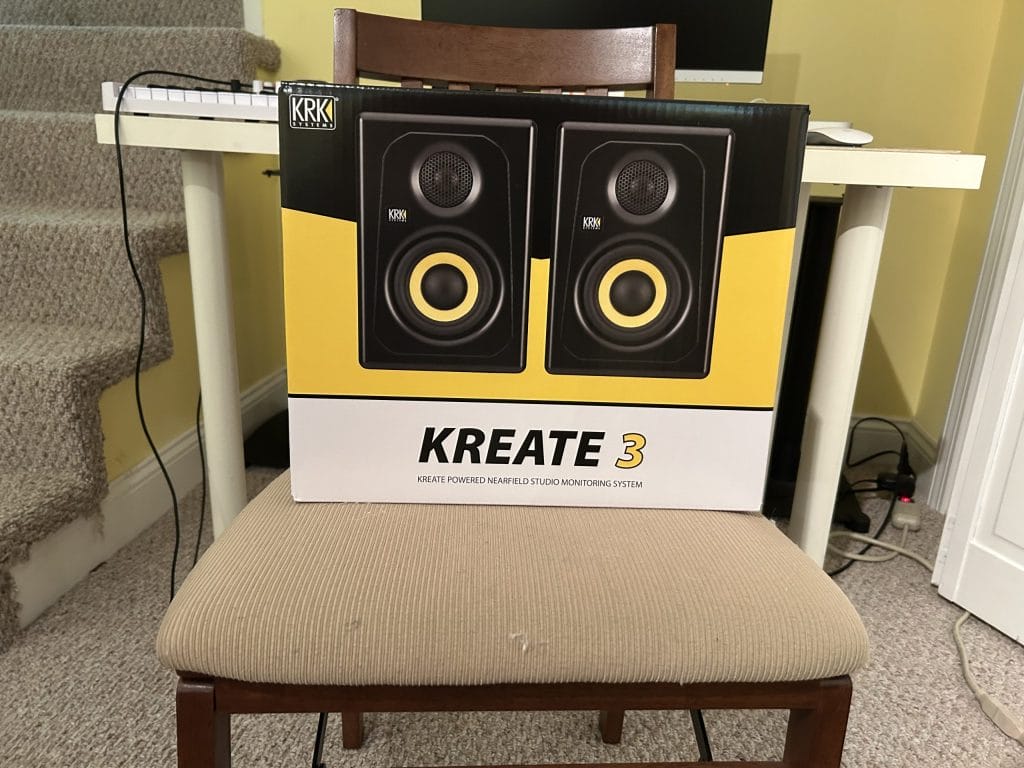
The box itself is decently large and heavy, but that’s because there are two full speakers in there. They’re well protected inside, and nothing arrived faulty or damaged. So, they’ve very much passed the first test with flying colors!
As you can see, you’ll be sent two monitors, a power cable, a connector cable (this will connect the right monitor to the left one and allow you to pair them), and a bunch of styrofoam to keep things safe. As usual with monitors, you will need to outsource your own cables to plug them into your setup. I’ll be using 1/4 inch TRS cables for the purpose of this review as those are what I had on hand, but there is also an RCA output.
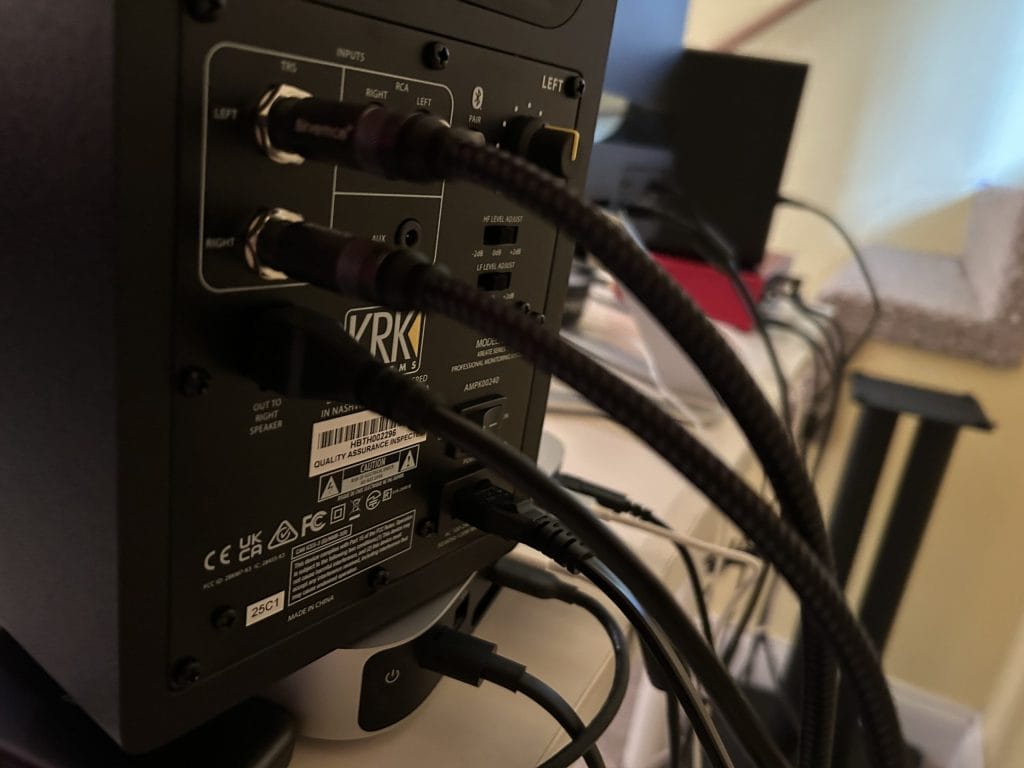
Also note the Bluetooth logo – you can connect these speakers to Bluetooth and use them that way if you’d like. Note that there is no XLR output here, so you’ll have to search for another option if those are the cables you have.
This monitor also has all of the controls you’ll need. The power switch is here, alongside the volume knob (top right), and below that, the high and low frequency adjustments. You can either leave those sliders at zero, or increase/decrease the requisite frequencies by 2db.
Placement And Small-Room Setup
The size is the main selling point. These monitors do not take up much desk space, which is a major plus if you are working from a bedroom, an apartment, a small office, or a shared room.
The basic setup rule still applies: keep the monitors roughly the same distance from each other as they are from your head. You do not need to overcomplicate this if you are just starting. Put them on stands or isolation pads if you can, keep them at ear height, and avoid pushing them hard into a wall if you can help it.
There is a lot that can be said about room treatment and speaker placement, and it matters. At the same time, many producers buying $179 monitors are not building a fully treated room. That is fine. Start with clean placement, use the rear EQ sliders for a small correction, and check the low end on headphones.
This reminds me of the point Hannes Bieger made in our interview on studio design and creative flow: “anything that disrupts the creative flow” should be avoided. For a small room, an oversized gear can become one of those disruptions. A compact monitor that fits the space can help more than a bigger speaker that fills the room all day.

All in all, it took me five minutes to get these plugged in and set up. They’ve idiot-proofed the process – everything is clearly labeled, and there are no surprises.
Also note that I only put these monitors on my interface/Mac Mini for the purpose of this photo. You can kind of see it – I have speaker stands behind my desk that they live on. However, this layout puts the size of the monitors further into perspective: they will not take up too much desk space if that’s all you’ve got, which is a huge plus.
A rule of thumb, just in case you’re wondering: you want the monitors to be essentially equidistant from each other and from your head. That’s the rule that I usually go by. There’s so much to be written on about sound-proofing your studio for the absolute best frequency response and whatnot, but I’ll be real with you: I don’t have the time nor the money to do that. So, my rule is just keep the speakers a decent distance apart and keep yourself at around that same distance, and you’ll be fine for now.
So, how do these things sound?
Results
Now, please take everything I say with a grain of salt. KRK claims you need to break in these monitors by playing music or pink noise through them for hours upon hours – once that’s been done, then everything should be working as intended. I, admittedly, haven’t had the time to do that yet. However, I’ve got a good enough of the idea of the sound quality from these monitors to write this up.
The sound quality is great – let’s get that out of the way. The high end, specifically, is pristine. There’s also no latency whatsoever, which is something I always look out for in speakers. And, as I continued to use them in my own production and listening work, the sound got better, proving that the breaking-in thing is not a myth. I’ve got several hours to go before I complete that process, but I’m happy with the way things sound right now. Also note that the sound was good even without me sound-proofing my studio – another really, really good sign.
My only major issue are the sub frequencies, or the lack thereof. The music I make is very much sub-focused, and I found the low end on some of my tracks and WIPs to be almost nonexistent. Now, this isn’t a Kreate 3 problem. This is a small monitors with no subwoofer problem, so I can’t complain too much. And, the low end of my tracks have been coming out more and more with every use, so that’s a good sign.
Regardless of that whole low-end thing, these monitors definitely stand up to their larger counterparts. It’s great, powerful sound and a lightning-quick frequency response. That’s what you need from studio monitors.
How Much Does The KRK Kreate 3 Cost In 2026?
The KRK Kreate 3 is currently listed at $179 per pair. That matters because the 3-inch Kreate model is sold as a pair, while the larger Kreate 5 and Kreate 8 models are sold as individual monitors.
| Product | Current Price | Package | Best Fit |
|---|---|---|---|
| KRK Kreate 3 | $179 per pair | Pair | Small desks, first monitors, content setups |
| KRK Kreate 5 | Around $169 each | Single monitor | Producers who need more low-end reach and can fit larger speakers |
| KRK Kreate 8 | Around $229 each | Single monitor | Larger rooms and producers who need a fuller low end |
The Kreate 3 remains the easiest entry point in the series because the box includes both monitors. If you are comparing the price against the Kreate 5 or Kreate 8, remember to double the price for those larger models if you want a stereo pair.
Pros & Cons
Pros:
Smaller, but doesn’t sacrifice quality.
These monitors prove that bigger isn’t always better. You can get essentially the same sound quality from clunky, large studio monitors than you can from these space-friendly ones. I put these to the test versus my other studio monitors – gen 3 KRK Rokit 5s. The Kreate 3 sounded just as good, if not better, so much so that my Rokits have been relegated to storage.
You can get top-quality sound while also saving space in your studio. That’s impressive.
Entry-level pricing!
I haven’t mentioned the price yet, so here we go: the Kreate 3s retail for $179 USD.
For a pair of high-quality studio monitors, that’s a ridiculously good deal. Plus, this is the only monitor in the Kreate series that ships with a pair – so it’s an even better deal than you may have first thought.
Cons:
The low end thing.
Look, I get it. I’m being picky. But that’s exactly the thing: I’ve been producing for 10 years now and I know what I like to hear. These monitors just fall short of my low end desires. Is it a dealbreaker? No. I have headphones that I can use to sculpt that part of my track.
At the end of the day, you’ll just need to take into account what you’re looking for in a pair of studio monitors. If you want deep bass, I’d recommend pairing these with a subwoofer.
How Do The Best KRK Kreate 3 Alternatives Compare?
| Monitor | Current Price Range | Driver Size | Connections | Best Reason To Buy | Why The Kreate 3 May Win |
| KRK Kreate 3 | $179 per pair | 3.5-inch woofer, 1-inch tweeter | TRS, RCA, 1/8-inch aux, Bluetooth 5.3 | Affordable KRK pair for small desks | Lower price than most serious compact rivals |
| Yamaha HS3 | Around $195 per pair | 3.5-inch woofer, 0.75-inch tweeter | XLR/TRS combo, RCA, stereo mini | Compact Yamaha monitoring at a fair price | Bluetooth and lower current price |
| PreSonus Eris 3.5 2nd Gen | Around $99 to $115 per pair | 3.5-inch woofer, 1-inch tweeter | TRS, RCA, 1/8-inch aux | Lowest-cost credible alternative | More power and Bluetooth on the KRK |
| PreSonus Eris 3.5BT 2nd Gen | Around $130 to $147 per pair | 3.5-inch woofer, 1-inch tweeter | TRS, RCA, 1/8-inch aux, Bluetooth | Cheaper Bluetooth alternative | KRK has a more production-focused feel |
| ADAM Audio D3V | $349.99 per pair | 3.5-inch woofer, D-ART tweeter, passive radiators | TRS, USB-C | Better desktop feature set and deeper extension | KRK costs far less |
| Kali Audio LP-UNF | From $274 to $349 per pair | 4.5-inch woofer, 1-inch tweeter | USB-C, Bluetooth, RCA, TRS | Better ultra-nearfield mixing feature set | KRK is cheaper and smaller |
| Mackie CR3.5 | Around $99.99 per pair | 3.5-inch woofer, silk dome tweeter | TRS, RCA, 3.5mm | Low-cost desktop speakers with tone control | KRK feels closer to a budget studio monitor |
| M-Audio Forty Sixty | Around $199 each | 6.5-inch woofer, 1-inch tweeter | XLR, TRS, Bluetooth 5.3 | Bigger low-end reach and DSP app control | KRK is much smaller and far cheaper as a pair |
| AIAIAI UNIT-4 Wireless+ | $800 per pair | 4-inch woofer, 1-inch tweeter | Wireless+, Bluetooth, TRS, 3.5mm | Battery-powered wireless production | KRK is the better fixed-desk value |
Conclusion: Should you get it?
I’d say these are worth a purchase, especially if you’re on a budget or dealing with space constraints. As far as smaller studio monitors go, these have to be some of the best on the market. What these monitors lack in size is made up for in sound quality that rivals their larger counterparts.
Sometimes, great things really do come in small packages.

Ben Lepper is a music producer and journalist from Boston, Massachusetts.