Table of Contents
This article got incredibly long by the time I finished writing, so I won’t get too wordy in the intro and will dive right into the nitty-gritty on which plugins I think are the best reverb plugins for electronic music producers these days.
I’ve reviewed about fifty reverb plugins and spoken with hundreds of professional, touring, and working producers, and here’s an in-depth look at what I found (…hopefully it’s not too in the weeds). So let’s talk about it a lil bit!
Disclosure: This article contains affiliate links. Magnetic may receive a commission if you purchase something after following one of them. That does not change which products I include or what I say about their limitations.
One thing I’ve always found interesting about reverb is how differently producers approach it depending on the type of music they’re making and what they’re trying to accomplish in a particular section of a track. Sometimes it’s as simple as pushing a percussion element a little farther back in the mix or giving a vocal extra space, while other times producers use it to completely change the character of a synth, create transitions, or introduce new textures into an arrangement.
And after spending the last several years publishing How It Was Made features here on Magnetic, I’ve started noticing that the same handful of reverb plugins keep appearing in projects from producers working across house, techno, progressive, melodic electronic music, and just about everything in between.
What’s interesting is that they often use the exact same plugins for completely different reasons, which I think says a lot about what you can accomplish once you get familiar with a few good reverbs.
That’s also why I wanted to approach this article a little differently than simply comparing feature lists and manufacturer descriptions. We’ve had hundreds of producers walk us through their actual project files, explaining which plugins they used, why they chose them, and what they were trying to accomplish with the processing. Personally, I find that kind of information far more helpful than knowing how many algorithms a particular reverb has.
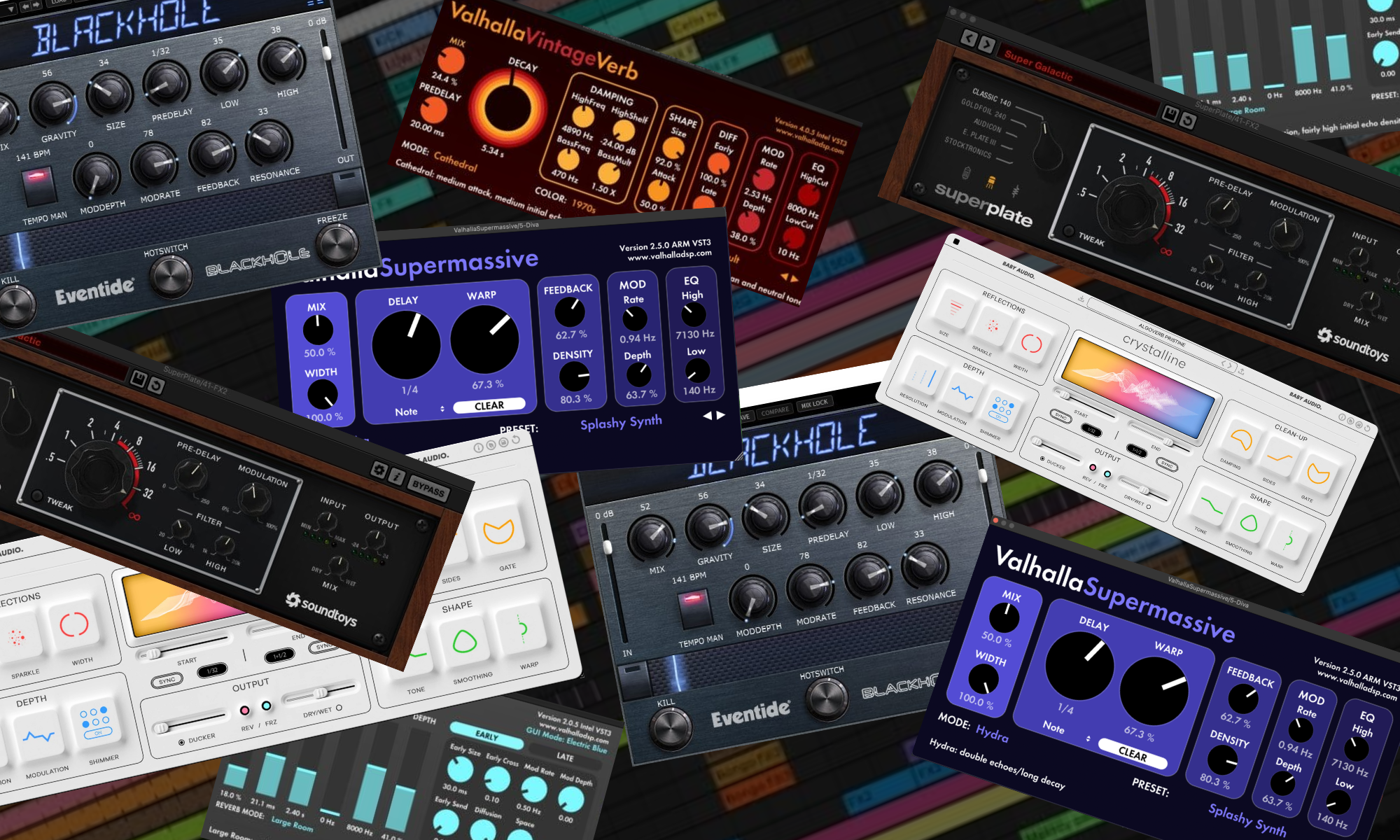
VintageVerb, for example, keeps appearing on everything from vocals to aggressive techno synths, while Supermassive regularly gets used for transitions, automation, and effects that become part of the arrangement itself. Then you’ve got plugins like Pro-R 2, Crystalline, Raum, SuperPlate, and Blackhole, each offering a slightly different approach to controlling space, decay, tone, and the more experimental side of reverb processing.
How I Chose These Reverb Plugins
I started with the records, which is to say the countless notes I’ve taken over the years on plugins I’ve enjoyed using myself, along with the recommendations and production techniques that artists we’ve featured on Magnetic have shared with us.
At this point, we’ve published hundreds, and probably well over a thousand, production breakdowns on the site, and reverb comes up in an enormous percentage of them. What I find particularly interesting is how often two producers will use the same plugin for completely different applications. One might be trying to get a vocal to sit properly against a busy instrumental, while another is automating the decay and wet/dry balance to create an entirely new element that becomes an important part of the track.
So rather than picking seven plugins that all do essentially the same thing, I wanted to focus on the reverbs that keep appearing in these sessions and look at what producers are actually accomplishing with them.
Price, features, and the usual technical considerations still matter, of course, but I think seeing how these tools are being used in finished records gives us a much better starting point for deciding which ones are worth spending money on.
Ward Andrews gives a perfect example in his breakdown of “Uncharted Course”.

He used Raum lightly on the bassline because the sound felt too dry, then switched to Valhalla Supermassive on a gated chord stack when he wanted the reverb to contribute to the musical personality of that section. His point was that swapping algorithms for similar jobs can subtly change the character of the larger record.
That is the philosophy behind this list.
I looked for reverbs that appear repeatedly in finished electronic music, then separated them according to the job they do best. I also looked at price, plugin formats, CPU implications where documented, built-in filtering, ducking, tempo sync, modulation, freeze functions, and how quickly I can get from a dry source to a result I would actually print.
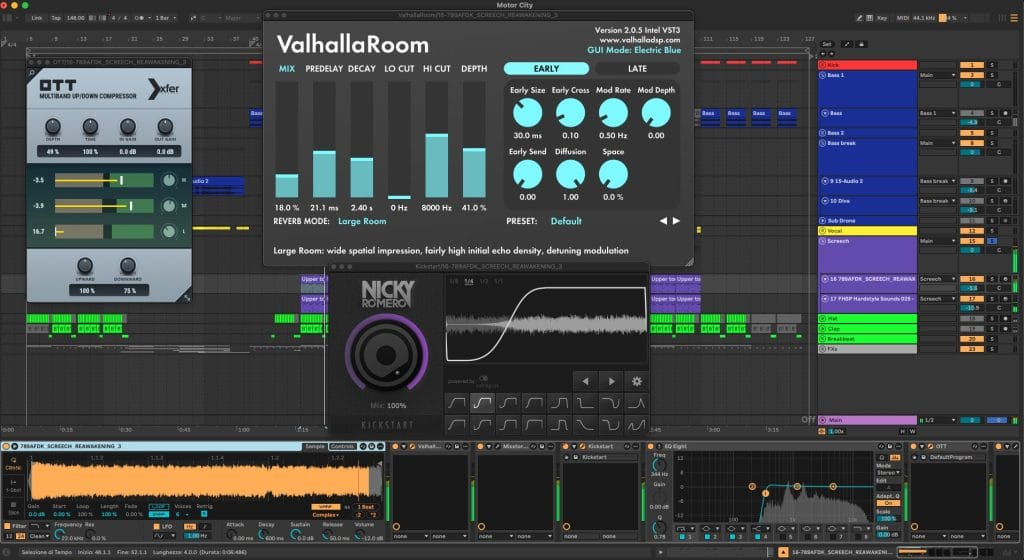
I care particularly about low-frequency control because electronic arrangements already contain a lot of sustained energy. Gabry Ponte warned about exactly that in his breakdown of “Motor City”, where several reverbs were used across stacked drop sounds and every layer needed its own role to keep the mix from becoming muddy.
That is also why the “best” reverb changes depending on the source.
| Plugin | Best use | Key feature | Main limitation | Typical price |
|---|---|---|---|---|
| Valhalla VintageVerb | Best overall | 22 algorithms with 1970s, 1980s, and Now color modes | No built-in ducking | $50 |
| FabFilter Pro-R 2 | Best mix workhorse | Decay Rate EQ, ducking, gating, IR import | Most expensive main pick | $199 |
| Valhalla Supermassive | Best free creative reverb | 22 reverb/delay modes with enormous feedback ranges | Easy to overfill a mix | Free |
| Baby Audio Crystalline | Best for tempo-synced modern reverb | BPM-synced onset and decay, ducking, freeze, reverse | Less suited to vintage hardware color | $99 |
| Soundtoys SuperPlate | Best plate | Five plate models, three preamps, decay ducking | Primarily plate-focused | $149 |
| Eventide Blackhole | Best atmospheric sound design | Gravity, massive decay ranges, modulation | Poor first choice for normal room ambience | $99 |
| Native Instruments Raum | Best free everyday alternative | Three algorithms, freeze, modulation, tempo-sync | Fewer precision-mixing controls than Pro-R 2 | Free |
Valhalla VintageVerb
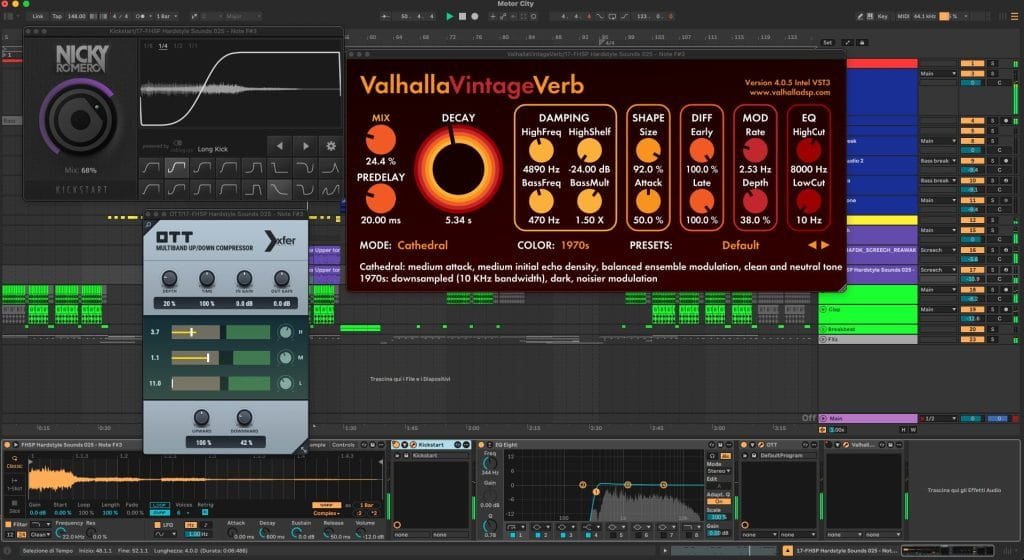
Valhalla VintageVerb is the easiest first recommendation because it keeps appearing in our artist breakdowns for completely different reasons.
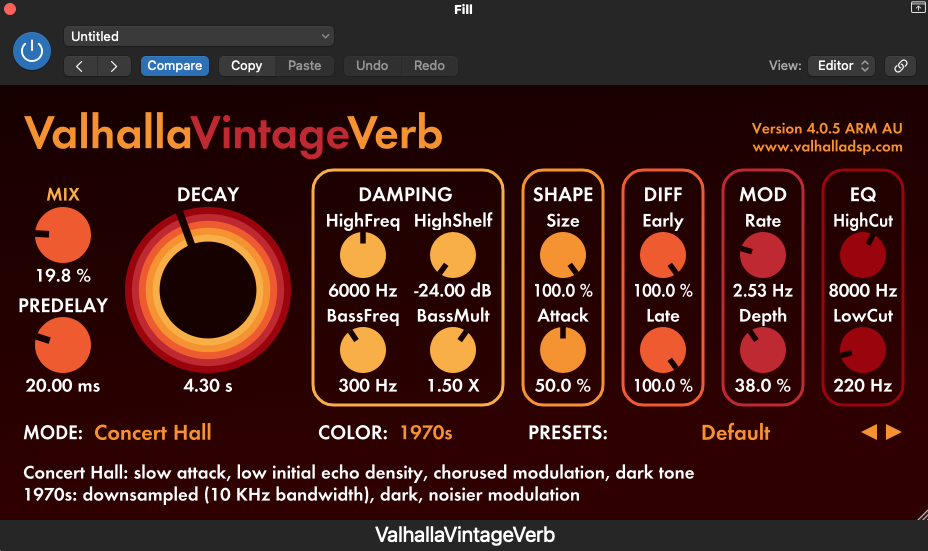
Valhalla currently charges $50 and gives you 22 reverb modes alongside its 1970s, 1980s, and Now color settings. That combination lets me move between obviously colored older digital spaces and smoother contemporary reverbs without switching plugins.
The artist evidence is better than the feature list.
In the How It Was Made feature for Swanya and LARSa’s “Postcards from the Club”, they used VintageVerb’s Smooth Plate mode on the lead vocal alongside Valhalla Delay. That vocal also went through formant processing and a Kaoss Pad, which shows how VintageVerb can sit inside a much more experimental chain without taking over the entire sound.
HEDEGAARD used it for another vocal job in the production breakdown for “TWINKLE”, describing it as a way to give the vocal space and emotion while keeping it forward enough for an energetic record.
Then Gabry Ponte took it somewhere completely different in “Motor City”. VintageVerb’s Cathedral algorithm with its 1970s color was used on the supporting screech layer in the drop, creating a wider tail behind the more aggressive lead layer. One plugin is handling vocals, atmospheric details, synth layers, and aggressive dance-music effects across records from producers working in completely different lanes.
Matthew Sona gets even closer to the general argument in the How It Was Made feature for his Munz remix. He used VintageVerb across drums, synths, vocals, effects, fills, and the main lead, sometimes specifically to push smaller details backward so they would not compete with the primary material.
That is what a general-purpose reverb should do.
I would use VintageVerb on a send, filter the low end before it reaches the return, and learn three or four modes deeply before worrying about the rest.
FabFilter Pro-R 2
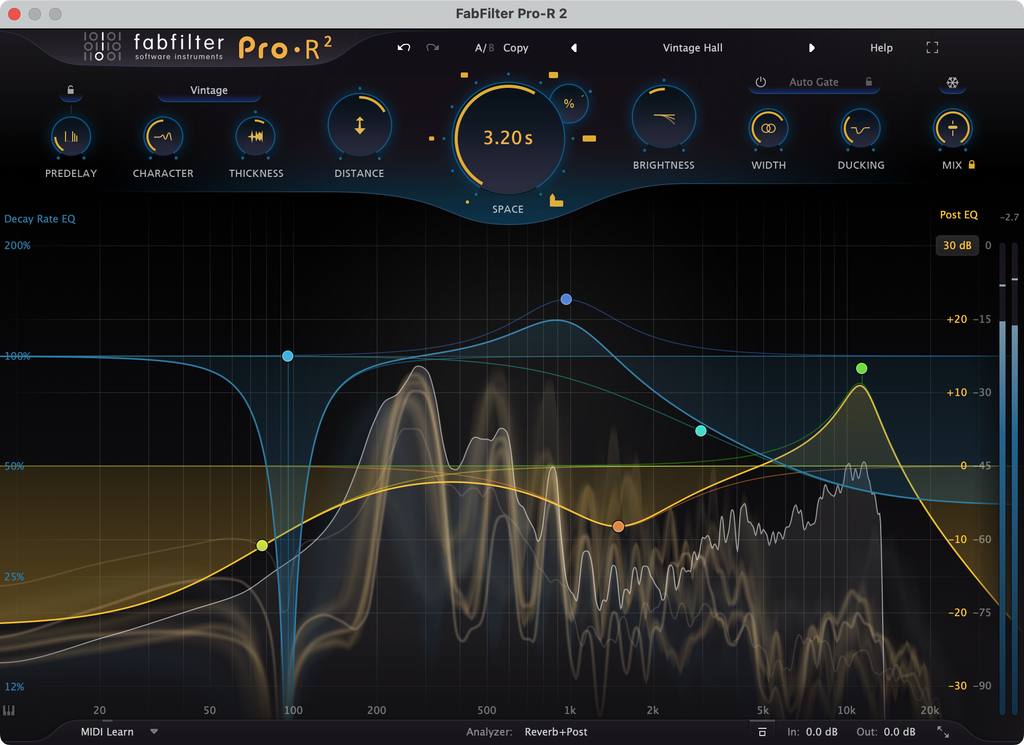
FabFilter Pro-R 2 is where I would go when reverb becomes a mixing decision before it becomes an effect.
Pro-R 2 currently costs $199 at Plugin Boutique and works in VST, VST3, AU, AAX Native, and AudioSuite formats. Its Modern, Vintage, and Plate algorithms are only the starting point. The reason I pay attention to Pro-R is the control around the reverb itself.
The Decay Rate EQ lets me change how quickly different frequency regions decay, while the separate Post EQ handles the resulting return. Ducking reduces the wet signal around the dry input, Auto Gate creates rhythmic gated spaces, Freeze captures the reverb buffer, and IR import can analyze an impulse response and recreate something similar inside the algorithmic engine.
That is a lot of reverb management in one plugin.
Oceanvs Orientalis was already using the original Pro-R years ago in the How It Was Made feature for Ex Nihilo, where digital effects including Pro-R supported a record built from organic recordings, percussion, radio signals, hardware, and modular sources.

More recently, Psysop Studio put Pro-R directly onto live vocals in the How It Was Made feature for “Twitch”. The vocal chain already included FabFilter EQ and compression, iZotope Nectar, and Serum FX before Pro-R handled the final spatial part, and the artist described Pro-R as one of their preferred reverbs when VintageVerb wasn’t being used. VintageVerb gives me immediate character which is amazing.
Pro-R gives me deeper control over how the reverb interacts with the mix.
If I have a busy melodic house record with a lead vocal, several pads, percussion, and a large synth lead, Pro-R is the one I would reach for when the vocal needs depth without adding another obvious reverb personality on top of everything else.
The price is the hurdle. It costs four times as much as VintageVerb and infinitely more than Supermassive or Raum The argument for spending that money comes from how much work it can replace.
FabFilter Pro-R 2 at Plugin Boutique
Valhalla Supermassive
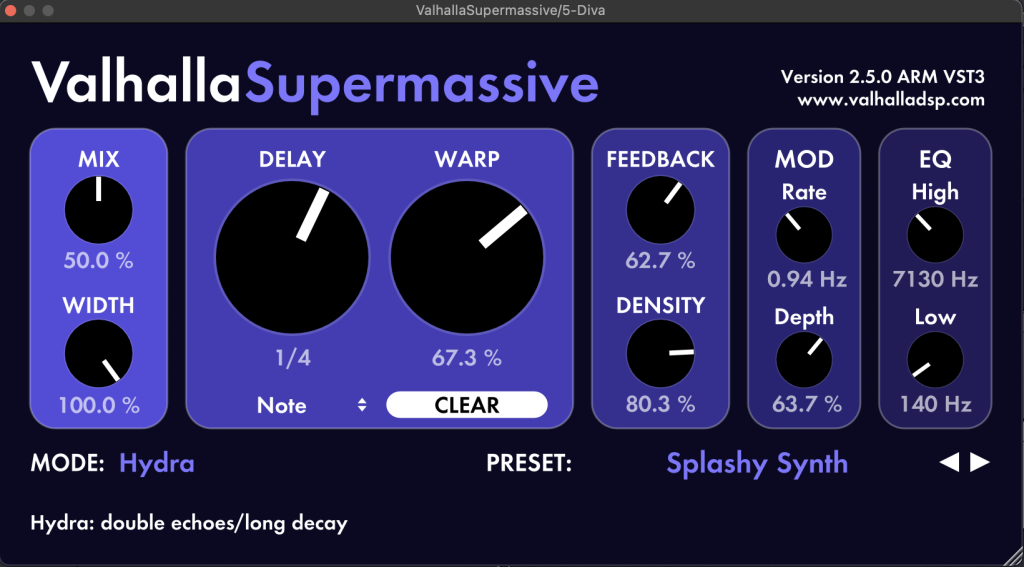
Supermassive is free, and at this point the 100s of articlx we’ve written, and artists we’ve featured on the topic, makes a better argument for installing it than I ever could with a normal review.
Valhalla Supermassive 5.0 currently includes 22 reverb and delay modes, including the newer Sirius mode alongside Pleiades, Libra, Leo, and the much wilder original algorithms.
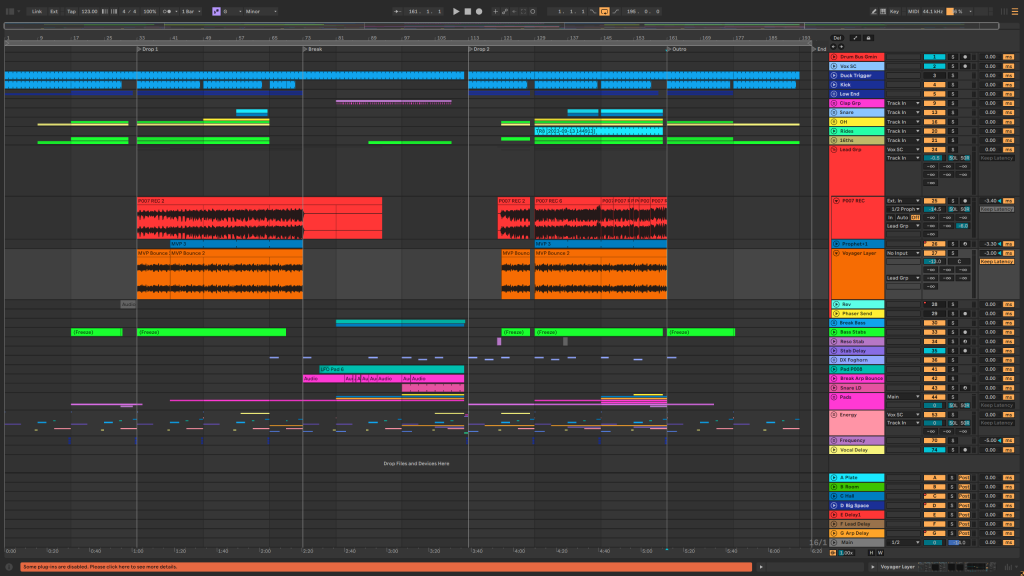
Local Dialect used it like an arrangement device in the How It Was Made feature for “Frequency”. Their lead begins swallowed in Supermassive, then they automate the mix downward as the synth moves toward the foreground. At the end of the track, the process reverses and the lead appears to move away again.
That is the first lesson I would steal.
Automate the reverb rather than parking it at 20 percent for five minutes.
J used two instances in the breakdown of “Respite”, putting one directly in the synth chain and another on a return to create a larger rolling texture.
Close Counters and Shiv used Supermassive on vocal tails in “BUTTER BREAD”, automating reverb size and delay feedback during tension-building moments before the chorus.
HL and Elvii brought it onto vocals and bass in “Fighting For Freedom”, while Lecx Stacy said in his 2026 production feature that he uses Supermassive regularly on vocals.
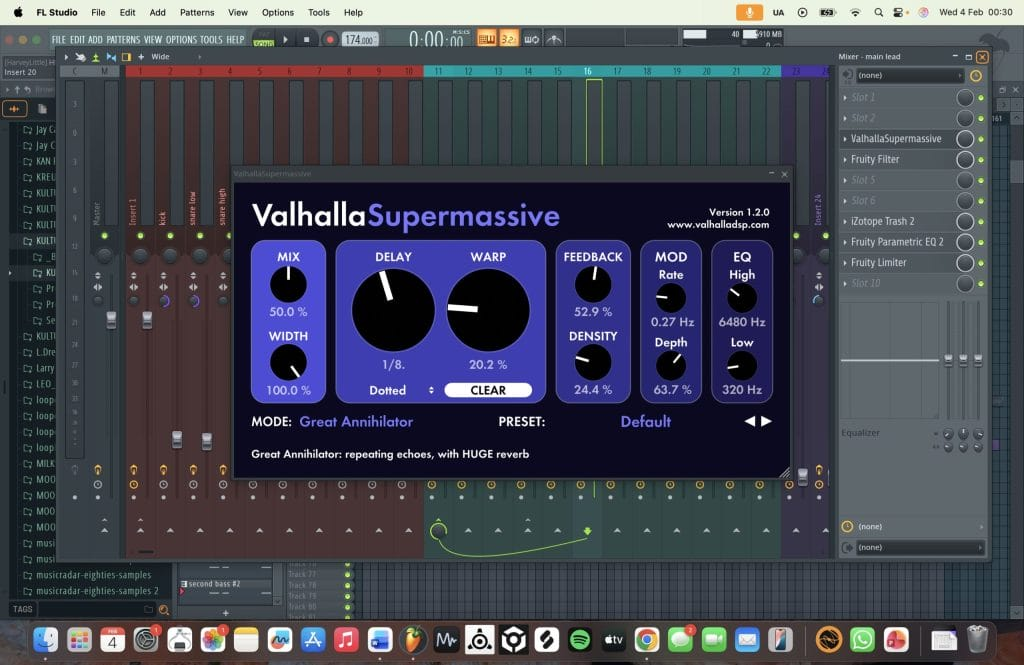
Considering Supermassive is completely free, I think the number of producers we’ve featured using it across so many different types of records makes a pretty convincing argument for having it installed. But I also think it’s worth pointing out that the same qualities that make Supermassive so appealing for creative effects can make it a little difficult to manage when you’re trying to keep an arrangement clean and controlled.
It’s pretty easy to get carried away with the longer decay settings and feedback controls, especially when you’re working with pads, synths, or other sounds that already occupy a decent amount of the frequency spectrum. I’ve generally found that Supermassive works best when you’re using it for something specific, whether that’s automating a reverb tail during a transition, adding some movement to a synth, or recording an extended effect back into the project to manipulate later.
For the smaller, more conventional reverb duties that come up throughout a mix, I’d probably reach for something like Pro-R, Raum, or VintageVerb first. But when you want the reverb itself to contribute something interesting to the arrangement, Supermassive gives you quite a bit to experiment with without spending anything.
Download Valhalla Supermassive
Baby Audio Crystalline
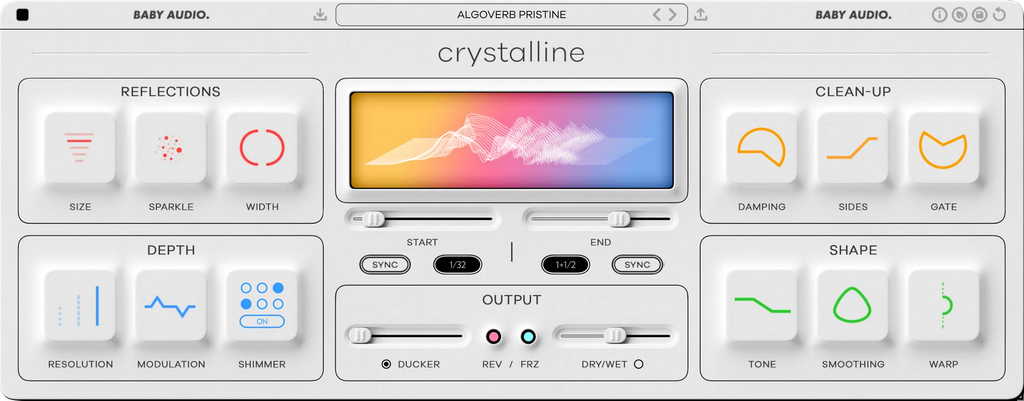
I have already written about it in my ambient reverb roundup, where I called out how much control it gives me when I need the reverb around a lead element to behave precisely rather than simply washing outward.
Crystalline currently costs $99 at Plugin Boutique and supports VST, VST3, AU, and AAX on Mac and Windows. Its biggest advantage for electronic music is that the onset and decay can sync directly to the project tempo.
That saves me from guessing milliseconds every time I want the reverb envelope to relate to a quarter note or eighth note.
Baby Audio also builds in ducking, filtering, low-frequency control, stereo shaping, modulation, shimmer, reverse reverb, and Freeze.
The How It Was Made archive gives us a very practical use case.
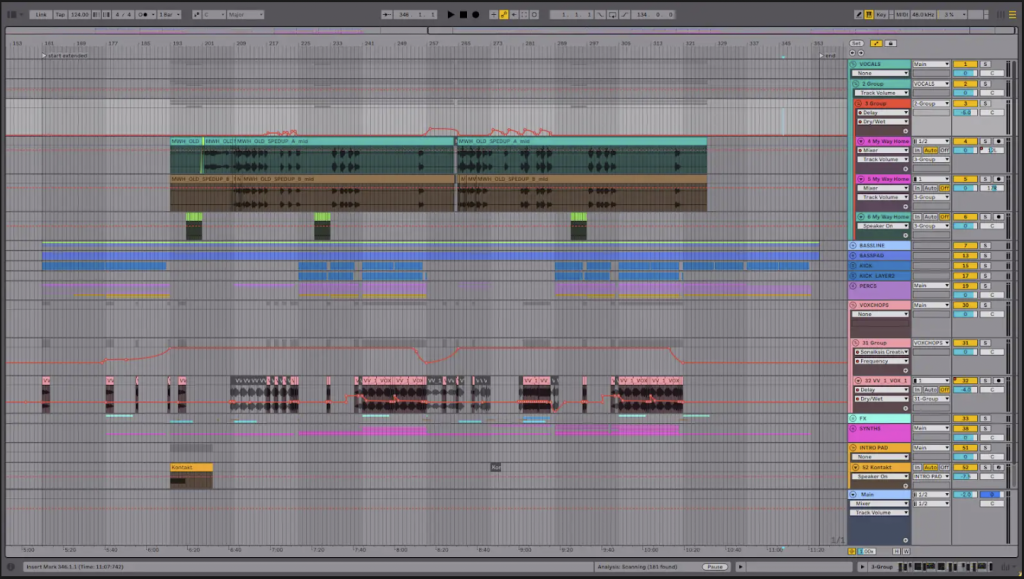
Avenue One and Jaren used Crystalline alongside iZotope Neoverb on the vocals in “My Way Home,” explaining that it helped them get the spacious, polished vocal sound they were looking for without introducing too much muddiness into the mix. And I think that’s a pretty good example of where Crystalline starts to make a lot of sense, especially for producers working in melodic house, progressive house, and other genres where the vocals tend to have quite a bit of processing going on around them.
You’ve often got delays, vocal doubles, chops, pitch effects, and several synth layers all competing for space, and adding another long reverb tail can make things messy pretty quickly. What I appreciate about Crystalline is how much control it gives you over the timing of that reverb, especially with the ability to sync its onset and decay to your project’s tempo. It’s a relatively straightforward way to get some extra space around a vocal without having the reverb hanging around longer than you actually want it to.
I also think Crystalline encourages a slightly different approach to reverb than something like Pro-R 2 or VintageVerb. Pro-R 2 gives you considerably more control over the frequency balance and decay characteristics, while VintageVerb has that older digital character that I tend to associate with a lot of the records I grew up listening to. Crystalline feels a little more focused on modern production techniques, with reverse, shimmer, freeze, and tempo-synced controls that make it easy to experiment with the effect as part of the arrangement.
Whether that’s something you actually need is another question, especially if you’re already comfortable with the reverbs you own. But for producers who spend a lot of time working with processed vocals and tempo-dependent effects, I can definitely see the appeal.
Baby Audio Crystalline at Plugin Boutique
Soundtoys SuperPlate
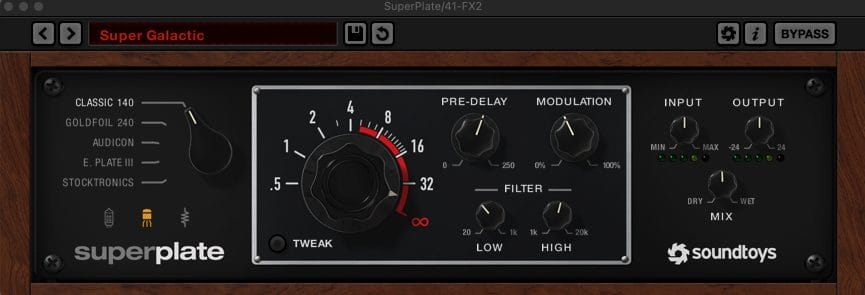
SuperPlate is the one I would buy when the reverb itself needs to add tone.
Soundtoys currently prices SuperPlate at $149. You get five plate models inspired by classic electromechanical designs, three preamp choices, modulation, pre-delay, EQ, infinite decay, and decay ducking.
That final control is one of the reasons SuperPlate works so well in modern electronic arrangements.
Instead of simply pulling the wet volume down when the source plays, its Auto-Decay system can shorten the decay during busier moments. The reverb can still sound large without every hit piling another full tail onto the previous one.
I have used SuperPlate a absolute ton myself and included it in my reverb roundup for ambient production, where I specifically called out bells, percussion, and hardware-synth effects as places where its brighter plate character can sit above warmer spaces.
Dove City gives us the finished-record example.
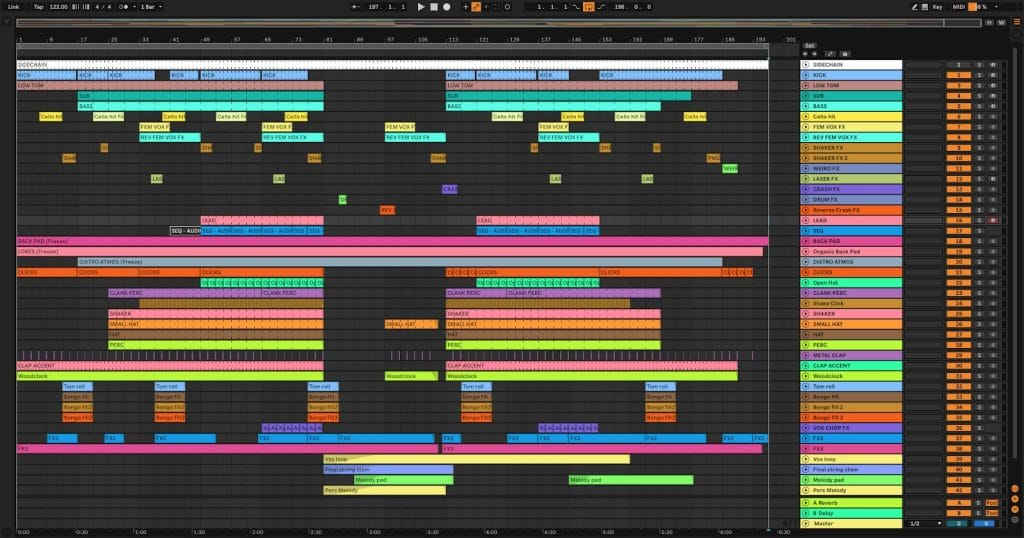
In their remix breakdown for Laure’s “Moon Whispers”, they used the “Super Galactic” preset on drum fills, crashes, transitions, and risers. They then automated decay and blend to move between moments that needed more air and parts that needed more impact.
Their advice was effectively to keep the plate moving.
That is how I would use it too.
A static long plate on every snare gets old quickly. Automating the send into a fill or opening the decay for one transition makes the effect part of the arrangement.
Alan Nieves makes the simpler case for the smaller Little Plate in his breakdown of “Bareso”, where he uses it on vocals for depth and likes being able to filter the low frequencies before they turn into mud.
Soundtoys SuperPlate at Plugin Boutique
Eventide Blackhole
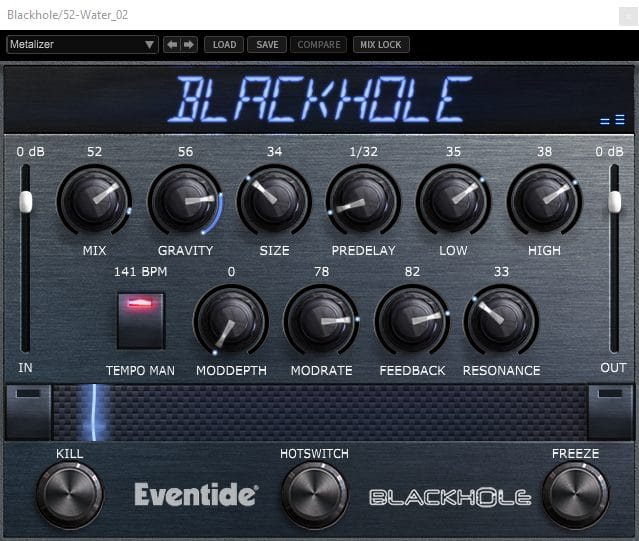
Blackhole is the reverb I reach for when I have stopped caring whether the space could physically exist.
Eventide currently sells Blackhole for $99, with VST2, VST3, AU, and AAX support depending on operating system. The plugin grew from Eventide’s hardware algorithms and is built around massive reverb spaces, unusual decay behavior, modulation, its Gravity control, and performance-oriented macro controls.
Taaris gives us exactly the use case I would expect.
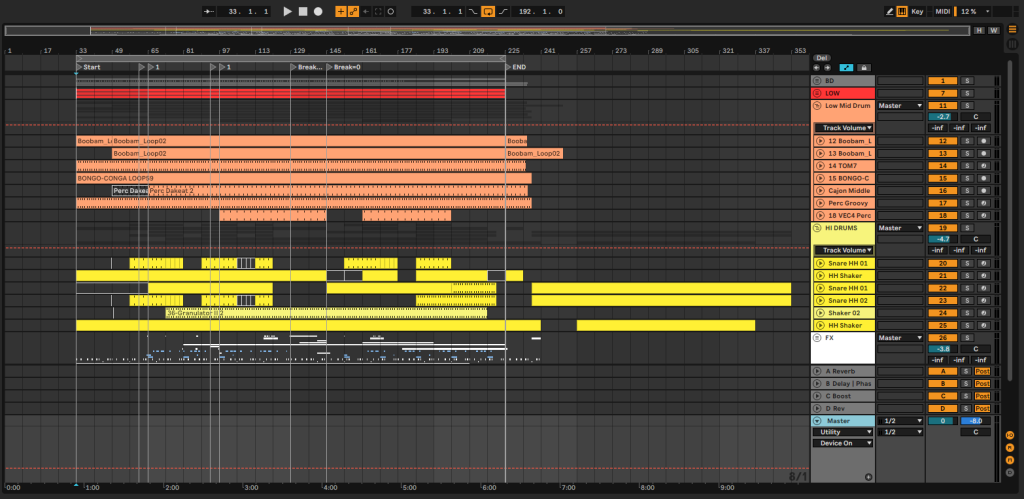
In her How It Was Made feature for “Nankay”, she used Blackhole on water and jungle recordings to make those atmospheres feel much larger without dragging them into the foreground. She also made a point that I think is worth keeping in mind: sometimes Blackhole fits the source perfectly and sometimes it does not.
This is a specialized reverb and I do not open Blackhole when a clap needs a small room.
I open it when a pad needs to feel endless or a field recording needs to turn into another layer of the record.
QRTR gives us an even more aggressive version of that idea with the hardware Blackhole pedal in her ONDAS live-set breakdown. She routed her own vocals into Blackhole, used the infinite-reverb behavior to create a sustained pad, then manipulated the resulting reverb signal further from the DAW and controller after putting the microphone down.
That tells me how to think about the plugin too because Blackhole can be an instrument and you can freeze a tail and then print it. Reverse it. Chop it. Feed it back into the project as audio instead of leaving the plugin running forever. flow approach often creates something far more personal than keeping Blackhole on a send at the same level for the entire track.
Eventide Blackhole at Plugin Boutique
Native Instruments Raum
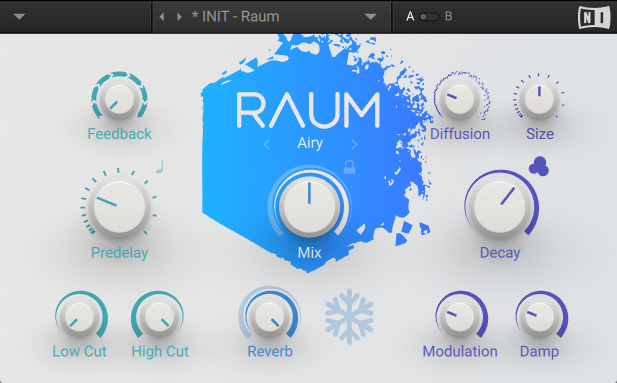
Raum is probably the most underrated plugin in this article, especially now that Native Instruments offers it as a free download.
Native Instruments currently lists Raum as free, with VST, VST3, AU, and AAX support across current Mac and Windows systems. It gives you three main algorithms called Grounded, Airy, and Cosmic, along with pre-delay, feedback, modulation, filtering, tempo-sync possibilities, and Freeze.
What I like is that producers are having Raum doing both boring and weird jobs.
Ward Andrews used it lightly on a bassline in “Uncharted Course” because the bass felt a little too dry. That is about as unglamorous as reverb gets, and it is exactly the type of decision producers make constantly.
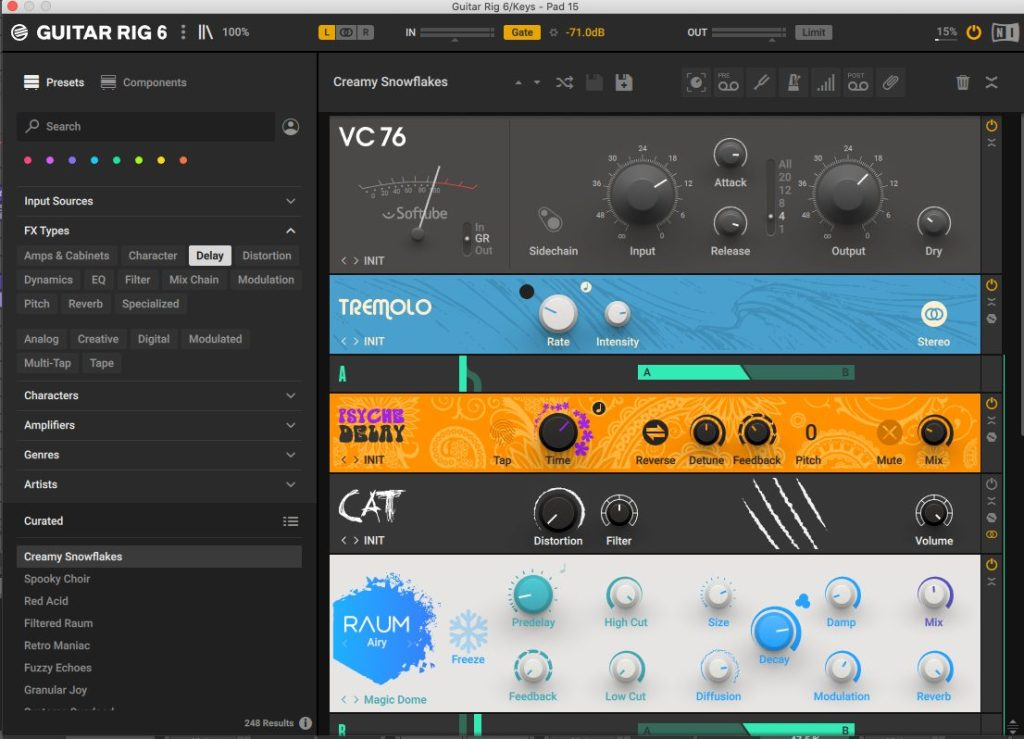
Robin Thurston took it further in his 2026 breakdown of “Equinox”, where Raum appeared inside a Guitar Rig effects chain on a Diva pad lead. He automated the reverb mix to keep the sound evolving instead of letting the effect remain static.
Schrotthagen used Raum all across “Nostalgie und Traurigkeit”, from Moog lead material and drums to vocals where the reverb helped rougher processing sit inside the record.
I think those three examples say quite a bit about why Raum is worth having around, even if you’ve already got something like VintageVerb handling most of your reverb duties. Its three algorithms cover a pretty decent amount of ground, with Grounded working well for shorter spaces around percussion, Airy giving you some extra room to work with on vocals, synths, and pianos, and Cosmic being there when you want to get a little more experimental with the effect itself.
Granted, you’re not getting the detailed Decay Rate EQ you’d find in Pro-R 2 or the tempo-based controls that make Crystalline so appealing for electronic music. But Raum is free, and considering how many different applications we’ve seen producers find for it in the features above, I think it’s worth downloading and spending an afternoon getting familiar with what it can do.
Download Native Instruments Raum
Frequently Asked Questions
What reverb plugin should I buy first?
I would install Valhalla Supermassive and Native Instruments Raum because both are currently free, then buy Valhalla VintageVerb for $50 if you want a wider general-purpose option with more digital character.
Is Valhalla VintageVerb still worth buying in 2026?
Yes. The reason has less to do with age and more to do with how often it continues appearing in current producer workflows. Artists used it on vocals, synths, percussion, leads, atmospheric details, and aggressive club layers across many of the features published on the site
Which reverb is best for vocals?
I would start with Crystalline, Pro-R 2, VintageVerb, or SuperPlate depending on the vocal. Crystalline and Pro-R 2 offer more control, VintageVerb gives faster character, and SuperPlate works when I want the vocal to pick up a brighter plate tone.
Which reverb is best for techno?
VintageVerb is the easiest general recommendation. Blackhole works for darker atmospheres and field recordings, while Raum handles smaller everyday spaces well.
Do I need more than one reverb plugin?
Eventually, probably, but Fred Again… may disagree if you watch the video below.
I would rather have two reverbs with very different personalities than six near-identical hall plugins. Ward Andrews’ use of Raum and Supermassive for different parts of the same record is a good example of why different algorithms can help individual layers occupy separate spaces.
Are stock reverb plugins good enough?
Absolutely. How2fly said essentially that in the breakdown of “Hold You”, where the producer pointed out that Valhalla and Soundtoys make excellent effects while stock processors can still do the job when you experiment with them properly.
Wrapping Things Up
After going through all these How It Was Made features, I think one of the more interesting things is just how differently producers approach reverb, even when they’re using the exact same plugins. One artist might be using VintageVerb to give a vocal a little extra space, while another is using it to completely change the character of a synth. And then you’ve got producers using something like Supermassive almost as another instrument entirely, automating it throughout the arrangement and recording the results back into their projects.
It’s also worth pointing out that a lot of these producers have access to pretty much any plugin they could want, yet you keep seeing the same $50 and free reverbs appearing in their sessions. I think that says quite a bit about how much the plugin itself actually matters compared to knowing what you’re trying to accomplish with it.
Personally, I still think VintageVerb is probably the safest recommendation for someone who wants to buy one reverb and get on with making music. Pro-R 2 is excellent when you need considerably more control, and I’ve gotten a ton of mileage out of SuperPlate in my own productions, especially when working with percussion, bells, and synths. But I also wouldn’t tell somebody who’s just starting out that they need to spend hundreds of dollars on effects when Supermassive and Raum are sitting there for free.
And that’s probably the one thing I’d encourage people to consider before buying anything on this list. Spend some time figuring out what your current reverbs actually struggle to accomplish. Maybe you need better control over the low end of your reverb tails, or maybe you’ve been trying to get a vocal to sit farther back without losing its clarity. Those are specific problems worth spending money to solve.
Otherwise, there’s a good chance you already have everything you need sitting in your plugin folder, and spending another $150 on a reverb isn’t necessarily going to change much about the music you’re making.

Will Vance is a professional music producer who has been involved in the industry for the better part of a decade and has been the managing editor at Magnetic Magazine since mid-2022. In that time period, he has published thousands of articles on music production, industry think pieces and educational articles about the music industry. Over the last decade as a professional music producer, Will Vance has also ran multiple successful and highly respected record labels in the industry, including Where The Heart Is Records as well as having launched a new label with a focus on community through Magnetic Magazine. When not running these labels or producing his own music, Vance is likely writing for other top industry sites like Waves or the Hyperbits Masterclass or working on his upcoming book on mindfulness in music production. On the rare chance he's not thinking about music production, he's probably running a game of Dungeons and Dragons with his friends which he has been the dungeon master for for many years.