Ambient music is all about space and texture, and there’s no better tool in the game for this than reverb. The slow and evolving instruments most producers use when making ambient music come into their own when there’s a healthy dose of spatial effects moving in and out of the mix, making reverb almost as much of a creative and melodic layer in ambient music as are the pianos, strings, foley, and more.
Through the early portions of my career making music heavily influenced by ambient genres, I learned that it’s great to have one or two plugins for spatial effects that I know inside and out. But as I progressed into the back half of my decade-long career making music, I’ve found that every plugin brings different subtleties and nuances to a mix. If you invest the time into learning a multitude of different plugins, all that do roughly the same thing, your music will sound greater than the sum of the tools used to make it.
Here is a list of some of the best reverb plugins I’ve encountered while making music at a professional level. Each plugin brings something different, which I will try to break down based on my experiences producing atmospheric club music for as long as I have.
So, let’s dive in.
Lexicon 224 Digital Reverb
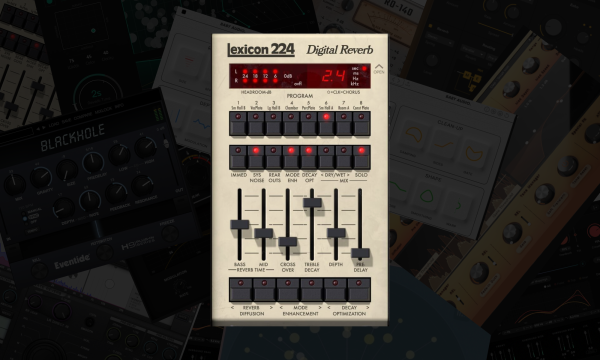
I tend to approach reverb as two different categories, one being short/bright and the other being long/warm. These are not catch-all assumptions for all cases, but they work most of the time, and when I need a warm reverb, the Lexicon 224 is the absolute best move.
It’s one of the most faithful recreations of an older reverb that prided itself on sounding lush in the mid-range. This sound is fantastic on almost any slow-moving acoustic instrument, like strings but even synth pads take to this reverb amazingly.
Lexicon 224’s X-Factors Are:

- Extra Lush And Warm: Apart from all of the cool features I mentioned above, the fact that it faithfully recreates the hardware in which it’s emulating means that you also have access to the original chorus algorithms in this plugin, giving my reverb that extra touch of modulated warmth that sends it to the moon.
- It’s Pretty Customizable: I love that you can control the decay times of the mid-range and bass independently. When used in light amounts, it creates a truly authentic space and sound that really feels all-encompassing. But when used aggressively and with a heavy hand, I’ve found that it creates an incredibly cool interaction between the space of the bands, creating these hyper-real environments.
Learn More About This Plugin While Supporting Our Team of Writers With Our Affiliate Partnership With Plugin Boutique Here ☁️ ☁️ ☁️
DUB MACHINES
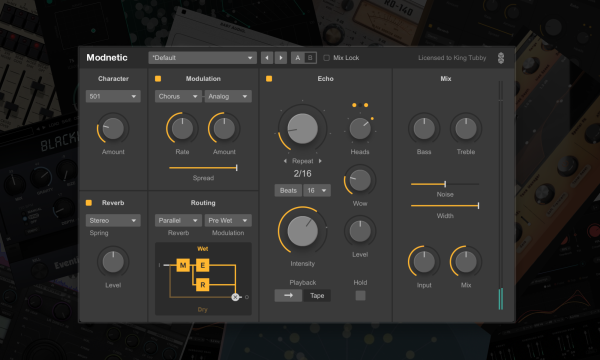
This one might feel like we’re cheating as it’s a mix of a delay and reverb plugin, but it’s just too good not to include at the top of this list. I love using this plugin on drums and vocals to throw the sound across the space in a way that could feel like it’s Reggae inspired, but if you add a healthy dose of the noise parameter and drive some of the other effects built into this VST, it’s anything but.
Instead, I can get a washed-out, psychedelic effect that makes my drums and vocals sway and bop, which is incredibly dreamlike. While it’s far from the go-to tool I use on every project, it is one of the first plugins I reach for to see how it might sound on vocal shots and incidental percussion hits, as it always tends to add an extra dimension to one shot and hits.
DUB MACHINES X-Factors Are:
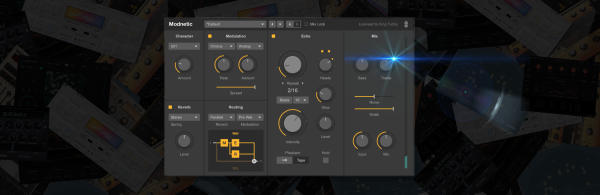
- It’s Great On One Shots: As mentioned above, any one spot or small ear candy detail I make by hand or snag from Splice at least gets a try being run through this plugin. There are a lot of tools here to make these throw delays super unique, so it’s always worth a shot, even if I don’t end up using the result.
Learn More About This Plugin While Supporting Our Team of Writers With Our Affiliate Partnership With Plugin Boutique Here ☁️ ☁️ ☁️
Blackhole
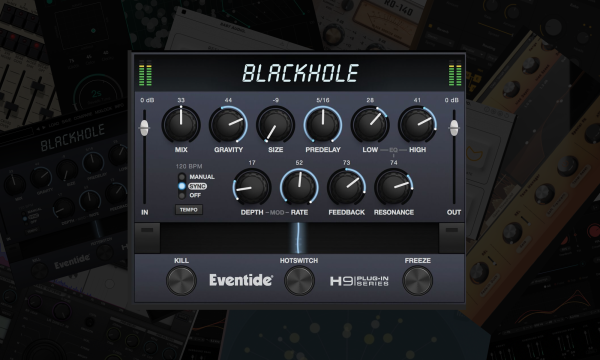
Whenever I’m looking for massive spaces that move and change in real-time, this is my go-to tool. With a few simple parameters on its easily navigable interface, you can turn a bland, dry sound into a waving, morphing, and spacious one. It’s not a wonder why they call this delay the Blackhole. While many people rep Valhalla’s SuperMassive as a compatible alternative, I’ve found that you cannot, after years of use, compare with to any freebie found anywhere.
While I do wish there was a bit more flexibility in terms of shaping the tone and timbre of the reverb, I found that adding a bit of analog EQ to boost the highs and automating a touch of distortion on the reverb creates some of the most unique and dystopian soundscapes I’ve ever heard which is great whenever I’m doing more cinematic music or cinematic-inspired club tunes.
Blackhole’s X-Factors Are:

- It’s An Abyss: It lives up to its name, I’ll say that. This plugin thrives on massive delay tails, which are a fantastic starting point to affect further and modulate with other plugins like the EQ and distortion mentioned above (Ableton’s overdrive plugin is a killer tool for this).
- The Kill Button! I honestly wish more plugins had this, as I have to resample and hard-cut reverb tails or do crazy workarounds when all I want is for the reverb to hard-cut out before a new section of the track. Having this kill switch is a fantastic tool for this exact purpose.
Learn More About This Plugin While Supporting Our Team of Writers With Our Affiliate Partnership With Plugin Boutique Here ☁️ ☁️ ☁️
Crystalline
Ambient music might seem loose and flowing, making anyone who isn’t deep in the weeds on how the genre is made assume that it’s tons of different delays and reverbs stacked on top of each other, creating a cascade of such sounds. And while this is true to an extent, it’s not as loosey-goosey as it seems.
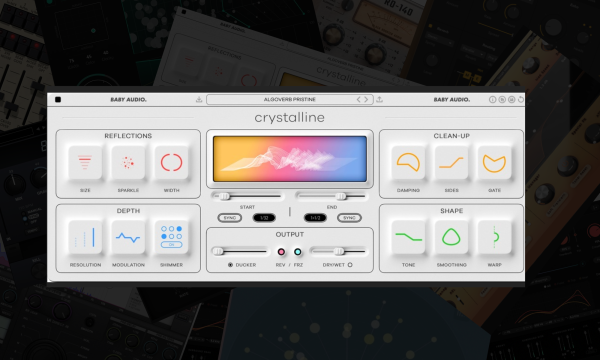
I need precise control over my delays and reverbs to get those dense textures and complex movements in many of my tracks. Baby Audio’s Crystalline is one of the most precise and controlled ambient music reverbs I’ve ever encountered.
Many of the delays mentioned on this list sound amazing in their own right; the amount of shaping, dynamics control, and other tools offered in Crystalline’s reverb to make the effect come in and out of the mix is second to none.
It’s my favorite reverb to be used on lead elements in the mix that grab the listener’s attention; these elements don’t give much room for error in how these sound overall with other more supporting elements in the composition, and this level of control, I’ve come to know, is essential.
Crystalline’s X-Factors Are:
- It’s Easy To Dial In: If anything, it allows you to go a little bit crazier with the other effects and automation in your mix if only because you know the sound coming out of Crystalline can easily be bent and shaped around the harder-to-control effects in a composition.
- Got To Love The Visualizer: This is especially important when locking in a pre-delay control, as seeing how the pre-delay is bouncing and weaving against the song’s tempo and not relying entirely on the ear is a game changer.
Learn More About This Plugin While Supporting Our Team of Writers With Our Affiliate Partnership With Plugin Boutique Here ☁️ ☁️ ☁️
SuperPlate
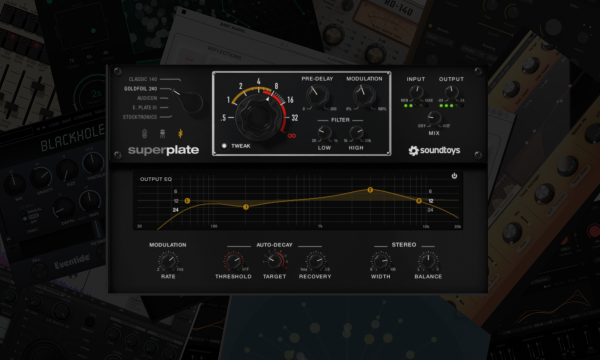
SoundToys doesn’t drop too many new plugins, but when they do, they never miss, and SuperPlate, which dropped in the latter part of 2023, is no exception for adding space and movement to your music. With a bank of different emulations of some of the most iconic plate reverbs throughout the past few decades of recorded music, you can access some of the lushest, warmest, and sometimes brightest reverbs ever to grace the production space.
Because music production is all about contrast, which is doubly so in ambient music production, and while I love a ton of the reverbs on this very list for their somber and warmer tones, you need something bright to sit on top of these spaces, and SuperPlate is the perfect tool for that.
It’s on almost any bell sound that I use, percussion channel I write, and sweep effect from my hardware synths that I need to POP out of the mix while still sounding spacious and ambient.
SuperPlate Reverb’s X-Factors Are:
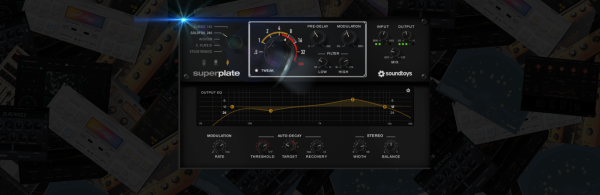
- Faithful Emulations: SuperPlate comes stacked with a ton of great presets, as all SoundToy’s plugins do, but the fact that the knob on the lefthand side slides through different plate reverb models means that you can find a preset whose settings you like and switch between different models to have substantially different versions of the same preset.
- The EQ: Where many reverbs offer an EQ to shape the signal’s sound, most sound brittle and tinny. But the analog-style EQ used in SuperPlate allows for gentle, rounded boosts and cuts that make the reverb sound natural even if drastic EQ moves are used.
Learn More About This Plugin While Supporting Our Team of Writers With Our Affiliate Partnership With Plugin Boutique Here ☁️ ☁️ ☁️
RO-140
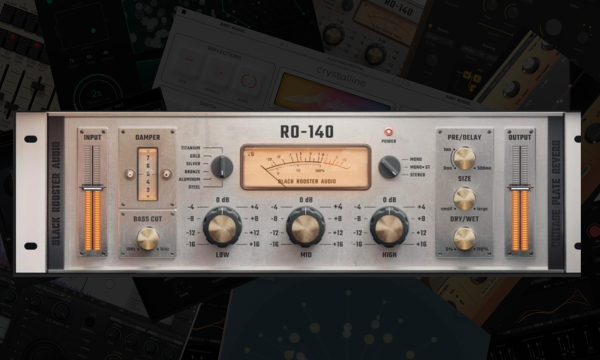
SoundToy’s EQ function is the perfect segway to lead into this reverb monster, which I’ll admit I don’t use on every track. It’s a reverb with a specific use case in my arsenal, and whenever I need a reverb that pops out of the mix and grabs attention when automated, it’s the RO-140 by Black Rooster Audio.
The secret sauce to using this reverb is the massive EQ knobs located directly front and center in the interface. Having the reverb start more or less at a default state at the start of a breakdown but cranking up the highs and mids to +8 or even +12dB really makes for some complex and interesting textures that grab the listener and add an entirely new level of movement to choices moments in the tune.
I’ve also had some luck using lighter touches of this similar approach to create sweeping motion effects on my aux channel reverb. Still, the fun part is using it aggressively on elements you want the listener to be locked in on during the sparse sections of your productions.
RO-140’s X-Factors Are:
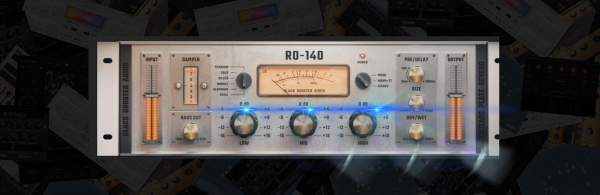
- It’s At Its Best When Used With A Heavy Hand: I firmly believe that every track needs a couple of moments that grab the listener by the ears, ambient music included, and using and abusing those EQ pots at the center of the interface solve is the perfect tool when I need a pad or spatial element to command attention.
- It Looks Cool: Looking at bright and sterile plugins all day, making ambient music can easily throw you out of the creative energy you need to make such slow and calming tunes, but that isn’t an issue with this.
Learn More About This Plugin While Supporting Our Team of Writers With Our Affiliate Partnership With Plugin Boutique Here ☁️ ☁️ ☁️
Røverb
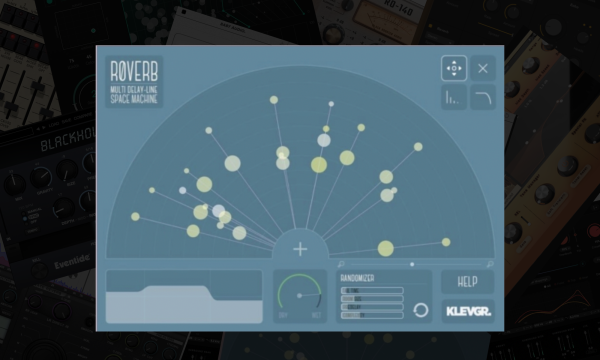
I’ve preached about precision and dialing in the parameters on some of these reverbs a lot throughout this article, but sometimes the most captivating results that keep the listener locked in for a more extended period, an essential component to a lot of ambient music, is injecting a bit of humanized – or otherworldly – randomness into the track.
Røverb is the only plugin on this list that allows for some crazy and unexpected results to be introduced into the space of your track, and it’s honestly the only plugin that I would trust to do so (if you’re looking for hardware to do the same though, you cannot beat the Microcosm pedal).
Plus, the fact that you can spread out different reverb delay lines means it’s possible to create intricate and interesting patterns across the sound stage. I love adding a bit of compression to the reverb afterward and drawing out the differences in these delay lines so that they’re super apparent to my listeners.
Røverb’s X-Factors Are:

- The Delay Lines: As the screengrab above will show you, you can map out the different lines to create dialed-in and precise spaces, making this, from a functional perspective, arguably the most unique plugin on this list.
- Creative Randomizer: Doubling down on the uniqueness of this plugin, the randomization factors go above and beyond the basic modulation parameters commonly seen in reverb plugins and allow for some truly otherworldly effects to be generated from this reverb.
Learn More About This Plugin While Supporting Our Team of Writers With Our Affiliate Partnership With Plugin Boutique Here ☁️ ☁️ ☁️
EAReverb 2
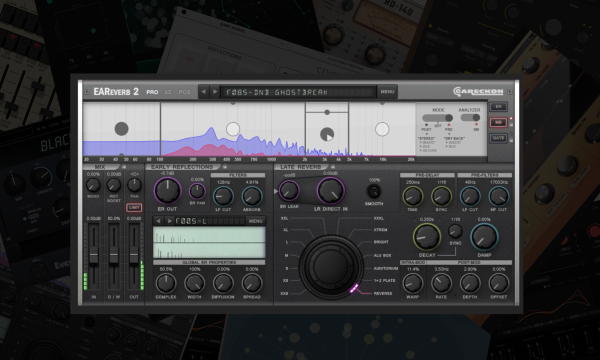
If you’re looking for a workhorse reverb for your ambient productions, this is easily one of the best in the game. Sure, it’s a bit intimidating to look at, and it took me the better part of three months using it consistently to feel like I got the handle on it. Still, the amount of features and controls it has gives you the flexibility to dial in almost any sound for any purpose in your productions.
The fact that it offers input and output filtering on the sound is a game-changer, and I wish more reverb plugins were offered this. This minor feature is tucked away on the right side of the plugin, unobtrusively, and is the first thing I reach for when adjusting almost any preset I call upon for this reverb.
Apart from that, it also offers a ton of control over the different reverb bands. While it might not pride itself on creating massive sweeping and modulated reverbs like the Blackhole does, this is the main aux reverb I use on almost all of the ambient productions I work on in the studio.
EAReverb 2’s X-Factors Are:
- The Algorithms Rock: Want to add some sparkle? Go for ‘Bright’. Feeling more grounded? ‘Natural’ gets the vibe going quickly. Much like the modeling on the SuperPlate, the algorithms drastically change the sound and vibe of the reverb, always in usable ways.
Learn More About This Plugin While Supporting Our Team of Writers With Our Affiliate Partnership With Plugin Boutique Here ☁️ ☁️ ☁️
smart:reverb
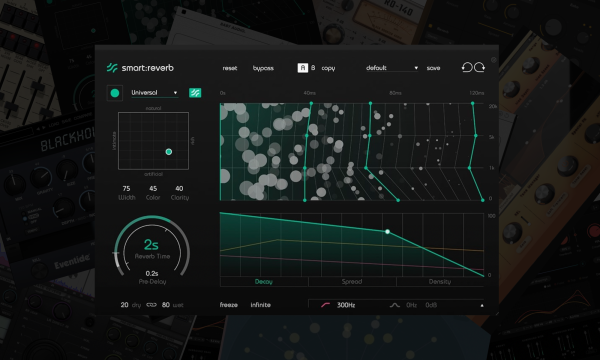
Sonbile changed my perspectives on the intelligent plugins game, and this list could not be complete without including their smart:reverb plugin.
Spatial effects are damn tricky to get right, oftentimes because their quiet tails subtly overlap each other and eat up .3dB of headroom here and .2dB of headroom there until you get to the final pre-master stage and wonder why you’re struggling to get a clean and punchy mix. They’re the *almost* silent killers of clean mixdowns, but plugins like smart:reverb gives you a leg up on this.
I don’t use it on main elements, as I prefer to have main elements have more unique and ear-catching reverbs on them as I’ve chatted about for many of the reverbs mentioned before. But when I need a sound space that I know won’t conflict with the meat and potatoes of the tune, this is one of the best tools in my kit.
smart:reverb’s X-Factors Are:
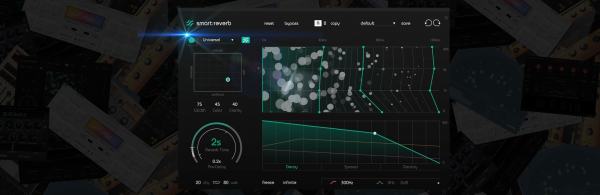
- Adaptive Reverb Creation: This plugin is like the chameleon of reverbs. It helps secondary elements sit into space and into the mix without a lot of work. It works great on lighter percussion elements and delicate arps that ebb and flow in the mix.
- Interactive Reverb Anatomy: A lot is going on underneath the hood of this plugin, and while it’s not necessary to know all its intricacies, it is essential to know that it’s far from static and responds to the inputs so that you get an even and clear reverb regardless of how dynamic or evolving the sound is.
Learn More About This Plugin While Supporting Our Team of Writers With Our Affiliate Partnership With Plugin Boutique Here ☁️ ☁️ ☁️

Will Vance is a professional music producer who has been involved in the industry for the better part of a decade and has been the managing editor at Magnetic Magazine since mid-2022. In that time period, he has published thousands of articles on music production, industry think pieces and educational articles about the music industry. Over the last decade as a professional music producer, Will Vance has also ran multiple successful and highly respected record labels in the industry, including Where The Heart Is Records as well as having launched a new label with a focus on community through Magnetic Magazine. When not running these labels or producing his own music, Vance is likely writing for other top industry sites like Waves or the Hyperbits Masterclass or working on his upcoming book on mindfulness in music production. On the rare chance he's not thinking about music production, he's probably running a game of Dungeons and Dragons with his friends which he has been the dungeon master for for many years.