Here’s The Short List
Finding the best plugins for drum & bass production comes down to speed, control, low-end trust, movement, and how quickly a tool helps you make decisions without turning the session into technical busywork. Drum & bass asks a lot from a production setup.
The drums need to feel tight, punchy, and swing’y without getting stiff, the bass needs to, for lack of a more professional term, “tear the roof off da mo-fu**ka” without swallowing the mix, and the transitions need to keep the arrangement moving without filling the track with filler.
I have reviewed a metric ton of plugins over the years, and the ones that make sense for drum & bass are usually the ones that solve one problem clearly. Some help you shape dense layers before the mix gets too surgical. Some help create movement and volume control. I’m sure you’re looking at the list and thinking, “Well, Will, Where Is Serum 2?! Where is PhasePlant?! Where is my Eurorack module that I use for all my bass-heavy sound design?!”
Well, synths are all pretty obvious, and there are only a couple that are widely used in D&B production, so I wanted to focus more on mixing and creative movement, since that’s where D&B gets interesting to me.
Some help with resonance, loudness, vocals, or transition work. If I were building a short list of the best plugins for drum & bass production from the tools I have actually reviewed, these are the ones I would consider first.
Bark24 | Dyn
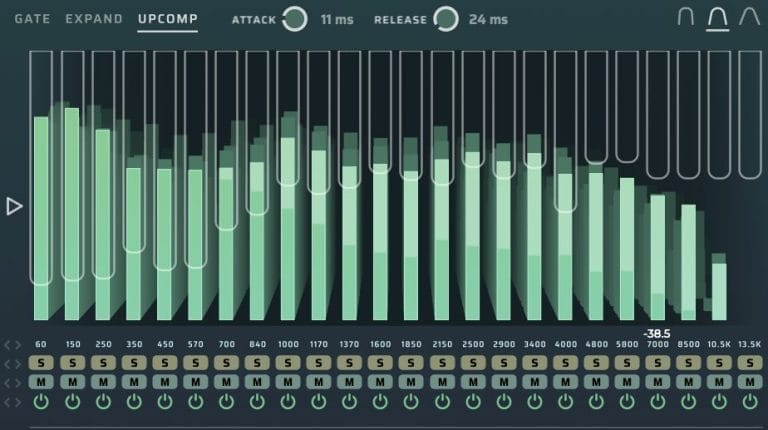
Bark24 | Dyn is the first plugin I reach for when a drum & bass session starts to get crowded before the detailed mix stage. In my review, I found myself using it before I even got to the part of the mix where I usually start making corrective moves, and that is exactly why it makes sense here. Drum & bass arrangements can get dense fast, with drums, bass layers, synths, samples, vocal chops, and FX all fighting for space, and Bark24 | Dyn gives me a way to shape the larger tonal sections before I start cutting exact frequencies.
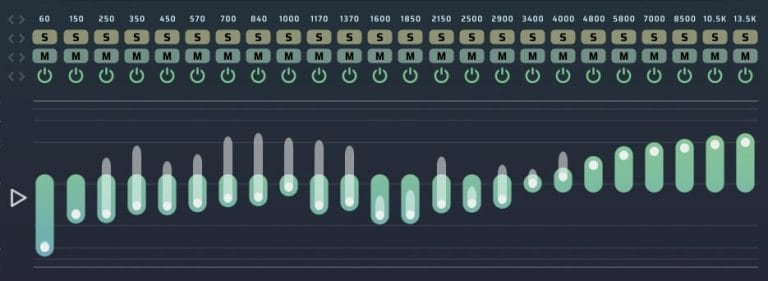
The plugin is built around the Bark scale, with 24 bands that make it feel closer to broad musical shaping than traditional EQ surgery. I especially liked it for pulling highs out of sounds in a controlled way, and I found it useful on synths, samples, piano, loops, and buses.
For drum & bass, that means you can use it to place Reese layers, tighten bright percussion, clean up sample material, or shape a full drum bus before the mix gets too technical.
Who it’s for: This is for drum & bass producers who work with dense arrangements and need fast tonal control before detailed EQ. I would point it toward producers who use layered basses, resampled drums, loops, and busy midrange material.
Who should skip it: Skip it if you only want a normal EQ or a single-knob cleanup tool. Bark24 | Dyn rewards producers who already understand broad tonal balance and want a faster way to get sources into place.
ShaperBox 3
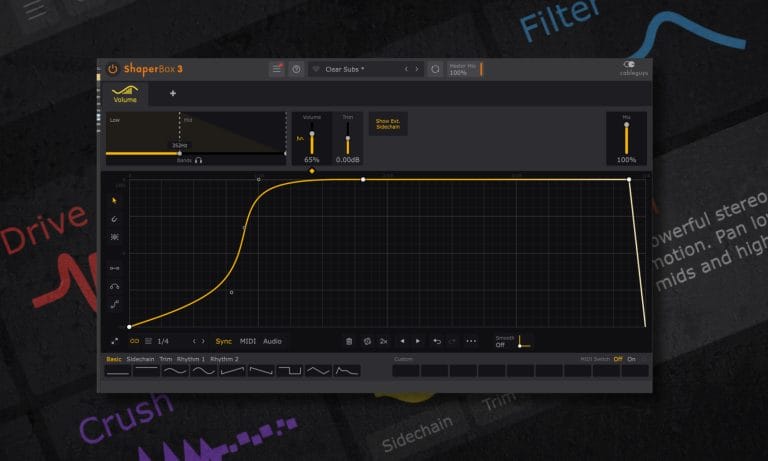
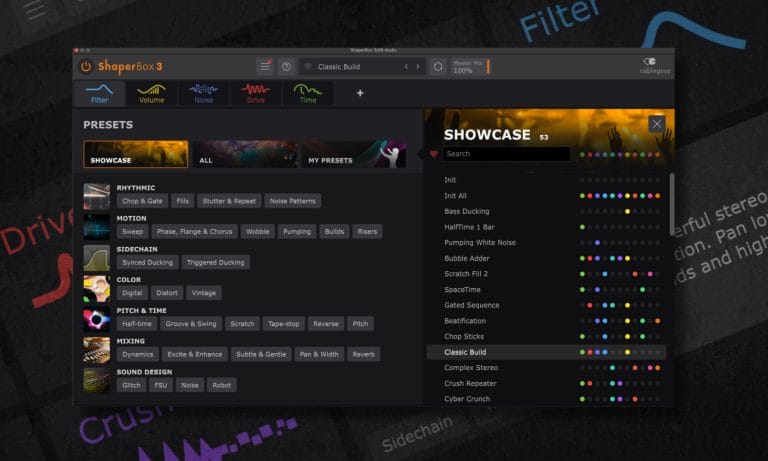
ShaperBox 3 makes sense for drum & bass because the genre relies heavily on movement, modulation, sidechain control, rhythmic filtering, and small changes that keep the track from feeling static. In my review, I talked about how the preset bank made a complex plugin feel manageable, and that still feels like the main reason I would recommend it.
If I am unsure how to add motion, life, or character to a pad, drum, bass, or FX sound, I can load the plugin, scroll through presets, and find a starting point.
The real value is that ShaperBox 3 gives you multiple effects working from editable LFO shapes, so you can build sidechain movement, filter motion, panning, noise, drive, time effects, and volume changes in one place. For drum & bass, that opens up a lot of pretty sick uses: tightening bass movement around the kick, adding rhythmic cuts to pads, creating filtered drum movement, or adding short ear-candy edits without having to draw automation for an hour.
Who it’s for: This is for drum & bass producers who want faster modulation, sidechain-style movement, and rhythmic effects without building a huge rack from scratch.
Who should skip it: Skip it if you prefer to draw all automation by hand or if you already have a modulation setup you know inside your DAW. ShaperBox 3 is powerful, though it can be a lot if you only need simple volume shaping.
Snag This Plugin And Support Magnetic Through Our Partnership With Plugin Boutique Here
Polyverse Gatekeeper
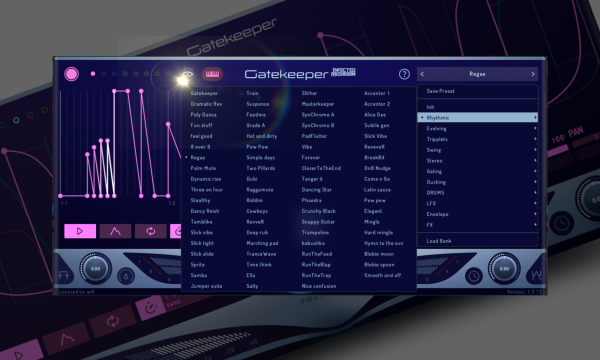
Polyverse Gatekeeper is still one of the most precise volume-control plugins I have reviewed, and drum & bass is one of the genres where that kind of control actually matters more than you think for this genre specifaclly.
The main reason I value tools like this is that movement and life in a track are often what separate a polished production from a rough one, and volume shaping is one of the fastest ways to create that movement without adding more instruments. Gatekeeper gives you detailed envelope control, tight curves, and precision that make it useful for rhythm, gating, sidechain-style movement, and creative edits.
For drum & bass, I would use it on bass layers, pads, percussion, FX tails, and resampled loops. It can tighten a sustained bass patch, chop a pad into a groove, create stutter-style movement, or shape a drum layer without using compression as the first answer.
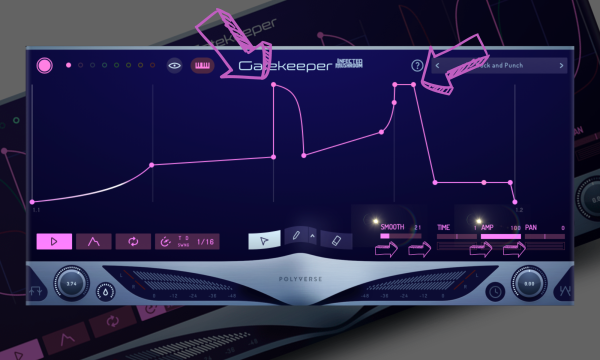
I like that it stays useful even when you are not trying to make an obvious effect. Sometimes the best use is small: pulling a sound out of the way, tightening the decay, or adding movement that the listener feels without focusing on the plugin.
Who it’s for: This is for drum & bass producers who want precise volume movement, gating, sidechain-style shaping, and rhythmic control over sustained sounds.
Who should skip it: Skip it if you want a simple compressor replacement or a one-control sidechain tool. Gatekeeper is best when you want to design the movement rather than accept a preset curve.
Snag This Plugin And Support Magnetic Through Our Partnership With Plugin Boutique Here
Baby Audio Transit 2
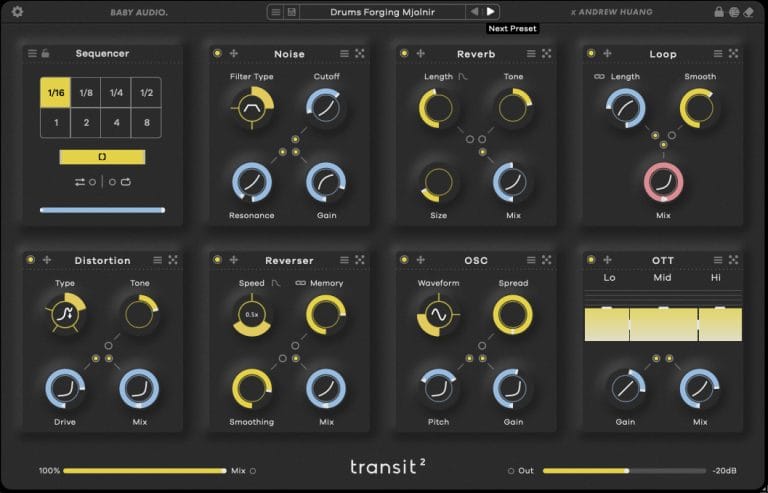
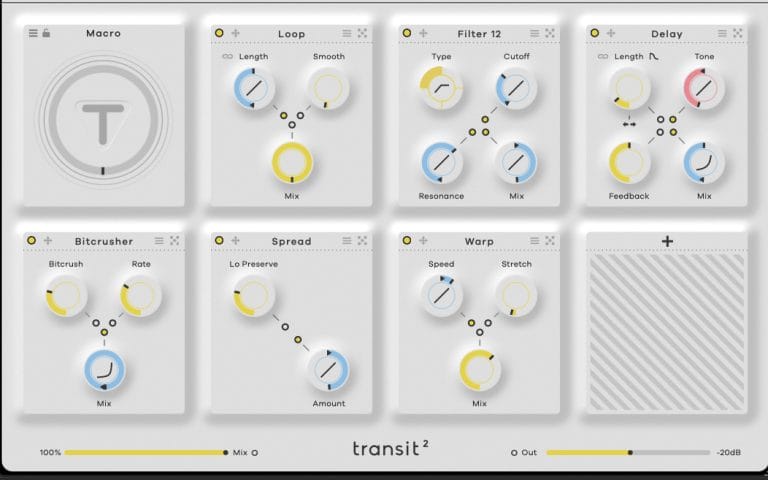
Transit 2 is one of the easiest plugins to recommend for drum & bass arrangement work because it turns transitions, motion, and section changes into something you can build fast. In the review, I came to it already knowing the first version had become much more useful than the “transition plugin” label suggested, and version two felt like a real upgrade with new motion modes, more effects, and better workflow options.
Drum & bass needs those details because the arrangement can feel repetitive quickly if the fills, drops, FX, and section changes do not keep pushing the energy forward.
I would use Transit 2 for risers, drop prep, breakdown movement, filter sweeps, drum fills, reverse effects, delay throws, noise builds, and resampled FX chains. It helps when you know a section needs motion but you do not want to stack a long list of plugins and automate each one from scratch. I like it most when it turns a boring transition into something usable in minutes.
Who it’s for: This is for drum & bass producers who want faster transitions, fills, drops, sweeps, and motion effects without building long effect chains each time.
Who should skip it: Skip it if you already have transition racks you use constantly and prefer manual automation. Transit 2 is best when speed and recall matter.
Snag This Plugin And Support Magnetic Through Our Partnership With Plugin Boutique Here
Soothe2
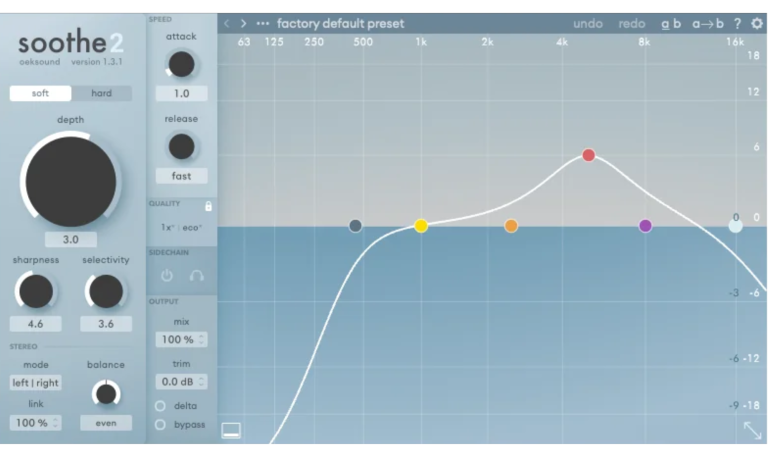
Soothe2 is a resonance-control plugin that makes a lot of sense for drum & bass because harshness can show up almost anywhere in the genre. Bright break layers, distorted basses, reese mids, aggressive synths, vocal chops, and heavy limiting can all create resonant buildup that becomes tiring fast.
I talked about it a TON in my review, but I had been using it for a few weeks and also noted how often top-level producers mention it in How It Was Made features, which says a lot about how common it has become in serious production workflows.
The important thing is not to treat Soothe2 as a replacement for good EQ decisions.
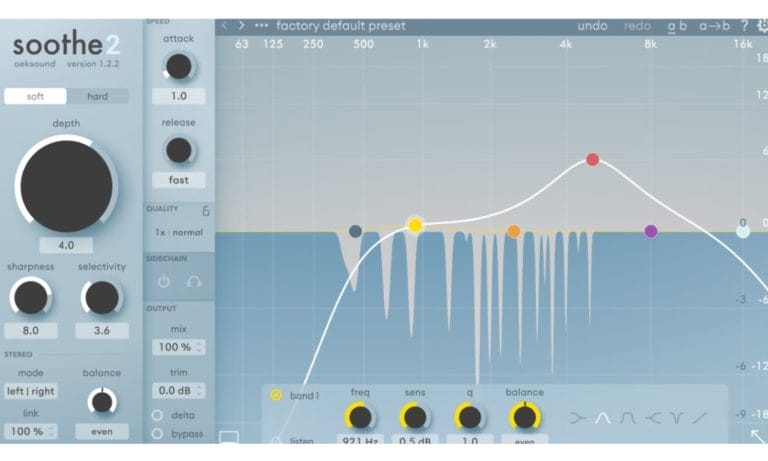
I would use it when a sound has moving resonances that are annoying to chase manually, especially on bass mids, drum buses, vocals, or sharp synth layers. In drum & bass, where energy and brightness are part of the style, the trick is reducing the ugly parts without sanding off the excitement, and Soothe2 can help when used with restraint.
Who it’s for: This is for drum & bass producers who need to control harshness, resonant midrange, sharp highs, and difficult sounds that move too much for static EQ.
Who should skip it: Skip it if you expect it to fix a bad sound design choice or a bad mix. It works best as a controlled problem-solver after the source and arrangement are already in a decent place.
Baby Audio Humanoid
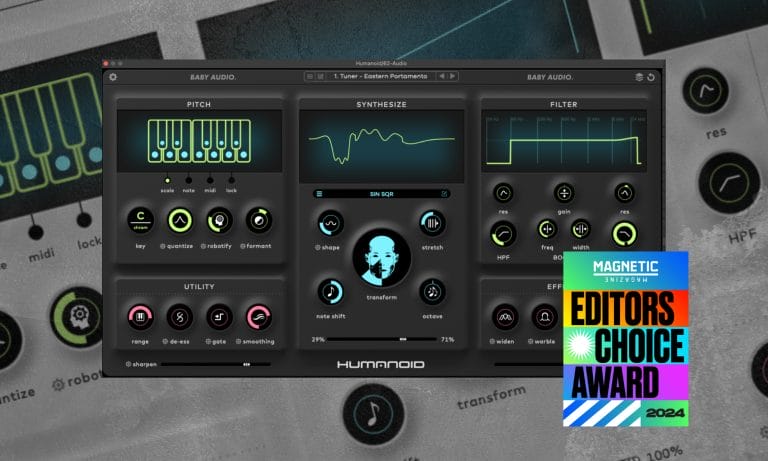
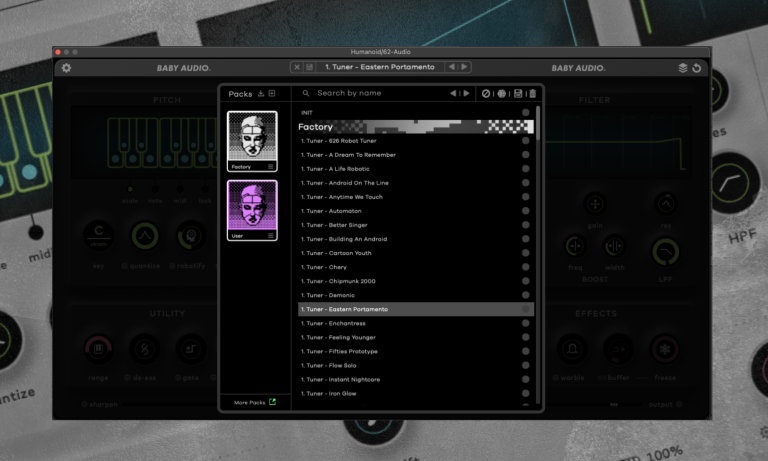
Humanoid is a vocal processing plugin, and I would include it here for vocal drum & bass, liquid drum & bass, pop-leaning DnB, and any track where the vocal needs to feel intentionally processed. You can read all the knitty-gritty in the review I did, but I think of it as a tool that goes far beyond simple pitch correction or reverb, and that is the lane it fills here. It is built for vocal manipulation, resynthesis, and unusual vocal textures without making the process overly technical.
For drum & bass, I would use Humanoid on hooks, short vocal cuts, ad-libs, intro phrases, call-and-response sections, and processed vocal layers that sit around the drop. The best part is that it offers voice manipulation, resynthesis, custom wavetable control, and a direct interface without requiring you to build a full vocal FX chain every time.
It earned Editor’s Choice because it felt like a real creative tool, especially for producers who want vocals to become part of the sound design rather than sit on top of the instrumental.
Who it’s for: This is for drum & bass producers working with vocals, hooks, toplines, vocal chops, and resampled voice layers.
Who should skip it: Skip it if you only need clean pitch correction or natural vocal polish. Humanoid is better when you want the voice to take on a processed identity.
Snag This Plugin And Support Magnetic Through Our Partnership With Plugin Boutique Here
Musik Hack Master Plan
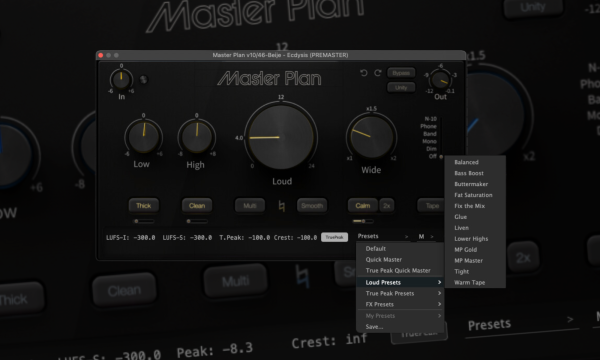
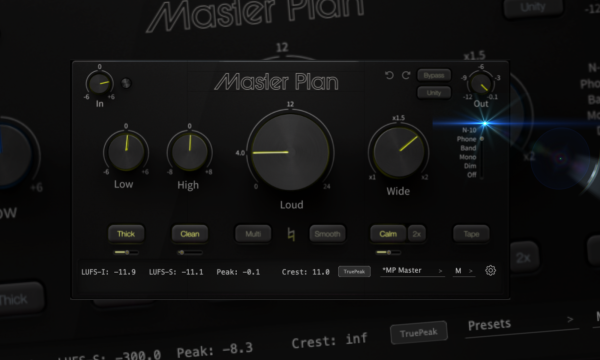
Master Plan is the plugin I would look at when a drum & bass track needs to get loud enough for testing, DJing, or self-release without turning the final stage into a full mastering session. In my review, I liked that it gave me a fast way to get a track louder, warmer, and more finished while still keeping the controls understandable.
The interface is condensed, the presets are useful, and the built-in referencing switch gives you a quick sense of how the master might behave on smaller playback systems.
For drum & bass, that kind of speed matters because loudness and translation are integral to the genre’s final reality. I would use Master Plan while producing to hear how a mix responds to final-stage pressure, or when I need a demo loud enough to test in a DJ context. I would still send important releases to a real mastering engineer, but for WIPs, self-released tracks, private tests, and fast loudness checks, it is a dope tool.
Who it’s for: This is for drum & bass producers who want fast loudness, quick tonal finishing, and a simple way to test how a track responds near the final stage.
Who should skip it: Skip it if you need full professional mastering from a dedicated engineer. Master Plan is useful, though it serves a different role than a trained mastering engineer in a proper room.
How To Chose The Best Plugins For Drum & Bass Production For You
I would start by identifying the problem that keeps delaying the track. Bark24 | Dyn handles broad tonal shaping, while ShaperBox 3 and Gatekeeper address modulation and volume control. Transit 2 covers transitions, Soothe2 manages harsh frequencies, Humanoid processes vocals, and Master Plan provides fast loudness testing.
Sample selection should come before another plugin purchase when the original drums or bass material does not fit. My jungle production tips cover break editing, bass layering, vocal processing, and arrangement decisions collected from artist interviews. You can also download my list of free jungle sample packs when you need new source audio before adding further processing.
If the free packs do not contain the right break, bass loop, vocal, or FX layer, search Loopcloud’s premium drum and bass samples here. Choose the plugin or sample that solves the current problem, then learn it before expanding the setup again.

Will Vance is a professional music producer who has been involved in the industry for the better part of a decade and has been the managing editor at Magnetic Magazine since mid-2022. In that time period, he has published thousands of articles on music production, industry think pieces and educational articles about the music industry. Over the last decade as a professional music producer, Will Vance has also ran multiple successful and highly respected record labels in the industry, including Where The Heart Is Records as well as having launched a new label with a focus on community through Magnetic Magazine. When not running these labels or producing his own music, Vance is likely writing for other top industry sites like Waves or the Hyperbits Masterclass or working on his upcoming book on mindfulness in music production. On the rare chance he's not thinking about music production, he's probably running a game of Dungeons and Dragons with his friends which he has been the dungeon master for for many years.