Table of Contents
I test a lot of plugins each week over here at Magenic, and most of them fall into a familiar pattern.
I can usually tell what problem they solve, where they fit in a chain, and how often I’ll come back to them after my initial review period of a week or two. Bark24 | Dyn has been different for me because I keep finding a bunch of different uses for it before I even get to the part of the mix where I usually start making detailed corrective moves.
That is the main reason I’ve been enjoying it so much!
Bark24 | Dyn gives me a way to shape a sound musically before I start reaching for the usual problem-solving tools. It helps me get the larger tonal sections of a synth, sample, piano, loop, or bus into place before I start cutting exact frequencies with FabFilter Pro-Q3 or adding color with analog-style EQs. That early stage of production can be hard to define, since the sound may need shaping without needing full surgical correction yet, and Bark24 | Dyn fits that stage better than I could have expected (better even than a plug-in which many producers consider the multi-band GOAT, which we’ll get too in a bit).
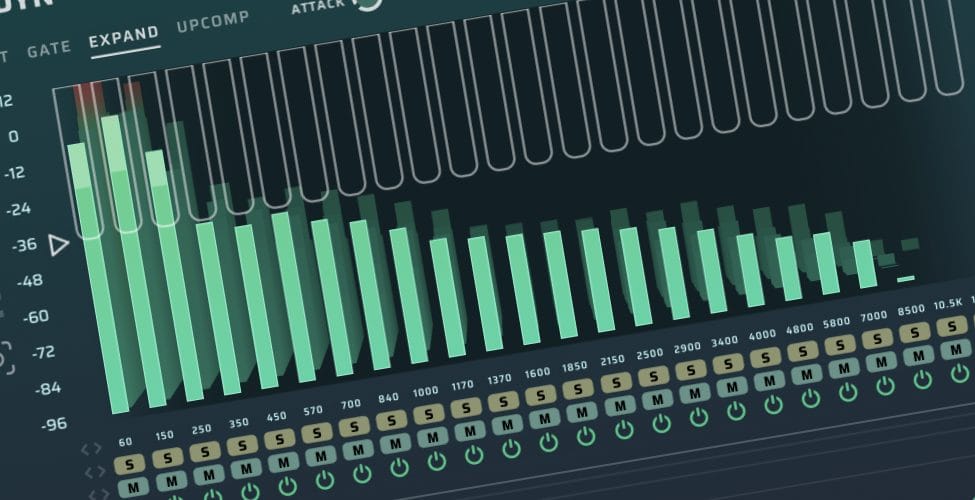
On paper, Bark24 | Dyn is a 24-band processor built around the Bark scale, with AAX, VST3, and AU support for Mac and Windows. It works on Intel Macs, Apple silicon machines, and Windows systems, with sample-rate support from 44.1 kHz up to 192 kHz. It includes four processing modes, linear phase filters, three filter slopes, ±48 dB of gain per band, detailed visual feedback, four metering modes, 3D visualization, per-band Solo, Mute, and On/Off, auto-threshold, auto gain, auto output, multi-select editing, Wet/Dry mix, and MIDI control.
That is a whole lot of functions in one plugin, and the feature list can almost undersell what makes it useful. The value for me comes from how quickly I can move from a rough sound to something that feels controlled, clear, and usable in context. So let’s talk about it…
Why The Bark Scale Changes Everything
The Bark scale is the central idea here.
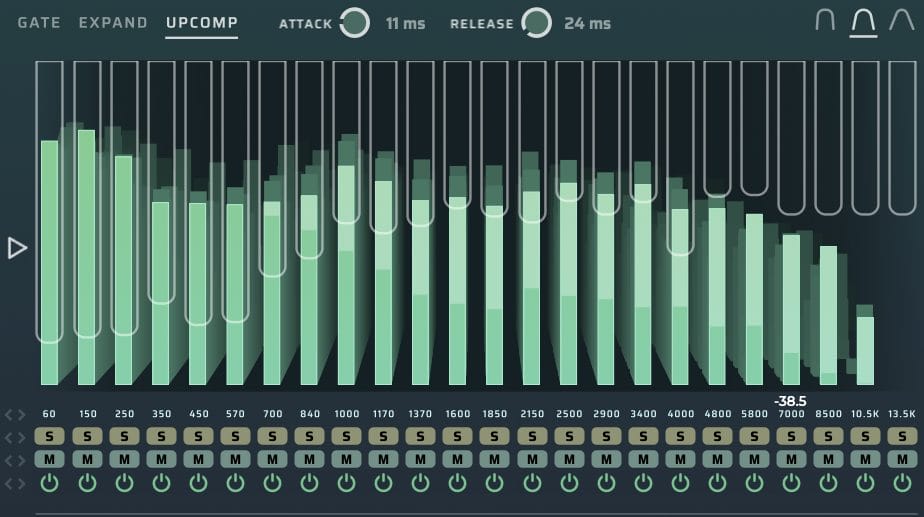
Instead of dividing the frequency range into the kind of fixed points you see on a standard EQ, Bark24 | Dyn splits audio into 24 bands based on how human hearing groups frequency information. That may sound academic, although it becomes pretty intuitive once you start using the plugin on real material.
A lot of mix decisions start as broad impressions.
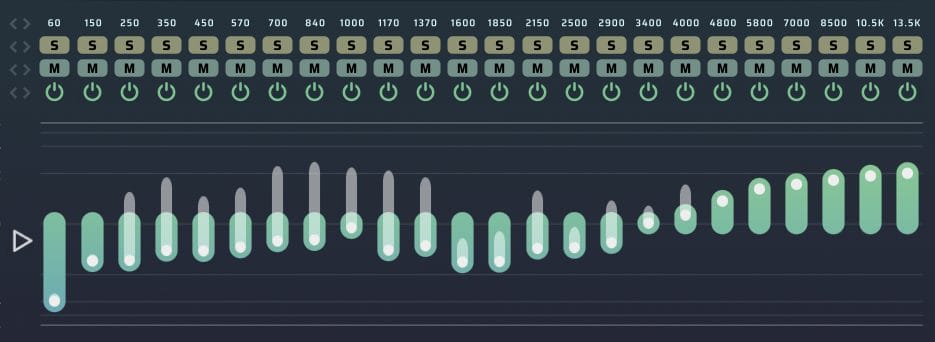
A synth feels too sharp or a piano feels buried. A drum loop has high-frequency detail that needs to come forward, yet the hats get too aggressive when you push the top end with a normal EQ. A sample has something useful in it, although the low mids and upper mids keep fighting each other. Bark24 | Dyn gives you a way to work through those impressions with enough detail to stay controlled.
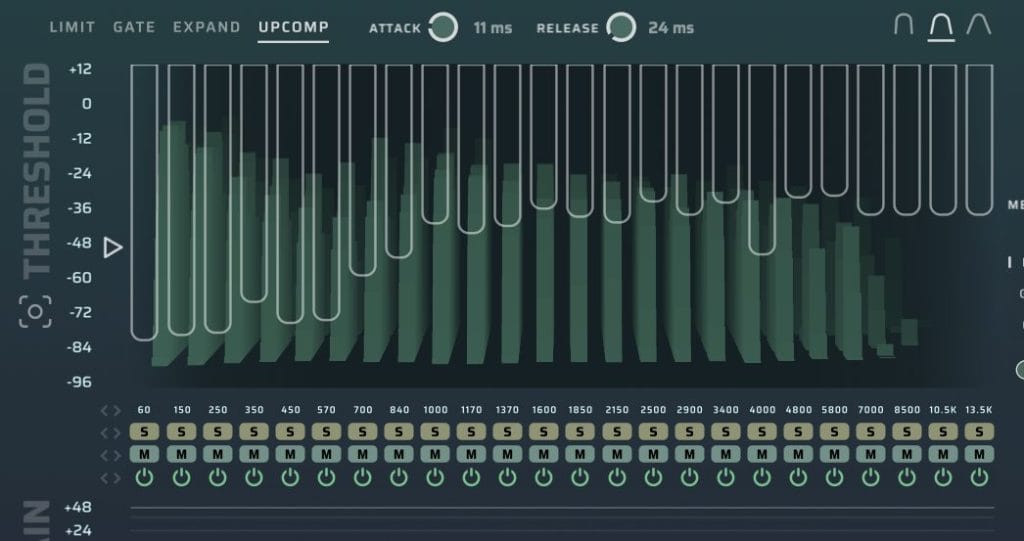
This is where I think the plugin earns its place.
I have always liked using analog-style EQs to bring out the highs in sounds because they tend to add top-end lift in a way that feels smoother than a clean digital EQ pushed too far. That kind of EQ can be great when the goal is broad polish. The tradeoff is that you often get one general move. You can raise the high shelf, add presence, or push a colored top-end band, then you deal with whatever extra brightness comes along with it.
Bark24 | Dyn gives me a finer version of that same idea.
I can bring forward the high-frequency parts of a sound that add life and detail, while keeping other areas from becoming brittle. On synths, that means I can pull out the upper harmonic information without making the patch feel piercing. On piano, I can add clarity and attack without thinning out the part. On samples, I can recover top-end detail without turning the entire source into something that needs another round of taming.
How I Use It Before The Mix Starts
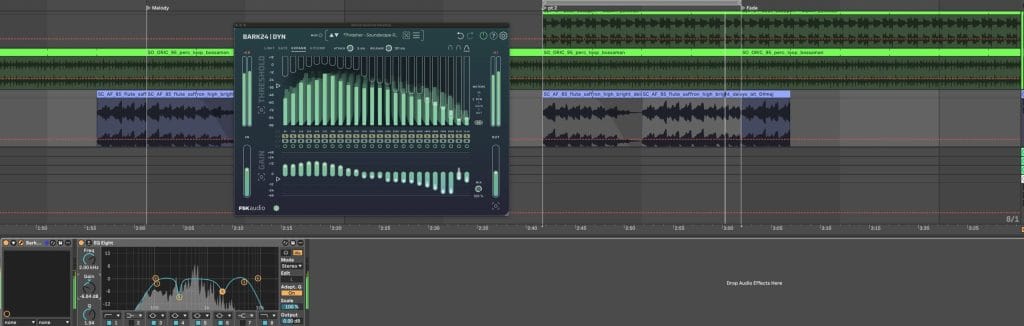
The most useful place for Bark24 | Dyn in my workflow has been early in the chain. I like it on source sounds before I begin the exact placement work. If I’m building a track with synth layers, drums, sampled textures, and melodic parts, I usually want the larger shapes to work together before I begin making narrow cuts or detailed automation moves.
That is where Bark24 | Dyn has been helpful. I can put it on a synth and shape the broad tonal role of that sound. I can reduce the areas that are crowding the arrangement, bring forward the parts that give the patch definition, and keep the source feeling intact. Then, later in the mix, I can use Pro-Q3 or another EQ for the exact details.

This order helps me avoid overcorrecting too early. A lot of production issues come from sounds that have the wrong general shape. If a patch has too much low-mid energy, or a sample has too much hard upper-mid information, a few narrow EQ moves may fix the obvious problem while leaving the larger issue intact. Bark24 | Dyn gives me a way to reshape that larger issue first.
I have also liked using it across layered parts.
When a few synths are working in similar ranges, it can help carve space in a way that feels less clinical than stacking static EQ cuts across every channel. The multi-band design lets me decide where each part should sit, then I can move into detailed mix work after the arrangement has a clearer internal balance.
Pulling Out Highs Without Making Everything Brittle
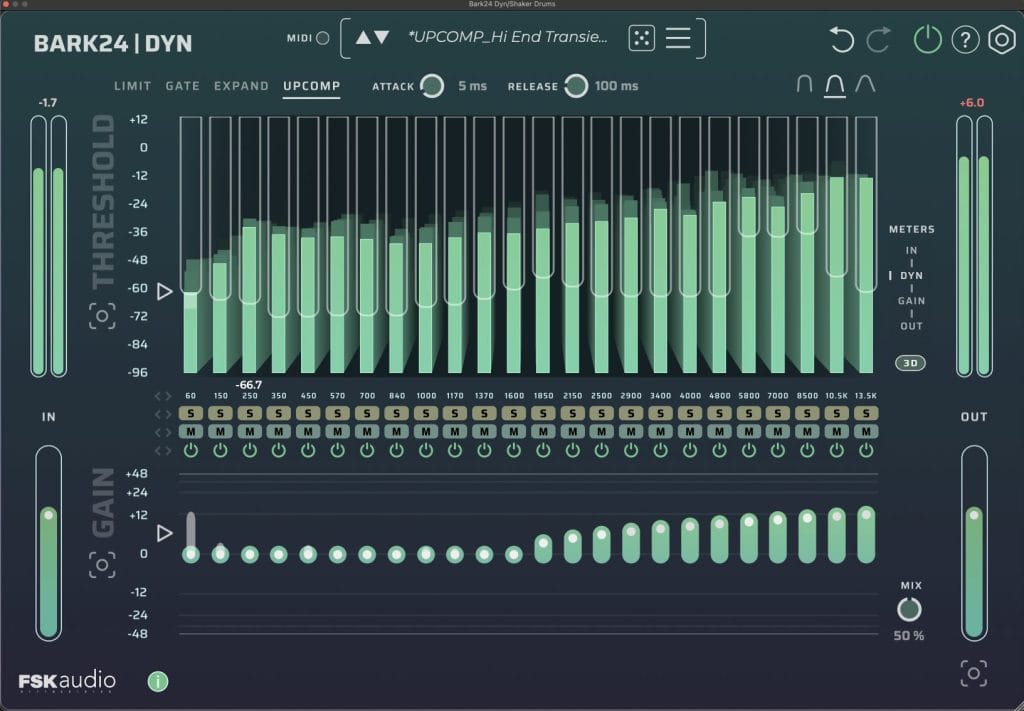
This is probably the area where I’ve been reaching for Bark24 | Dyn the most. I love using it to pull highs out of sounds in a way that still feels musical. That has always been one of the harder things to get right because top-end enhancement can go wrong quickly.
A stock EQ can technically do the job…
You can boost a high shelf, raise a presence band, or add a little air. The issue is that the result can become too clean, too sharp, or too obviously processed. Analog-style EQs have usually been my go-to for that reason. They tend to make the top end feel less sterile, and they can give a source the kind of lift that helps it sit closer to the front of the track.
What I found to be the coolest use case is actually in helping shape the tone and pitch of my high percussion. Usually I have to simply rely on adjusting the pitch of the loop or samples I’m using in the track until the timbre “fits” into the pitch of the rest of the track but with the amount of control you have over the bands and the tasteful resonances you can reintroduce simply by adjusting specific bands in the high frequencies, you can really dial in the exact timbre and pich of high percussions instead of only having one point of control; the pitch of the sample itself.
The Saturn Connection
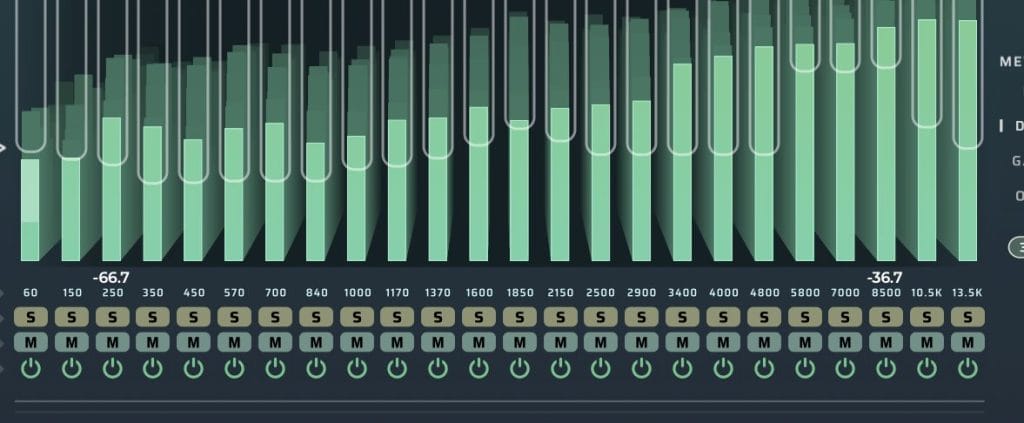
One of the reasons Bark24 | Dyn clicked for me is that it reminded me of a production idea I picked up years ago from watching Pensado’s Place (I tried finding the exact episode but I can’t, remember which one it was. Cut me some slack, this would have been like a decade-old episode). Dave Pensado was talking about FabFilter Saturn, and the basic point was that Saturn can do a lot because of its multi-band structure. It is a saturation plugin first, although the bands let it work almost like a broad EQ, a tone tool, and a level-control device depending on how you set it.
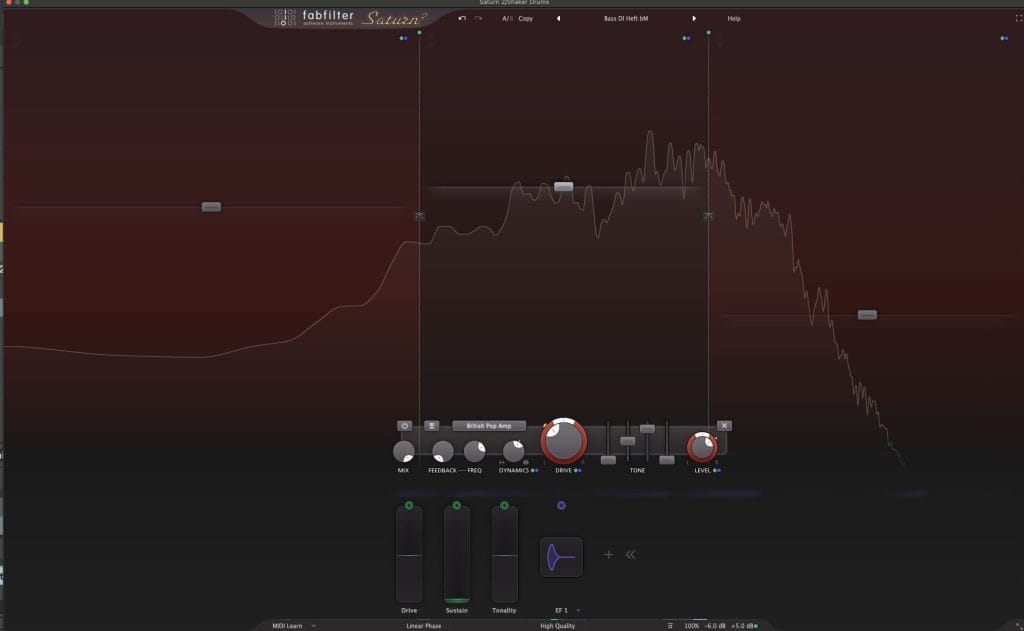
That stuck with me.
I still love Saturn, and I use it constantly, yet Saturn has its own identity. It is still based around saturation, tone, and drive. Bark24 | Dyn gives me a related sense of flexibility from a cleaner angle. It can shape tone, control frequency-specific level movement, tighten low-end areas, bring forward highs, reduce harshness, and push material toward creative processing without starting from saturation as the main action.
That difference is pretty damn useful. There are plenty of moments where I want multi-band control, yet I do not want to add obvious drive or color. Bark24 | Dyn fills that role well. It can act like a broad tonal processor at one moment, then become a corrective tool in the next. With the Wet/Dry mix and per-band controls, it also gives me room to push harder and blend the result back in.
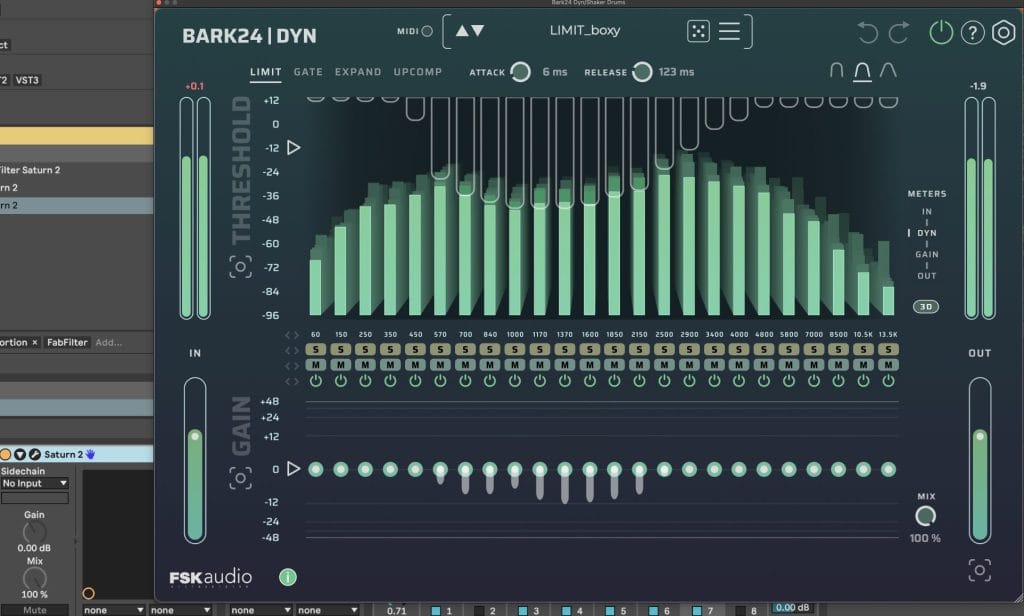
Mixing Uses That Feel Practical
For vocals, I would use Bark24 | Dyn as an early control and tone-shaping tool. It can help manage low-mid buildup, nasal areas, sharp upper mids, and inconsistent presence before a standard vocal chain takes over. I would still use dedicated EQ, compression, and de-essing where needed, although Bark24 | Dyn can make the source feel closer to finished before those tools enter the chain.
For drums, it works well when a loop needs tightening. You can control the low-end areas that feel loose, bring out the snap in the upper range, and keep cymbal harshness in check. The Wet/Dry mix is useful here because drums often respond well to parallel treatment. You can push the processor enough to hear the shape change, then blend it back until the loop feels cleaner without losing its movement.
For guitars and pianos, I like it as a tone extraction tool.
A guitar track with boxy mids can open up without losing the part’s main identity. A piano can gain presence and detail without becoming overly thin. For bass, it can help control low-end movement and bring forward the upper information that lets the part read on smaller speakers.
On full mixes, I would use it carefully. The 24-band structure gives you enough control to rebalance muddy areas, reduce harshness, or bring back clarity. Heavy moves across too many bands can change the entire mix quickly, so this is where level matching and restraint become important.
The Interface Is More Intuitive Than It Looks

A plugin with 24 bands and this many presets could easily become too slow to be a go-to tool.
Bark24 | Dyn avoids that by making the interface clear enough to move quickly. The real-time visual feedback helps you see where energy is building. The metering gives you a clearer read on how the processor is responding. The 3D visualization adds another way to understand movement across the spectrum.
The per-band controls are the part I use most. Soloing a band helps me find the area causing the problem. Muting or bypassing bands makes it easier to compare choices. Multi-select editing helps when I want to shape a group of related bands instead of treating every area separately. Auto-threshold, auto gain, and auto output help set a faster starting point, which is useful because a processor this detailed can get slow if every move starts from zero.
The visual side can pull your attention away from listening if you let it. That is true of most processors with detailed displays. I get the best results when I use the visuals to locate and confirm, then make the final decision by ear at matched loudness.
Where It Fits In A Plugin Folder
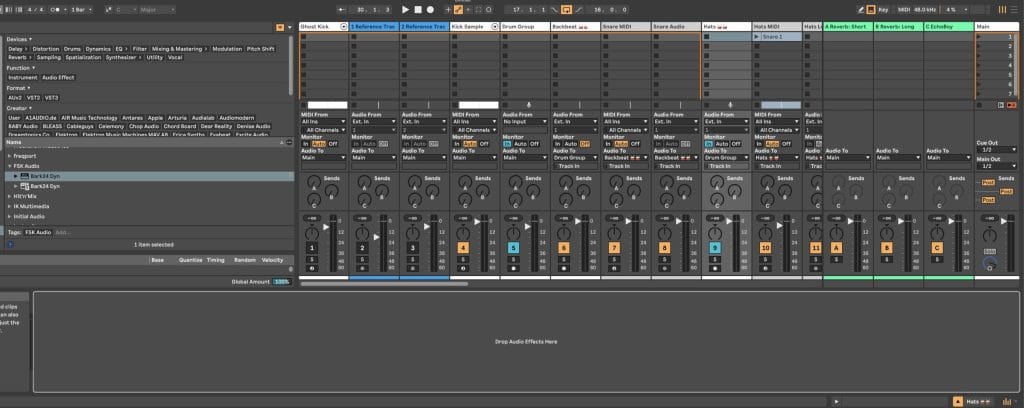
Bark24 | Dyn fits best for producers who want a processor that can move between production, mixing, and sound design. It is useful for synth-heavy writing, sample cleanup, drum loop shaping, vocal prep, guitar cleanup, piano processing, bus work, and subtle full-mix rebalance.
The plugin will probably appeal most to people who like multi-band tools, visual workflows, and early-chain tone shaping. It may feel excessive for someone who wants a basic EQ or a simple compressor with minimal controls. For my workflow, the detail is the point. I want a tool that can shape the broad sections of a sound before the normal mix chain starts, and Bark24 | Dyn does that in a way I have found immediately useful.
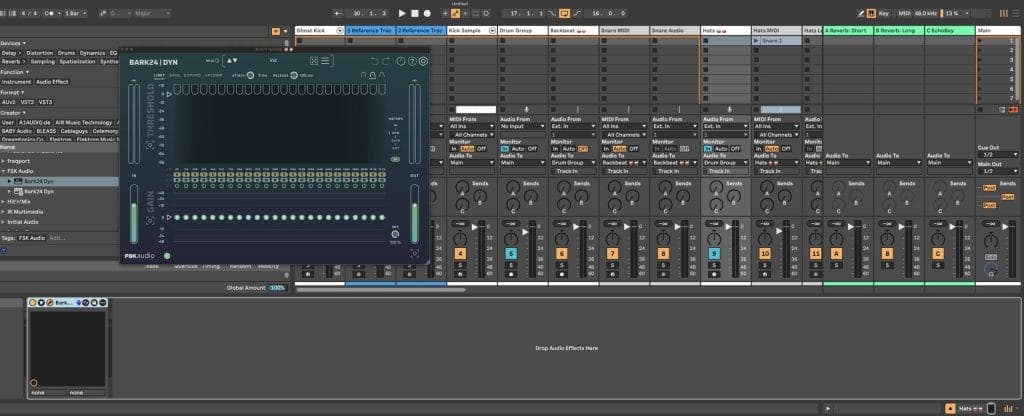
I would still want to keep testing CPU use, latency, and behavior across larger sessions. Linear phase filters can add latency depending on the implementation, and a full review should check how it performs with multiple instances across a dense Ableton project. I would also want to test each processing mode across vocals, drums, bass, piano, synths, and full mixes to see where each one works best.
Final Verdict On The Bark24 | Dyn

Bark24 | Dyn has become one of those plugins I keep reaching for because it solves a specific problem in my process. It helps me shape sounds before I start mixing them in the traditional sense. That may seem like a small role, yet it has a large effect on how quickly a track comes together, which is a big reason it earned our Editor’s Choice award.
I especially like it for pulling highs out of sounds in a controlled way.
It gives me the musical lift I usually look for from analog-style EQs, with much finer control over which parts of the high range come forward. It also gives me a cleaner alternative to the multi-band tone-shaping roles where I might have reached for Saturn in the past, especially when I want control with saturation left as an option instead of the main event.
For $99, Bark24 | Dyn is easy to recommend to producers who work with synths, samples, loops, and dense arrangements. It can clean up hard-to-place sources, shape layers before the detailed mix stage, create useful sound design results, and place frequency-specific control inside one clear interface. I’ll be using it for sound design, sample processing, and general production because it has already proven useful where I need fast decisions that still leave room for detail.

Will Vance is a professional music producer who has been involved in the industry for the better part of a decade and has been the managing editor at Magnetic Magazine since mid-2022. In that time period, he has published thousands of articles on music production, industry think pieces and educational articles about the music industry. Over the last decade as a professional music producer, Will Vance has also ran multiple successful and highly respected record labels in the industry, including Where The Heart Is Records as well as having launched a new label with a focus on community through Magnetic Magazine. When not running these labels or producing his own music, Vance is likely writing for other top industry sites like Waves or the Hyperbits Masterclass or working on his upcoming book on mindfulness in music production. On the rare chance he's not thinking about music production, he's probably running a game of Dungeons and Dragons with his friends which he has been the dungeon master for for many years.