Fernando Lagreca has been steadily carving out his own lane in electronic music for more than two decades. Originally from Uruguay and now based in Barcelona, he has released on respected labels such as Sincopat, Natura Sonoris, and Beautiful Accident, while performing across Europe with a live show built around hardware and improvisation. His sound has always leaned toward melodic and atmospheric territory, with a focus on texture and detail,
His new track Die Stille der Nacht reflects that approach while pushing into new territory. Built during late-night studio sessions, the record highlights his interest in capturing mood through synthesis and careful layering. The title translates to “The Silence of the Night,” and the music reflects the solitude and concentration of those hours. Every track feels considered in its pacing and tone, drawing on his long relationship with analog gear while integrating modern production techniques.
In this feature, Lagreca opens up about the process behind the release, sharing the tools, methods, and decisions that shaped its sound. From the choice of synthesizers to the role of effects and arrangement, he explains how the project came together layer by layer. It offers a direct look into how a producer with his experience transforms inspiration into a finished body of work.
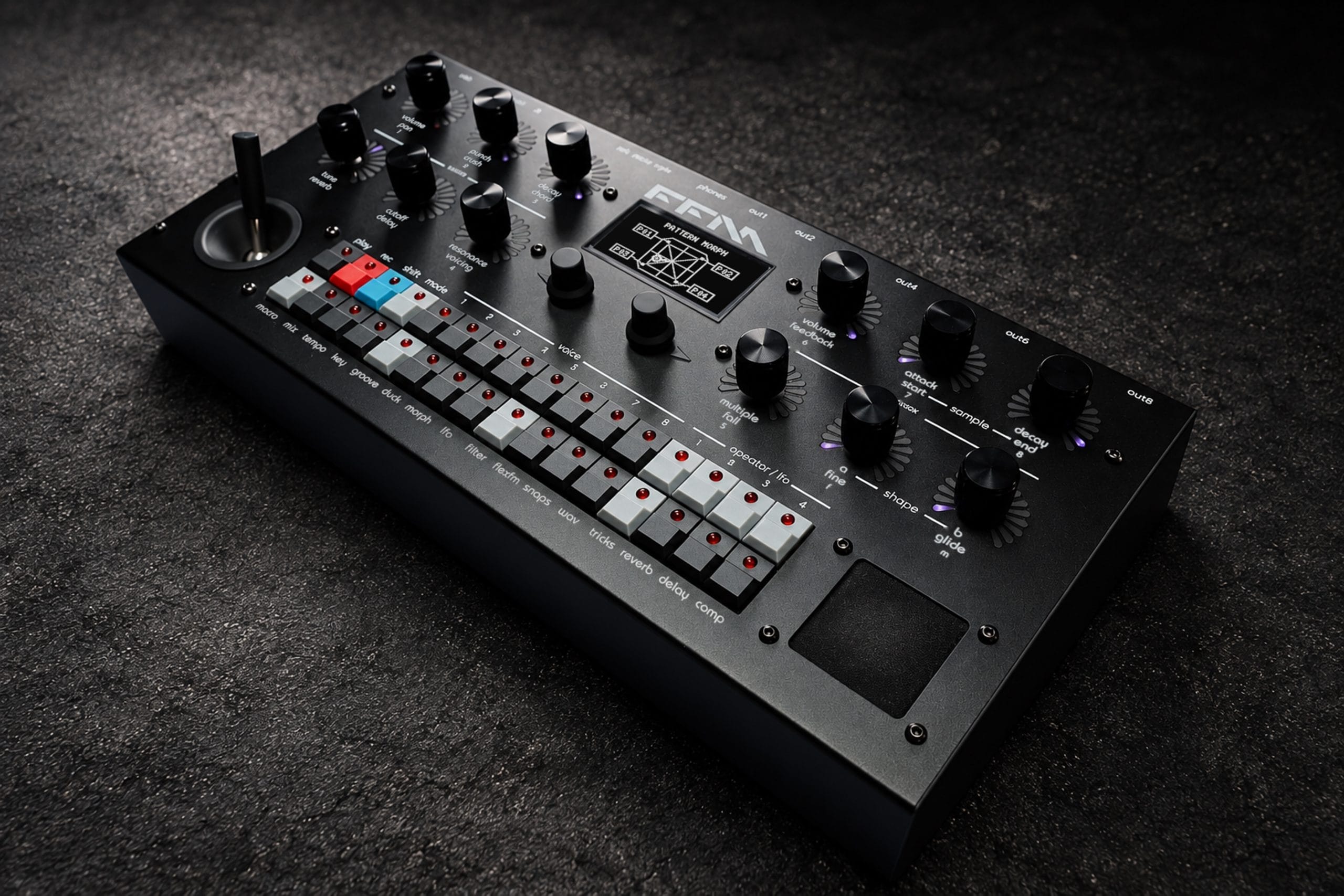
Elektron Digitone
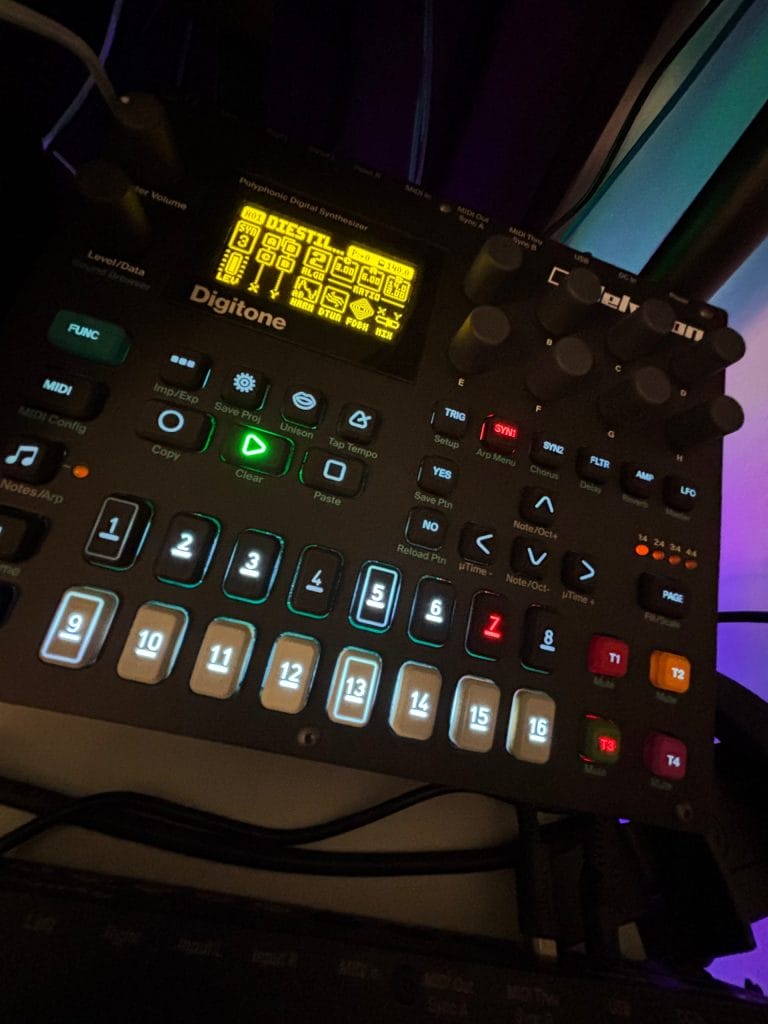
The Elektron Digitone is a digital synthesizer built around FM (Frequency Modulation) synthesis—the same type of technology that defined a generation of sounds in the ’80s through iconic machines like the DX7, DX100, or DX21.
Here, Elektron reimagines that legacy with a far more accessible approach. Its four-operator FM engine has been streamlined for modern workflows, while adding elements usually found in subtractive synthesis: multimode filters, envelopes, and a suite of onboard effects. The result is a hybrid instrument capable of pushing FM sound design well beyond its traditional metallic edges.
At the heart of the Digitone lies Elektron’s renowned sequencer. With its parameter locks, microtiming, and support for polyrhythms, it enables intricate grooves and evolving patterns—perfect territory for techno, IDM, and the broader spectrum of forward-thinking electronic music.
For this track, the two main sounds—both part of the same Digitone pattern, named after the track Die Stille der Nacht—were recorded separately in single takes. One is a raw, repetitive tone, almost like a basic sinewave oscillator, with a slow-building LFO modulating noise and filter parameters every 64 steps. The modulation effect only emerges gradually, revealing subtle shifts over time.
Both sounds follow this minimal variation approach. Once each take was captured, I processed the audio in Ableton Live using effects such as Auto-Filter and EQ. Because both layers play nearly identical notes with slight differences, they create a textured bed that leaves space for the main sequence—generated from the second Digitone sound.

This sequence introduces a polyrhythmic groove, built on a seven-step pattern enriched with parameter changes and probability steps. Across the nearly track-length single take, these details generate nuanced, evolving movement. After laying down the sequence, I applied manual filter sweeps using Ableton’s Auto-Filter, controlled via a Novation Launchkey. By shaping the filter envelope by hand, the sequence gains a sense of humanization—embracing the slight timing imperfections and lack of strict quantization that, in turn, lend the track a more organic, less mechanical flow.
I don’t know many producers who specifically use the Digitone, although plenty rely on other Elektron synths and samplers—especially within techno. The Analog Rytm, for instance—a drum machine that blends synthesis and sampling—is a staple you’ll find in a lot of studios.
I’ve gravitated toward Elektron gear for years because I know their sequencer inside out, and I appreciate the raw, punchy character of their sound. The ability to generate new tones quickly, program per-step changes, and shape patterns on the fly makes their workflow uniquely flexible.
There’s definitely a learning curve at first—Elektron instruments are notoriously deep—but once you’ve mastered the three or four key functions, most of their grooveboxes operate on similar principles, which speeds things up considerably. That said, I don’t flood my productions with their machines. Usually, I’ll build one or two tracks from an Elektron unit, while the rest of the arrangement comes from Ableton Live’s patch libraries, other hardware synths in the studio, or a handful of go-to plugins.
Sting!64 from Skinnerbox + special customization
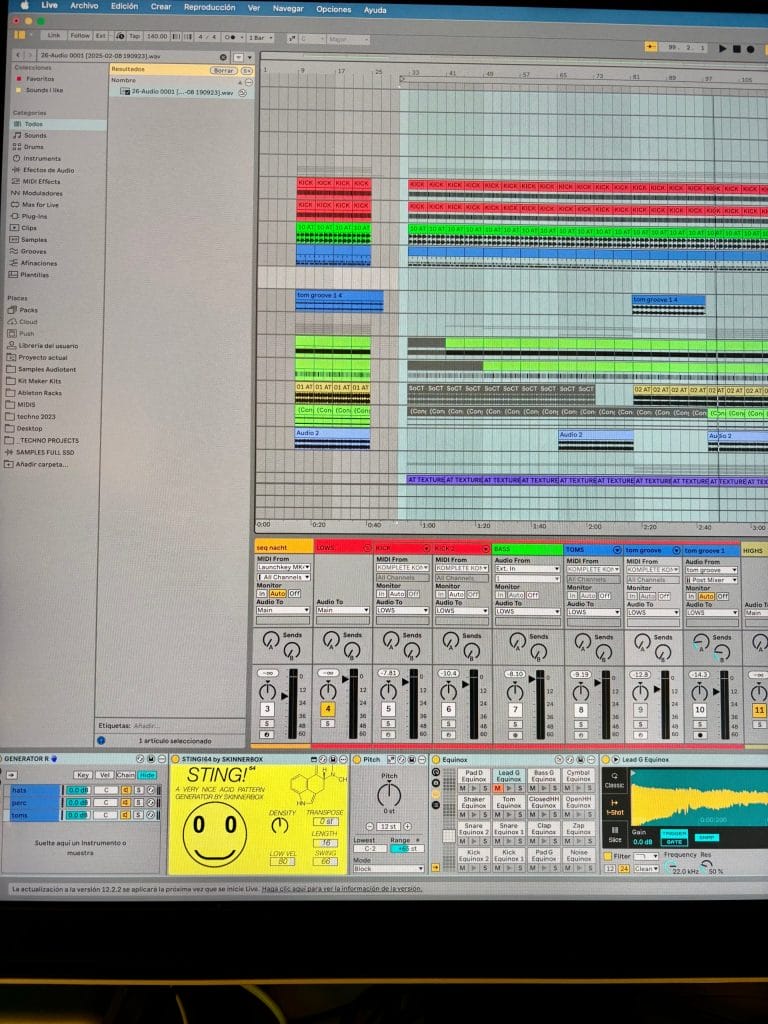
One of the creative plugins I rely on most for my techno productions—and for this track in particular—is a Max for Live device called Sting!64 by Skinnerbox. Originally designed as an acid-style random pattern generator, it’s a tool that can instantly spark inspiration.
Its interface is playful, featuring the iconic acid smiley face from the late ’80s and ’90s, and its ability to generate virtually endless variations makes it a great antidote to writer’s block.
That said, I tend to use it differently from its original purpose. Rather than focusing on basslines, I often deploy it to create percussive sequences—toms, congas, FX hits, and more. My approach is to load a custom Drum Rack filled with samples I already know work well, and let Sting!64 randomize the sequencing.
By combining it with additional random pitch generators, I can shuffle between sounds, introduce multiple variations, and build entirely unique rhythmic layers.
Of course, it also works brilliantly for its intended use—generating acid basslines, which is how most producers tend to integrate it—but I prefer using it to shape the upper layers of my percussion or hi-hat groups, where it really excels at creating dynamic, evolving “tops.”
In this particular track, I’ve used the Sting for generating groove and percussions plus some sort of ‘unquantized’ hihats, in order to give a bit of ‘humanity’ to the piece.
Reverb Black Hole (Eventide)
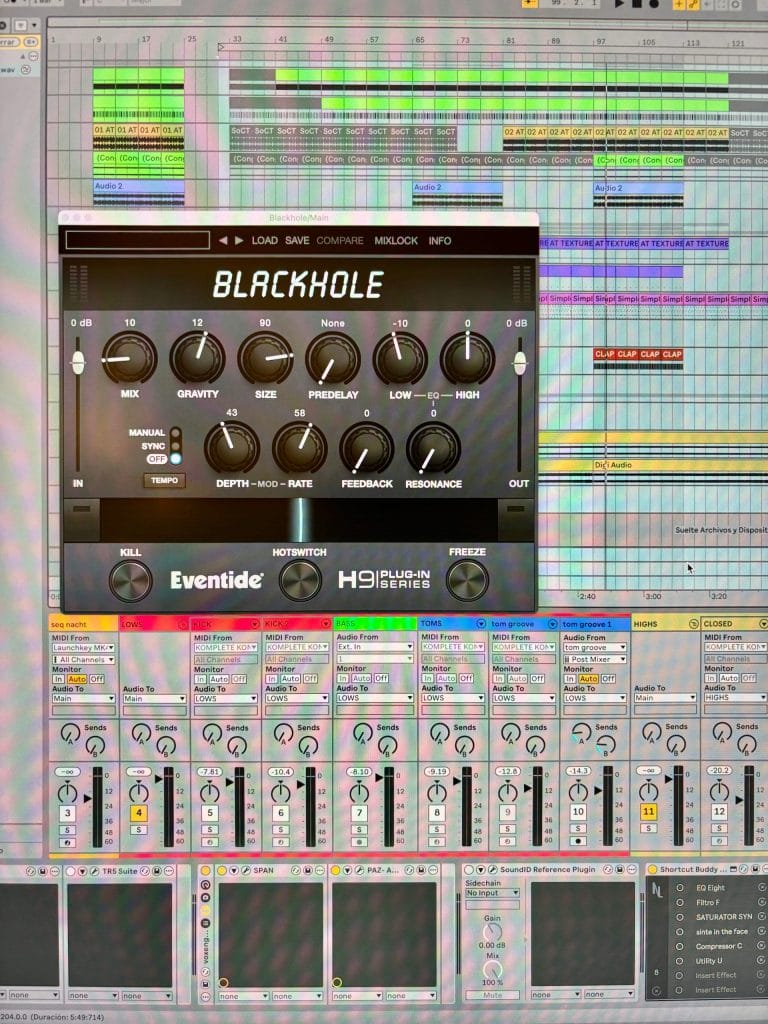
The Black Hole Reverb (in its plugin format) is a faithful recreation of the original hardware version. It’s an incredibly creative reverb, capable of producing expansive, almost infinite tails as well as dense atmospheres and drones.
It works beautifully on guitars, basses, and synths—though even on vocals, it can yield striking results. The hardware unit is a common sight on pedalboards, but I personally prefer the plugin version. It sounds virtually identical to the physical pedal while saving valuable studio space and allowing me to open multiple instances when needed.
For techno, it’s particularly effective on kicks, snares, and claps, though I often apply it subtly to tom or percussion groups. I don’t use it across every channel—it depends entirely on the tonal needs of each group or individual element, whether it calls for a touch of spatial processing or not.
Sometimes I’ll place it directly on a specific channel (kick, clap, etc.), other times it sits on the master at the start of the processing chain, or as an auxiliary send when the track calls for a subtle, overarching layer of reverb. For me, reverbs—and even delays—function like Swiss army knives: they’re tools to season a track in multiple ways. Black Hole, in particular, is versatile for layering and shaping atmospheres. Its interface is refreshingly straightforward: no hidden menus, just clearly laid-out parameters that let you push even the longest tails without overly coloring the sound.
I’ve used the Black Hole in this track for giving a general color on the master chain plus also used own presets on the kick (just small amounts!) and on a secondary bassline.
Toolroom Academy Infinite EFX
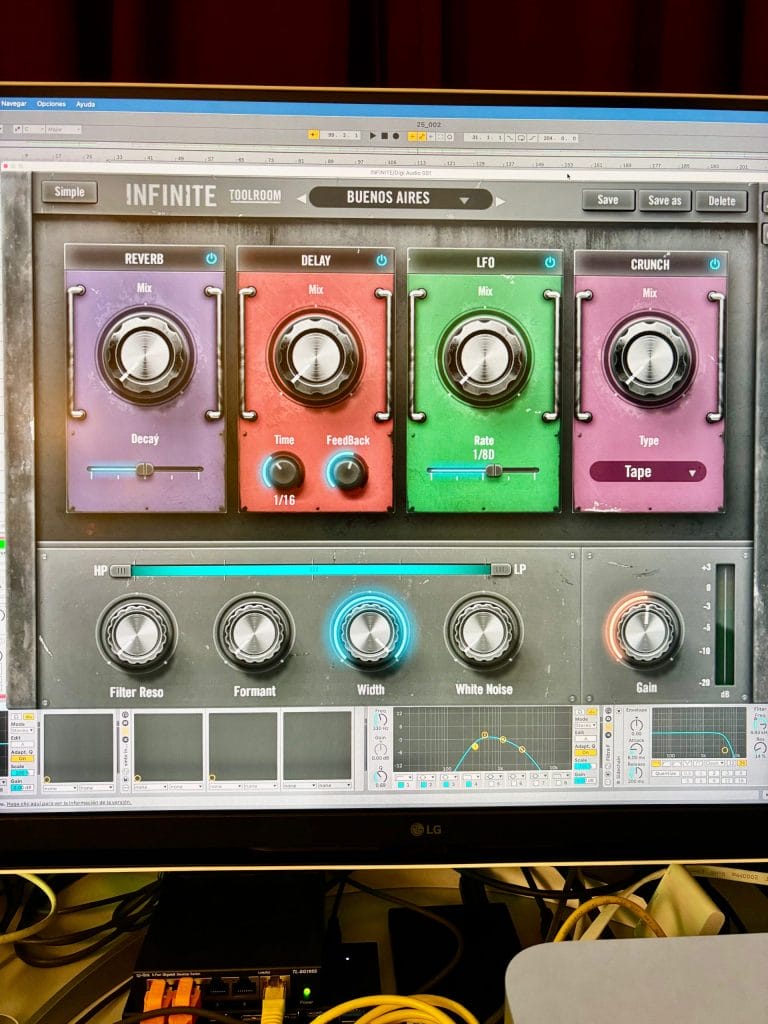
Infinite by Toolroom Academy is essentially a creative multi-effect designed for smooth transitions, filtering, risers, noise swells, and more.
Its greatest strength lies in its simplicity: it’s incredibly quick to deploy, and while it might seem like a straightforward EFX unit, a few knob tweaks can yield fresh textures almost instantly. All parameters can, of course, be automated—so once you’ve set up a customized instance mapped to your MIDI controller, you’ve got a fully functional multi-effects unit that’s light on CPU yet powerful in workflow.
To make things even more streamlined, Infinite offers a series of Macro controls that can trigger vast parameter variations with a single gesture. This makes it remarkably effective for creating atmospheres, drones, transitions, colorful delays with multiple sync modes, and dynamic movement for both breaks and drops.
You can store your own presets, building chains of up to eight individual effects (Delay, Modulation, Filter, White Noise, Granular, and more). Interestingly, the factory presets are named after iconic electronic music cities—Buenos Aires, Sydney, Tokyo, New York, Berlin, etc.—and they’re excellent starting points on their own.
On this track, I used the ‘Sydney’ preset with subtle tweaks during key break moments and just before the drop—though it’s not a heavy drop—and also in small doses every 16 bars to mark shifts in the percussion.
Quick Tips For Making Techno
Tip #1
Know your gear. Time spent digging into manuals or figuring out how your plugins really work isn’t wasted—it’s an investment that pays off every single session.
Tip #2
Get organized. Color-code your tracks, group by sound type, and name your channels (and projects!) properly. It’ll save your sanity when mixing and keep your workflow tight.
Tip #3
Build your own arsenal. Craft a personal library of kicks, subs, snares, claps, toms—everything. Dial in a low end that’s yours and only yours. Make those elements lock.
Tip #4
Don’t drown in options. Forget the endless hunt for “the perfect sound.” Start with a sequence that evolves, set the vibe, then drop in a solid low end with groove. Get creative with FX to twist your percussion—this is where the magic happens.
Tip #5
Find your signature. Techno thrives on repetition, so stand out. Hunt for that one element that screams you—something no one else is doing. Don’t be a copy of a copy.


Will Vance is a professional music producer who has been involved in the industry for the better part of a decade and has been the managing editor at Magnetic Magazine since mid-2022. In that time period, he has published thousands of articles on music production, industry think pieces and educational articles about the music industry. Over the last decade as a professional music producer, Will Vance has also ran multiple successful and highly respected record labels in the industry, including Where The Heart Is Records as well as having launched a new label with a focus on community through Magnetic Magazine. When not running these labels or producing his own music, Vance is likely writing for other top industry sites like Waves or the Hyperbits Masterclass or working on his upcoming book on mindfulness in music production. On the rare chance he's not thinking about music production, he's probably running a game of Dungeons and Dragons with his friends which he has been the dungeon master for for many years.