There’s a particular kind of frustration that comes with receiving a vocal recording that’s exactly what the track needs, only to discover background hiss, electrical interference, or clipping that nobody noticed during the session. Sometimes those problems are relatively easy to identify.
Other times, you’ll spend an hour adjusting noise-reduction settings, trying different processors, and checking whether the cleanup removes important details along with the unwanted audio.
I’ve written quite a bit about the growing number of AI tools entering music production, and one application I continue to find interesting is audio restoration. Unlike software designed to generate an entire recording, these tools address technical problems in material that already exists. The performance, arrangement, and production decisions remain intact, while the processing concentrates on correcting problems introduced during recording or editing.
Acon Digital has released Restoration Suite 3, an updated collection of audio repair plugins that makes that distinction particularly relevant. Alongside machine-learning upgrades to its established noise and hum removal processors, the company has introduced a new all-in-one plugin that listens to a recording, identifies potential problems, and automatically configures the processors needed to address them.
At an introductory price of $69, it also offers an accessible option for producers who occasionally need professional audio restoration without purchasing an extensive editing application.

Restoration Suite 3 Can Analyze Audio and Configure Its Own Processing
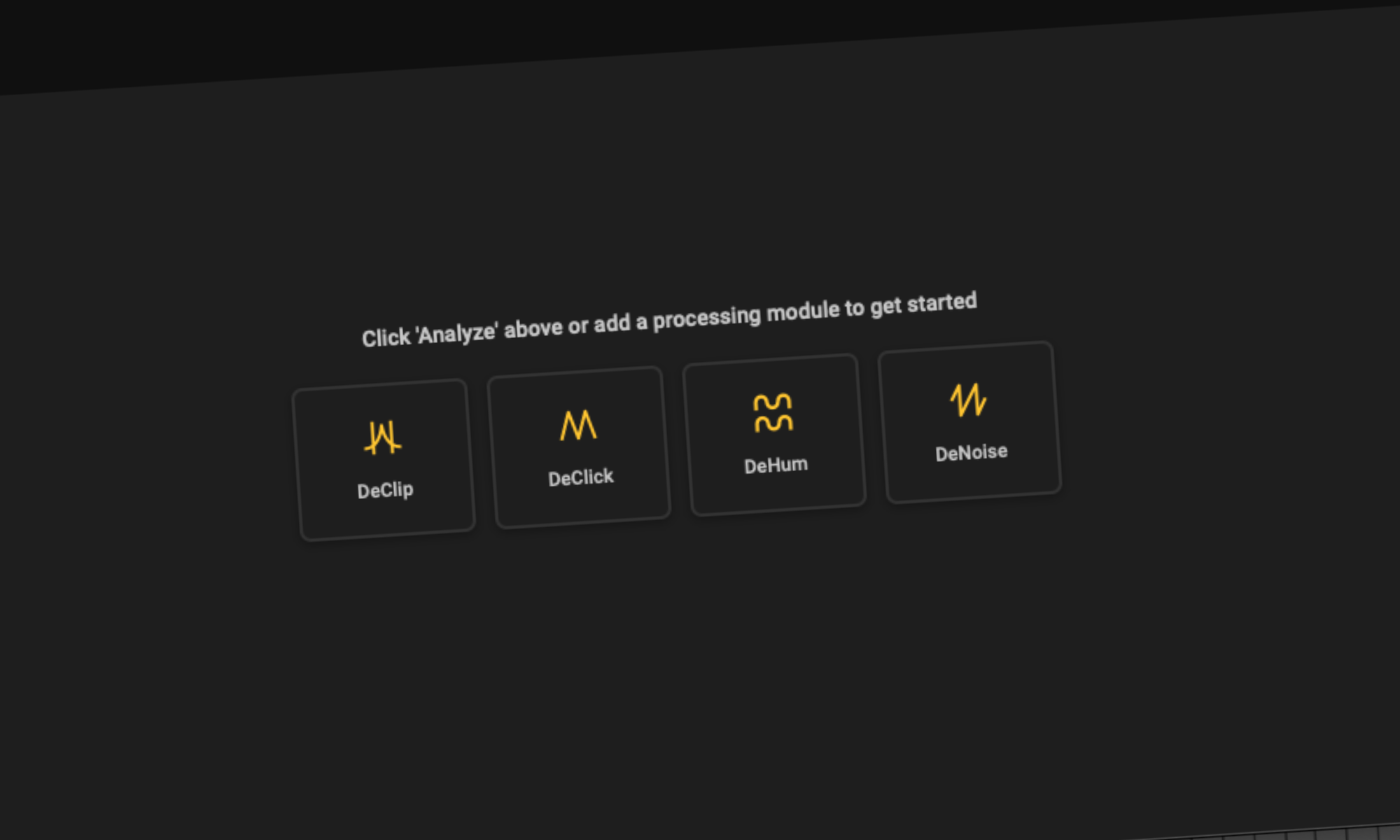
The biggest addition is the new Restoration Suite 3 plugin, which combines four established processors within a single interface. Instead of requiring producers to insert DeNoise, DeHum, DeClick, and DeClip individually, the plugin includes an Analyze function that examines a short section of audio before selecting and configuring the relevant modules.
For example, imagine receiving a vocal recording made in a bedroom with an audible computer fan and occasional electrical buzz from nearby equipment. Those problems may require different types of processing, and adjusting one without addressing the other can leave the recording sounding inconsistent. Restoration Suite 3 is designed to identify the issues and build an initial repair chain, letting the producer focus on reviewing the results and making adjustments.
The automated system provides a starting point rather than removing the need to listen critically. Users can open the individual modules, adjust the processing, and inspect what the software is removing. I appreciate that approach because it introduces automation without requiring engineers to surrender control over the result.
We discussed similar challenges in our breakdown of vocal enhancement plugins for home studios, particularly the importance of correcting recording problems before adding EQ, compression, pitch correction, or other processing. Restoration Suite 3 is designed to address that earlier stage of production.
DeNoise 3 and DeHum 3 Add Machine-Learning Processing
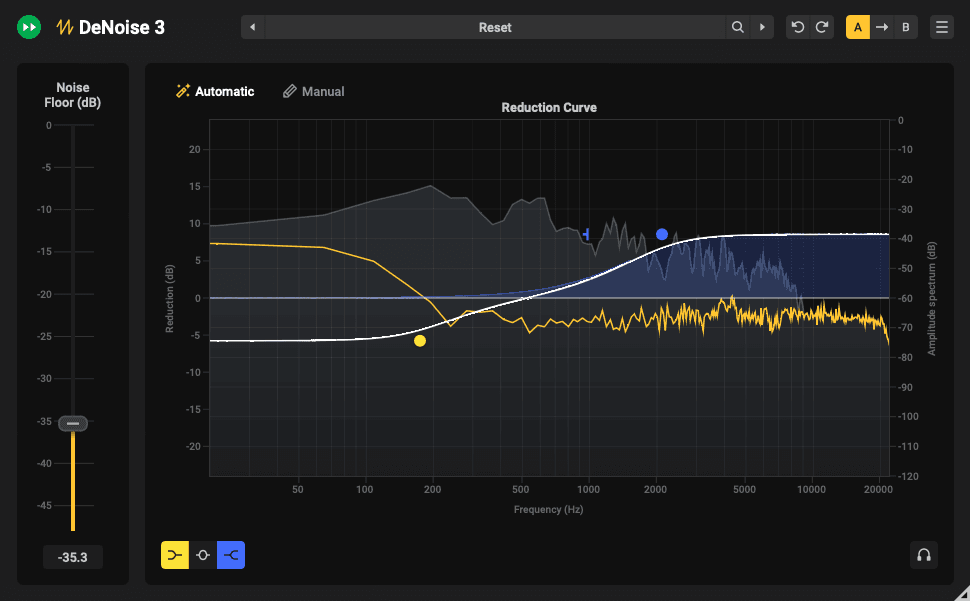
DeNoise 3 introduces a machine-learning-based Automatic mode capable of identifying broadband noise without requiring users to capture a separate noise profile. Conventional noise reduction often involves locating a section where the unwanted noise is audible without any music or dialogue, then using that information to distinguish the interference from the recording.
That process can become difficult when the noise changes throughout a performance or there isn’t a clean section available for analysis. DeNoise 3 attempts to reduce those requirements by detecting hiss, wind noise, camera noise, and other broadband interference automatically. A Manual mode remains available for recordings that require detailed intervention, and users can monitor the removed signal to check for unwanted changes.
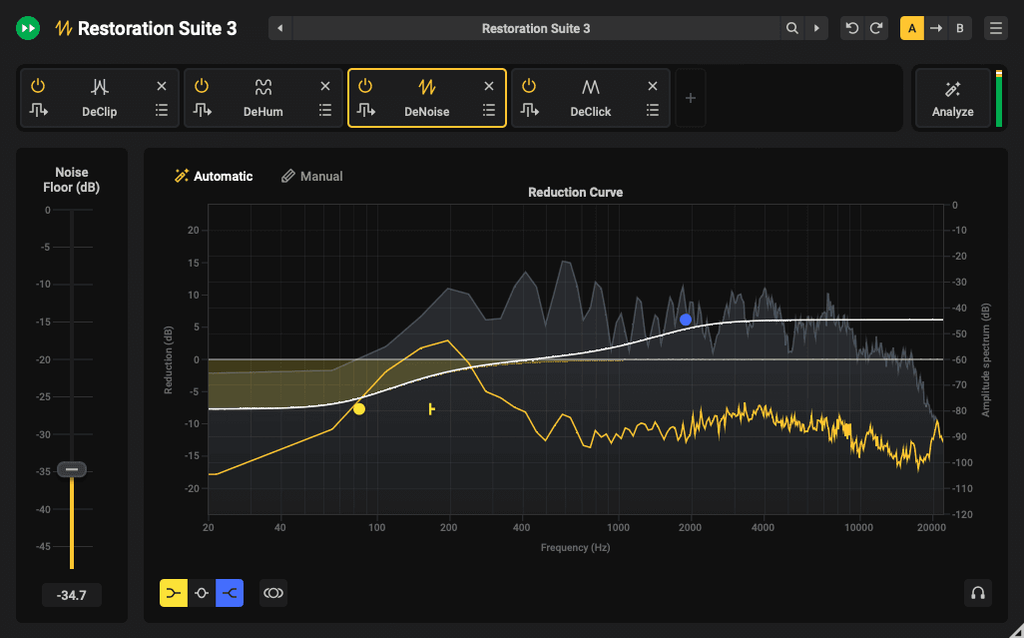
DeHum 3 receives a related update, concentrating on electrical hum and buzz. This is especially relevant for guitar recordings, older synthesizers, equipment with grounding problems, and location recordings made near electrical machinery. Its new Automatic mode identifies the interference, while Precision mode can follow hum that changes in frequency. A separate Notch mode offers zero-latency processing with reduced CPU requirements.
We’ve previously covered Acon Digital’s use of machine learning alongside other audio developers, and the direction here is consistent with its existing work in dialogue extraction and audio restoration. The software uses automated analysis to address specific recording problems, while allowing engineers to decide how extensively those problems should be corrected.
DeClick 3 and DeClip 3 Address Damaged Recordings
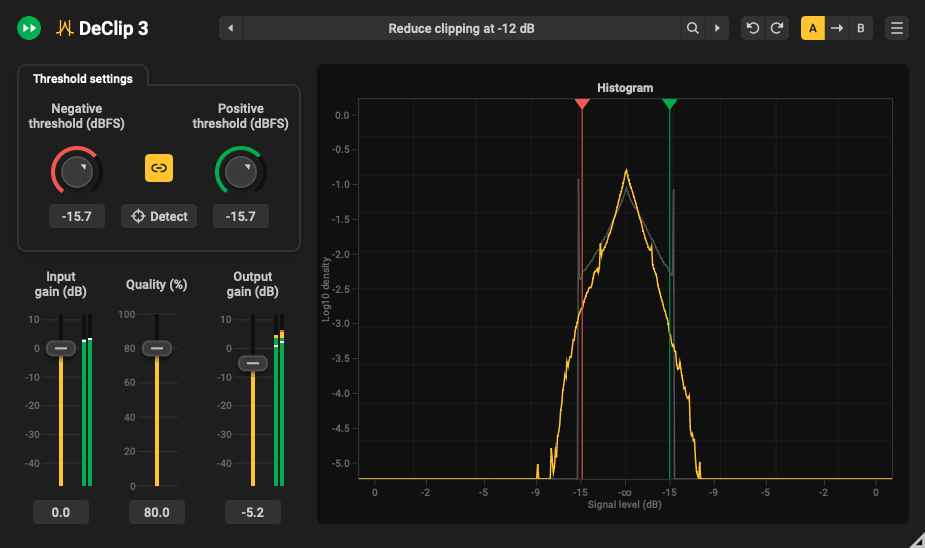
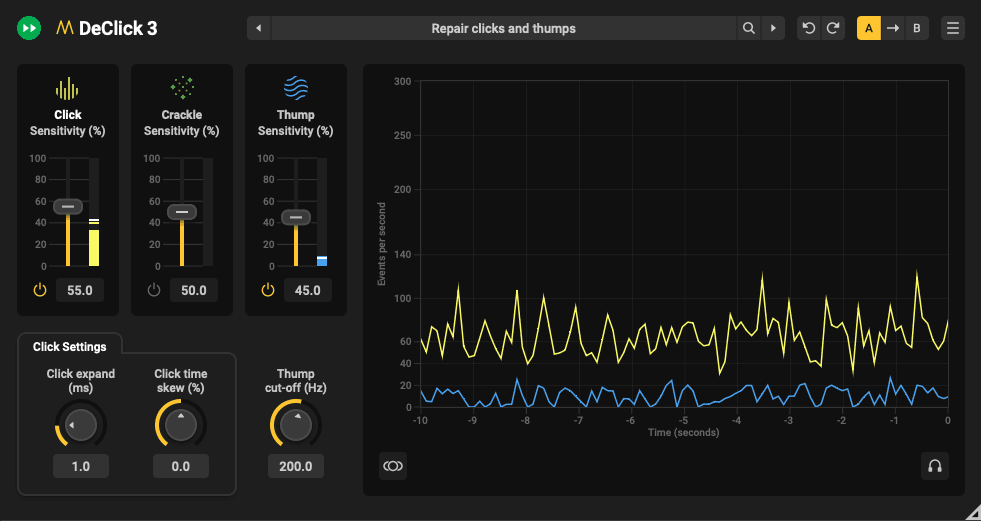
The remaining two processors concentrate on problems that require reconstructing portions of the original audio.
DeClick 3 removes short interruptions such as clicks, pops, crackles, and certain digital dropouts. It can also address vocal plosives and the surface noise associated with vinyl transfers. Rather than applying general noise reduction across the recording, it identifies the affected sections and reconstructs the damaged material using the surrounding signal.
DeClip 3 addresses a different problem: audio recorded above the available input level. When a signal clips, the waveform’s peaks become flattened, introducing distortion that cannot be corrected simply by reducing the volume afterward. DeClip attempts to reconstruct the missing waveform information, using an automatic clipping-threshold detector and a histogram that allows users to inspect the affected levels.
These tools have particularly obvious applications when recording another take is impossible.
An interview captured at an event, an archival recording, a live performance, or a vocal delivered by a collaborator may be the only available version. Restoration software can sometimes improve that material enough for continued production, although severe damage cannot always be repaired without audible consequences.
This is something I found interesting in our How It Was Made feature with Truth x Lies, where the producers discussed using iZotope RX9 to remove vocal mouth clicks and unwanted noises from a synthesizer sample. They specifically monitored what the processor was removing to avoid damaging the original recording. The same principle applies to Acon Digital’s software, regardless of how much of the initial setup is automated.
Restoration Suite 3 Costs $69 Through November 17
Restoration Suite 3 is available as a collection of five plugins for macOS and Windows. It supports AU, VST, VST3, and AAX formats where compatible, with support for popular applications including Ableton Live, Logic Pro, Pro Tools, Cubase, REAPER, FL Studio, Adobe Audition, and DaVinci Resolve.
The suite operates through a perpetual license, meaning customers purchase the software without requiring an ongoing subscription. It’s also included in Acon Digital’s Acoustica 8 Premium and Ultimate editions, providing access to the same repair tools within the company’s larger audio editing environment.
The regular price is $99, although Acon is offering a 30% introductory discount through November 17, reducing the price to $69. Existing Restoration Suite 2 owners can upgrade for $49 through their Acon accounts, while customers who registered version 2 on or after August 1, 2026, qualify for a free upgrade. A free trial is available without entering credit card information.
I wouldn’t purchase audio restoration software expecting it to completely recover every damaged recording.
Noise reduction, click removal, and waveform reconstruction all have limitations, particularly when the unwanted information overlaps with the material you’re trying to preserve. But there’s a clear advantage to having specialized tools available when a recording needs attention before the actual mixing begins.
What makes Restoration Suite 3 worth checking out is the combination of automatic problem detection and access to the individual processors. You can approach an unfamiliar recording without immediately knowing which tools it needs, then adjust the processing once you’ve identified the initial problems. For producers managing their own recordings, editing vocals from collaborators, or working with older audio, that could remove a fair amount of repetitive setup.
The introductory price also makes the collection worth considering compared with buying individual restoration plugins, particularly if you regularly encounter several different types of recording problems.
You can explore the complete collection, hear processing examples, and download the free trial on the Acon Digital Restoration Suite 3 product page.

Magnetic byline note: This byline is used for staff produced updates and short announcements, often based on press materials and official release information. Editorial responsibility: David Ireland (Editor in Chief) and Will Vance (Managing Editor). About: https://magneticmag.com/about/ Masthead: https://magneticmag.com/masthead/ Contact: https://magneticmag.com/contact/