Table of Contents
I’ve been thinking a lot lately about how independent artists can use AI-generated visuals to promote their music, especially when you consider how much content we’re expected to produce around a single release. You finish your record, get the mastering sorted, prepare your artwork, and then suddenly you’re thinking about Instagram Reels, TikTok, YouTube Shorts, and all the other places where you need something interesting for people to watch while they’re listening to your music.
And while there are plenty of ways to create promotional videos without spending a fortune, there’s something appealing about uploading a song, explaining an idea, and having software generate an entire visual sequence around it.
That’s what interested me about SoundBoost.ai, which has expanded its audio-processing platform to include an AI music video generator. The general premise is pretty straightforward: upload your recording, develop a visual concept, review the proposed scenes, and let the software generate the footage. But after spending some time working through the platform with a 29-second clip from an upcoming remix project we have for the record label just because it was the first thing I saw in my downloads folder- I started thinking about the software a little differently, particularly in terms of how independent artists could use it to supplement their marketing without necessarily producing complete music videos.
Because I’ll say this upfront: the video I generated definitely had that recognizable AI appearance, with enormous fictional environments, exaggerated architecture, and unusual camera perspectives. I’m not necessarily convinced that’s a bad thing, though, especially when I’ve seen AI-focused creator accounts attracting enormous audiences through strange, introspective videos that often have very little to do with the music accompanying them.
I think there’s something producers can learn from that approach, and after working through SoundBoost, I’m increasingly convinced that creating short-form content could be one of the better applications for this software.
Getting Started With SoundBoost.ai’s Music Video Generator
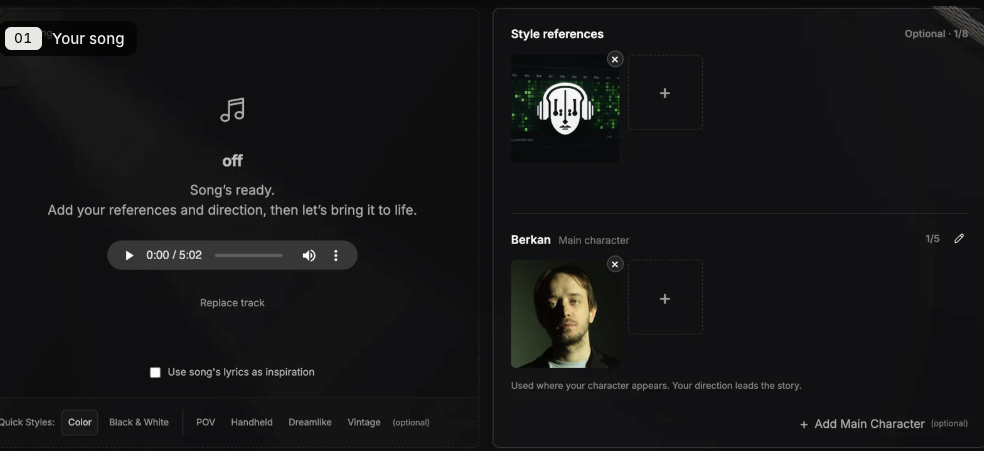
For my test, I uploaded a 29-second section from a Night Breeze remix project and worked with a visual concept involving an abandoned city, enormous stone structures, and a first-person perspective moving through the environment. I wanted the camera to feel as though it were continuously traveling through these locations, rather than jumping between unrelated scenes, and I thought that would be a reasonable way to test how well SoundBoost could maintain a consistent visual direction.
The software analyzes your recording to identify its musical structure and timing before developing a storyboard, and you can also provide reference images, written descriptions, or photographs of characters you want incorporated into the finished video.
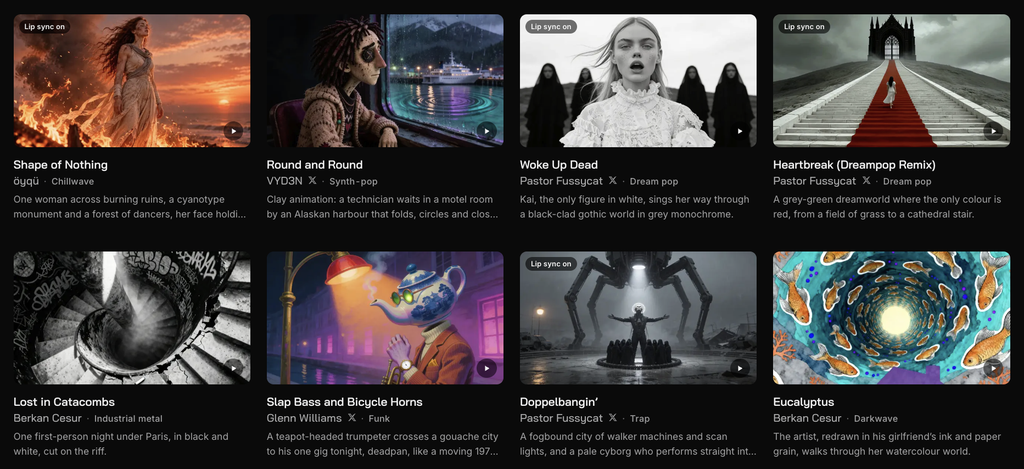
We actually covered SoundBoost’s expansion into AI music videos earlier this week, but what interested me once I started using it was how much work happens before you generate any actual moving footage.
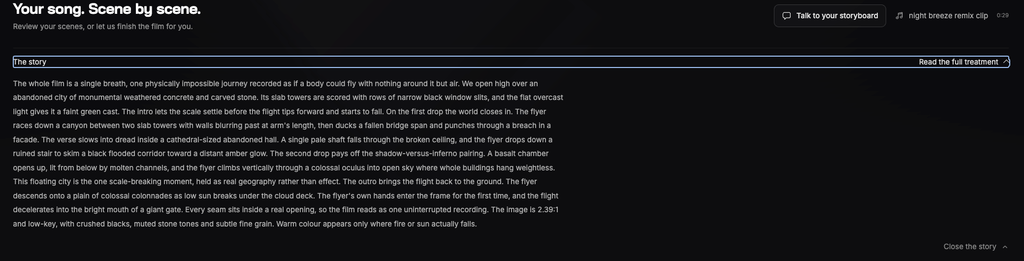
The platform initially created five scenes, each with an image, a written description, and timestamps showing where it would appear in the recording. The opening scene showed enormous concrete buildings overlooking an abandoned city, followed by narrow passages and interior architectural environments that continued the general concept. There was also a detailed written treatment describing the entire sequence, including the camera movement, lighting, and transitions between locations, which gave me a pretty clear understanding of what the software intended to create.
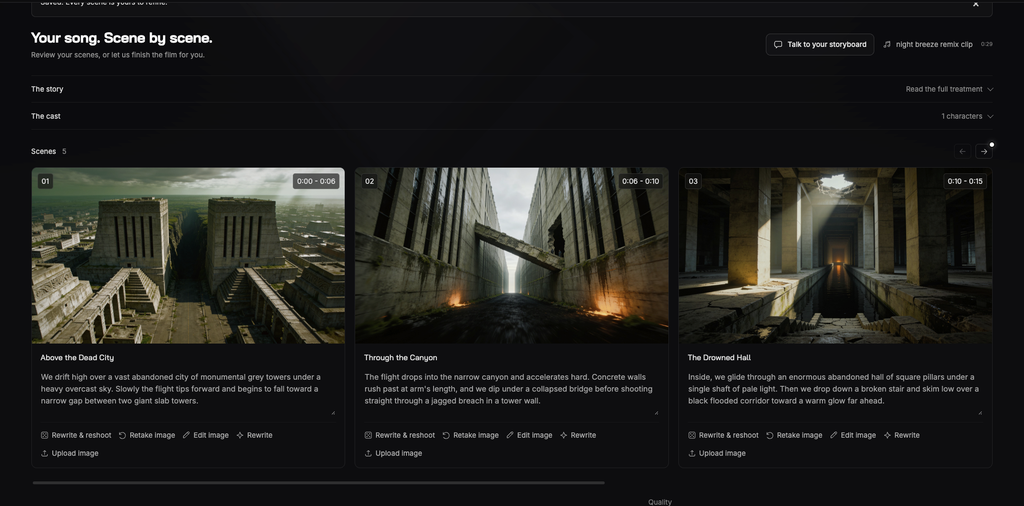
I appreciated being able to review all of this before spending credits on video generation because getting a convincing image and turning that image into convincing footage are two different challenges. Each storyboard card also included controls for rewriting the description, generating another image, editing the existing frame, or uploading your own reference material.
If you’re producing a video around an established artist project, I think that last option is especially important because you can incorporate existing artwork and photography instead of relying entirely on whatever the software initially generates.
Editing The Storyboard Through Conversation
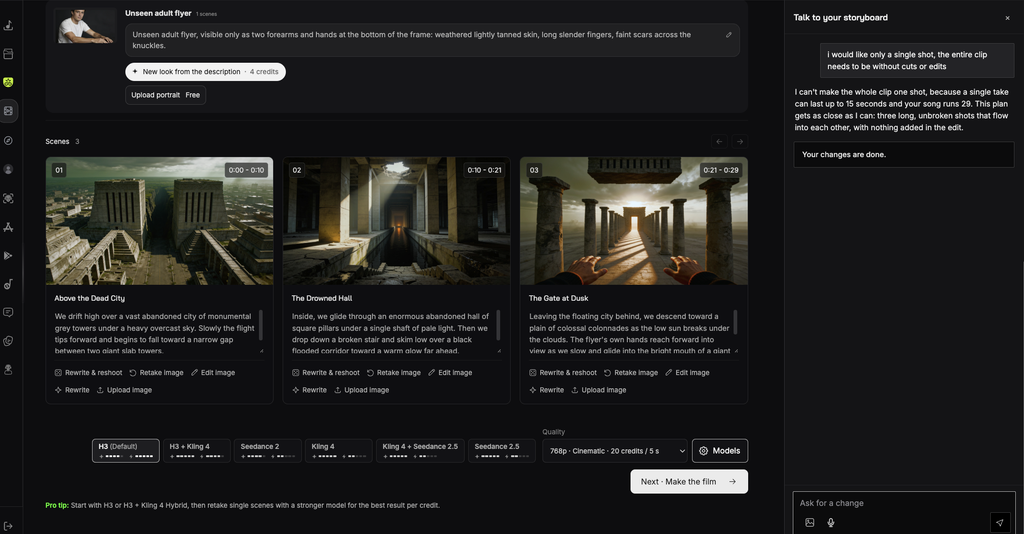
One of the features I wanted to experiment with was the conversational editor, which allows you to explain what you want changed without manually rewriting individual prompts. I told SoundBoost that I wanted the entire 29-second clip to feel like one continuous shot, without obvious cuts or edits, because I thought that would make the movement through the environment easier to follow.
The software explained that an individual generated clip could last up to 15 seconds, meaning that creating one uninterrupted 29-second take wasn’t possible through this particular workflow. Instead, it proposed simplifying the storyboard into three longer scenes that would maintain the general impression of continuous movement.
The revised storyboard contained three scenes titled Above the Dead City, The Drowned Hall, and The Gate at Dusk, and I appreciated how straightforward the adjustment was.
I didn’t need to manually rebuild the sequence or spend much time figuring out how to communicate the changes. The software understood what I was asking, explained the technical limitation, and reorganized the scenes accordingly. You can still return to individual images and descriptions afterward, so there’s room to make more specific changes if something doesn’t match your intentions.
I think this is where SoundBoost starts becoming relatively approachable for musicians who haven’t worked extensively with generative video software.
There’s obviously still a degree of experimentation involved, and I wouldn’t expect it to replace the control you get from manually editing footage, but being able to communicate changes through ordinary language removes some of the technical preparation associated with creating these videos.
Choosing The Video Model And Understanding The Credits
Once I was satisfied with the storyboard, SoundBoost presented several video-generation models, including H3, Kling, Seedance, and combinations of those options. The interface recommended starting with H3 or a hybrid setting before returning to individual scenes with a different model if the results needed additional attention. That seemed like a reasonable approach because you can generate an initial version, see how the footage turns out, and then decide whether particular scenes justify spending additional credits.

I selected the 768p Cinematic setting, which was listed at 20 credits per five seconds, and SoundBoost quoted 120 credits to generate my three scenes. The initial assembly of the finished video was included without an additional charge, and the confirmation screen also explained that previously generated images and clips wouldn’t be charged again when reused. It’s worth mentioning that this was the cost of generating the video footage, rather than the complete cost of creating the storyboard and making any earlier revisions, so you’ll want to account for those operations when planning a project.

The company advertises introductory subscriptions starting at $29 per month, although its published regular subscription prices are higher, and the number of credits you consume will depend on the models, resolution, duration, and revisions you choose.
You can review those details in SoundBoost’s official pricing documentation. This is also where I started questioning whether generating an entire six-minute music video would be the best use of the software, because if your objective is to create content for social media, you might get considerably better value from producing a collection of shorter clips around the sections of your music that you’re already planning to promote.
What I Thought About The Finished Video
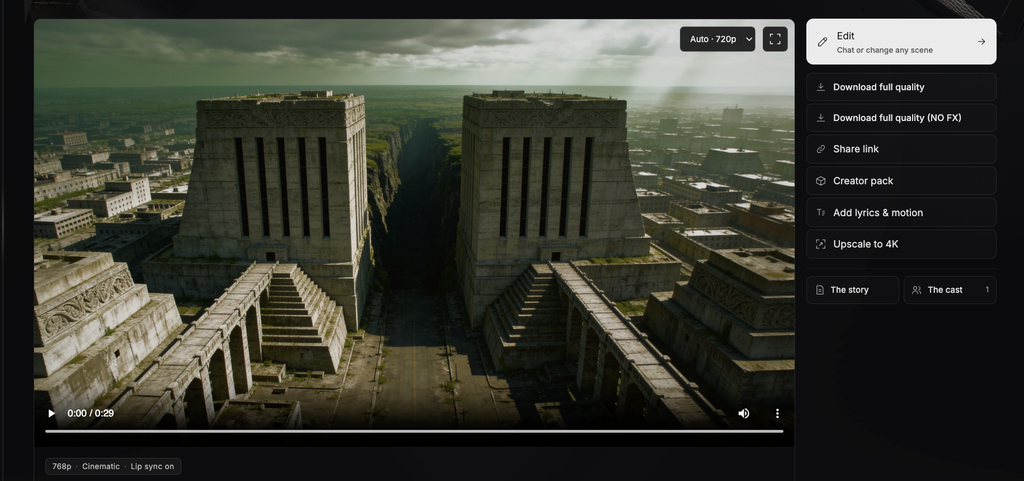
The finished video followed the original concept fairly closely, moving through enormous abandoned architectural environments before arriving at a brightly illuminated doorway.
I liked the visual direction, particularly the scale of the structures and the lighting in the final sequence, and the three scenes maintained a reasonably consistent architectural style.
The completed video was available directly in SoundBoost’s player, with options to download the finished file, share a link, return to the editor, and request a 4K upscale, although I didn’t test the upscale functionality during this review.
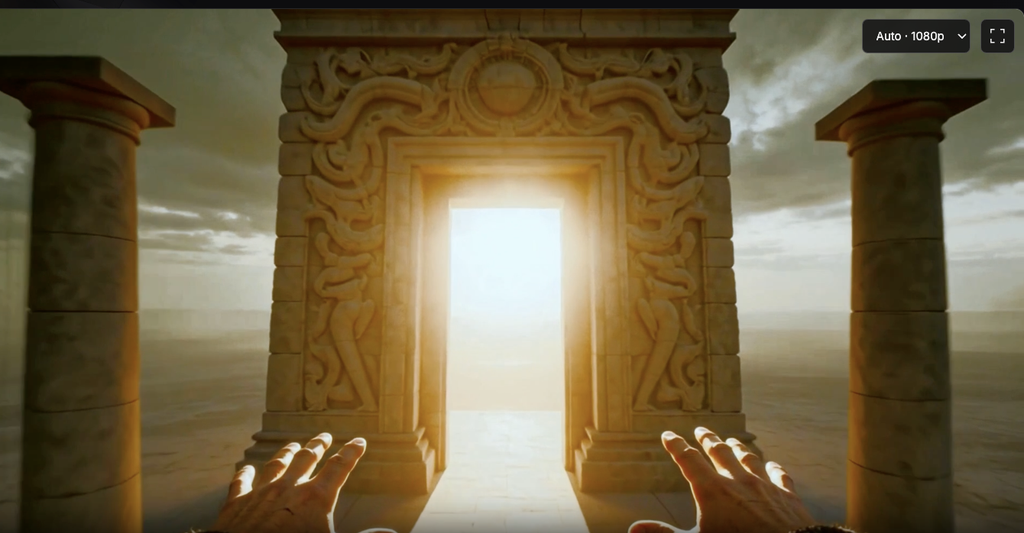
But I also think it’s worth being realistic about the results, because the footage still had an unmistakably AI-generated appearance. The environments were exaggerated, the buildings looked almost impossibly large, and there was something about the overall composition that immediately reminded me of other generative video content I’ve seen online. That might be exactly what somebody wants for a particular release, and I can imagine this style working with certain electronic genres, especially when an artist already uses abstract or fictional imagery. But if your branding revolves around photography, personal experiences, or recognizable locations, introducing several minutes of AI-generated architecture might feel disconnected from the identity you’ve established.
This actually reminded me of my recent interview with ATLAC about social media and maintaining an authentic artistic identity, where we discussed how much attention producers should give their visual presentation relative to the music they’re creating. I think the same consideration applies here because having access to software that generates video relatively quickly doesn’t automatically mean you need an AI music video representing your next release. There are plenty of other ways to incorporate those visuals into your promotional content, and that’s where my opinion of SoundBoost became considerably more positive.
The Creator Pack Might Be My Favorite Feature
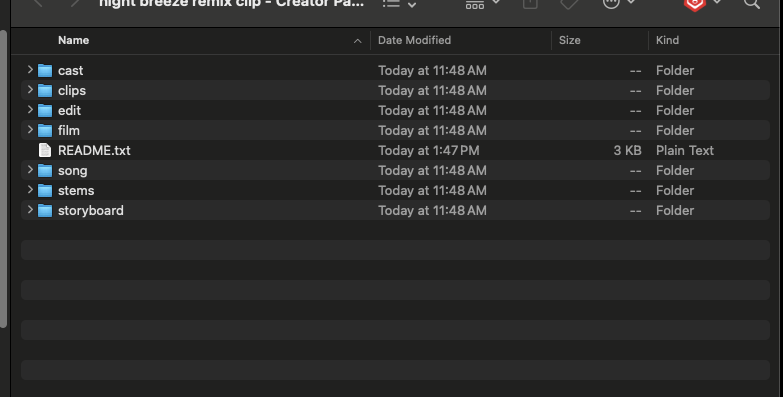
One of the features I appreciated most was the Creator Pack, which allows you to download the individual production assets instead of receiving a single completed MP4. The export menu included the finished video, a version without visual effects, a clean version without additional effects or color grading, and an isolated visual-effects layer. You could also include the original storyboard images, individual generated scenes, character portraits, the written storyboard, lossless audio, separated stems, and editing timelines intended for Premiere Pro, DaVinci Resolve, and Final Cut Pro.
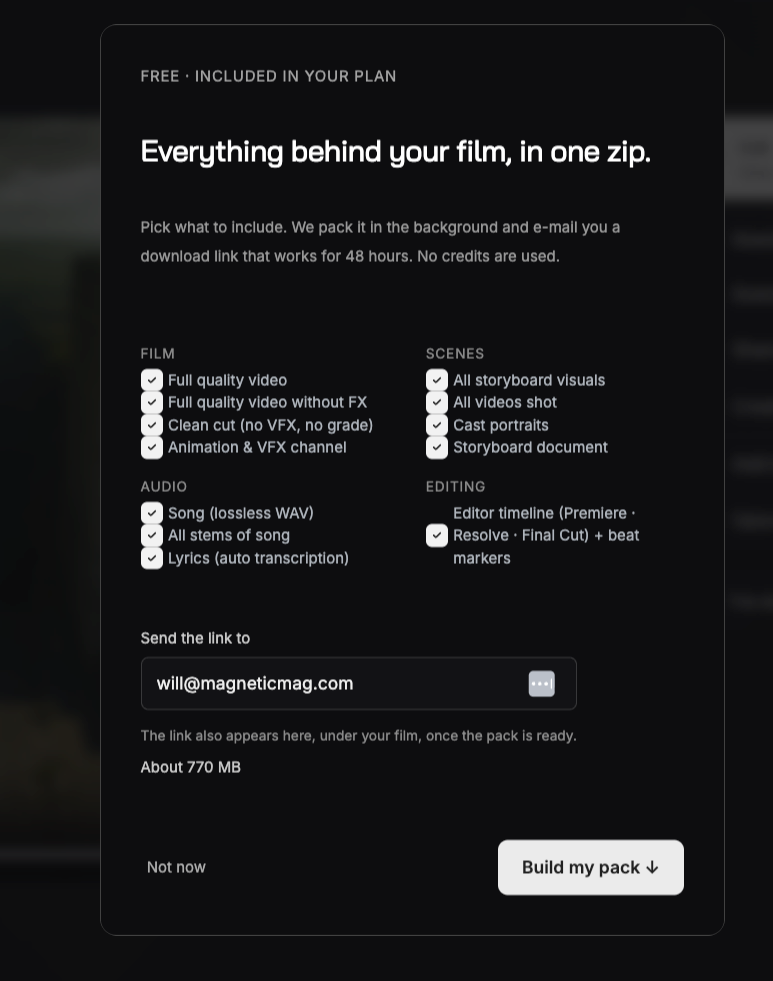
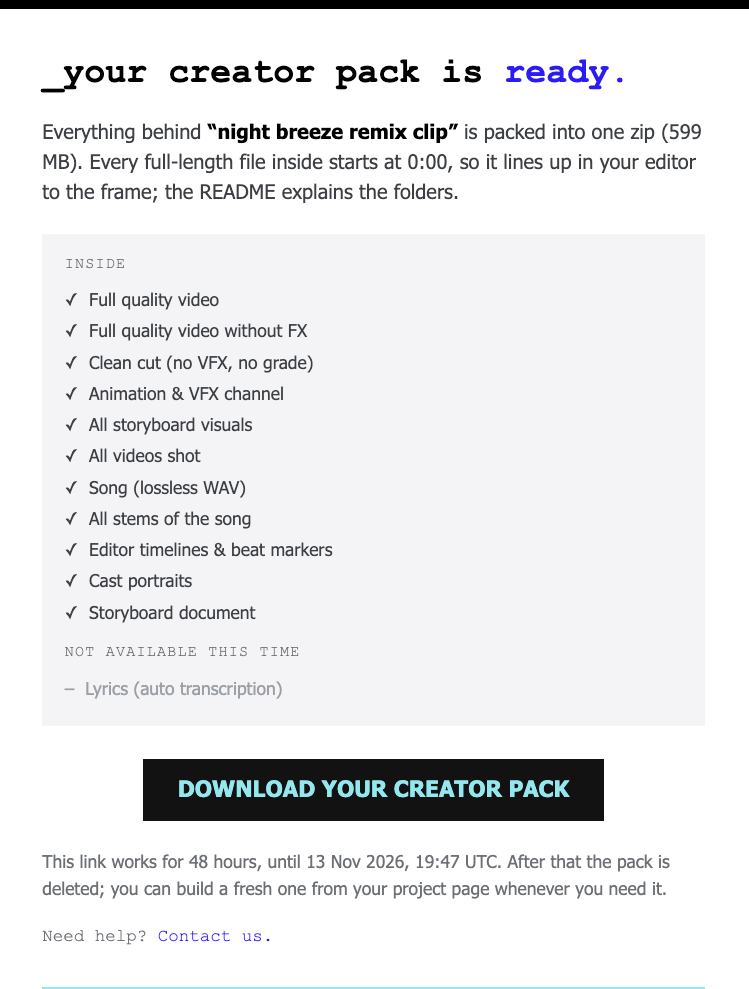
After requesting the pack, I received an email with a download link for a 599 MB ZIP file. The link was available for 48 hours, and SoundBoost explained that another export could be generated from the project page after the original expired. Once I opened the archive, everything was organized into separate folders for the cast, clips, editing files, finished video, song, stems, and storyboard. The individual scenes were available as separate MP4 files, while the editing folder contained timeline documents and a CSV of timing markers. The automated lyrics transcription wasn’t available for my particular project, although that didn’t affect what I needed from an instrumental remix.
This is probably the feature that makes SoundBoost most interesting to me because you’re not restricted to using the finished video exactly as the software produced it. You can take those clips into your preferred editor, select shorter sections, add typography, incorporate your release artwork, or combine them with actual studio footage. And since the Creator Pack was included with my subscription without additional generation credits, I could continue experimenting with the material without paying to generate an entirely new video for each promotional post.
I’ve discussed this general approach in my guide to content creation for music producers, particularly how artists can organize their content around material they’re already producing instead of constantly creating new assets from scratch.
Having individual scenes available makes that approach considerably easier because one generation session could potentially supply footage for several promotional videos, depending on how you choose to edit and distribute it.
Why I’d Focus On Short-Form Content Instead
Here’s where I think producers should consider approaching SoundBoost differently. Instead of uploading a six-minute song and spending a substantial amount of credits generating a complete music video, I’d be more inclined to create 10- to 15-second clips built around individual visual ideas. Maybe one involves flying through an abandoned city, another shows an unusual architectural concept, and another explores something introspective or visually unexpected.
The idea would be to create something people are interested in watching, while your own music provides the accompanying audio.
We touched on a related idea in our recent discussion of music marketing in 2026, where industry professionals discussed content seeding, secondary accounts, and finding audiences through subjects that extend beyond the artist’s immediate musical identity. I think SoundBoost could fit into that approach because you can create visually interesting material without organizing a separate video production for each concept, and the resulting clips could introduce your music to people who might otherwise have no reason to encounter it.
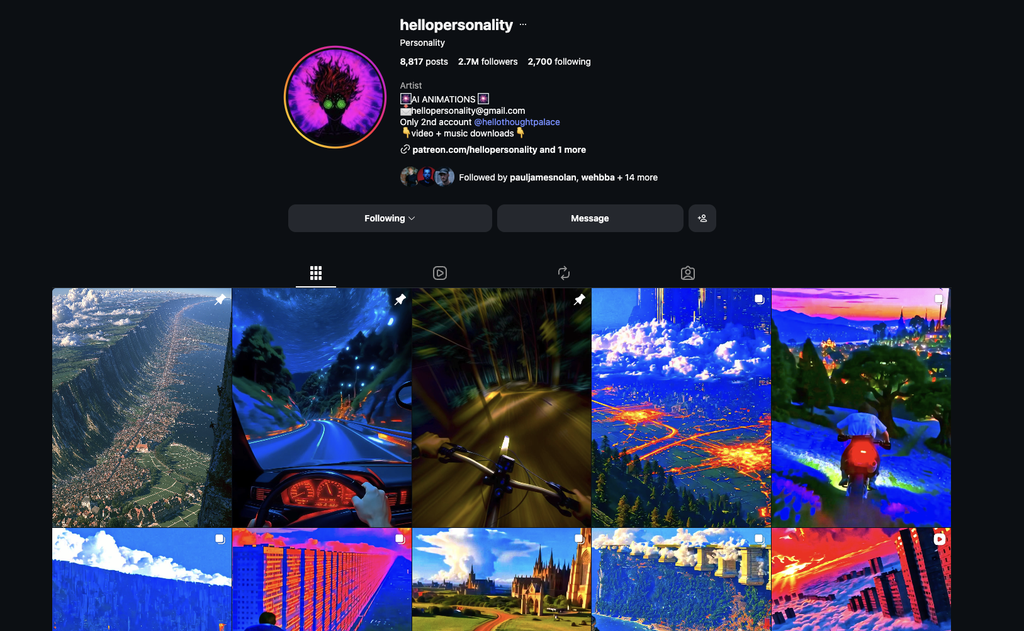
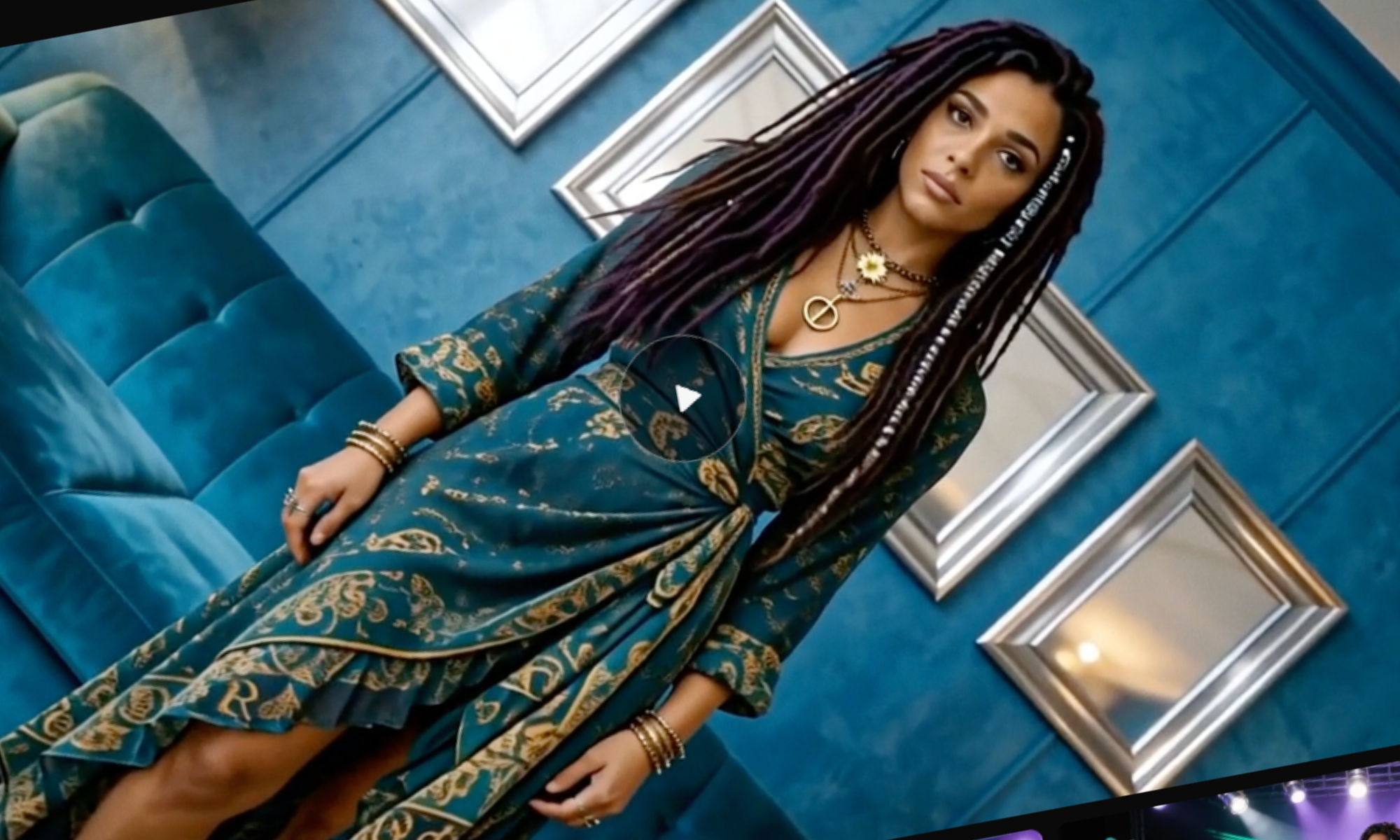
You could even develop a separate content account under a pseudonym, where the focus is on AI-generated architecture, surreal environments, or unusual visual situations rather than your identity as a producer. Hellopersonality is one of my favorite guilty-pleasure Instagram accounts to follow, and they post tons of AI content (shown above), and many of the clips they do get millions of plays and impressions.
Your official artist account could continue focusing on releases, performances, and studio content, while the secondary account would give you somewhere to experiment with ideas that might feel completely unrelated to your existing branding. Your tracks would accompany the videos, and interested viewers could find the actual releases through the audio attribution or account information.
I’d be transparent about the use of AI and the account’s connection to the music rather than presenting it as an independent fan account, but I think maintaining a separate creative identity could give producers additional freedom to experiment.
Of course, there’s no guarantee that this approach will translate into actual listeners, and I wouldn’t confuse a video attracting hundreds of thousands of views with somebody becoming interested in your music. That’s an important distinction we explored in our interview with the Soundplate team about converting clicks into fans, because promotional content should ultimately encourage people to take some action beyond watching the initial post. I’d judge these experiments by profile visits, streams, saves, and the number of people who actually become interested in the artist behind the recording, rather than concentrating entirely on views.
I also think this approach gives producers an opportunity to test several visual concepts without committing their entire promotional budget to one video. You can generate a few short sequences, experiment with how they’re presented, and see which ideas attract the right kind of attention before developing additional content.
As I discussed in my guide to the best video content formats for producers, different types of content serve different purposes, and your release campaign generally benefits from having several ways for listeners to encounter the same recording.
Final Thoughts From The Editor
After going through the SoundBoost.ai workflow, I think there’s quite a bit to appreciate about the way the software handles video generation, particularly the storyboard system, the conversational editing controls, and the ability to download individual production assets through the Creator Pack.
I liked being able to review the proposed scenes before committing credits to generating motion, and although the finished footage still had that recognizable AI appearance, the overall visual direction was reasonably consistent with what I’d requested. The credit-based pricing means you’ll want to consider how long your videos need to be and how many revisions you’re prepared to make, especially if you’re experimenting with several concepts around the same release.
But for me, the greater opportunity is using SoundBoost to create short promotional assets that can introduce your music to audiences outside your existing following. Whether you’re experimenting with separate visual-content accounts, creating a series of Instagram Reels around an upcoming single, or simply looking for additional footage to accompany your music without arranging a shoot, I think the software provides some interesting options. I’d start with a short section of a track, generate a few scenes, download the individual assets, and see what you can put together before committing to something much longer.
And if those clips actually help people discover your music, that’s a reasonable justification for incorporating SoundBoost into your release process.

Will Vance is a professional music producer who has been involved in the industry for the better part of a decade and has been the managing editor at Magnetic Magazine since mid-2022. In that time period, he has published thousands of articles on music production, industry think pieces and educational articles about the music industry. Over the last decade as a professional music producer, Will Vance has also ran multiple successful and highly respected record labels in the industry, including Where The Heart Is Records as well as having launched a new label with a focus on community through Magnetic Magazine. When not running these labels or producing his own music, Vance is likely writing for other top industry sites like Waves or the Hyperbits Masterclass or working on his upcoming book on mindfulness in music production. On the rare chance he's not thinking about music production, he's probably running a game of Dungeons and Dragons with his friends which he has been the dungeon master for for many years.