MIDI gear has a way of expanding slowly, then all at once, but it doesn’t have to if you have something like the Black Lion Audio MIDI Eight in your back pocket (not literally, of course).
One controller turns into a controller and a desktop synth, then a drum machine gets added, then a sequencer gets added, then a pedal starts needing clock, and suddenly the MIDI port on the back of an audio interface feels completely out of its depth. That is the exact type of problem the Black Lion Audio MIDI Eight solves, and that is also the easiest way to understand its place in a studio.
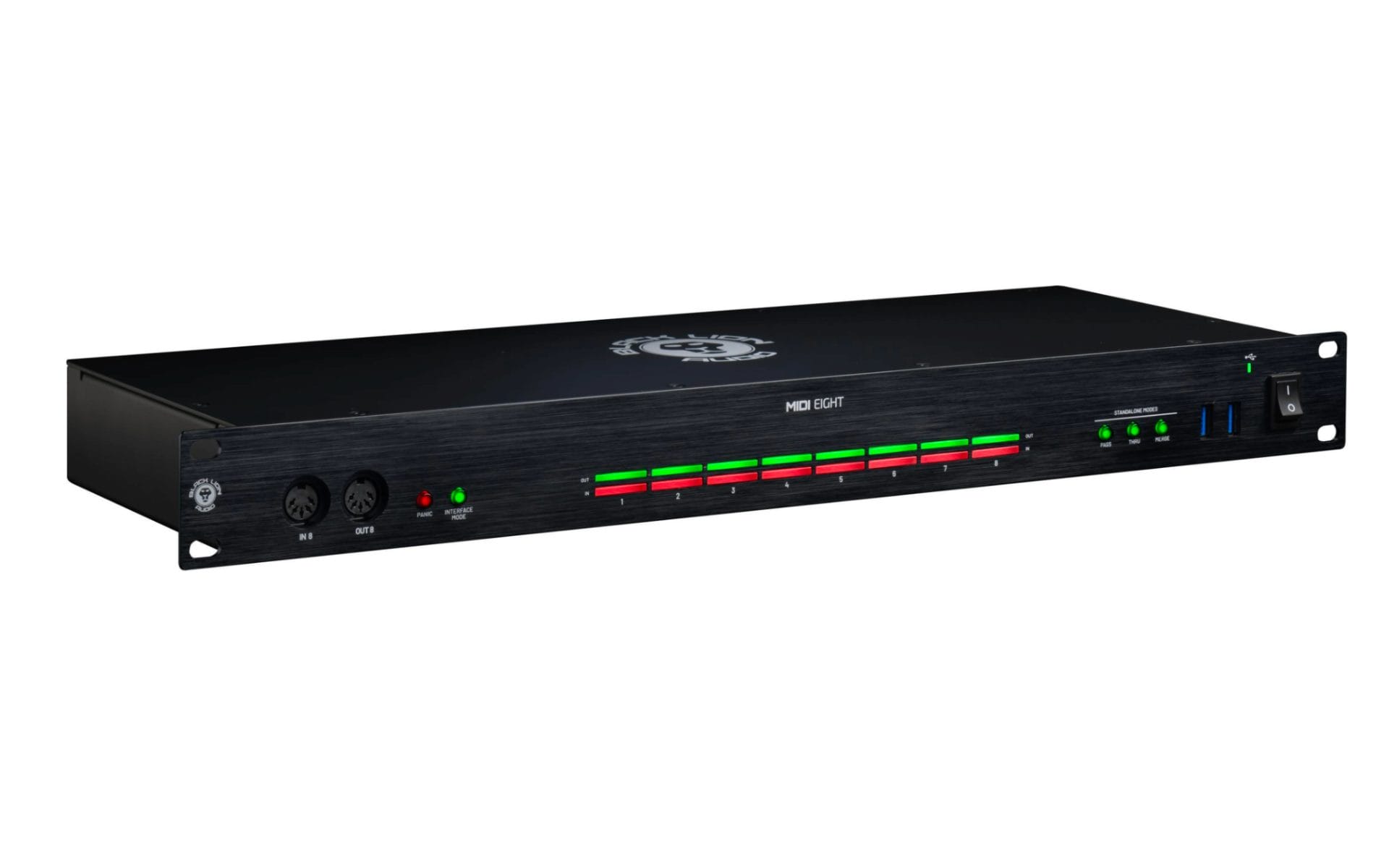
The MIDI Eight is an 8-in, 8-out MIDI interface and router with 128 total MIDI channels, three computer-free routing modes, a built-in USB hub, per-port activity LEDs, a Panic button, and front-panel access for quick patching. On paper, that sounds like a utility box, and to be fair, it is. In practice, that is what makes it so useful.
This thing gets MIDI under control, keeps hardware connected, and removes a lot of the cable swapping that starts slowing down the room once a setup grows past a couple of devices.
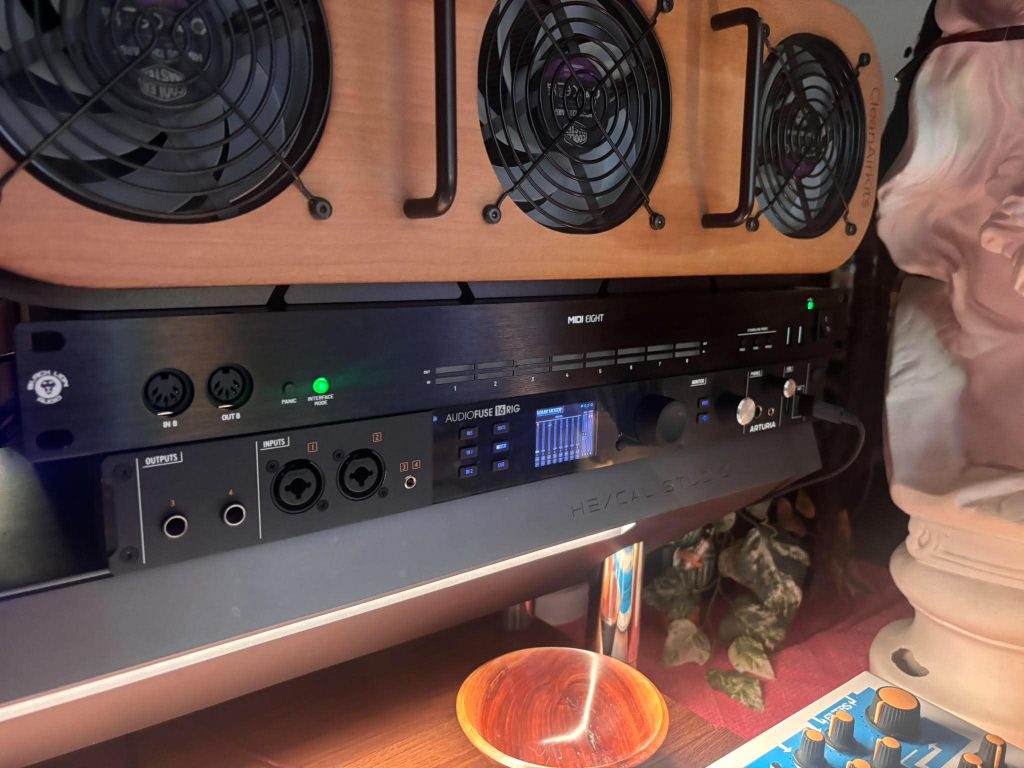
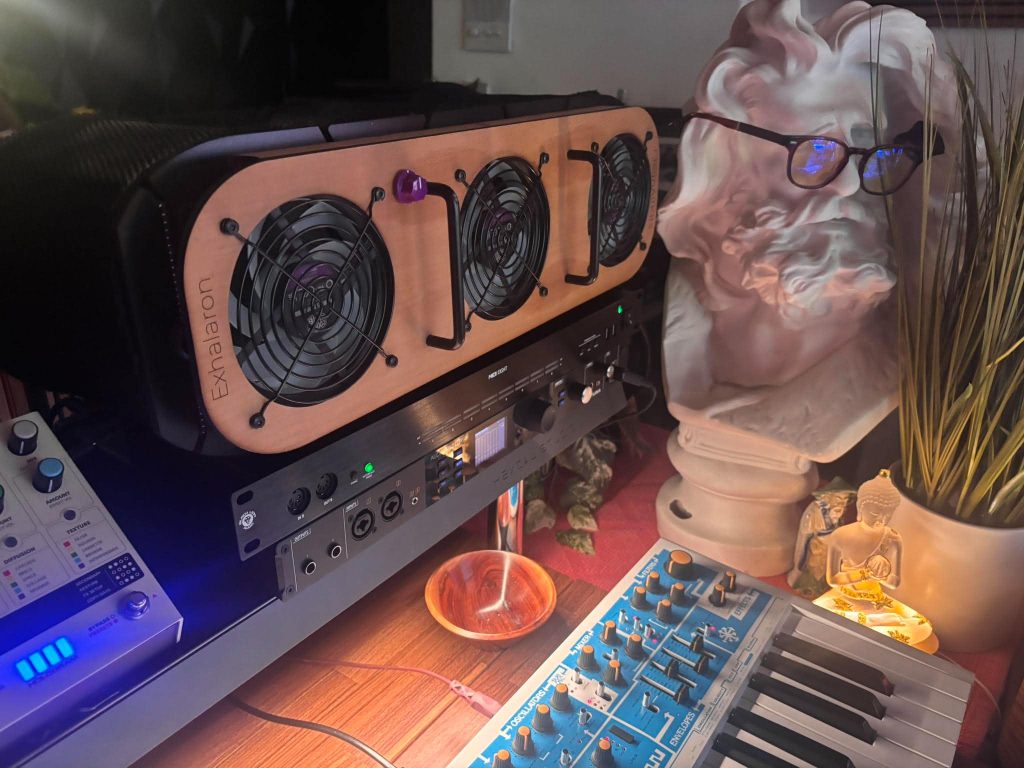
That is also why I think it pairs so well with my Arturia AudioFuse interface.
The AudioFuse handles the audio side of my studio, and the MIDI Eight gives the MIDI side its own centralized structure. Once the MIDI Eight is in the rack, the whole setup feels cleaner because audio and MIDI each have a dedicated hub, and I am no longer trying to make one piece of gear cover tasks that work better on dedicated hardware.
The Plug-And-Play Factor Is The First Thing I Noticed
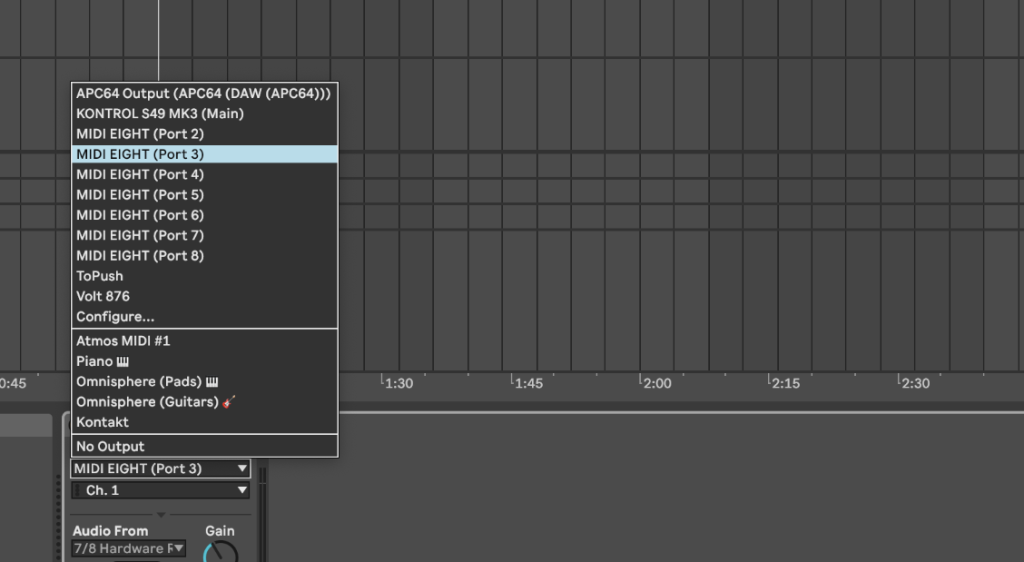
The biggest thing that hit me with the MIDI Eight was how plug-and-play it felt.
Class-compliant operation means it works with macOS and Windows without driver drama, and the front-panel controls make the core routing modes easy to understand without opening a separate piece of software. Plug it in, connect the hardware, pick the mode, and get back to the room.
That kind of simplicity matters because MIDI routing can become one of those boring studio problems that eats time in the background. I do not want to stop writing because a synth stopped receiving clock, or because I forgot which cable goes where, or because a controller needs to be repatched for a quick test. The MIDI Eight keeps the main MIDI paths visible and easier to manage, which makes the studio feel much easier to move around in.
I also like the power setup. It can run from USB-C bus power when connected to a host computer, and the included DC power adapter lets it operate without a computer attached.
That DC option matters for live rigs, DAWless setups, and any situation where the unit needs to act as a routing box rather than a computer accessory.
Why The 8 x 8 Layout Helps So Much
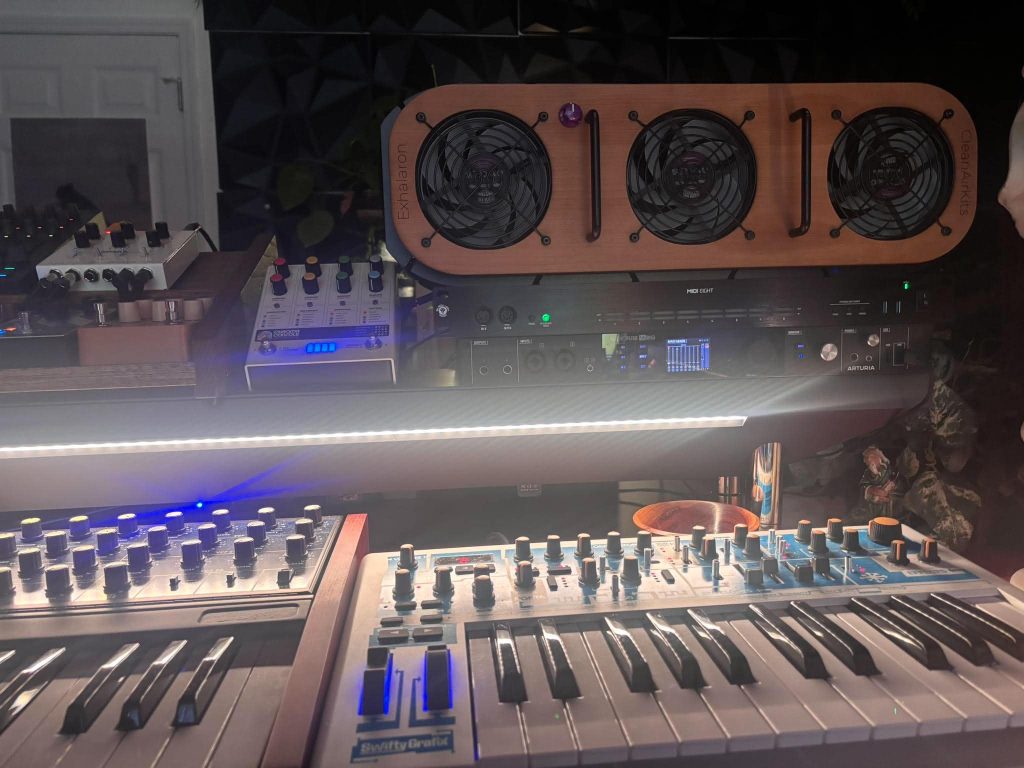
The 8 x 8 format gives the MIDI Eight a clear role in larger setups. Each MIDI port supports 16 channels, so the full unit provides 128 total MIDI channels across the interface. That may sound excessive for a small room sound setups like what my iLoud Sub is ideal for, and honestly, if someone has one keyboard and one synth, they can spend less on a smaller setup.
The MIDI Eight starts to make sense once the studio has enough hardware for routing to become a workflow issue.
I like that it handles classic 5-pin DIN MIDI, since many older synths, drum machines, and effects units still rely on those connections. At the same time, the built-in USB hub keeps the product current for modern controllers and peripherals.
You get a five-port USB-A hub, with front and rear access, plus the USB-C host connection for the computer. One important note here is that the DIN MIDI routing communicates with the computer through the rear USB-C host connection, so I would treat the USB hub as an added connection point for peripherals and compatible devices rather than a deeper standalone MIDI routing matrix for every USB device in the studio.
The front-mounted Input 8 and Output 8 are another practical touch.
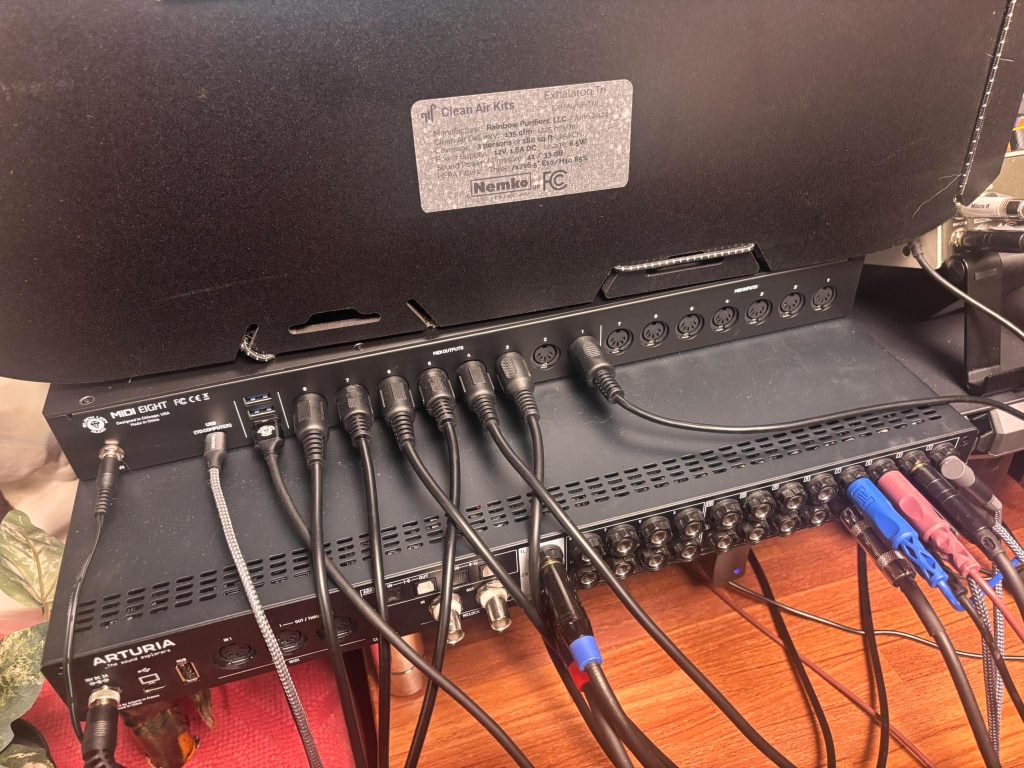
If I want to test a new synth, connect a guest controller, or patch in something temporary, I do not have to reach behind the rack and disturb the whole wiring setup. The rear ports handle the permanent cabling, and the front ports handle quick changes.
The Three Routing Modes Are The Main Selling Point
The MIDI Eight has three standalone routing modes: Pass, Thru, and Merge. These are controlled from the front panel, and that direct access is a big part of why the unit feels easy to use.
Pass Mode routes Input 1 to Output 1, Input 2 to Output 2, and so on across the unit. That is useful when each controller, sequencer, or device has a dedicated destination. It keeps fixed relationships between gear, which is ideal for a studio where certain pieces are always meant to talk to each other.
Thru Mode sends a single MIDI source to all outputs. This is the mode I think many hardware producers will understand immediately, because it lets a single controller, sequencer, or clock source drive multiple synths, drum machines, modules, or effects. If one piece of gear is running the timing for the room, Thru Mode keeps that signal distributed cleanly.
Merge Mode takes all inputs and routes them to MIDI Out 1. That is useful when several controllers or sequencers need to feed one destination, like a DAW, a multitimbral module, or a main hardware unit. It gives the MIDI Eight a flexible role in setups where the source varies with the task.
Tracking Global Clock Through One Output
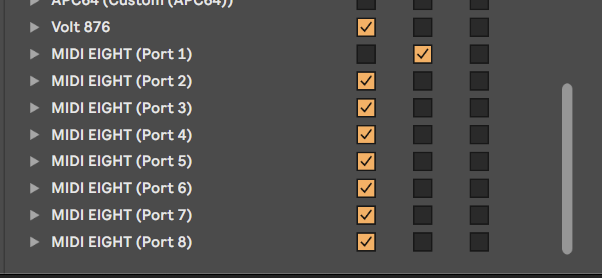
One of the most useful ways I have it working in my room is by sending global MIDI clock from one output to the Hologram Microcosm. That is a small detail on paper, but it makes the whole setup feel much tighter in practice because the Microcosm can follow the same MIDI clock as the rest of the studio without needing a separate workaround.
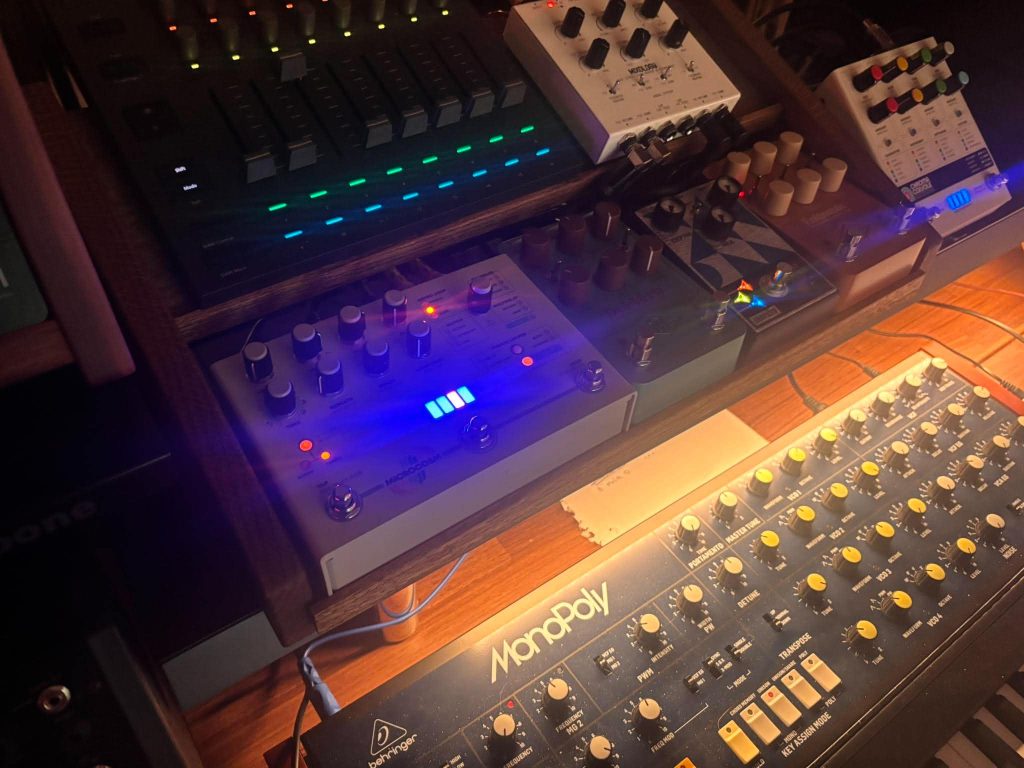
That is exactly the kind of use case that makes the MIDI Eight click for me. It gives the studio a cleaner way to distribute clock, program changes, and control data across devices that all need to stay connected. With the AudioFuse handling audio and the MIDI Eight handling MIDI, the setup feels far less patched together and far easier to troubleshoot.
The per-port LEDs help here too. If something stops responding, I can immediately see if MIDI is leaving the source and hitting the interface. MIDI problems can come from channel settings, cable issues, DAW preferences, device settings, or clock settings, so visual feedback gives you a faster first check.
The Panic button is another small feature that can save a take or a live prep moment. Stuck MIDI notes still happen, especially in larger rigs, and having a dedicated button on the rack to send an all-notes-off message is exactly the type of feature that sounds boring until the first time it saves you.
Where It Fits Best
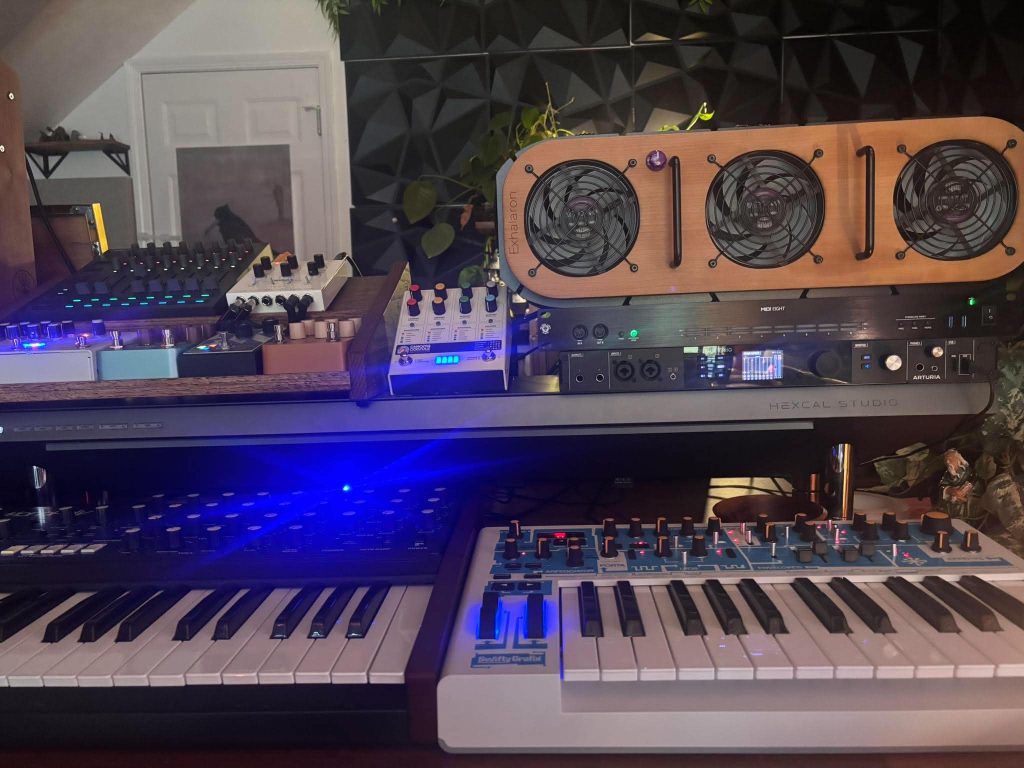
The MIDI Eight makes the most sense for producers with hardware synths, drum machines, sequencers, MIDI pedals, or hybrid studio setups. It also fits live electronic rigs and guitar setups where program changes and clock need to move reliably across multiple devices.
I would be less quick to recommend it to someone with a tiny setup though…
A smaller MIDI interface will handle a basic controller-and-synth setup for less money. The MIDI Eight becomes useful when the studio has enough gear that MIDI routing starts to slow down the workflow.
The $349 price puts it above basic MIDI boxes, though the port count, standalone routing, USB hub, front I/O, rack format, activity LEDs, and power options make the value pretty clear for the right user. The main limitation is that it focuses on routing and visibility rather than deep MIDI processing. Users who need advanced filtering, mapping, transformation, or conditional routing may want to compare it against deeper MIDI systems before buying.
Black Lion Audio MIDI Eight Takes Home The Editor’s Choice
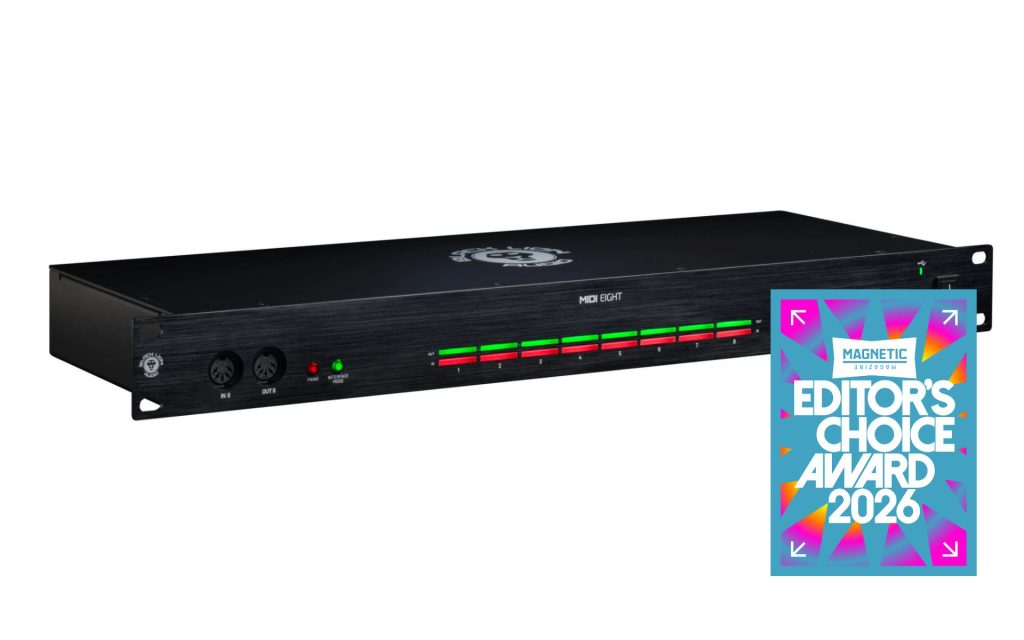
I’m giving the Black Lion Audio MIDI Eight an Editor’s Choice award because it solves a big-time studio problem in a clear and surprisingly satisfying way.
It is easy to overlook products like this because they do not make sound, add color, or change the tone of a synth, though the studio runs better when MIDI is organized properly. In my room, it pairs perfectly with the Arturia AudioFuse because the AudioFuse handles the audio side while the MIDI Eight handles the control side, and that split makes the whole setup feel cleaner.
This may never be the flashiest piece in the studio, though it is absolutely one of those tools that outperforms its category once you start using it every day. The plug-and-play setup, front-panel routing modes, USB hub, activity LEDs, Panic button, and easy clock distribution all add up to a product that does its job without getting in the way.
For hardware-heavy studios, hybrid rigs, and live setups that need clean MIDI control from one rack unit, the MIDI Eight is an easy recommendation.

Will Vance is a professional music producer who has been involved in the industry for the better part of a decade and has been the managing editor at Magnetic Magazine since mid-2022. In that time period, he has published thousands of articles on music production, industry think pieces and educational articles about the music industry. Over the last decade as a professional music producer, Will Vance has also ran multiple successful and highly respected record labels in the industry, including Where The Heart Is Records as well as having launched a new label with a focus on community through Magnetic Magazine. When not running these labels or producing his own music, Vance is likely writing for other top industry sites like Waves or the Hyperbits Masterclass or working on his upcoming book on mindfulness in music production. On the rare chance he's not thinking about music production, he's probably running a game of Dungeons and Dragons with his friends which he has been the dungeon master for for many years.