RARÓG’s return to Antimodus Records is built from an unusually broad set of references for a techno release. The Polish producer draws from techno, ambient, IDM, drone, EBM and metal, while Dark Sun itself takes visual inspiration from the work of painter Gerald Brom and the darker sci-fi and pulp imagery RARÓG grew up around.
The four-track EP lands September 26 and includes “Dark Sun,” “Elephant In The Room,” “World Turtle” and “Drone Buzz.”

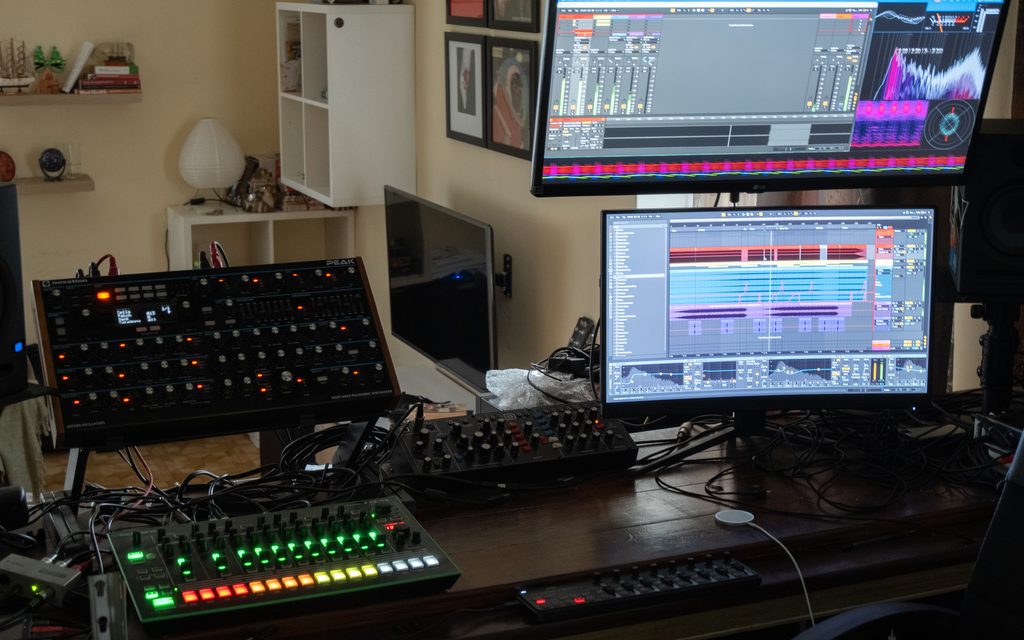
The production of the title track follows that same refusal to work from a single fixed method. RARÓG begins away from the main studio, building loops and irregular electronic material on an M1 iPad using Loopy Pro, Drambo and Koala Sampler before exporting those ideas into Ableton Live 10. From there, Push 2 and a pair of Xone:K2 controllers become part of the arrangement process before the Novation Peak and Roland TR-8 bring additional hardware into the record.
What makes the process especially interesting is that sound design, arrangement and mixing are never treated as completely separate jobs. Automation starts during the earliest iPad experiments, arrangement develops through improvisation, and processing continues to reshape those same sounds once they reach Ableton. Below, RARÓG explains exactly how “Dark Sun” was made.
The rest of the words are from the artist himself.
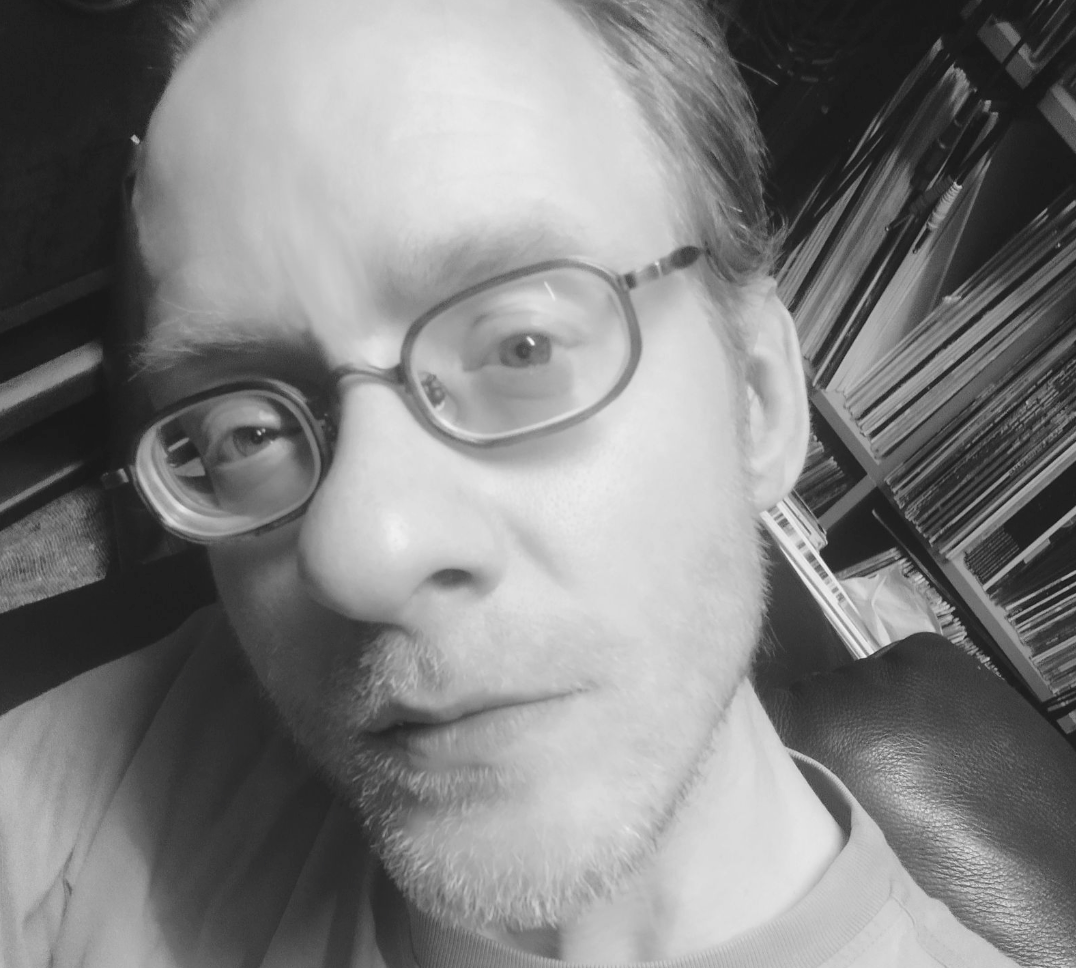
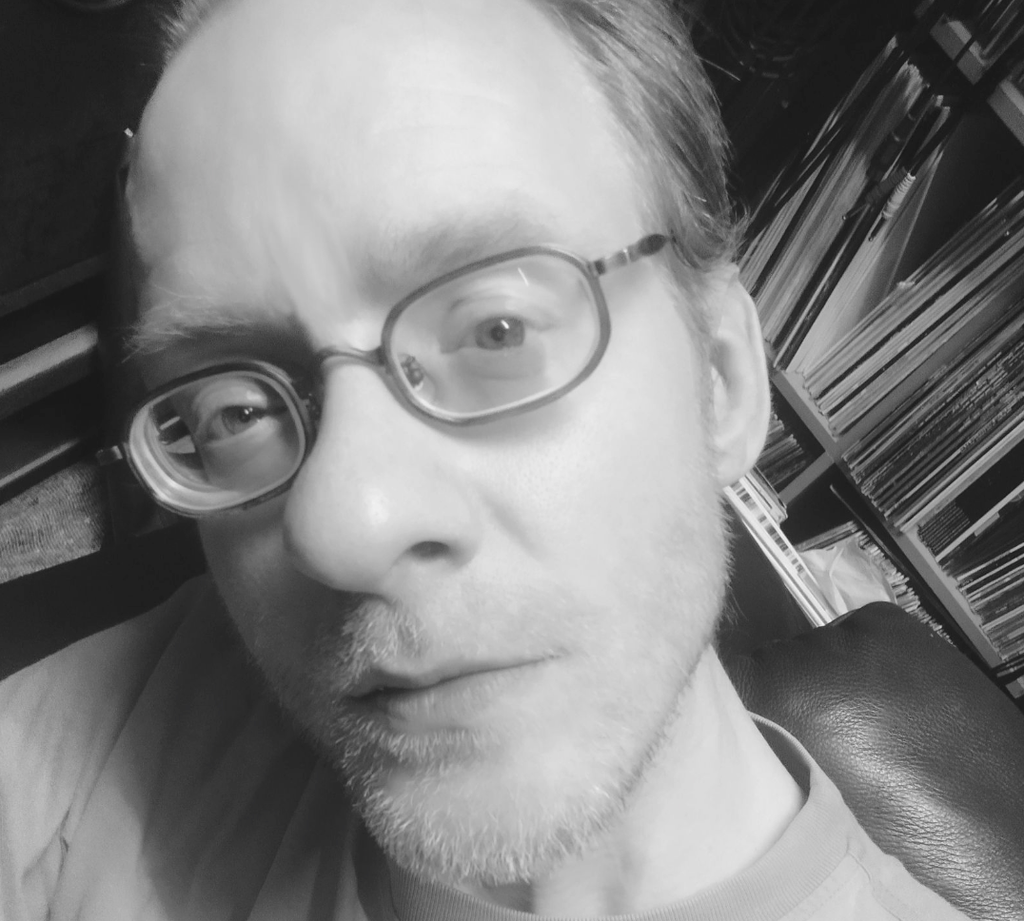
Hi, I’m RARÓG. Today I’d like to show you how I produced Dark Sun, a track from my new EP of the same name, released together with AntiModus. I’ve had a lot of fun working with AntiModus over the years, met many interesting people through them, and they always show me the best places in Berlin.
The EP was inspired by a collection of works somewhere between 1970s sci-fi and pulp aesthetics — part of the pop-cultural bubble I grew up in. Dark Sun itself was inspired by the work of painter Gerald Brom, who, in my opinion, turns seemingly banal pulp fantasy concepts into art. I’ve always been drawn to his use of dull, almost monochromatic colour palettes and the unnatural interplay between light and shadow, which gives his work an uncanny, almost otherworldly feeling.
Let’s get to the point. I divide my work on tracks into three stages: sound design, arrangement and mixing. They all overlap and contain elements of one another, but this is roughly how I organise the process.
Loopy Pro and iPad AUv3 Plugins

First, I created a loop that set the tone for everything that followed. I like doing sound design on an iPad with M1 procesor, using several apps. The main ones are Loopy Pro also available for desktop, I’m not sure if it’s handy with desktop configuration. Drambo which you can see in the first picture, and Koala Sampler. Each of these apps aspires to be a fully fledged DAW in its own right. Used together, they’re very fun and interesting tools. I also have the FabFilter suite for iPad, which costs about half as much as the desktop version but does the job just as well for me.
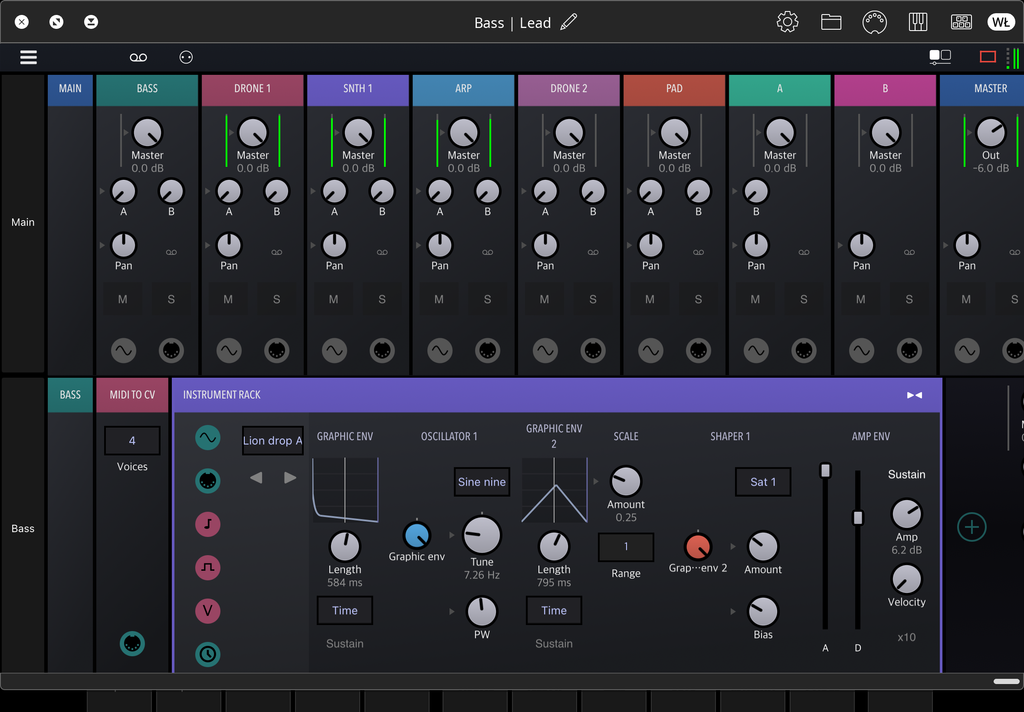
I use Loopy Pro as the system that brings all the other apps together. It acts as the base, while I use Drambo, Koala Sampler and other plugins as synths or samplers. Koala Sampler is for percussion, while Drambo is for ambience and drones. Once I got some interesting sounds, I recorded them into Loopy Pro as clips. I improvised a lot here with different atonal sounds and parameters.
The picture above shows Drambo, which is a digital emulation of a modular system. You can use presets, but if you feel like it, you can also build your own synths from the tools available inside the app. It provides oscillator modules, ADSR envelopes, filters, effects, MIDI control modules and so on. There’s something for everyone. I use it to create irregular electronic structures. Every parameter can be easily automated, modules can be swapped or rerouted, and you can group them together to create more complex modules.
Parameter automation is ridiculously simple. I just drew it in with the tablet stylus, modulating the synth pitch as well as various types of distortion and reverb into the drones. During the mixing stage described later, I also crushed the exported samples using Ableton’s OTT preset, which brought out even more colours in the sound. Playing around like this gives you a huge amount of room for experimentation on different fronts. Having a modular system emulator in a mobile format, almost like a sketchbook, lets you capture ideas on the go or while sitting comfortably on the couch. Using Drambo taught me how synthesizers work under the hood, as modular systems tend to do.
Ableton Push 2 / Xone:K2 Solution
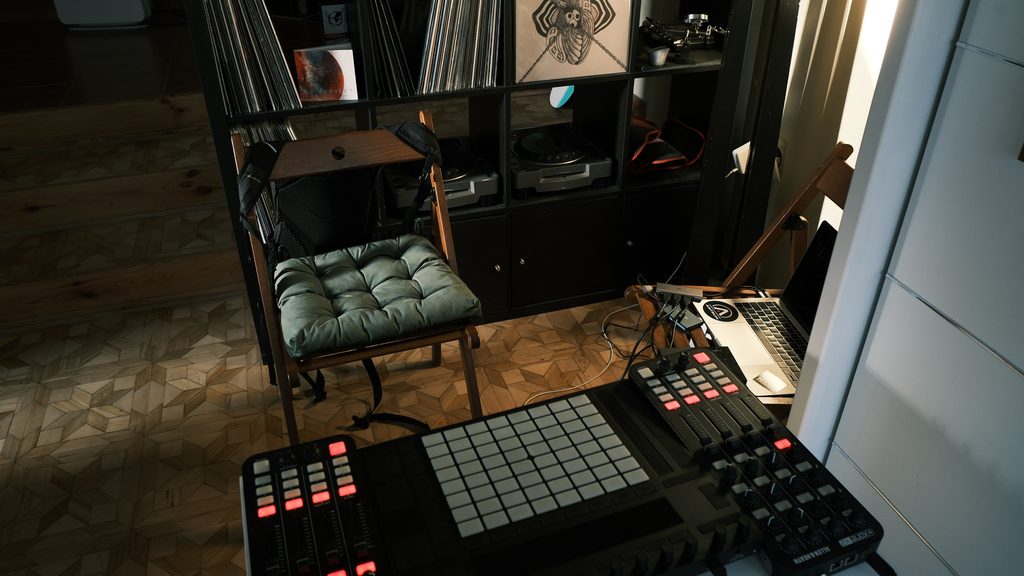
After playing around with the iPad, I export the samples and loops I’ve prepared and bring them into Ableton Live 10.
The picture above shows a setup I prepared for recording casual jams for social media. You can see an Ableton Push 2 and two Xone:K2 controllers/audio interfaces. Normally, these tools live in my main studio.
I transferred the samples I had prepared earlier to the computer and jammed with them until the result captured the mood I was looking for. I can’t tell you exactly which parameter should be set where at any particular moment — I followed my intuition. Music isn’t mathematics. Push 2 is an incredibly useful tool, although many of its functions are hidden behind buttons or require you to do certain things in specific configurations. Learning the device can take some time, and using it only superficially can be frustrating. Unfortunately, tutorials on YouTube or in articles don’t really communicate the full extent of what it can do, so you need to spend some time with it. Everything is designed as if it should be obvious and immediately accessible, which can be misleading and discouraging, because it isn’t quite like that. But once you understand the device, you can do some really cool things with it. Describing the Push 2 workflow in detail would require a separate article.
On the Xone:K2, I have Ableton’s Auto Filter mapped with cutoff and resonance, Utility mapped for volume, and sends to return channels for reverb and delay for every channel. I pushed and pulled the resonance while moving the cutoff back and forth to create fluctuating sounds. That’s more than enough to build a basic arrangement before moving on to further cleanup and mixing. One channel in Live 10 corresponds to one channel on the Xone:K2.
Novation Peak

Then we move into the actual studio. By this stage, the earlier sound design and initial arrangement had given me a solid background on which I added the layer that would become the main synth and the protagonist of the story. I often do this with the Novation Peak. It gives everything a more organic feel and lets me work with a device where every parameter is immediately accessible on its own knob.
To keep the track grounded in the genre, I also add a layer of cymbals and claps from the Roland TR-8, using classic sounds such as 909 cymbals and 707 claps. They also provide an excellent anchor for beatmatching during DJ sets. On the cymbals, I use a subtle vocoder at around 10%, blur them with Ableton’s Pedal distortion, saturator and compress the transients to make everything grind together. You have to be careful not to let the top-mids turn into too much of a brush, so I tame them with EQ around 2–8 kHz. Sometimes I try to move away from these established conventions, but then the projects drift too far away from the dancefloor reference and become too ambient. I want these tracks to eventually find their way into clubs and into DJs’ sets.
Ableton Live 10 / MiniMeters
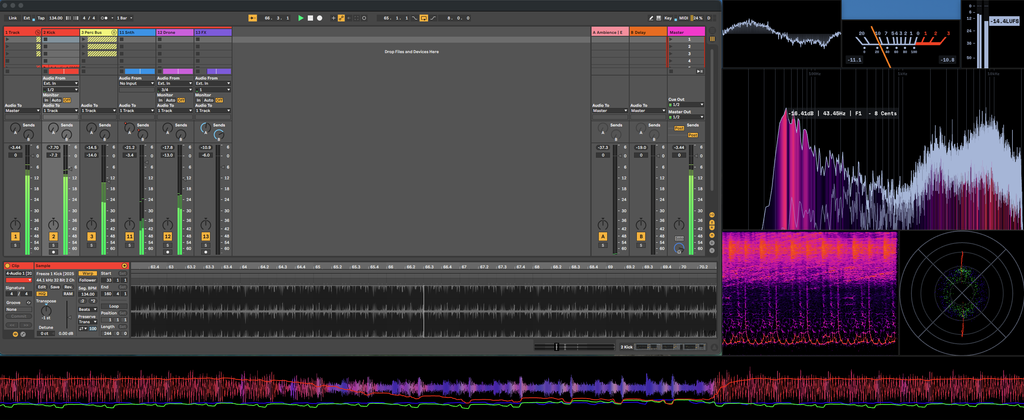
What you can see above is the Dark Sun project I’ve been describing from the arrangement perspective. Channel 11 was recorded using the Novation Peak, while the rest came from improvising with the iPad. In the studio, I work with two screens, one above the other. The lower one is my main workspace, while the upper one is there for monitoring. When working in Live 10, I exclusively use Ableton plugins.
On the upper screen you can see MiniMeters, a monitoring application that doesn’t cost much and is extremely useful, so I keep it running all the time. It used to work as a plugin that had to be loaded into a project. Today I think it’s a standalone application, but I’m not a programmer and I don’t really know how that works. In any case, you just launch it after starting the computer and it analyses everything going through the master, including all other audio sources like SoundCloud or YouTube.
I use it to monitor whether there are any awkward transients in the mix, whether the overall balance is right and whether the stereo phase is getting out of control. If something looks or sounds awkward in the stereo field, I sometimes use a comb filter or phaser to reshape its phase relationships. I adjust it by ear while watching the stereo module in MiniMeters, trying to bring the sound into a more controlled position without losing its width or character.
Besides using the compressor for dynamic control and sidechaining, I also use Ableton’s Compressor in Expand mode to bring out important transients, gently increasing the ratio so they attack through the mix more effectively. I don’t approach this by deciding on specific plugin values beforehand or thinking that the spectrum analyser has to look a certain way. I don’t really pay much attention to the numbers. This is also where all the other stages I’ve mentioned come together — arrangement and sometimes sound design as well. There are no absolutes here. If something doesn’t work, I simply replace it. And that’s how I worked on Dark Sun, from the EP of the same name.
I approach different projects in different ways. Sometimes I spend more time with the Novation Peak and skip the iPad entirely; sometimes I simply do everything in Ableton Live 10. Having different options is useful when writer’s block hits, because I can just change my technique and explore solutions I haven’t used in a long time, or discover something new. In this particular case, though, the process looked exactly as described above.
Quick Fire Hot Takes

Hot Take #1
I feel like a certain era is coming to an end. I think people have been disappointed by artists and no longer trust them, treating AI or Spotify as a triumph.
Hot Take #2
Creating something genuinely original is hard work and rarely profitable. Most labels want “consistency”, preferably something that already sounds like what the competition is making money from. I don’t think it should be that way.

Hot Take #3
Artists should focus on authenticity, people will demand it. The industry will push back against it, and we have to make a stand before people start wearing chains again. Not the cool and fashionable kind, but the rusty and heavy ones.
Hot Take #4
You can’t sweep creativity under the rug. I tried to ignore my need for expression unsuccessfully, but even if I were a multibillionaire in the Maldives, I’d probably still be making techno in a basement. Some people will laugh at me because of that.
Hot Take #5
I could criticise and cry about trends all day, but the truth is I’d love to be a trending artist while doing what I love. I envy those who managed it and congratulate them. If I ever say otherwise, it’s probably jealousy.

Will Vance is a professional music producer who has been involved in the industry for the better part of a decade and has been the managing editor at Magnetic Magazine since mid-2022. In that time period, he has published thousands of articles on music production, industry think pieces and educational articles about the music industry. Over the last decade as a professional music producer, Will Vance has also ran multiple successful and highly respected record labels in the industry, including Where The Heart Is Records as well as having launched a new label with a focus on community through Magnetic Magazine. When not running these labels or producing his own music, Vance is likely writing for other top industry sites like Waves or the Hyperbits Masterclass or working on his upcoming book on mindfulness in music production. On the rare chance he's not thinking about music production, he's probably running a game of Dungeons and Dragons with his friends which he has been the dungeon master for for many years.