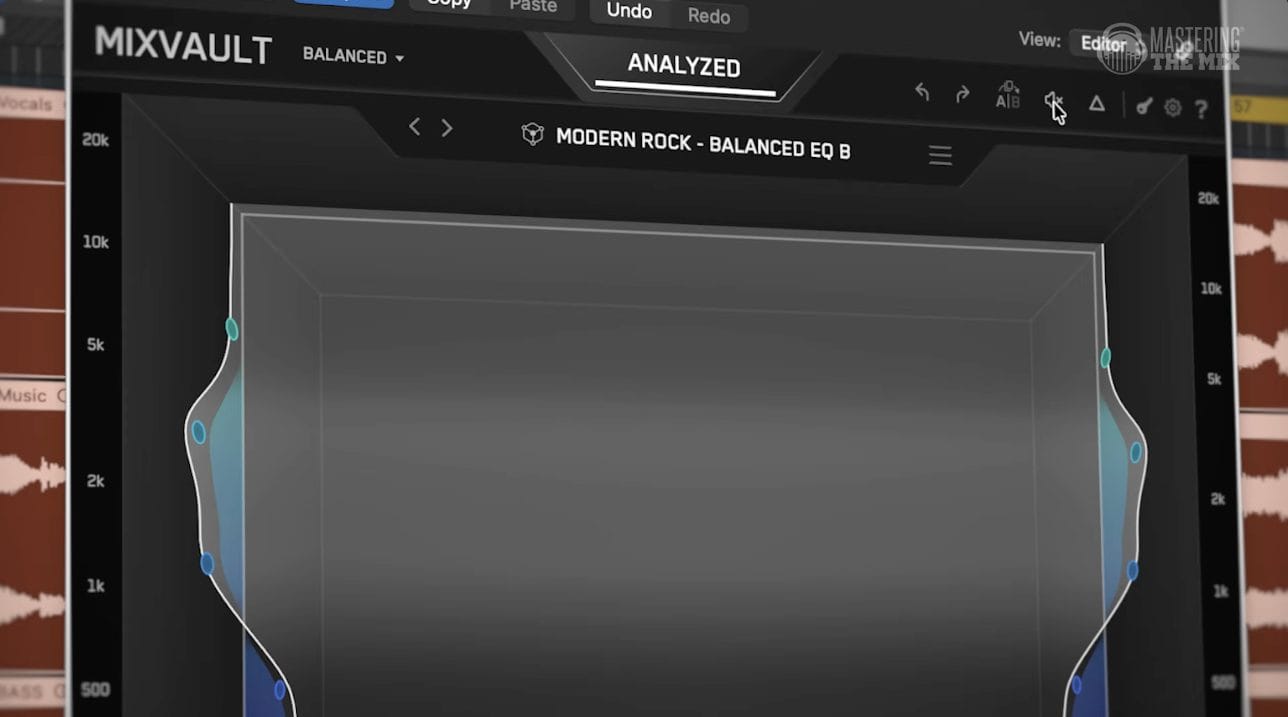
Mastering The Mix has released MIXVAULT, a new EQ plugin built around a simple idea that solves a very real mixing problem: most EQ decisions are harder to trust when level changes start fooling your ear.
MIXVAULT is described by Mastering The Mix as a “fast, smart, honest EQ,” and the plugin earns that description by making level matching part of the workflow from the start. Every move is loudness-matched in real time, so when you boost, cut, audition presets, or bypass the plugin, you are hearing the tonal change itself instead of being tricked by extra volume.
That is the piece that will probably matter most to producers who already own plenty of EQs. MIXVAULT is not trying to replace every surgical EQ in your folder, but instead seeks to make broad tonal decisions faster, more visual, and less misleading.
The 3D Interface Is the Main Difference
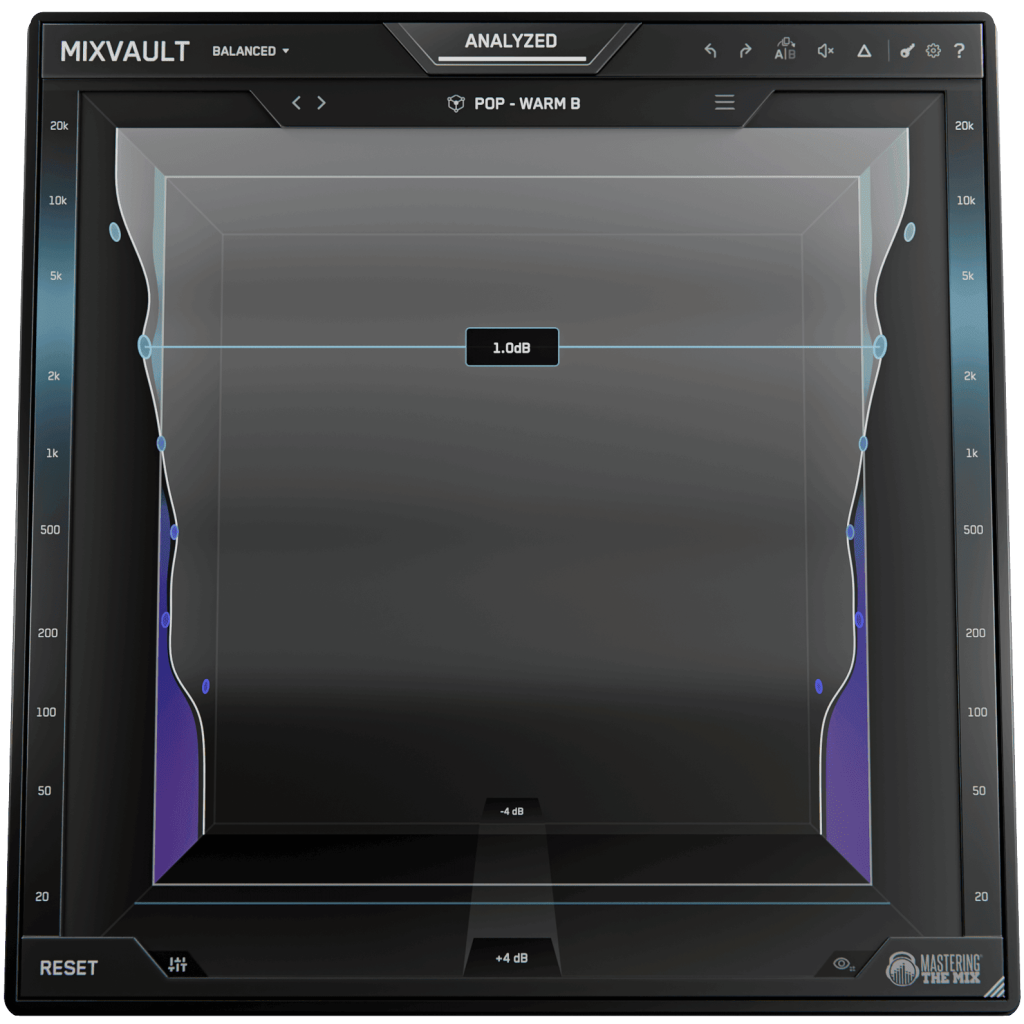
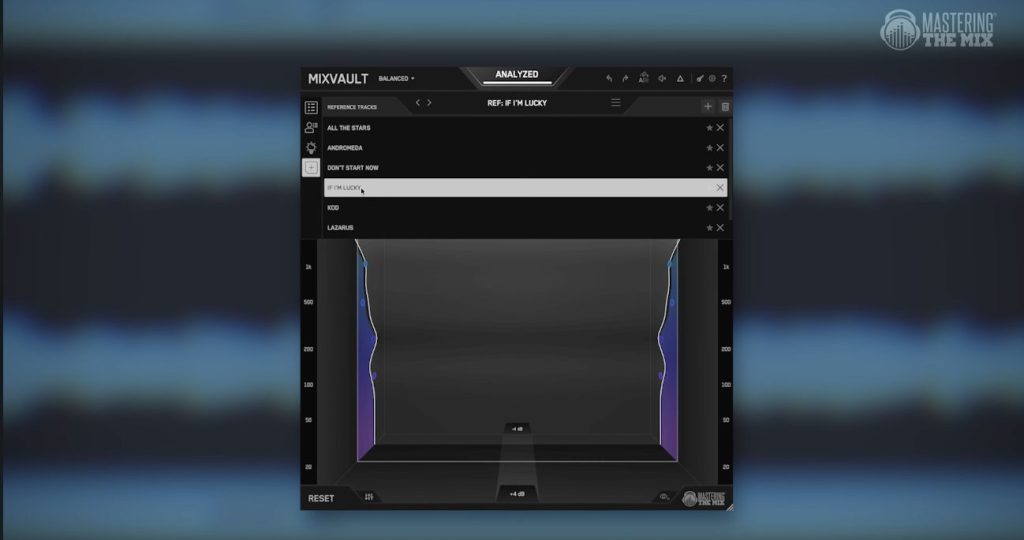
The most obvious thing about MIXVAULT is the interface. Instead of staring at a standard EQ curve, the plugin presents frequency areas inside a 3D room-style visual. Pull a frequency toward you to bring it forward. Push it away to pull it back. Scroll to adjust Q, zoom into parts of the spectrum, or type in exact dB values when you want finer control.
That could have easily become a gimmick, but the idea behind it is pretty practical. A lot of producers know what they want a mix to feel like before they know the exact number they want to type. MIXVAULT gives that instinct a visual surface, letting users shape tone by ear while still seeing what is changing.
It is a different way of thinking about EQ, and it fits well with the kind of visual mixing products Mastering The Mix has built over the years.
Smart Presets Start From Your Audio
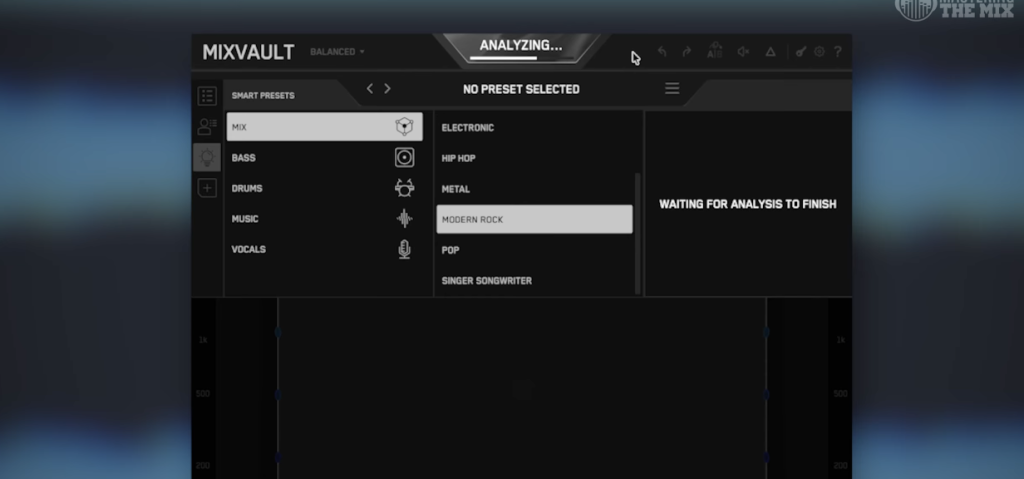
MIXVAULT’s Smart Presets are not static curves pulled from a dropdown. Hit Analyze, choose the source type and genre, and the plugin builds starting points from the audio you are actually working on. Sources include mix, vocals, bass, drums, and music, with preset options labeled by character, from darker and bass-heavy to bright and more forward.
That last part is important because the preset system is not pretending one EQ target works for every mix. It gives you a set of tonal directions, then lets you step through them quickly until one gets close.
For producers who make a lot of music under deadlines, that kind of starting point can save time without making the decision for you. It is less about automatic mixing and more about getting to the first useful decision faster.
Level Matching Keeps the Plugin From Lying to You
The real selling point is still the level matching. Everyone who mixes knows the trap: you boost something, the track gets louder, and your brain decides it sounds better. Sometimes it does. A lot of the time, it is just louder.
MIXVAULT tries to remove that bias. Every EQ move, preset change, and bypass check is level matched in real time, which makes A/B decisions cleaner and more honest. That is especially relevant on the mix bus or master, where tiny tonal changes can feel better simply because they nudge the overall level up.
I wrote about that same bigger issue in my article on the importance of mastering music, where small playback differences can change how a finished record is judged. MIXVAULT brings that thinking directly into the EQ stage.
Four Resolution Modes Cover Broad Moves and Low-End Work
MIXVAULT includes four resolution modes: Broad, Balanced, Detailed, and Bass.
Broad gives you four wide bands for larger tonal moves. Balanced gives you six bands for general mix and mastering work. Detailed gives you nine tighter bands when a problem area needs more focus. Bass narrows the plugin down to five bands from 20 Hz to 320 Hz, using an improved version of the filtering approach behind BASSROOM.
That Bass mode is one of the more interesting parts of the plugin because low-end EQ is where phase, transient smearing, and false loudness can cause a lot of bad decisions. Mastering The Mix claims MIXVAULT can boost the low end while preserving kick impact, and the plugin is designed around minimal phase and transient distortion.
For readers who think about low-end repair and tonal shaping a lot, my review of Impact Soundworks Bass Sculptor is a useful parallel. Different product, different job, but the same problem shows up again: bass decisions are easy to overdo when the monitoring picture is incomplete.
Reference Tracks and Delta Listening Make the EQ Decisions More Specific
MIXVAULT also includes reference track import. Load a release you trust, analyze it, and the plugin shows tonal moves that can help your track sit closer to that reference. Because the system is level matched, you are comparing tone rather than being pulled toward the louder record.
There is also a live delta visual that paints the difference between dry and processed audio as the track plays. Hit D, and you can hear the delta as well, soloing what the plugin is adding or taking away.
That kind of feature is especially helpful when you are making small moves that can be hard to identify in a full mix. It gives you a way to check whether the plugin is improving the tone or simply doing more than the song needs.
MIXVAULT Fits the Mastering The Mix Lane
Mastering The Mix has always been best when its plugins help producers make better decisions faster, without pretending the software can replace taste. MIXVAULT fits that lane neatly. It analyzes, suggests, level matches, visualizes, and compares, but the user still decides what sounds right.
That puts it close to other modern mixing plugins that try to reduce decision fatigue without taking the creative part away. My review of Baby Audio Smooth Operator Pro looked at a similar producer problem from the spectral side: how do you make tone easier to manage without flattening the personality of the source? MIXVAULT answers from the EQ side, with a focus on level-matched tonal movement.
MIXVAULT is available now from Mastering The Mix for $80, with a 30% intro deal running until September 4, 2026. Existing customers can access 30% off plus loyalty discounts, while MIXROOM and BASSROOM owners can get 50% off. A 15-day free trial is available, along with a 30-day money-back guarantee.
On Mac, MIXVAULT supports OS X 10.15 or higher, 64-bit AU, VST3, and AAX hosts, with Apple Silicon Native support. On Windows, it supports Windows 10 or higher, 64-bit VST3, and 64-bit AAX.
For producers who already know EQ but want a faster way to trust tonal moves, MIXVAULT feels like the right kind of addition: visual enough to speed up decisions, technical enough to avoid obvious traps, and simple enough to keep the ear in charge.

Magnetic byline note: This byline is used for staff produced updates and short announcements, often based on press materials and official release information. Editorial responsibility: David Ireland (Editor in Chief) and Will Vance (Managing Editor). About: https://magneticmag.com/about/ Masthead: https://magneticmag.com/masthead/ Contact: https://magneticmag.com/contact/