Table of Contents
The first thing I noticed after opening Sasha’s 36db Environment is how much is actually here. That sounds like a basic point, yet with producer packs, templates, construction kits, and artist-branded session folders, the marketing can often make a product feel larger than it is.
This one backs up the pitch.
The landing page lists 53 Instrument Racks, 395 Instrument Presets, 21 Effects Racks, 210 Effects Presets, 18 Return Effects Racks, 180 Return Effects Presets, custom impulse responses, a dedicated wavetable, over 2,000 samples, and 800 presets, with no third-party plug-ins required.
It also includes four Ableton Live sets: Chrome Halo, Low Orbit Cinema, Neon Bloom, and a Signature Sounds Environment built around 15 Sasha sounds pulled from tracks and projects such as Mongoose, Pontiac, Track 10, Trigonometry, and Scene Delete.

That amount of material is pretty important to highlight here, because this does not feel like a small sound pack with a known name attached and instead is like a set of real Ableton sessions, rack systems, presets, return chains, MIDI clips, and sample choices that can be studied, pulled apart, saved, and reused.
That is where this review starts for me. Sasha’s 36db Environment has immediate value as a production resource, yet its greater value lies in seeing how a producer at this level organizes movement within a track.
36db has been building these Environments for a while, and I have spent time with previous releases from artists such as Rodriguez Jr. and Hernan Cattaneo. Those were useful and well put together, yet the Sasha Environment feels like the clearest version of what this format can do.
What You Actually Get

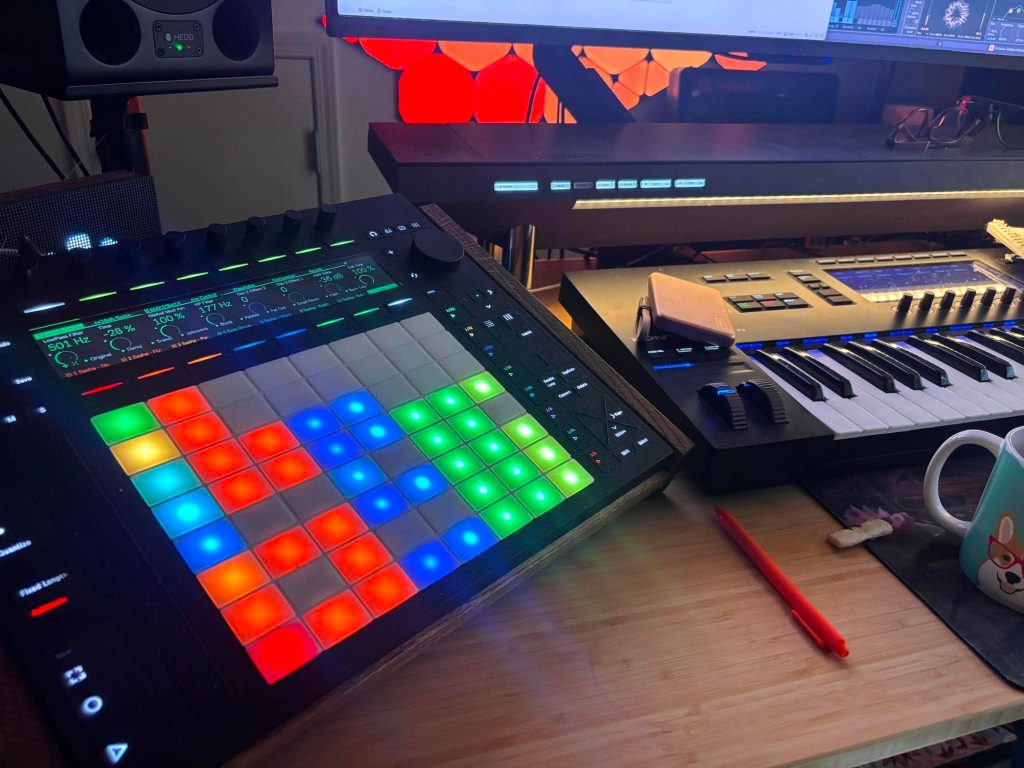
The Sasha Environment is designed for Ableton Live Suite 12.3.6 or higher, and this requirement matters because the product is built around Ableton’s rack, session, and device workflow rather than third-party plug-ins. 36db positions it as a drag-and-drop production system, and it’s clear that the Live sets, instruments, effects, returns, Push 3 mapping, and pre-built controls are meant to function inside Ableton without extra plug-in purchases (which is amazing).
That is a big, big advantage.
A lot of artist packs become harder to use once you realize the session depends on plug-ins you do not own, old device versions, or routing that breaks as soon as you move to a different setup. Here, the Ableton-native design keeps the focus on what Sasha and 36db built, not on chasing missing plug-ins or replacing half the session before you get anything moving.
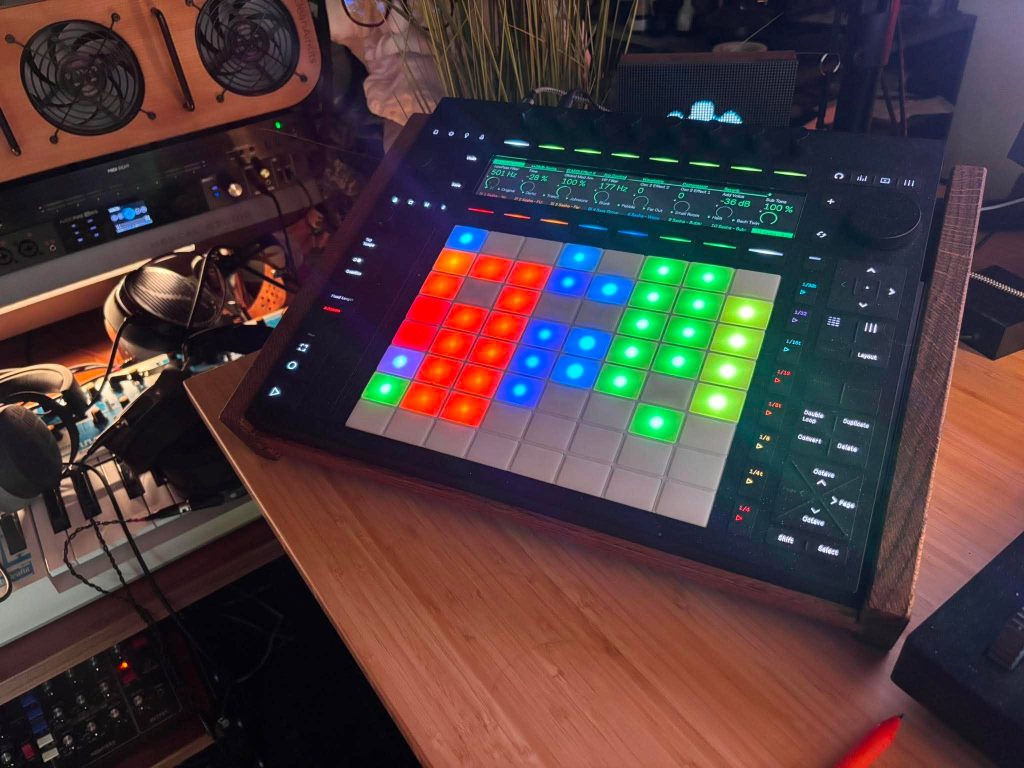
The racks are not flat preset containers either; instead, all macros are mapped, the preset systems go beyond a single basic patch, and the effect racks invite hands-on editing.
36 dB also states that all features are Push 3 ready and pre-mapped for studio control and live performance, with macro and performance controls available for Ableton Push 3 Standalone, including Max for Live devices, which made me super excited to bust out these environments and see just how seamlessly they popped up on my Push – spoiler alert, it worked great.
The Real Lesson Is Automation

For me, the coolest part of the Sasha Environment is not any single sound. It is seeing how the sessions progress and come alive.
You can watch many tutorials on how to build a synth patch, stack drum parts, or arrange a progressive house track. Those topics are useful, of course, yet they rarely explain the smaller decisions that make a track feel alive inside Ableton. Automation is one of those areas. It is easy to hear a finished record and assume there must be an impossible amount of hidden work happening behind the scenes.
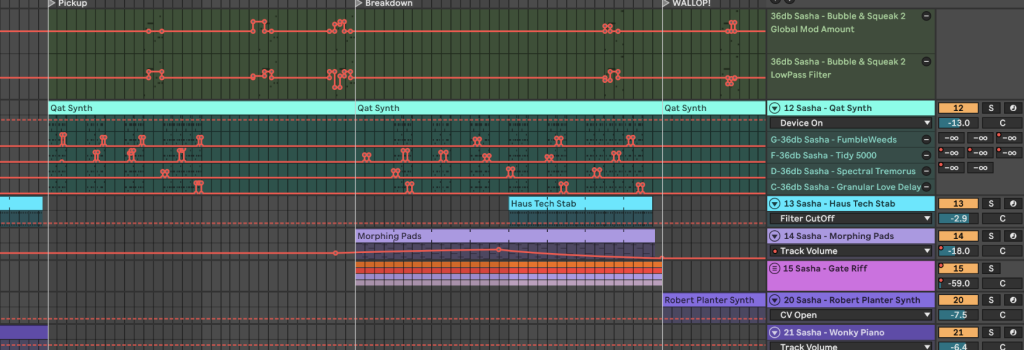
Opening these sessions makes that process feel much clearer. You can see which parameters are actually being moved, how often they are being adjusted, and how much of the result comes from small changes in delay, filter movement, send amounts, and rack controls. That is hard to explain in a tutorial because it is often less about one headline technique and more about placement, taste, and timing.
Ableton’s browser workflow also becomes a major leg up here.
You can pull channels out of the Environment and save them for later, or drag a track with its automation into a new project and swap the source device while keeping the movement idea intact. Even if you replace the synth, the delay automation, return movement, or macro changes can give you a useful starting point.
Sample Placement Becomes Part Of The Writing
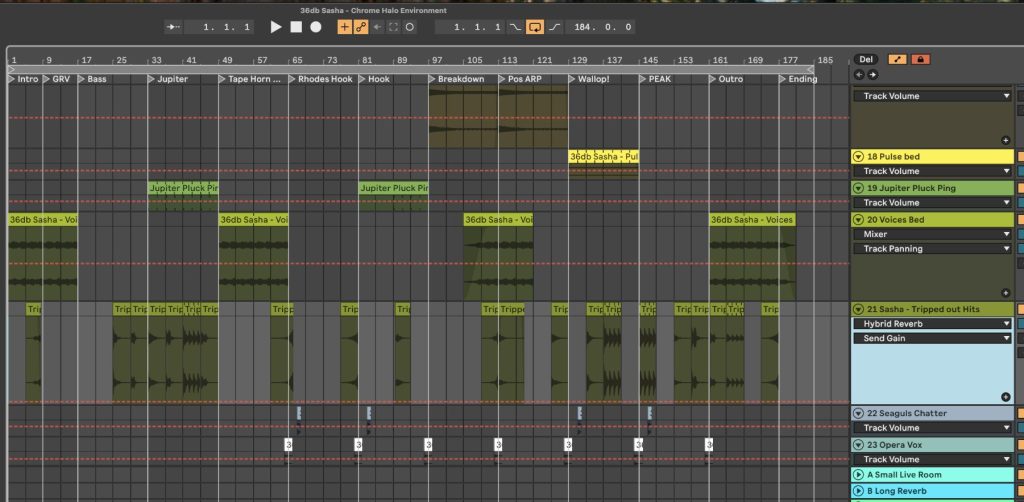
Another thing that makes this product useful is how clearly it shows sample placement. That is one of the harder parts of dance music to teach, because it can be difficult to hear in a reference track unless you are listening for one very specific detail at a time.
A crash, a small processed hit, a vocal slice, or an EFX sound can seem simple when heard on its own. The placement is what matters. How often does it appear? Does the producer repeat the same sample, or rotate related sounds? Does it hit once, disappear for a minute, then return when the track needs a push? Does it act like a transition marker, or does it become part of the musical idea?
36db lists 93 drum and percussion samples, 223 EFX samples, 11 vocal samples, 1,699 multi-sampled instrument samples, 89 MIDI clips, two custom impulse responses, and one custom wavetable in the feature table, so there is a lot of raw material to inspect inside the actual sessions. The useful part is seeing how that material is placed.
This helped me connect something that reference listening alone can miss. In these sessions, small audio details are anything but filler. They often move with the track in mind. A sound might start as an occasional accent, then become a little more active as the arrangement develops. Seeing that inside the project makes the decision feel less abstract.
Restraint At The Final Section

The Low Orbit Cinema Environment gave me one of the biggest takeaways from the pack.
When you are writing loop-based dance music, it is easy to think the final section needs a huge stack of synths, noise sweeps, and extra parts just to make the ending hit harder. A lot of producers reach for volume and density because it feels like the most obvious way to create a final lift. The issue is that it can make the track feel crowded and weaken the material that was already working.
Low Orbit Cinema shows a different decision.
In the final drop section, a small synth idea appears for the first time, and that addition helps the section feel complete without relying on cliché tricks like wall-of-sound supersaws or over-the-top snare rolls. It is a precise arrangement move, and it works because the track has been set up for that moment for the entire run.
That type of decision is hard to learn from listening alone. You might hear that the final section feels finished, yet miss how little was actually added. Inside the project, the move becomes obvious. Sasha creates impact by choosing the right new detail at the right moment, not by filling up all available space.
The Racks Are Built For Experimentation

The racks are another major part of the experience. The macro controls are mapped to encourage fast testing, and the preset count gives you a large set of entry points without making the product feel locked into a single result.
This, I think, is so dope because the Sasha Environment works best when you stop treating it like a finished track folder and start treating it like a modular system. The product page uses that language directly, stating that users can load the full template, use individual racks in their own projects, or combine elements into new production systems inside Ableton Live 12.

Some producers will open the full Live set and study the session first.
Others will grab one return rack, one instrument, or one channel setup and start writing inside a blank project. Sasha’s own note on the product’s landing page points to the same workflow, explaining that he often starts with an empty Ableton session and pulls channels and elements from different 36db Environments as he works on ideas.
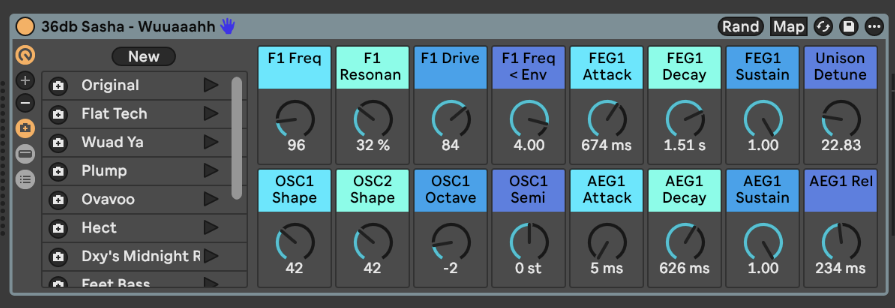
That approach makes a lot of sense once you start messing around with it. The pack becomes far easier to use when you stop asking, “How do I turn this finished Sasha idea into my track?” and start asking, “Which part of this system helps me move faster today?”

The Catch: Finished Sessions Can Box You In
There is one real caveat, and it applies to a lot of products in this lane.
These Environments are highly educational, and they are packed with material you can use, study, and save. The issue is that opening a nearly finished project from a producer like Sasha can feel overwhelming. There is a lot going on. The parts already have a clear relationship to one another. The arrangement is already making decisions for you. If you open it with the goal of writing something new right away, it can feel like you are starting inside someone else’s nearly finished track.
That can get in the way of flow. Starting from a blank Ableton session has its own advantage because you make one choice, then another, and eventually the idea starts to take shape. In a finished Environment, you may need to work backward first. You have to remove parts, mute sections, save racks, isolate automation, and decide what is useful before the project starts to feel like your own.
That is not a flaw in the product as much as a workflow reality. The fix is to be intentional. Open the full session first as a reference. Study the automation. Look at the returns. See how the samples are placed. Save the channels that interest you. Then move into a blank project and bring in only what you need.
Who This Is For
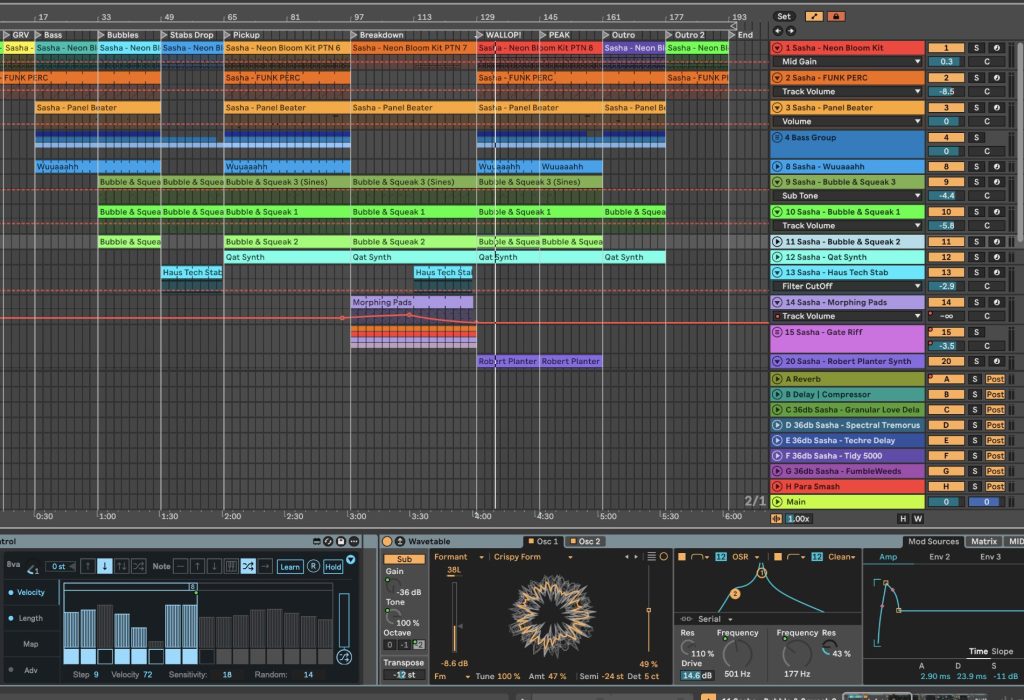
This product will suit a pretty focused group of producers.
If you use Ableton Live Suite and write melodic dance music, progressive house, organic house, or related club music, this is one of the most useful artist-built Ableton resources I have opened in a while. If you use another DAW, rely mainly on third-party instruments, or want a simple folder of loops, this probably will not be the right fit.
The value is also tied to how curious you are.
A producer who wants instant loops may get some use from the sample content, yet the real return comes from opening the sessions and asking practical questions about placement, automation, returns, restraint, and arrangement.
That is what makes this Environment so interesting and forward-thinking. It gives you a way to study real Ableton decisions by an artist whose work has shaped much of modern progressive house thinking.
Final Verdict On The 36db Sasha Environment
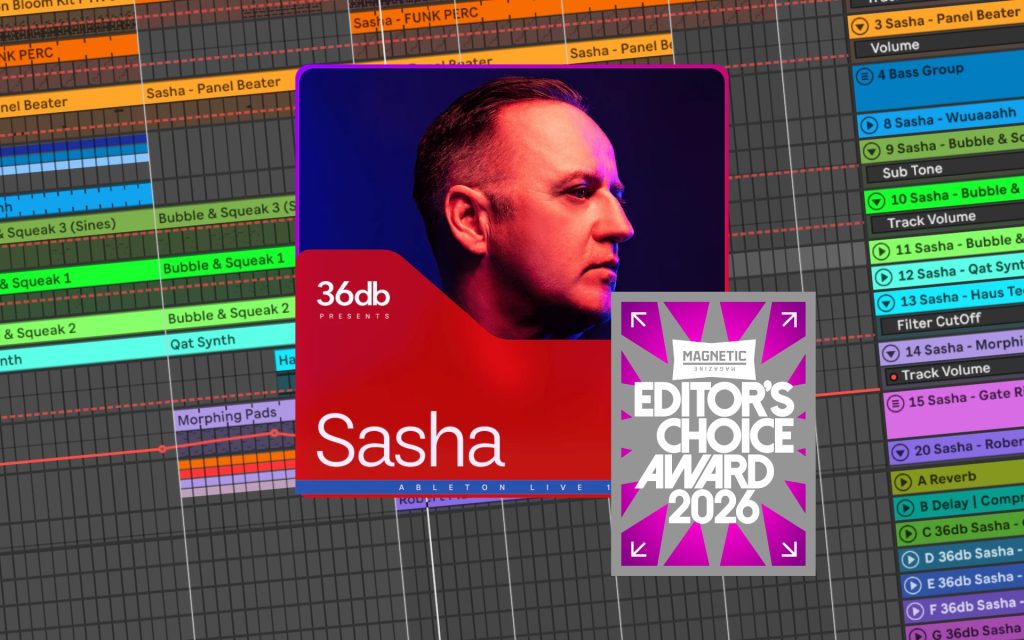
Sasha’s 36db Environment earns an Editor’s Choice Award because it does something that most producer templates only partially accomplish. It gives you sounds, racks, presets, and samples, and also access to the production logic behind them.
The best part of the product is that the material is organized in a way that teaches. You can see how Sasha handles automation, how small samples develop across an arrangement, how a final section can work through restraint, and how Ableton’s native rack system can be pushed without turning the session into a technical mess.
It also avoids one of the common problems with artist packs by keeping the system Ableton-native and free of third-party plug-in requirements. That makes it easier to open, inspect, and reuse the material without turning the session into a missing-plug-in checklist.
The Sasha Environment will not be the right purchase for every Ableton user under the sun because it is specific and requires some curiosity from the person using it. For the right producer, that specificity is the point. This is a phenomenal Ableton resource for producers who want to learn from how a finished progressive house session is built, then pull the best parts into their own workflow.
For that reason, it snagged the Editor’s Choice for 2026!

Will Vance is a professional music producer who has been involved in the industry for the better part of a decade and has been the managing editor at Magnetic Magazine since mid-2022. In that time period, he has published thousands of articles on music production, industry think pieces and educational articles about the music industry. Over the last decade as a professional music producer, Will Vance has also ran multiple successful and highly respected record labels in the industry, including Where The Heart Is Records as well as having launched a new label with a focus on community through Magnetic Magazine. When not running these labels or producing his own music, Vance is likely writing for other top industry sites like Waves or the Hyperbits Masterclass or working on his upcoming book on mindfulness in music production. On the rare chance he's not thinking about music production, he's probably running a game of Dungeons and Dragons with his friends which he has been the dungeon master for for many years.