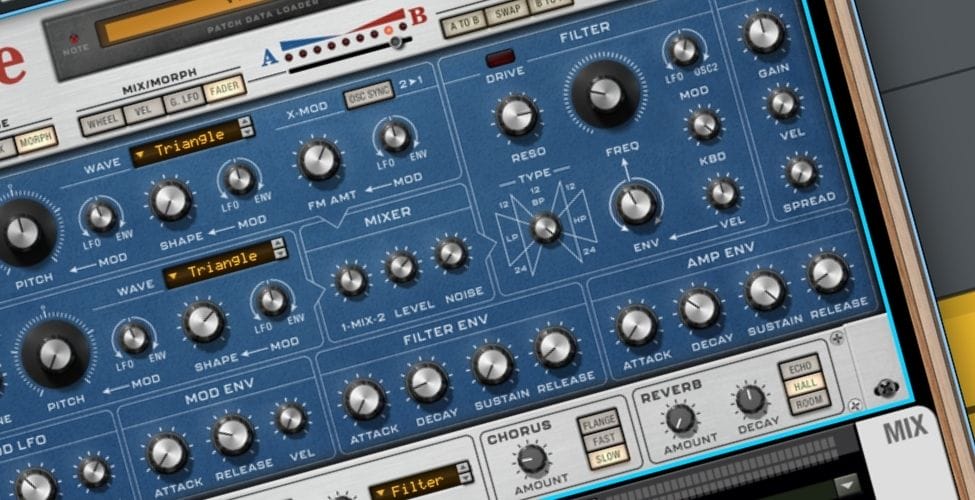
I first used Reason around 2010, and I still remember how different it felt compared with the other DAWs I was working in at the time (predominantly GarageBand, though I had also dabbled in Logic). The rack had a personality to it; the cabling made the signal flow feel physical, as if it actually translated to the real-world studio I was interning with at the time, and the whole system encouraged a certain kind of problem-solving that felt closer to building a studio than opening software. I moved away from it over time because my workflow shifted toward other DAWs, plug-ins, audio editing, and faster arrangement tools like Ableton.
Coming back to Reason 14, which was recently just released, has been interesting because this update feels aimed at those exact friction points that made me ditch the DAW a decade ago. Reason still feels like Reason, and the rack still gives the DAW its identity, yet the whole experience feels cleaner, faster, and much easier to manage from the sequencer (which is the main reason I stepped away from the DAW in the first place).

I found that the biggest change was not any single device or effect (even though the new RV9 Reverb Station has a lot to talk about – and we will). The bigger thing is that Reason 14 feels much better at keeping me in the creative flow, rather than forcing me to constantly jump around the interface to find what I need.
That is important in a DAW like Reason because the rack has always been the reason people love it, and also the thing that can slow you down once a session grows. In older versions, I remember loving the physicality of the rack, then slowly fighting it as I stacked instruments, players, effects, automation, and mixer channels across a larger project. Reason 14 addresses that by making the sequencer and rack work together in a way that feels far closer to how seamless my workflow usually is when making music; with as little friction as possible getting the ideas in my head into the DAW.
So let’s talk about it.
The Sequencer Finally Feels Like The Main Workspace
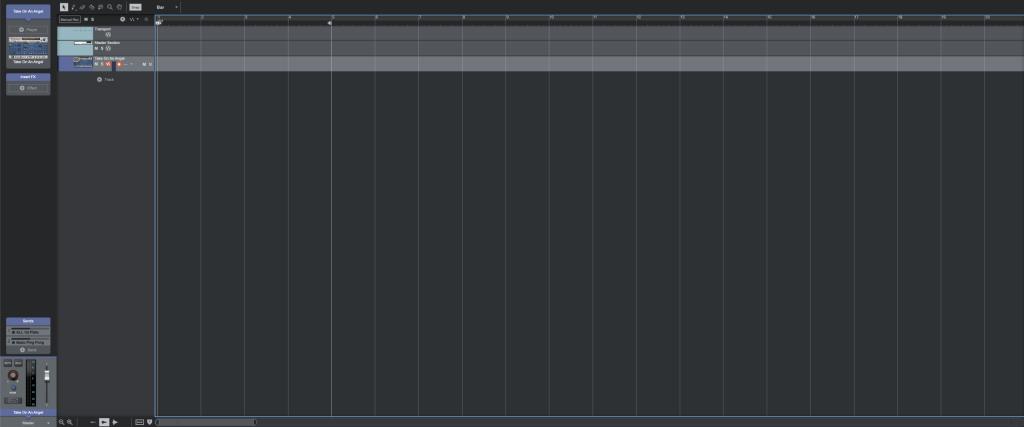
The new default setup makes the sequencer feel like the main workspace, and I appreciated that right away as it feels more standardized to what expectations for a DAW’s layout should be. The rack now defaults to its own floating window, and instead of feeling like a detached side panel, it behaves closer to a plug-in window that stays available while I work elsewhere. I found this useful righr away because I could keep arranging, selecting tracks, and moving through the song, then let the rack follow my choices instead of manually scrolling through device stacks.
That rack-follow behavior is one of the most practical improvements in Reason 14.
When I select a track in the sequencer, the rack scrolls to the corresponding device group, and that changes the pace of working in Reason in a real way. I found myself using the sequencer as the control center, then opening the rack when I needed the tactile, device-level view. It makes Reason feel less split between two working zones and much closer to one connected production environment.
The single-column rack view also helps with that, and it speeds up navigation by a fair bit. In earlier Reason sessions, the rack could become a lot to look at once the track count increased, especially if I was trying to move fast. With the rack organized around the selected track, I found it easier to stay focused on the instrument, player, and effects chain I was actually working on. That sounds like a small interface change on paper, yet it changes how quickly I can move through a session because I no longer feel like I have to scan the whole rack to locate a single device and it felt like it could compound to save you a bunch of time over weeks of making tunes.
The Track Overview Panel Is A Huge Workflow Win
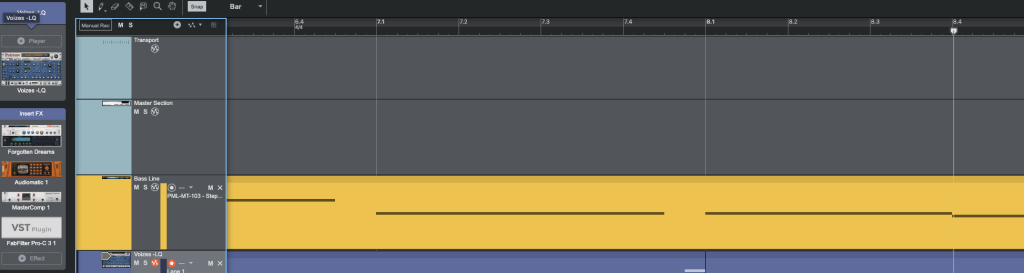
The new track overview panel might be the update I used the most. It lets me see what is on a given track directly from the sequencer, including instruments, players, and effects, and I can add devices, browse patches, bypass parts of the chain, and access mixer controls without opening the full rack every time. For my own workflow, that is exactly the kind of middle ground Reason needed. I still get the rack when I want the full device view, and I also get a faster production-level overview when I am arranging, auditioning patches, or cleaning up a session.
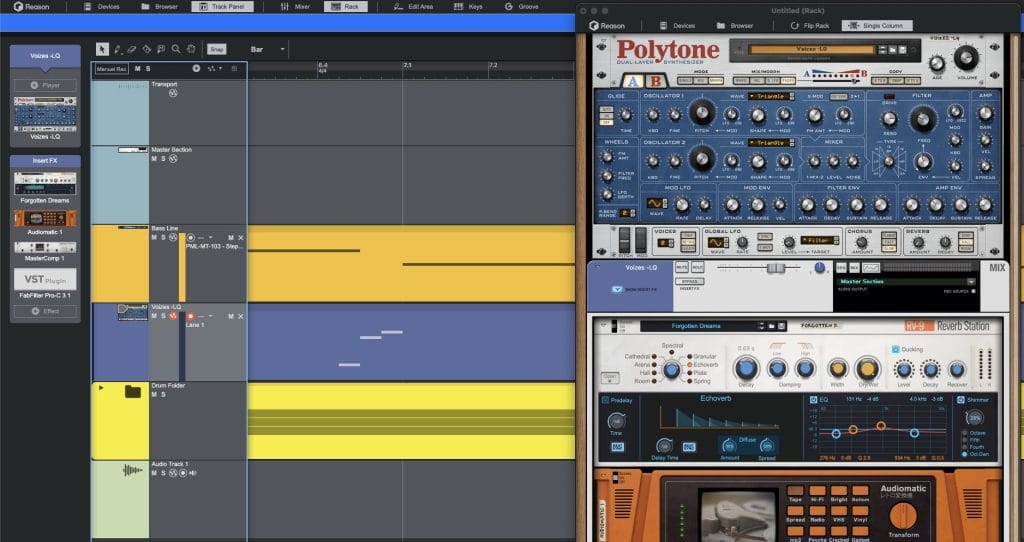
I also like how Reason 14 handles the signal flow in the rack, which lets you get as deep into the weeds as you want or save time and effort by doing the minimum and still getting top-quality results.
The automatic rerouting also feels like a quality-of-life fix that adds up quickly and was one of the biggest frustrations I had when I was learning music production all those years ago. Moving devices around in the rack now updates the routing to match the physical order, which means less fussing with hidden signal path issues. I still like Reason’s cabling because it encourages proper signal thinking, yet I do not want basic chain reordering to become a technical interruption.
The new rack sorting options also show that Reason Studios understands that different users want different levels of structure. Rack per Track keeps every audio or instrument track in its own dedicated column, Auto Group keeps related devices together, and No Grouping gives you the older manual approach.
Track Folders Make Larger Sessions Easier To Read
The sequencer updates are another big part of why Reason 14 feels easier to return to or more justifiable for producers just starting out in music to choose Reason as their initial DAW. The sequencer, coupled with the rack interface, was a steep hill to climb for new producers who are also learning everything else that goes into making music. For many, myself included at the time, it was too steep a learning curve at all, which is why I ditched it for Ableton.
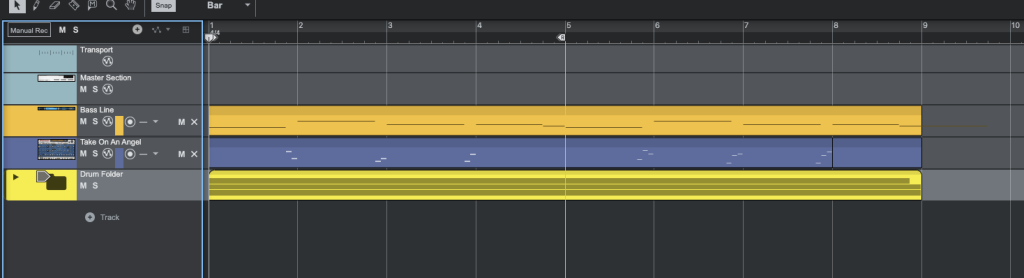
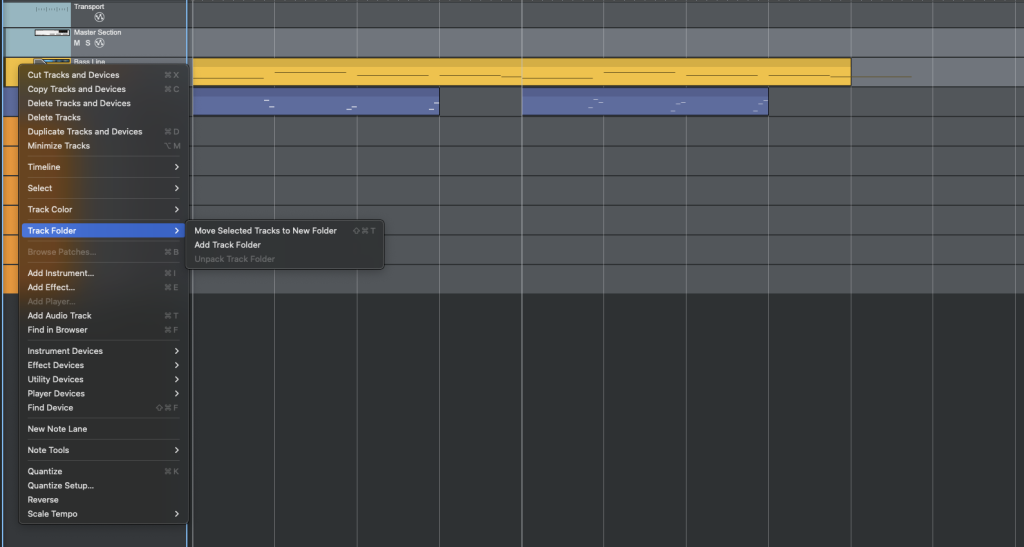
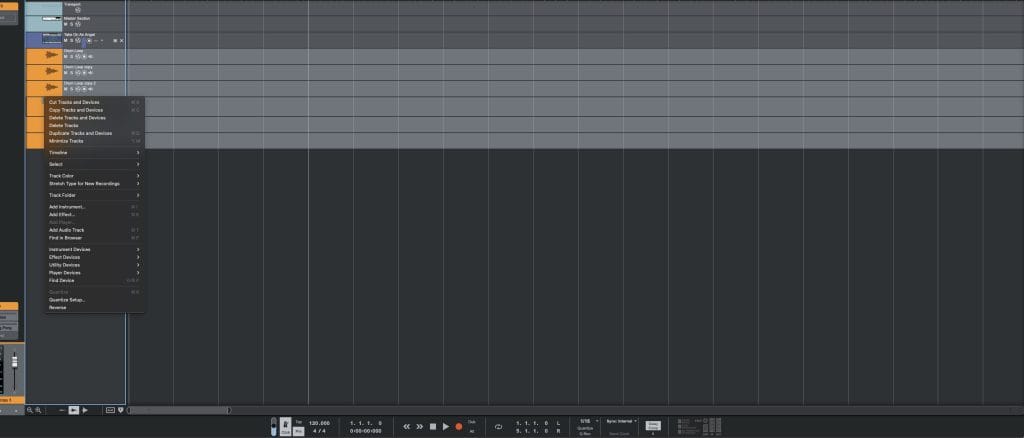
Track folders finally give larger sessions a cleaner structure, and they support up to three levels of nesting.
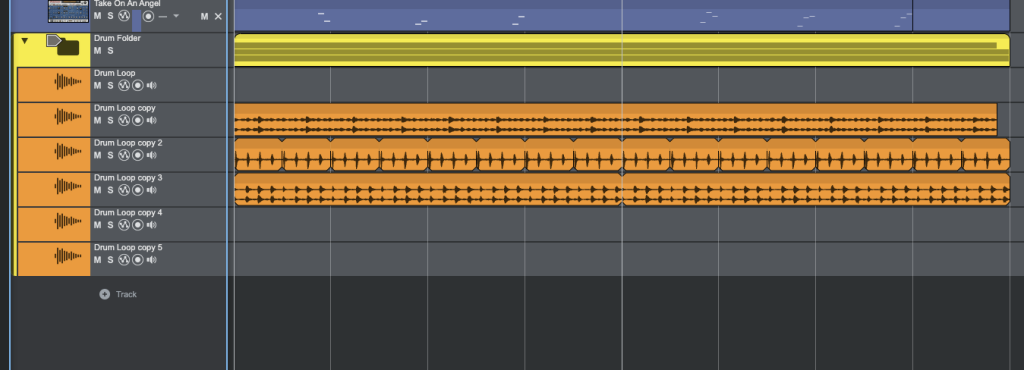
I found that useful for grouping drums, synth layers, audio tracks, and automation lanes into sections that were easier to collapse and manage. The folder overview clips are especially helpful because they show where data exists inside the folder, so I can see the arrangement shape without opening every lane.
I also liked that those overview clips can act as handles for editing the group. If I want to duplicate or cut a section, I can work from the folder level and affect the tracks inside it together. That is the kind of arrangement tool that keeps me moving when I am building sections quickly, because I can restructure a song without turning every edit into a lane-by-lane process. The folder system is organizational, so it does not replace busing or mixer routing, and that distinction is worth understanding. For clarity of arrangement, though, it is a real upgrade.
The Smaller Sequencer Fixes Add Up Fast
The sequencer editing improvements feel smaller, yet they made the DAW feel much less dated. Note chasing is a good example. If playback starts in the middle of a long MIDI note, Reason can now trigger that note, which is useful for pads, long chords, sustained textures, and anything that spans a section.
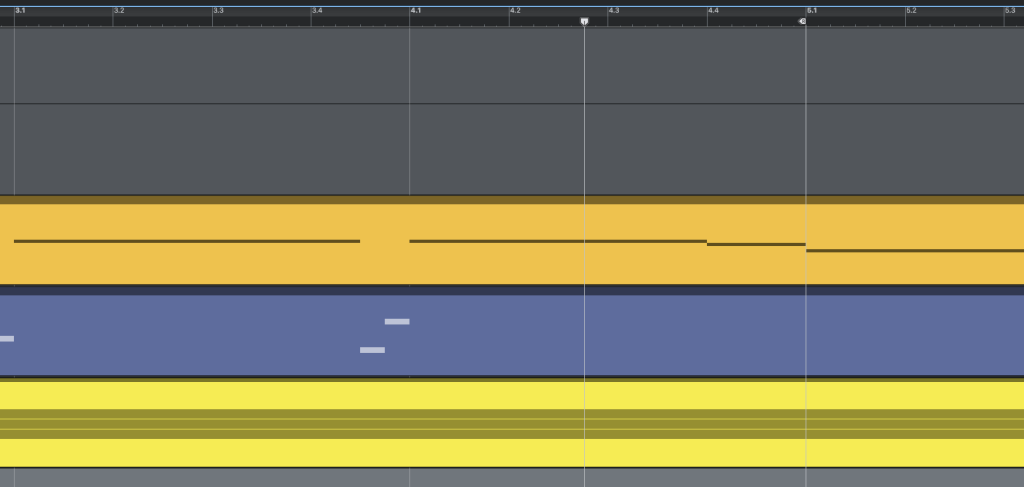
I ran into this kind of issue constantly in older DAWs, where I would press play in the middle of a section and hear silence because the MIDI note had already started. Reason 14 fixes that with a simple playback option, and it makes reviewing arrangements much easier.
The editing hover states are also helpful because clips and notes can be resized with fewer clicks.
The pen tool now removes existing notes when drawing over them, which helps prevent hidden overlaps, and the new velocity handles make quick MIDI adjustments easier without switching tools. None of these features sounds flashy, and that is exactly why I kind of loved them. They remove small sources of friction that producers encounter hundreds of times during a session.
A few sequencer changes I kept appreciating during use:
- Track folders make larger sessions easier to collapse, scan, and restructure.
- Loop clips speed up repetition for MIDI, audio, and automation.
- Unique loop instances make fills and arrangement edits easier.
- Note chasing helps when starting playback in the middle of sustained MIDI material.
- Hover resizing and velocity handles reduce tool switching.
- The improved pen behavior helps prevent stacked notes.
RV9 Reverb Station Gives The Update Its Creative Centerpiece
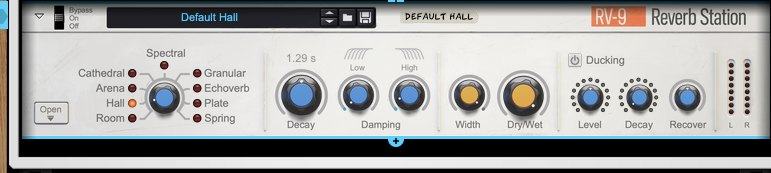
RV9 Reverb Station is the new device that feels like the headline creative addition, and I think it fits Reason well because it combines simple front-panel control with deeper sound design when you need it. The main controls are easy to reach, with decay, damping, stereo width, and core reverb behavior available at a glance. Then the foldable lower panel opens up the deeper controls, including post-EQ, syncable pre-delay, shimmer, and other algorithm-specific parameters.
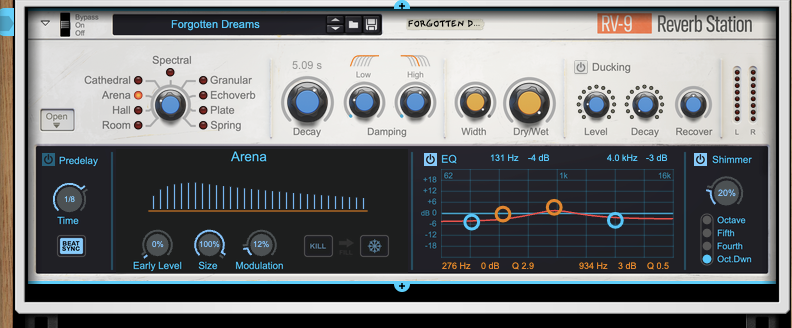
I found the layout smart because reverb devices can get crowded fast.
A reverb needs to be quick when I am setting space around a part, and it needs deeper controls when I am using it as part of the sound itself. RV9 handles that well as I found that I could stay on the main panel for a normal room, hall, plate, or spring setting, then open the deeper panel to shape the tail, tune the effect, or use one of the creative modes.
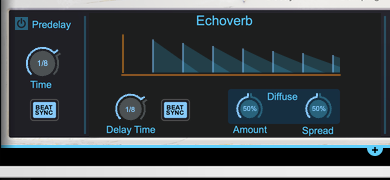
The standard algorithms cover the expected spaces, including room, hall, arena, cathedral, plate, and spring. Those are useful for normal production tasks, and I found the controls fast enough to get to a workable setting quickly. The creative modes are where RV9 starts to feel more specific to Reason. Spectral, Granular, and EchoVerb give the device a sound design side that fits the rack well, especially if you like building effects chains that do something more specific than adding a room around a part.
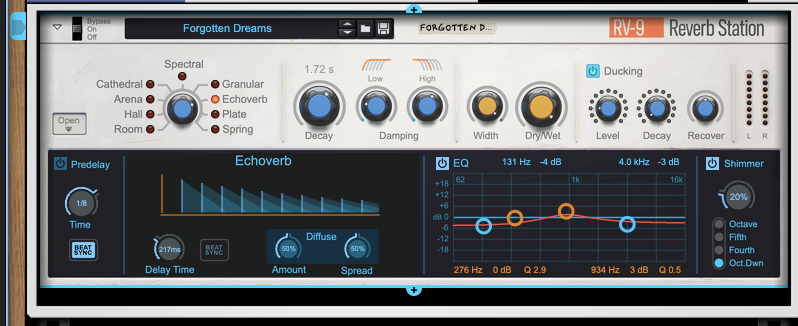
Decay Ducking Is The RV9 Feature I Kept Reaching For
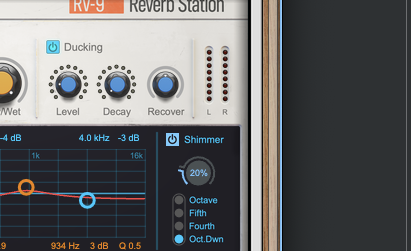
The decay ducking feature is one of RV9’s smartest features. Regular ducking lowers the reverb level when a new signal comes in, helping keep the dry sound clear. Decay ducking goes further by shortening the actual reverb tail when a new note hits, and I found that useful for chord changes because it helps keep tails from clashing across harmonic movement. On synths, pads, and chord-heavy material, that makes RV9 easier to use in dense sessions because the reverb can stay present without smearing every change.
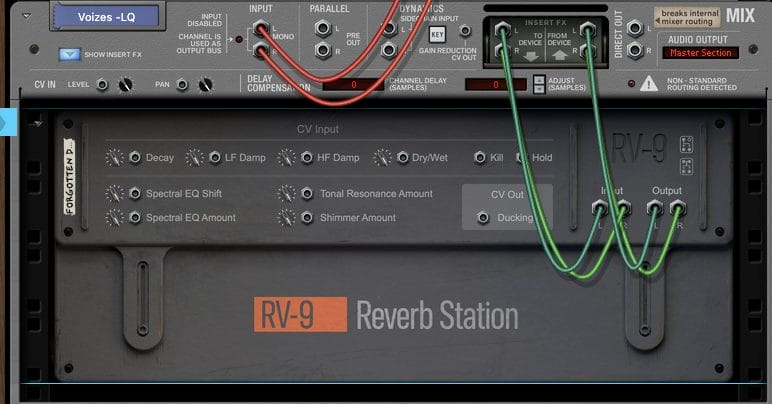
Spectral mode is the one I kept coming back to because the tonal resonance feature lets you choose notes that resonate inside the reverb while other frequencies get dampened. For example, setting resonant notes around a C major shape can pull the reverb toward that harmonic center. I found that useful when I wanted the reverb to feel tuned to the part rather than sitting broadly across the frequency range. It is the kind of feature that can become heavy-handed if pushed too far, yet used carefully, it gives RV9 a very specific musical role.
Granular mode feels closer to sound design. It records incoming audio into a short buffer, then plays back grains with controls for pitch, length, rate, reverse chance, and diffusion.
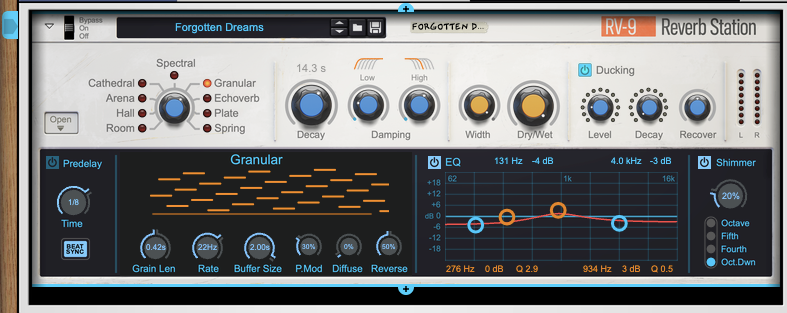
I found this useful on synths and one-shot material because it can stretch a source into something that feels textural without setting up a separate granular instrument. The reverse probability is especially useful because it adds motion without needing me to draw a lot of automation.
The Freeze and Kill buttons are useful performance features. Kill clears the reverb buffer, which is helpful when a tail gets out of the way fast, and Freeze brings the decay to infinite so the current reverb can hold like a sustain source. I can see that being useful with hardware mapping, especially for producers who like playing effects in real time. Reason has always been good at making devices feel performable, and RV9 continues that approach.
The New Content And Interface Updates Help Reason Feel Current
The new content is also worth mentioning since it’s not just interface changes that got beefed up in the new version.
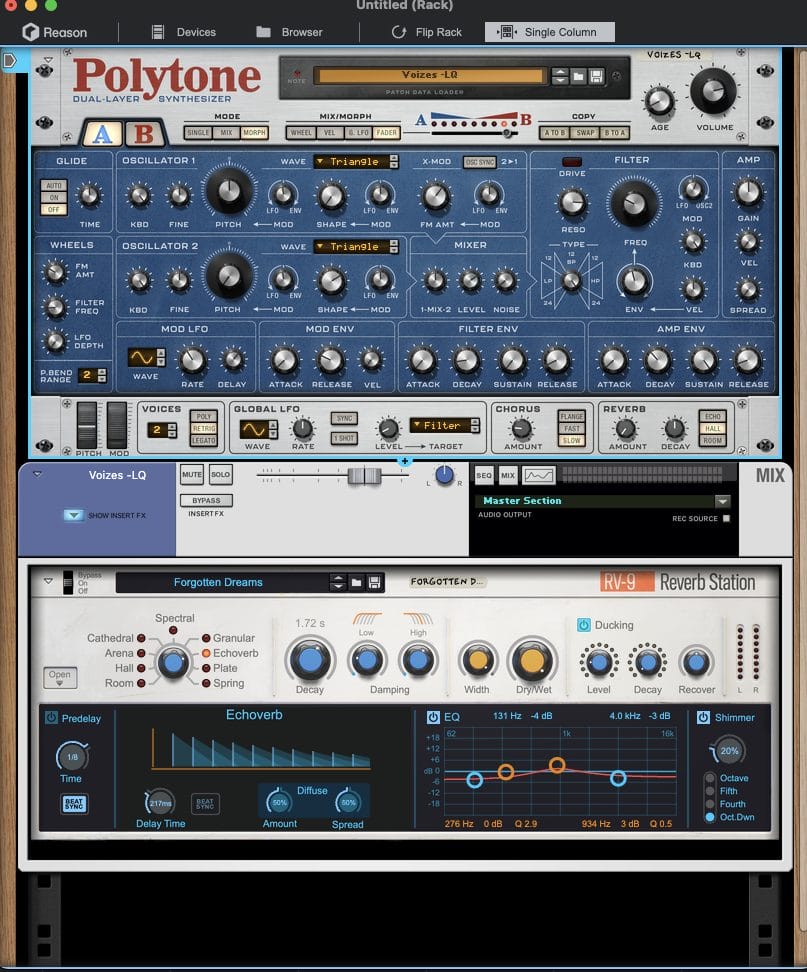
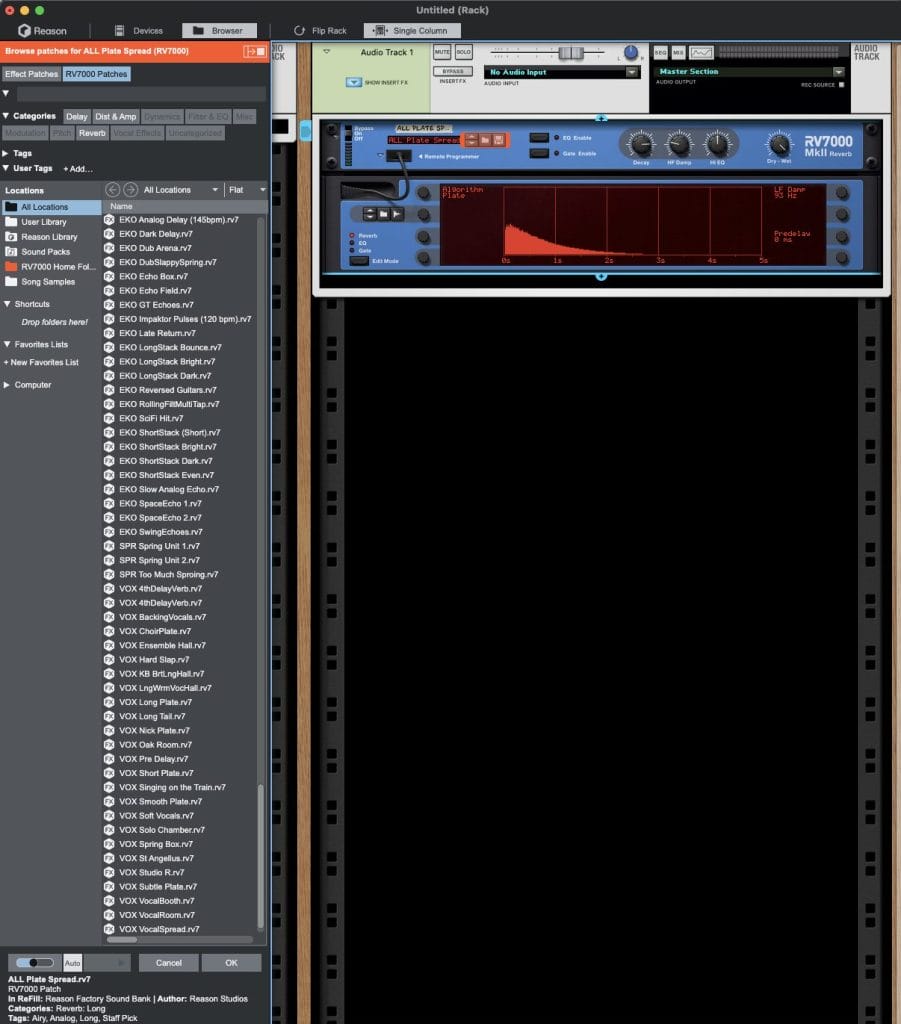
Reason 14 includes new Europa patches, new RV7000 patches with fresh impulse responses, and 606 drum machine samples in the browser. I found the “New in 14” browser folder helpful because it makes the update easier to audit. When I install a DAW update, I want to know what has actually been added, and having the new material grouped clearly saves time.
The improved audio import is another practical addition. Reason now attempts to detect the tempo of imported audio loops and adapt them to the project, which helps when bringing in one-, two-, or four-bar loops. I still check the result by ear because automatic tempo detection can never be treated as perfect across every source file, yet having Reason attempt that calculation gets the process moving faster.
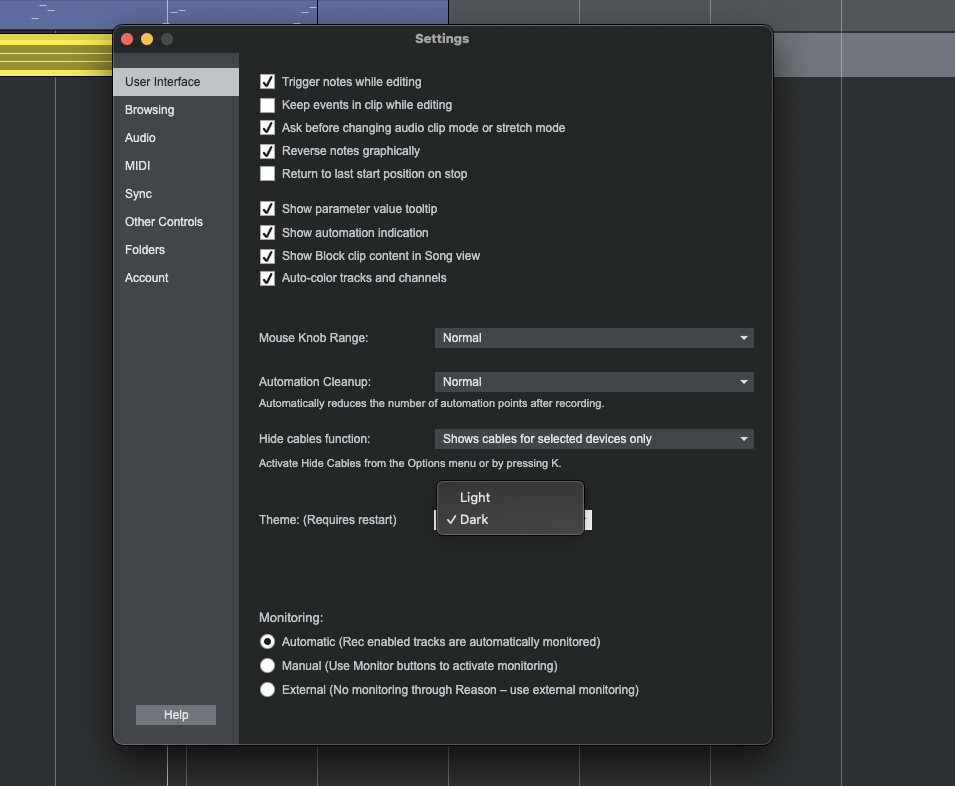
The updated interface also helps Reason 14 feel current. Dark Mode is the default, the transport and toolbar have cleaner iconography, and the new toggles for the track panel, edit area, mixer, keys, groove, and preferences make the main window easier to shape around the task at hand. I found that useful because Reason can still be a visually dense environment, and quick visibility controls help keep the session focused.
The browser behavior in the floating rack window is also better than I expected. When the rack is separate, the browser opens to the left instead of pushing the entire window to the right, and it opens in whichever window currently has focus.
Final Thoughts On Reason 14
After spending time with Reason 14, I came away feeling that the update is aimed at people like me who remember what made Reason special, yet need a faster, cleaner way to work now. The rack still feels like the rack, the devices still invite experimentation, and the routing still encourages you to think about signal flow. The difference is that Reason 14 gets out of its own way more often.
The sequencer drives the session, the rack follows the selected track, the overview panel keeps device management closer to the arrangement, and RV9 gives the update a new creative tool that feels built for modern production work.
For anyone returning to Reason after years away, this version feels easier to re-enter than I expected. I did not feel like I had to abandon the way I work in other DAWs to understand it again. I could use the sequencer like a modern arrangement space, then open the rack when I wanted Reason’s device-level control. That balance is the real story here. Reason 14 preserves the identity that made the software memorable, and it finally gives that identity a cleaner workflow.

Will Vance is a professional music producer who has been involved in the industry for the better part of a decade and has been the managing editor at Magnetic Magazine since mid-2022. In that time period, he has published thousands of articles on music production, industry think pieces and educational articles about the music industry. Over the last decade as a professional music producer, Will Vance has also ran multiple successful and highly respected record labels in the industry, including Where The Heart Is Records as well as having launched a new label with a focus on community through Magnetic Magazine. When not running these labels or producing his own music, Vance is likely writing for other top industry sites like Waves or the Hyperbits Masterclass or working on his upcoming book on mindfulness in music production. On the rare chance he's not thinking about music production, he's probably running a game of Dungeons and Dragons with his friends which he has been the dungeon master for for many years.