Maximizing your creative output can amplify your career progression and growth. Becoming more efficient with your time enables you to get more done and invest more time into the critical areas of DJing.
To maximize your productivity as a DJ, you don’t need to take shortcuts, but you should take advantage of today’s tools and workflows. This masterclass shows you a range of productivity hacks and workflow boosts you can integrate into your DJing process – enabling you to expand your horizons and achieve more in your DJ career.
Introduction – Why Productivity is Important for DJs
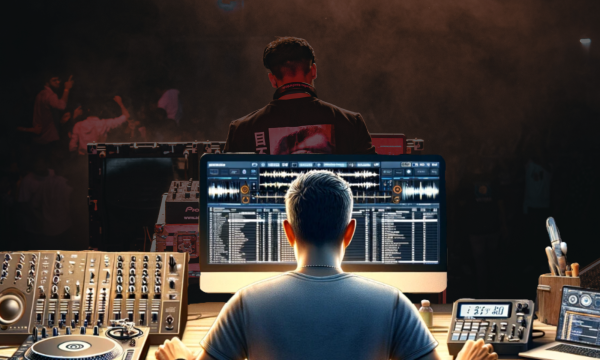
In DJing, productivity is crucial as it directly influences the rate at which a DJ can grow their reach and output. Efficient workflow allows for faster creation and distribution of mixes, leading to more frequent engagements and audience growth.
Mastering certain tools and practices can help DJs to accelerate their productivity and make more efficient use of their time.
DJ.Studio is a notable example of these tools – as it streamlines and enhances the DJ workflow. The software’s unique features expedite the mixing process, making it easier for DJs to focus on creativity and mix production, accelerating their path to success. This app will be explained in more detail below.
Now, let’s get stuck into the practices that make your process smoother and more efficient.
Setting the Stage: Optimizing Your DJ Setup & Environment
There are two main areas of your DJ environment that you should optimize for the smoothest workflow: the physical and digital aspects of your setup.
Physical – Organizing your space for efficiency

Taking inspiration from the masters of the 19th-century French culinary world, DJs need to respect the concept of ‘Mise en Place’, translating as “setting in place”.
This refers to the organization and arrangement of ingredients and tools before cooking.
This concept applies to DJs in setting up their studio space by ensuring all equipment, music, and tools are well-organized and easily accessible.
While DJs rarely cut up onions with knives in the studio, they will doubtlessly need to cut up some beats on the decks – so it’s important to set everything up as needed.
This preparation maximizes efficiency and productivity, allowing DJs to focus on the creative aspects of their performance without unnecessary interruptions or delays caused by disorganization.
As a rough checklist to maintain before firing up the decks, ensure:
- You have your music collection loaded and analyzed on your software/decks.
- All your gear is plugged in correctly.
- You have headphones at the ready, and speakers set up correctly.
- Your recording device/camera is plugged in and ready.
- You have at least 30-60 minutes of undisturbed time.
Spending some time maintaining and preparing your setup is a vital stage in the creative process, and it enables DJs to get into the productive flow state with no barriers.
Digital – Setting up your PC and software
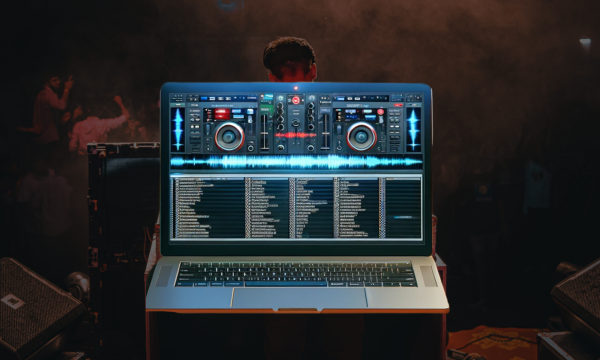
Organizing your digital domain is equally important just like a tidy physical space.
Because many elements of DJing revolve around digital components, there are many areas to check in this area.
- Take advantage of multiple DJ software types: both Live and Studio (more in the next section)
- Organize your Music Library
- Categorize your tracks by genre, mood, or any other system that suits your workflow.
- Utilize metadata effectively, ensuring that track information like BPM, key, and artist is accurately tagged.
- Regularly clean your library by removing duplicates or unused tracks to keep your library lean and relevant.
- Import Music Into DJ Software Beforehand, for Analysis
- Pre-analyze tracks to get waveforms, beat grids, and cue points ready. This saves valuable time during live performances.
- Use batch analysis features to process multiple tracks at once, saving time and ensuring consistency across your library.
- Regularly update your library in your DJ software to include new tracks and ensure all analysis data is current.
- Close Other Programs to Maximize CPU Usage for your DJ Software
- Ensure that your DJ software can access the maximum possible CPU resources by closing unnecessary applications and background processes.
- Adjust your computer’s power settings for optimal performance, especially if you are using a laptop.
- Consider using a dedicated PC or partition solely for DJing to avoid software conflicts and ensure stability during performances.
- Utilize Playlist Management Tools
- Use software features or third-party tools to create and manage playlists efficiently.
- Regularly update and back up your playlists to ensure they are ready for any gig.
- Integrate Cloud Storage for Accessibility and Backup
- Sync your music library with a cloud service to access your tracks from any location or device.
- Regularly backup your entire DJ library to the cloud to protect against data loss.
Avoiding Common Productivity Pitfalls
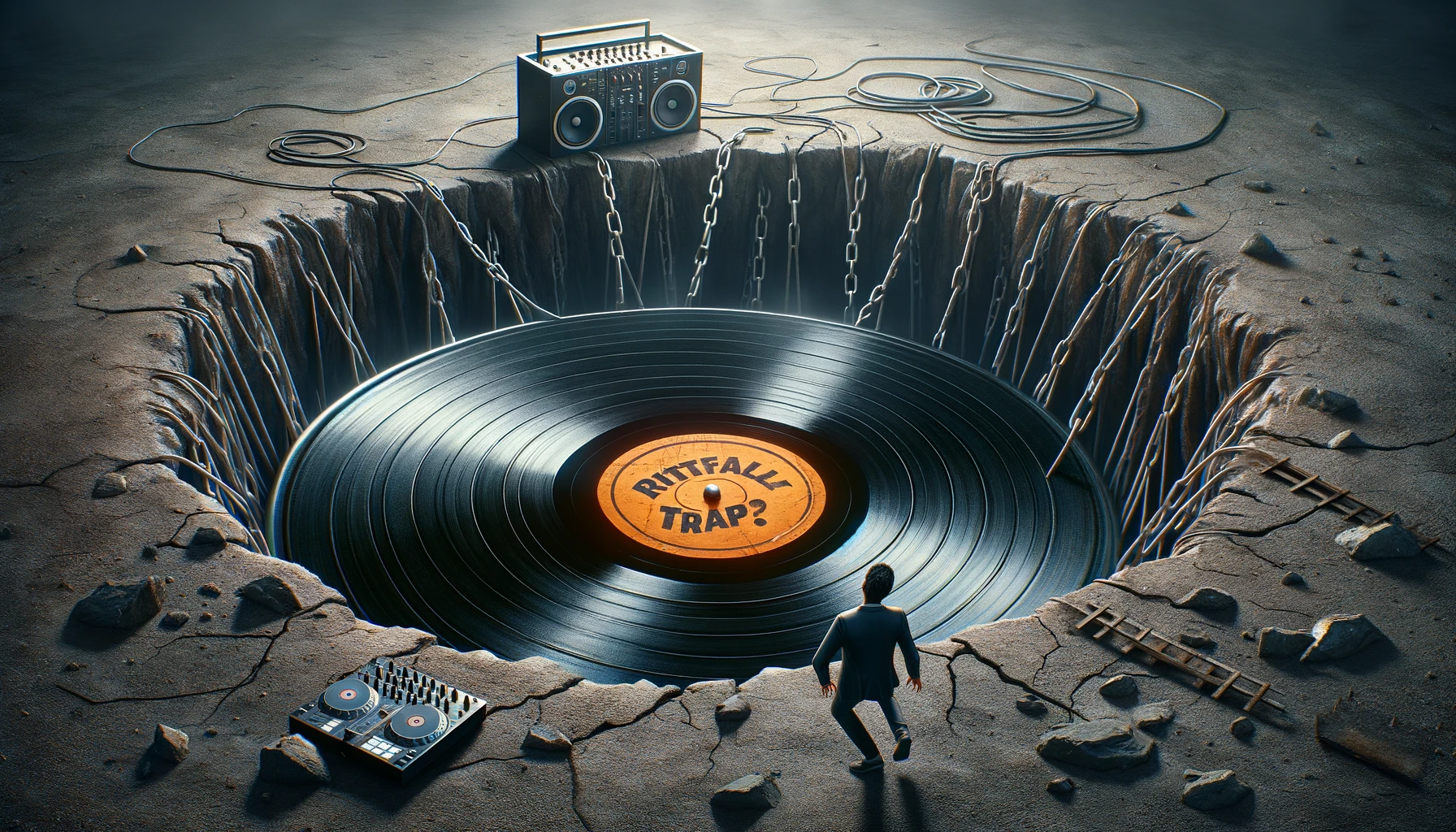
Often, the key to success doesn’t revolve around a series of steps of what you should do, rather it depends on your ability to avoid making certain mistakes.
Avoiding common pitfalls and traps is crucial for maintaining productivity as a DJ.
Here’s a range of productivity traps DJs might encounter and strategies to avoid them:
- Overloading on Tracks:
- Trap – Accumulating too many tracks, making it difficult to choose or remember the right one during a set.
- Solution – Regularly curate your music library. Keep only the tracks that fit your style or the specific set you are planning.
- Neglecting Equipment Maintenance:
- Trap – Facing technical issues during a performance due to poorly maintained equipment.
- Solution – Regularly check and maintain your equipment. Plan for equipment checks as a part of your routine.
- Inadequate Preparation:
- Trap – Feeling unprepared for a set, leading to stress and subpar performances.
- Solution – Allocate time for thorough preparation before a gig, including understanding the venue, audience, and setting up your equipment and tracklist.
- Resistance to New Technology:
- Trap – Missing out on the benefits of new tools and features that could enhance performance and productivity.
- Solution – Stay informed about new DJ technology and software. Be open to learning and integrating new tools into your setup.
- Poor File Management:
- Trap – Struggling to find the right track due to a disorganized music library.
- Solution – Organize your music files meticulously. Use consistent naming conventions and metadata for easy searching and categorization.
- Ignoring Health and Wellbeing:
- Trap – Compromising your performance and creativity by neglecting your physical and mental health.
- Solution – Ensure a balanced lifestyle with proper sleep, nutrition, and breaks. Remember, your health directly impacts your performance.
- Failing to Network:
- Trap – Missing out on opportunities and valuable connections within the industry.
- Solution – Actively engage in networking. Attend industry events, participate in online forums, and connect with fellow DJs and promoters.
- Not Backing Up Data:
- Trap – Losing your entire music library or crucial setlists due to hardware failure or other issues.
- Solution – Implement a robust backup strategy. Regularly back up your music library, sets, and any other important data.
Harnessing the Productivity Power of DJ.Studio
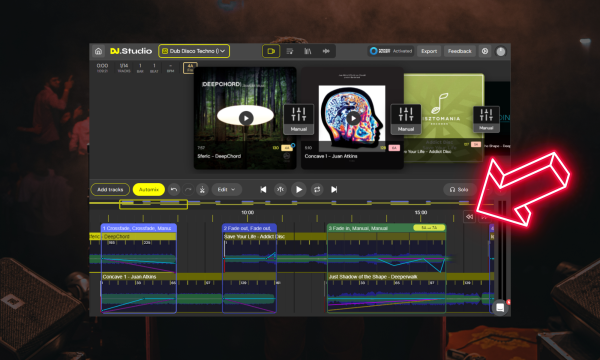
In terms of productive DJ software, none competes with the industrial powers of DJ.Studio.
This unique ‘DAW for DJs’ provides a completely different mix production workflow to the traditional live mixing/recording approach. It’s enhanced with several smart features and integrations, meaning you can create a finished mix in minimal time.
Rather than needing to rehearse and record a performance, DJs can create a full mix using the audio-editor style timeline (and a wealth of other tools).
This type of workflow has a range of benefits over standard methods:
- Time Saving – One of the main productivity benefits is DJ.Studio’s time-saving capabilities. Several areas of the software bypass bottlenecks in the DJ workflow, enabling to you to create mixes faster, and spend more time on creative and expressive elements of DJing.
- Deeper Editing – DJs can create and edit mixes in as much detail as they can imagine, creating transitions and mixes that aren’t possible using two hands and a mixer. Thanks to the powerful editing interface, DJs can refine their mixes over time, achieving better results.
- Experimentation – Thanks to integration with other DJ software and streaming libraries, DJ.Studio presents DJs with the perfect tool for experimenting with new tracks and setlist ideas. YouTube, Spotify, and Beatport integration means you can test mix with any song on the internet, without needing to buy it first. The flexible playlisting tools enable you to easily try out setlist orders and ideas without the effort it takes on physical decks.
- No Rehearsal, Recording, or Mistakes – The recording and rendering process of DJ.Studio is done with only a few button clicks. You don’t need to worry about rehearsing a mix and then recording it without making any mistakes. Simply build your mix, export it, and distribute it – it’s a painless process.
- Less Brain Strain – DJ.Studio lets you effortlessly use advanced mixing skills like harmonic mixing, beatmatching, and complex transitions. The AI auto-mixer instantly key and beat-matches your songs, so you can jump straight into the creative and expressive parts of DJing without needing to waste time on the fiddly technicals.
- Dominate Distribution – The export options, features, and speed give you a huge advantage over other DJs, letting you amplify your creative output beyond normal human capabilities. This means you’ll have a larger amount of higher quality content for your audience, attracting more attention.
The above list only shows some of the productivity benefits offered by DJ.Studio. By using this software, you will be able to create more high-quality mixes, in less time – enabling you to amplify your growth and reach as a DJ with minimal effort.
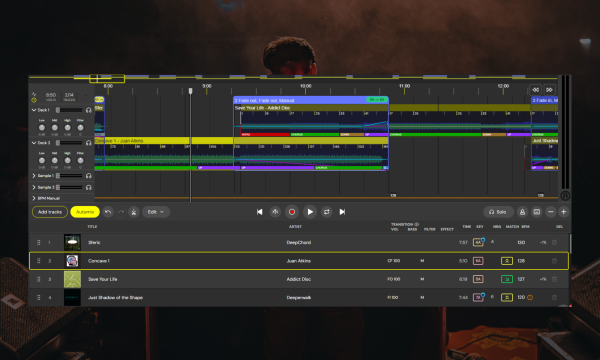
To see how these benefits are unlocked, let’s have a look at the software’s workflow:
- Open DJ.Studio – you can install the app, or run a lighter version in your browser.
- Connect Libraries – DJ.Studio can seamlessly connect to most other DJ software and music libraries, including rekordbox, VirtualDJ, Serato, Traktor, iTunes, and many more. This lets you access your full DJ library without waiting for extra analysis.
- Import Tracks – You can also import music directly into DJ.Studio if you don’t want to use a 3rd party app.
- Create a Project – DJ.Studio offers three project types – Local File, YouTube and Beatport streaming. The latter lets you mix with streaming sources. In this guide, we’ll look at the Local File mode.
- Build a Setlist – Now you can add songs to your playlist. You can manually adjust the order, or…
- Use the Automix – The automix tool helps you to find the perfect playlist order based on key and tempo matching the songs. You can also specify what type of transition presets to use.
- Refine the Mix – Use the timeline editor to sculpt your mix in precise detail. Change the arrangement and position of songs, use effects, loops, and extra samples to perfect the mix’s flow. Tweak transitions manually, or use the presets for quick inspiration.
- Export! – You can export the mix to a range of locations. Rapidly render the mix to .wav or .mp3 files, create YouTube videos with audio-reactive animations, or export the mix as a DJ set file back into your live mixing software, containing all the information you need for a pristine performance.
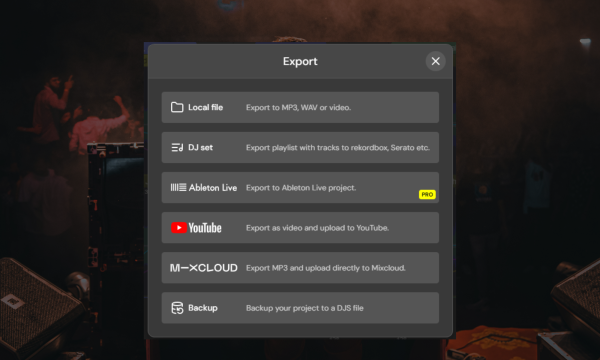
This workflow is far more efficient than traditional methods and also has a higher ceiling for quality, expression, and creativity.
This is just one type of workflow offered by DJ.Studio, so make sure you explore the website for more information. Or even better, try it yourself with a free 14-day trial.
Finally…
By taking advantage of the knowledge above, you’ll quickly become a more productive and prolific DJ. By maintaining a consistent level of high-quality creative output, you have more chance of getting noticed by a wider audience.
Remember, retaining an audience as a DJ is largely a zero-sum game. This means that one person listening to somebody else is one person not listening to you. By being more prolific, you can garner more attention!
Integrate the points above with software like DJ.Studio for the most productive DJ workflow!

Magnetic byline note: This byline is used for staff produced updates and short announcements, often based on press materials and official release information. Editorial responsibility: David Ireland (Editor in Chief) and Will Vance (Managing Editor). About: https://magneticmag.com/about/ Masthead: https://magneticmag.com/masthead/ Contact: https://magneticmag.com/contact/