Table of Contents
Universal Audio’s LUNA 1.9 update is rolling out with one goal: reduce the clicks, menus, and second-guessing that normally break your workflow. And it’s not fluff. This version brings actual utility—voice-activated recording, real-time tempo tools, and automatic track labeling that removes some of the friction every producer runs into during a session.
For solo artists, hybrid engineers, or anyone who wants their DAW to feel more like a studio assistant and less like a software manual, LUNA v1.9 is a clean step forward. It’s free, available now, and doesn’t require Apollo hardware or UA plugins to run.
New Tools Help You Move Faster
There’s a growing trend in DAW development to bolt on AI features for novelty. But LUNA’s implementation focuses on what producers actually need: faster routing, less distraction, and no guesswork.
- Voice Control: Say “Hey LUNA, start recording” and it rolls. No need to walk back to your desk, reach for the mouse, or stop playing. It works hands-free if you’re on an Apple Silicon Mac. That’s especially useful for vocalists or instrumentalists tracking alone.
- Instrument Detection: LUNA now listens to what’s coming in, figures out the instrument type, and automatically names and color-codes the track. That includes both audio and MIDI. It’s a small thing that pays off quickly when you open up a project days later.
- Tempo Listen and Detection: You can play your idea naturally, and LUNA will sync the session tempo to match—no click track setup required. Drop in a loop or start from a live take, and it’ll handle the tempo map behind the scenes. That includes dynamic tempo changes and natural groove shifts.
These aren’t headline features for the sake of it. They’re session shortcuts that let you move from idea to take without the usual slowdown.
Quick Takes and Long Sessions
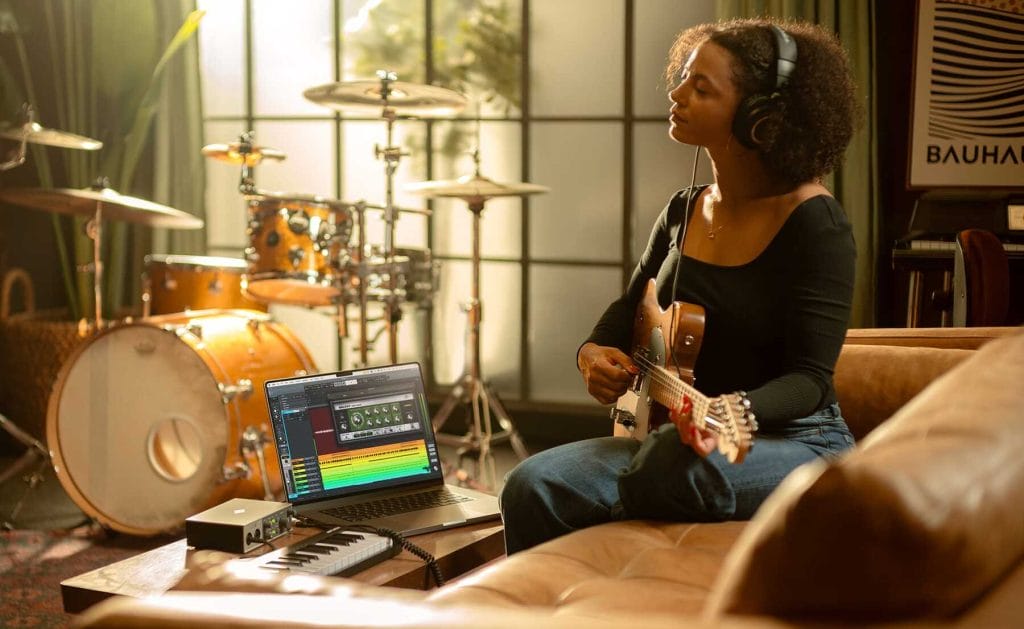
LUNA’s been around since 2020, when it debuted as the first DAW with integrated analog extensions from Neve, API, Ampex, and Studer. While those premium tools still exist in the Pro bundle, the base version of LUNA remains free and increasingly powerful—especially for creators who don’t want to invest in a full plugin suite upfront.
You still get the same zero-latency monitoring and tape-style workflow when paired with Apollo interfaces. But the 1.9 update also expands compatibility. It now supports any Core Audio or ASIO interface, which means you don’t need to be part of the UA ecosystem to get started.
A Shift in DAW Expectations
This isn’t about pushing flashy tools—it’s about cutting out the parts of DAW usage that slow people down. The features in 1.9 point to a larger shift happening in music software: get the tech out of the way and let musicians play.
If you’ve been sitting on LUNA or only using it as a tracking tool, now’s a good time to give it a real test. The AI additions make it easier to stay in the creative headspace longer, especially during first takes or when sessions move fast. You can still opt into the extended suite with Neve summing and Studer tape, but the core functionality is now better equipped to handle full projects.
Where to Get It
LUNA 1.9 is available now for free at uaudio.com and works on macOS and Windows. Voice Control currently supports Apple Silicon Macs only, but everything else is ready to go with any interface.
You can also explore LUNA Pro if you want to integrate analog extensions, or browse the UAD plugin collection for more mix tools. For producers focused on writing and recording fast, though, the base version of LUNA 1.9 is already a serious contender.

Magnetic byline note: This byline is used for staff produced updates and short announcements, often based on press materials and official release information. Editorial responsibility: David Ireland (Editor in Chief) and Will Vance (Managing Editor). About: https://magneticmag.com/about/ Masthead: https://magneticmag.com/masthead/ Contact: https://magneticmag.com/contact/