Table of Contents
finding a solid monitor arm without dropping a ton of cash? That can be tricky. No worries, though! After spending years using everything from cheap entry-level options to high-end rigs, I’m here to help you cut through the noise.
So, let’s dive in. Here are my top picks for the best monitor arms you can snag under $150—complete with the pros, cons, and why they’re worth your time.
What Changed For 2026?
A few of the older picks needed a real update. Prices have shifted, availability has changed, and some models that made sense in 2024 are no longer the easiest to recommend under $120.
Hexcal is the clearest upgrade from the old version of this article. It was listed at around $120 before, while the current direct price checked is $79.20, with the regular price shown at $99. That makes it a much better value than it was in the original roundup.
WALI still owns the low-price category, although the exact model matters. The M001S is the best fit for a simple, low-cost single-monitor arm, while the SS6 and GSDM001 are better if you want a gas-spring style arm instead of a pole-based mount.
VIVO also needed a specs update. The STAND-V101G1 now makes a lot of sense under the $120 cap because VIVO lists the black version at $99.99, with support for regular monitors up to 32 inches and ultrawides up to 49 inches.
The AVLT dual stacked arm is still a good concept, yet current pricing and availability make it harder to keep as a main under-$120 pick. I would still consider it if you find it at the right price, although Mount-It and Monoprice are cleaner recommendations for the current version of this article.
Quick Picks: Which Monitor Arm Should You Buy?
| Pick | Product | Current Price Checked | Best For | Main Limitation |
|---|---|---|---|---|
| Best overall | Hexcal Single Monitor Arm | $79.20 sale, $99 regular | Clean single-monitor setups, creative desks, home studios | Weight cap rules out some very heavy ultrawides |
| Best cheap pick | WALI M001S Single Monitor Mount | $31.49 sale, $39.99 regular | Basic 24-inch to 32-inch monitor setups | Pole-style design is less fluid than gas-spring arms |
| Best gas-spring value | HUANUO SS6 Essential Single Monitor Mount | $49.99 | Home offices, small desks, light to midweight screens | Lower weight limit than VIVO or Hexcal |
| Best for ultrawide monitors | VIVO STAND-V101G1 | $99.99 black, $109.99 white | 34-inch to 49-inch ultrawide users | Bigger arm, less discreet on compact desks |
| Best low-cost dual mount | Mount-It MI-2752L | $46.99 | Side-by-side dual screens on a budget | Less flexible than separate gas-spring arms |
| Best vertical dual option | Mount-It MI-1768 | $54.99 | Stacked screens and narrow desks | Listed as unavailable when checked |
| Best single-arm Monoprice option | Workstream by Monoprice Low Profile Single Monitor Gas Spring Desk Mount | $69.99 | Wall-adjacent desks and clean single-screen setups | Stock can change quickly |
| Skip for now | Monoprice Low Profile Dual Monitor Gas Spring Desk Mount | $109.99 | Dual gas-spring setup when in stock | Out of stock with ETA listed as August 12, 2026 when checked |
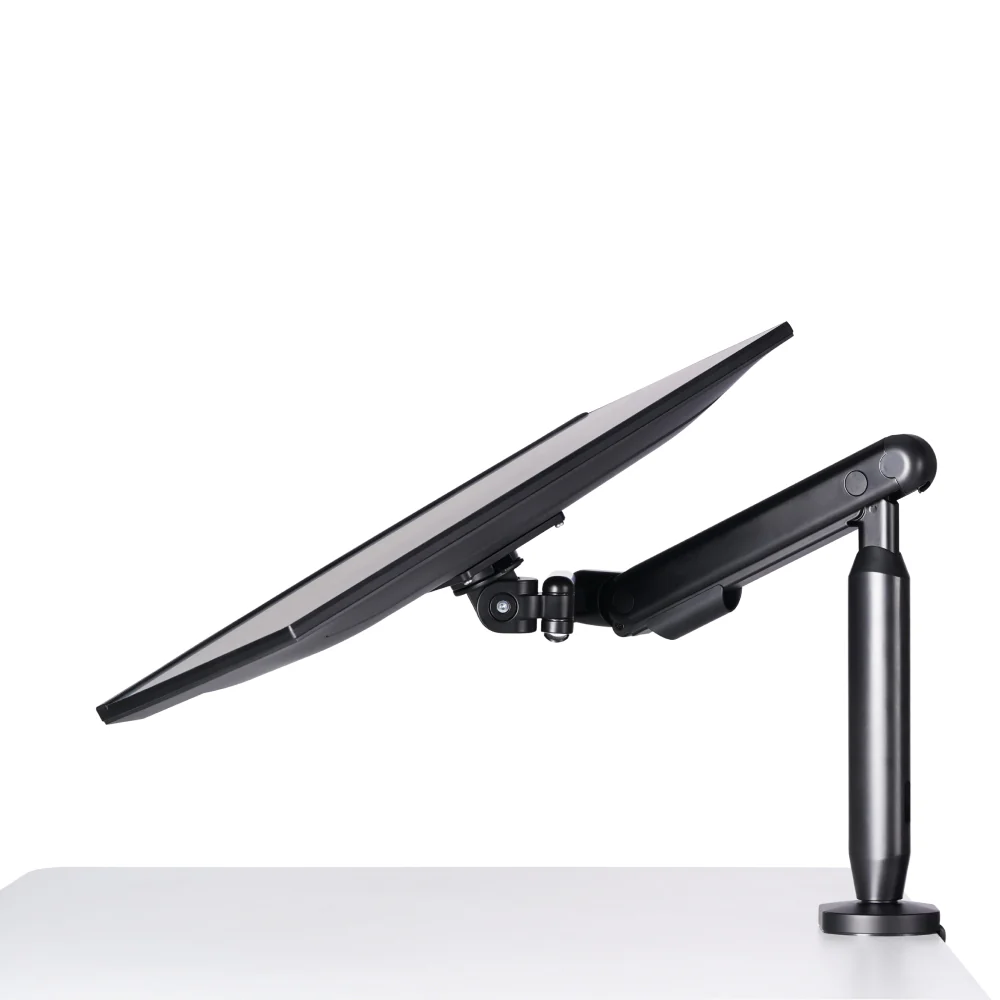
Hexcal Single Monitor Arm – Best For Creatives In The Studio
Price: $120
Amazon Rating: N/A
Weight Capacity: Up to 24.2 lbs
Why I Recommend It:
For creative professionals who spend long hours in the studio, the Hexcal Single Monitor Arm, made by the same company that brought us one of the coolest studio organizational tools in the game, offers a stylish and flexible option that seamlessly blends form and function. Hexcal’s design philosophy is about making studio setups that not only work well but also look good while doing it. This monitor arm is a solid example of standing out in the crowded market of clunky, industrial-looking arms that don’t always fit well in a modern creative workspace.
Key Features:
- Premium Design: Made from aluminum, steel, and plastic, the Hexcal arm feels more high-end compared to most options at this price point. Its clean, minimalist design means it won’t distract from the overall aesthetic of your workspace.
- Compatibility: Supports monitors from 13 to 35 inches and up to 24.2 lbs. Ideal for studio setups where you don’t want to deal with flimsy arms that could drop your gear.
- Versatile Adjustments: Features a tilt range of +60° to -60°, a swivel range of +90° to -90°, and an arm extension of up to 19 inches, giving you plenty of flexibility to position your monitor just right—whether you’re sitting at the desk or standing during a session.
Pros:
- Sleek Design: This is one of the most visually appealing monitor arms out there, and it doesn’t sacrifice style for functionality.
- Great for Ergonomics: Helps keep your monitor at the right height, reducing strain during long production sessions.
- Affordable Entry Point: For under $150, you’re getting a solid product from a reputable brand without venturing into premium pricing territory.
Cons:
- Limited Weight Capacity: With a max capacity of 24.2 lbs, it’s not suited for ultrawide or especially heavy monitors. Stick with standard or widescreen monitors under 35 inches.
- Limited Availability: Not available on Amazon or other major retailers, so it might be harder to source compared to other brands.
Who It’s For:
This one’s for the creative professionals, producers, and content creators who need an arm that’s as stylish as it is functional. If aesthetics matter to you, and you want your gear to reflect the vibe of your studio, the Hexcal Single Monitor Arm is a great pick. It’s perfect for keeping your secondary monitor off your desk, whether you’re using it for a mixing board in your DAW or just to watch Netflix while you’re kicking back.
North Bayou Single Monitor Arm – Best Overall Budget Option
Price: $30
Amazon Rating: 4.5 Stars (177,000+ Reviews)
Why I Recommend It:
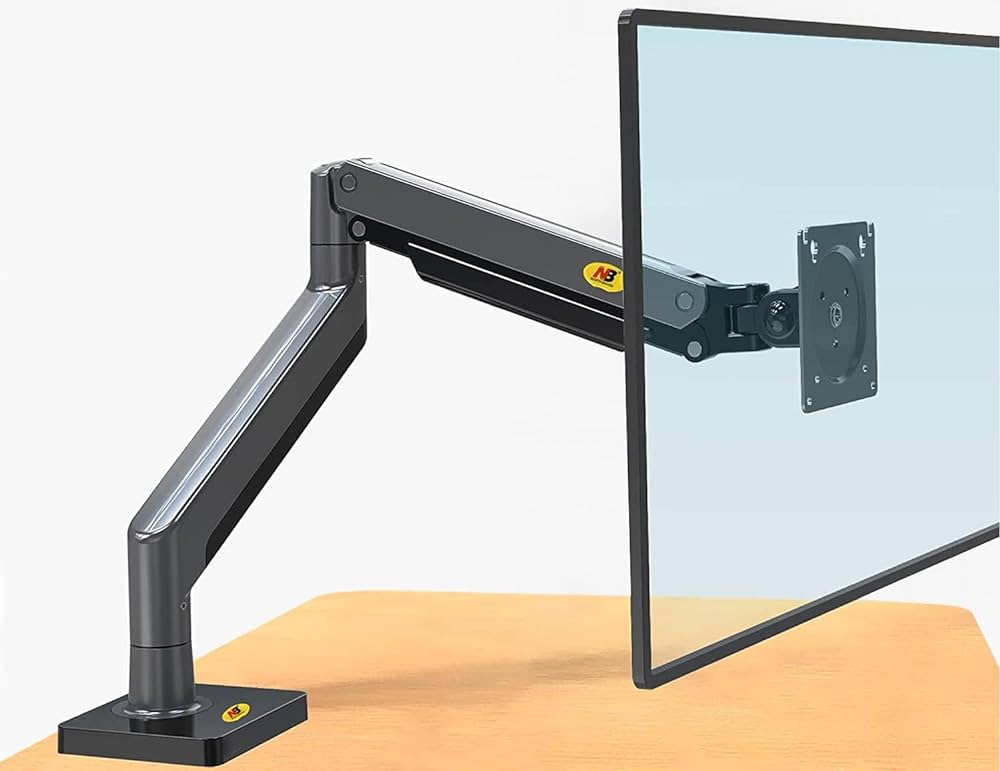
Alright, let’s start with a no-brainer for anyone on a tight budget: the North Bayou Single Monitor Arm. For around $30, it’s almost a steal.
You get all the basics—decent build quality, smooth adjustments, and compatibility with a wide range of monitors.
This is a solid pick if you’re just looking to get your monitor off your desk and want something that’s easy to set up.
Key Features:
- Size Compatibility: Designed for screens between 17 to 30 inches, with a max weight capacity of just under 20 lbs.
- Build Quality: Mostly steel construction, which makes it surprisingly sturdy for the price.
- Adjustability: Easy to adjust, but don’t expect the kind of flexibility you’d get from premium arms.
- Ease of Installation: You can set this thing up in under 10 minutes, even if you’ve never touched a monitor arm before.
Pros:
- Incredibly affordable for what you get.
- Super easy installation—minimal tools required.
- Great for standard monitors and smaller ultrawides.
Cons:
- The cable management could be better—it uses some basic clips that feel kind of cheap.
- Not ideal for heavier or larger monitors—stick with 30 inches or less for stability.
Who It’s For:
If you’re looking to clear up desk space and get into the world of monitor arms without a big upfront investment, this is your move. Perfect for students, home office setups, or anyone looking for a basic arm that just works.
WALI Single Monitor Arm – Best Entry-Level Pick
Price: $31
Amazon Rating: 4.4 Stars (4,000+ Reviews)
Why I Recommend It:
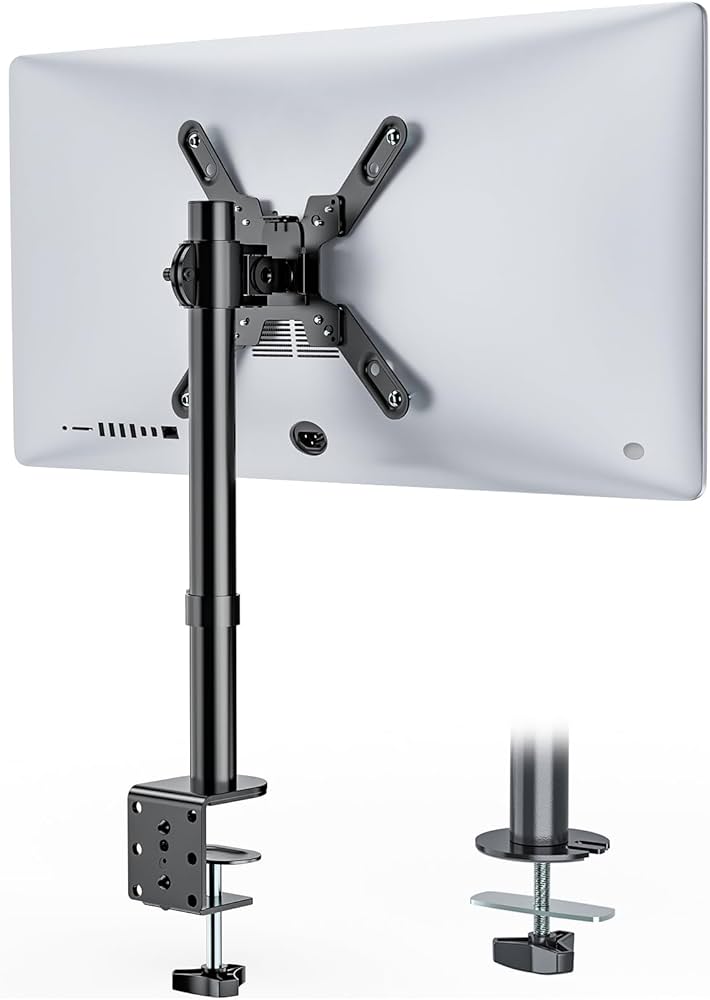
The WALI Single Monitor Arm is the next step up from the North Bayou, offering a bit more in terms of build quality and adjustability. For around $50, you’re getting a more refined experience, especially if you’re looking to adjust your monitor frequently throughout the day. It’s ideal for people who want a little more reliability and sturdiness.
Key Features:
- Max Weight Capacity: Up to 17.6 lbs, which is more than enough for most 32-inch monitors.
- Smooth Adjustability: This thing moves like butter—no jerky movements or awkward repositioning.
- Build Quality: It’s made of a thicker, more robust steel than some of the cheaper options. No worries about this thing tipping over.
Pros:
- Great adjustability and build quality for the price.
- Easy to mount and set up, even in tighter spaces.
- Perfect for those with smaller desks or setups that don’t need to support heavy monitors.
Cons:
- Cable management is still a bit of a hassle—nothing fancy here.
- Slightly lower weight capacity than some of its competitors.
Who It’s For:
If you’re willing to spend a little extra to get smoother adjustments and better stability, the WALI is an excellent upgrade. It’s a solid choice for people working with 24 to 27-inch monitors or lighter 32-inch models.

AVLT Dual Stacking Monitor Arm – Best for Multi-Monitor Setups
Price: $120
Amazon Rating: 4.5 Stars (1,500+ Reviews)
Why I Recommend It:
If you’re rocking a dual-monitor setup, this AVLT arm is where you want to be. It’s perfect for stacking two 27-inch monitors vertically, and the build quality is top-notch. I’m talking heavy-duty steel construction with smooth adjustability for both monitors.
Key Features:
- Dual Monitor Support: Supports two monitors up to 27 inches each with a combined weight capacity of 19.8 lbs per monitor.
- Sturdy Build: The main pole is made of solid steel, which means it will not wobble or shake when you adjust the height.
- Cable Management: This is better than some of the cheaper models, but the plastic covers still make it a bit bulky.
Pros:
- Perfect for stacking monitors vertically.
- Super stable—even with two monitors mounted.
- Good cable management compared to entry-level options.
Cons:
- Plastic components feel a bit cheap for the price.
- Setup can be a little tricky if you’re not used to multi-monitor mounts.
Who It’s For:
If you’re running a dual-monitor setup and want something that looks clean, holds up well, and doesn’t require constant readjustment, this is a great pick. Remember that it’s designed for stacked setups, not side-by-side.

Vivo Premium Monitor Arm – Best for Heavy Monitors
Price: $60
Amazon Rating: 4.3 Stars (1,000+ Reviews)
Why I Recommend It:
Got a heavier monitor or an ultrawide? The Vivo Premium Monitor Arm can handle it like a champ. I’ve tested this with everything from a 40-inch ultrawide to a 49-inch super ultrawide, and it holds up remarkably well. It’s sturdy, smooth, and doesn’t sag under pressure—everything you want in a heavy-duty monitor arm.
Key Features:
- Heavy Duty: Supports monitors up to 20 lbs with a screen size of up to 34 inches.
- Build Quality: Mostly steel and aluminum, so it’s built to last.
- Adjustability: Smooth movements even with heavier monitors—no sagging or wobbling.
Pros:
- Handles heavy and large monitors with ease.
- Easy setup, even for big screens.
- Reliable and sturdy construction.
Cons:
- Not the prettiest design—clear cable management clips stand out.
- A bit bulky if you’re trying to keep a minimalist setup.
Who It’s For:
Anyone with a heavier or larger monitor that needs reliable support. It’s a solid pick for creative professionals or gamers with ultrawide setups.
Should You Spend The Full $120?
Only spend near $120 if the monitor demands it. For a normal 24-inch or 27-inch display, you can get a good arm under $80. For ultrawides, heavy screens, or cleaner finish quality, spending closer to the cap is easier to justify.
Final Verdict: What Is The Best Monitor Arm Under $120?
For most people, the best monitor arm under $120 is the Hexcal Single Monitor Arm. At the current $79.20 direct price, it gives you the best mix of build, clean design, cable management, and monitor support without going close to the top of the budget.
If price is the main concern, buy the WALI M001S. It is basic, cheap, and good enough for a fixed screen position.
If you want smooth movement for a common 13-inch to 32-inch monitor, buy the HUANUO SS6.
If you have an ultrawide or a heavier display, buy the VIVO STAND-V101G1.
If you need two screens, start with the Mount-It MI-2752L for side-by-side layouts, then watch the Mount-It MI-1768 or AVLT dual stacked arm if you want a vertical setup.
The larger point is that you should buy the arm for the monitor you actually own, not the one with the cleanest product photo. Weight, VESA pattern, desk thickness, and daily movement matter more than branding here. Get those right, and the setup gets cleaner almost immediately.

Magnetic byline note: This byline is used for staff produced updates and short announcements, often based on press materials and official release information. Editorial responsibility: David Ireland (Editor in Chief) and Will Vance (Managing Editor). About: https://magneticmag.com/about/ Masthead: https://magneticmag.com/masthead/ Contact: https://magneticmag.com/contact/