Table of Contents
The OBSBOT Tiny 2 Lite is still one of the more interesting 4K webcams for people who want better video without building a full camera rig. It has a small two-axis gimbal, AI tracking, gesture control, a 1/2-inch CMOS sensor, USB-C connection, HDR support, preset positions, and enough framing control to make a normal laptop camera feel limited fast.
The bigger question in 2026 is whether it still makes sense now that OBSBOT has newer models like the Tiny 3 Lite and Tiny 3, while Insta360, Logitech, Elgato, and Razer all have premium webcam options in the same general space.
The answer: The OBSBOT Tiny 2 Lite is still worth buying in 2026 if you want a compact 4K webcam with smooth AI tracking, gesture control, and a lower price than most premium PTZ webcams. It is best for calls, teaching, streaming, online tabletop games, and creators who move while they talk.
What Is The Verdict On The OBSBOT Tiny 2 Lite In 2026?
The OBSBOT Tiny 2 Lite still gets a recommendation, especially at the current $119 B&H price. At that number, it is a much easier buy than it was at the original $179 launch price, and it fills a clear spot between basic 1080p webcams and newer premium 4K tracking cameras.
The main reason to buy it is the tracking. A normal webcam sits still. The Tiny 2 Lite can pan, tilt, follow your face, respond to hand gestures, switch between preset positions, and keep the shot centered while you move around. That is genuinely helpful if you teach, present, stream, demo gear, run online games, or record content at a desk.
The main reason to skip it is that OBSBOT’s own lineup has moved forward. The Tiny 3 Lite is newer, costs $199 at B&H, adds spatial audio, and supports newer tracking modes. The Tiny 3 costs $349 at B&H and moves up to a 50MP 1/1.3-inch CMOS sensor. If you want the newest OBSBOT camera, the Tiny 2 Lite is no longer that product.
My verdict is simple: buy the Tiny 2 Lite if you want affordable 4K AI tracking and can find it around $119 to $159. Compare the Tiny 3 Lite if you want the newer OBSBOT model. Compare the Insta360 Link 2 if you want a similar 4K gimbal webcam with a more current competitor ecosystem.
What Is The OBSBOT Tiny 2 Lite?
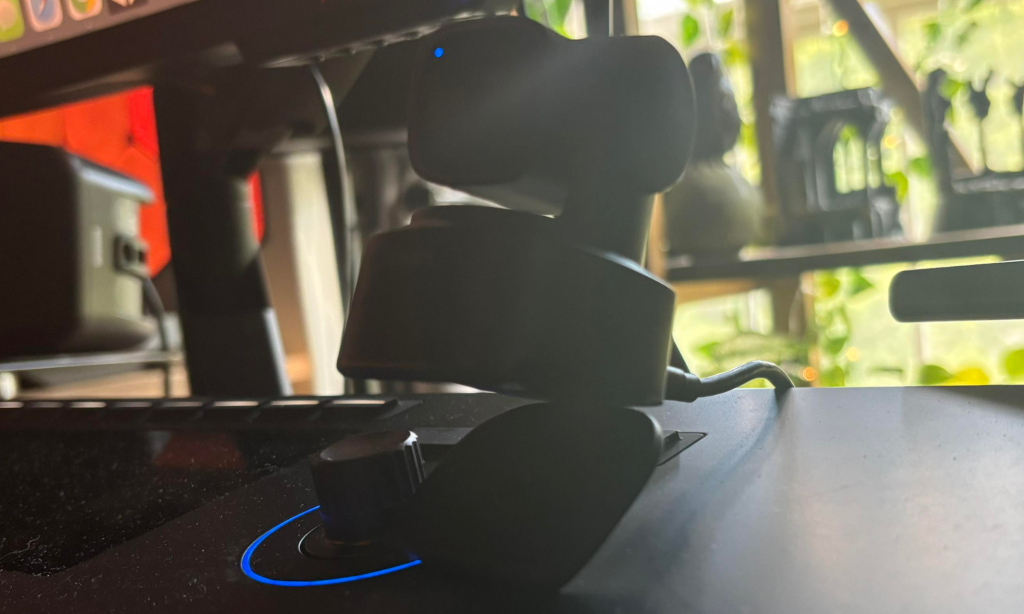
The OBSBOT Tiny 2 Lite is a compact, advanced webcam designed for professional and personal use. It measures 47 x 44 x 62.02 mm and is made from premium magnesium alloy, which provides a durable and luxurious feel. The webcam features a gimbal-mounted camera, a magnetic mount for easy attachment to monitors, and a female tripod thread for additional mounting options. It connects to devices via a USB-C port and includes a protective travel case.
This webcam offers several unique features to enhance the user experience. With hand gestures, dynamic Gesture Control lets users control the camera’s movements and settings. AI Tracking with Auto Zoom ensures the camera smoothly follows the subject. The Obsbot Webcam app allows users to apply beauty filters and manually adjust camera settings such as exposure and field of view.
The OBSBOT Tiny 2 Lite delivers high-quality visuals and performance for business meetings, streaming, and content creation. It supports resolutions up to 4K at 30fps and has a 1/1.5” CMOS sensor. The webcam includes additional features such as a small light indicator for mode status and a Beauty Mode that can be accessed through the Obsbot Webcam app, allowing users to apply retouching effects to their video feed. The app also enables further customization of camera settings for optimal video quality.
How Much Does The OBSBOT Tiny 2 Lite Cost In 2026?
The OBSBOT Tiny 2 Lite launched at $179, but the current price checked at B&H is $119. Other retailers may list it closer to $129, $159, or $179 depending on stock, coupons, and bundles.
| Product | Current Price Checked | Best For | Main Buying Note |
|---|---|---|---|
| OBSBOT Tiny 2 Lite | $119 at B&H | Affordable 4K AI tracking | Best buy when discounted |
| OBSBOT Tiny 3 Lite | $199 at B&H | Newer OBSBOT Lite model | Adds spatial audio and newer tracking features |
| OBSBOT Tiny 3 | $349 at B&H | Higher-end OBSBOT webcam | Bigger 50MP 1/1.3-inch CMOS sensor |
| Insta360 Link 2 | $199.99 at B&H | 4K gimbal webcam competitor | Best Tiny 2 Lite alternative for many buyers |
| Insta360 Link 2C | $149.99 at B&H | 4K webcam without motorized gimbal | Better if you do not need PTZ movement |
| Logitech MX Brio | $199.99 at B&H | Static 4K webcam for work calls | Better if you want no moving gimbal |
| Elgato Facecam MK.2 | $149.99 direct | 1080p creator webcam | Better if you stream at 1080p and use external audio |
| Razer Kiyo Pro Ultra | $299.99 launch price | Low-light image quality and larger sensor look | Better for image quality than tracking |
OBSBOT Tiny 2 Lite Review – The Five Pros
The Definition

I’ve used a couple of different webcams at this point in my career as an online content creator, and I’ll admit that this is by far the clearest image with the highest quality definition that I’ve used. The focus is clear on my face, and it blows even my iPhone camera’s video out of the water, which is pretty tough to do these days with the quality of the cameras of the recent iPhone models.
The above image is a still frame of a video on a Zoom call, which is pretty damn impressive, seeing as usually the video quality in the Zoom calls that I have is severely downgraded both through the limitations of Zoom’s tech and the camera itself.
The Gestures + Commands
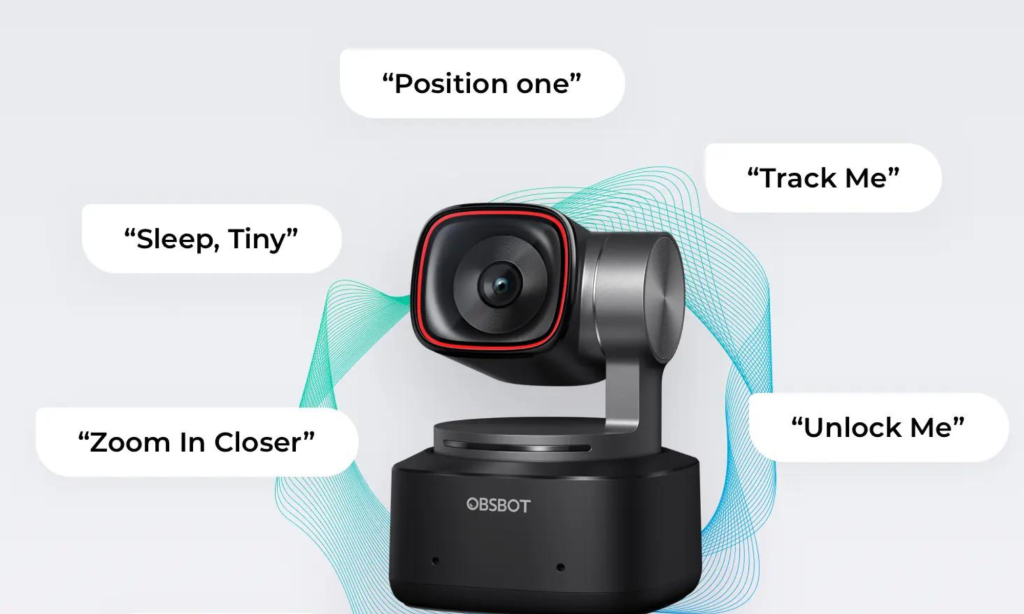
There is a small set of gestures pre-programmed into the webcam that allows you to control some of the basic functions of the webcam, and that helped out my workflow. I am not ashamed to admit that I run a Dungeons and Dragons game with some friends online, and there is a lot to keep track of when I’m running the game for my friends and having a couple of gesture-based commands to control some of the basic features of the OBSBOT Tiny 2 Lite helps manage this. While the number of gestures is pretty limited, you do get the important ones, which handled 80% of the things I would have asked them to.
The Size
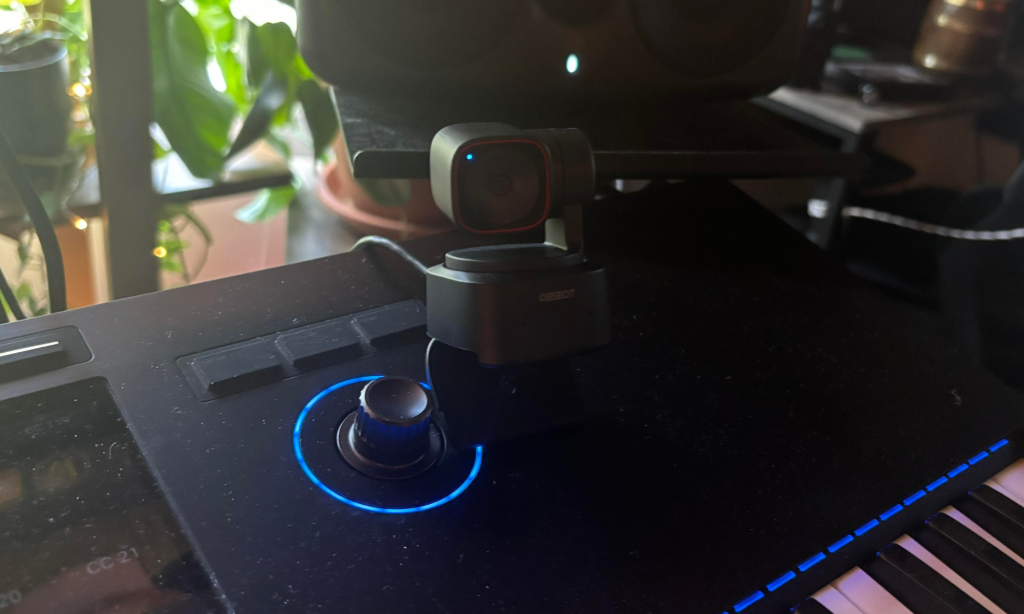
This camera is tiny, which makes its image clarity even more impressive. But what I wanted to highlight here about its size is how travel-friendly it is. If you do a lot of traveling for work, this camera should be a serious consideration as it folds up tightly and compactly for easy storage but has a great little clip that allows it to stay securely on your laptop for meetings and conference calls.
The Smoothness
I tried other auto-tracking webcams over the years, and they would usually give me and my aforementioned group of DnD players seasickness as the tracking moved and bobbed as it tried to keep track of my often overly animated movements (sorry, it’s just how I talk, even when I’m not running DnD games).
But the OBSBOT Tiny 2 Lite tracking was super smooth and not ocean-sickness-inducing. It simply kept up with what I was doing and how I was moving in a smooth and fluid motion, and my players and I were all happier about it.
Of Course It’s Got An App…
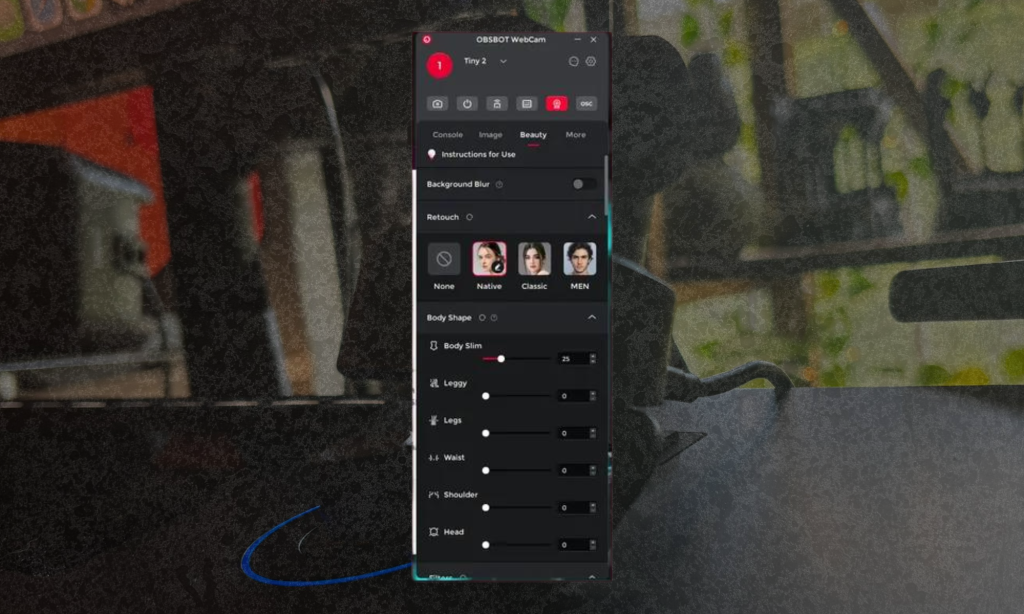
Like most new pieces of tech these days, the OBSBOT Tiny 2 Lite has an accompanying app that lets you get the most out of the webcam. I usually rail against products requiring you to download an app to get the maximum value from a product. Still, the OBSBOT app brings enough functionality and customization to the webcam to warrant the down.
It has filters that can enhance your skin and other aesthetic effects, but overdoing it can make you look unnatural.
Outside of that, you can adjust the webcam’s different modes, manually tinker with the view, and adjust the exposure settings. Overall, this webcam offers a ton of functionality and has an easy-to-use interface.
And The Cons…
There is just one downside to this webcam, and that will be the price…
The OBSBOT Tiny 2 Lite is over $150, which is a big price to pay for the average consumer just looking for a casual webcam, especially ones who may have just invested in one of the newer iPhone versions and consider that video quality “good enough” for the Zoom calls that they’re doing.
However, for the working, traveling, and dedicated professional who has the extra money to invest in premium-level webcams for work and content creation, the OBSBOT Tiny 2 Lite is a complete no-brainer.
What Changed For 2026?
The biggest change is price. At launch, the Tiny 2 Lite was a $179 webcam. In 2026, B&H lists it at $119, which changes the whole buying equation. At $179, it had to fight harder against Insta360 and Logitech. At $119, it becomes one of the better values for a 4K webcam with motorized tracking.
The second change is OBSBOT’s own product line. The Tiny 3 Lite and Tiny 3 are now on the market, which means the Tiny 2 Lite is no longer the newest OBSBOT choice. That does not make it irrelevant. It makes it the discount pick.
The third change is the webcam category itself. In 2026, premium webcams are no longer just about resolution. Framing, AI tracking, whiteboard modes, desk views, app control, low-light handling, audio modes, privacy, and compatibility all matter now. A 4K label by itself does not tell the whole story.
Final Verdict: Should You Buy The OBSBOT Tiny 2 Lite In 2026?
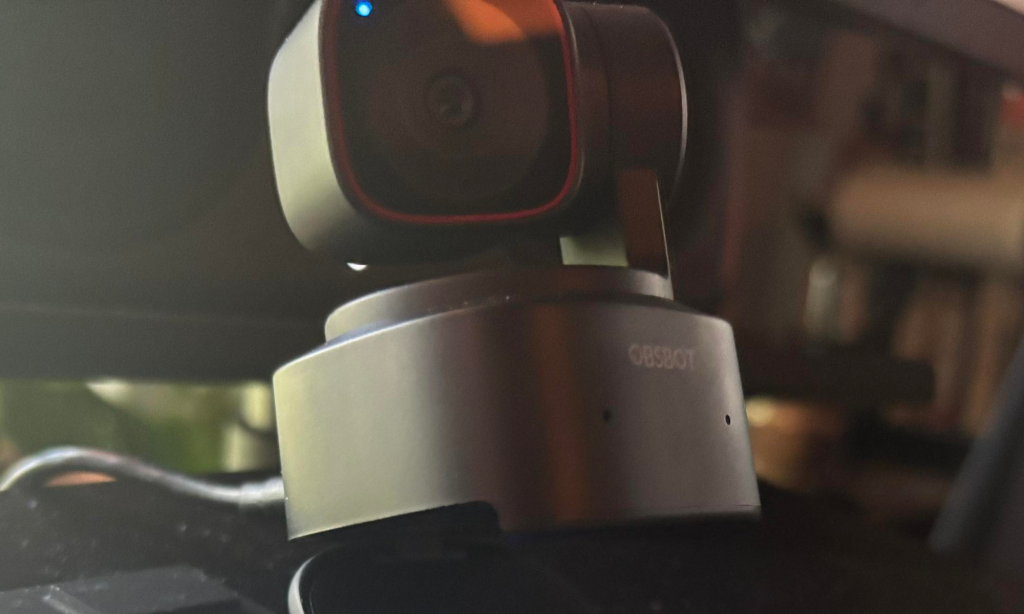
The OBSBOT Tiny 2 Lite is still worth buying in 2026, especially at the current $119 street price. It gives you 4K30 video, a 1/2-inch CMOS sensor, AI tracking, auto zoom, gesture control, preset positions, dual microphones, USB-C connection, and a travel-friendly design for much less than many premium 4K webcams.
It is not the newest OBSBOT model anymore, and that needs to be clear. The Tiny 3 Lite and Tiny 3 now sit above it in the line. Insta360 Link 2 is also a serious competitor if you want a newer 4K AI gimbal webcam. Logitech MX Brio makes more sense if you want a static professional webcam. Elgato Facecam MK.2 makes sense if 1080p streaming with external audio is the whole job.
The reason the Tiny 2 Lite still works is that it nails the price-to-feature balance. It is small, sharp, smooth, and flexible enough for calls, teaching, streaming, music studio demos, online games, and creator desks.
The clean recommendation is this: buy the OBSBOT Tiny 2 Lite if you want affordable 4K AI tracking and can get it around $119 to $159. Compare Tiny 3 Lite if you want newer OBSBOT features. Compare Insta360 Link 2 if you want another 4K gimbal camera. Skip all of them and buy a static webcam if you never need the camera to move.
Is The OBSBOT Tiny 2 Lite Better Than The Tiny 3 Lite?
The Tiny 3 Lite is the newer product. It costs $199 at B&H, uses a 48MP 1/2-inch CMOS sensor, adds spatial audio support, and includes newer camera modes such as Desk and Whiteboard modes. It also supports voice and gesture control.
The Tiny 2 Lite is the better value when the price is much lower. At $119, it gives you 4K30, AI tracking, auto zoom, gesture control, preset positions, and a compact body for far less money.
That makes the choice fairly simple. Choose Tiny 2 Lite if price matters most. Choose Tiny 3 Lite if you want the newer OBSBOT experience and do not mind spending more.
Is The OBSBOT Tiny 2 Lite Better Than Insta360 Link 2?
The Insta360 Link 2 is the more direct premium competitor. It costs $199.99 at B&H, records up to 4K30, uses a 1/2-inch CMOS sensor, has a two-axis gimbal, supports auto focus, and includes features such as tracking fences, Whiteboard Mode, DeskView, background blur, background replacement, and AI noise-cancelation modes.
The Tiny 2 Lite is the better deal if price is the main factor. The Link 2 is the better pick if you want a newer 4K gimbal webcam with a deeper competitor app ecosystem and more current feature framing.
For most people, the decision comes down to price. At $119, the Tiny 2 Lite is hard to argue with. At $179, the Link 2 becomes much more tempting.
Is The OBSBOT Tiny 2 Lite Better Than Logitech MX Brio?
These cameras solve different problems. The Logitech MX Brio is a static 4K webcam with a 1/2.8-inch Sony Starvis sensor, 4K30, 1080p60, RightLight 5, HDR, dual beamforming microphones, 4x digital zoom, and a privacy cover.
The Tiny 2 Lite is the better pick if tracking matters. The MX Brio is the better pick if you sit still, want a simple work-call camera, and do not need a motorized gimbal.
This is especially relevant for home office users. If all you need is a better head-and-shoulders shot for meetings, the Logitech option may feel more normal day to day. If you teach, move, demo gear, or switch angles, the OBSBOT has the advantage.
Is The OBSBOT Tiny 2 Lite Better Than Elgato Facecam MK.2?
The Elgato Facecam MK.2 is built for a different user. It is a 1080p60 webcam with a Sony Starvis 1/2.5-inch sensor, fixed focus, 84-degree field of view, USB-C connection, 1/4-inch mounting, onboard settings storage, a built-in privacy shutter, and no microphone.
That no-microphone decision is intentional. Elgato assumes creators will use a real USB mic or audio interface, which is usually the right move for streaming and production.
Choose Tiny 2 Lite if you want 4K, tracking, and movement. Choose Facecam MK.2 if you stream at 1080p and care more about a stable camera image with manual control than AI tracking.

Will Vance is a professional music producer who has been involved in the industry for the better part of a decade and has been the managing editor at Magnetic Magazine since mid-2022. In that time period, he has published thousands of articles on music production, industry think pieces and educational articles about the music industry. Over the last decade as a professional music producer, Will Vance has also ran multiple successful and highly respected record labels in the industry, including Where The Heart Is Records as well as having launched a new label with a focus on community through Magnetic Magazine. When not running these labels or producing his own music, Vance is likely writing for other top industry sites like Waves or the Hyperbits Masterclass or working on his upcoming book on mindfulness in music production. On the rare chance he's not thinking about music production, he's probably running a game of Dungeons and Dragons with his friends which he has been the dungeon master for for many years.