Table of Contents
Every few years a piece of gear comes along that makes you rethink what a MIDI controller is supposed to do. The Sway, from Australian-based startup Audima Labs, is one of those devices. Instead of keys, pads, or touchstrips, the Sway reads your hands as they move through the air above its surface and converts those gestures into MIDI performance data.
I was really interested in checking out The Sway for more than a few reasons. Some of the major considerations were that there are no wearables, no gloves, and no external cameras pointed at you. Instead, you have an array of infrared sensors and onboard processing translating movement into expressive musical control.
I’ve spent time with the demo material (which is found in the downloads section of the Audima labs website), dug through the specs, and watched the company’s own walkthroughs to put together a full breakdown of what this thing actually does and who it’s for. Here’s the rundown, section by section.
Build Quality and Hardware
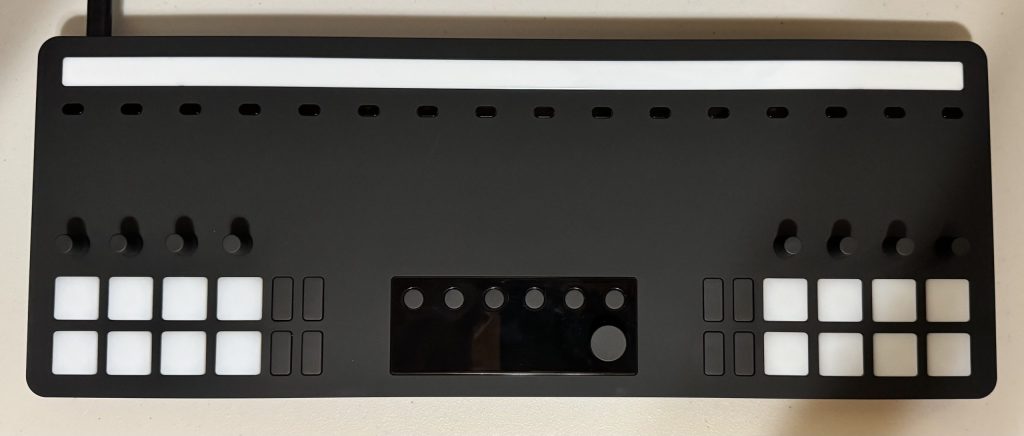
The Sway is a compact unit, and Audima clearly designed it with touring and travel in mind. At around 17.72″ x 6.69″ x 1.57″ (or 45 × 17 × 4 cm), it’s small enough to fit into most producer backpacks while still offering a generous set of performance controls. At only 4.5 lbs (around 2 kg), the unit feels substantial yet not too heavy.
While not built for substantial durability, I didn’t have the feeling that a bump or two would give it any trouble. I even gave the programable rotary encoders a decent jiggle and nothing felt like it was coming loose. The primary rotary encoder feels well secured, and all of the programable pads move just as I would expect an MPC styled pad to operate.
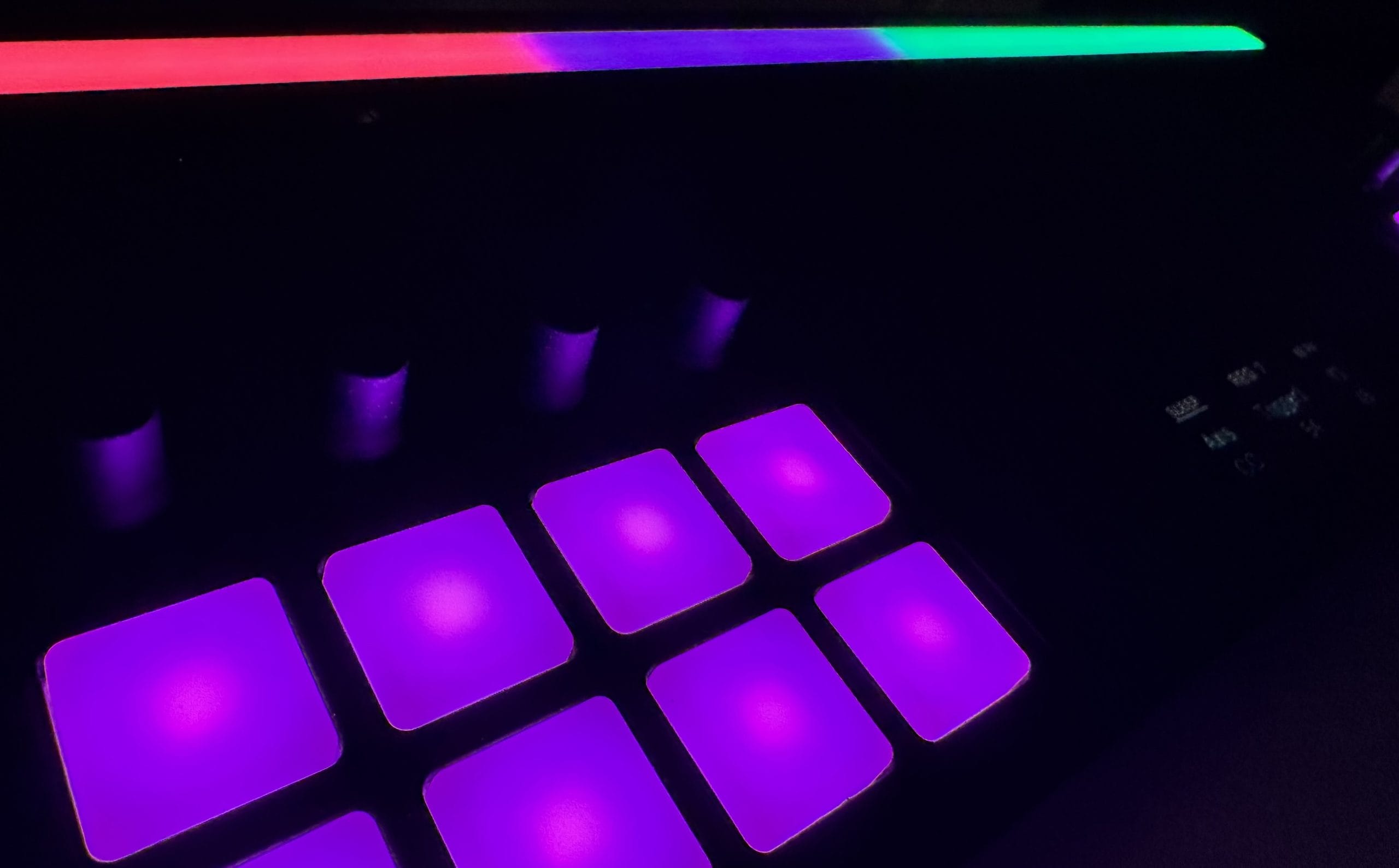
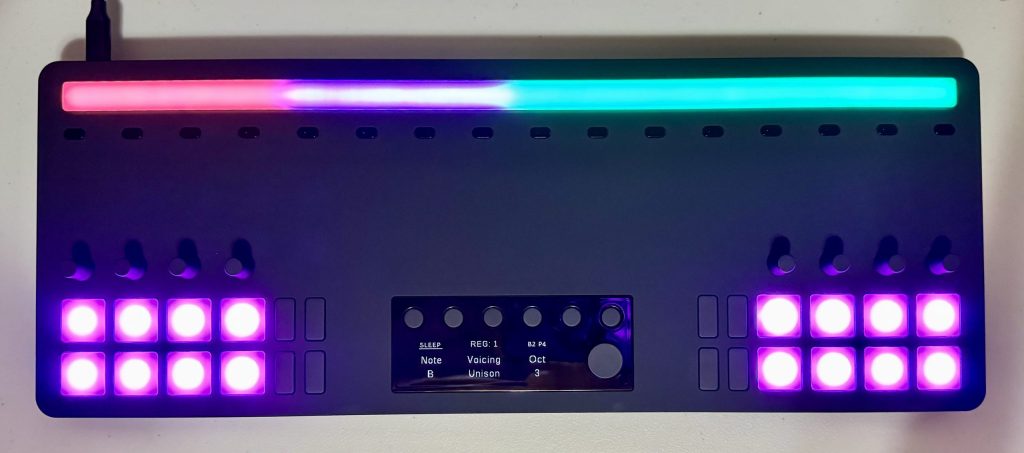
Under the hood, the controller combines 16 infrared sensors with 80 motion-reactive LEDs, alongside 6 configurable preset banks (which you press and hold to open each bank), a 3.2-inch OLED display with a dedicated rotary encoder, eight additional rotary encoders, and 16 pads and 8 buttons for more traditional tactile input.
When I first unboxed The Sway, I appreciated the fact that it included a soft padded carrying case.
On the connectivity front, Audima hasn’t cut corners. The unit includes 1 MIDI Out port via a 3.5 mm TRS jack, a dual-role USB-C port (power and comms), and 1 additional USB-C power supply port. That dedicated MIDI Out port is more significant than it might first appear.
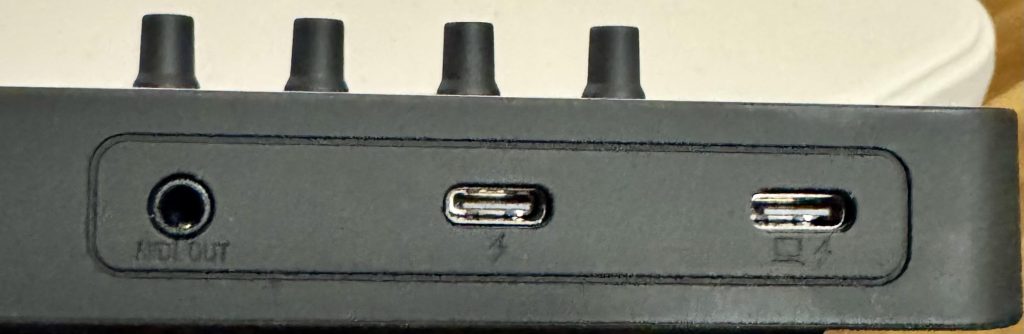
It means the Sway isn’t limited to computer-based workflows. You can connect it directly to compatible synthesizers, drum machines, or other MIDI hardware and perform using gesture control without a DAW in the signal path.
One detail worth highlighting for anyone skeptical of “gesture tracking” marketing claims is how the controller actually senses movement. Rather than performing detailed skeletal hand tracking, the Sway appears to rely on an array of overlapping infrared distance sensors that detect hand position within defined performance zones.
A row of LEDs provides visual feedback to indicate those zones in the XY space above the controller. It’s a practical design that avoids the complexity of camera-based tracking and likely contributes to the responsive feel shown throughout Audima’s demonstrations.
Gesture Control and User Friendliness
Unlike traditional MIDI keyboards, The Sway MIDI Controller doesn’t keep the user stuck in the binary controls of “note on – note off.”
There are multiple kinds of gesture expressions allowing for a more freeform performance or production/playing experience.
Strike responds to the speed of your movement to influence velocity, allowing harder or faster gestures to produce greater intensity.
Sway uses horizontal movement to introduce additional phrasing and expression.
Pulse responds to vertical movement to modulate energy and dynamics.
Glide enables smooth transitions between notes and chords.
Press adjusts intensity as your hands move toward or away from the sensing area.
Sculpt combines both hands to shape chords, melodies, and textures simultaneously.
Prior to using The Sway, my personal workflow often involved either the traditional method of “drawing” in the MIDI notes on the scroll in Logic Pro, or of recording short chord progressions by playing them on my MIDI keyboard.
I’ve greatly enjoyed the feeling of getting my hands off the mouse or my MIDI keyboard for a bit and just letting my hand motions guide things like filter sweeps, trigger FX, and even chords (thanks in large part to the The Sway Software discussed below).
With just a bit of mapping, multiple musical parameters can be controlled through a single natural movement, creating a more performance-oriented way of interacting with virtual instruments and MIDI hardware.
For anyone coming from a conventional keyboard or pad controller, there’s naturally a learning curve, but if you are like me and want a change of pace in how you interact with the process of composing/performing your music, The Sway is a great option for you.
Software and the Theory Engine
The onboard intelligence is arguably just as important as the sensor array itself.
The Sway includes a built-in theory engine that helps organize notes according to musical scales, chords, and octave layouts, allowing players to explore melodic ideas without constantly rebuilding custom mappings. I found that in practice, it means I’m spending less time configuring layouts and more time making music.
The companion Sway Software extends those capabilities by allowing users to customize layouts, mapping configurations, and preset management.
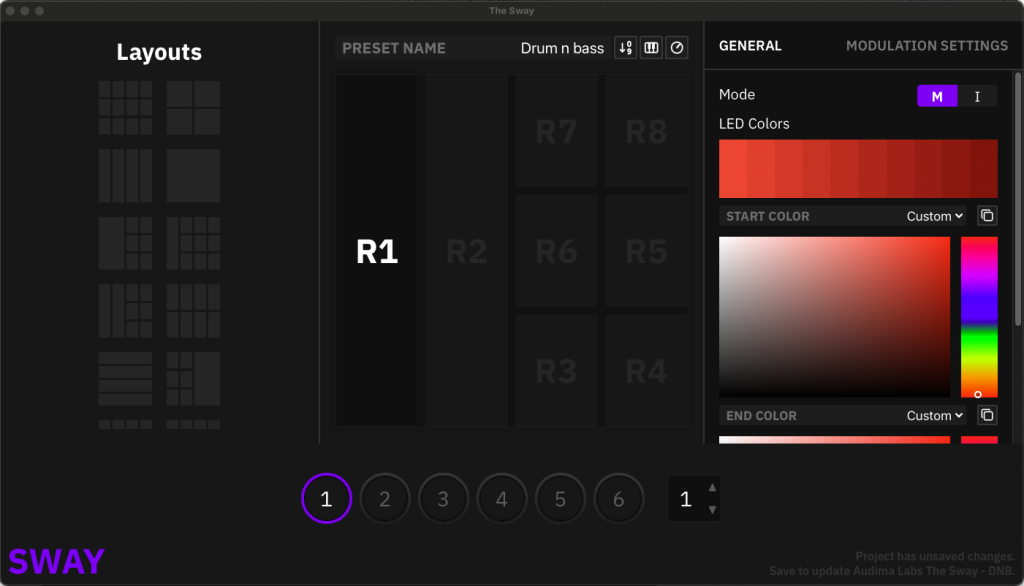
Different configurations can be stored for individual projects, genres, or live performances, while note layouts, chord mappings, colors, and other performance parameters can all be tailored to suit different workflows.
For touring musicians in particular, being able to recall complete performance setups is a significant advantage over manually reconfiguring a generic MIDI controller before every show.
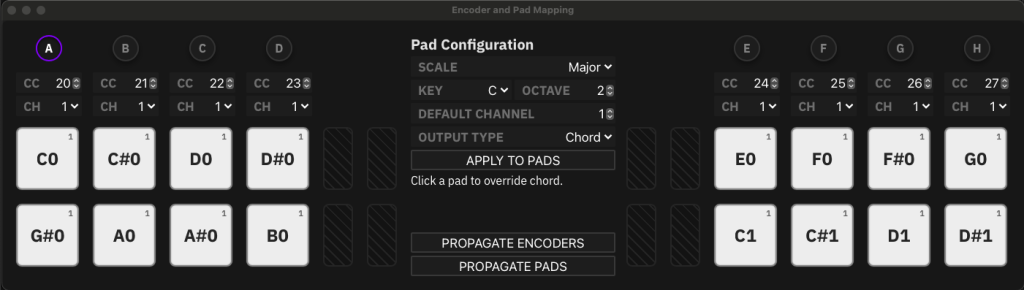
Speaking of the Sway Software, you definitely want to make sure that if you buy one, you check out the latest updates Audima have just launched with improvements in both the performance side (including playing two notes at once using both hands), and more in-depth mapping for chords.
They have even integrated the ability for your DAW to send a signal to change programs without having to click through the settings on the Sway device.
Audima Labs has also committed to regular firmware updates that continue to expand the controller’s capabilities over time.
Compatibility and Setup
Per the Audima Labs website, The Sway is designed to work across a wide range of music production and performance environments. It supports major DAWs including Logic Pro, Ableton Live, FL Studio, and others on macOS, Windows, and Linux via USB-C. It also works with popular DJ software such as Traktor, Rekordbox, Serato, and VirtualDJ.
For my own setup, I connected The Sway to my Apple M4 Pro Mac Mini (24 GB RAM) and experienced no issues with connectivity. Being a user of both Logic Pro (version 12.3) and Ableton Live (version 12.4.3), I enjoyed getting to see how The Sway could easily integrate into both DAWs.
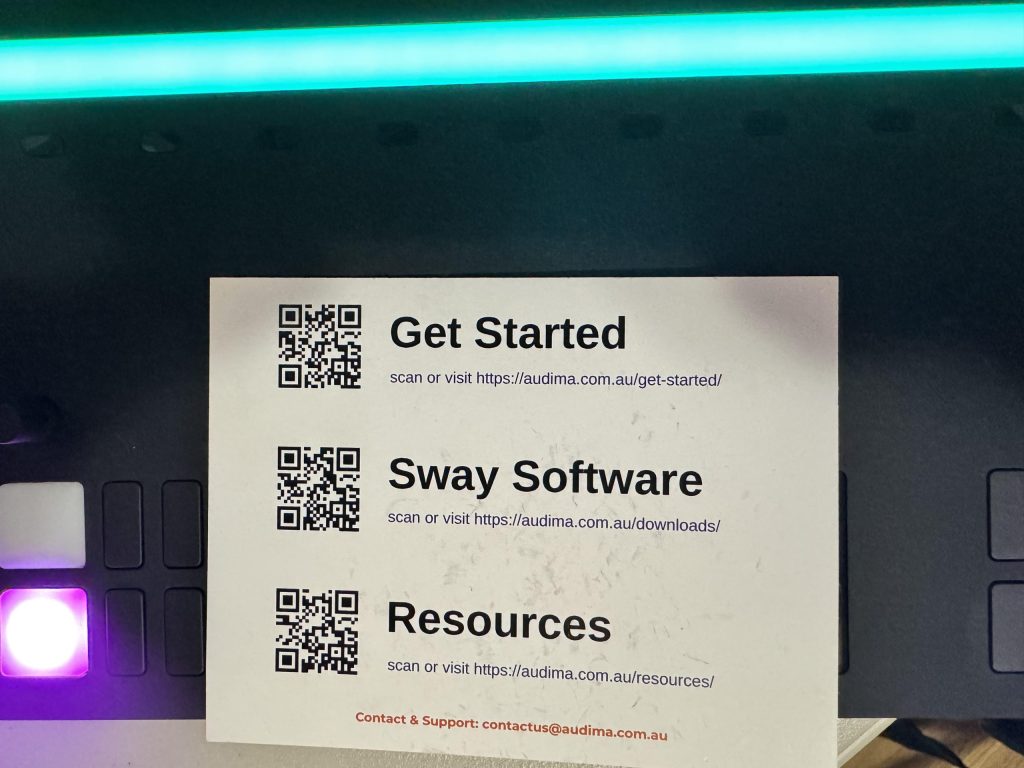
Audima’s actual “in the box” presentation is great. When I first unboxed The Sway, I immediately found this card inside and visited the Get Started page.
I also found that the dedicated Tutorials was very helpful in getting things up and running.
I’m certainly watching for updates and additional videos, as I am a big time visual learner, so seeing how things are supposed to work before I start checking out any piece of gear is a huge help.
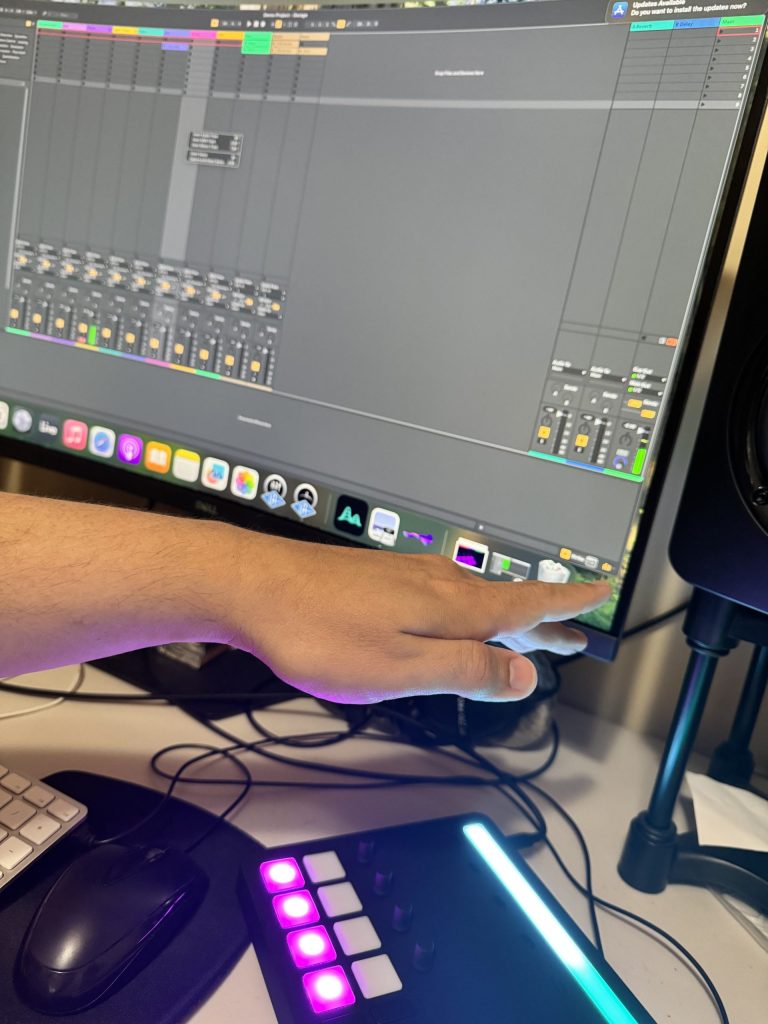
Whether your workflow lives entirely inside a DAW or centers around racks of hardware, integrating the controller into an existing setup is pretty straightforward with the resources that Audima Labs have provided.
As a side note, as long as your computer/studio setup has the available USB-C/Thunderbolt connections available, you can integrate the controllers as part of your existing setup and still have your trusty MIDI keyboard at the ready to use both at the same time if you so choose.
In the Field: Illenium’s Sphere Residency
One of the highest-profile public uses of the Sway so far came during Illenium’s Odyssey residency at Sphere in Las Vegas. According to MusicTech, Illenium incorporated two Audima Labs Sway controllers into his live performance, using hand gestures to trigger and manipulate selected sounds in real time rather than relying solely on traditional keyboard performance.
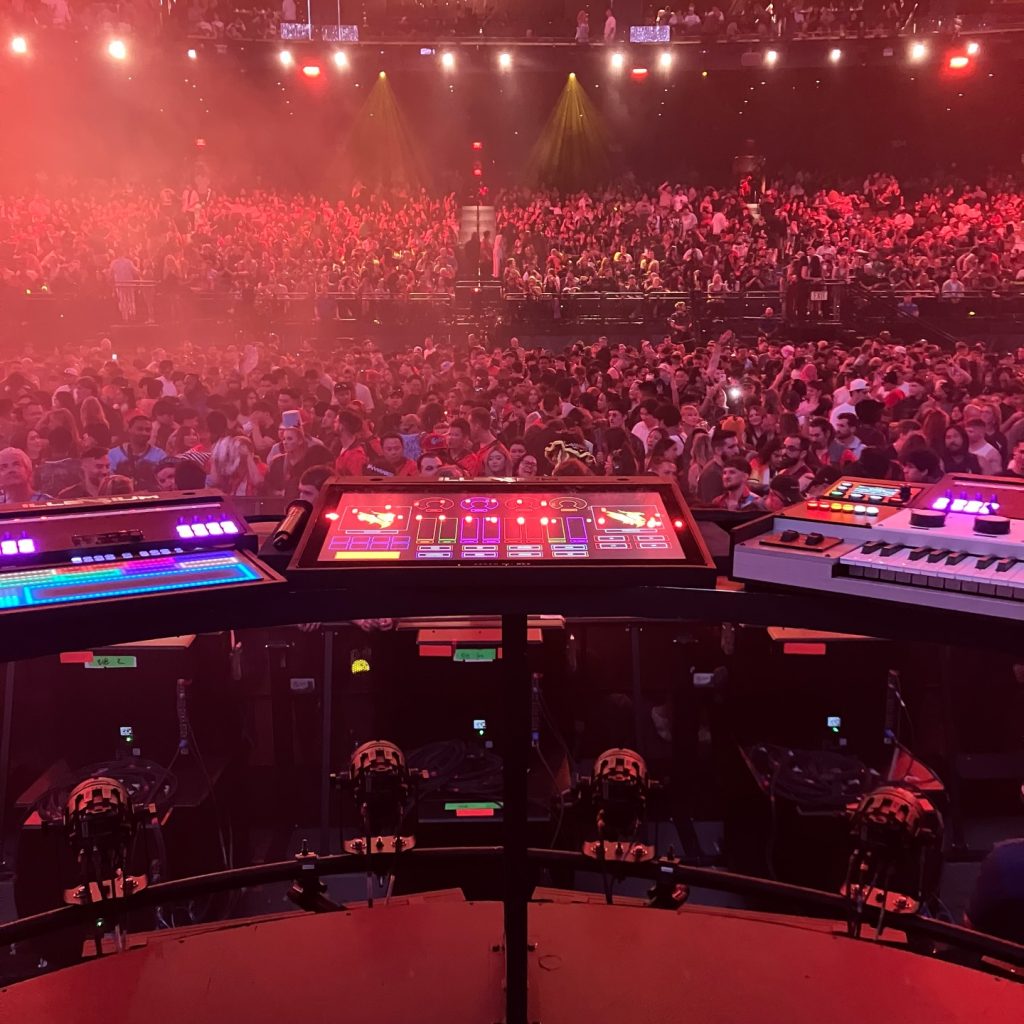
The Sway controllers were paired with an Embodme Erae 2, which handled looping and additional instrument control, while the gesture controllers were used for expressive manipulation of bounced stems throughout the show. That setup allowed Illenium to improvise with elements of his own productions while responding to the energy of each performance.
It’s a notable showcase for a relatively new MIDI controller. Sphere is one of the world’s most technologically advanced live venues, featuring a 16K wraparound LED display and a purpose-built immersive audio system.
Illenium’s production team reportedly spent more than a year developing the residency specifically for the venue, making the inclusion of The Sway a strong indication that the controller is capable of meeting the demands of a large-scale professional production.

Pricing and Availability
At the time of writing, the Sway is listed at $830 USD and is being released in limited production batches rather than through conventional retail channels. Audima operates a waitlist system that gives registered users early access to launch pricing before each new production run becomes publicly available.
Early demand appears to have been strong. According to Audima, the first production batch sold out in just seven minutes, while the original crowdfunding campaign raised $220,958 USD against an initial goal of $22,800 USD, finishing at approximately 969% funded.
Batch 4 pre-orders are expected to open around August 2026, with estimated deliveries scheduled for November or December 2026. As with many boutique hardware manufacturers, production timelines may change as manufacturing progresses, so prospective buyers should check Audima’s latest updates before placing an order if that is a concern.
I’ve truly appreciated getting to know this small but mighty controller and it has found a spot in my home studio and my own workflow.
You can place your pre-order for batch 4 right here where you can even lock in a price that is currently substantially lower than the retail price.
Final Thoughts – Who The Sway is For and Who The Sway is Not For
After spending a good deal of time getting to use The Sway and looking into its features, I can say that if you are somebody like me who has been interested for a while in changing up your workflow to free yourself up from the MIDI keyboard, an investment in something like The Sway may be a great option.
Likewise, if you are either a touring artist or thinking of setting up a live show, this is a great product for your setup.
While the price is clearly higher than what you would pay for a MIDI keyboard, the quality of the product is worth the investment.
If you are somebody who may be in the early stages of learning music production and on a limited budget, this is likely not the time to pick up something like The Sway. Instead, talk with friends, do some research and read up on reviews for more budget friendly MIDI controller options.
The Sway is far from your average MIDI controller. It has changed how I interact with my DAW and in some ways the way I think about musical composition. If you are looking for ways to get more of a kinesthetic experience in either composition or performance, this is a solid choice that you’ll enjoy for a long time to come.

Nick Wax is a producer, singer/songwriter based in Seattle, WA. He has more than 2 decades networking in the music business. He’s passionate about connecting people through their shared love of electronic music. Most people know him as the guy who makes that one mashup they like. When he’s not nerding out in the studio, you can usually catch him hanging out with his wife and cats.







![Baby Audio HyperWarp Review: Why Less [Processing] Is More](https://magneticmag.com/wp-content/uploads/2026/10/Untitled-Design-88.png)



![Baby Audio HyperWarp Review: Why Less [Processing] Is More](https://magneticmag.com/wp-content/uploads/2026/10/Untitled-Design-88-1024x683.png)
![How It Was Made: Lang Father i(Junkyard Dog) [Welofi]](https://magneticmag.com/wp-content/uploads/2026/10/Press-Pic_2-1024x576.jpg)