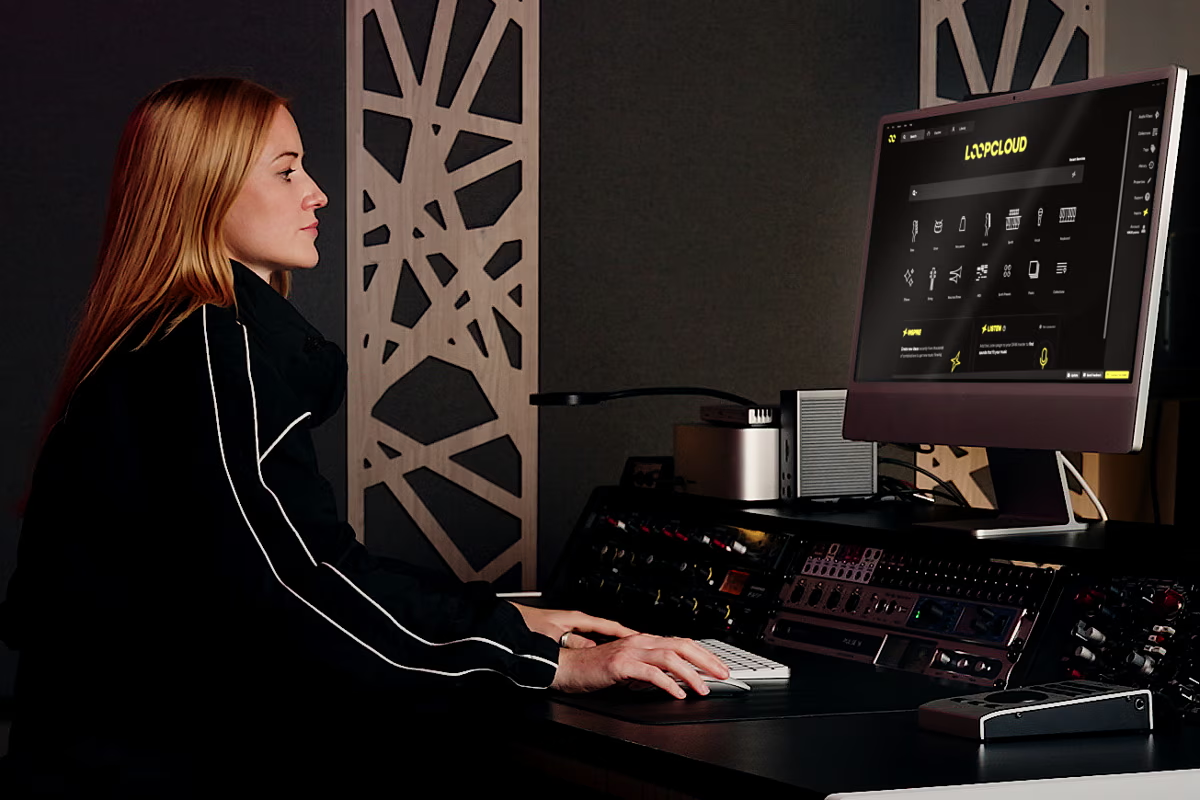
I’ve used Loopcloud for years, and one reason I keep recommending it is how easily it lets me audition samples in the context of what I’m writing. Being able to lock sounds to the key and tempo of an Ableton project, keep several collections open, and experiment with audio before committing to a purchase takes care of several small tasks that can otherwise consume a surprising amount of production time.
Loopmasters has now released Loopcloud 8, an extensive update that introduces new ways to search, arrange, and manipulate samples.
The October 22 release adds two headline features called Inspire and Listen. Inspire generates starting arrangements using samples, chords, and drums based on a selected genre, while Listen analyzes music already playing inside a DAW and recommends additional sounds that fit its harmonic content. The update also includes natural-language search, five new effects, expanded sample manipulation, improved MIDI playback, updates to Loopcloud’s DRUM and PLAY instruments, and the company’s first dedicated iOS application.
What interests me about this release is Loopcloud’s growing focus on producers’ existing music and personal sample collections. Access to a large commercial library has always been part of the service, but that alone doesn’t solve every sample-selection problem. A producer might already own thousands of recordings and still struggle to locate the right one for a particular track.
Loopcloud 8 is designed to make your collected material easier to search and manipulate, while also recommending sounds based on the harmonic content of the music you’re writing.
www.loopcloud.com | www.loopmasters.com
Loopcloud 8 Inspire and Listen Offer Two Ways to Find Samples
Inspire and Listen approach sample selection from different points in the production process, and that distinction is worth understanding before getting into the remaining features.
Inspire is designed for producers beginning a new track. You select a genre, and Loopcloud assembles a starting arrangement containing samples, chords, and drums. You can then adjust the generated material by changing the key and tempo, selecting alternative combinations, or generating another arrangement.
The intention is to provide something musical to react to before opening a conventional DAW arrangement and programming every element manually.
For example, a producer starting a house track could select the genre and use Inspire to assemble an initial combination of percussion, bass, and harmonic elements. The producer could then replace, edit, or rearrange those components as they establish the track’s direction.
I can see this being particularly useful for producers who want to experiment with unfamiliar genres or prefer starting with existing audio rather than programming instruments individually. How musical the generated combinations actually are, and how often they provide material worth keeping, will need to be evaluated during hands-on testing.
Loopcloud says Listen can account for these relationships when recommending basslines, leads, loops, and one-shots.
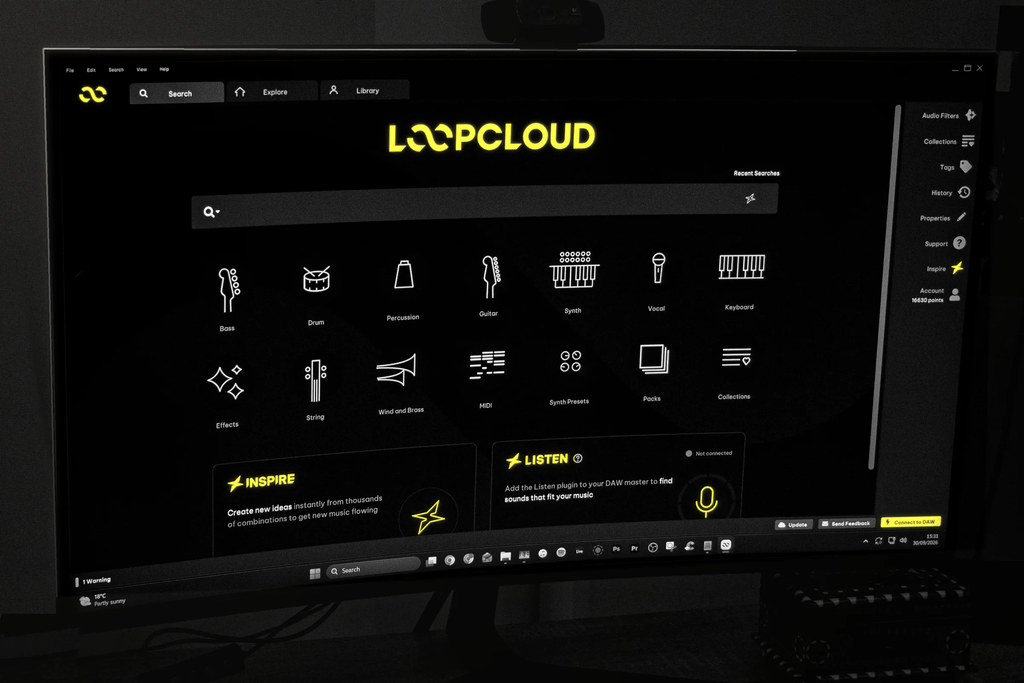
It also searches a producer’s imported sample collection rather than limiting recommendations to the commercial Loopcloud catalog.
That distinction matters for producers who have accumulated years of sample packs, recorded instruments, and personally edited audio. If the matching system performs as advertised, it could help identify material already sitting on a hard drive that would otherwise go unused.
Loopcloud’s development in this area follows its earlier work with Jamahook and harmonic analysis. We covered those improvements alongside the Producertech integration earlier this year, including the ability to account for changing chords when recommending compatible material.
Loopcloud 8 develops that existing approach into the new Listen workflow, making harmonic matching a central part of the application’s sample-discovery process.
Advanced Search and Flip Expand Loopcloud’s Sample Editing Options
Loopcloud 8 also introduces Advanced Search, which allows producers to describe the type of sound they want using ordinary language rather than relying entirely on traditional category tags.
A producer could search for something resembling a warm analog bassline, a vinyl-textured hip-hop drum loop, or a synthesizer sound associated with a particular artist. The system interprets the description and returns samples that correspond to the requested characteristics.
The results can still be narrowed using conventional filters such as instrument, genre, mood, and artist references.
The combination is interesting because natural-language search and traditional sample categorization address different needs. Sometimes you know exactly which instrument, key, and tempo you’re looking for. Other times you’re searching for a particular tonal characteristic or musical reference that doesn’t correspond neatly to a sample-library category.
Advanced Search is intended to accommodate those less specific requests.
Loopcloud is also expanding Flip, the sample manipulation feature introduced in 2025.
In my earlier article about Loopcloud’s Flip Sample update, I examined how the feature could transform an existing sample using programmed patterns, slicing, sequencing, and effects.
The original implementation included approximately 1,000 preset transformations. Loopcloud 8 doubles that collection to 2,000, adding combinations tailored to specific instruments and sound types.
Producers can apply these transformations to existing audio to create alternate arrangements by reorganizing slices, reversing material, and adding effects.
The company also encourages applying transformations outside their intended instrument categories, letting producers experiment with combinations originally designed for other types of recordings.
I think that approach is particularly relevant when working with sampled melodic material. A conventional loop might contain an interesting instrumental phrase but have a rhythmic arrangement that doesn’t fit the track. Reordering the audio can introduce alternative phrasing without requiring the producer to recreate the underlying instrument.

Five New Effects, Better MIDI, and Updates to DRUM and PLAY
Loopcloud 8 introduces five effects to its audio editor, expanding the processing available before a sample is purchased or imported into a DAW.
Gator provides rhythmic gating using a step sequencer, with swing, tied steps, and randomization. It could be applied to sustained pads, vocals, or melodic loops to introduce rhythmic changes.
Looper allows sections of audio to repeat according to the project’s tempo, with controls for loop size, playback speed, direction, and gating. This makes it possible to experiment with shorter repeated passages inside a longer recording.
Utility combines gain, panning, stereo width, and mono-bass controls. Those are relatively conventional processing functions, although bringing them together in one module could reduce the need for additional processing when preparing samples.
Chorus adds modulation-based stereo and tonal processing, while Bitcrush introduces digital distortion and reduced-resolution audio characteristics.
The editor also includes improved automation curves, giving you more control over how effects change during a recording.
Importantly, the Loopcloud editor can work with audio from a producer’s personal collection, rather than restricting functionality to material purchased from the company’s catalog.
That means you can apply effects and editing features to existing recordings, including samples that originated outside Loopcloud.
The MIDI system has also received a substantial update.
Loopcloud now includes over 125,000 MIDI files, with approximately 8,000 drum patterns. Six additional drum kits provide genre-appropriate instrument sounds, and the new MIDI preview engine selects an appropriate instrument when you play a file.
A drum pattern can automatically load a drum kit, for example, while a piano MIDI file loads a suitable keyboard sound.
This addresses a familiar limitation of browsing MIDI files. Unlike audio loops, MIDI contains performance instructions rather than recorded sound, so evaluating the material normally depends on assigning an appropriate instrument. Loopcloud’s new preview system aims to handle that part automatically.
PLAY, the platform’s sample-based instrument, can now import audio directly from a user’s collection and adds five effects. Producers can load existing recordings, individual vocal fragments, or other audio without needing to obtain that material from Loopcloud.
DRUM’s pattern generator has also been updated to consider instrument and genre tags when making recommendations, replacing a purely randomized approach with one that accounts for the sounds currently loaded.
Loopcloud Finally Gets an iOS App
Another major addition is Loopcloud’s first iOS application, which extends several of the desktop platform’s browsing and arrangement functions to mobile devices.
The app supports Inspire, sample browsing, audio previews, and the creation of collections that synchronize with a user’s Loopcloud account Producers can search the catalog, audition recordings, and save material while away from their primary computer. They can then access those collections when they return to the desktop application.
This is a sensible extension of the platform, especially since searching for samples and organizing collections don’t necessarily require a DAW to be open.
I’ve previously discussed Loopcloud’s role in my article about producing music while traveling, where I recommended the service for accessing and organizing sample collections outside a conventional studio environment.
The new app expands that possibility by letting you browse and generate ideas directly on an iPhone or compatible iOS device.
Loopcloud 8 is available now from Loopcloud’s official website, with the new iOS application available alongside the desktop update.

Will Vance is a professional music producer who has been involved in the industry for the better part of a decade and has been the managing editor at Magnetic Magazine since mid-2022. In that time period, he has published thousands of articles on music production, industry think pieces and educational articles about the music industry. Over the last decade as a professional music producer, Will Vance has also ran multiple successful and highly respected record labels in the industry, including Where The Heart Is Records as well as having launched a new label with a focus on community through Magnetic Magazine. When not running these labels or producing his own music, Vance is likely writing for other top industry sites like Waves or the Hyperbits Masterclass or working on his upcoming book on mindfulness in music production. On the rare chance he's not thinking about music production, he's probably running a game of Dungeons and Dragons with his friends which he has been the dungeon master for for many years.