When you are trying to hunt down the best plugins for reference tracks, mix checking is a bit trickier than a generic mastering plugin roundup.
So with this idea in mind for this article, the goal here is not to make a track loud for its own sake, since the real goal is to make better decisions before the mix gets overworked. I use reference tracks to check level, tone, stereo width, low-end balance, vocal placement, and whether the track still feels competitive after my ears have adjusted to the session.
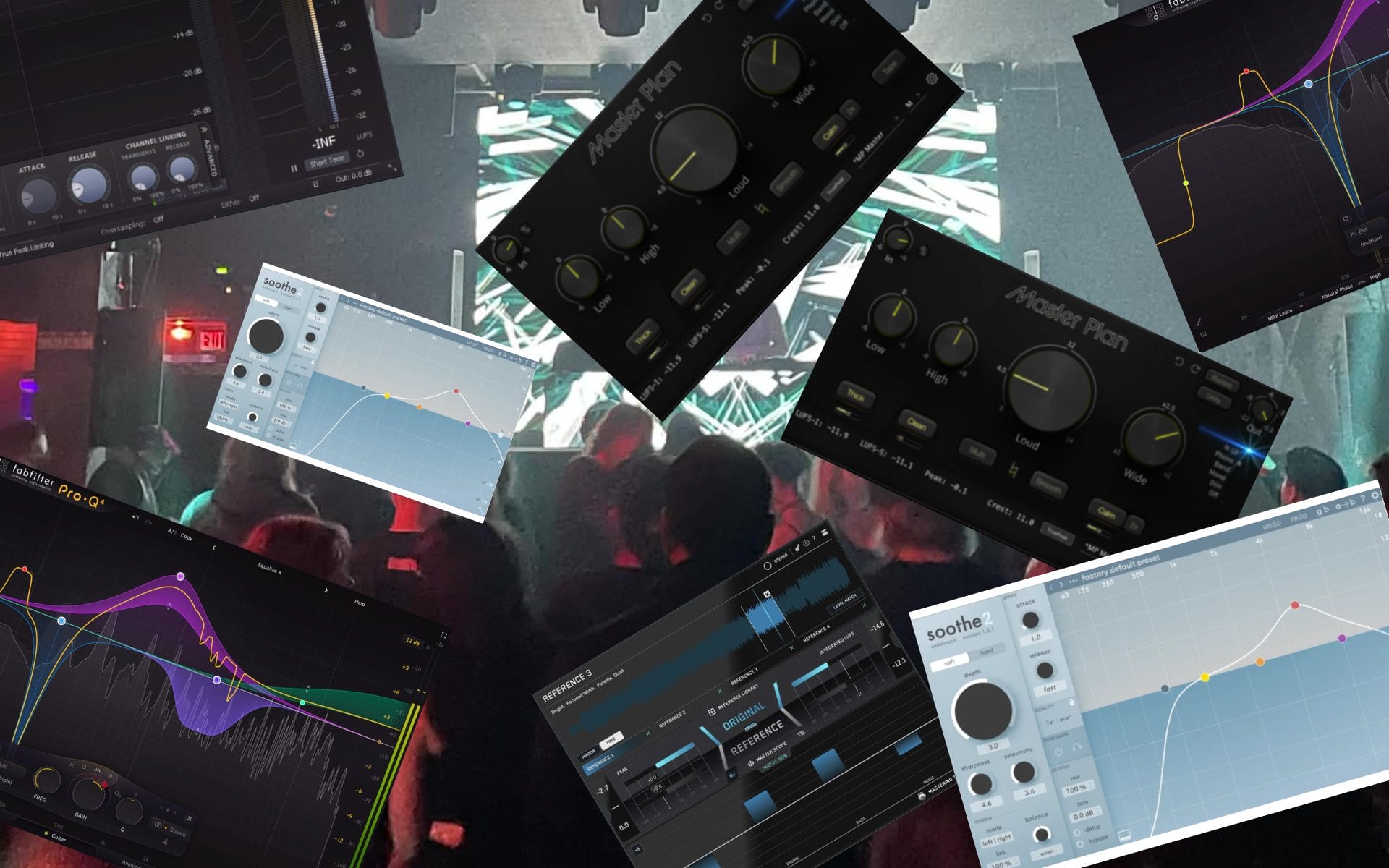
That is why this list pulls from plugins I have reviewed on Magnetic and tools that artists have brought up in our production features. REFERENCE 3 is the most direct fit because it is designed to compare your mix against finished tracks. Master Plan, Pro-L 2, Pro-Q 4, and Soothe2 are caveat picks because they help with the problems that reference checks usually reveal. Pro-L 2 helps when level and limiting behavior need to be tested, Pro-Q 4 helps when the tonal balance is off, and Soothe2 helps when harshness is stopping the mix from translating.
If you are trying to finish records faster, these are the plugins I would compare before adding another broad mastering tool to the folder.
| Plugin | Main role | Best fit | Why I am including it |
|---|---|---|---|
| REFERENCE 3 | Reference track comparison | Producers who need faster A/B decisions against finished music | It is the most direct tool here for checking tone, width, level, and translation against references. |
| Master Plan | Fast master-chain checking | Producers who need to hear whether the mix can survive final level and tone moves | It helps test loudness, tone, width, and finish without building a long master chain. |
| FabFilter Pro-L 2 | Limiting and loudness checking | Producers who need to test final level without losing control of peaks | It shows how the track behaves when pushed toward release level. |
| FabFilter Pro-Q 4 | EQ and tonal correction | Producers who need to fix balance problems exposed by reference tracks | It gives exact control when the reference check points to low-end, midrange, or top-end issues. |
| oeksound Soothe2 | Resonance control | Producers whose mixes feel sharp, crowded, or tiring when compared to references | It helps tame harshness that becomes clear once the track is compared against finished music. |
REFERENCE 3
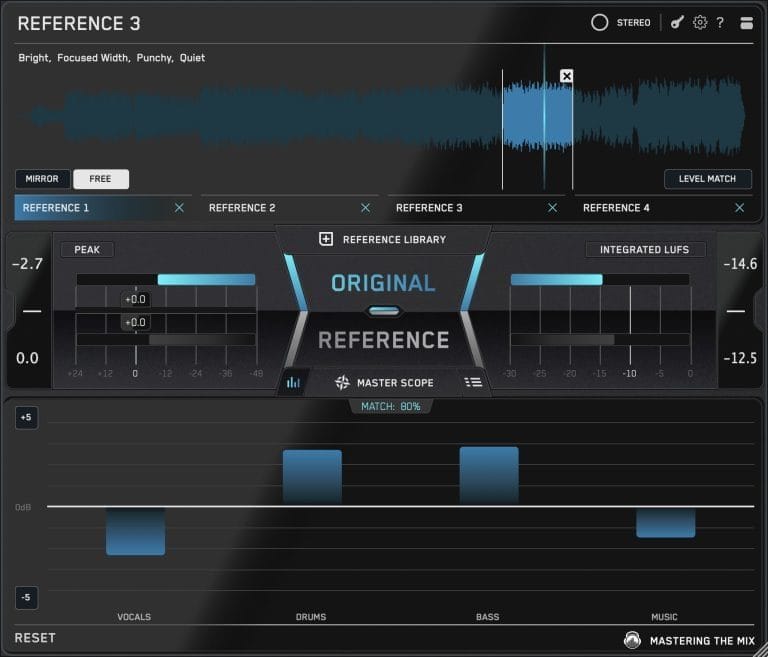
REFERENCE 3 is the most direct plugin in this article because it is designed to check your mix against finished records. In my REFERENCE 3 review on th site, I focused on how it helps with faster decisions by letting me compare up to 12 reference tracks, loudness match them, and A/B full processing chains with REFSEND.
That is a big thing to think about because reference tracks only help when the comparison is fair. A reference that is louder than your mix can trick you into chasing the wrong problem, which usually leads to bad EQ, over-compression, or low-end decisions made in panic. Compared with Master Plan, REFERENCE 3 is not trying to finish the master for me. It is there to show what the mix is doing against the music I trust, then let me make the next move with better context.
That is something that lines up directly with my reference-track article on Magnetic, where I talked about using references to understand arrangement, mix balance, and production choices in finished releases. If I were building this article around one no-caveat pick, REFERENCE 3 would be the center.
Check It Out – REFERENCE 3
Master Plan

Master Plan is a caveat pick because it is a mastering plugin first, not a pure reference-track tool. I am including it because mix checking often means asking whether the record can handle loudness, stereo width, tonal shaping, and final polish without falling apart. In my Master Plan review, the appeal was how fast it lets a producer test a finished direction without building a full mastering chain from scratch.
That makes it different from REFERENCE 3, which is there to compare your track against other records. Master Plan is where I would go after the reference check shows the mix is close enough to test at a louder, finished level. It can reveal problems quickly, especially when low-end weight, top-end aggression, or stereo width starts to behave badly once the track is pushed. Compared with Pro-L 2, Master Plan gives a wider master-chain snapshot rather than focusing on limiting alone.
I would use it near the end of a session to hear whether the mix is ready for a proper final pass or still needs work inside the arrangement and mix.
Check It Out – Master Plan
FabFilter Pro-L 2

FabFilter Pro-L 2 belongs here because mix checking is partly about hearing what happens when the track gets pushed toward a finished level.
In longstoryshort’s How It Was Made feature for “IN MY MIND” on NIGHT MODE, he calls Pro-L 2 the limiter he sees many engineers and producers lean on for loudness, then explains how he thinks about its clipper and limiter behavior. That kind of note matters because a limiter can reveal whether the mix is balanced or whether the kick, vocal, hats, or bass are forcing it to work too hard. Compared with the Master Plan, Pro-L 2 is narrower and better when I want to isolate the final loudness stage without changing several other things at once.
Compared with REFERENCE 3, it is not about A/B comparison, although it helps get the track into the right level range before that comparison becomes meaningful. Foreign Air also mentioned using Pro-L 2 at the end of the chain in their How It Was Made feature for “Maniac”, aiming for a level range based on how the song handled the push.
That is the right way to think about this tool in a mix-checking article: the limiter should tell you how the mix reacts, not trick you into chasing loudness before the balance is ready. I would use Pro-L 2 when the mix sounds good at a normal level, then starts getting edgy, flat, or unstable near the release level.
Check It Out – FabFilter Pro-L 2
FabFilter Pro-Q 4
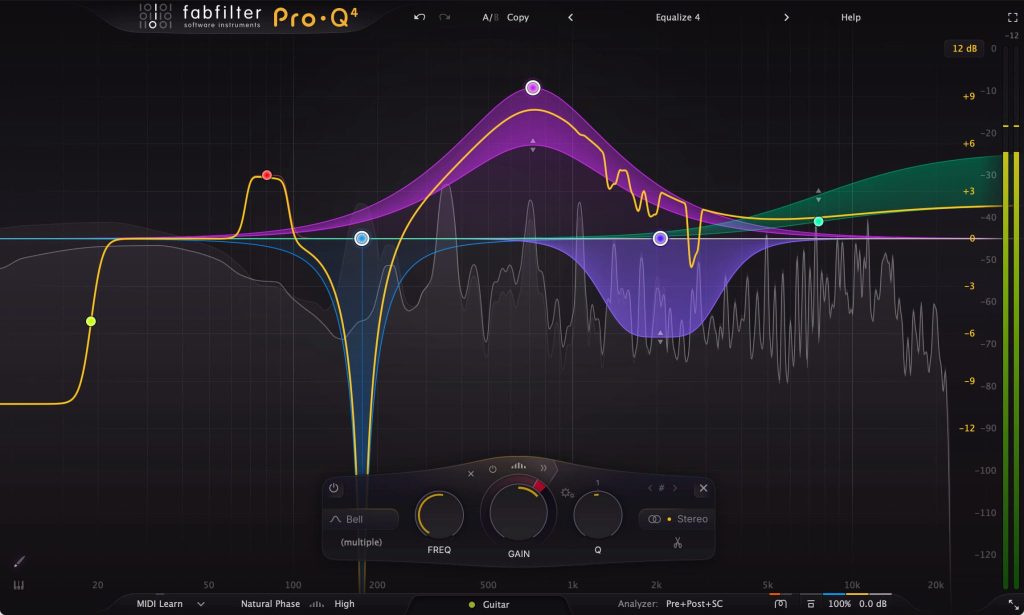
FabFilter Pro-Q 4 is the EQ pick because reference checks usually point back to tone before they point to loudness.
In my Pro-Q 4 coverage from a while back, I focused on features like EQ Sketch, instance management, and workflow speed, which matter when a session has several small tone issues across the track. Shadow Child made the artist case for it in his How It Was Made feature for “Say It Now”, saying FabFilter has the interface “absolutely locked down” and pointing to left, right, mid, and side EQ as go-to tools.
That is exactly why Pro-Q 4 fits reference-track work. If the reference is showing that the low end is too wide, the vocal range is too forward, or the sides need a more controlled high shelf, Pro-Q 4 gives me the exact moves to test. Compared with Soothe2, Pro-Q 4 is better when I already know what needs to change. Compared with REFERENCE 3, it is the corrective tool after the comparison has pointed out the problem.
I would use it throughout the mix, then come back to it near the end when reference checks expose the last tonal mismatch.
Check It Out – FabFilter Pro-Q 4
oeksound Soothe2
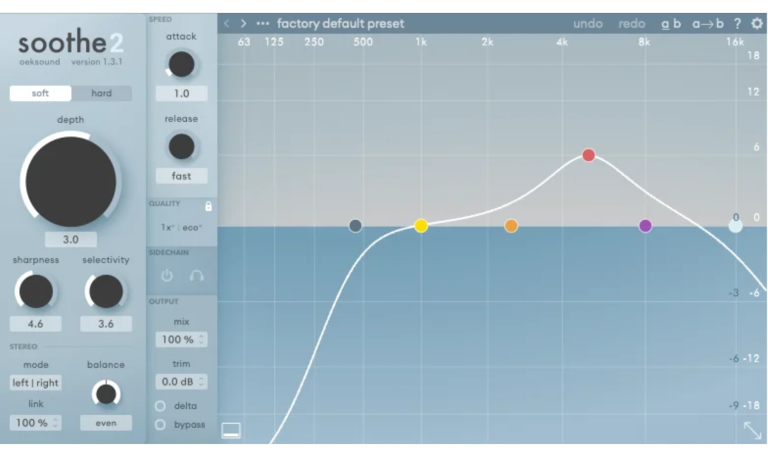
Soothe2 belongs in this article because harshness often becomes obvious only after you compare the track against finished records. In my Soothe2 review that one of our writers took care of months ago, I framed it as a resonance suppressor that can reduce harshness, manage sibilance, and smooth uneven material without forcing me to chase each peak by hand.
That makes it different from Pro-Q 4, which I use when I know the exact frequency move I want. Soothe2 helps when the problem shifts around with the performance, the synth patch, the cymbal layer, or the vocal phrase. Modera and JT Roach made that point clearly in their How It Was Made feature for “Covered” on Colorize, describing Soothe2 as a tool that “removes frequency resonance in a given band.” This is also where mix checking matters, because a harsh mix can feel exciting in isolation and then feel tiring the second it is put next to a cleaner reference.
I would use Soothe2 before pushing into Pro-L 2 or Master Plan, since limiting can make those sharp areas even more obvious. If a reference track makes your vocal, hats, guitars, or synths feel too sharp, Soothe2 is one of the first tools I would try.
Check It Out – oeksound Soothe3
Honorable Mentions I Would Keep On The Radar
These tools fit the reference and mix-checking lane, though I would keep them outside the main list until I have enough review time or a better Magnetic-tested angle.
| Plugin | Why it is on my radar | Best fit |
| ADPTR AUDIO MetricAB | A dedicated A/B reference plugin that several producers already use for mix comparison | Producers who want direct reference-track switching and level-matched comparison |
| Mastering The Mix EXPOSE 2 | A standalone track-checking tool for loudness, peaks, stereo field, and mix issues | Producers who want a final QC pass outside the session |
| iZotope Tonal Balance Control 2 | A tonal-balance checker built around target curves and mix translation | Producers who want a visual read on frequency balance against genre targets |
| NUGEN Audio MasterCheck | A delivery and codec-checking tool aimed at level and platform translation | Producers who want to check how masters behave under release conditions |
Armin van Buuren makes the broader case for this workflow in his production tips feature on Magnetic, saying, “The best way to learn producing is to learn how to listen,” while also pointing to MetricAB as a tool for A/B comparison. Christophe Salin gets even more specific in his mixdown tips feature on Magnetic, saying he uses ADPTR AUDIO Metric AB in each session and stresses level-matched comparison between the mix and the reference.
Wrapping Things Up
Best Plugins For Reference Tracks And Mix Checking should be judged by how clearly they help you make the next decision. REFERENCE 3 is the most direct pick because it is built around A/B comparison, loudness matching, and understanding how your track sits next to finished records.
Master Plan is the caveat pick for hearing whether the mix can handle a fast master-style pass without revealing bigger problems. Pro-L 2 is the limiter I would use when I need to test how the track behaves near release level. Pro-Q 4 is the corrective EQ choice when the reference indicates tone, width, or frequency masking.
Soothe2 is the cleanup choice when harshness becomes apparent compared to cleaner references.
MetricAB stays in the on-radar lane for now, although the artist notes from Armin van Buuren and Christophe Salin make it worth revisiting in a later update. If I were building a focused toolkit for finishing mixes faster, I would start with REFERENCE 3 and Pro-Q 4, then add Pro-L 2 and Soothe2 once the final level and harshness become the main bottlenecks.

Will Vance is a professional music producer who has been involved in the industry for the better part of a decade and has been the managing editor at Magnetic Magazine since mid-2022. In that time period, he has published thousands of articles on music production, industry think pieces and educational articles about the music industry. Over the last decade as a professional music producer, Will Vance has also ran multiple successful and highly respected record labels in the industry, including Where The Heart Is Records as well as having launched a new label with a focus on community through Magnetic Magazine. When not running these labels or producing his own music, Vance is likely writing for other top industry sites like Waves or the Hyperbits Masterclass or working on his upcoming book on mindfulness in music production. On the rare chance he's not thinking about music production, he's probably running a game of Dungeons and Dragons with his friends which he has been the dungeon master for for many years.