Saturation is the secret sauce to achieving a warm and professional-sounding mix. And with so much riding on really nailing in how you color, distort and affect the harmonics of a sound, more plugins out there would double down on having as much customization as possible.
And despite plugins like Decapitator being some of our favorite saturation tools in every project, sometimes standard analog emulation doesn’t achieve the warmth and clarity we need in a mix. For these situations, we need multiband distortion that can add new levels of control to the share and tone of our synths.
For this, we turn to FabFilter’s Saturn 2, the best multiband saturation and distortion plugin to be invented. So let’s dive into why this powerful tool deserves a spot in your arsenal of plugins.
Learn More While Helping Support Our Small Team Of Writers Through Out Partnership With Sweetwater Here
What Is FabFilter’s Saturn?
FabFilter’s Saturn 2 is a multiband distortion and saturation plugin most commonly purchased by music producers as a part of the company’s complete bundle of plugins. This Essentials Bundle includes everything from FabFilter’s powerful Limiter, Compressor, Reverb, creative Delay plugin, and many other essential plugins. And we don’t mean to hyperbolize the point, as we know many top-level producers who swear by FabFilter’s suite of tools, considering them one of their desert island plugin bundles.
Saturn, as a saturation plugin, helps drive and color the signal to help you get an even warmer and more analog feel in your tracks and channels. And unlike many other saturation plugins, Saturn 2 is far from a one-trick pony. Its countless distortion modes, modulation options, and multiband functionality make it one of the deepest and most customizable tools a producer can access.
What Is Saturation Important In A Mix?
Saturation enhances recorded signals by adding depth and complexity. This creative effect is used during mixing for a sonically present and unique recording. Mixing is a technical and creative endeavor that allows engineers to create great-sounding recordings. Saturation can make vocals sound full-bodied and warm, but its usage depends on the engineer’s discretion and the material’s context. Digital analog emulation plugins are commonly used for saturation in modern mixes, though some studios still use hardware. While digital processing is cost-effective, it still needs to replicate the complexity and nuance of hardware units.
For instance, FabFilter’s Saturn saturation plugin is popular for its versatility and wide range of options. It allows users to add saturation to individual tracks or the overall mix and has different distortion and compression modes.
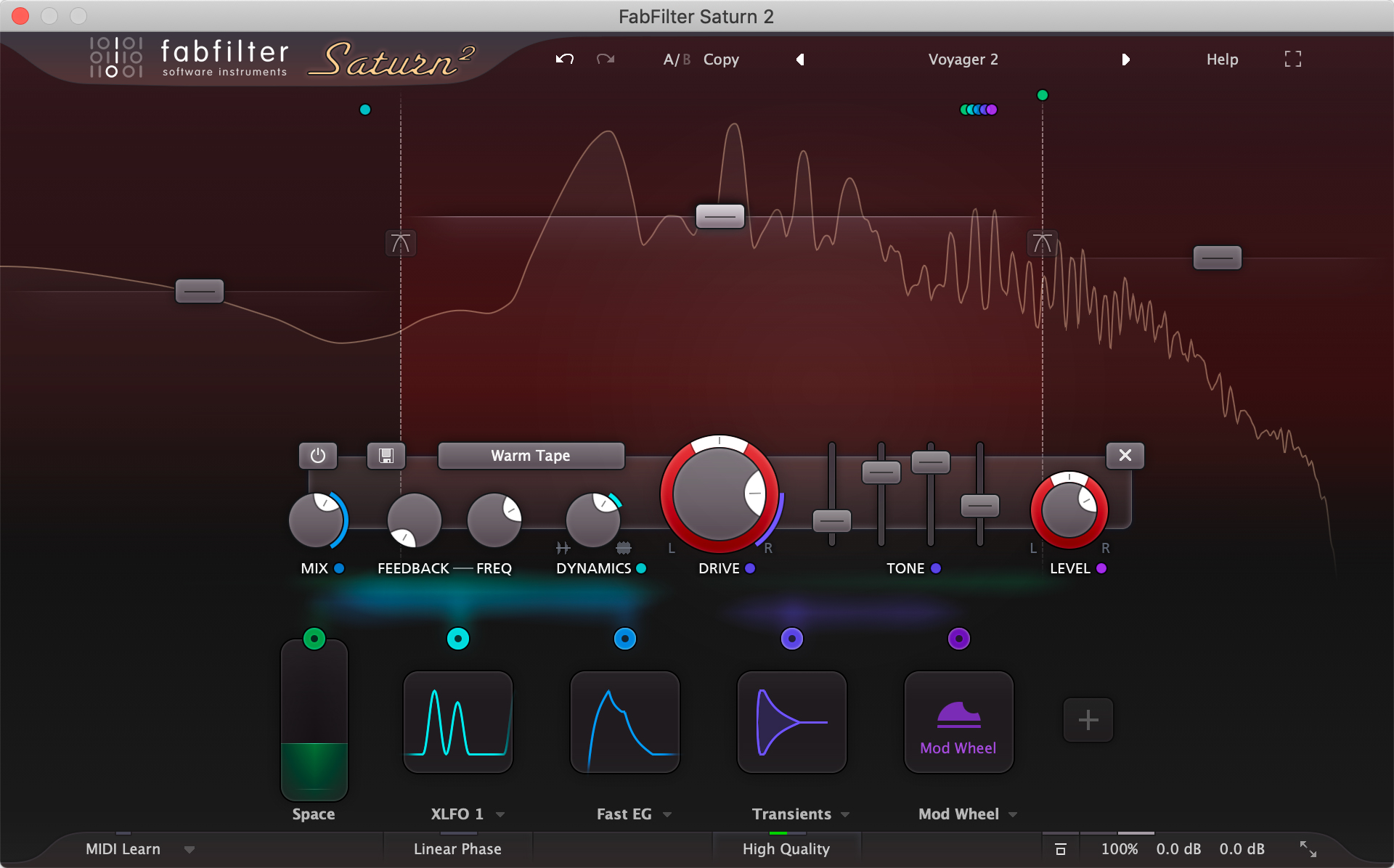
Additionally, FabFilter’s Saturn includes a visualizer that displays the changes in frequency and amplitude in real time. A plugin like this gives engineers precise control over the saturation effect, enabling them to achieve the desired sound in their mix. With plugins like FabFilter’s Saturn, engineers can access the characteristics of different types of hardware saturation units without the high cost of acquiring and maintaining them.
FabFilter’s Most Powerful Features
While this plugin hosts a wide range of powerful features that singlehandedly would put them above the rest of the competition, these are the three most essential X-Factor features we find ourselves using in this plugin on every channel for every project.
It’s Multiband
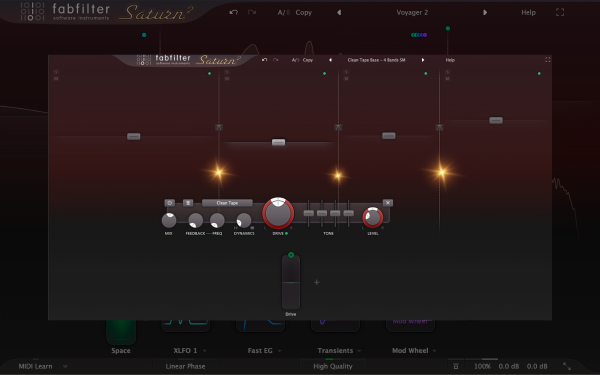
You would think that it would be commonplace among all modern distortion plugins to have some form of multiband functionality, but it’s rarer than you would expect. Where most plugins give you a basic low pass and hi-pass filters to shape the sound, Saturn gives you complete control to affect as many different bands across the sound as you’d like.
We’ll save some of the creative uses for such functionality for later in the article, but for now, know that this plugin allows you to get highly detailed with the dialing in of each frequency band across the sound. Here are just a few of the parameters you can adjust for each frequency band you set:
- Modes of the Distortion (..so you can have warm and analog saturation in your mids and ALSO bright and sterile digital distortion to crispen up your highs).
- Different Panning Options (…so you can have a bright and wide high end without ruining your narrow, low end)
- Modulation Options (…so your lows can churn and move to an LFO without the spacious high-end affecting it)
- And so much more…
Its Modes

FabFilter Saturn 2 offers various distortion effects to modify your audio signal. You can choose the type of distortion by selecting the Style button. The first type is Tube emulation, which ranges from subtle and clean to broken tube sound. The second type is Tape emulation, which offers subtle, clean, warm, or extreme tape saturation. The third type is Amplifier emulation, which includes American and British classics and modern smooth, crunchy, or screaming amplifiers. The last type is Transformer emulation, ranging from subtle and controlled to colorful and lush-sounding transformer emulations.
In addition to the above, Saturn 2 includes creative distortion algorithms to enhance your sound further. The Smudge algorithm stretches and smudges the audio unexpectedly, while the Drive knob controls the amount of smudging/stretching. The Breakdown algorithm combines down pitching with aggressive distortion and works well with the Drive Pan knob. The Foldback algorithm is a bold and digital form of clipping. The Rectify algorithm offers a crunchy combination of rectified sound, DC offset removal, and soft clipping. Finally, the Destroy algorithm is a lethal combination of bit-crushing, sample rate reduction, and clipping.
By providing a wide range of distortion types and innovative algorithms, Saturn 2 allows you to modify and enhance your audio signal uniquely and excitingly. These tools can add warmth, character, and new textures to your music.
Its UI
I know this one is the least important on this list for many producers, but it bears mention that Saturn’s UI upgrade between FabFilter’s first and second iterations of the plugin is second to none. The warm and rounded ren tones and the metallic silver colors make it pleasing to look at.
And the layout and ease of workflow are just as good!
The saturator’s most essential features, including all the best ones mentioned above, are laid out quickly and efficiently. This means that while a LOT is under the hood of this plugin, and you could spend years perfecting its potential, you can also get excellent results the moment you install it and start fiddling with its presets.
Ways To Use FabFilter Saturn 2
Here are some of the best ways we’ve found success using this powerful plugin that goes beyond just the basic tweaking of its presets. Saturn is one of those plugins whose power is only limited to the creativity of its user, so use a couple of these bucket items as a starting point to kickstart your secret production hacks.
For Movement

In dance music, the energy is instantly diminished when you bring in those sustained pads behind your leads and groove. That’s fine if you’re transitioning into a breakdown or something, but what about those sections where you need something in the backdrop but don’t want a mood-killing element to destroy the vibe?
Adding subtle movement in the coloration of the sound can add some genuinely excellent off-grid movement to adds, leads, and more, turning sustained strings, pads, and more into groove-elevating layers instead of just one-trick ponies.
For Coloration
So often, saturation plugins are one-dimensional. Even our favorite ones, like Decapitator, do their one thing well but still lack the sense of depth and dynamism that Saturn brings to the table.
You get awe-inspiring results from your saturation and distortion by blending the different modes, allowing for hyper-tailored distortion modeling to get the best of both worlds; the clarity and precision from digital distortion and the warm and ruggedness of analog emulation.
For Width

Humans perceive the width of a sound by the differences between the left and the right channels. The Haas effect works as it does because the delay puts a +/- differential in time between the left and the right channels. Coloration between the left and right channels can also help achieve a similar sense of width in a sound, though arguably a smaller and more delicate.
You can do this in two ways…
The first would be to split the higher frequencies into two different bands and use the drive pan or amp pan to have one band go left and the other goes right. Make sure each of the bands is colored and distorted in different ways to create the difference between the two channels needed to create the perceived width in the sound.
The second is to use Saturn’s Mid/Side processing power, giving the side channels a tasteful bump in the upper frequencies to add brightness and air to the channel on the sides.
Learn More While Helping Support Our Small Team Of Writers Through Out Partnership With Sweetwater Here

Will Vance is a professional music producer who has been involved in the industry for the better part of a decade and has been the managing editor at Magnetic Magazine since mid-2022. In that time period, he has published thousands of articles on music production, industry think pieces and educational articles about the music industry. Over the last decade as a professional music producer, Will Vance has also ran multiple successful and highly respected record labels in the industry, including Where The Heart Is Records as well as having launched a new label with a focus on community through Magnetic Magazine. When not running these labels or producing his own music, Vance is likely writing for other top industry sites like Waves or the Hyperbits Masterclass or working on his upcoming book on mindfulness in music production. On the rare chance he's not thinking about music production, he's probably running a game of Dungeons and Dragons with his friends which he has been the dungeon master for for many years.