Table of Contents
For avid readers of Magnetic Magazine, you may know that we love Mixed In Key 11 Pro. We love it so much that we gave it an Editor’s Choice Award. I’ve personally been using it to prepare for my sets; it’s revolutionized how I organize my USBs, so much so that I now load every single track I receive in my promo inbox into it before I do anything else. It’s, quite simply, one of the single best things you can get to improve your performances.
Oh, but they weren’t done. Not even close. Apparently making one of my top 5 tools of 2025 wasn’t enough for them; they just had to go the extra mile.
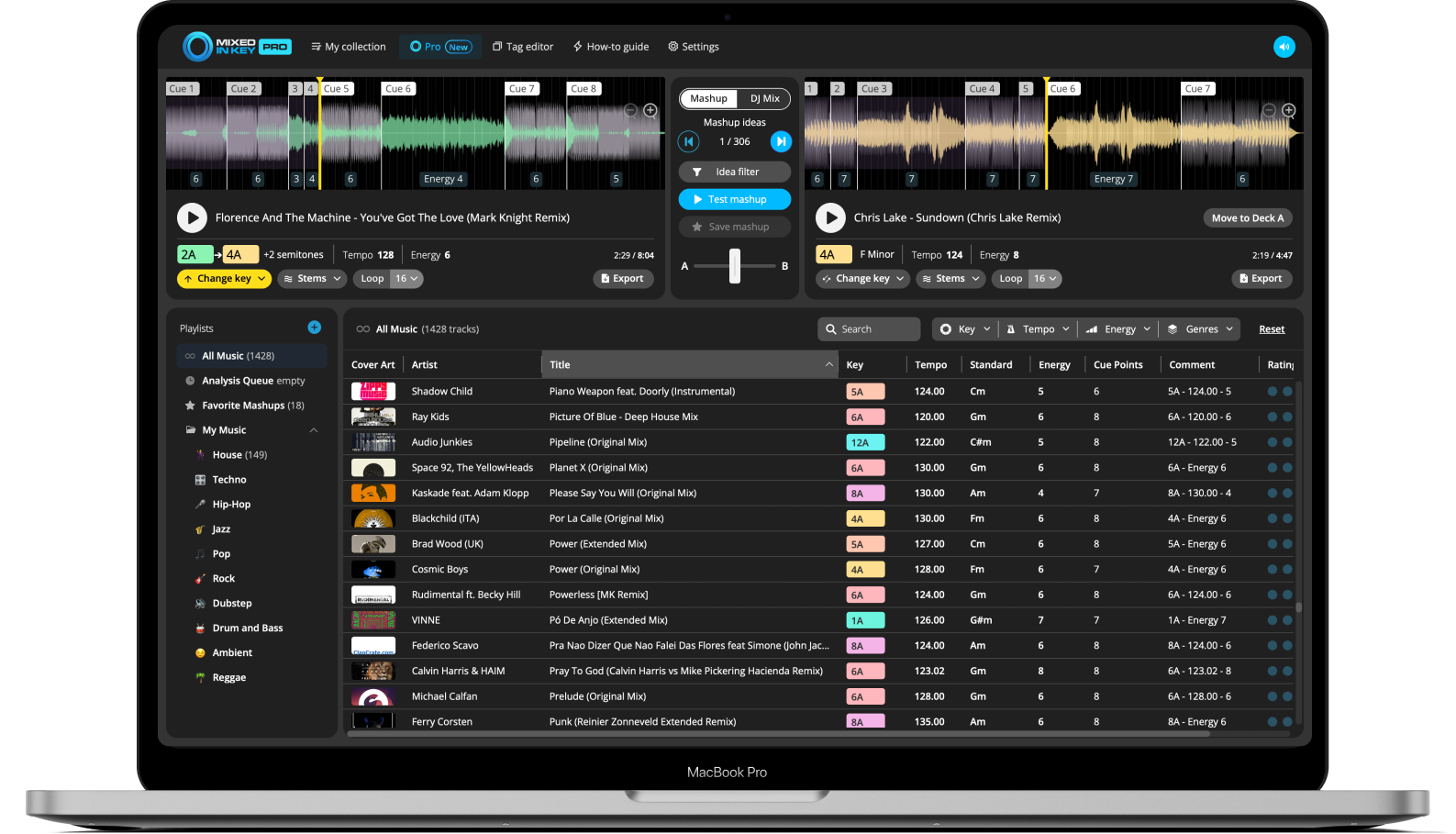
Recently, there was a massive update to the program that introduces a bunch of new features to the party. Now, you can do stem separation and exporting while still in Mixed In Key to create new mashups. You can now loop parts of a track and experiment with them. The idea filter has gotten even better. And, at long last, you can adjust the keys of tracks.
Today, I’ll be going through every new feature that Mixed In Key 11 Pro has added since my last review. While I do love the software, please note that these will be my unbiased opinions. If you’d like to learn more about the new features before I get started, check out this helpful video from the Mixed In Key team:
Stem Separation
The biggest change in this update is the addition of stem separation. Now, you can separate instrumentals from vocals while inside Mixed In Key 11 Pro.
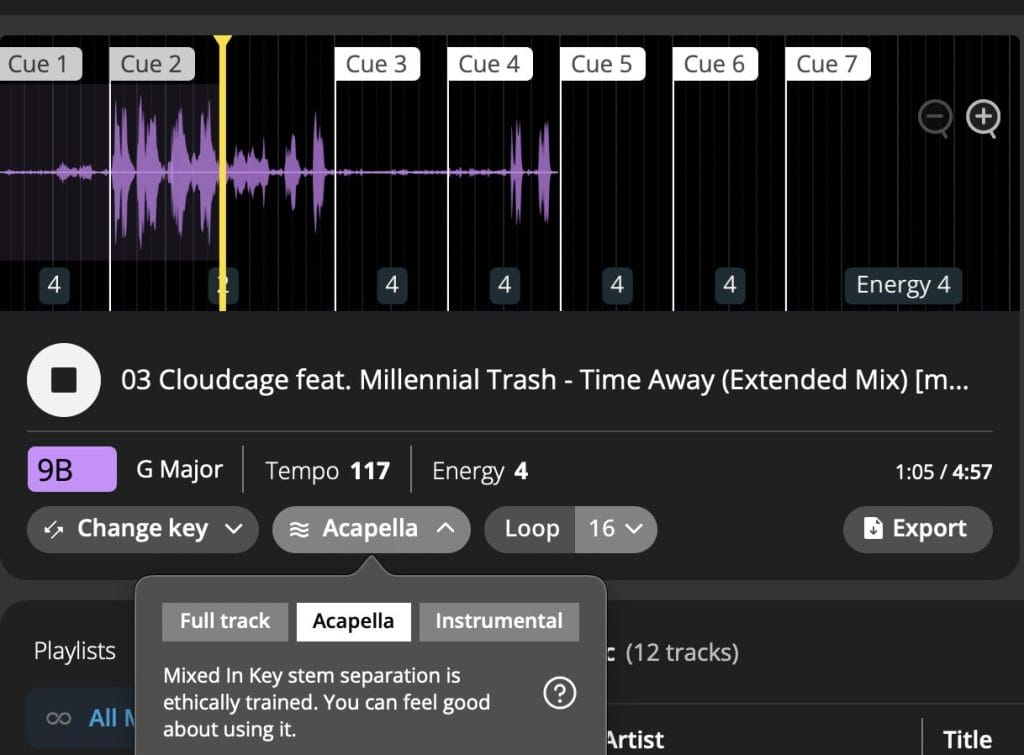
It’s as easy as clicking the “stems” button and selecting whether or not you’d like to hear the acapella, instrumental, or full track. Note that when you select a version, it’ll take some time to fully process, but when it’s done, the results are pretty good. I tried it on a few of my own tracks and was pleasantly surprised by the outcome – the algorithm they’re using is pretty high quality.
Key Changing
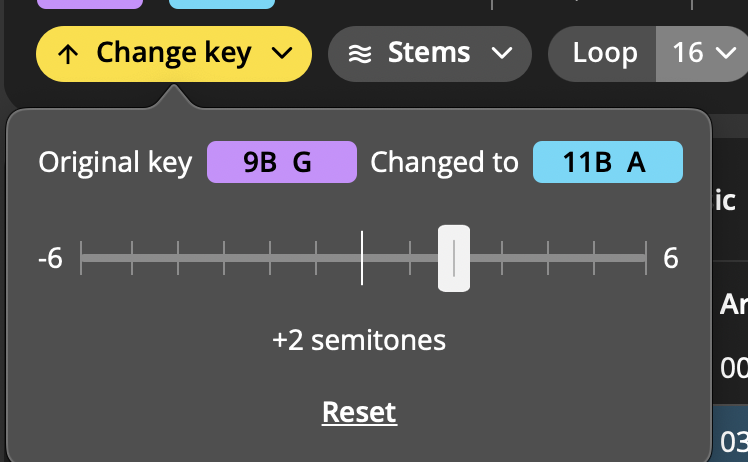
Another simple but effective addition added in this update is key changing. It’s simple: just click on “change key” button and slide the slider right or left to change the track’s key. You can go up a maximum of 6 semitones and down a maximum of 6 semitones, and you can also render out these new versions. These changes in pitch happen quickly and effectively – no latency detected.
If mixing in the same key is important to you and there’s a song you want to play that’s a semitone or two off, you can now easily fix that before you get to your set.
Export
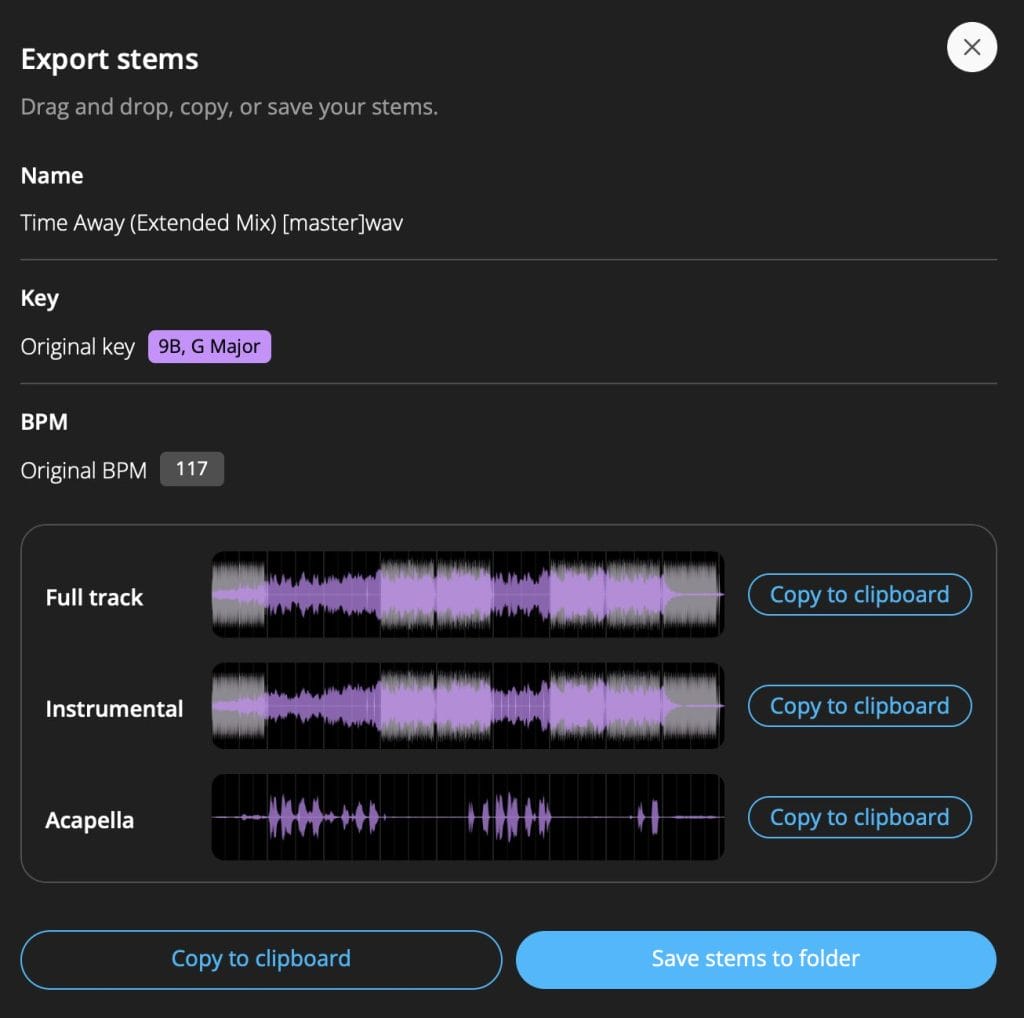
Of course, you’ll actually need to export these new files to use them in your sets, which you can do now, too.
You’ll be able to export tracks from both decks individually in their new keys and BPMs. And, as you can see above, you can export stems as well. This makes prepping for live mashups and transitions easier than ever.
Looping
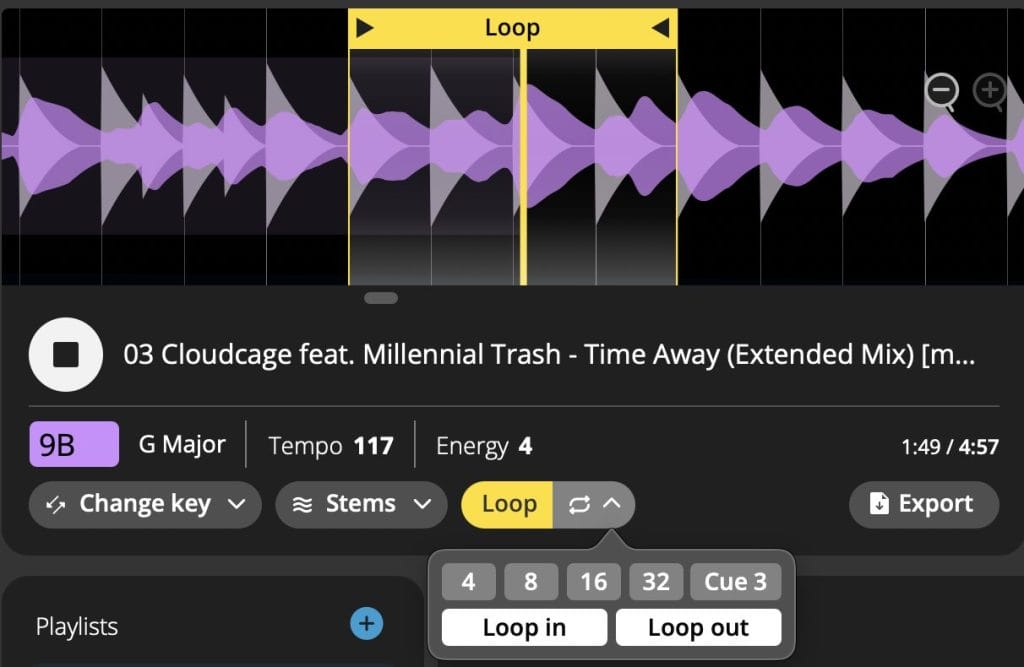
Looping is another new feature that allows you to test ideas within the program. It’s really easy to set up – just click the button, and select one of the loop size buttons (4 bars, 8 bars, etc.) or click “Loop in” while playing to start a looped section and “Loop out” to end it. It’s quite useful if you’re prepping a mashup or a tricky transition, and another welcome addition.
Idea Filter
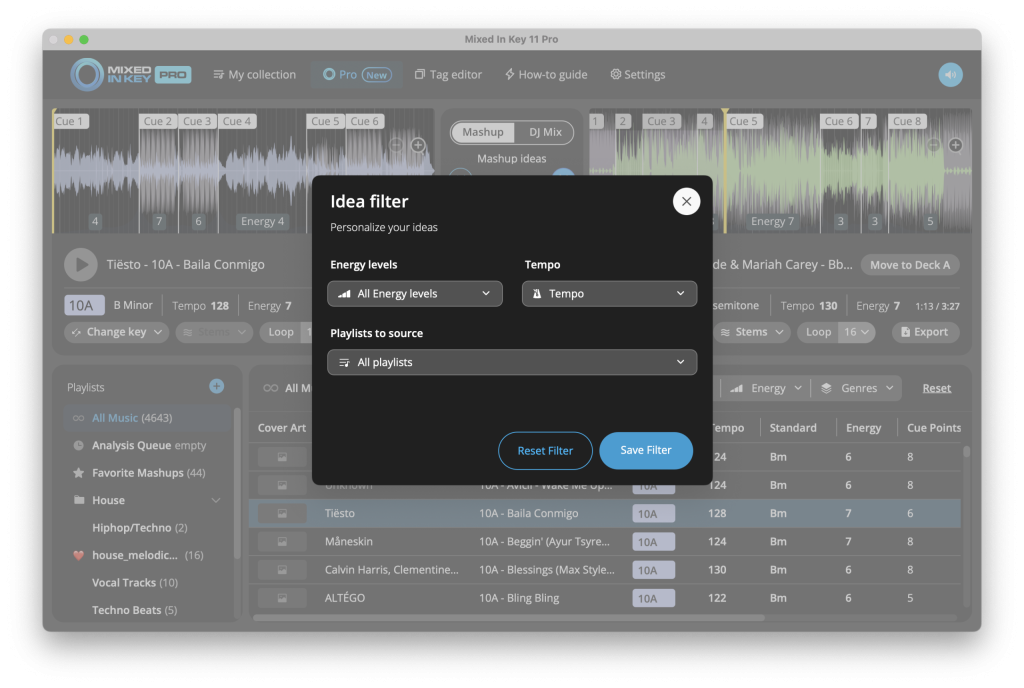
Lastly, the idea filter is a new feature that helps you find the perfect match for your mix. You can now filter tracks out by tempo, energy, and playlist to help you build sets with more intention and cohesiveness. I’m not so sure what took so long to add something like this, but I’m glad it’s here! Fun fact – apparently it was suggested to the Mixed In Key team by David Guetta.
Conclusion: Should you get it?
I’m going to forgo pros and cons this time, considering that the cons from my last review have not changed (although the price should look a lot better to many of you now with the updates), and all four of these new features should be considered pros. They’ve somehow made Mixed In Key 11 Pro better, and it was incredible to begin with.
This used to be a tool that you should consider getting. Now, with all of these new features, this is a tool that you 100% need to have if you’re at all serious about playing music live. Stop what you’re doing and buy it right now.
Buy Mixed In Key 11 Pro for a one-time price of $99 USD here.

Ben Lepper is a music producer and journalist from Boston, Massachusetts.





![How It Was Made: JOKESONYOU & DJ IP – OTTF [Teletech]](https://magneticmag.com/wp-content/uploads/2026/08/artwork-ottf.jpeg)


![How It Was Made: JOKESONYOU & DJ IP – OTTF [Teletech]](https://magneticmag.com/wp-content/uploads/2026/08/artwork-ottf-1024x1024.jpeg)