Table of Contents
Drums can decide how a track feels before the lead, vocal, or bassline ever has a chance to do its job, and that is especially true in pop, house, techno, and most forms of modern electronic production. A lot of producers spend too much time dragging in loop after loop, auditioning sample packs, and stacking parts that were never written to work together, so the groove starts to feel crowded, flat, or disconnected.
I have run into that problem in my own sessions, and I have seen the same thing happen with students who think they need more layers when the real issue is that the central rhythm was never clear in the first place. Boomcha by Sampleson is built around a super simple idea, and that idea is useful from the first few minutes you open it.
You sketch out the basic pulse, the software searches through a huge library of drummer-performed MIDI data, and it returns a fuller groove with timing changes, velocity movement, and a more natural sense of push and pull.
After spending time with it in the studio, I think the plugin solves a real problem, and its limits become obvious once you try to use it outside its best role. It does not replace taste, arrangement choices, or additional programming, and it does not remove the need for producers to know what their rhythm section is supposed to be doing. What it does offer is an incredibly fast, focused way to build the part of a drum arrangement that gives the rest of the track something to lock into (and expand upon later in your own way, which I’ll talk about later on).
For a lot of producers, that alone is going to save time and improve results. For producers working in detail-heavy club styles, it may work best as a starting point rather than the full answer. So let’s dive into my thoughts, opinions, and things that I think it could do better (at least for a certain type of person)
What Boomcha Actually Does

Boomcha works by taking a simple drum sketch and turning it into a more developed MIDI groove that feels closer to a played performance. That concept is easy to understand, and in practice it is also easy to use.
You put down the core rhythm, and the plugin fills in a fuller pattern based on its library of over 1.5 million rhythm cells captured from real drummers. The point here is not to generate a finished production for you, and the point is to give you a believable rhythmic foundation that can move quickly into a DAW session. I think that role is where Boomcha is at its best, because it keeps you focused on the skeleton of the groove instead of sending you into an endless sample hunt.
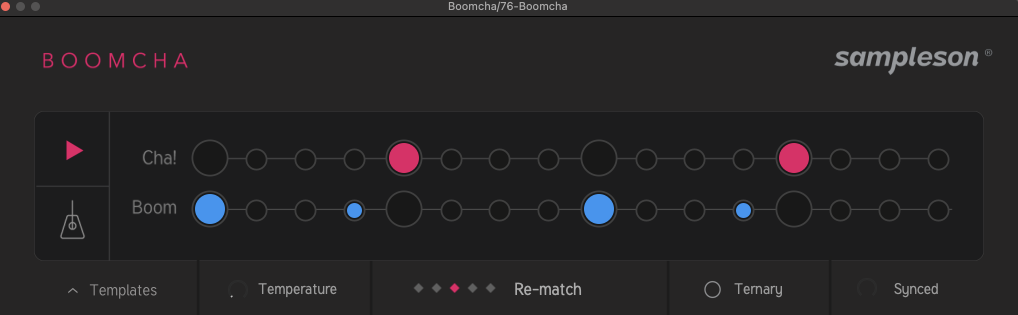
A lot of newer producers start with loops and then try to force them into a track, and that often leads to a pile of parts that do not share the same phrasing or timing feel. Boomcha approaches the process from the other direction, and that shift is useful because it starts with intent. You define the basic kick, snare, and clap relationship first, and then the plugin gives you a groove that feels like it was built around that idea instead of pulled from five unrelated packs.
The fact that the result comes out as editable MIDI is also a big part of why this plugin has practical value. You are not stuck with printed audio, and you are not boxed into the preview sounds inside the plugin. That means Boomcha is really a groove-generation tool first, and that focus keeps it useful.
How Real the Grooves Feel

The first thing I look for in a plugin like this is not novelty, and it is how convincing the timing and velocity movement feel once the MIDI lands in the session.
This is where Boomcha does a pretty damn good job if you ask me.
The grooves come back with enough variation to avoid that rigid piano-roll feel that makes so many programmed drums sound flat, and that immediately gives the plugin real studio value. I spend a lot of time telling students that tiny timing offsets and velocity differences are often the details that separate a serviceable loop from one that feels played, and Boomcha clearly understands that principle. When the plugin is working well, the result feels like a drummer-informed interpretation of your idea instead of a random pattern generator.
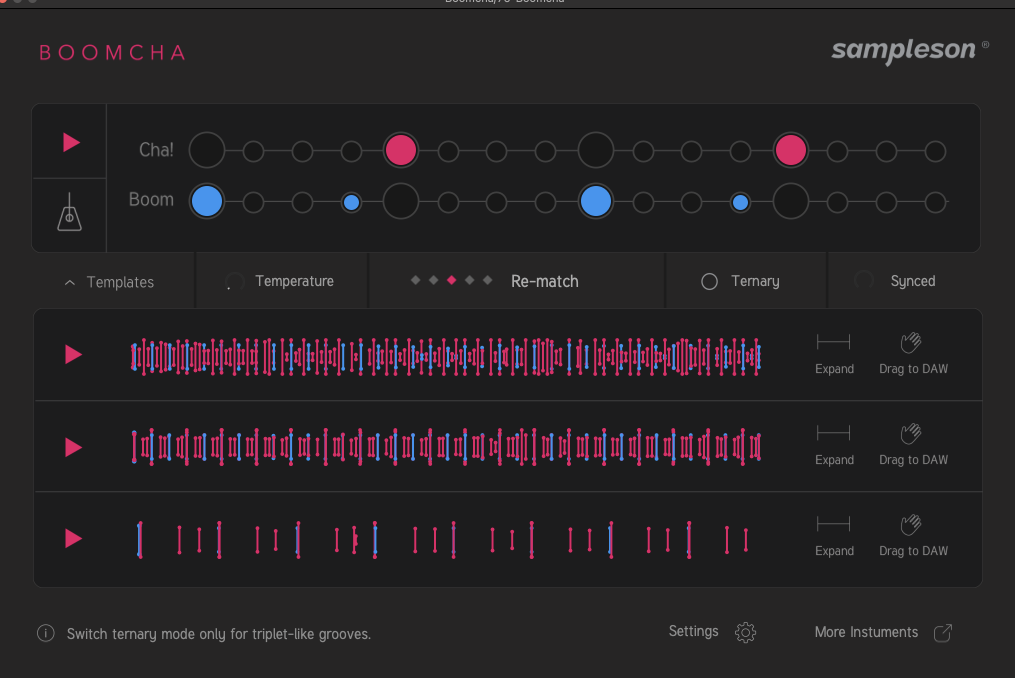
That distinction is important, because a lot of tools in this category can feel disconnected from the user’s intent. Boomcha usually stays close to the core pulse you give it, and that is why it remains musically useful instead of turning into a distraction. I found that it was especially good at giving me a clean, functional core loop that already had enough movement to feel alive before I touched the MIDI.
At the same time, realism here has limits, and those limits show up once you want genre-specific detail work beyond the basic foundation. If your music depends on rolling percussion, ghost-note interplay, or a high level of micro-detail across the full drum arrangement, Boomcha gets you into the zone quickly, but it does not finish the last part of the job for you.
That does not make the plugin less effective, and it simply defines where its value begins and where your own programming still has to take over.
MIDI Editing And DAW Workflow
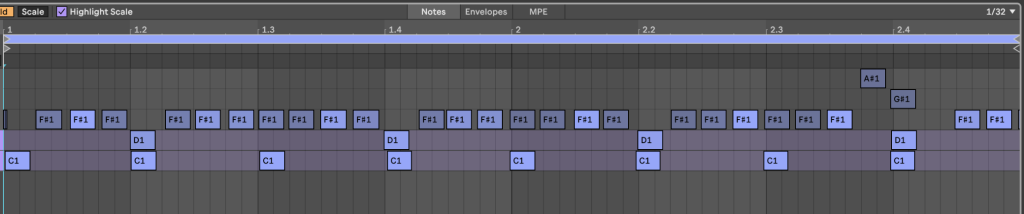
For me, the main reason Boomcha works is that it gives you something usable quickly, and then it gets out of the way. The drag-and-drop MIDI workflow makes a real difference here, because you can take the groove straight into your drum rack or sampler and keep moving. I do not want a rhythm tool that traps me inside its own ecosystem, and Boomcha avoids that problem. Once the MIDI is in the DAW, I can swap sounds, change note lengths, rework accents, and shape the drum kit around my track instead of around the plugin.
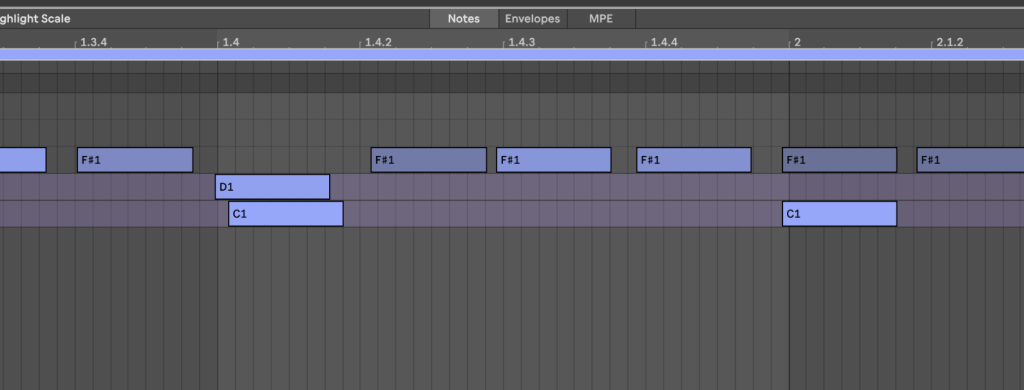
That is a big advantage over tools that generate audio sketches and leave you with very little control once the idea is printed. In my own workflow, I found Boomcha most useful for creating that first clean group of kick, snare, clap, and supporting hits, and then I could build outward from there with my own sample choices.
That means I was still using other sources after Boomcha, including additional layers from my library and selective loops where they actually served the track, but I was starting from a much clearer rhythmic base. That alone sped things up, because I was no longer trying to build the entire groove from disconnected raw materials. For producers who already know how to finish a drum arrangement but want help getting to a workable core loop faster, the plugin fits very naturally into an existing process.
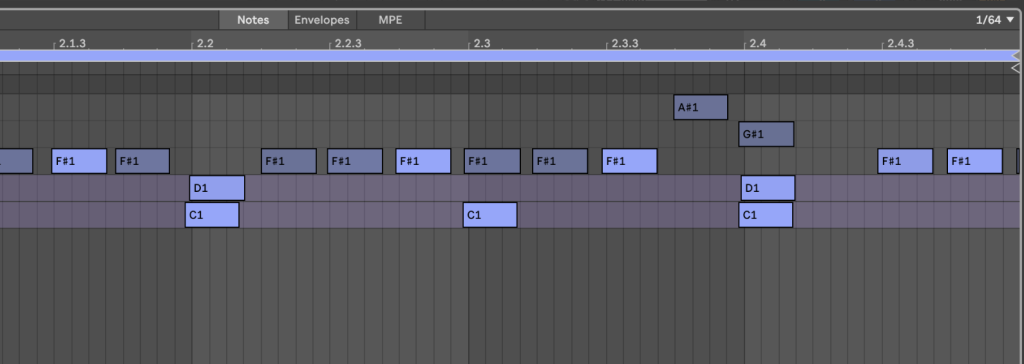
For producers in pop, hip-hop, rock, or Latin production, I can also see the Boomcha output going much further with fewer edits, because those styles often lean harder on a clean central rhythm pattern instead of dense percussive detail. In that sense, Boomcha does not replace the workflow; it improves it by giving you a better starting point.
Interface And Day-To-Day Use
A plugin like this has to be quick, because speed is part of the value proposition from the start.
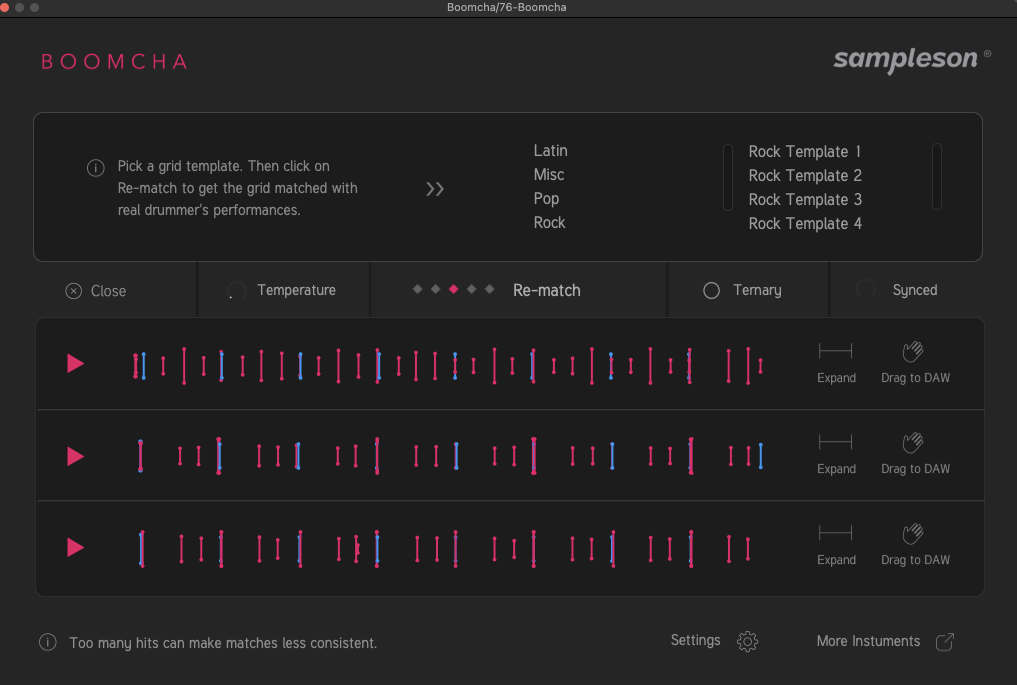
Boomcha does a good job of staying simple enough that you can get results without reading a manual for half an hour. The grid-based input makes the concept easy to grasp, and it is clear what the plugin wants from you right away.
I appreciate that, because too many production tools bury the useful part under layers of menus and extra options. Here, the point is to sketch the pulse and move on, and the interface supports that. I also like that the plugin comes with style templates and genre-oriented starting points, because those help frame the output in a practical way for producers who are working fast. In use, it never felt like I had to fight the software to get somewhere productive, and that is a big reason why I kept opening it in sessions.
It also helps that the plugin is available as standalone software and as a plugin, because that gives different kinds of users a path into it. Some producers are going to want it directly in the DAW, while others may prefer sketching ideas outside the session before committing. The interface supports that kind of flexibility without turning the plugin into something bloated. Day to day, that means Boomcha feels like a tool you can actually keep in rotation instead of something you open once, admire, and forget.
Where The Limits Show Up
The biggest limitation with Boomcha is also the clearest explanation of what the plugin is for. It is excellent at creating the rhythm-establishing part of the drum section, but less effective as a complete solution for detailed, genre-specific percussion writing.
That difference became obvious in my own sessions, especially when I started using it on progressive house and organic house ideas where the groove depends on a lot of smaller moving parts. In those styles, the little details are doing a lot of work, and the final result often depends on carefully placed percussion hits, small velocity changes, and layers that create motion across long sections of a track. Boomcha gives you the foundational loop very quickly, but it does not fully build out that upper tier of detail in the way I would want for those genres.
I do not see that as a flaw in the software design, because I do not think that was the main assignment in the first place. I see it as a reminder that producers still need taste and arrangement skills, especially if their style asks for a lot of subtle percussion development.

On the other hand, if you are making pop, hip-hop, rock, or Latin-influenced work, the plugin can carry much more of the arrangement load because those productions often need a clean, effective core pattern above all else. In that context, Boomcha’s preset and template system becomes even more useful, because it helps frame the groove in a way that matches the track quickly. Another practical issue is that Pro Tools support is absent, and that will immediately remove it from consideration for part of the market. So the limit here is not quality, and the limit is scope.
Final Verdict
Boomcha is a focused plugin with a clear role, and I think it succeeds because it stays close to that role instead of trying to become an all-purpose drum production environment. In my own use, the biggest value came from how quickly it gave me a functional core groove that I could actually build on.
That may sound simple, but it solves a real production problem: a lot of people lose hours in sample libraries and still end up with drum parts that feel disconnected. Boomcha cuts through that by helping you establish the main pulse first, and that changes the rest of the session for the better. I would recommend it most to producers who want better-feeling MIDI drums without spending forever programming every hit from scratch.
I also think it has real teaching value, because it helps newer producers hear the difference between rigid grid programming and grooves that move like a player had some input in the result. For advanced producers, it works best as a foundation generator that saves time and gives you something musical to react to.
For pop, rock, hip-hop, and Latin production, I think it could become a regular part of the workflow very quickly. For progressive house, organic house, trance, and other detail-heavy electronic styles, I would treat it as step one and plan to finish the top layer of percussion myself. That still makes it useful, because step one is often where a session gets stalled.
Boomcha does that part well, and for a lot of producers, that will be enough reason to keep it installed.

Will Vance is a professional music producer who has been involved in the industry for the better part of a decade and has been the managing editor at Magnetic Magazine since mid-2022. In that time period, he has published thousands of articles on music production, industry think pieces and educational articles about the music industry. Over the last decade as a professional music producer, Will Vance has also ran multiple successful and highly respected record labels in the industry, including Where The Heart Is Records as well as having launched a new label with a focus on community through Magnetic Magazine. When not running these labels or producing his own music, Vance is likely writing for other top industry sites like Waves or the Hyperbits Masterclass or working on his upcoming book on mindfulness in music production. On the rare chance he's not thinking about music production, he's probably running a game of Dungeons and Dragons with his friends which he has been the dungeon master for for many years.