Table of Contents
The Novation Launch Control XL 3 still feels like one of the cleanest ways to combine DAW control, plugin mapping, and hardware MIDI control in a single desktop unit. It is small enough to stay on a writing desk, yet it has enough faders, encoders, buttons, MIDI ports, and screen feedback to handle a real production setup.
That matters because many producers are trying to reduce mouse work without buying a large control surface. The XL 3 gives you eight 60mm faders, 24 endless encoders with RGB feedback, 16 assignable buttons, transport controls, USB-C, full-size MIDI In, Out, and Out2/Thru, plus an OLED screen that makes mapping and parameter work easier to follow.
The answer: Yes, the Novation Launch Control XL 3 is still worth buying in 2026 if you want a compact MIDI control surface for DAW mixing, plugin control, and hardware MIDI routing. The current price range is $229.99 direct to $249.99 at Sweetwater. Skip it if you need keys, pads, motorized faders, or the lowest-cost mixer-style controller.
What Is The Verdict On The Novation Launch Control XL 3 In 2026?
The Launch Control XL 3 still earns an easy recommendation in 2026. It takes the older Launch Control XL idea and fixes the parts that felt dated: the encoders are now endless, the RGB feedback is clearer, the OLED display makes parameter work easier, and the full-size MIDI ports make it much better for synths, drum machines, pedals, and hybrid setups.
The best reason to buy it is control density. Eight faders, 24 encoders, and 16 buttons give you a lot of hands-on access for the size. It can sit beside a laptop, audio interface, synth, groovebox, or keyboard controller without taking over the desk.
The price is fair for what it does, though it no longer lands in the cheap-controller category. Novation lists it at $229.99, while Sweetwater lists it at $249.99, and it is in stock at the time of checking. That makes it cost much higher than an Akai MIDImix or Korg nanoKONTROL2, yet far less than larger DAW control surfaces.
My verdict is simple: buy the XL 3 if faders, encoders, and MIDI routing are the missing pieces in your setup. Buy the smaller Launch Control 3 if you mainly want encoders and can skip faders. Buy Akai or Korg if price matters most.
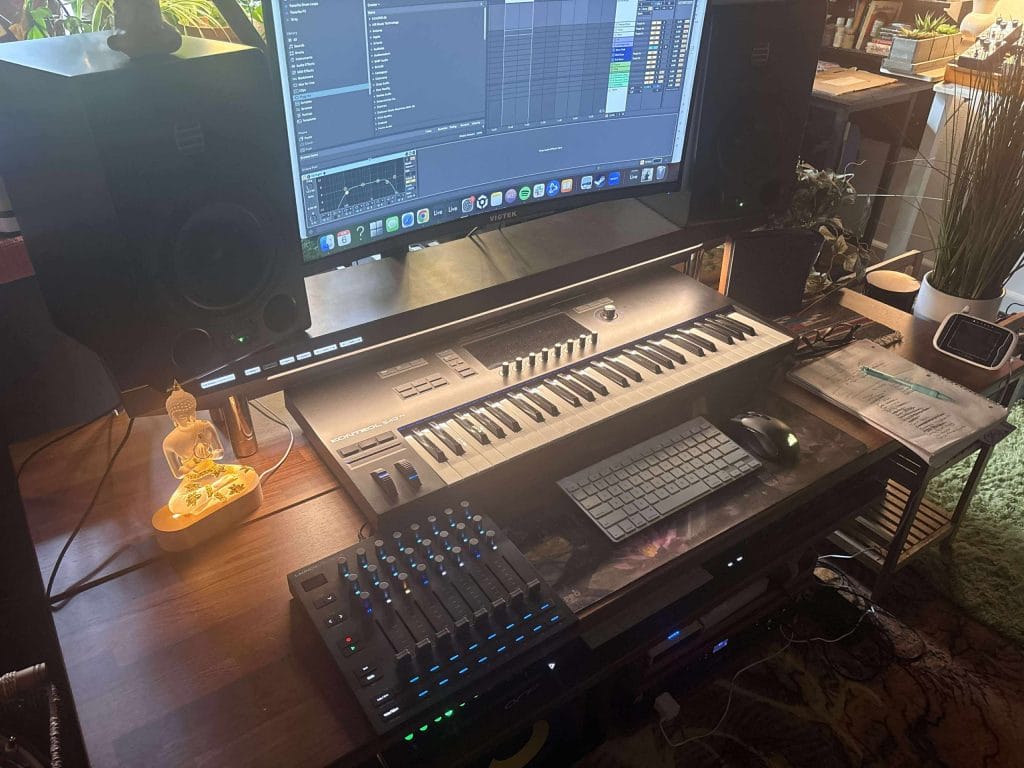
This third version delivers meaningful updates over the previous generation.
The endless encoders mentioned above, RGB LED feedback, and a built-in screen all make it more efficient and far more intuitive, and it just looks more modern and, if I can be honest, cooler than many other products in Novation’s line. Novation has always been a company of killer products, but the look and feel has finally, over the last couple of years, matched the level of functionality their devices always bring to the table.
So let’s talk about it a bit more why don’t we…
Editor’s Choice: Why The Novation XL 3 Rocks

The Novation Launch Control XL 3 has earned my Editor’s Choice award for one simple reason: it delivers functionality that would typically cost twice as much. At $249, it’s an affordable piece of gear that has completely changed how I approach both production and live performance (which actually seems like a completley fair price, unlike everything else in life these days – boomer take from this 34 y/o writer, I know). I’ve worked with plenty of control surfaces over the years, and most of them fall into one of two categories—cheap and limited, or powerful and overpriced. The XL 3 doesn’t land in either. It’s fully featured, flexible, and accessible without compromising on the things that matter.
It’s not just about features on paper, either.
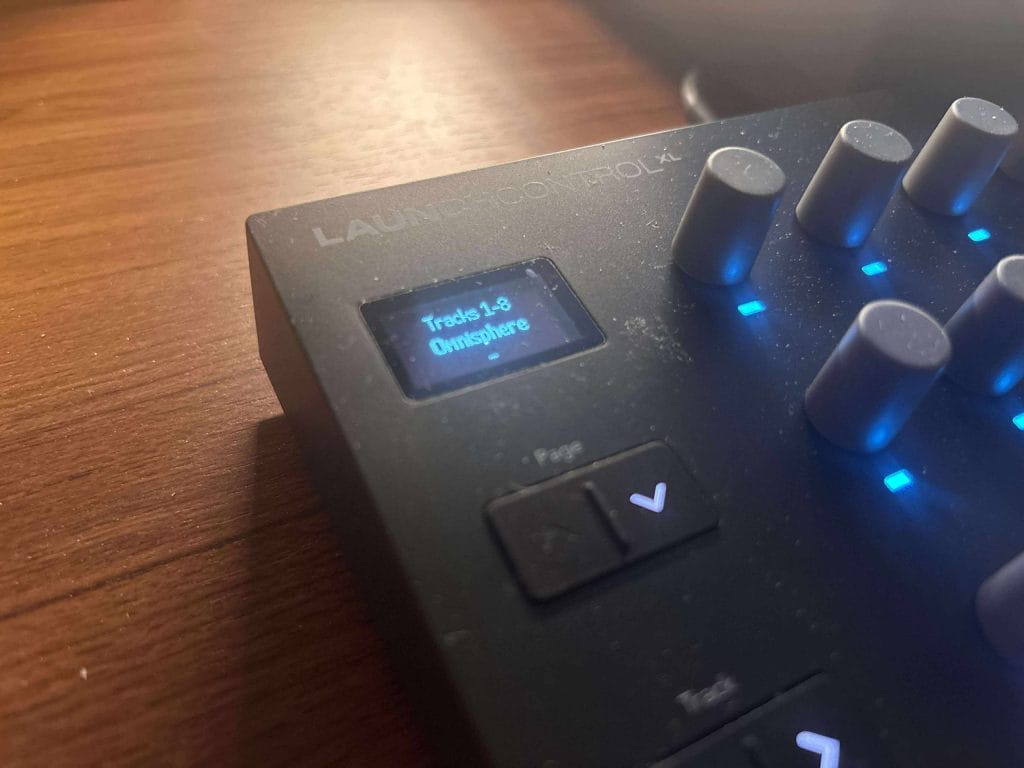
Everything on this controller feels well thought out. From the OLED display that makes parameter control easier to manage, to the full-size MIDI I/O that actually opens up meaningful hybrid workflows, this thing doesn’t leave much out. It’s not trying to be a jack-of-all-trades; it’s focused on being a hands-on control surface that’s adaptable to your environment—DAW, hardware, or both.
The price point only makes the value more obvious. With other controllers in this range, I usually expect compromises on build quality, limited mapping, or a complete lack of hardware MIDI ports. None of that applies here. The XL 3 makes zero excuses. It’s a rare product that makes me rethink how I structure my setup. If you’re trying to bring more immediacy into your workflow without blowing your budget, this is a serious option which is why it took home the Editor’s Choice Award with ease.
Design and Build Quality
From the first time I set it on my desk, the Launch Control XL 3 felt like it had been a part of the setup for a while.
It’s compact without feeling cramped, and there’s no fluff in the layout—just faders, encoders, assignable buttons, and a central OLED screen (central as in the main hub of what’s going on, though it is, in fact, up in the top left of the device).
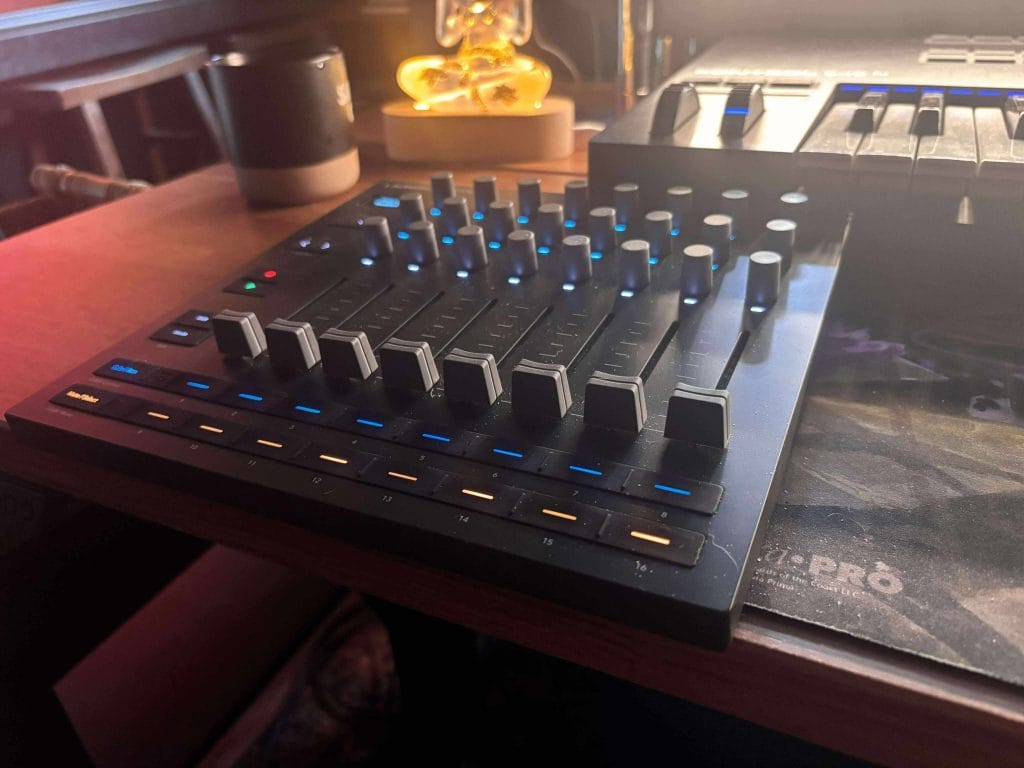
The build quality held up better than I expected for something in this price range; usually anything under $300 these days is cheap plastic and encoder knobs that slip off after just a session or two of use. The faders move smoothly with enough resistance to allow for accurate level control, which has made mixing inside the DAW much faster. The encoders are especially satisfying—they don’t wobble, they track consistently, and the RGB feedback makes it easy to stay oriented even when switching between modes.
Visually, the unit is clean and minimal, a design move that aligns with the vibe of almost everything else Novation has released over the last couple of years. It doesn’t draw attention, which is exactly what I want in a studio environment but still looks modern and anything but clucky (which was a common gripe for many of this same controller’s predecessors) . The OLED screen is bright enough to read in low-light setups and gives instant context to whatever you’re controlling.
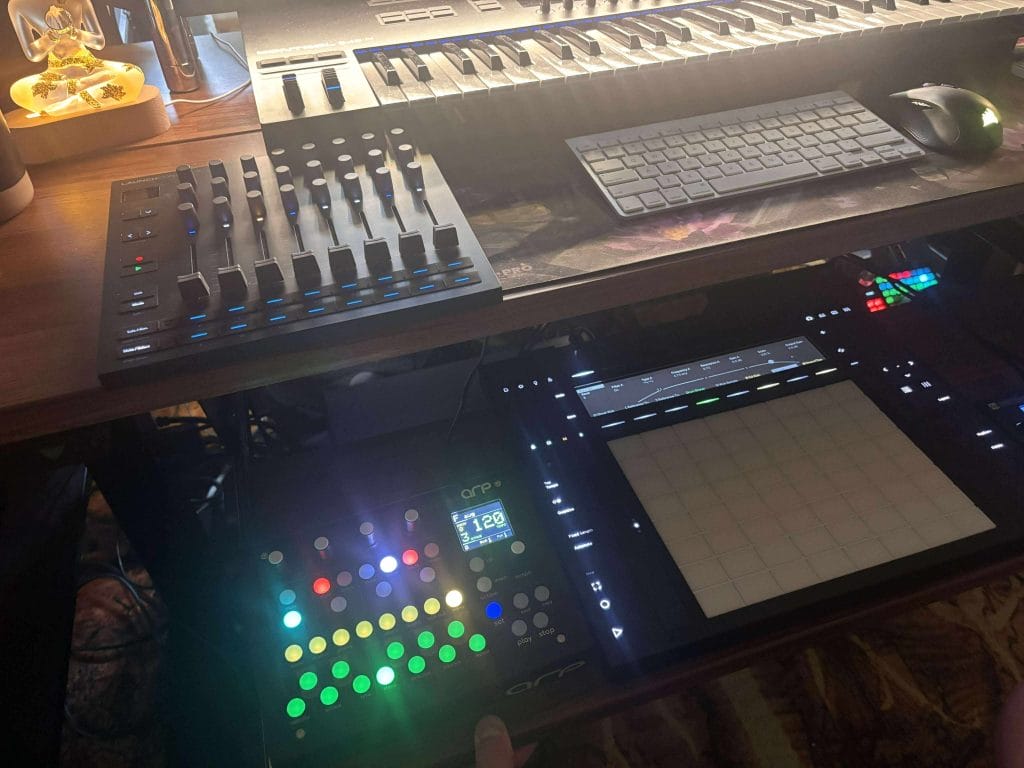
That screen is the feature that was desperately needed, especially once you start using the rows of encoders for deeper functionality like sound design and messing with more minute parameters inside Ableton’s synths. Instead of guessing or looking at my computer, I can confirm mappings, parameter values, and track names right on the controller. To be honest, I don’t think this specific functionality will be replacing doing similar moves on my Push 3, but that’s not exactly how i found myself using the MK3 anyways and I could see, if you don’t have a Push already, this could be a fantastic alternative that is literally 1/10th of the price.
Connectivity and Setup
The XL 3’s connectivity is where things start to open up.
USB-C makes it easy to integrate with any computer setup without a mess of cables or converters. It powers the unit and handles MIDI simultaneously, which is exactly how it should be in 2025. That being said, I wouldn’t have minded seeing a USB Type-B connector on there as well, but I think the future is in USB-C connection anyways, so it makes sense that Novation made this move. But what makes this controller different from most is the inclusion of full-size 5-pin MIDI In, Out, and Out2/Thru ports.
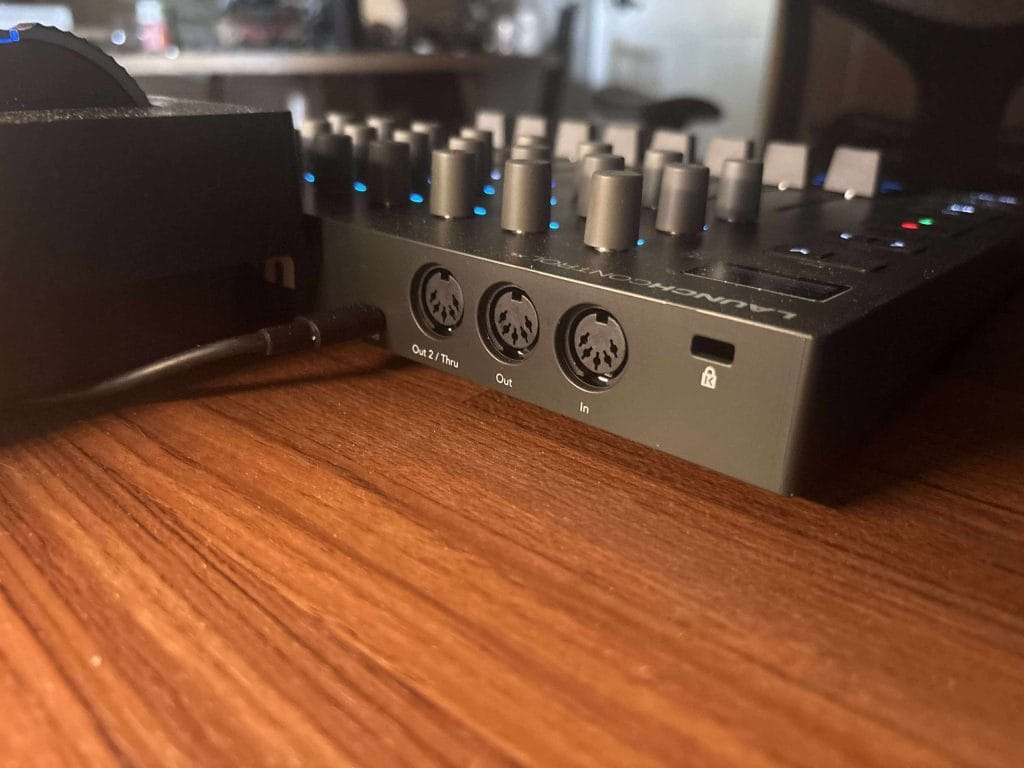
That completely changes what this unit is capable of.
I’ve connected it directly to hardware synths, samplers, and grooveboxes without needing a computer in the loop. It’s perfect for standalone rigs, and the fact that you can merge MIDI data internally is a big deal. I could see this being used with the merge function to run MIDI from a keyboard into the XL 3, then out to my gear while also using the faders and knobs to send additional control changes. It’s seamless and removes the need for external MIDI routers.
Setup was fast, and everything worked right out of the box. DAW integration with Ableton Live (I’ll admit, live was the only DAW I tested this in), Logic, FL Studio, and Cubase was automatic once I made the appropriate updates and made sure the MIDI settings were correct. With Novation Components, I was able to set up 15 custom templates tailored to my own hybrid workflow. Whether I’m producing, jamming, or performing, switching between templates has made it easier to stay in the zone.
Workflow and Control Features
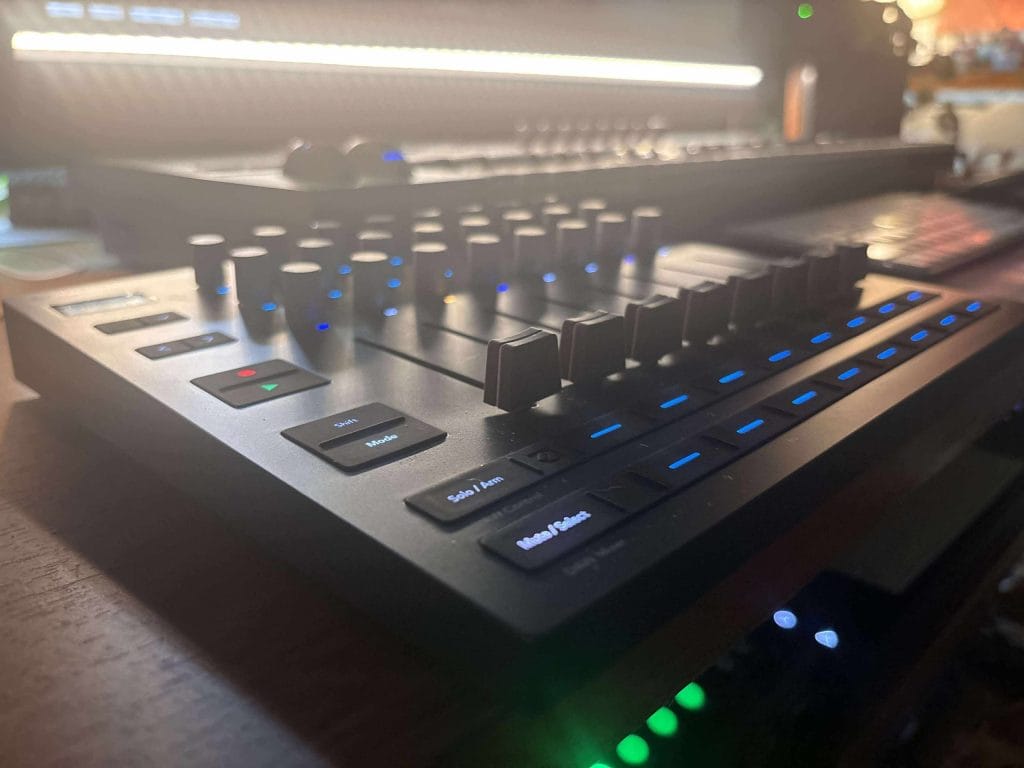
What really sold me on the XL 3 was how much control it gives you without needing to look at your computer.
In DAW Mixer mode, the faders and encoders are already mapped to volume, panning, sends, and plugin parameters. The screen shows you what you’re working with at all times, and the RGB feedback keeps everything visually organized. You don’t have to think about anything, you just act, and honestly, the OLED screen is doing a LOT of heavy lifting here to make this flow-inducing accessibility possible. That kind of tactile workflow is what I’ve wanted from a controller for years.
That point lines up with a conversation our team had with Kormac in “A good dose of healthy ignorance is great” Kormac interview. Talking about modular gear and drum machines, he said, “Playing around blindly always yields unexpected results.” The XL 3 fits that idea well because it gives you enough tactile control to stumble into good changes without building the whole session around the screen.
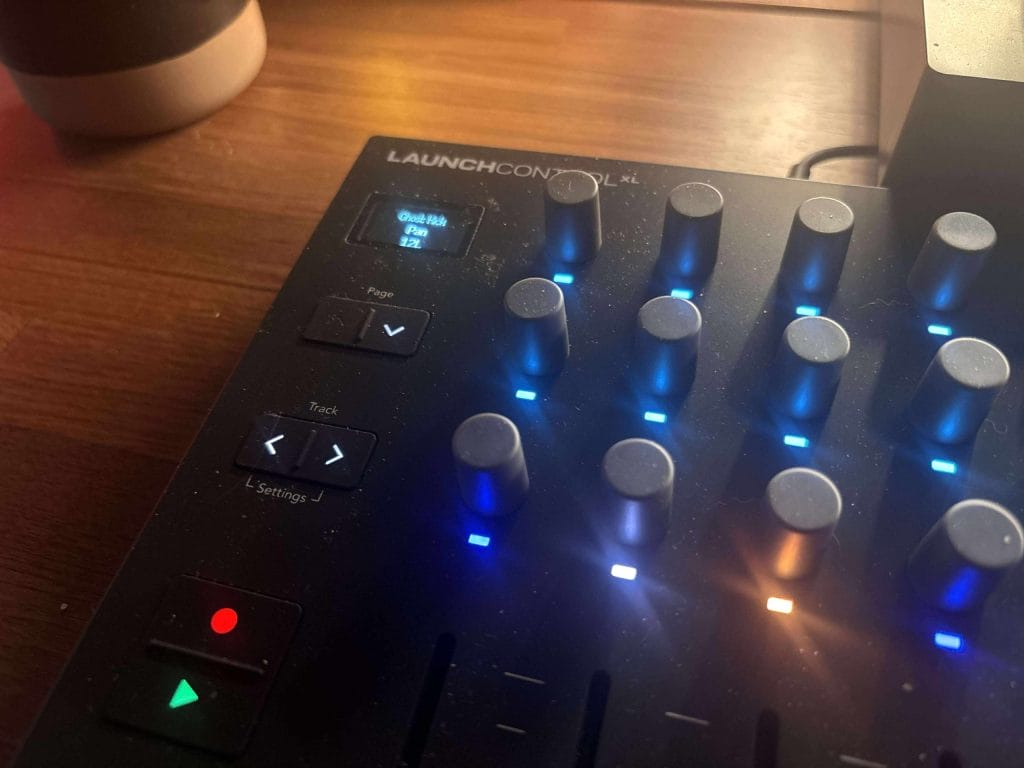
What makes this controller truly awesome, though, is how easily it can be customized. The 15 user-defined custom modes mean I can map everything exactly how I want. In one mode, I’ve got faders assigned to live stems and encoders mapped to delay and reverb sends for each track.
The transport section is also worth mentioning. Simple play and record buttons enable quick tracking or arrangement edits without needing to grab the mouse. Paired with the encoder functions for zooming, scrubbing, and tempo changes, you get real control over session navigation and can help you track multiple takes of vocals or any other recording easily. It’s the kind of workflow that removes friction and makes th whole process more tangible and tactile which I think is something I’ve come to prioritize more and more lately—everything is a move or two away, and you’re not hunting through drop-downs or plug-in windows.
Software Bundle and Included Tools
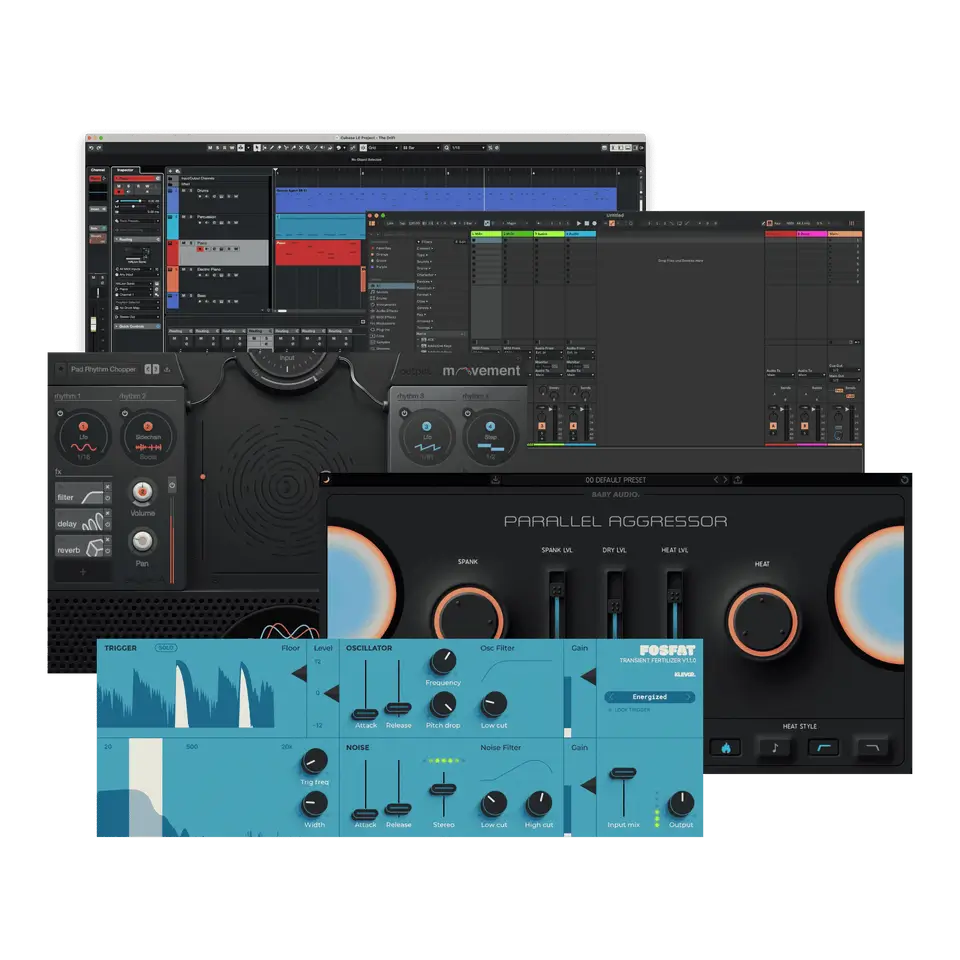
The included software suite is a nice bonus, even if you already have a primary DAW. Ableton Live Lite gives you everything you need to get started, and for people looking to sketch ideas on a tight budget, it’s more than enough. What stands out more are the additional plugins—there’s useful stuff in there that I’ve actually kept in my workflow.
The plugins from Klevgrand, Baby Audio, and Output aren’t filler—they’re well-curated tools that expand your sound design palette right out of the box. I’ve had a chance to use most of these plugins throughout my time as editor at this site, and I think these tools collectively are a great starting toolkit to get you cooking. There’s a saturation tool in there that I’ve been using on drum busses, and some of the modulation plugins are surprisingly useful for creative automation when paired with the XL 3’s custom mappings.
How Does The Launch Control XL 3 Compare Against Its Best Alternatives?
| Product | Current price checked | Best for | Main reason to buy | Main reason to skip |
| Novation Launch Control XL 3 | $229.99 direct to $249.99 at Sweetwater | DAW control, hardware MIDI, hybrid setups | Best mix of faders, encoders, OLED feedback, and MIDI ports | No keys, pads, or motorized faders |
| Novation Launch Control 3 | $169.99 at Sweetwater | Smaller encoder-led setups | Costs less and keeps OLED feedback plus MIDI ports | No faders |
| Akai Professional MIDImix | $109 through inMusic Store | Budget DAW mixer control | Eight channel faders, master fader, 24 knobs, 16 buttons | No OLED, no endless encoders, no DIN MIDI |
| Korg nanoKONTROL2 | $99.99 at B&H, $119.99 at Sweetwater | Low-profile laptop control | Thin, simple, easy to pack | Older design and fewer custom feedback options |
| Behringer X-Touch Mini | $70.90 at Sweetwater, backordered when checked | Tiny USB control | Cheap, compact, eight encoders and dual layers | One fader and no hardware MIDI ports |
| DJ TechTools MIDI Fighter Twister | $277 at Thomann | Encoder-heavy control | 16 high-resolution encoders, four banks, RGB feedback | No faders and costs above XL 3 |
| Faderfox EC4 | 350 Euro direct, $333 at Thomann | Hardware synths, deep MIDI setups | OLED, 16 encoders, 16 groups, advanced MIDI commands | Expensive and no faders |
My Experience After Extended Use
After weeks of using the Launch Control XL 3, I can say that it’s def a complete tool for creative control. The tactile response hasn’t worn down, the OLED screen is still one of the most useful additions I’ve seen in recent years, and the reliability has been flawless. There’s no “learning curve” beyond setup. Once it’s in place, it disappears into the background and lets you work.
I’ve come to rely on its custom modes more than I expected. I now organize my sessions around them—one mode for mixing, one for effects, one for MIDI routing—and I can jump between them depending on what I’m working on. This has cut down the time I spend jumping between windows or pulling up different control apps. It’s all in one place now, and it just works.
If I had to nitpick, I’d ask for more LED color options or illuminated buttons in user mode for better visual feedback. But honestly, it hasn’t slowed me down. The existing feedback is good enough, and the OLED screen fills in the gaps. This thing does what it says, and it’s earned a permanent spot in my setup.

Will Vance is a professional music producer who has been involved in the industry for the better part of a decade and has been the managing editor at Magnetic Magazine since mid-2022. In that time period, he has published thousands of articles on music production, industry think pieces and educational articles about the music industry. Over the last decade as a professional music producer, Will Vance has also ran multiple successful and highly respected record labels in the industry, including Where The Heart Is Records as well as having launched a new label with a focus on community through Magnetic Magazine. When not running these labels or producing his own music, Vance is likely writing for other top industry sites like Waves or the Hyperbits Masterclass or working on his upcoming book on mindfulness in music production. On the rare chance he's not thinking about music production, he's probably running a game of Dungeons and Dragons with his friends which he has been the dungeon master for for many years.