
Table of Contents
Images C/O Instagram and Unsplash
If you’re posting production tips, DJ clips, or music promos to Instagram Reels—and using Canva or CapCut to cobble them together—you might want to check this out.
Meta (aka Instagram’s parent company) just launched Edits, a new standalone video creation app that’s built specifically for short-form content. Unlike Instagram’s in-app editor, this one’s a full-blown workspace with a timeline, project manager, and tools to actually build good content without bouncing between 3 other apps.
If you’re doing any kind of consistent video content for your label or artist brand, this might be worth a spot on your home screen.
Edits is available globally and free for download in the App Store and Google Play Store. To get started, simply download the app and sign in with your Instagram account.
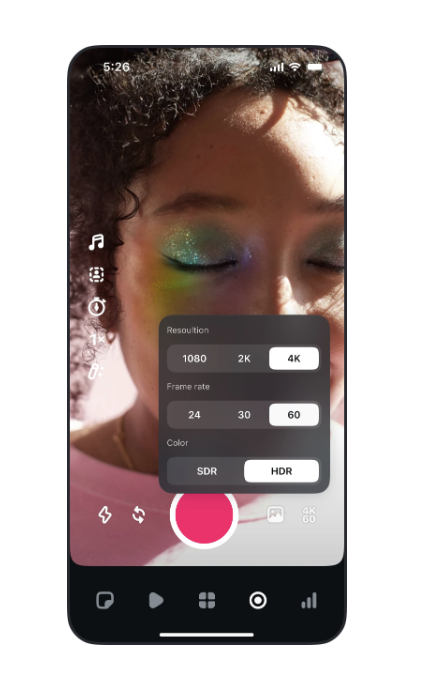
It’s like Canva + CapCut, but for Instagram
Let’s be honest: Canva can feel slow and clunky when you’re just trying to make a clean, quick tutorial or edit a vertical DJ clip.
Edits is built around a timeline editor with proper cut tools, project saving, and media organization.
So instead of exporting from Canva, downloading to your camera roll, uploading to Reels, and re-editing captions in Instagram—you can just do the whole thing in one place.
No watermarks. No compression. No reformatting.
It also taps into Reels’ own back-end so you can:
- See trending audio and analytics inside the app
- Save reels for later reference (like moodboard-style)
- Jot down content ideas and plan projects before shooting
Built-in tools that make repurposing easier
One of the most slept-on pain points of posting regularly is reformatting content for other platforms. TikTok, YouTube Shorts, etc.—they all have slightly different quirks.
Edits is platform-agnostic, meaning Meta finally realized you’re probably not just posting to Instagram. You can export clean, unwatermarked files in vertical format, then reupload anywhere. This alone could save you 30+ minutes per post if you’re batch-creating content.
Edits isn’t a full-blown After Effects replacement, but Meta’s roadmap shows they’re trying to get closer.
Coming features include:
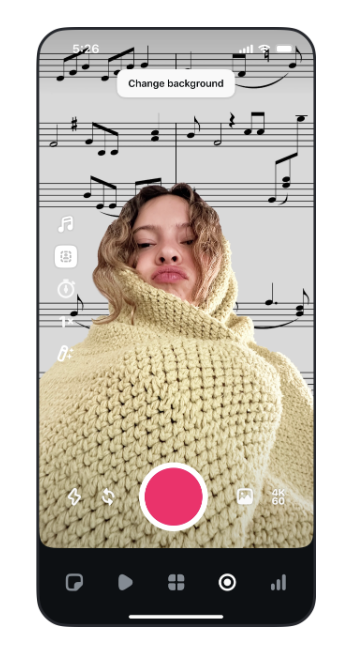
- Keyframes: You’ll be able to animate text, overlays, and video movement frame-by-frame (super handy for tutorial emphasis)
- AI Styling: Quickly re-style clips without redoing the whole layout
- Collaboration tools: Send drafts for feedback or co-edit with a partner
- More FX: Fonts, transitions, sound FX, and royalty-free music built in
Should you switch?
If Canva feels too slow or clunky for how often you’re posting, yes—give Edits a shot.
It’s free, mobile-first, and cuts out a bunch of unnecessary steps.
This doesn’t mean you should delete Canva or CapCut today—but if you’re posting weekly (or more), Edits might speed things up and make your process less annoying.
More importantly, it makes it easier to spend your time on content ideas instead of fighting the app.
And that’s where the real value is going to come from going forward.

Magnetic byline note: This byline is used for staff produced updates and short announcements, often based on press materials and official release information. Editorial responsibility: David Ireland (Editor in Chief) and Will Vance (Managing Editor). About: https://magneticmag.com/about/ Masthead: https://magneticmag.com/masthead/ Contact: https://magneticmag.com/contact/