Table of Contents
There’s been a fair bit of hype surrounding Musik Hack’s newest plugin, Fuel.
Aside from having absolutely sick branding, the company promotes the plugin as a “fine-tuned maximization & saturation toolkit.” This sounds great to me. There’s a reason why the now-infamous Soundgoodizer plugin became such a staple in many people’s production toolkit: sound maximization is a great way to make something sound a lot more powerful.
But, this thing isn’t just a maximizer. It’s a saturator. It’s a compressor. It’s a bitcrusher. There’s an OTT knob.
From first look, this plugin could be the last plugin of any of those types you’d need to buy. As someone who absolutely loves it when plugins combine several aspects to create an all-in-one music making machine (for both practical and economical reasons), my interest was piqued.
Could this be the last saturator/maximizer/compressor/loud-sound machine you ever need? Let’s give Fuel a try.
Editor’s Choice Award
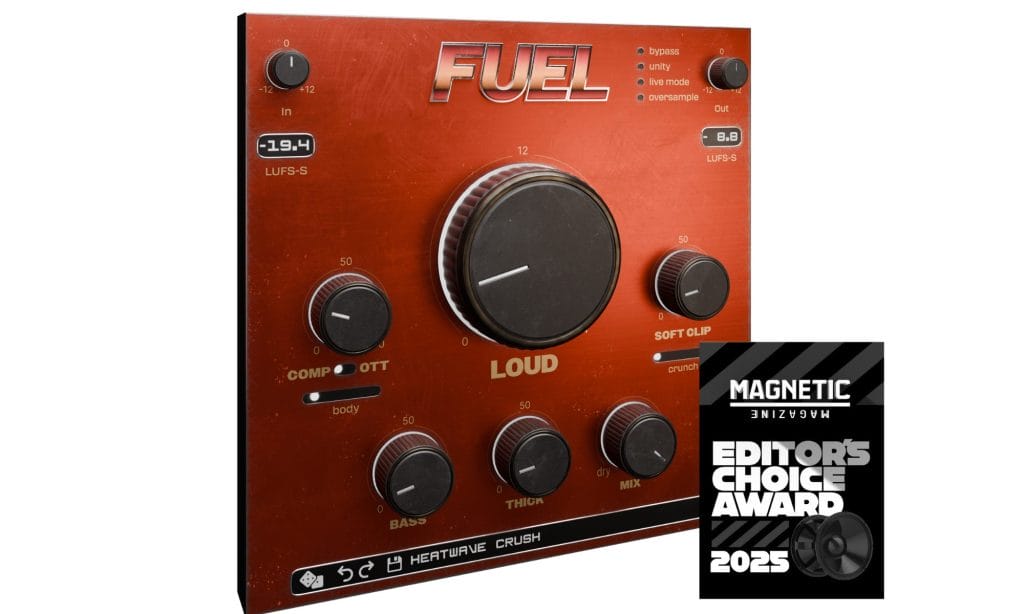
Before I get into my full review, I wanted to congratulate the team at Musik Hack for putting this incredible plugin together. I continue to be blown away every time I use it; when a plugin is this easy to use and does what it does so unbelievably well, it becomes an integral part of my plug-in arsenal.
And, for context, I make relatively chilled-out music (linked below if you’re curious); imagine what this could do for you heavy music producers out there. It is, undoubtedly, one of the best loudness management plugins on the market today, and I say that with full confidence.
Interface

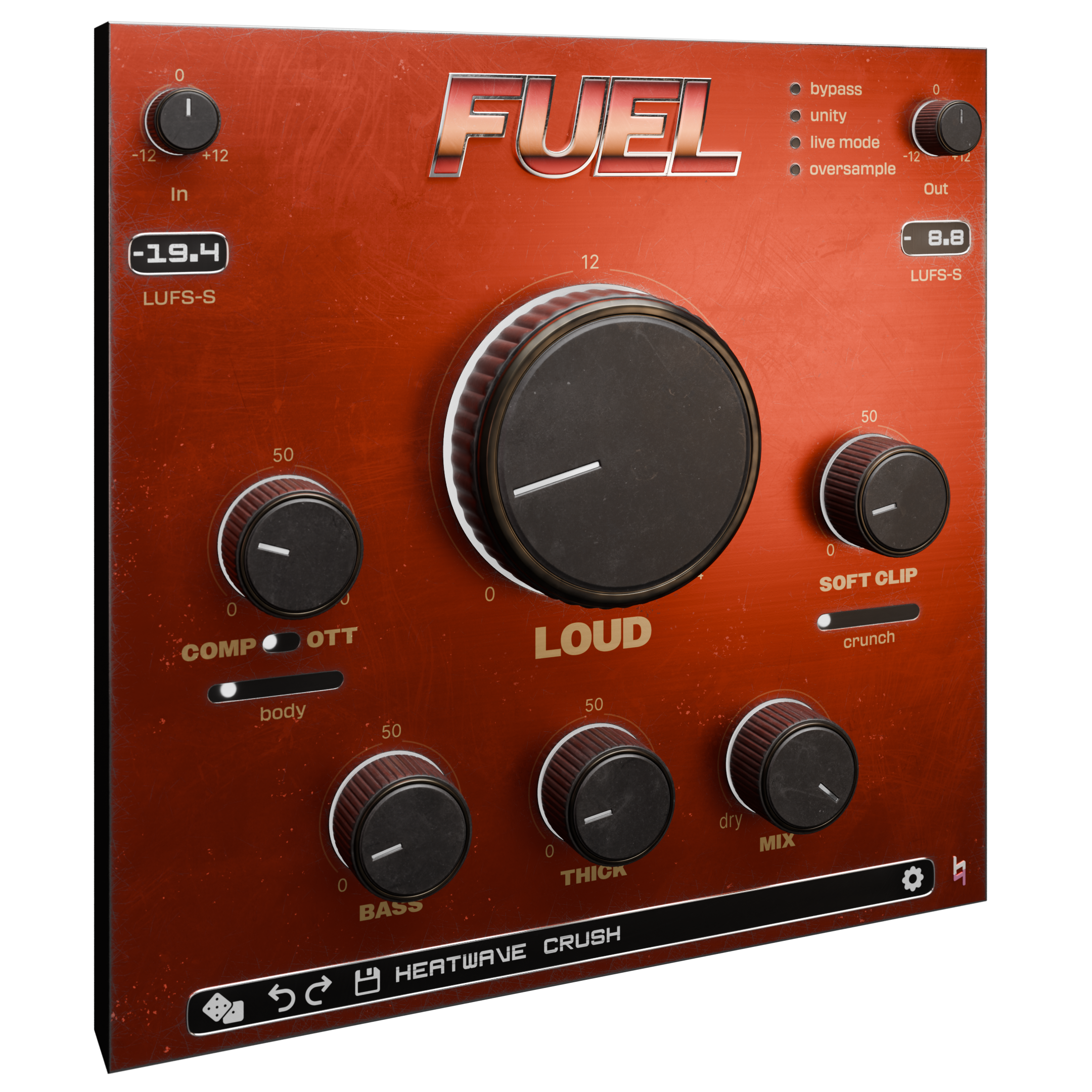
Fuel consists of eight clearly labeled knobs and is incredibly user-friendly.
The main, large knob that says “LOUD” does exactly what you think it does. It maximizes your sound and makes it louder. To get even more control over your loudness, there are input and output knobs in the top left and right to determine how much signal comes in and how much goes out. There are also some helpful LUFS gauges to make sure you don’t blow out your speakers.
To the left is the compressor knob, which you can use in compressor mode or OTT mode. You can also determine how much body you want with a slider underneath. To the right is the soft clipper, and you can determine how much analog crunch you’d like to add to the sound, as well. Basically, you can determine just how clean (or crunchy) you want the sound to be.
At the bottom are the saturation knobs. Just turn the “BASS” knob for punchy low-end, and the “THICK” knob to add warmth. It is really that easy.
Lastly, the “MIX” knob determines how much of the initial signal gets affected. There are also some interesting modes at the top right: live mode is low latency, so you can record freely without worrying about your computer slowing down. Oversample, meanwhile, gives you the cleanest results possible at the expense of some CPU.
It really does look too easy to believe, but that’s it. This entire plugin is just turning knobs. There’s no tricks, no sneaky expert-only features, nothing. It is about as easy to use of a plugin as I have ever seen.
I also wanted to shout-out how it looks, too. It’s got this awesome retro aesthetic going for it, and when it senses sound, all of the knobs light up like a real-time visualizer. That’s a super nice touch.

How Loud Can This Get?
Considering this plugin promotes just how loud you can make a sound, I figured I would push it to the limit. So, I threw on a normal kick drum and cranked the loudness knob up as far as it could go, with some extra bass and thickness for good measure.
I’m not going to share an audio file of that. But, I did do this for a very important reason: I don’t like it when plugins like this are so easy to use and so powerful that they can accidentally cause hearing damage thanks to just how easily you can make sounds unreasonably loud. I wanted to make sure that you can get a usable sound by cranking everything as high as possible without blowing your ear drums out.
You can. A kick drum at a 0 db volume level, with no input or output adjusted, and with EVERY KNOB turned as high up as you can, got me to a peak of -5 LUFS. Loud, but not loud enough to cause permanent hearing damage. So that’s a good start: you won’t accidentally sustain hearing damage by using this plugin. Now, if you decide to push it and use it on a sound with a ridiculously high input level, then you may be in trouble. Just be smart.
So now, for the actual testimonial. This thing does its job perfectly. Every knob does exactly what you want it to do with staggering quality. It’s a great saturator, a great clipper, and a great OTT all in one. The analog crunch might be my favorite part of this whole plugin: turn that up and you’ve got a satisfying, crunchy sound that isn’t harsh at all.
I’ve provided an audio file below of a few different instances of Fuel on the same kick drum. All of these variations of the kick were simply reached by turning one of the knobs halfway. The first variation is when I turned up the “LOUD” knob, the second is the normal compressor, the third is the OTT, the fourth is the regular soft clipper, the fifth is the clipper with added crunch, and the sixth is with bass and thickness added.
It’s so easy to use and it produces such a high quality product that I seriously see myself using this to beef up kick drums and other elements in my day to day productions. It’s already turned into my main OTT plugin, and I’ve been using it for only a few days. And I am NOTORIOUS when it comes to adding new plugins into my workflow. That’s how good this thing is.
Pros and Cons:
Pros:
Loud, but not too loud.
Your ears are precious, and so is winning the loudness wars. Using this plugin won’t give you tinnitus, but it will give you a loudness edge. It’s never been easier to add thick bass, soft clipping, or maximization to your sound.
So many ways to play.
A low latency mode for live recording is amazing. An oversampling mode for the highest-quality distortion is the cherry on top. You can use this plugin regardless of how much RAM the rest of your DAW is using. That’s always a bonus.
Cons:
It’s not what I’d consider cheap.
Fuel retails at $79. That’s a solid chunk of change.
With that being said, I do believe you get your money’s worth, and considering how many plugins that this may take the place of in your arsenal (you can just have Fuel instead of having a clipper, a saturator, a maximizer, and a multi-band compressor), the price tag makes a little more sense. But it’s definitely not an every-day purchase.
It is on sale at press time for $60, and they also offer a rent-to-own option if you’d rather just pay $6.60 for 12 months (that adds up to $79). There’s also a demo for you to check it out before you buy. So, while it’s pricy, there are also many ways you can go about acquiring it.
Don’t fall into the trap.
You know what I mean. Don’t instantly turn the knob and assume you’re done sound designing. Just like with any powerful effect plugin, you’ll get the most out of it if you learn the ins and outs of it. Take some time familiarizing yourself with the software. It’s easy to use, yes, but it’s got a lot of hidden power waiting to be unleashed.
Conclusion: Should you buy it?
It comes at a hefty price tag, but it’s worth it. Musik Hack’s starting the year out with a triumph: Fuel is a phenomenal plugin and everything I look for (and then some) in a maximizer.
Buy Fuel here.

Ben Lepper is a music producer and journalist from Boston, Massachusetts.