Table of Contents
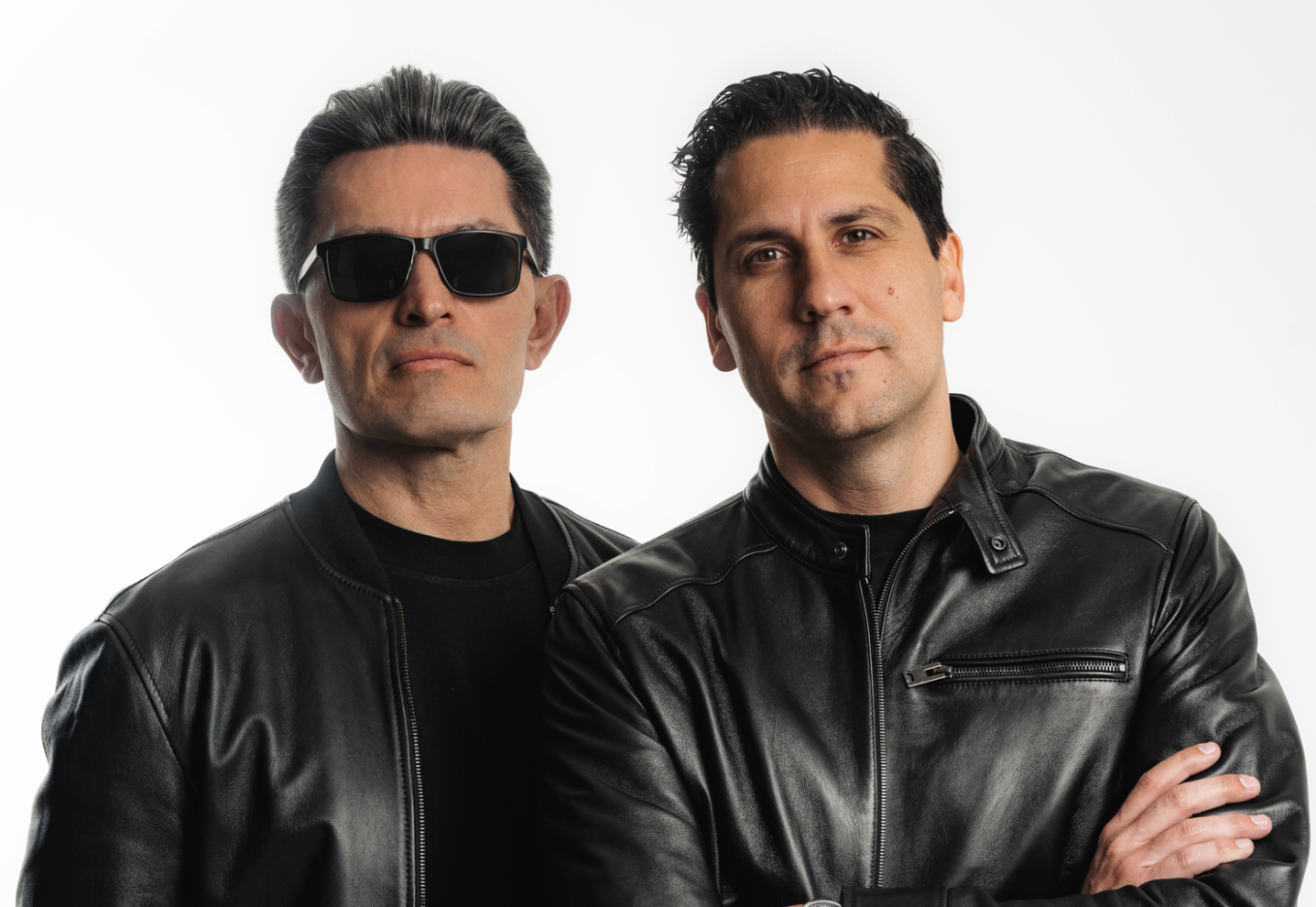
If you’ve been following the techno scene for any time, chances are you’ve heard the name Wehbba. His newest dip into the driving genre is a 3-track EP, “Ticprei / Llull,” which brings him back home to his label HIFN. What makes this release unique is its connection to the land and culture where it was made. Wehbba went out of his way to include beatboxing and other elements inspired by street artists, hip-hop culture, graffiti, and more.
Bringing this inspirational intentionality is no easy task, and it all comes down to obscene levels of attention to detail and mastery over the tools you’re using in the studio. And while it’s easy to think that some of the hardest and most texturally-dense elements in this track come from expensive hardware, this assumption couldn’t be further from the case. He’s using a ton of incredibly accessible plugins!
So, let’s take a moment to pick his brain and figure out how he works his magic. As always, listen to the lead track of the EP below to familiarize yourself with the sauce he’s about to share before diving into the plugins he uses to make some of the most unique techno in the game in this latest iteration of How It Was Made: Wehbba—Ticprei.

Audiorealism ABL3
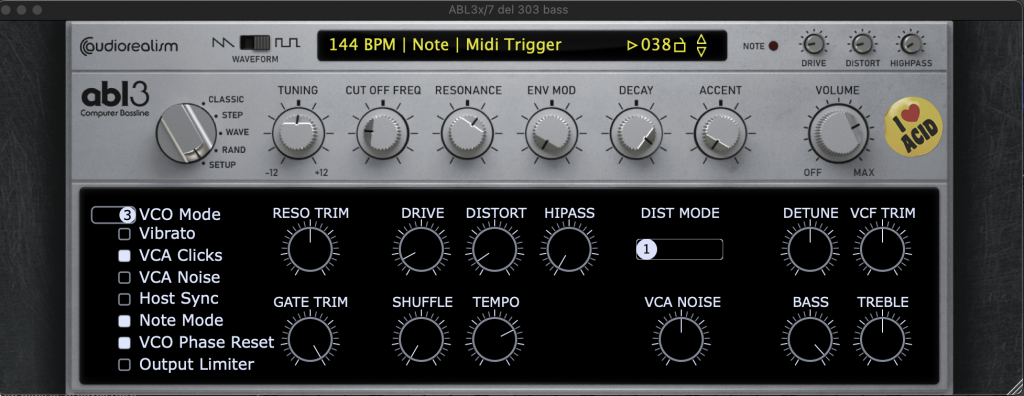
This is an emulation of a Roland TB-303, the legendary synth that originated the acid sound. I’ve been using this since its first version in the mid-2000s; it’s my favourite 303 emulation.
I normally use 303s to create leads or acidic stabs, rarely for baselines, but this time I felt like creating a classic acid techno track, so I’ve used it for basically everything. The bass line sequence was created using a Max For Live patch called Time Sting from Skinnerbox, which specializes in creating random acid lines. I edited the notes, octaves, and slides generated to create the right groove that fit my ideas. There wasn’t much automation going on with the bass line filters, but I added some grit to it with some distortion and bit-crushing.
For the other 303 channels, I’ve used other types of processing, such as the Spectral Resonator from Ableton Live or the Dist OPAMP-21 from Arturia. Duplicating 303 lines is a common trick acid techno producers use to extend the range of the 303’s capabilities since it only has 1 voice. It’s also cool to use the square wave in one unit and the saw wave on another with different octaves to add some more presence to the tone.
Cableguys Shaperbox 3
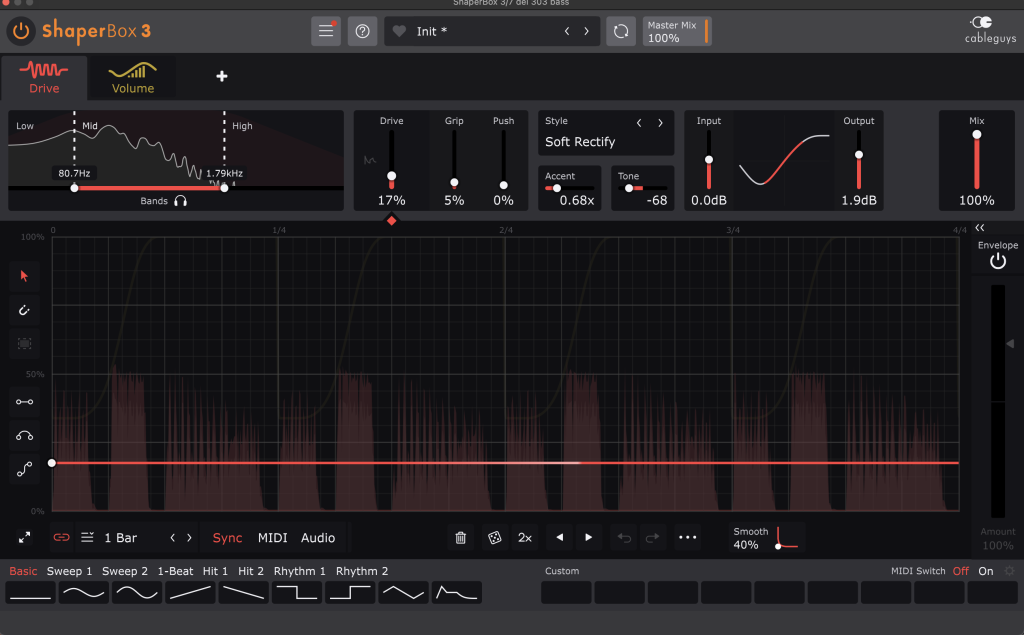
This is a multi-fx plug-in mostly used for side chain applications, but it’s a powerful multi-band tool that can do everything from distortion to reverb, from chorus to filtering, and so on. It can also modulate everything in sync with the project using custom LFOs.
I’ve used it extensively in most channels, for side chain but also for multi band distortion on the 303 for example, or noise layering on hi-hats to add extra frequencies and depth to them. You can design your own LFO curves to add movement to the parameters of those processing modules in the plugin, use one of the preset curves that are available, or simply use it as a regular effect processor with multi-band and independent dry/wet for each frequency.
It’s really cool to use it for side-chaining stuff to the kick drum, only affecting the low frequencies, to make stuff fit well in the mix and sound more natural, or to create a kick rumble, for example, directly into the kick drum channel without the need for any extra routing or processing. The reverb module, automated by an LFO, gives you extreme control to make it fit perfectly with your kick drum.
Learn More About This Plugin Here
Kush Audio Omega Transformer
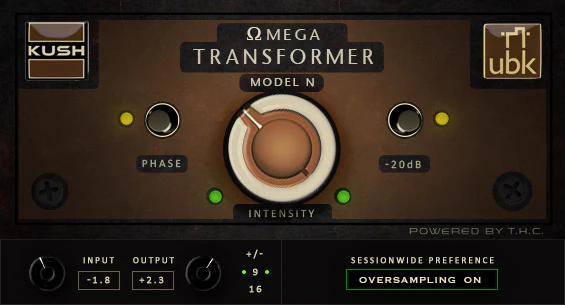
This is a very simple plugin, that emulates the effects of running audio through a hardware processor with transformers in its circuitry, which a lot of people refer to as adding color, and it’s basically a combination of saturation, EQing and a kind of dynamics shaping.
I use this plugin in every other channel in most tracks I make, this one is no exception, to add color to the elements and control some of the frequencies and peaks of each channel. It doesn’t have a lot of controls, so I only use the big knob in the middle to adjust the amount of color that I want to impart to the signal, which makes things sound more “real” and less digital to my ears.
This plugin is very useful to help using less EQ while making the track before reaching the mixing stage, to get a bigger sound right off the bat. If you push it hard it sounds amazing as well, so it’s also very useful for distortion applications.
Native Instruments Supercharger GT
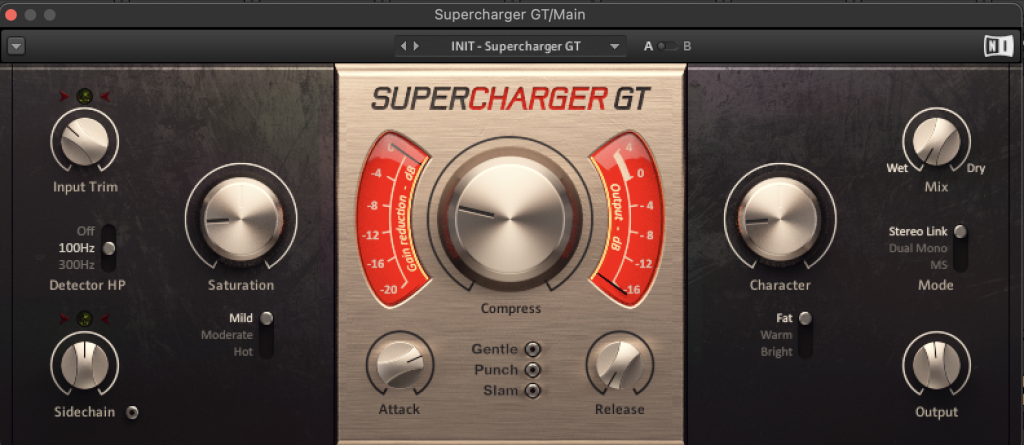
This is a compressor plugin, with extra features like tone shaping and saturation. It doesn’t seem to be based on any specific design, but it’s very flexible and has a very characteristic sound.
I’ve used this on the mix bus as the first insert, to control the dynamics of the track while also adding some saturation and fatness. It’s very easy to dial in the amount of compression you want with this plugin, as it doesn’t have a lot of controls, and it’s also full of sweet spots. I’ve also turned on the 100hz high-pass filter on the detector so that the low frequencies don’t affect the behavior of the compressor too much. It’s often my go-to compressor when I’m working on the go, as I can get a better sound going for drums, bass and mix very fast and can focus on building the track with a better idea of how it will sound in the end, so it keeps things more inspiring to me.
It’s very useful for any kind of material, but I like it most on drums, bass and the mix bus, just like I would use a Distressor or a Fatso. If you turn on the detector HP, you can control the dynamics without losing punch and fatness in the low frequencies.
Learn More About This Plugin Here
Quick Tips On Making Techno
Tip #1: Build interactive lines with different 303s to create a more interesting pattern. Use different waveforms on each to help avoid a cliche acid sound.
Tip #2: Make sure to have a tight kick and bass relationship, by keeping each one on a specific frequency range, not competing with each other.
Tip #3: Keep the drums powerful and simple, so there’s more room for the synths and vocal to be aggressive and in your face.
Tip #4: Using some degree of saturation in every channel can help build a bigger sound with less elements, and it also helps to keep dynamics more consistent and easier to control.

Will Vance is a professional music producer who has been involved in the industry for the better part of a decade and has been the managing editor at Magnetic Magazine since mid-2022. In that time period, he has published thousands of articles on music production, industry think pieces and educational articles about the music industry. Over the last decade as a professional music producer, Will Vance has also ran multiple successful and highly respected record labels in the industry, including Where The Heart Is Records as well as having launched a new label with a focus on community through Magnetic Magazine. When not running these labels or producing his own music, Vance is likely writing for other top industry sites like Waves or the Hyperbits Masterclass or working on his upcoming book on mindfulness in music production. On the rare chance he's not thinking about music production, he's probably running a game of Dungeons and Dragons with his friends which he has been the dungeon master for for many years.