There are plenty of MIDI controllers on the market that will let you record notes, trigger samples, and adjust a few plugin parameters, and for many producers, that’s really all they need.
But once you start spending serious time producing music, you realize how much of your session involves moving between the keyboard, mouse, piano roll, mixer, and whatever hardware happens to be sitting on your desk, which is where a controller that can handle several of those tasks becomes considerably more interesting.
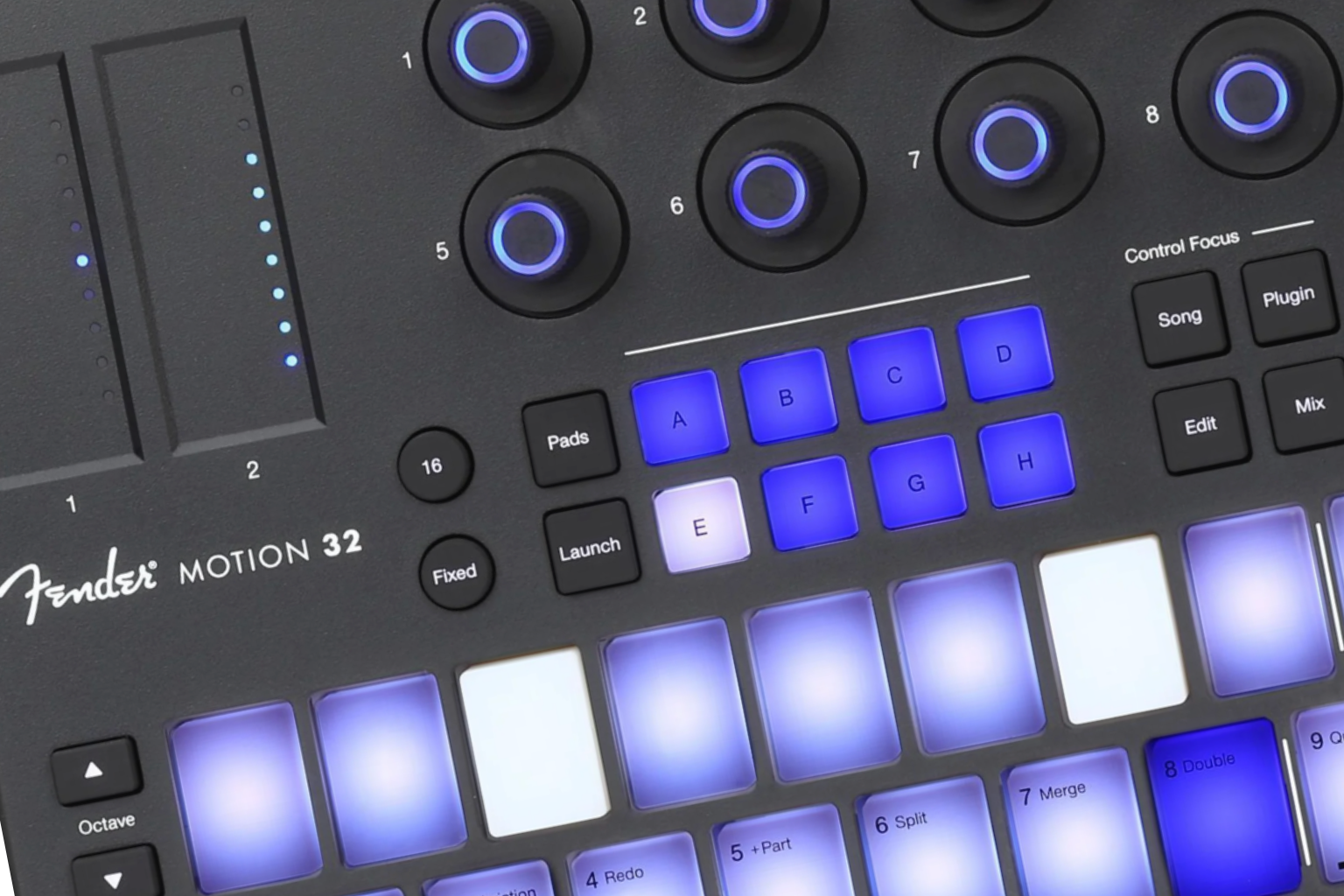
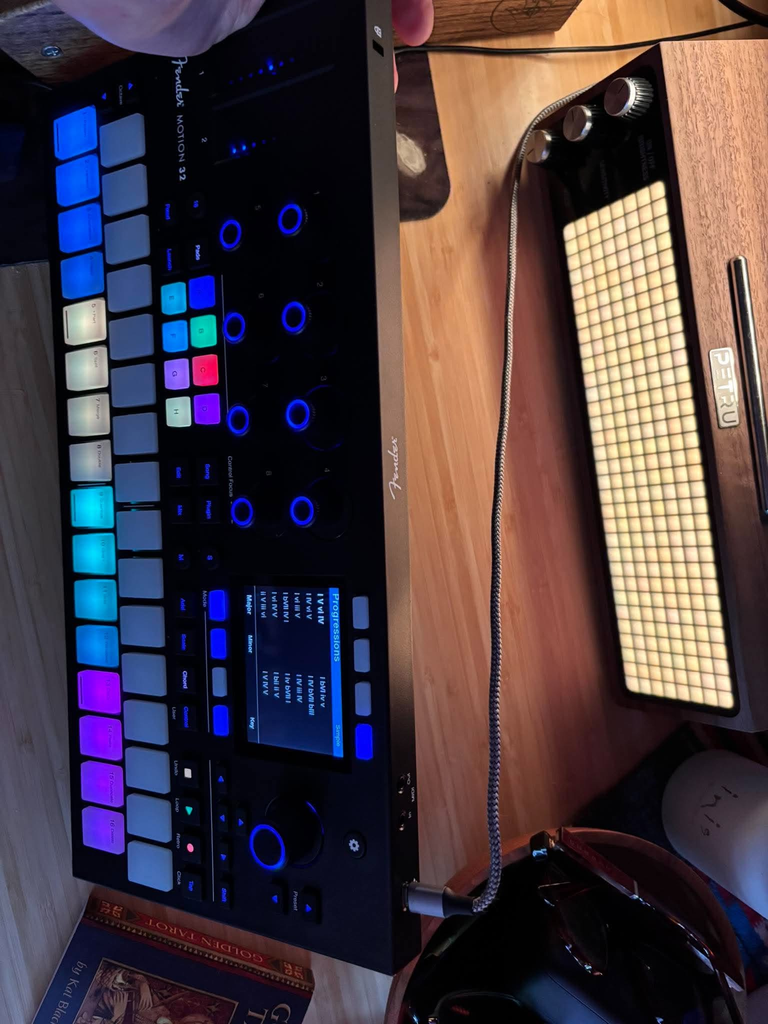
That was one of the first things I wanted to explore with the Fender Studio Motion 32, a $329.99 MIDI controller that brings together 32 Fatar-designed pads, eight touch-sensitive encoders, two expression strips, a color display, and extensive integration with Fender Studio Pro.
Fender has clearly thought through how producers move between writing, recording, editing, and mixing, and the Motion 32 tries to accommodate those tasks without requiring separate hardware for each.
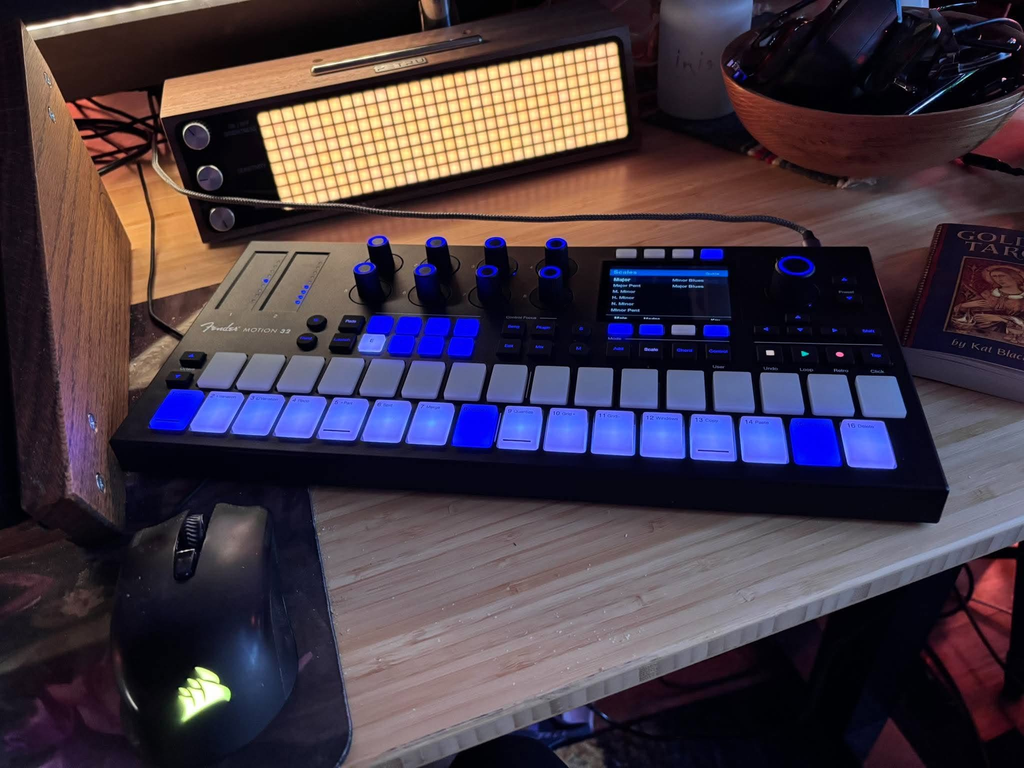
I’ve spent time getting familiar with the physical controls, exploring the chord and scale features, and considering how the Motion 32 fits into the way I produce electronic music, particularly progressive and melodic house where writing chord progressions, recording synthesizers, programming percussion, and making constant adjustments to instrument parameters occupy so much of my time.

There’s quite a bit to dig here, especially regarding the pads and harmonic tools, although the controller’s extensive Studio Pro integration also raises some questions about how much of that functionality a producer will actually use.
Fender Studio Motion 32 Design, Build Quality, and Playing Experience
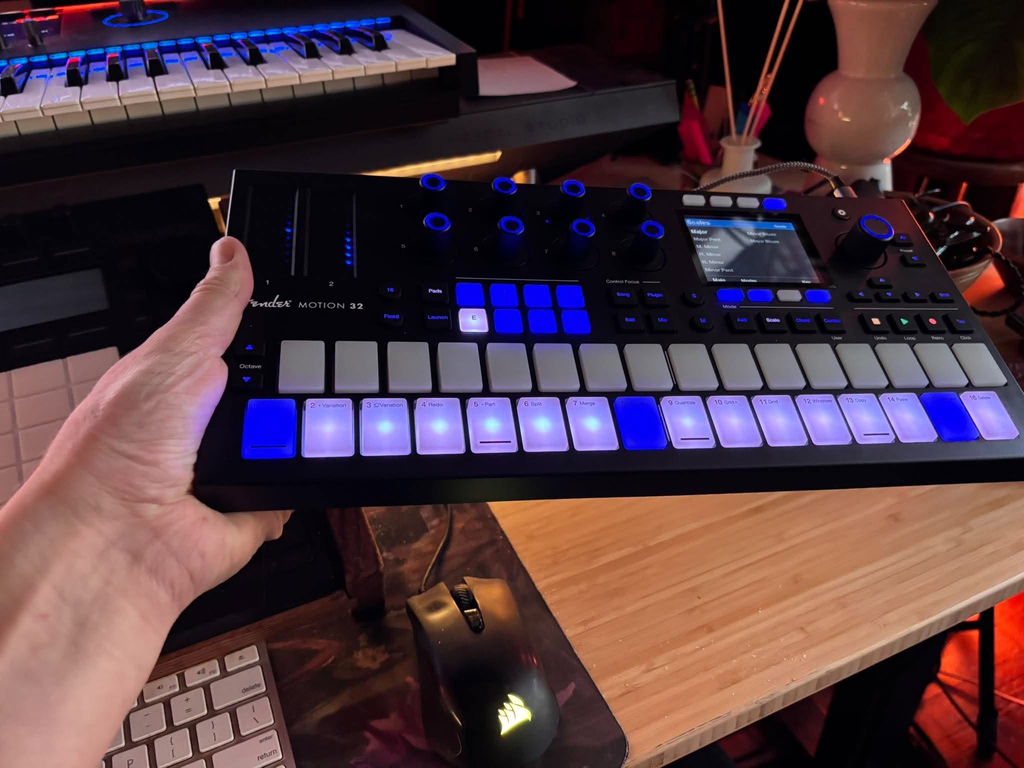
One of the first things I noticed when I took the Motion 32 out of the box was how solid/durable/weighty it felt, and I appreciate that Fender paid attention to the physical construction because a controller like this is something you’ll interact with constantly throughout a production session.
The enclosure has a reassuring sense of solidity, the controls are arranged logically across the surface, and despite having quite a few functions available, it doesn’t feel unnecessarily complicated when you first sit down with it.

The horizontal pad arrangement is probably the most immediately recognizable difference between the Motion 32 and the conventional square layouts you see on many MIDI controllers. Instead of organizing everything around a 4×4 grid, Fender has arranged the 32 pads across two staggered rows with a layout inspired by a piano keyboard, which gives you a familiar relationship between notes while retaining the flexibility of a pad-based instrument.
I particularly dig having access to additional notes without continually changing banks, especially when working on melodic ideas that extend across a wider range.
The pads themselves are one of my favorite physical elements of the Motion 32, like these things are amazing. Fender worked with Fatar on their design, and what surprised me was how responsive they feel to relatively light touches. I don’t need to strike them particularly hard to trigger a note, and that makes playing melodic passages or entering MIDI considerably more comfortable than controllers that require a fairly deliberate press.
They support velocity sensitivity and channel or polyphonic aftertouch, which means compatible instruments can respond to pressure after the initial note is triggered. This becomes particularly interesting for sustained synthesizer sounds, where you might want to introduce modulation or change the intensity of individual notes without reaching for another control.
Above the pads, the eight illuminated encoders are another hardware feature I really liked after I got used to them. They have a comfortable amount of physical resistance, their ridged surfaces make them easy to grip, and the capacitive touch functionality allows the display to identify assigned parameters and values without requiring you to change them first. The larger color display is particularly helpful because you can see what the encoders are controlling, which parameter bank is active, and how the assignments change when moving between different parts of Studio Pro.
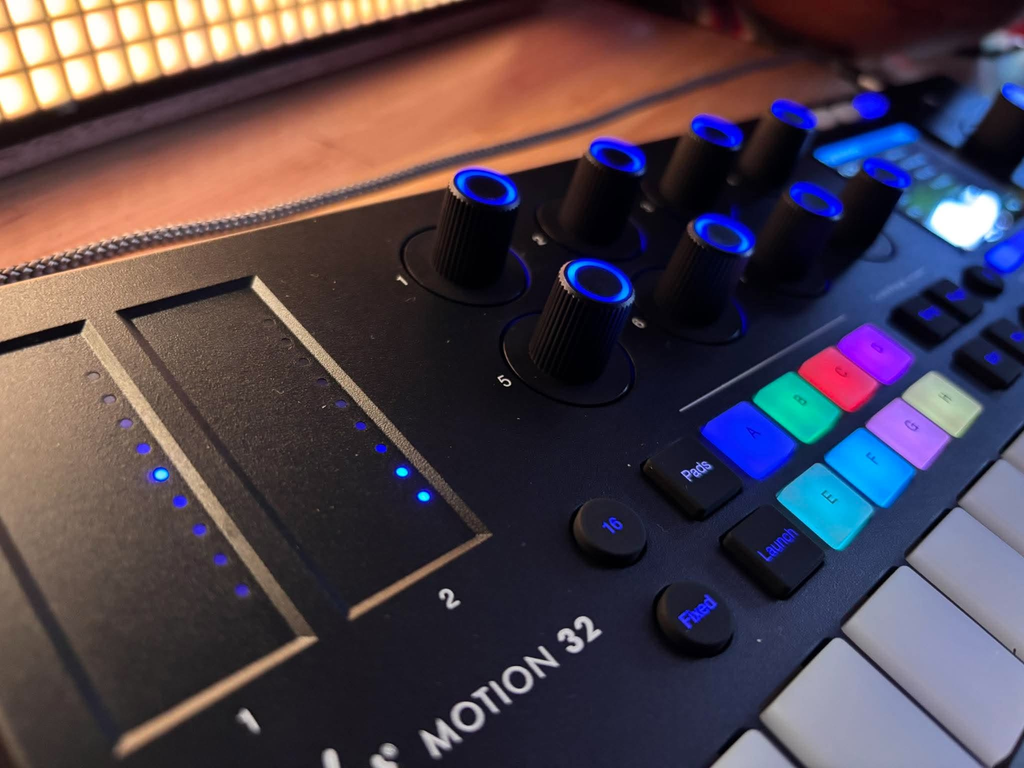
The Motion 32 also includes two touch strips for pitch bend and modulation, with secondary expression and breath-control functions. Pitch bend returns to its neutral position when released, while modulation retains its last position, and having those separate controls available is convenient when playing synthesizers that respond to continuous MIDI input.

Connection is straightforward via USB-C, which supplies power without an extra adapter, and I appreciate that Fender includes the cable. It also has 3.5mm TRS Type-B MIDI input and output connections for external hardware, though conventional five-pin MIDI equipment requires compatible adapters.
Writing Chords, Melodies, and Drum Patterns on the Motion 32
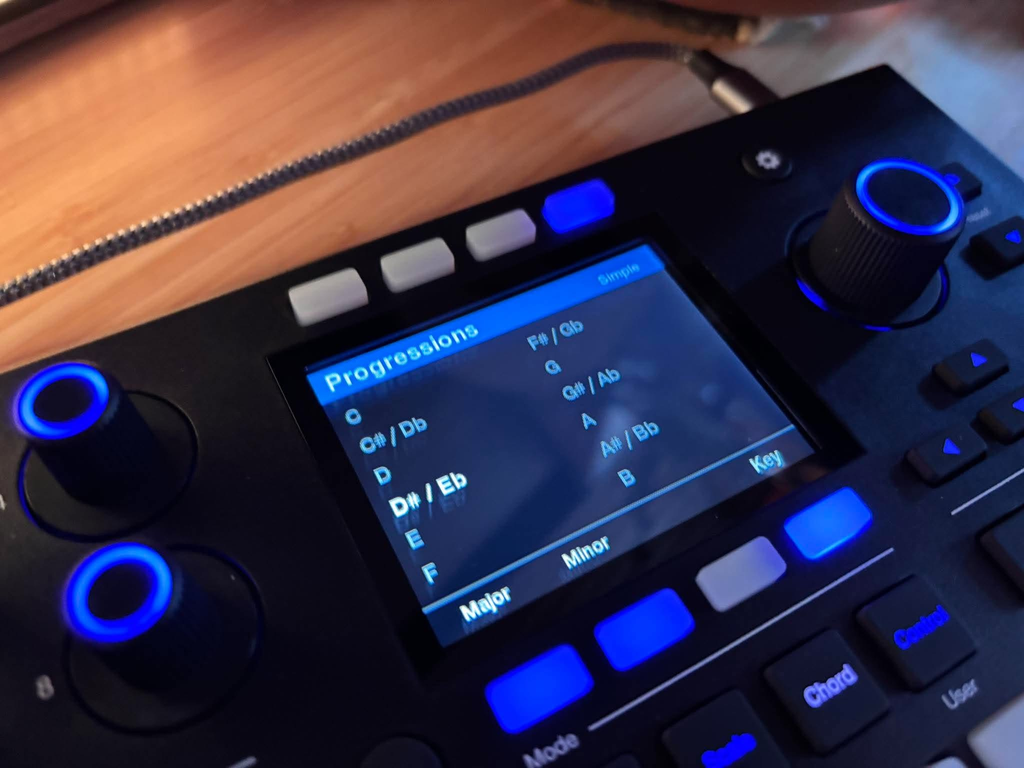
The chord functionality might be my favorite part of the Motion 32 because it addresses something I spend considerable time doing when producing music: experimenting with harmonic relationships before committing to an arrangement.
I regularly start with a progression and build several related instrument parts around it, and I appreciate being able to experiment directly on the controller without opening another chord-generation plugin.
Fender provides two approaches to chord playing: Famous Chords and Simple Chords. Famous Chords offers over 30 preset progressions arranged into four-chord sequences, with color-coded pad groups and alternate inversions that allow you to explore different voicings of the same progression.
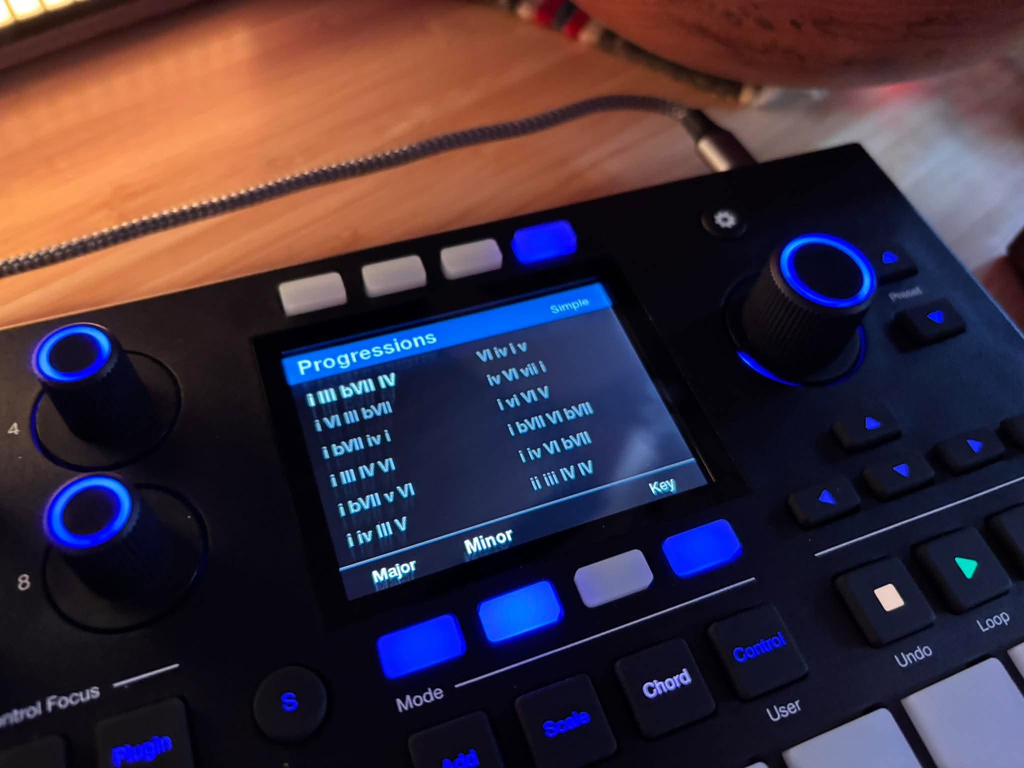
You can also change the key directly from the controller, which makes it easy to audition the same harmonic sequence in different tonal centers.
The inversions are super dope because how notes move between chords can be just as important as the chords themselves, especially with sustained synthesizers, where large jumps between voicings can change the perceived movement of a progression. Having those alternatives available on the pads means I can hear different arrangements before recording MIDI and making detailed adjustments.

I’ve talked about this quite a bit in my article on how learning chord progressions can improve your music production workflow, and the same principle applies here. Knowing how chords relate to one another helps you make intentional decisions, while a controller like the Motion 32 provides another way to experiment with those relationships.
Simple Chord mode is arguably even more interesting to unpack for producers who don’t want to rely on preset progressions. It generates diatonic chords based on the selected key and scale, so you can choose the order and timing, experiment with different interval structures, and build harmonic sequences that aren’t restricted to four predefined changes.
There is a good example of why this matters in our interview with Lloyd Barwood about “Nothing Like It Was”, where the chord progression changes every four bars across a 16-bar phrase and provides the harmonic structure for the surrounding instruments. That kind of writing is exactly where I’d be interested in using the Motion 32, especially when experimenting with different inversions and transferring harmonic material between instruments.
Scale Mode follows a similar approach, although here you’re working with individual notes rather than entire chords. Lock mode restricts the playing surface to notes within a selected scale, while Guide mode retains chromatic access and highlights the appropriate notes. I actually prefer the idea of Guide mode for experienced producers because it provides a visual reference without preventing you from introducing chromatic notes when the music calls for them.
The larger point here is that the Motion 32 gives you several ways to enter musical information. You can play a part in real time, use a chord progression, select scale-appropriate notes, trigger samples, or program a sequence, and none of those approaches requires you to commit to one production method for an entire session.
Fender Studio Pro Integration, Plugin Control, and MIDI Editing

The Motion 32 becomes considerably more interesting when you start looking at its relationship with Fender Studio Pro, because this is where it begins functioning as a dedicated software control surface rather than simply transmitting MIDI notes.
The main operating areas are organized through Song, Plugin, Edit, and Mix focus modes, which change the functions assigned to the encoders and navigation controls depending on the part of the DAW you’re using. Song mode provides access to the timeline, track navigation, zoom, loop boundaries, and related arrangement functions, while Plugin mode focuses on virtual instruments and effects.
This matters because I rarely work exclusively with the instruments bundled inside a DAW.
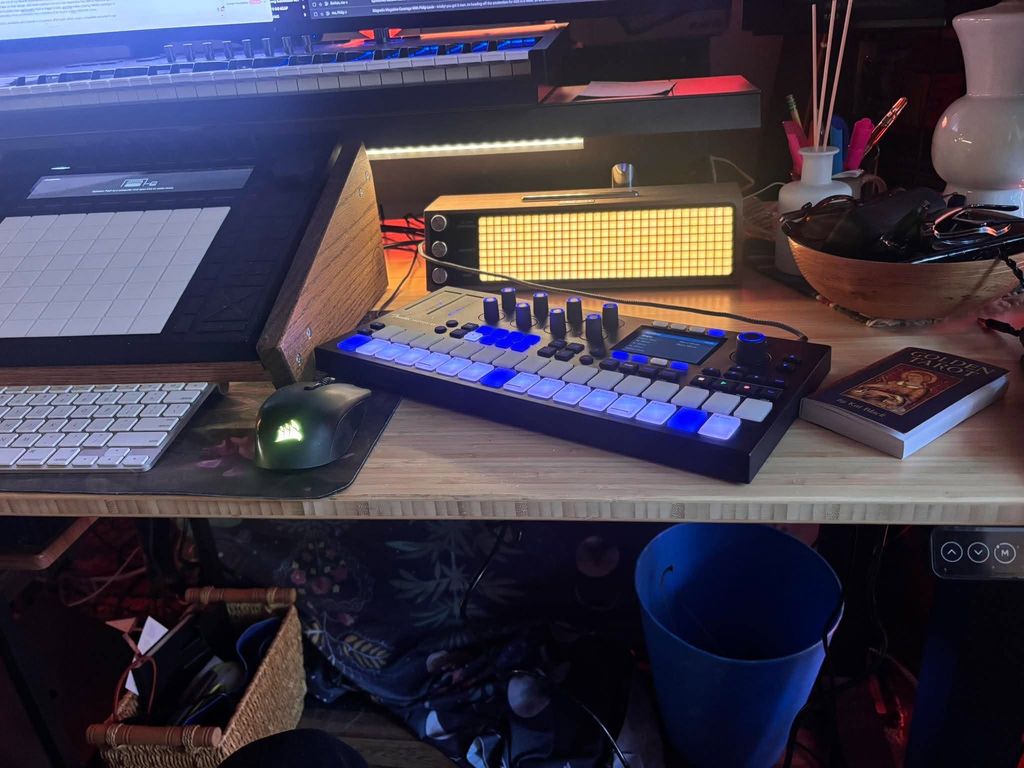
Having access to third-party VST instruments and effects through the same control system means the Motion 32 can be incorporated into an established plugin collection, although the quality of the assignments will depend on how each plugin exposes its parameters.
I could see myself using manual mappings for familiar synthesizers, with filter cutoff, resonance, envelope controls, oscillator levels, and effects amounts assigned to consistent positions. The ability to move between an instrument and its insert effects also seems particularly appropriate for electronic music production, where sound design often involves frequent adjustments to the synthesizer and its processing chain.
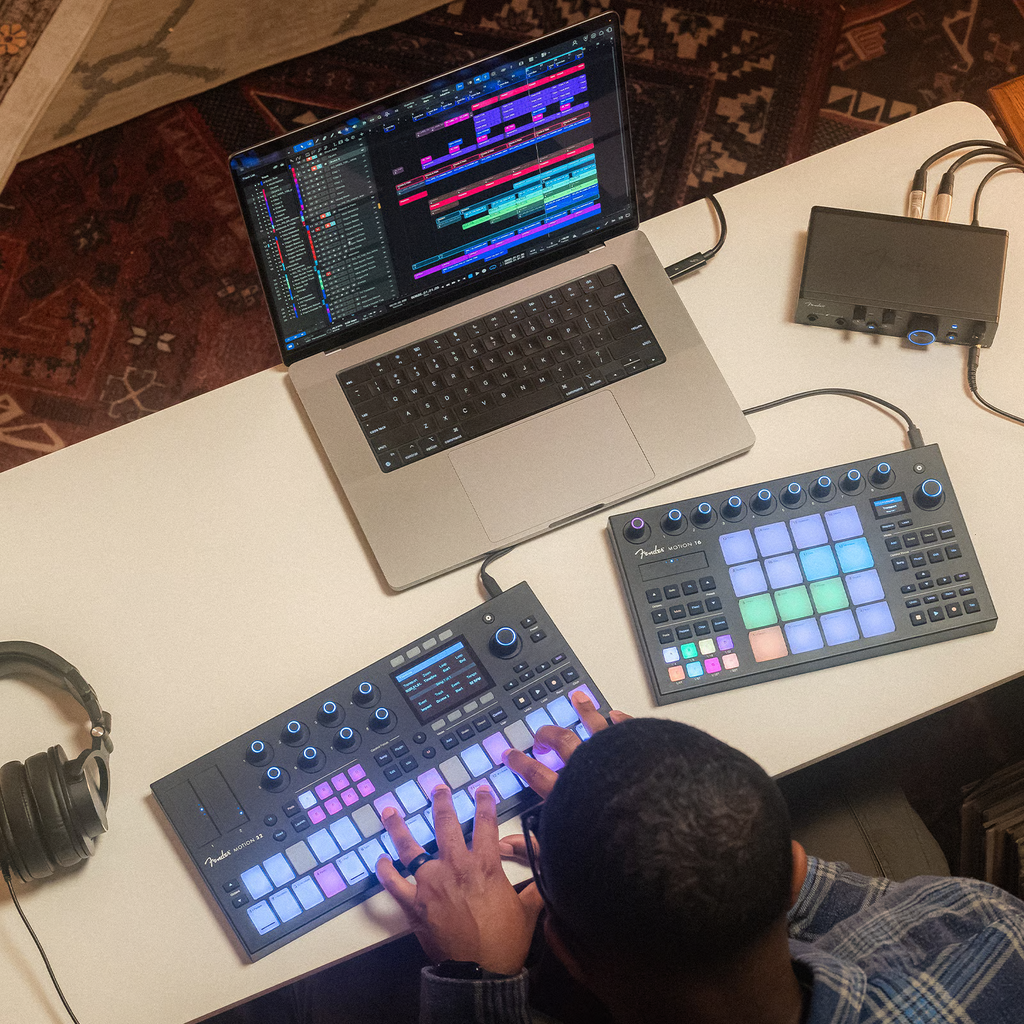
I wouldn’t argue that these controls completely replace the piano roll, and there are plenty of detailed editing tasks where I’d still prefer a mouse and a large display. But they provide an alternative for making small corrections without changing input devices.
This relationship between physical performance and editing also connects with something I discussed in my guide to making digital music sound more human, particularly the importance of intentional timing, velocity, note length, and automation. The Motion 32 gives producers several physical ways to introduce and adjust those details, although the musical decisions remain entirely their responsibility.
Using the Fender Motion 32 With Other DAWs and External Hardware
One thing I think prospective buyers need to understand is the distinction between standard MIDI compatibility and the dedicated integration Fender has developed for Studio Pro.
The Motion 32 can function as a standard MIDI controller with other production software, including Ableton Live, Logic Pro, Cubase, and FL Studio, so you’re not necessarily restricted to using Fender Studio Pro if you want to take advantage of its pads, velocity sensitivity, aftertouch, and other MIDI controls. That said, I think it’s important to understand that MIDI compatibility and dedicated DAW integration are two different things, and many of the features that make the Motion 32 particularly interesting, such as its track navigation, plugin control, editing shortcuts, and session management functions, are designed specifically for Studio Pro.
You can still use the hardware with another DAW, although the available controls and configuration requirements will depend on the software you’re using, and I wouldn’t expect the same level of integration without additional setup.
This is a very, very important thing to be thinking about because a producer working primarily in Ableton Live might be drawn to the pad layout, chord tools, and aftertouch functionality without needing the dedicated Studio Pro commands. That is a valid use case for the hardware, but it changes how you should evaluate the $329.99 price.
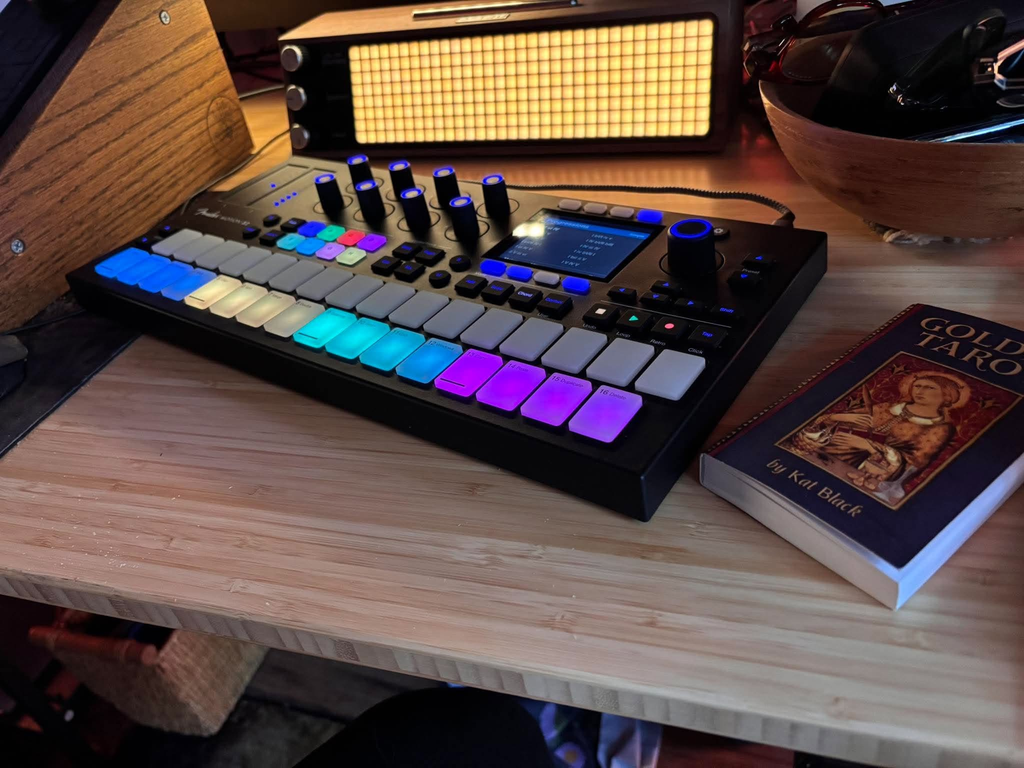
The controller includes adjustable pad and encoder response settings, display and LED brightness controls, and assignable command functions within Studio Pro. Those settings accommodate different playing styles and studio arrangements, though you shouldn’t assume the same level of software-command customization in unrelated DAWs.
For me, the key consideration is whether the Motion 32’s dedicated Studio Pro functions would become a regular part of my workflow. There is a lot of control available, but some producers may prefer keyboard shortcuts and a mouse over learning an additional set of hardware commands.
Fender Motion 32 Price, Value, and Final Thoughts

At $329.99, the Motion 32 occupies an interesting position because you’re paying for a controller that handles performance, composition, and DAW navigation, plus a perpetual license for Fender Studio Pro.
For somebody building a production setup without an existing DAW, that software inclusion changes the value proposition considerably. You get the controller and a complete production application together, so you can start recording and arranging without buying a separate DAW.
The biggest consideration with the Motion 32 is how much you’ll use the dedicated Studio Pro integration. It offers many functions, from timeline navigation and mixing to plugin mapping and MIDI editing, but the value depends on how you prefer to produce.
I wouldn’t expect the Motion 32 to replace a full-sized MIDI keyboard for somebody who regularly records complex two-handed performances, nor would I consider it a substitute for a dedicated mixing surface. What I appreciate is that it gives access to several common production tasks in one device, and the hardware is designed around moving between them.
For producers working primarily inside Fender Studio Pro, the Motion 32 offers a comprehensive set of hardware controls that can remain relevant from the earliest writing stages through recording, editing, and initial mixing. For producers using another DAW, I’d place greater emphasis on the pads, expression functions, MIDI connectivity, and composition tools, since the software integration becomes considerably more limited.
Ultimately, I think the Motion 32 appeals most to producers who want a single controller for writing chords, programming drums, recording synthesizer parts, and handling common DAW functions.
Fender has included a lot of functionality, and while it takes an initial learning period to use it all effectively, the physical playing experience and composition features offer plenty of reasons to consider it for a permanent studio setup.

Will Vance is a professional music producer who has been involved in the industry for the better part of a decade and has been the managing editor at Magnetic Magazine since mid-2022. In that time period, he has published thousands of articles on music production, industry think pieces and educational articles about the music industry. Over the last decade as a professional music producer, Will Vance has also ran multiple successful and highly respected record labels in the industry, including Where The Heart Is Records as well as having launched a new label with a focus on community through Magnetic Magazine. When not running these labels or producing his own music, Vance is likely writing for other top industry sites like Waves or the Hyperbits Masterclass or working on his upcoming book on mindfulness in music production. On the rare chance he's not thinking about music production, he's probably running a game of Dungeons and Dragons with his friends which he has been the dungeon master for for many years.