I do not consider myself a producer whose music depends on elaborate sound design.
Most of what I write starts with melodies, harmony, and texture, and the sounds I choose need to support those decisions. A processor that can completely transform an instrument might be impressive in isolation, but that doesn’t automatically give me a reason to use it in a track.
That was my hesitation going into Lucid, Minimal Audio’s granular effects plugin.
In my review of EPROM’s Memory Rites expansion, the pads interested me because their modulation worked over simple chord progressions. I approached Lucid with a similar priority: adding detail while keeping the original musical idea recognizable.
Lucid worked particularly well when I used it lightly within effects chains I already knew. I kept returning to parallel delays, reverb effects, and transition racks. Its appeal in my productions came from the smaller adjustments I could make around the main instruments.
What Is Minimal Audio Lucid?
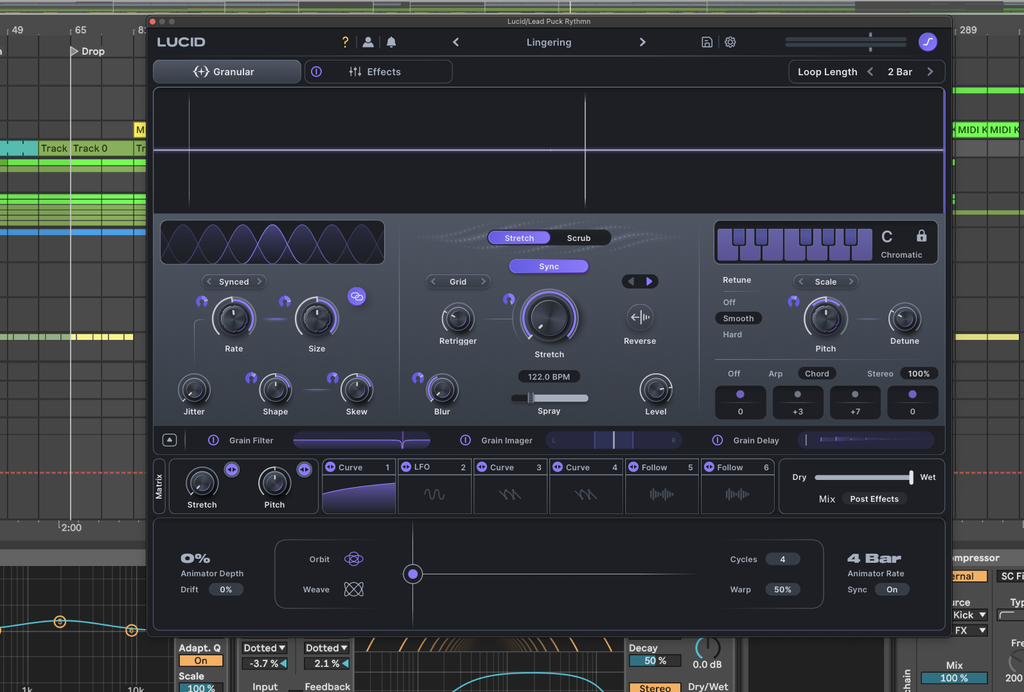
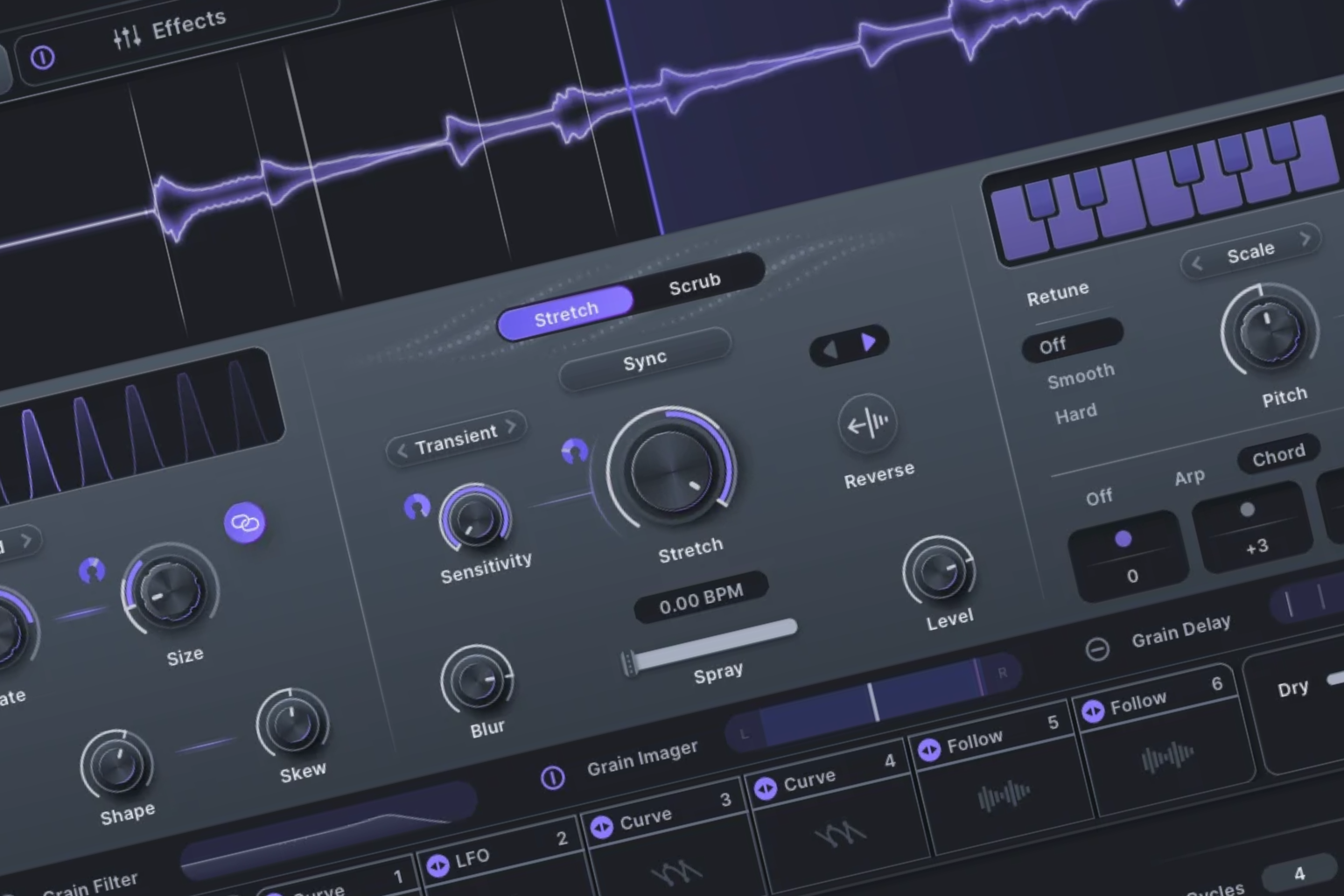
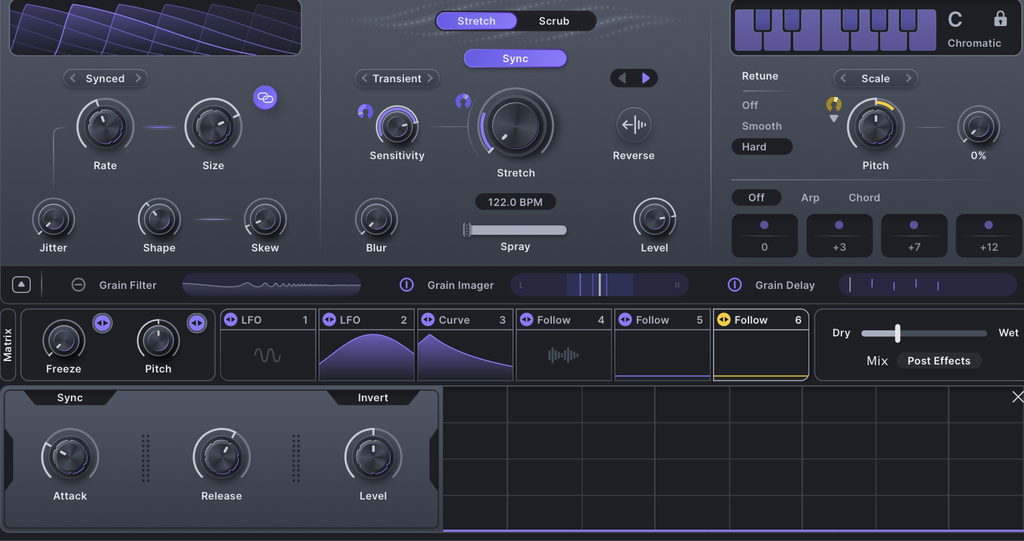
Lucid captures incoming audio and processes it as small fragments called grains, with controls for their duration, timing, playback, and pitch. Changing how those fragments overlap can produce continuous textures or distinctly rhythmic results. Stretch and Scrub offer different ways to manipulate captured audio, with tempo synchronization to keep processing tied to the arrangement.
For melodic production like I’ve been doing lately, the pitch controls deserve a ton of credit.

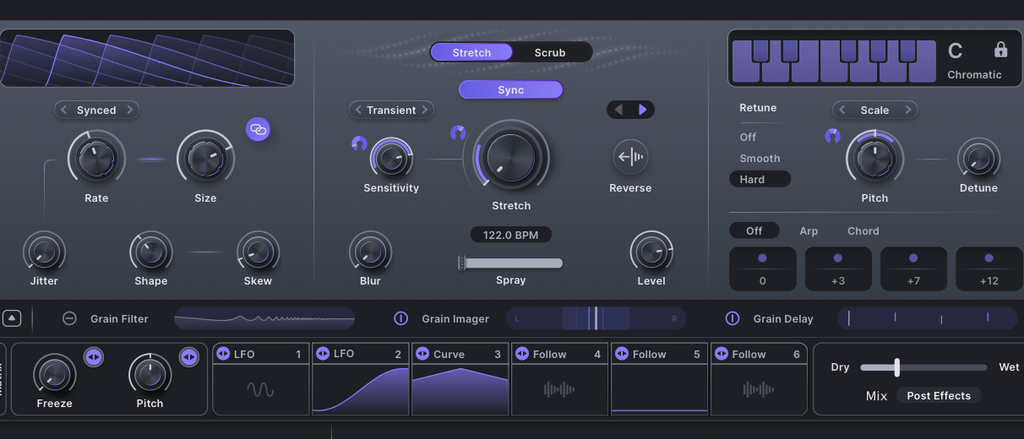
Scale mode detects and retunes individual grains to a selected scale, while Free and Repitch offer other ways to manipulate pitch. There is a qualification here: pitch detection works best with material playing one note at a time. Chords and non-tonal sources are less precise applications, so scale locking should not be mistaken for automatic chord recognition.
My own preference was to put Lucid inside an existing effect setup and use small amounts of processing.
I rarely placed it directly on an instrument and browsed until the original sound was replaced. I wanted the melody to remain recognizable, with additional detail in its repeats, tails, or supporting layers. That approach made the plugin immediately relevant to the music I actually write.
Using Lucid on Delay and Reverb Sends

A dotted eighth-note delay is a good example of what I wanted from Lucid. The delay already provides the timing and repetition I need, so I am not looking for a replacement. I want additional texture within those repeats, enough to keep the effect from feeling completely uniform while keeping it at a level that supports the rest of the mix.
Using Lucid in parallel gave me that control.
I could keep the established effect and introduce a processed layer around it, with the balance determining how much of the granular detail became audible. The same thinking applied to ping-pong delays and reverb sweep racks. I had used these combinations for years, and Lucid gave me another way to adjust their character without rebuilding them.
That reminds me of Catching Flies’ How It Was Made feature on “Falling Apart”, where he described processing synths with Output’s Portal, rendering the results, and selecting interesting passages. “I like for the Synth sounds to have subtle changes throughout the track,” he explained. My approach with Lucid used parallel processing, with a similar goal: small changes that support a part without becoming the main thing a listener notices. The point I took from his process was that granular processing did not have to replace the synth’s role in the song.
That is exactly why I preferred using Lucid on the accompanying effects.
Lucid Modulation: LFOs, Curves, and Envelope Followers

Minimal Audio’s modulation interfaces consistently impress me, and I rate Lucid’s editing experience alongside the workflows I enjoy in Serum and Massive. My Korg MS-20 Mini asks for a different kind of attention. In a plugin, I want to choose a source, assign it, adjust the amount, and hear what changed without making a small adjustment a separate technical exercise.

Lucid provides six assignable modulator slots, each of which can host an LFO, Curve sequencer, or envelope follower. Assignments use drag and drop, so connecting a modulator to a parameter is straightforward. The LFO supports morphing shapes and randomization, the Curve editor lets you draw and edit custom patterns, and the follower responds to the level of the incoming audio.
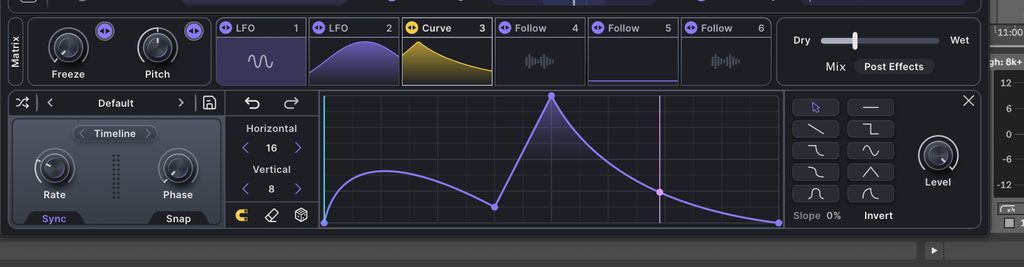
These are distinct approaches to movement within the same interface.
The Curve editor’s drawing options give me precise control without making assignments awkward, which matters when movement is part of a sound’s character. In my interview with Jack Willard about Echoes, he put it directly: “Two key ingredients for me are movement and saturation.” He described extensive tweaking and automation of his synth sounds. Lucid gives me an approachable way to make similarly deliberate adjustments, even when I want a restrained result. For me, the advantage is being able to edit the shape of that movement as deliberately as I would choose a delay time.
Lucid Presets, Favorites, and Parameter Locking
I like how Lucid organizes presets around applications such as harmony, arpeggiated processing, stretching, stutters, and motion. In my HyperWarp review, I wanted a faster way to identify and recall settings I liked in the early copy I tested. Lucid’s pack names give me a clear starting point, and tags narrow the search further. The browser helps me find settings related to what I am trying to do.

The heart icons collect favorited presets in a dedicated Favorites pack, giving me a shorter selection of settings I know suit my music. It is the same reason I enjoy maintaining a personal selection within Omnisphere: repeated use should make finding the right starting point easier. Lucid supports that habit without asking me to remember a long list of preset names.
Parameter locking makes browsing better for my approach. Right-clicking a knob or slider and locking it preserves that setting when another preset loads. Keeping a restrained dry/wet balance while auditioning different processing is an obvious application. I can retain particular settings and try alternatives elsewhere, then adjust the result to suit the track. That gives me a controlled way to customize presets without resetting each decision.
Lucid Effects Rack: Distortion, Reverb, and Compression
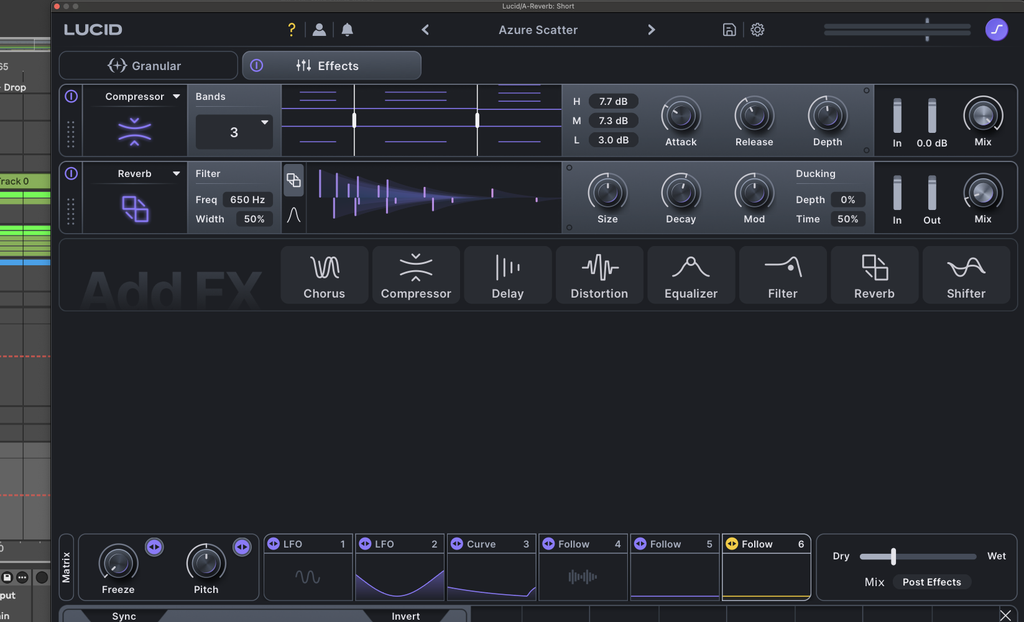
I spent about three or four days working mainly with Lucid’s granular engine before properly exploring the Effects tab, and that was when my assessment expanded. Granular processing can get a sound close to what I want while leaving additional work on its level behavior, frequency balance, or distortion. Finding that processing within the same plugin gave me considerably less reason to leave it.
The rack includes eight effect types across up to twelve slots: chorus, compressor, delay, distortion, equalizer, filter, reverb, and shifter.

Effects can be duplicated and reordered by dragging their handles, so the processing order remains adjustable. That directly affects sound design because distortion before reverb produces a different result than distortion after it. I appreciated being able to make those decisions in the same window as the granular processing.
The effects sounded high quality to me for sound design. It recalls Modern Tales’ explanation of their processing on “All The Stars”, where they used RC-20 for flutter, saturation, and reverb on synths. Those finishing adjustments can determine how a sound fits.

I would still choose Saturn for its specific distortion editing, though Lucid gave me enough control to keep shaping the granular result without opening several additional interfaces. Having that processing available here made it easier to judge the complete result while adjusting it, rather than stopping at a granular texture that still needed additional work.
Minimal Audio Lucid Review: My Final Verdict
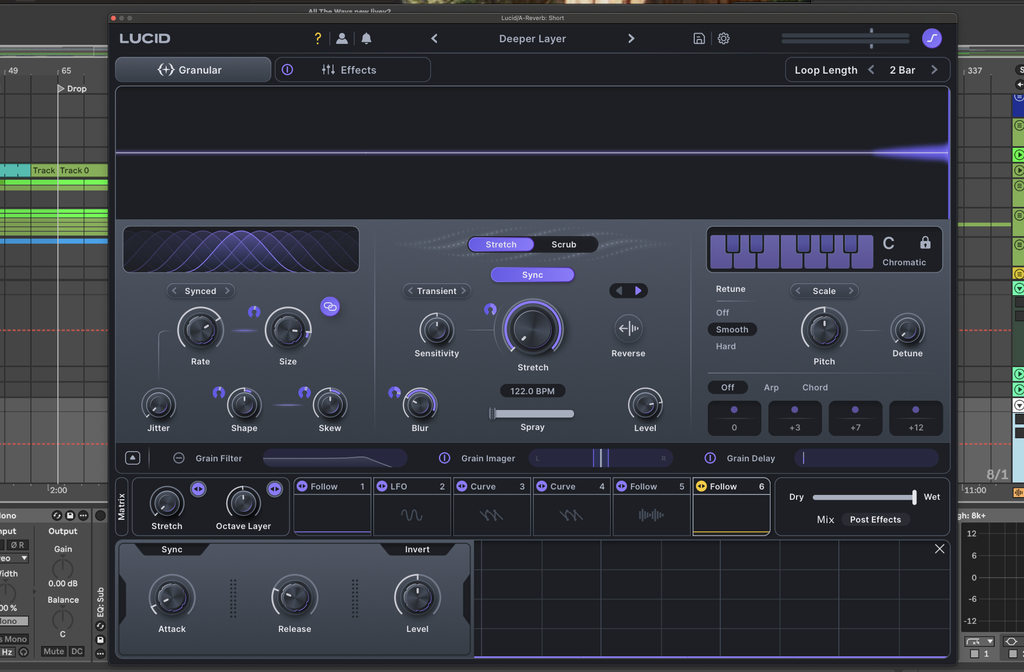
Lucid also lets you choose how its dry/wet balance interacts with the effects rack.
Post Effects routing applies the rack to the granular output before mixing it with the dry audio. Pre Effects routing mixes the dry and granular paths before sending that combination into the rack. For subtle processing, that distinction matters because a low granular mix doesn’t mean the rack leaves the dry audio unaffected in every routing configuration.
My reservation is that extensive processing can produce results that do not fit the track. That connects with my interview with Lipless about simplifying his arrangements, where he described choosing a few sounds and ensuring additional parts complement them. Lucid gives me plenty of opportunities to add detail, and I still have to judge the result in context. An accessible interface cannot decide how much processing a song needs. For my music, a delay layer that adds interest and leaves the melody easy to follow is often enough.
What persuaded me was the combination of accessible modulation, organized presets, parameter locking, and effects I could adjust without leaving the plugin. Those features supported how I already produced. For melodic producers who want additional texture in delays, reverb effects, and transitions, Lucid deserves consideration. Its restrained applications gave me specific reasons to keep using it in my own music.

Will Vance is a professional music producer who has been involved in the industry for the better part of a decade and has been the managing editor at Magnetic Magazine since mid-2022. In that time period, he has published thousands of articles on music production, industry think pieces and educational articles about the music industry. Over the last decade as a professional music producer, Will Vance has also ran multiple successful and highly respected record labels in the industry, including Where The Heart Is Records as well as having launched a new label with a focus on community through Magnetic Magazine. When not running these labels or producing his own music, Vance is likely writing for other top industry sites like Waves or the Hyperbits Masterclass or working on his upcoming book on mindfulness in music production. On the rare chance he's not thinking about music production, he's probably running a game of Dungeons and Dragons with his friends which he has been the dungeon master for for many years.