Best Brands At A Glance
If you are searching for the best gear brands for new producers, I think the fastest way to narrow it down is to focus on brands that remove setup friction and deliver consistent results.
When you are early on, you need tools that help you record, monitor, and finish work without spending hours diagnosing routing, drivers, or gain staging. The best gear brands for new producers usually win on three fronts: clear documentation, reliable hardware, and a product line that scales with your sessions.
I also look for brands that support how people actually work in 2026, which means USB-C compatibility, reliable software utilities, and seamless integration with laptops and tablets as needed. For interfaces, I prioritize brands that offer predictable preamp gain, stable, low-latency monitoring, and enough I/O to grow beyond a two-input ceiling.
For monitors and headphones, I look for brands that publish real specs, offer consistent quality control, and make it easy to get a trustworthy reference in a small room. For controllers and grooveboxes, I look for brands that keep the learning curve manageable while still allowing you to build full arrangements and export clean stems.
I also pay attention to warranty support and replacement parts, because a new producer needs equipment that stays in service when deadlines come up.
In this guide to the best gear brands for new producers, I focus on companies that earn repeat business through reliability and a clear workflow, not hype. If you want to build a starter rig that you can keep using as your skills level up, these are the brands that tend to make that path straightforward.
Novation
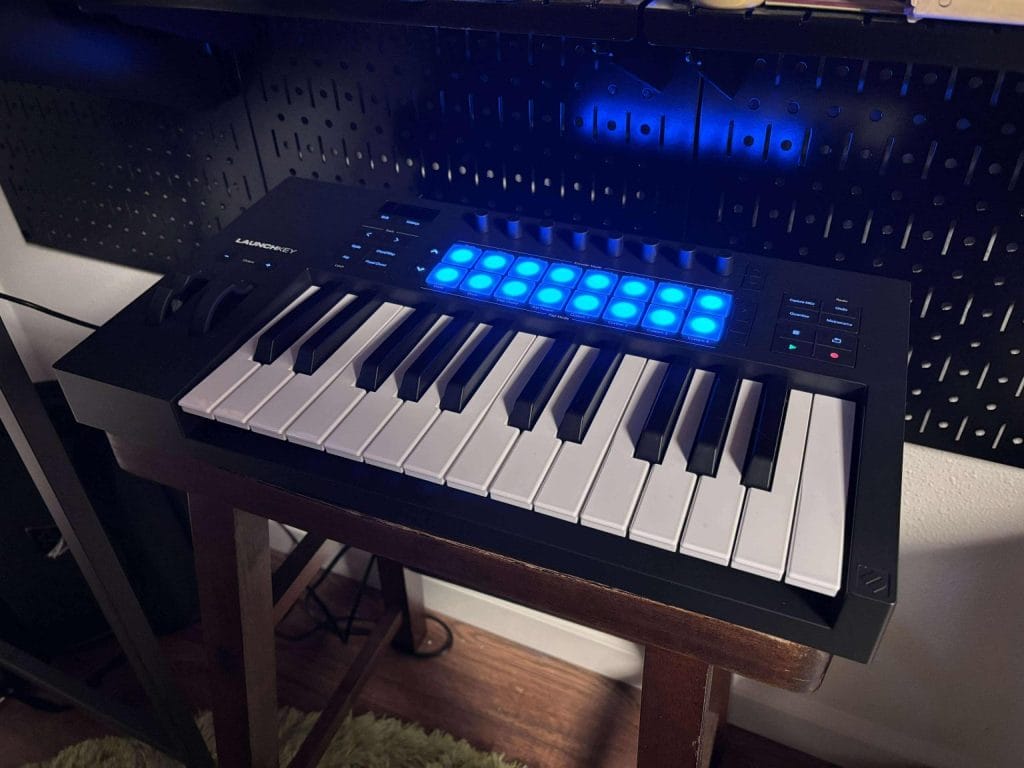
Novation gets recommended here because the Launchkey 25 MK4 is a straightforward first controller for producers who want a small keyboard that still covers common session tasks.
The compact 25-key format and lightweight make it practical for a desk with limited space, and it also fits easily in a backpack for sessions away from the main studio. The 16 RGB pads respond consistently, and the polyphonic aftertouch gives you pressure-based control for drums, samples, and clip launching without extra hardware. If you use Ableton Live, the integration is a core reason to pick this model since it maps cleanly to clips and mixer control, so you spend less time on setup and more time arranging.
Chord and scale modes help newer producers stay in key and sketch progressions fast, and the arpeggiator includes step editing plus Mutate and Deviate controls for pattern variation.
Connectivity supports standard starter rigs via USB MIDI and 1 8-inch MIDI out, and you can build custom mappings with Novation Components as your workflow becomes more specific. The included software bundle also matters for a first purchase since it ships with Ableton Live Lite, plugin extras, orchestral content, and Melodics lessons, which reduces the number of additional purchases a new producer needs on day one.
JBL
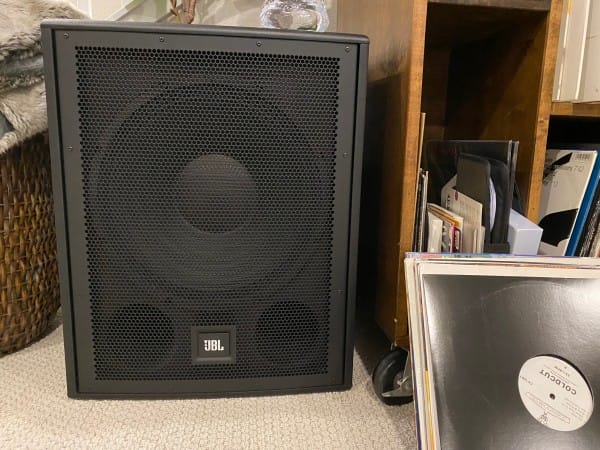
JBL is one of the brands I point new producers toward when they need a PA sub that can handle regular load ins and consistent use without adding setup headaches. The IRX115S is the sub I would pick from this line because it gives you a self-powered 15-inch design with the connections most people already run, which means combo TRS XLR inputs plus XLR outs.
If you plan to play small to mid sized rooms, throw events, or build a mobile rig, this unit covers the low end range you actually need, and the published specs list 45 to 103 Hz and up to 128 dB peak SPL.
I also like the built in crossover settings at 80 Hz, 100 Hz, and 120 Hz, since you can match it to your top speakers fast and stay consistent from gig to gig. The rear polarity switch is another practical detail since placement can cause phase issues, and this gives you a quick correction without extra gear. You do need to plan around the weight at about 65 pounds, so I treat a cart as part of the purchase if you move it often.
If you want one sub that can anchor an entry level PA stack while still feeling straightforward to dial in, the IRX115S is the model I would recommend from this brand.
Check https://creationnetworks.net/ for some solid deals on this one.
Universal Audio
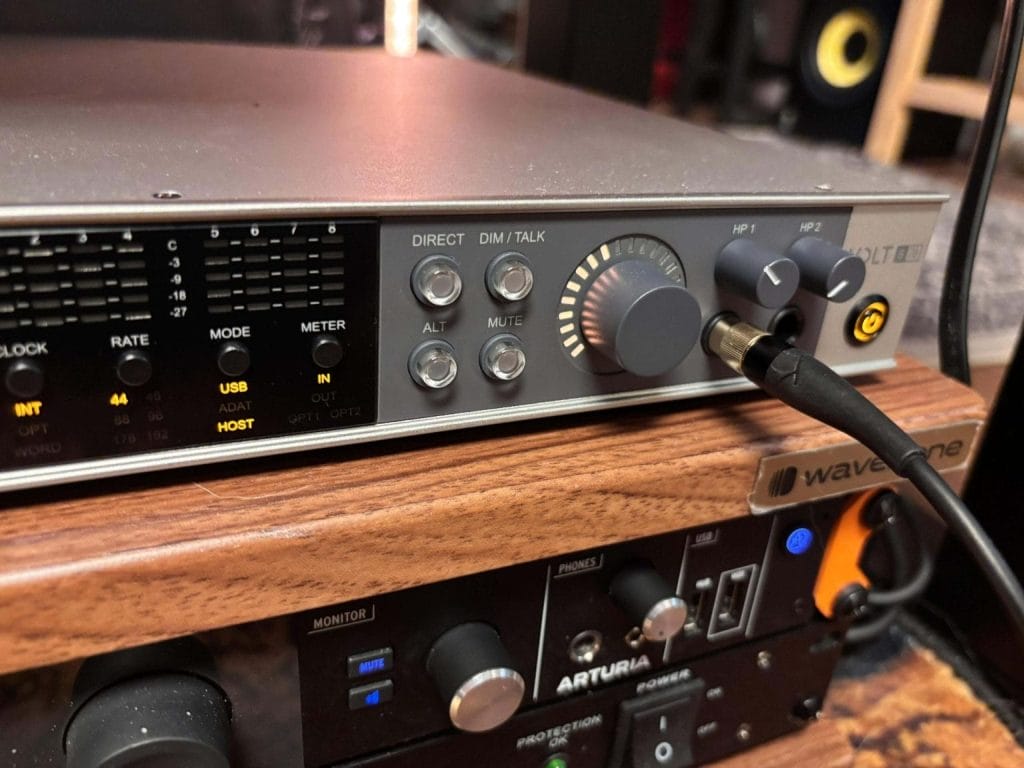
Universal Audio is the brand I recommend when a new producer has outgrown a two input interface and needs a clean move into real multichannel tracking. The Universal Audio Volt 876 gives you eight combo XLR-TRS inputs, eight balanced TRS outputs, ADAT expansion, word clock, and MIDI I O, so it fits a studio that is starting to track multiple synths, guitars, vocals, or a full drum setup. Sure, it might be overkill for some beginners, but I think if you plan on making any big investment into your love of creating music, an interface like this is the best place to put a few extra dollars.
I like it as a first-rack interface because it remains class-compliant over USB and does not require a DSP-dependent monitoring system to operate in a standard studio workflow. The 32-bit 192 kHz capture and consistent gain behavior across channels help when you are moving fast in sessions, and you want inputs to respond the same way day after day.
The onboard tools are practical for tracking, since Vintage mode can add a small tonal shift and the preset style “76” compression can control transients and levels when you want to commit light processing on the way in. The built-in talkback mic and software control in UAD Console are useful when you are running cue mixes and tracking musicians in another room.
The main limitations to know up front are the lack of a hardware pad switch, the fact that headphone volume control stays on the unit rather than in software, and the headphone output’s tendency to favor higher-impedance headphones.
Learn More Here
IK Multimedia
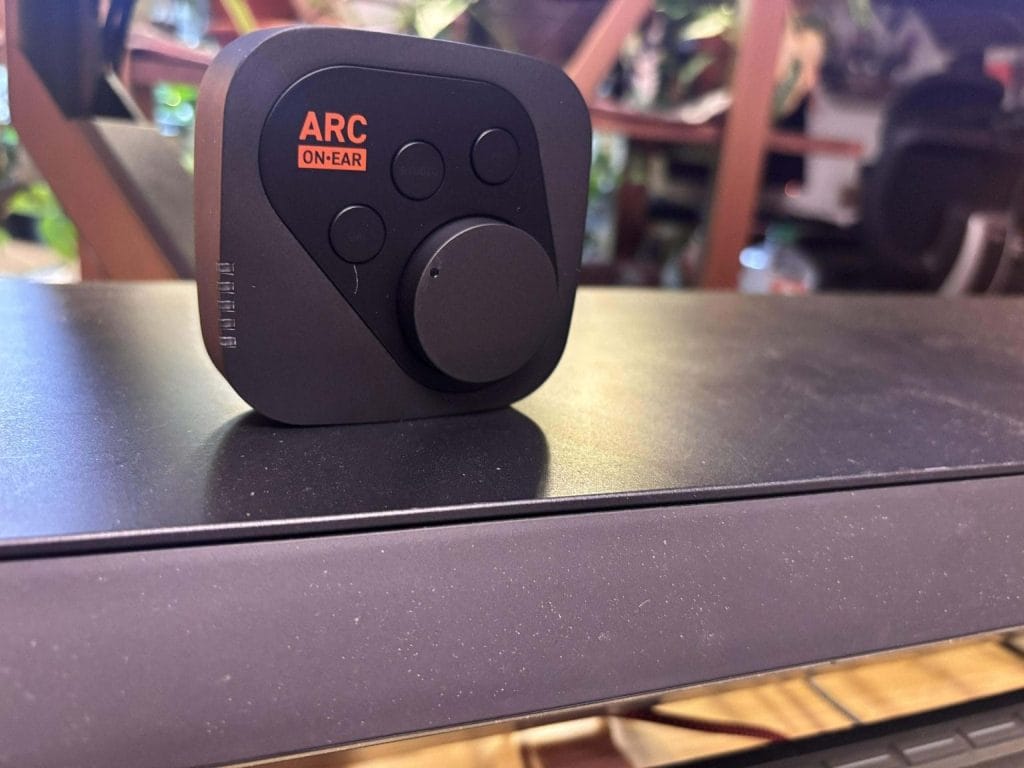
IK Multimedia is a brand I recommend when you want your headphone monitoring to stay consistent across laptops, travel setups, and late-night sessions without building a plugin chain in every project. ARC ON•EAR is the product I would point you to because it puts headphone calibration and speaker style monitoring tools into dedicated hardware, so your reference stays the same even when you switch devices or DAWs.
I like that it stores multiple onboard presets, so I can swap between different headphones and listening targets quickly and keep my checks consistent.
The hardware buttons for mono, dim, and preset switching make basic mix checks fast, so I actually do them instead of skipping them. USB-C and analog input cover the common setups I see producers using, and it also works as a portable DAC and headphone amp when you turn the extra processing off. I would check that your exact headphone model is supported in the profile list before buying, since results depend on the matching calibration data.
Battery life is around four hours, so I plan longer sessions with USB power, and that still keeps the workflow simple since it can run while charging.
Learn more here or read our full review here
Focusrite
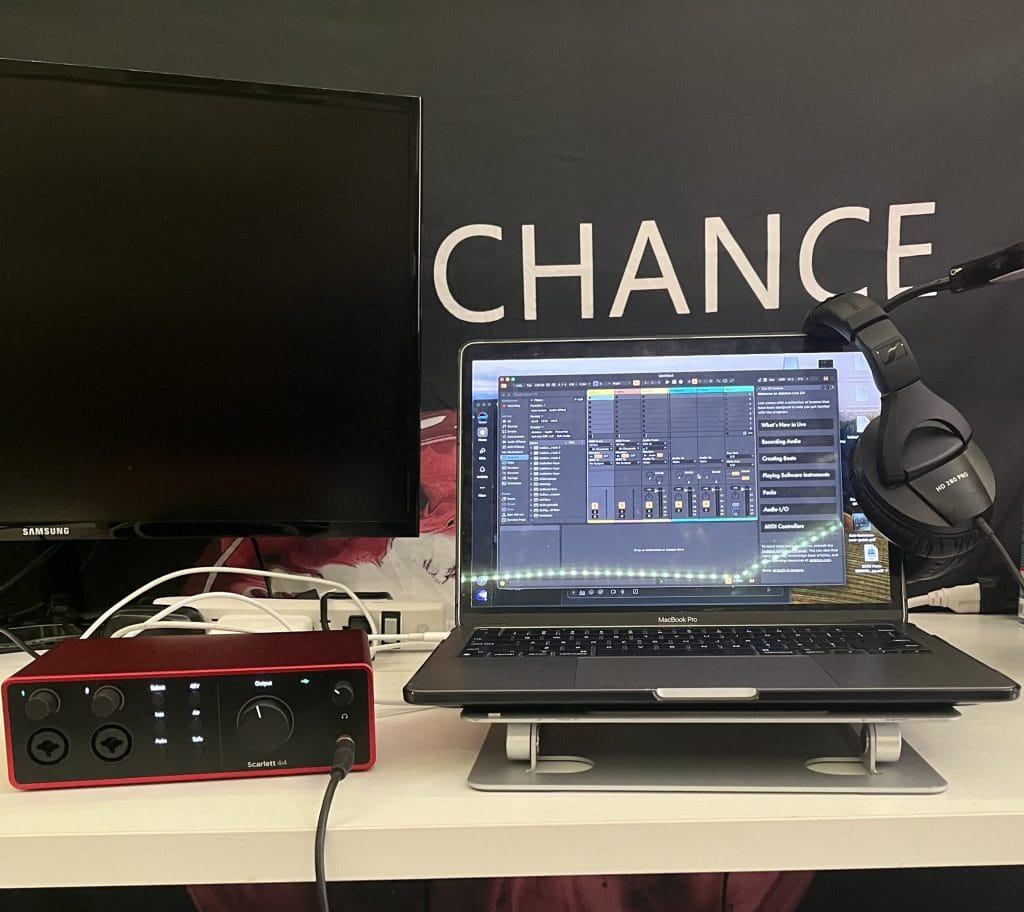
Focusrite is the brand I recommend when you want a first serious interface that stays simple, sounds clean, and has support materials that actually help you get running fast.
The Scarlett 4i4 4th Gen is the model I would point you to because it gives you two low-noise mic preamps, extra line I O, MIDI, and dedicated headphone monitoring in a compact box that fits a small desk or a travel setup. If you record DJ sets or want cleaner capture outside your laptop, it pairs well with Rekordbox, and it also covers day-to-day production sessions in Ableton Live with consistent 24-bit 192 kHz conversion over USB-C bus power.
I lean on features like Air mode plus Auto Gain and Clip Safe because they help you land usable levels quickly when you are recording vocals, instruments, or live inputs and you do not want to babysit meters. I also like the Easy Start setup flow and the wider tutorial ecosystem because it lowers the learning curve for first-time interface owners and it reduces the odds of a bad first week with new hardware.
The Hitmaker Expansion bundle delivers real value for a new producer, including tools such as LANDR Studio access, Pro Tools Artist, Antares Auto-Tune Access, and XLN Audio Addictive Keys, so you can cover recording and basic production without buying a pile of extras on day one. I have one caveat from the review text, which is a faulty included USB cable, so I would keep a spare USB-C cable in your bag and treat that as normal studio redundancy rather than a dealbreaker.
Learn more here and read out full review here
KRK
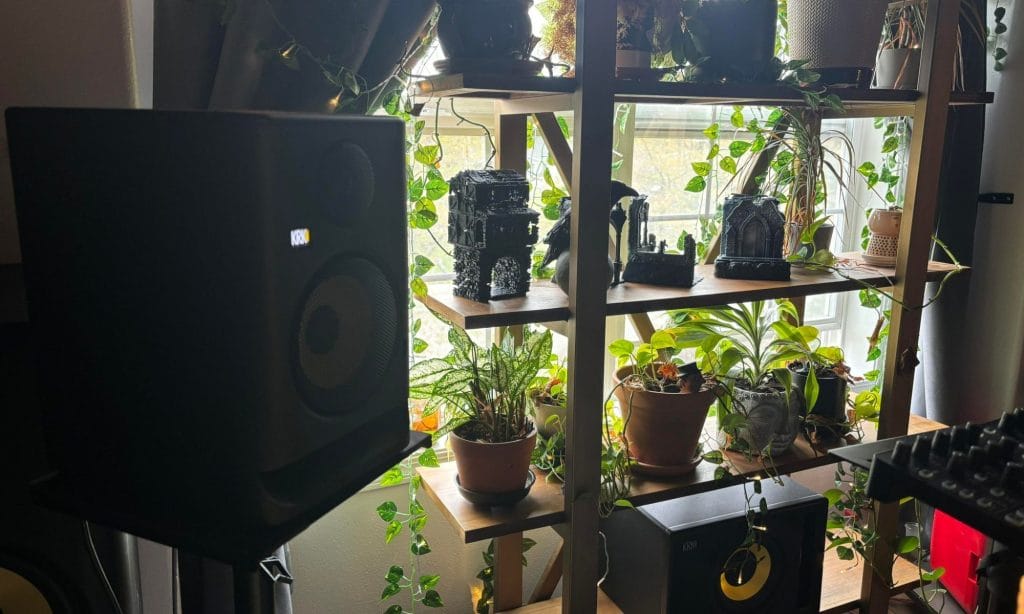
KRK Systems is a brand I recommend to new producers who want their first real monitor pair to cover writing, mixing, and day to day playback without spending high-end money.
The ROKIT 5 Generation Five is the model I would pick from this line because it gives you a 5-inch, two-way active monitor with three voicing modes called Mix, Create, and Focus, plus 25 boundary and tuning EQ settings for dialing the speakers into your room. I like the mode options in practice because Mix Mode keeps the response flat for mix decisions, and Focus Mode pulls attention toward midrange content like vocals and main instruments.
On the hardware side, you are getting a bi-amplified Class D design rated at 55 watts total, a frequency range listed at 43 Hz to 40 kHz, and a max SPL listed at 104 dB, which covers typical small-room work at sensible volumes. Connectivity stays simple with balanced XLR and 1 4-inch TRS combo inputs, so it slots into common interface outputs without extra adapters.
One limitation to know up front is mode switching, since the companion app does not control the voicing modes, so you have to reach behind each speaker to change them. If you want a monitor pair in the $398 range that offers room-tuning options and multiple listening targets in one box, this is the KRK set I would recommend starting with.
Learn more here and read out full review here
Adam Audio
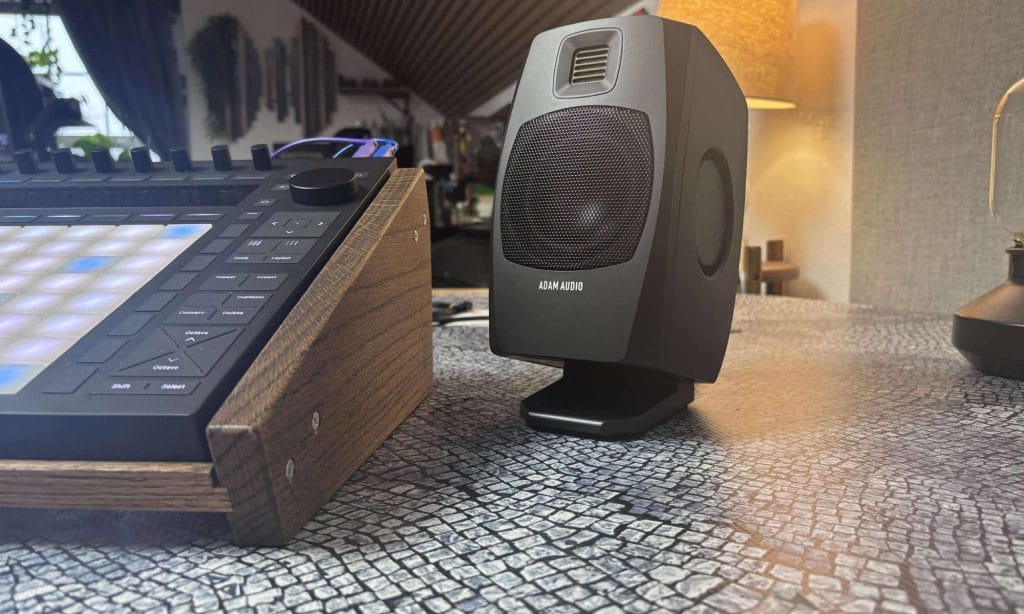
ADAM Audio is a brand I recommend when you want desktop monitors that translate mix decisions cleanly, even in small rooms and temporary setups.
The ADAM Audio D3V comes as a matched pair with the stands, pads, and cables included, so setup stays straightforward for a first monitor purchase. I like it for new producers because you can run it over USB-C directly from a laptop, phone, or tablet, and you still get TRS analog inputs for a conventional interface based setup. The 3.5 inch woofer plus dual passive radiators and the D-ART ribbon tweeter give you a frequency range listed at 45 Hz to 23 kHz, and the bi-amped power split is rated at 80 W for the low end and 40 W for the high end.
The rear DSP switches for placement, desk size, and room treatment help you get usable results fast without software calibration, and the front headphone jack makes quick monitor to headphone checks easy. If you produce low-end heavy genres, the bass ceiling is still the main constraint of a 3.5 inch system, so I would plan on adding a sub later, like the ADAM Audio T10S, if that becomes a priority. For a compact pair under $300 that covers writing, editing, and mix work on a desk without extra hardware, this is the ADAM set I would tell you to start with.
Learn more here and read the full review here
Donner
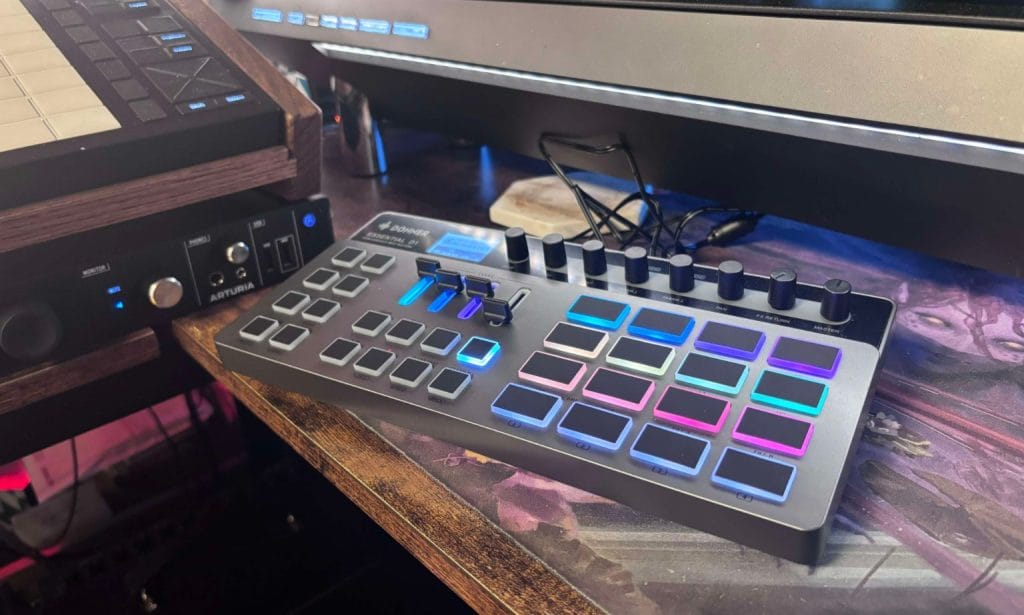
I recommend the Donner Essential D1 if you want a low-cost drum machine that you can carry easily, power up fast, and start sequencing without a long setup process. It works best for producers who want sample-based drums with velocity pads, quick pattern building, and onboard delay, reverb, and basic compression for shaping a loop without external processing.
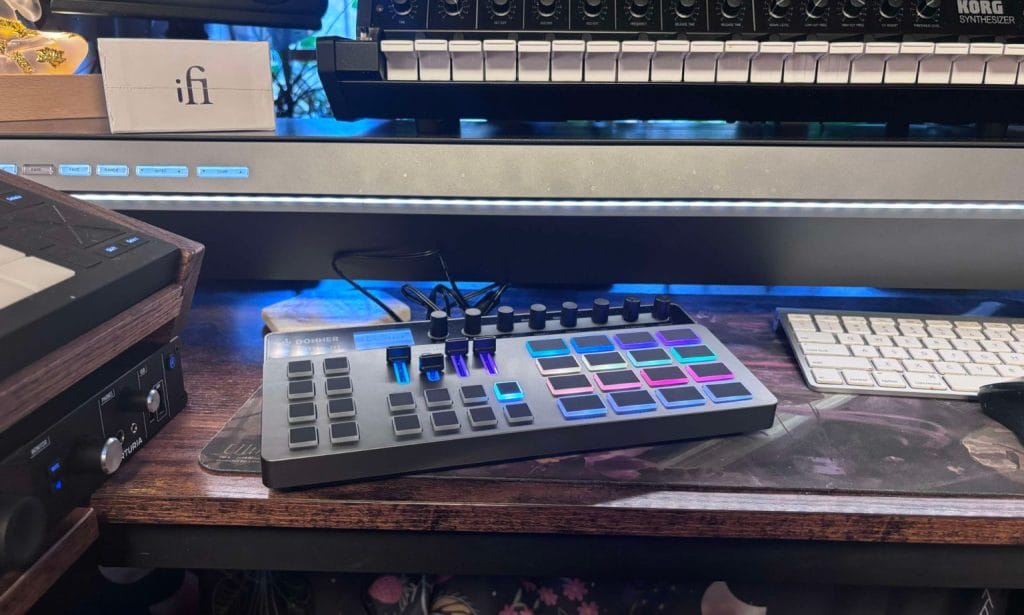
I also recommend it as a secondary rhythm box in a hybrid setup, since MIDI I O and USB C make it straightforward to sync with other gear and move samples in and out. The main drawbacks are pad inconsistency during fast playing and the touch-sensitive encoders, which can cause accidental parameter changes if you brush them mid session. If you need individual outs, per-step sample swaps, or deeper routing, you will hit limits, and those are features you typically pay more for.
For $249.99, it delivers a practical set of tools for writing drums quickly, and it makes sense for beginners or as a portable add-on for a bigger studio.
Ableton Move
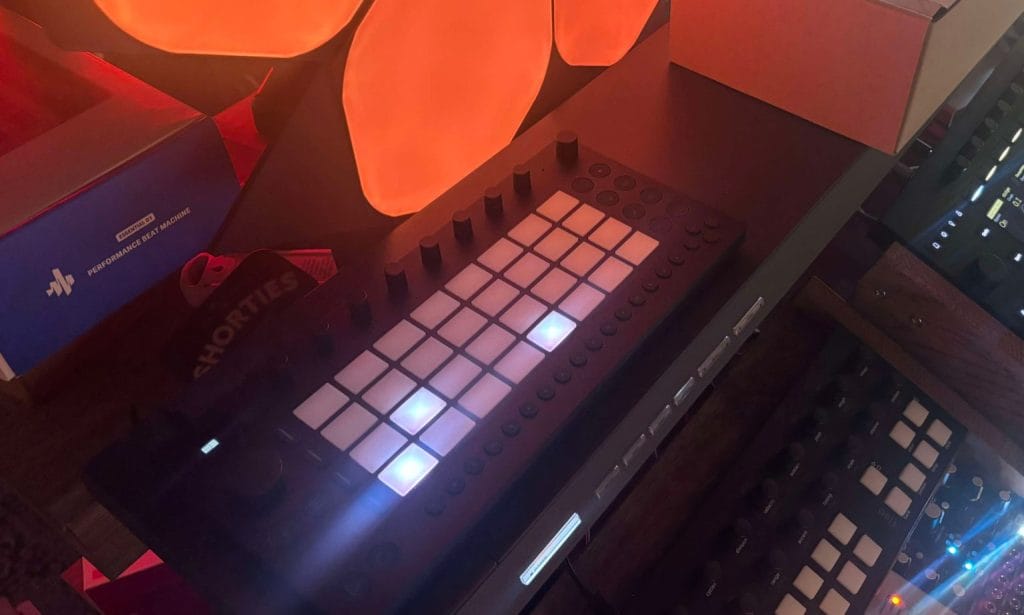
I recommend Ableton Move if you want a small standalone unit that you can power on, load a set, and start building ideas in minutes without a long setup. I like it for travel and quick writing sessions because the metal chassis feels solid, the built in speaker and microphone let you capture audio fast, and the battery has been landing around four hours in my early use.
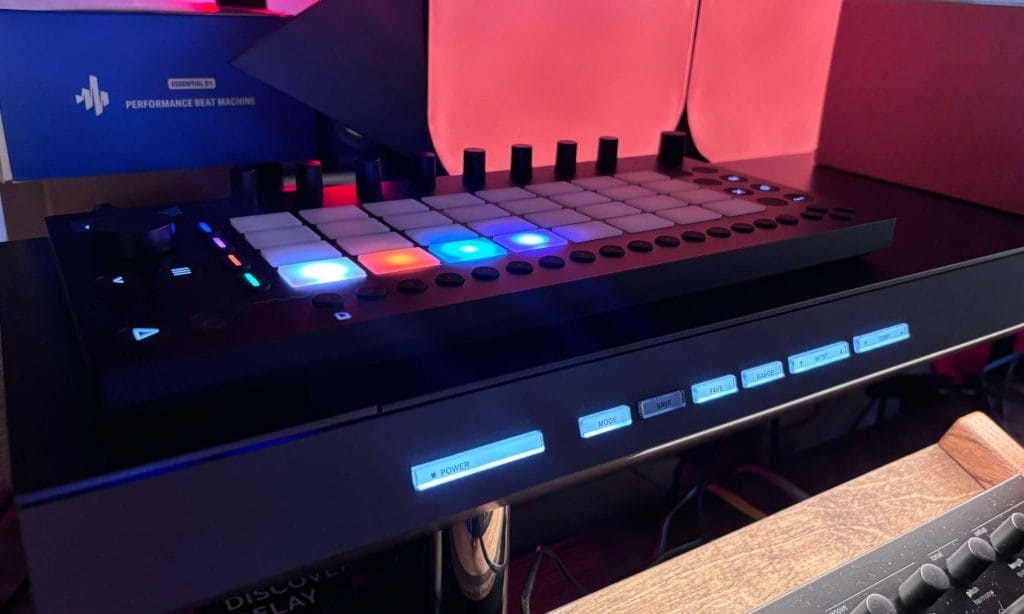
The four track layout stays flexible since each track can act as a drum kit, sampler, or synth, and I can stretch the track count by loading drum racks and working across multiple pads per track. The included effects like reverb, delay, and saturator feel familiar if you already use Ableton Live, and the sound library is deep enough that I can start without loading extra packs. If you plan to finish work in Live, the Wi Fi set transfer is the feature that makes this part of a real workflow, and I treat Move as a sketch source that I refine later on the computer.
I have run into limits with sample warping and deeper editing features, I have also had to plan around battery time, and you cannot send Live projects back onto Move.
Choosing the best gear brands for new producers
If you are shopping across the best gear brands for new producers, focus on the companies that reduce friction after you buy, since long-term use comes down to drivers, firmware updates, clear documentation, and responsive support. Start by building around an interface you can trust day after day, then add monitoring that helps you make repeatable level and EQ decisions, then add a controller or instrument that helps you finish ideas faster.
I also recommend prioritizing brands with stable installers, simple routing apps, and a clear upgrade path so your first purchase still fits once you add more inputs, a sub, extra outputs, or hardware. Pay attention to how easy it is to register products, download software, and get replacement parts, since these are the things that tend to slow new studios down.
From there, keep the early setup intentionally simple and avoid buying gear to solve problems you have not yet run into. A small and consistent signal chain will teach you gain staging, monitoring habits, and workflow discipline faster than a desk full of options.
If you pick brands that are known for predictable performance, you will spend less time troubleshooting and more time recording, arranging, and mixing. When you outgrow a piece, you can upgrade without rebuilding the whole system, since the best choices are the ones that keep working as your studio expands.

Will Vance is a professional music producer who has been involved in the industry for the better part of a decade and has been the managing editor at Magnetic Magazine since mid-2022. In that time period, he has published thousands of articles on music production, industry think pieces and educational articles about the music industry. Over the last decade as a professional music producer, Will Vance has also ran multiple successful and highly respected record labels in the industry, including Where The Heart Is Records as well as having launched a new label with a focus on community through Magnetic Magazine. When not running these labels or producing his own music, Vance is likely writing for other top industry sites like Waves or the Hyperbits Masterclass or working on his upcoming book on mindfulness in music production. On the rare chance he's not thinking about music production, he's probably running a game of Dungeons and Dragons with his friends which he has been the dungeon master for for many years.