Table of Contents
A few months ago, Focusrite introduced three new models in their Scarlett audio interface series, completing the fourth generation with the 16i16, 18i16, and 18i20 (you can read about each model here). These new models, which launched in mid-October, represent a significant upgrade in both performance and functionality.
According to Focusrite, the fourth-generation Scarlett interfaces feature completely re-engineered audio circuitry, incorporating professional-grade converters from their RedNet range, resulting in exceptional clarity and precise detail capture.
I had the opportunity to test the 18i16 model, thanks to Focusrite’s team, and here are my thoughts after using it.
4th Gen Focusrite Scarlett 18i16 Review At A Glance
Clarity That Hits You Immediately
The 18i16’s RedNet converters deliver sound so crisp and detailed, you’ll wonder how you mixed without it.
Setup You Won’t Dread
From unboxing to making music in 10 minutes. Focusrite Control 2 makes routing and setup intuitive, even for beginners.
A Workflow Game-Changer
Control levels directly from your desktop or phone with the updated Focusrite Control app—no more breaking your flow to fiddle with knobs.
A Software Goldmine
Comes stacked with DAWs, plugins like Massive and Sonnox VoxDoubler, and the Hitmaker Expansion, basically handing you a full studio in the box.
No Latency, Just Focus
Real-time playback and zero delay let you hear exactly what you’re working on—no distractions, just music.
Priced for What It Delivers
At $500, it’s not pocket change, but the audio quality, flexibility, and bundled software make it a no-brainer for serious producers.
Perfect for Any Studio Setup
Whether you’re running a full project studio or just starting out with headphones, the 18i16 levels up your sound instantly.
What Is The Focusrite 18i16?
Focusrite describes the 18i16 as a versatile and portable interface, ideal for producers and multi-instrumentalists who require a solution with ample inputs to effortlessly multi-track microphones, synths, and other instruments. It is marketed as an optimal choice for those seeking a seamless setup and flexibility, whether in a project studio or on the move. This description immediately appealed to me, as it aligned perfectly with my needs.
Going into this experience, I was uncertain of what to expect, primarily because I had never previously used an audio interface in my home studio. I realize that might surprise some, but I had always felt that connecting everything directly to my computer would work just fine. All the music I’ve released under my artist name Cloudcage (Monstercat/Silk, Enhanced, and more) were mixed this way so I figured “why fix what’s not broken?!”
However, after using the 18i16, I now understand how much I missed. I regret not getting an interface sooner, and if you are currently in the same position I was, I strongly encourage you to read on. The following review offers an unbiased account of my experience, from setup to day-to-day usage.
Unboxing & Setup
Upon receiving the 18i16, I was impressed by the straightforward setup process.
After connecting the external power supply and linking the interface to my computer, I was prompted to download Focusrite Control 2 to complete the installation, which was a quick and seamless process. I also registered the unit on the Focusrite website using its serial number, which also only took a few moments. From unboxing to full setup, the entire process took approximately 10 minutes.
I had anticipated that the setup might involve complicated wiring or challenging routing to ensure proper audio output, so I was pleasantly surprised by how effortless it was to get everything up and running, and relieved that the setup process didn’t cause any sort of frustration. Granted, I have a minimal setup in the studio, and this process might get a bit more complex and finicky if you’re hooking up multiple mics, outboard synths, guitars, and mics, but what I have going on, it was about as seamless as you could ask for.
The only thing left to do was test it out.
Audio Quality
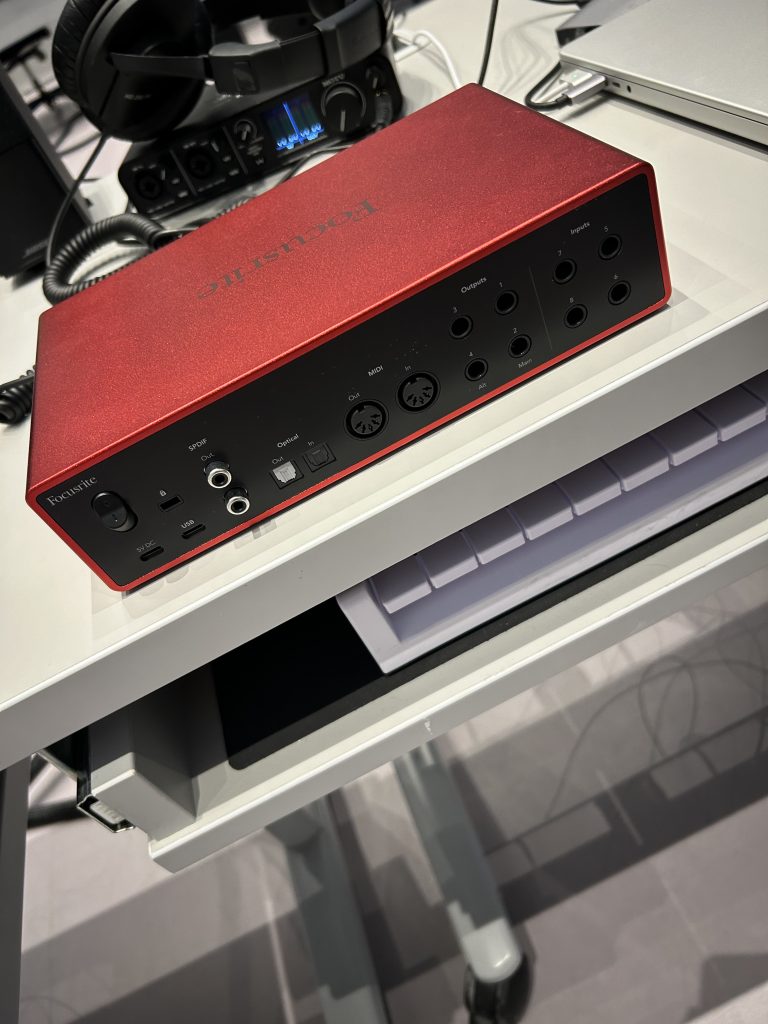
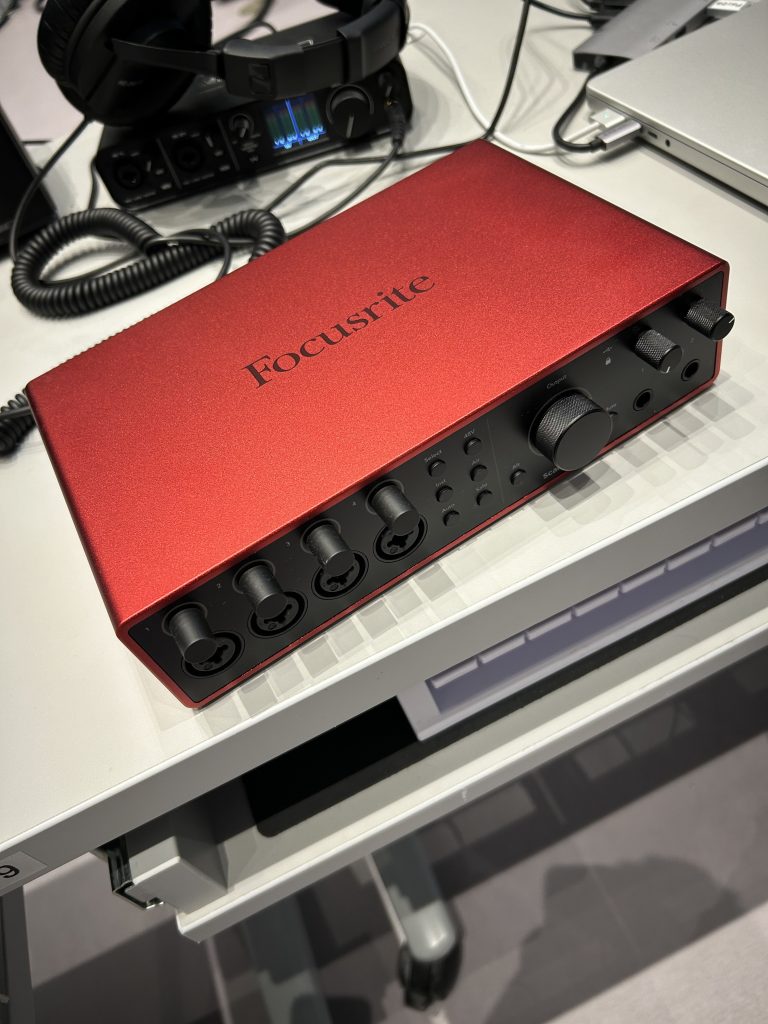
After familiarizing myself with the number of inputs and outputs (and there are many of them, for any number of analog synthesizers, acoustic instruments, microphones, and speakers), I plugged in my headphones and got to listening.
The 18i16 delivers audio quality that is really, really impressive. LIke the kind of impressive that you notice right from the jump. Some other gear I’ve used before certainly upgrades the sound, but its that smaller upgrade that might take a week or two of use before my ears acclimate to the new sound and its coloration but that was not the case here at all.
Its clarity is incredible, offering a level of detail I had never heard before. I continue to be impressed by the sound’s quality and precision each time I use the interface, even after having it in the studio for a month. I can now hear everything more accurately, allowing me to make mixing tweaks that would have otherwise gone unnoticed with just my headphones.
Additionally, I found Focusrite Control 2 to be an intuitive and efficient tool.
Rather than reaching for the physical knobs on the unit each time I needed to adjust the volume, I was able to make changes directly from my desktop with a simple click. Furthermore, the new Focusrite Control mobile app offers even more flexibility, allowing me to control the interface remotely from my phone or tablet, whether I’m at my desk or moving around the studio. This definitely will help in the long-run, as mundane tasks such as reaching over to twist a knob may take me out of my production flow, and being able to make necessary volume changes quickly will allow me to remain focused.


I asked the Focusrite team about the key differences between Focusrite Control 2 and its predecessor, and they shared that extensive research into how customers use their interfaces has driven significant improvements to the app. According to the Focusrite team:
“We’ve completely redesigned how we present features to our users, which has greatly enhanced workflows and made the control software more intuitive.”
Notable upgrades to the app include remote-controllable preamps, an expanded number of channels, a screen reader function, and multi-language support.
What stands out most to me about Focusrite Control is its remarkable responsiveness and lack of latency. Adjustments made within the app are reflected instantaneously on the interface. This seamless performance is achieved by running the mixers and routing directly on the interface, meaning there’s no need to monitor audio traveling to and from your computer. Additionally, the interface’s outputs are latency-free, delivering audio exactly as it appears in the DAW. Being able to hear things as soon as they are played is something I absolutely value, as I’ll be able to focus on the sound being played without spending brainpower thinking about why there’s a delay.
Extra Software
When you purchase a Scarlett, you get a lot more than just a Scarlett: you also get loads of extra software.
The software bundle included with the 18i16 is, in a word, extensive. Users can access various high-quality plugins and services, including a three-month Splice Sounds membership, the Red Plugin Suite and Relab LX480, autotune tools, and even full DAWs. With a single Scarlett interface, you essentially receive a complete studio setup’s worth of software.
One of the standout offerings is Focusrite’s Hitmaker Expansion, which they describe as “a powerful collection of sounds, plugins, and instruments designed to elevate your music production from the very start.” The bundle includes the Klevgrand Essentials Bundle, Native Instruments’ renowned Massive, and Sonnox’s VoxDoubler. Additionally, users are given access to Ableton Live Lite, a six-month trial of FL Studio, and a three-month trial of Pro Tools, providing a diverse selection of DAWs for producers to explore and find the one that best suits their creative workflow.
In short, the 18i16 delivers far more than an exceptional audio interface. It provides a comprehensive suite of software that enhances the package’s overall value.
Cutting-Edge Technology
While using the Scarlett 18i16 and its companion applications, I was struck by how advanced and the entire experience felt. The ability to control multiple inputs, outputs, preamps, and more with a simple click of a button may seem like something out of science fiction, yet it’s what you get.
It’s clear that the Focusrite team is at the forefront of the audio industry, and given the impressive innovations they’ve already made with their products, it’s exciting to think about what they might have in store for the future. Out of curiosity, I asked them which technological advancements, particularly in the audio sphere, played a significant role in developing the 4th Generation Scarlett models. As with many other industries, AI appears to be a key driving force.
They explained,
“Our goal is to deliver tools that make it easier than ever for our customers to produce studio-quality recordings, wherever they are. Features on the Scarlett 4th Gen, such as Auto Gain and Clip Safe, are designed to handle up to eight microphones simultaneously, ensuring every take is a keeper. These features help users quickly set optimal levels and maintain them throughout the recording process… With the advancements in AI, we see enormous potential for continuing to simplify music production and make recording more accessible to musicians worldwide.”
If this is what they’re able to do now, it is impossible to not be excited for what is coming next.

Final Thoughts
So, from a self-proclaimed audio interface newbie, I found my experience with the 18i16 to be overwhelmingly positive.
When it comes to anything audio, the biggest thing for me is overall sound quality and clarity, which the 18i16 delivers on. As I mentioned, I can now listen to my WIPs with staggering audio quality, making it far easier to pick out mixing flaws and address them. The ease of use was also massively important to me. I had never set up an audio interface before this, and was initially concerned about getting lost in the setup process. But, all I needed to do was plug in two cables, click a few buttons on my computer, and I was done.
I’m excited to push the 18i16 to its full potential. The ability to connect multiple amps, microphones, and analog synthesizers directly for recording will greatly simplify collaboration with other artists and bring so much new life to whatever I’m producing.
At a sale price of 500 USD, it’s not cheap, but it is worth the investment. The high-quality performance, the software bundle, and the broad range of possibilities it unlocks make it an excellent value.
I’d recommend this interface for anybody taking music production semi-seriously, regardless of other gear you’d own. The need for an interface grows as you add speakers and external instrumentals to your studio. Still, even if you only use a pair of headphones, the Scarlett provides unmatched audio quality that will make an immediate difference for anyone looking to take their music to the next level. Plus, the portable nature of the Scarlett is great for any musician who travels frequently and wishes to access crystal-clear audio and recording flexibility wherever they go.
The team promises three things: seamless setup, flexibility, and precision. They deliver on all three. For that reason, I highly recommend the 18i16. While I did not try the 18i20 or the 16i16, I can only assume that they are of similar quality – once again, you can read about all three models in depth here to determine which one is best for you. But, for an audio interface newbie who takes music production fairly seriously, the 18i16 was absolutely perfect for me. I can’t wait to keep using it for years to come.
Bonus: Why do you need an audio interface?
I’m including this section for anybody who still thinks like I used to – that is, thinking that you don’t need an audio interface.
I asked the Focusrite team why it’s important for musicians to own an interface, and why theirs should be the one that a musician should purchase. Here are their thoughts:
Every musician deserves the freedom to capture their creative ideas — whether it’s an initial spark, a full song, or a demo. That’s why owning an audio interface is essential. Straight out of the box, Scarlett inspires. With Scarlett 4th Gen, music makers can create album-ready recordings from their very first session – from the solo artist all the way up to a full band, and beyond. Here is what you can expect from Scarlett 4th Gen:
- Capture sound in stunning clarity. Exceptional mic pre performance with studio-grade converters from our flagship RedNet range.
- Console sound in your studio with Scarlett’s two distinct Air modes. Record with the sound of vintage preamps from iconic studio desks.
- Record-ready takes every time with Auto Gain and Clip Safe.
- Record, mix, and play back audio however you want. Fully customizable routing and mixing from Focusrite Control 2.
- Remote control from your mobile; take control of Focusrite Control 2 directly from an iOS or Android mobile device.
- Produce release-ready tracks with Hitmaker Expansion – loaded with industry-leading software.
- From Easy Start to 24/7/365 customer support, no other interface supports the complete music making experience like Focusrite.

Ben Lepper is a music producer and journalist from Boston, Massachusetts.