Table of Contents
Music production has greatly changed in the past decade since I started making beats on my laptop. The biggest one, I think, is the massive influx of young talent and passionate hobbyists, which has created an enormous demand for affordable gear that promises the world. This gear usually sells itself as being hyper-expressive, allowing your computer-based loops to feel like living, breathing music recorded by pro artists. Other times, it promises to change your live setup forever and set you apart from the countless other products performing their music on stage.
The Akai Professioanl APC64 is a relatively new piece of gear, having dropped late last year, that certainly tries to do all of these things. As it sits at the upper limits of what gear could be considered “affordable” by today’s standards, I figured it was high time to get my hands on one and find out how it works in the studio and its potential on the stage.
Learn More About The Akai Professional APC64 While Supporting Our Team Of Writers Through Our Affiliate Partnership With Sweetwater Here 👈
There was a LOT to unpack here, especially considering how many other alternatives there are, from even cheaper launchpads to premium products like the Push 3 Standalone. So, to make sure we hit all the angles necessary, let’s start by unpacking what this is before going into what I loved about it, a couple of things that could be better, and how it compares to Ableton’s monster of a product that was released around the same time.
So, let’s dive in…
What Is The Akai Professional APC64?

The Akai Professional APC64 is a production and performance controller designed for use with Ableton Live.
It allows users to launch clips and scenes, play notes and chords, and perform finger drumming. The controller includes a built-in step sequencer that can operate with Ableton Live or independently via MIDI outputs and eight CV/gate ports.
Navigating Ableton Live with the APC64 is straightforward, using the arrows and encoder to move across tracks and scenes. The device mode allows control over various track devices, with touch strips corresponding to the selected device and reflecting LED colors for visual feedback on its graphical full-color LCD. Connections include USB-C, eight CV/gate ports (3.5 mm), two MIDI outputs (3.5 mm), and one MIDI input (3.5 mm), ensuring versatile connectivity options for various setups.
The note mode on the APC64 supports playing melodies, chords, and drums with velocity-sensitive and polyphonic aftertouch pads. Users can configure scales, chords, and note arrangements and utilize function buttons for additional track control options like record arm, mute, solo, and clip stop.
The recording workflow is designed to be intuitive, allowing users to record loops, quantize notes, double clip lengths, and overdub recordings. The step sequencer can control synths, program drum sequences, and apply velocity, probability, and mutation to notes for dynamic sequences. Users can send sequences to Ableton Live clips and customize CV/gate port settings for further control.
The APC64 is compact and lightweight, measuring 10.7 inches in width, 14.6 inches in depth, and 1.4 inches in height (272 mm x 371 mm x 34.5 mm) and weighing 3.5 pounds (1.6 kg). It also supports saving and recalling projects, including custom mappings, sequences, and configuration settings, making it a versatile tool for music production and live performances.
Now with the more technical specs out of the way, let’s dive into the fun parts about what I loved about the APC64 and some ways it could be approved!
Akai APC64 Review – The Pros!
“Send to clip” Function.

This feature is sorely underhyped, even in the Akai Professional APC64’s user manual, where it is given a criminally minor third of a page of discussion. But the Send to Clip feature allows you to export a sequence you’ve made on the device and get it right into Ableton.
Sequencers are a great tool in the studio for quickly coming up with riffs and drum programming ideas. Still, all too often, I had to record and print the MIDI out and save it in the session tab before moving on to my next idea, which slows down the whole process when you’re in that rapid-fire creation mode early on in the process.
It’s also an invaluable tool for building on an idea you’ve been sequencing, be it sequencing a bass line that syncopates well with your lead synth or building up a drum pattern around that same bass line.
The CV/GATE options
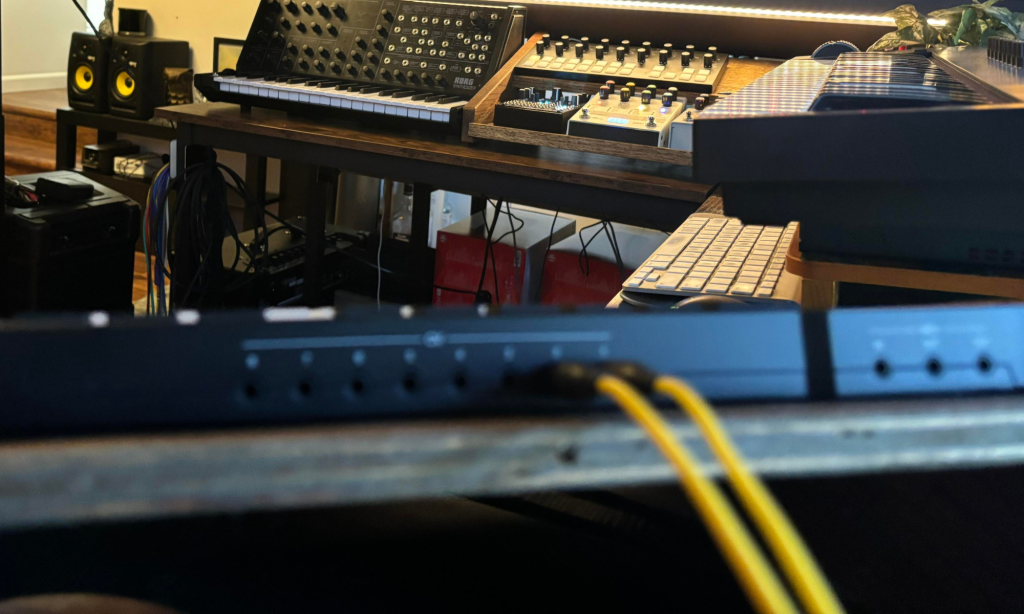
The connectivity options on the back of the device are pretty unmatched, especially for a controller at this price point. With many different CV inputs and a few gate options, you can control an entire live setup using this controller. It’s fantastic for syncing up a handful of modular and semi-modular synths and sending MIDI to different channels, building up a track one sequence at a time, or sending MIDI channels to multiple instruments to layer up a single sound.
These are all done through 1/8″ (3.5mm) Ts cables that any synth and modular nerd will have by the dozens, which means that it plays nicely with anything in your set or you plan on picking up.
The Expression Sliders

While the APC64 doesn’t have MPE, its eight touch-sensitive strips make it still highly expressive. Being able to map different parameters to these touch pads and control them by sliding your touch up and down the strip means you can still control multiple touchpoints simultaneously, similar to how MPE does but in a way that might even be more approachable and easier to wrap your head around than MPE is.
Call me a little crazy, but ever since MPE was the term of the weekend at NAMM in 2022, I have felt like it was tech that only the maestro-level producers would benefit from. And the fact that Fred Again… playing on a Roli Seaboard, is really about the only artist I’ve seen making listenable music using MPE-focused instruments proves my point...
Even today, I do most of my automation using encoders of modulation wheel movements on my MIDI keyboards, which limits me to modulating two things at once. However, the APC64’s friendly ergonomics allow for six parameters to be “easily” adjusted simultaneously—via my pointer finger, middle finger, and thumb of each hand—in a way that makes more sense than convoluted MPE functionalities.
It’s VERY Performative
This is where the rubber meets the road of all I’ve mentioned above, as I think the Akai Professional APC64 is a fantastic performative sequencer to use as a central brain for live, on-stage setups. This is especially true for more modular heavy setups where you’re doing more sequencing than launching clips.
But still, it’s a fantastic live-performance tool due to its ease and flexibility of sequencing, the number of CV outs, and the low power draw (newer iPads give off enough juice to power these). Also, how perfectly it pairs up with Ableton Live to launch clips, recognize drum racks when armed, and more means that you can fly around a Live project without breaking your performance flow or stage presence.
…And The Cons
No Screen Means You’ll Need Good Muscle Memory
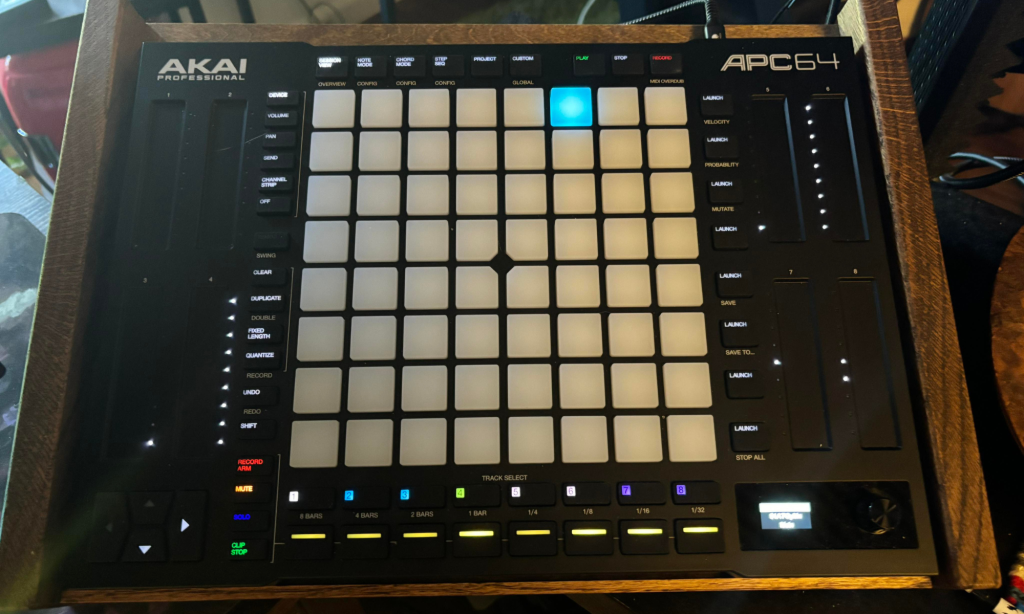
Live sets and even studio work can get pretty cumbersome, requiring many moves to launch clips and affect your music how you want it to. The lack of an LED screen to help you navigate some of these steps usually means that a fair amount of muscle memory and mastery over the whole device is required before you can truly get the most out of this sequencer.
Sometimes, certain combinations of buttons must be pressed or gestures performed to do more complex stuff with the APC65. This would have been easy if there had been an LED screen to guide you through the steps, but the lack of one means you got to know this thing before I would feel comfortable bringing it on stage for a bigger gig.
That’s true for almost any gear I’d perform live with, but regardless, it’s worth mentioning here.
No Microtiming In The Sequencer
When jamming out a drum beat or sequence for live performances, I’m not as concerned about bumping drum hits left or right by a few milliseconds at a time to get the groove perfect. But for studio work, I’m incredibly mindful of this, and I enjoy nudging individual drum hits and loops until they sit just perfectly in the pocket of the percussion group.
There is a lot that the APC64 brings to the table, and I love the fact that I can do the majority of my workflow, at least when it comes to composing and constructing a loop, without even touching my mouse but the nudging and micro timings are not one of these things. Luckily, though, there always is that handy dandy Send to Clip function mentioned above where you program a drum clip and then quickly export the clip to do the fine tunings with a mouse or a groove template.
Akai APC64 Vs. Ableton Push 3
The APC64 Is Cheaper
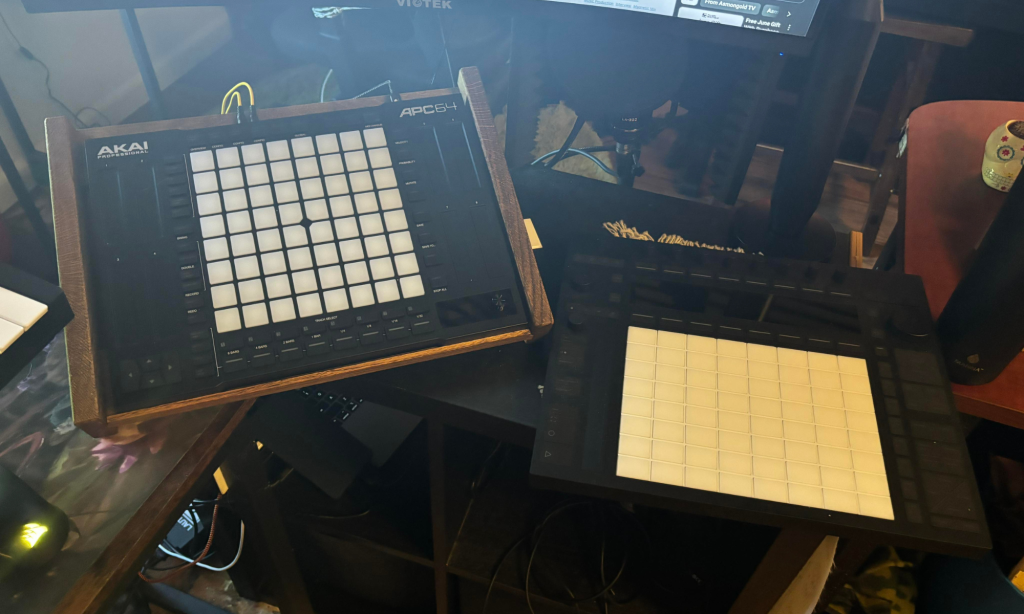
Here’s the brass tax for many producers out there, which is probably the most important one today. The Push 3 brings a lot to the table but at a price. And when you consider that some producers, maybe even you, don’t need things like MPE, LED screens, and some of the super-premium stuff that the Push 3 brings, this can be a fantastic lite alternative!
Because if you’re just looking for something that can sequence out beats, launch clips, control parameters on your plugins and VSTs without having to rely on a mouse, and do a few more basic things (which is about 80% of my workflow), then the price could not be more right than with the APC64.
The Push 3 Is An Instrument; The APC64 Is A Controller
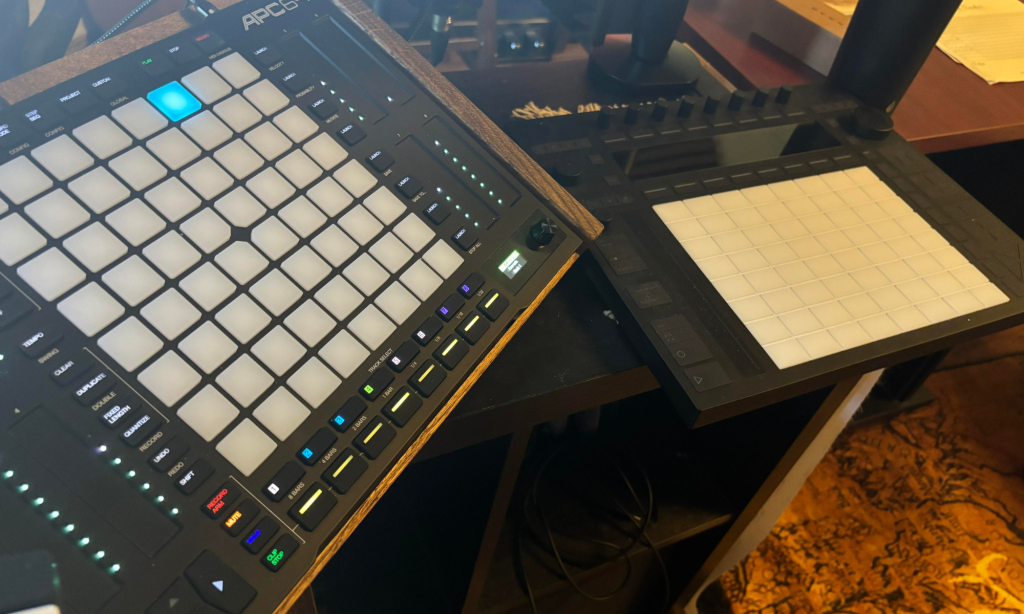
This is one of the defining premium features that justifiably warrants the Push 3’s high price point. Still, the fact that the APC64 is more of a controller and does that task exceptionally well, compared to a Push 3, which tries to be an instrument entirely in its own right, is a drastic and stark difference.
Akai Has More Outputs, Push 3 Doesn’t Need More
The Akai’s large number of CV/Gate controls is a massive X-Factor, as it allows you to control, as I’ve said before in this article, your entire setup of synths and devices using this singular device, making it a potent standalone controller in its own right. Conversely, the Push 3 is designed to be a direct extension of Ableton Live, and you’d use Ableton to control the same outboard gear.
Where the Akai APC64 can do a ton of heavy lifting as a standalone sequencer and controller, the Push 3’s inability to use anything other than native Live plugins and clips in its standalone mode leaves a bit to be desired as a standalone controller, sequencer, and live performance tool.
They’re Both Expressive But In Their Own Ways
The touch-sensitive sliders on the Akai Professional APC64 are such an excellent move that I now wish more devices and controllers would utilize similar tech. Faders, encoders, jog wheels, and more all have their use cases, but I cannot hype up the sliders enough to make a device expressive and, more importantly, usable to the broadest range of users.
The Push 3, on the other hand, gets its expressiveness through MPE functionality, a single slide-friendly pitch bend and mod wheel that has been standard in all Push series, and velocity-sensitive pads and if you’re a producer who can use all of that to its fullest potential than it’s an absolute game changer. But again, this harkens back to my thoughts about how the Push 3 is more of an instrument, whereas the APC64 is a controller.
If you’re looking for a controller that allows you to automate by hand and add expressive automation to your music that way, the APC64 is approachable, musical, usable, and fun.
Where To Go From Here

Will Vance is a professional music producer who has been involved in the industry for the better part of a decade and has been the managing editor at Magnetic Magazine since mid-2022. In that time period, he has published thousands of articles on music production, industry think pieces and educational articles about the music industry. Over the last decade as a professional music producer, Will Vance has also ran multiple successful and highly respected record labels in the industry, including Where The Heart Is Records as well as having launched a new label with a focus on community through Magnetic Magazine. When not running these labels or producing his own music, Vance is likely writing for other top industry sites like Waves or the Hyperbits Masterclass or working on his upcoming book on mindfulness in music production. On the rare chance he's not thinking about music production, he's probably running a game of Dungeons and Dragons with his friends which he has been the dungeon master for for many years.