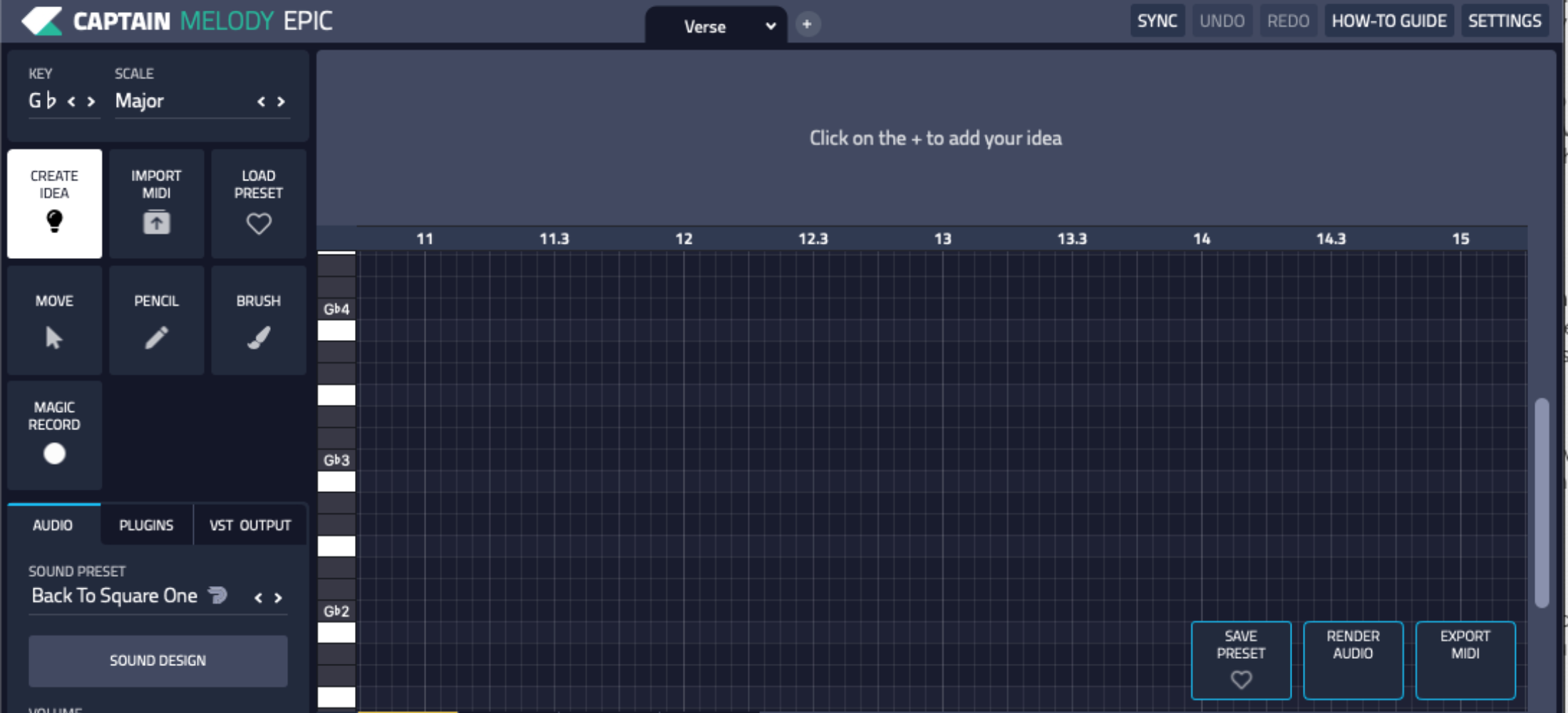

The music industry has several big-name commercial DAWs, including Ableton Live, FL Studio, Studio One, and Pro Tools. While these professional DAWs offer many advanced features, they can come with a hefty price tag.
Therefore, searching for a high-quality free DAW becomes crucial for those venturing into music production on a budget. The available options, while fewer, have been expanding with each passing year, and 2023 is no different. Free DAWs like Audacity, Tracktion Waveform, and Cakewalk by BandLab are making waves in the music production industry, providing tools and features that make them more than just viable alternatives.
The best free DAWs are versatile pieces of software that enable you to produce music without compromising creativity. They provide everything you need to record audio tracks, integrate virtual instruments, and edit MIDI tracks, among other features. Coupled with a good selection of free VST plugins, these DAWs can be a powerful companion for any music producer. As we look forward to the rest of 2023, the question isn’t if you can find a great free DAW to create music; it’s about finding the best one that fits your unique style and needs.
This article aims to guide you through the vast landscape of the best free DAWs 2023, making your journey to create music smoothly.
GARAGEBAND
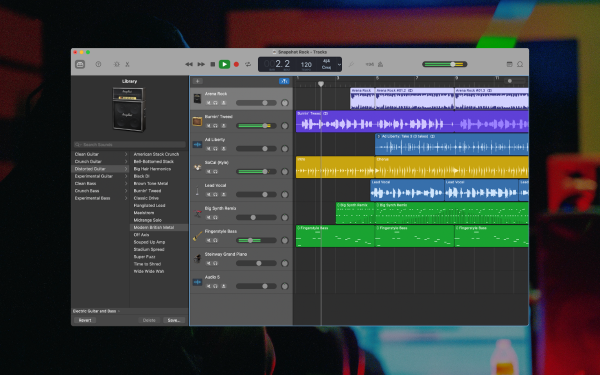
As one of the best free DAWs, GarageBand is well-renowned for its user-friendly interface and a wide array of features that make music production a breeze. Originally designed for Mac users, GarageBand has stood the test of time, offering beginners and seasoned music producers an intuitive platform for creating, editing, and producing high-quality music. Its broad range of virtual instruments and audio tracks makes it a versatile DAW in music production.
In addition, GarageBand offers MIDI editing capabilities, a feature that caters to those interested in electronic music production. With the 2023 version, GarageBand continues to offer robust and professional-grade tools that let you turn your musical ideas into polished pieces of art. The sleek and user-friendly interface makes it an ideal DAW for beginners looking to make music without the steep learning curve often associated with other DAW software.
Moreover, GarageBand provides everything you need to produce music at your fingertips, making it a go-to digital audio workstation for Mac users in 2023. With the best part being its free price tag, GarageBand undeniably sets the bar high for other free DAWs in the music production industry.
GarageBand’s X-Factors Are:
- Intuitive and user-friendly interface, perfect for beginners.
- A vast range of virtual instruments and audio tracks.
- Remarkable MIDI editing capabilities for electronic music production.
Snag This DAW Here
TRACKTION WAVEFORM FREE
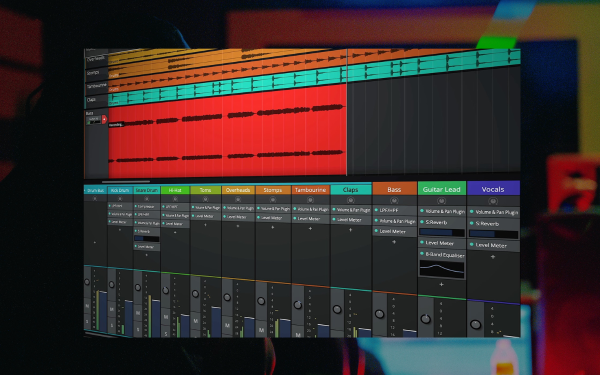
Tracktion’s Waveform Free is another notable entry in the best free DAWs 2023 list. The DAW’s minimalist design belies its powerhouse features, offering a comprehensive suite of tools for music production. Perfect for producers who favor simplicity, Waveform Free boasts a straightforward workspace that doesn’t compromise on the essentials.
In addition to its audio recording capabilities, Waveform Free offers MIDI tracks and plugin compatibility, making it a versatile tool for any music producer. Its powerful suite of features ensures you have everything you need to create and produce music. Whether you’re a beginner or an experienced producer, Waveform Free is a reliable tool that caters to various music production needs.
Cross-platform compatibility is another central selling point of Waveform Free. Unlike some DAWs that are platform-specific, Waveform Free caters to both Windows and Mac users, making it an excellent choice for music producers regardless of their operating system. With its well-rounded features and cross-platform accessibility, it’s no surprise that Waveform Free is a top contender among the best free DAWs in 2023.
Tracktion Waveform Free’s X-Factors Are:
- A minimalist design that offers simplicity without sacrificing essential features.
- Robust features such as audio recording, MIDI tracks, and plugin compatibility.
- Cross-platform compatibility catering to both Windows and Mac users.
Snag This DAW Here
SERATO STUDIO
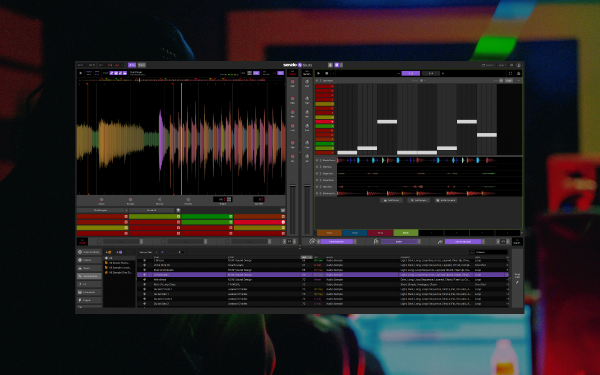
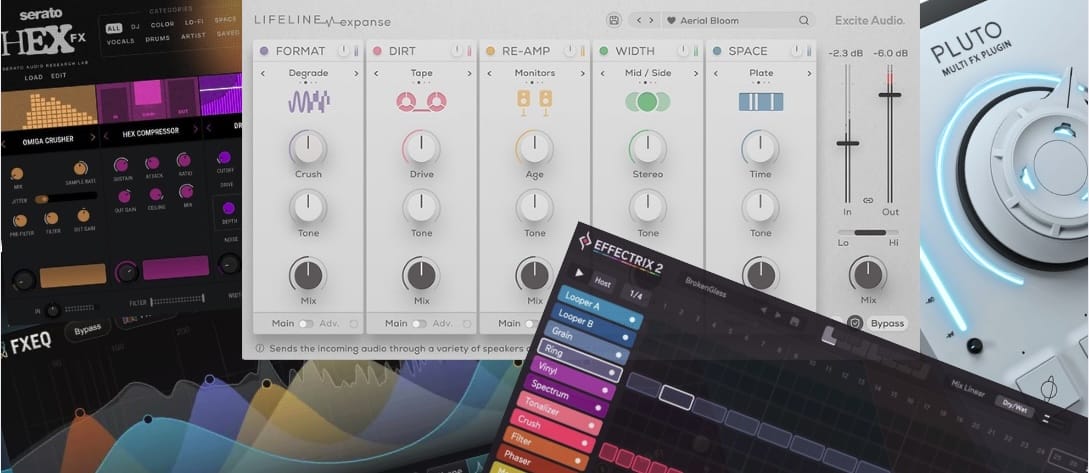
An industry leader in DJ software, Serato has made impressive strides in music production. After achieving success with their Serato Sample Plugin, they have now introduced a fully fleshed-out music-making solution, Serato Studio. A digital audio workstation (DAW) with a workflow geared towards DJ edits, bootlegs, mash-ups, and beat-making, the 2023 update has notably included a free version of this robust software. We have dived into the music production capabilities of Serato Studio and are eager to share our insights.
One distinct thing about Serato Studio is its user interface; any Serato DJ user will feel right at home. The navigation panels, deck setup, and waveforms are reminiscent of Serato DJ, maintaining the DJ-style workflow with a three-band EQ, filter, and upfader for each deck. The free version allows users to load up to four decks – Drum Decks, Instrument Decks, Sample Decks, and FX Decks, making it one of the best free DAWs for beginners. A unique feature in the DAW landscape, the ‘Project Toolbar’, lets users set the key and scale for projects, a godsend for those new to production or lacking music theory experience.
In the beat-making department, Serato Studio excels. It comes preloaded with Drum Kits, Samples, and Instrument selection. If you don’t already have a sample library and VST collection, the built-in resources are plenty to start with. Additionally, each ‘Deck’ has three FX slots, allowing the possibility to assign different effects to individual slices of a sample, enhancing the depth and variety of your productions. The DAW also offers a fluid integration of your existing Serato Library, reading all your pre-set cue points, which is particularly useful for planning edits.
SERATO STUDIO’S X-FACTORS ARE:
- DJ-Friendly Workflow: The interface and workflow are designed with a DJ-style focus, making the transition from DJ software to music production seamless.
- Automatic Key and Tempo Detection: This feature eases the music production process for both beginners and experienced users. It detects the key and BPM of the first audio sample loaded and sets the session to match.
- Preloaded Resources and Integration: Serato Studio offers a good selection of preloaded Drum Kits, Samples, and Instruments and integrates them with any existing VSTs and Audio Units, providing a comprehensive toolkit for music creation.
Snag This DAW Here
AKAI MPC BEATS
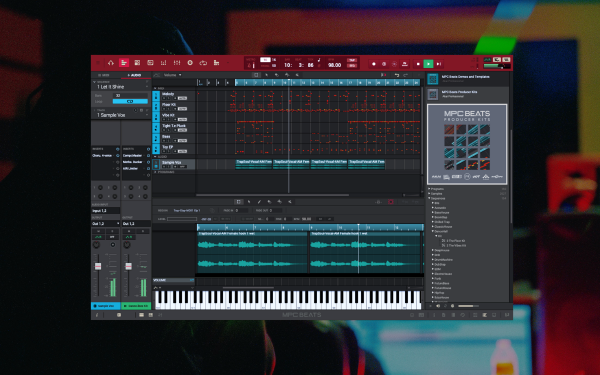
In recent years, AKAI has made considerable progress in the software domain, offering innovative solutions for beat-making. AKAI’s flagship DAW software, MPC Beats, is the embodiment of this evolution, with an entry-level version that’s entirely free. This professional DAW software encapsulates AKAI’s signature style and works seamlessly with any MIDI input, not just with AKAI controllers.
AKAI MPC Beats stands out as a free DAW of choice for its compatibility with Mac and Windows and a limitation that might prove advantageous for some music producers. It offers up to 8 MIDI tracks, 2 stereo audio tracks, four send channels, and eight submix channels. It includes the AIR FX bundle of insert effects and AIR Bassline, Tubeline, and TubeSynth plugins. While its full version provides more extensive capabilities, the limitations of the free version could help focus your creativity and drive you to accomplish more with less.
Despite its status as an entry-level application, AKAI MPC Beats hardly feels like one. With a workflow design centered around AKAI’s 16-pad sequencers, the software includes numerous features in professional DAWs, such as a piano roll and sample editor. The interface is highly customizable, and, despite the learning curve, it becomes pretty intuitive over time. This free DAW software has robust features that make dropping samples onto pads, recording audio, loading plugins, and mixing a breeze.
AKAI MPC Beats’ X-Factors Are:
- Compatibility with any MIDI input, making it a versatile tool for all music producers.
- An intuitive, pad-focused workflow design based on AKAI’s iconic 16-pad sequencers.
- The offering of free bundled samples, kits, and plugin effects and instruments, allows for a comprehensive music production experience.
Snag This DAW Here
ARDOUR
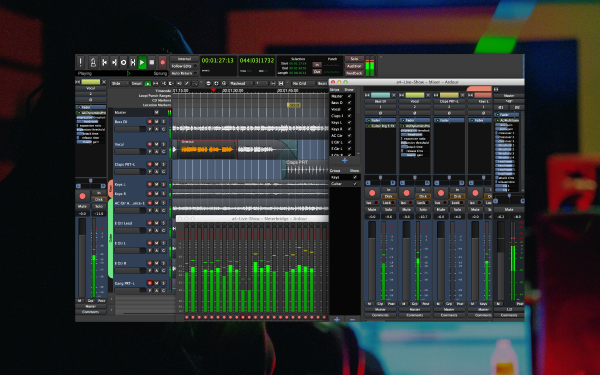
Ardour, an open-source Digital Audio Workstation (DAW), stands out as one of the best free DAWs of 2023, particularly for Mac users. With both a free and donation version available, Ardour takes the spotlight as a powerful tool for audio production, surpassing the well-known Audacity in terms of capabilities. It’s a professional-grade DAW that aligns with Adobe Audition and Apple’s Logic Express, establishing itself as an excellent choice for beginners and experienced music producers.
The DAW’s professionally crafted user interface and custom configuration options set it apart from free DAWs. It brings various tools for recording, editing, mixing, and mastering multi-track audio, proving its worth as a comprehensive music production software. Ardour supports 32-bit floating point audio recording, offering unlimited tracks, non-destructive editing, and user-defined audio routing. This means the DAW provides everything a music producer needs to create high-quality music.
Ardour’s most defining features include its wide array of audio formats and support for external hardware, enabling seamless collaboration between analog and digital inputs. While Ardour doesn’t ship with plugins, it supports industry-standard LADSPA and LV2 formats for filters and effects, plus Apple’s core AU format. The cherry on top is the Ardour Session Exchange – a tool that allows users to collaborate on sessions within Ardour over the internet, highlighting the software’s forward-thinking approach.
Ardour’s X-Factors Are:
- Professional-quality DAW with a polished interface and custom configuration features.
- Support for a wide range of audio formats and external hardware, facilitating versatile music production.
- The Ardour Session Exchange enables online collaboration on music projects.
Snag This DAW Here
CAKEWALK BY BANDLAB
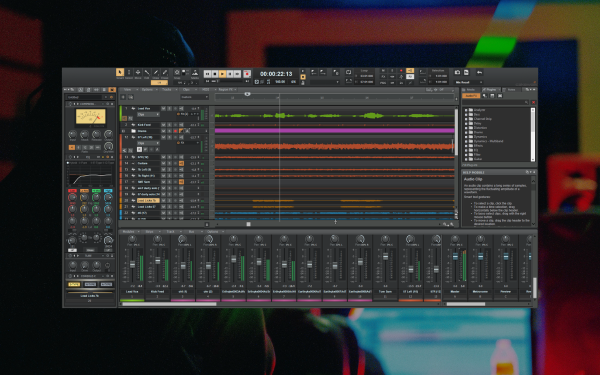
Known for being a professional-grade digital audio workstation, Cakewalk by BandLab provides musicians and producers with a wide range of features. From the capability to handle an unlimited number of audio tracks to having a console view that resembles a traditional hardware-based mixing console, it is a robust platform that can address the needs of even the most demanding producers.
Moreover, Cakewalk is recognized for its ProChannel module, which offers excellent console emulation. This makes it stand out as one of the top free DAWs for producing music. It is the best free DAW software for those who desire advanced features and capabilities found in paid DAWs.
Cakewalk’s features also extend to powerful MIDI capabilities. With touch-enabled features, a gorgeous interface, and a vast range of effects and instruments, Cakewalk is an excellent choice for beginners and seasoned professionals. As a free DAW, it provides exceptional value and could be the software you’ve been looking for to kickstart your music production journey.
Cakewalk By BandLab’s X-Factors Are:
- Capable of handling unlimited audio and MIDI tracks.
- ProChannel module for superior console emulation.
- A wide range of effects and instruments for comprehensive music production.
Snag This DAW Here
FAQs
What Is A DAW?
A Digital Audio Workstation (DAW) is a multifaceted tool essential for music production and audio processing. Its primary functions include the recording and editing of audio, much like a text editor in a word processing program. DAWs facilitate multi-track recording, allowing simultaneous playback and editing waveforms, such as cutting, copying, and pasting. They enable easy muting, crossfading of tracks, and analog audio playback through speakers or headphones.
Another critical role of DAWs is their ability to play virtual instruments, replicating the sounds of acoustic instruments controlled by MIDI commands. DAWs allow musicians to experiment with different audio effects such as delay, reverb, tremolo, compression, EQ, and echo, often enhancing these with third-party virtual studio technology (VST plugins) for particular effects. Furthermore, DAWs are employed in the mixing and mastering audio tracks, a process where imported audio tracks are fine-tuned with burnishing results. They are also helpful beyond musical applications, employed by sound designers, ADR engineers, audio editors, and voiceover artists for all audio projects.
Are Free DAWs As Good As Paid Ones?
Paid and free Digital Audio Workstations (DAWs) vary significantly in features and performance. Paid DAWs provide a robust suite of features, including advanced audio editing tools, the capacity to record multiple instruments seamlessly, a vast array of plugins, and enhanced layout and organization tools. These aspects may not seem necessary initially, but they become essential as you progress in music production. However, paid DAWs are more costly, and depending on the specific DAW, you may need to pay for major updates or choose a sustainable payment plan to avoid the need to learn a new DAW in the future.
Contrarily, free DAWs are excellent for beginners. They provide essential tools without the distractions and cost of advanced features. They might not offer the best synths or plugins, but they can equip you with fundamental skills in recording and editing songs. Examples of popular free DAWs are GarageBand and Audacity. Besides, the rise of online, cloud-based DAWs provides another option for music production. These DAWs, however, still need more development to compete effectively with free and paid DAWs. Choosing between free and paid DAWs depends on your needs, expertise, and budget. Investing in a paid DAW can yield significant benefits if you’re serious about music production.
Can I produce professional quality music with a free DAW?
Producing professional-quality music using a free Digital Audio Workstation (DAW) is possible. Several free DAWs, including GarageBand for macOS and iOS users, Tracktion’s T7 DAW, and Cakewalk by BandLab for Windows, come equipped with robust features for recording, mixing, and editing and an array of virtual instruments. Some successful professional musicians have even utilized these platforms to produce commercially successful tracks.
While these free DAWs can certainly deliver high-quality music, they might lack the advanced features offered by their paid counterparts, such as extensive sound libraries and advanced editing tools. However, your expertise as a music producer is the ultimate determinant of the quality of your music. A thorough understanding of music theory, arrangement, mixing, and mastering will enable you to maximize the potential of any DAW, whether free or paid.
Can I use third-party plugins with free DAWs?
Most free Digital Audio Workstations (DAWs) are compatible with third-party plugins. These plugins, often available as VSTs (Virtual Studio Technology), expand the sonic possibilities of your DAW by providing additional instruments, effects, and processing capabilities. Compatibility with these plugins enables you to customize your DAW to suit your unique music production needs and preferences.
However, the degree of compatibility may vary between different free DAWs. For instance, some may only support a limited number of plugin formats or may have a capped number of plugins you can load per project. Therefore, before selecting a DAW, it’s recommended to check its specifications and ensure it supports the plugins you intend to use.

Will Vance is a professional music producer who has been involved in the industry for the better part of a decade and has been the managing editor at Magnetic Magazine since mid-2022. In that time period, he has published thousands of articles on music production, industry think pieces and educational articles about the music industry. Over the last decade as a professional music producer, Will Vance has also ran multiple successful and highly respected record labels in the industry, including Where The Heart Is Records as well as having launched a new label with a focus on community through Magnetic Magazine. When not running these labels or producing his own music, Vance is likely writing for other top industry sites like Waves or the Hyperbits Masterclass or working on his upcoming book on mindfulness in music production. On the rare chance he's not thinking about music production, he's probably running a game of Dungeons and Dragons with his friends which he has been the dungeon master for for many years.