Table of Contents
If you’ve ever listened to my music before (which I hope you have), you’ll know that I love creating deeply emotive tracks. And, often, one of the quickest ways to add more emotion to a track (at least in my opinion) is to add a good string layer. They’re essentially a cheat code. So, I’m always on the lookout for new strings that I can add to my library. And, a few weeks ago, I stumbled on something pretty interesting.
Recently, Native Instruments launched LCO Producer Strings. This is a string instrument with a twist: you can have up to four layers playing different parts at once, making it sound like the entire London Contemporary Orchestra in your studio. That’s actually their instruments in this, by the way: all of these stringers were recorded in “stunning detail” for producers around the world to use. You can use it as a string instrument, or as a soundscape generator – there seems to be a lot of flexibility in this plugin. In other words, it’s not just another sampler.
I, of course, got my hands on a copy. Here are my thoughts.
Layout and Usage
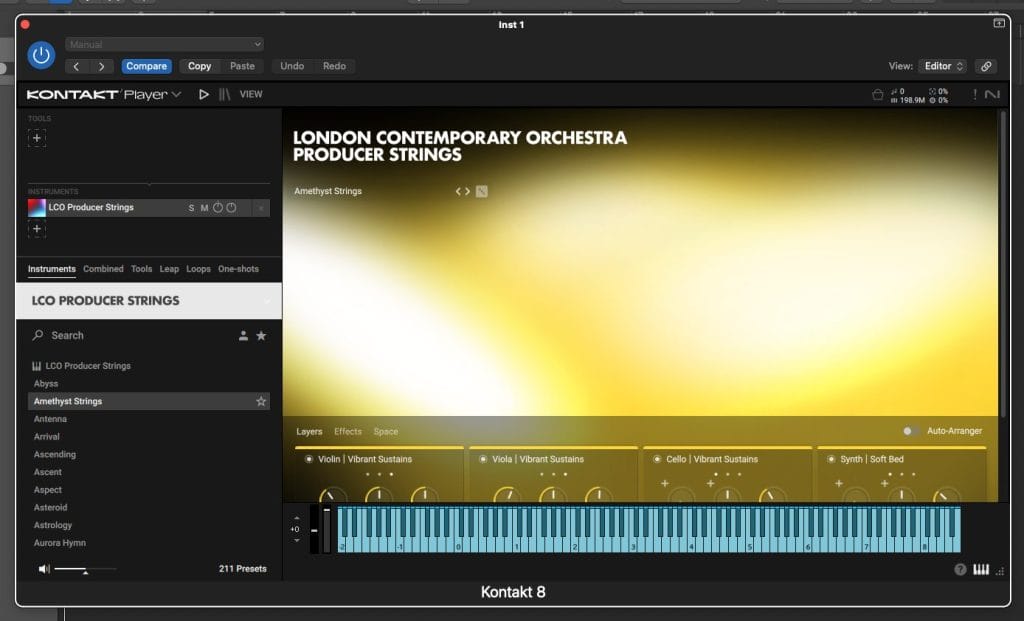
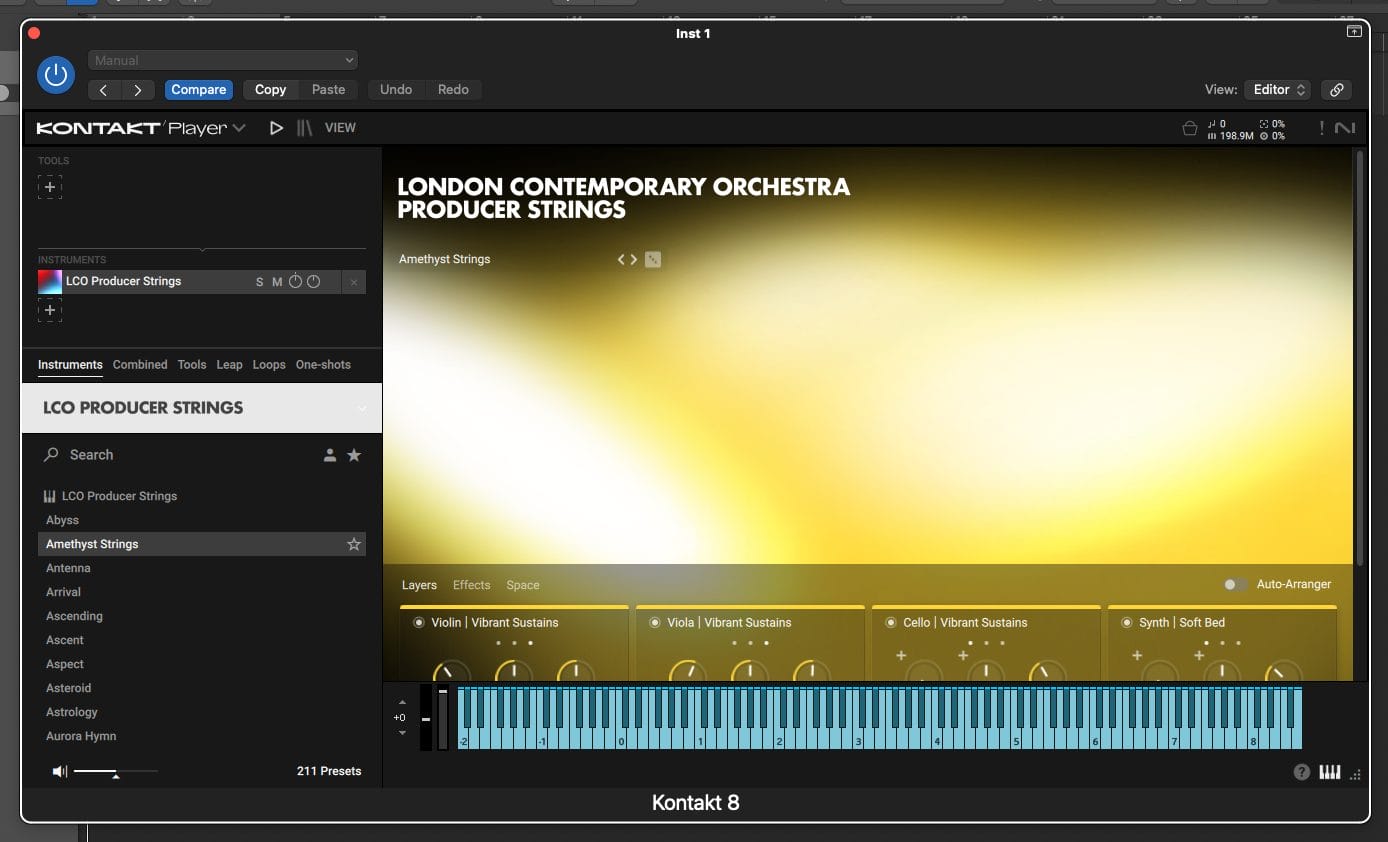
As this is a NI sampler instrument, you’ll need the newest version of the the completely free Kontakt player to use it. It should show up in your library automatically, but if it doesn’t, ensure that you’re using a completely up-to-date version of Kontakt 8. This happened to me – it didn’t show up at first, but then I updated the player, and there it was.
Your main interface will look like this. You’ll see a preset browser, four layer slots, and a couple of other tabs. Let’s dive into that.
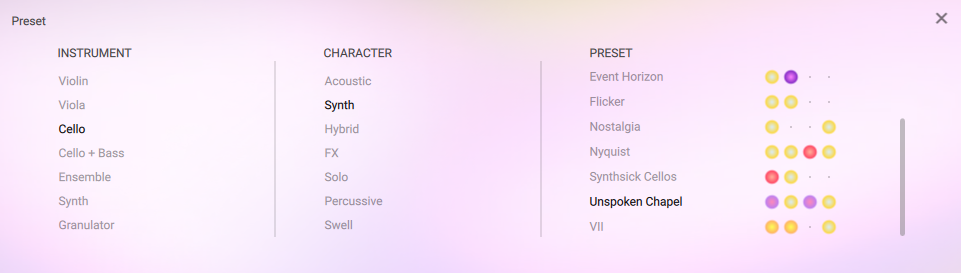
When you click on a layer, you’ll be brought to a page like this. Here, you can select the instrument to use in that layer (a violin, a cello, an ensemble, et cetera – even synths and granulators) and the character of that instrument, and you’ll see a variety of options. All of these presets were recorded at ridiculously high quality, so they sound great upon loading, and even better when layered with other sounds.
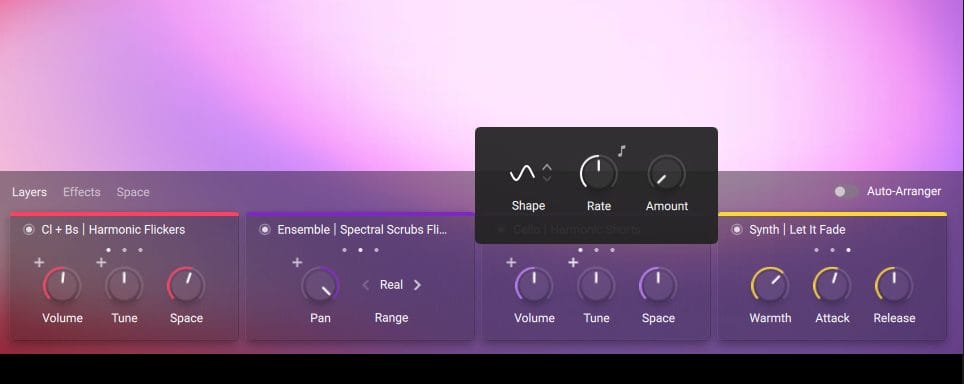
Here’s a traditional preset. I bet you’re wondering what the colors mean. I am as well. Every sound in here has been assigned a color, but I still can’t quite figure out what each color correlates to. It’s never really explained anywhere. However, the colors in the main panel will actively change as you play the string, so that’s cool, at least. If anyone can figure out what the color coding actually amounts to, let me know!
As you can see, you can adjust each layer in a variety of different ways. You can add LFOs (pictured above) to certain parameters, adjust the warmth of a layer, play with panning, and more. It’s pretty intuitive and simple to use. Auto-arrange will assign all layers to different notes on your midi keyboard, which adds a more balanced sound instead of every layer playing the exact same note at the exact same time.
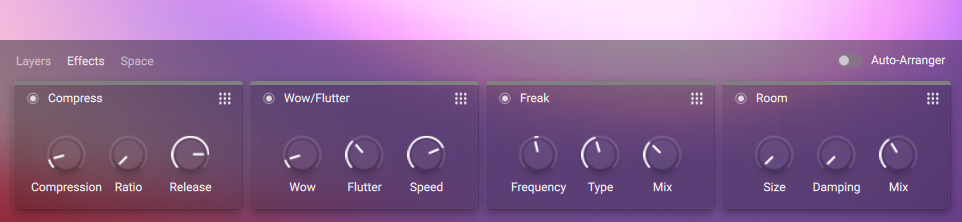
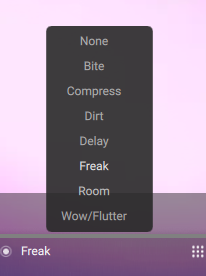
The effects panel operates similarly. A full list of the available effects is below, but you can adjust reverb, delay, distortion, compression, and more here. It’s a pretty normal effects panel, and you can adjust the order of all of the effects by clicking the waffle in the top right of each module. They’re fun to play with – Wow/Flutter is particularly cool as it simulates analog tape, and freak plays with the harmonics of your sound.
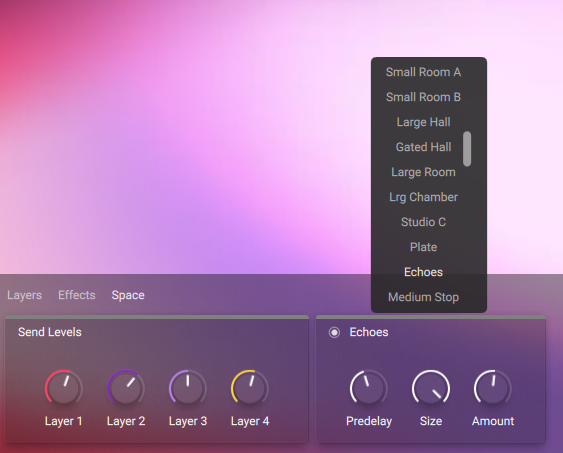
The last panel is where you can mix every layer individually and adjust the room that the sound is being played in (in other words, reverb). There are numerous options available, more than I could fit in one screenshot. It works as a normal reverb, and they’re all worth playing with. Having this effect really makes the instrument sound “real” as compared to a normal string instrument that may not give you a room option.
That’s pretty much all there is to it. You can play with the many presets right out of the box, or you can try to build your own. There’s a randomizer button as well to give you instant ideas. How is it in practice?
Results
I’m a big fan of this. Creating evolving string textures is fast and fun, and it really does sound like there’s an entire orchestra in your computer. It also doesn’t put the cart before the horse – you can use it as a simple string instrument just as well.
Sure, things can get a little unwieldy at times, especially when playing with several evolving layers at once. That’s when post processing is essential. I’ve found that paring a dynamic EQ alongside the strings is a highly effective way to keep resonant frequencies out of the picture while playing around with layers and modulators. However, if you’re using a simple string chord, a traditional static EQ will do the trick.
Either way, the sounds that come out of this instrument are so high quality and drag-and-droppable that I’ve not found much need to EQ anything in traditional use cases. But, in the cases I’ve detailed above (think wild string sound design and constantly changing textures that go all around the frequency range), a dynamic EQ will do you a ton of favors here.
Below is a quick demonstration. I’ve included a traditional string stack as well as some of the more “out of bounds” presets available.
It can go from beautiful stack to eerie flutter to LFO synth in a just a few clicks. This is not your traditional string instrument – it’s a string synth disguised as a sampler.
Pros and Cons:
Pros:
Incredible quality.
None of this would matter if the strings themselves were recorded poorly and sounded bad. Thankfully, that’s not the case. As I said earlier, it sounds like the entire LCO is in your DAW when using this instrument.
Comparatively small for a string sampler.
I’ve seen some of LCO Producer Strings’ competitors pack massive download sizes of over 50 gigabytes. This instrument will only take up 8 gigs on your hard drive. That’s unheard of for a string sampler.
Cons:
Give me more LFOs!
I was disappointed to only find LFO options on some parameters. Why can’t we drag and drop LFOs onto every parameter in the plugin to add even more movement? That would be a really great thing to look at in a future update.
It can be slow.
It might take a little while to load a preset or a layer. For context, I have a pretty solid computer (Apple Silicon M2) and changing presets sometimes involve a 5-second wait. Be prepared for some delays while playing.
Conclusion: Should you get it?
If you’re in the market for a new string instrument, I’d recommend this. At 100 USD, it’s not a cheap purchase, but it’s pretty much on par price-wise with other string samplers on the market. And, with all the layering and processing you’re able to do in here, there’s a chance you’ll get so much more out of this instrument than you would with another, more traditional string sampler.
Buy LCO Producer Strings here.

Ben Lepper is a music producer and journalist from Boston, Massachusetts.