When HydraTek plugs in, the system comes alive.
His latest release, “BioPunk”, is a full-system override: a genre-fracturing techno barrage that sounds like it was reverse-engineered in a lab buried beneath a collapsing metropolis. Released on June 20 via Don’t Play This at Home Records, “BioPunk” lands as part of a compilation spotlighting the Italian underground’s most ravenous forward-thinkers. HydraTek’s contribution is a highlight
This edition of our How It Was Made series dives deep into the DNA of “BioPunk”, with HydraTek showing how he’s able to combine techno’s relentless pulse with the fractured voltage of electro, the rush of drum and bass, and the immersive dread of cyberpunk sound design. Layer by layer, he builds a dystopian anthem that’s part rave weapon, part resistance signal. AI-generated vocals crackle through the noise like commands from a sentient mainframe: “Feel the power. Enter. Be.”
In the following feature, HydraTek shows us the synths, plugins, and philosophy behind the chaos. If you’re interested in making dystopian & cybernetic techno, or just want to grab some good plugin recommendations from a talented producer, read on!
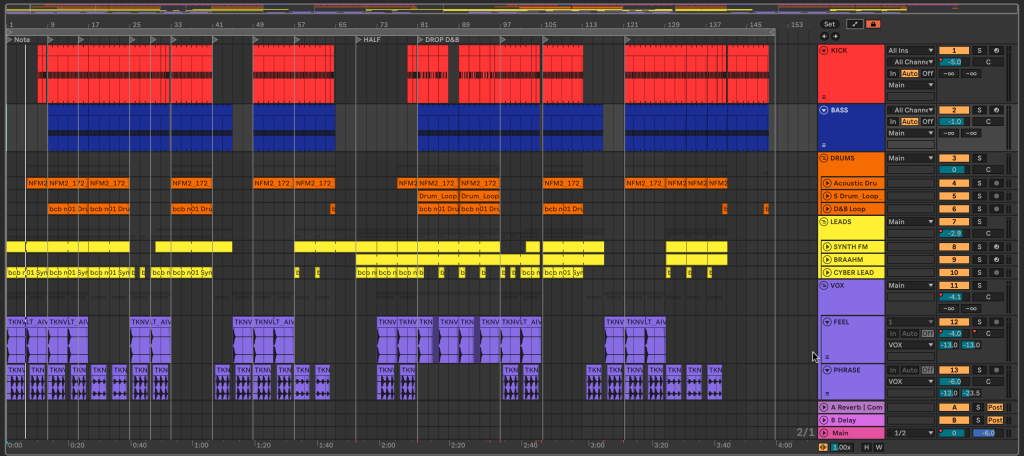
“BioPunk” was born from a desire to blend dystopian grit with futuristic precision — a sonic vision where cybernetic aggression meets dynamic minimalism. This breakdown explores the key tools and mindset behind its creation.
Kult
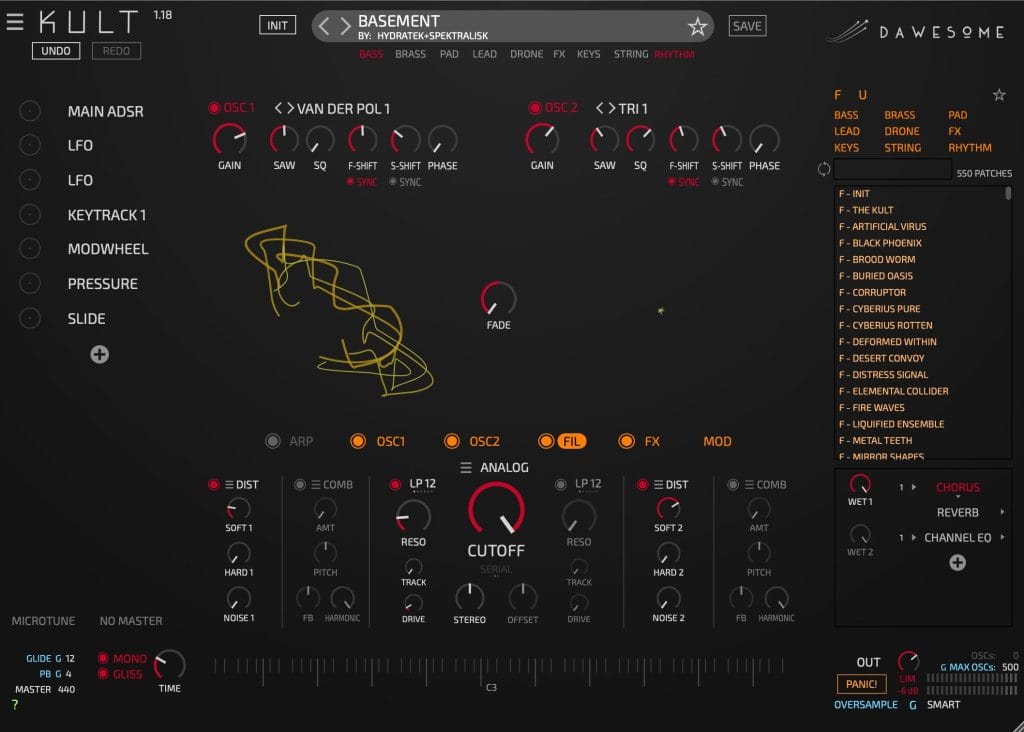
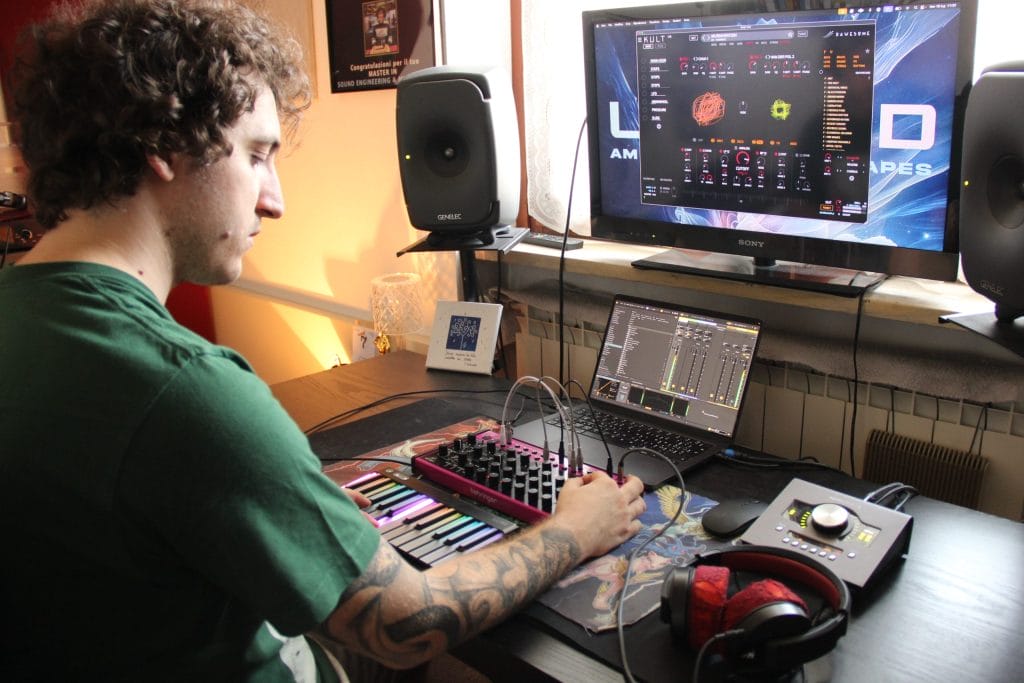
The main screeching lead and Braahm sounds in the track are custom presets I designed in the mighty Kult synthesizer by Dawesome. Way underrated, it’s one of my favourite synths because of its incredibly organic, complex, and dark sound engine.
What I particularly love about Kult is its deeply mutating character, which feels like you’re layering lots of sources and automating them in complex ways. I used the “Basement” and “Brave Roar” patches from the Oblivium Alpha expansion pack for Kult, a collaborative project I realized with sound designer Spektralisk. They are used as stabs, so they sustain a single note. The Braahm enters in the second half of the track, as an additional layer spanning two octaves for extra energy and fullness.
I created two versions, one transposed 5 semitones down to the other, and I alternated between them to make a variation and counterpoint in the arrangement. The sounds were nearly production-ready — a touch of high-pass filtering and sidechaining was all it took to slot them perfectly into the mix. Smooth Operator by Baby Audio serves in the Stabs group to address harshness while maintaining energy and clarity.
Transit 2
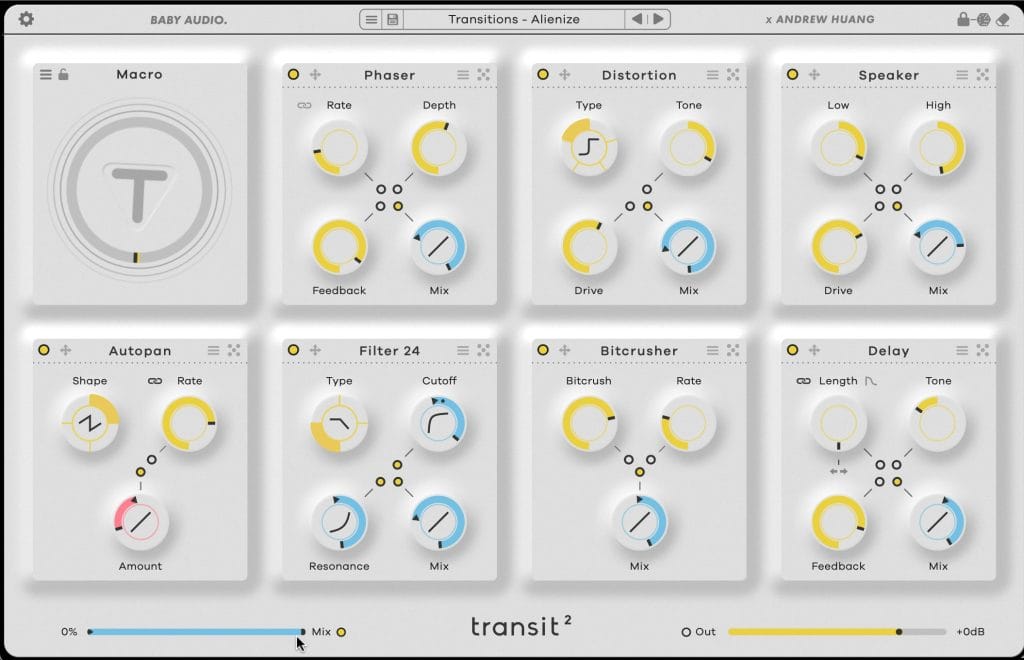
Fun fact: The track originated as a demo showcasing the capabilities of the Transit 2 plugin, which I received for beta testing ahead of its release.
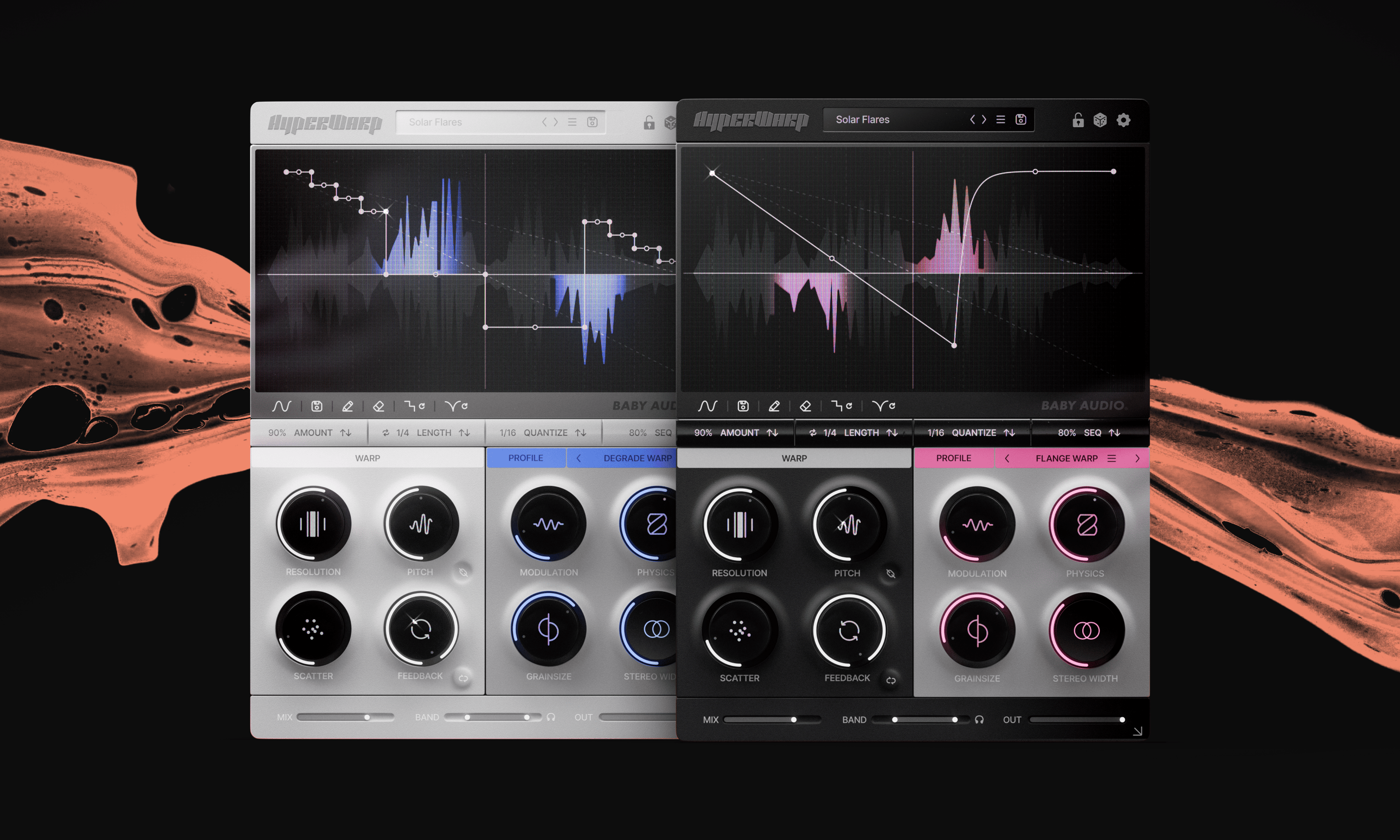
A collaboration between Baby Audio and Andrew Huang, it is packed with several effects that can be mapped and performed by a single macro knob. I found it super creative and powerful, not just as a transitional tool.
There are seven instances of it in my project, creating a complex chain inside my main groups: Drums, Leads, and Vocals. I wanted to demonstrate how far I could push the plugin beyond its intended use case, so I experimented with morphing, glitch effects, and granularization. Not all instances are playing at once, and it’s the macro automations that keep the arrangement alive and interesting. Sometimes, the same preset is used on multiple instruments simultaneously to create a cohesive and unified sound, part of a consistent timbral change and dynamic movement.
While the track had only 5 main elements, it’s the abuse of Transit 2 that creates the illusion of complex layering and a maximalistic approach.
Frontier
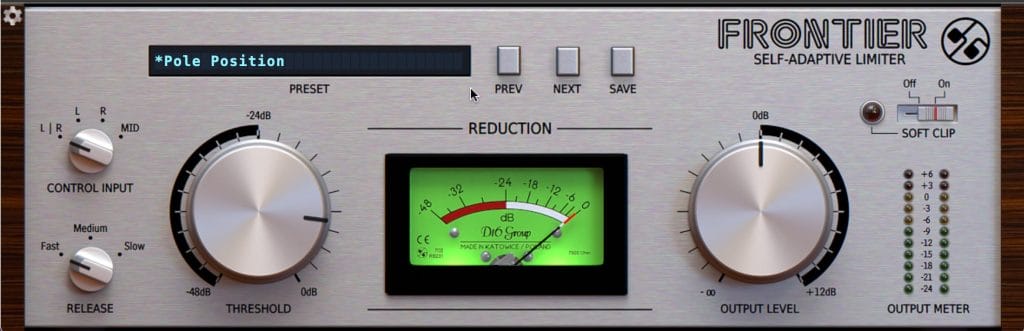
Frontier by D16 Group has long been one of my favourite dynamic processing tools. It’s a free, colorful limiter that I use at the beginning of the mastering chain to gel elements together with a squashed, crunchy vibe.
I always activate the Soft Clip option, and sometimes drive the output level to bring extra saturation to the signal. I love the Fast Release setting, since it’s the most aggressive and punchy. The Threshold was set so that just a few dBs of gain reduction were achieved to avoid overcompression. The Control Input is set to Stereo Mode, so the plugin responds to either of the two channels independently.
Unfortunately, there’s no Input Gain in Frontier, so I always put a Utility before it to select how much signal I want to drive into the limiter and entire mastering chain. Gain staging is crucial for achieving maximum clarity and optimizing plugins’ performance within their optimal dynamic ranges.
Equalizer
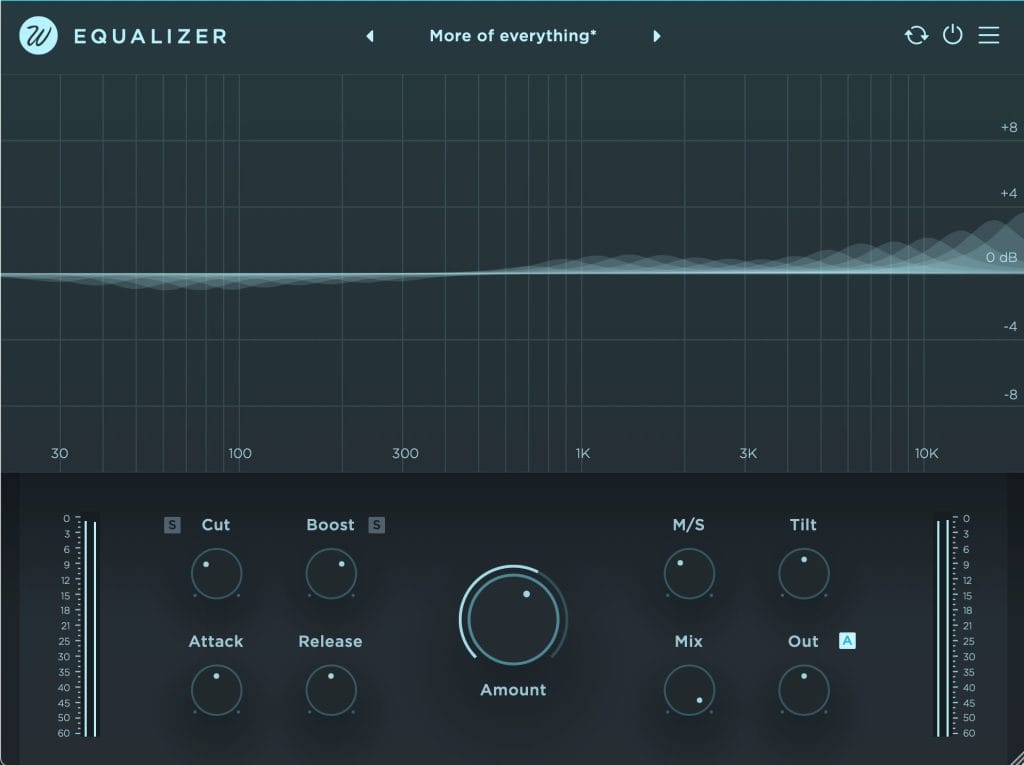
Equalizer by Wavesfactory is one of my latest gem discoveries.
Working under the hood in a similar fashion to plugins like Gulfoss, it’s a smart automatic equalizer (the name “Equalizer” is way too humble for what it does). I started with the “More of everything” setting, but engaged both the Cut and Boost knobs to achieve clarity and richness.
The M/S feature is great for deciding the encoding of the processing, either focused on the Mid channel only, or more Side signal for a wider effect. At 60% of the Amount, I got a maximum of 4 dB of boost in the top-end, and a few dB of cut in the lows.
The result remains surprisingly natural and musical, thanks to the plugin’s ability to apply these boosts and cuts dynamically throughout the track. You can see this tool as an advanced and smarter dynamic EQ, which helps you remove masking and address muddiness, while enhancing weak areas of the spectrum.
I enabled the Automatic Gain compensation, so the plugin lets you hear the real changes you’re making in the mix, without getting trapped in the “louder is better” illusion.
Bonus Production Tips
Tip #1: Less is more. Powerful tracks come from smart sound selection, not blind layering.
Tip #2: Abuse tools. Use plugins in unintended ways — that’s where happy accidents live.
Tip #3: Break the rules. Don’t mimic others; trust your own instincts.
Tip #4: Call & Response always works. Think of your arrangement as a dialogue between sounds, each with its own space and intention.
Tip #5: Learn DIY Mastering. Full control means full artistic freedom.
Hope this breakdown sparks some ideas for your own sound experiments — feel free to reach out with questions or feedback!
Stream “BioPunk” here.

Ben Lepper is a music producer and journalist from Boston, Massachusetts.