We live in an age where AI is a constant buzzword in the music production community. You turn to Reddit, YouTube, or, worst yet, the comments section of Instagram, and you’ll see a deluge of comments about how algorithms are ruining the music industry while simultaneously getting served ad after ad for some new flashy AI-powered plugin.
It’s to a point where I take anything labeled as “smart” or claims to use “advanced AI algorithms” with a massive brick of salt. But that’s also why I try to jump at the chance of reviewing such products and plugins, as I’m as anxious to be proven wrong as I am excited to have my assumptions validated (…once again).
We were sent a copy of Sonible’s latest plugin, their Smart:EQ 4, to see how it measures up against its competition, see if it’s as smart as it claims to be, and if it’s a tool that deserves your money and space on your hard drive. So, let’s dive into the boring old WTF is this plugin section before breaking down everything we loved and didn’t like about this AI-driven equalizer.
Learn More About This Plugin While Supporting Our Team Of Writers Through Our Affiliate Partnership With Plugin Boutique Here
What Is Smart:EQ 4?
Sonible’s Smart:EQ 4 is an advanced equalizer plugin designed to enhance spectral balancing and hierarchical structuring of tracks in a mix. This fourth iteration of their “smart” EQ helps further streamline workflow between all of the plugin instances in a single project.
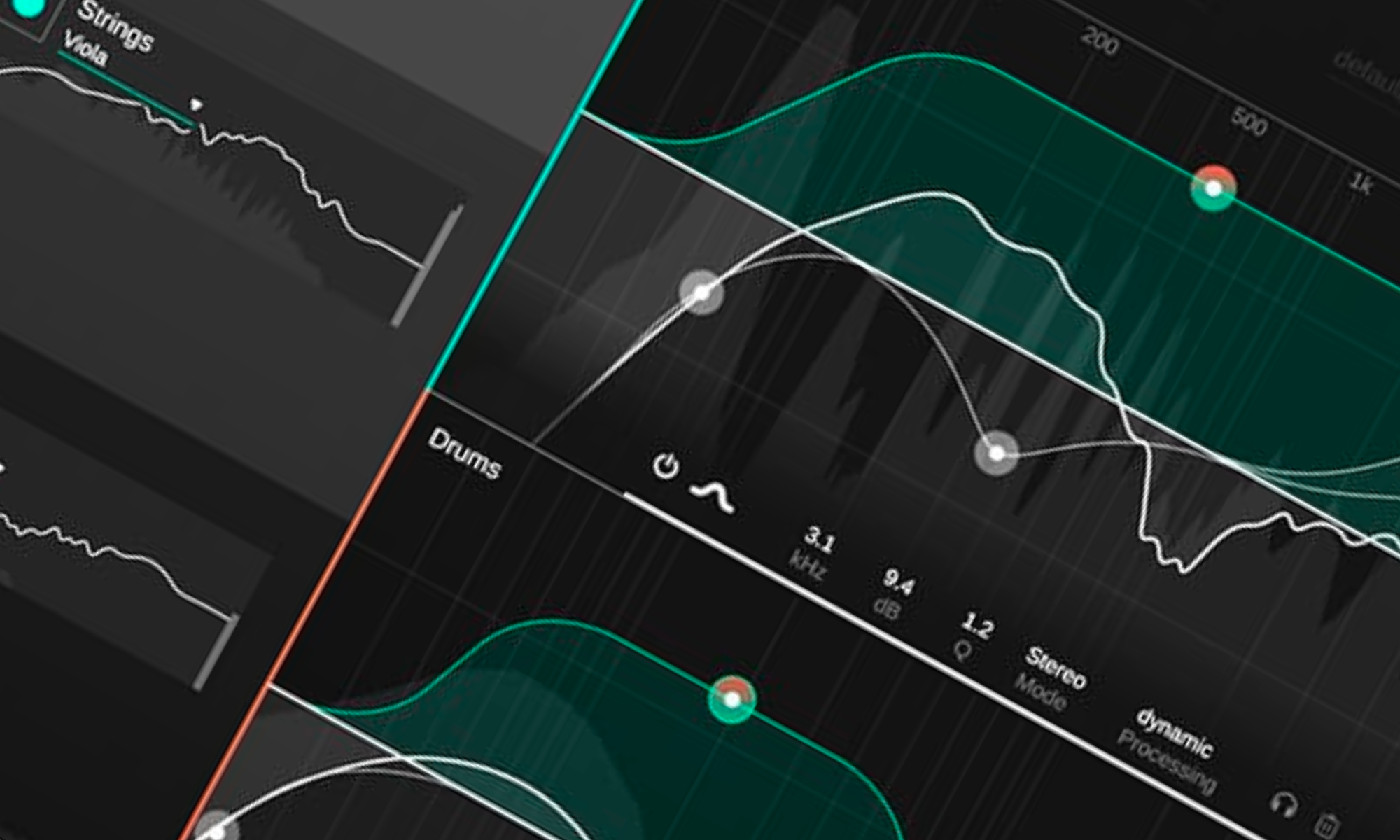
It offers an AI-driven approach for single tracks and groups, allowing up to ten tracks to be managed and EQ’d simultaneously. This capability is facilitated by a user-friendly interface that includes track and group views, making applying changes across multiple tracks more straightforward without switching plugins, akin to the workflow on an analog console.
The plugin introduces a unique ‘Smart Band’ feature. You can create filters adjusted for intensity, inverted, or split into multiple bands for more nuanced control over the audio spectrum. Additionally, Smart:EQ 4 has been enhanced with a dynamic EQ feature that has many more features than most of its competitors, providing more granular control over the dynamics of the equalization process. Sure, more features mean more of a learning curve, but that’s the case with any plugin!
Smart:EQ 4 also has many time-saving effects built in that are easy to access, such as auto-gain and the ability to learn upon startup, further reducing the manual adjustments needed. These improvements position Smart:EQ 4 as a one-size-fixes-all tool for mixing and mastering, offering efficiency and advanced control over the audio spectrum.
Sonible also allows for a 30-day free trial, encouraging users to experience the benefits of Smart EQ 4 firsthand in their music production workflow. But with the more vanilla nuts-and-bolts breakdown of the plugin, let’s dive into how I thought about this plugin after using it in the studio for the last couple of months.
What I Liked about Smart:EQ 4
All Your EQs In One Window
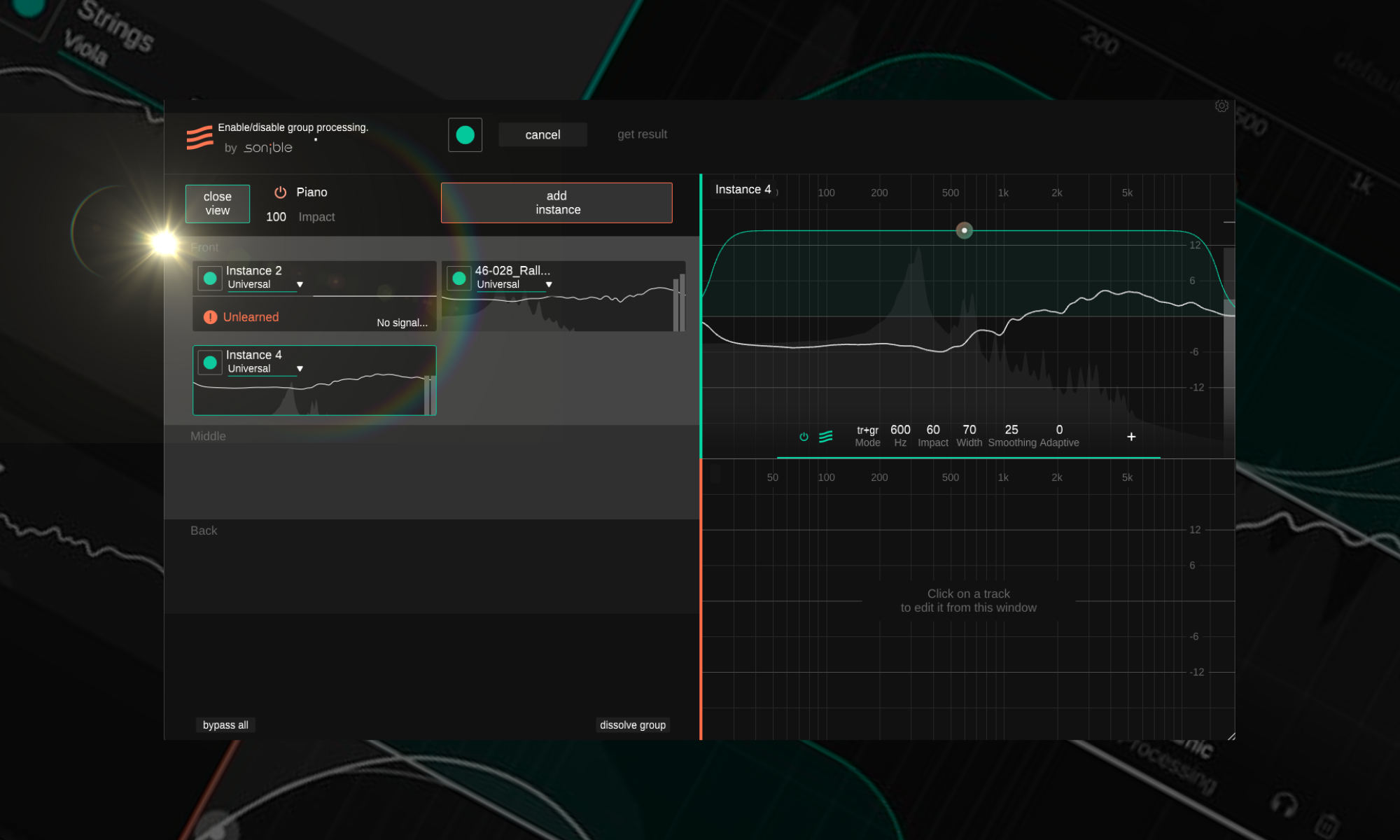
It seems like such a minor feature, but having access to all of your EQs in a single window and making tweaks and changes across multiple instruments is easily the best feature of this plugin. It would single-handedly convince me to buy Sonible’s EQ even if it didn’t have all the “smart” technology baked into it. Access to all of the EQs and analyzers makes the pushing, pulling, nudging, molding, and sculpting that is a dense mixdown session much less daunting and saves me tons of time.
And I know Ableton and other DAWs allow you to have multiple plugin windows open. Theoretically, you could have all your EQs open to mess with simultaneously. Still, the fact that you can call them all up with a click of a button, assign like-sounding instruments together, and begin making tweaks, cuts, and sculpts is pretty damn incredible.
And because all the EQs can communicate, you can adjust any node or parameter in any of the EQs from any channel. It’s not like you must go into a hub plugin or anything. If you’re in the weeds on a mixdown, this is incredibly important and is why it’s easily my favorite part about this entire plugin—Bravo sonlible.
Learn More About This Plugin While Supporting Our Team Of Writers Through Our Affiliate Partnership With Plugin Boutique Here
Tons Of Mix Profiles
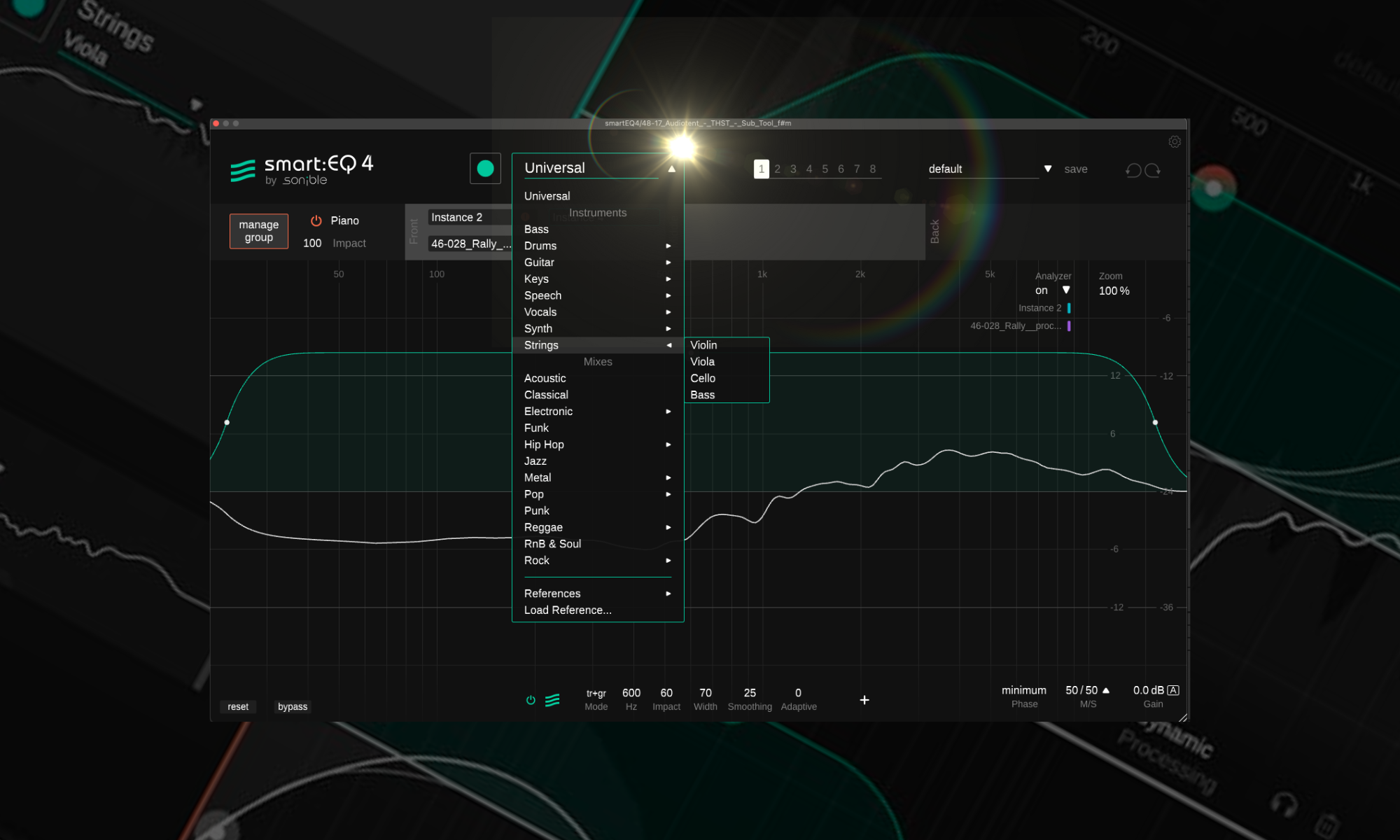
Many of sonible’s smart plugins come with a list of profiles for different mix channels and even different genres. While this has always been a pretty cool feature in plugins like their smart reverb and more, they cranked up this concept to 11 with the smart:EQ 4.
With a seemingly endless menu of genres, channels, situations, and even reference tracks you can import, it’s a one-plugin-fits-all-vibes tool that is one of the better additions to my toolkit in the past few months.
What’s also great to see is that once the plugin has analyzed the audio with its smart technology (which isn’t the fastest tech in the game, but we’ll talk about this in a second), it’s able to adapt what it knows and has analyzed from your audio to the different sonic profiles that you scroll through. It doesn’t need to relearn the audio if you want to switch from a more funk-driven sonic profile to an EDM, Hip-hop, or even jazz-style profile.
You Can Be Selective With Its “Smartness”
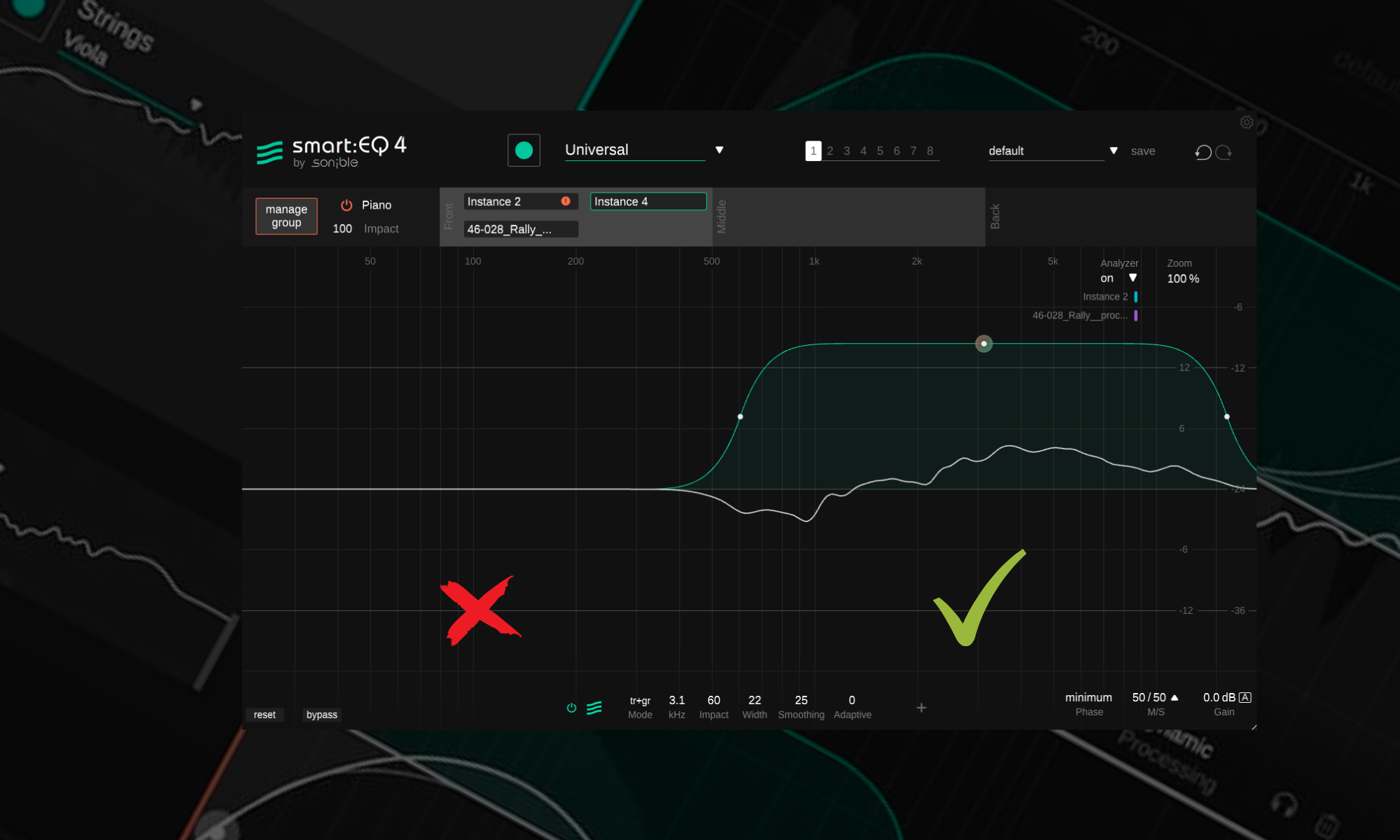
When it learns your audio, it will create an overarching sonic profile that will lean into its AI to create the best EQ curves for the mixdown in question. But as with all AI-driven stuff, you’ll probably like 80% of it and detest the other 20%. Well, luckily, smart:EQ 4 allows you to be selective with which parts and how much of the AI affects your mix (through the smooth feature), and you can block off frequency bands so that its algorithms only affect certain bands of the mix.
I always use this when mixing my electronic dance music, especially when I want the bass to be tight, warm, and dialed in the same way more modern and commercial mixdowns are. However, I still want the upper mids and highs not to be overly sterile and bright (which is how the EDM profile colors the sound). Be splitting up the frequency bands and allowing half of the mix to be affected by the AI recommendations and the other half not to be my sub-bass and low end can be clean while all the energy from the hats, shakers, claps, and lead synths won’t have that overly-clear brightness that might sound good for loud and blaring festival music but isn’t perfect for the more laid-back and vibey genres of melodic house music that I produce.
Of Course It’s Got A Dynamic EQ!
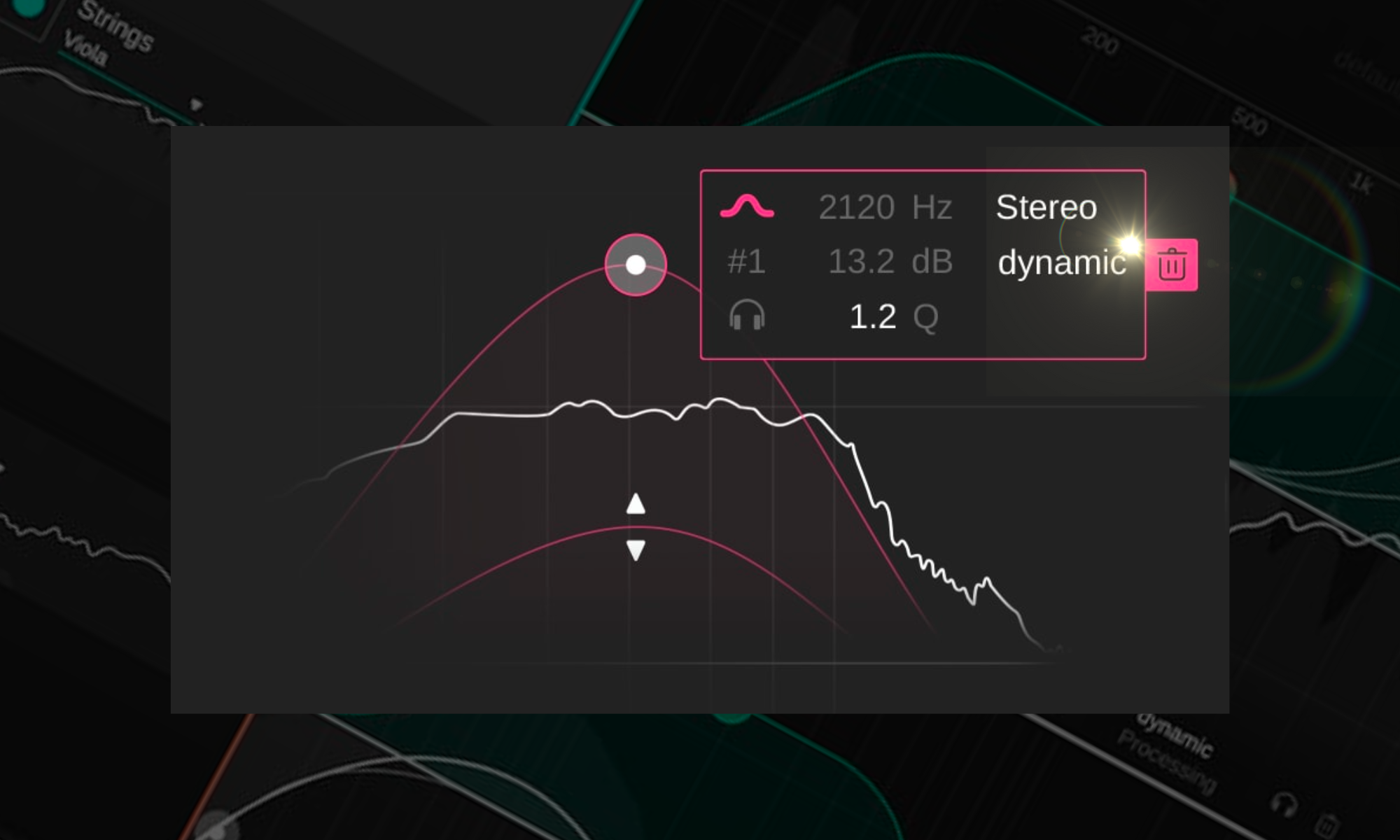
The most likely direct competitor to a plugin like this would be Fabfilter’s Pro-Q 3, which is the defacto digital EQ most people, I think, use these days for their surgical cuts and reductive EQ work. And while Pro-Q 3 certainly has a long list of features that make it well deserving of its title as one of the better digital EQs in the game in 2024, I’d be doing the whole production community a disservice by not talking about how its dynamic EQ mode leaves a lot to be desired.
But everything Pro-Q 3 omits, sonible knocks out of the park regarding its dynamic EQ mode. Sonlible has added all the best (and honestly, the necessary) compression features like attacks, release, and more. In contrast, the alternative only has bare-bone features typically seen in a compressor.
Learn More About This Plugin While Supporting Our Team Of Writers Through Our Affiliate Partnership With Plugin Boutique Here
What I Wasn’t Crazy About
It Takes Some Setup Time
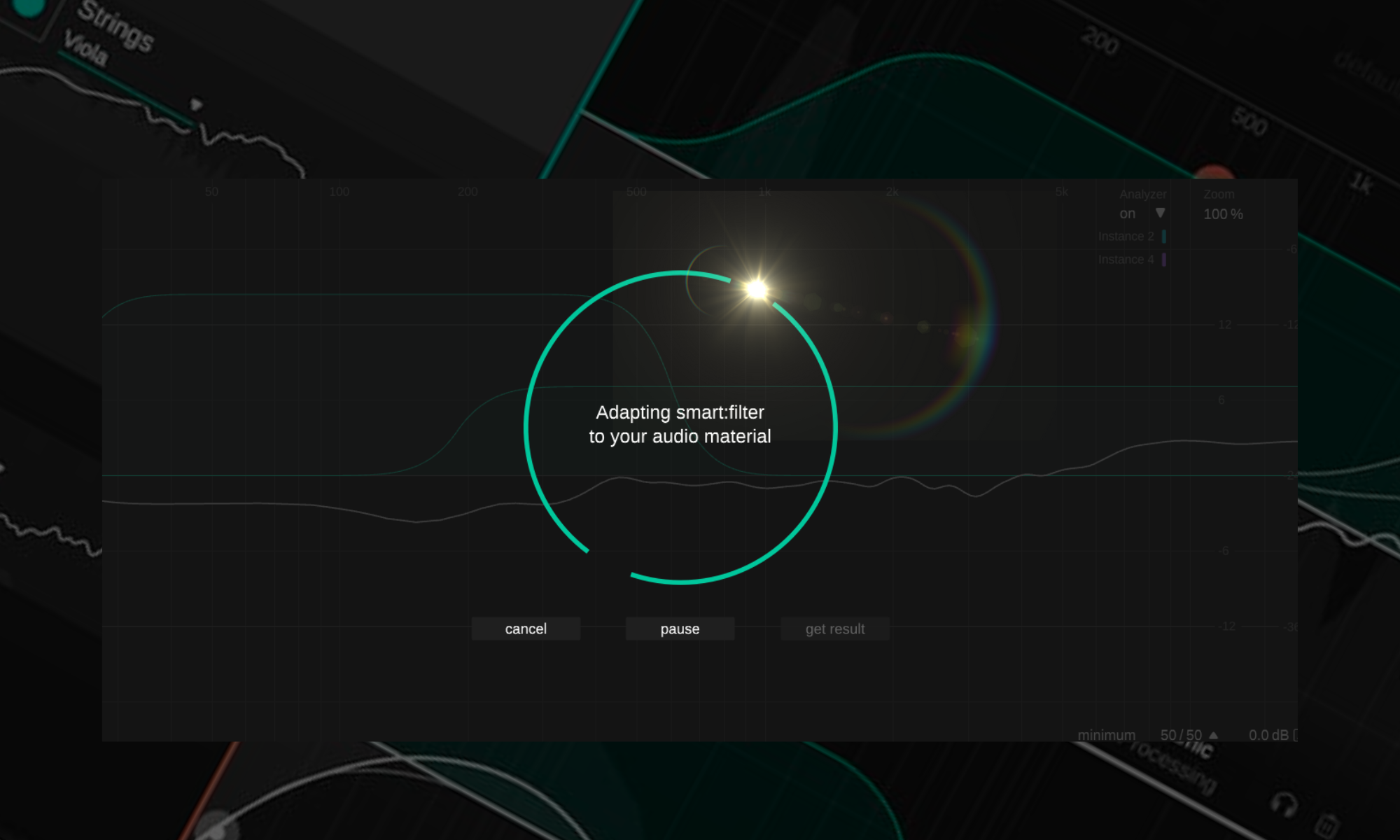
A couple of necessary things need to align before this plugin – and all instances of this plugin across an entire project – can be used to the max. The most cumbersome of this is that the audio needs to learn about your music before it starts working its magic and making its recommendations.
While this time is easily made up for in the long term, when you’re deep in the creative throws of mixing and entirely in the zone working on a project, the minute or two it takes to get all these plugins set up and talking to each other might be the one or two minutes it takes to break your flow.
My workaround is to have all the plugins already in the project and the groups within the plugins already assigned to the different channels of my default project template. That way, whenever I create a new project, everything is mapped and routed so that once a few musical ideas are on the timeline in Ableton, I can just hit the ‘Learn All’ button at the top. It starts learning all of the instruments quickly and easily.
Final Thoughts
In wrapping up, Smart:EQ 4 from sonible cuts through the AI hype with something genuinely useful, blending smart tech with the nitty-gritty of music production in an innovative and impressively functional way.
It’seasy to be skeptical about AI in music and still find yourself won over by tools that get it right. Smart:EQ 4 proves that the future of music production can indeed marry the best of both worlds: the precision and efficiency of AI with the irreplaceable touch of human creativity. It’s not just about making music; it’s about making music better, wiser, and with an ease that was previously hard to imagine.
Where To Learn More

Will Vance is a professional music producer who has been involved in the industry for the better part of a decade and has been the managing editor at Magnetic Magazine since mid-2022. In that time period, he has published thousands of articles on music production, industry think pieces and educational articles about the music industry. Over the last decade as a professional music producer, Will Vance has also ran multiple successful and highly respected record labels in the industry, including Where The Heart Is Records as well as having launched a new label with a focus on community through Magnetic Magazine. When not running these labels or producing his own music, Vance is likely writing for other top industry sites like Waves or the Hyperbits Masterclass or working on his upcoming book on mindfulness in music production. On the rare chance he's not thinking about music production, he's probably running a game of Dungeons and Dragons with his friends which he has been the dungeon master for for many years.