As little as five years ago, 3D printing was this niche-market thing, but the hobby and the tech to support it make massive strides every year to become more powerful, accessible, and functional. It’s getting to a point where people are printing such fantastic stuff for a wide range of industries and niches that it’s easy to argue how almost anyone can find enjoyment and functionality in diving headfirst into the hobby.
Musicians and music producers are most likely, and in my opinion, the largest community of people who are completley sleeping on the power and fun of 3D printing. You can make so much unique merchandise and studio trinkets without outsourcing too many steps, which can be a great way to bring in a bit more money at your live shows and have some unique SWAG to offer your fans.
We were sent the Neptune 4 PLUS from Elegoo to test it out in the studio and see how well it serves the needs of music producers and artists. So, let’s dive into the technical nuts and bolts of this 3D printer before moving on to the fun parts of what I loved about it after using it consistently for the last few months and breaking down something that gave me a slight hesitation.
So, let’s get into it…
Learn More And Snag One For Yourself Here
What Is The Neptune 4 PLUS?

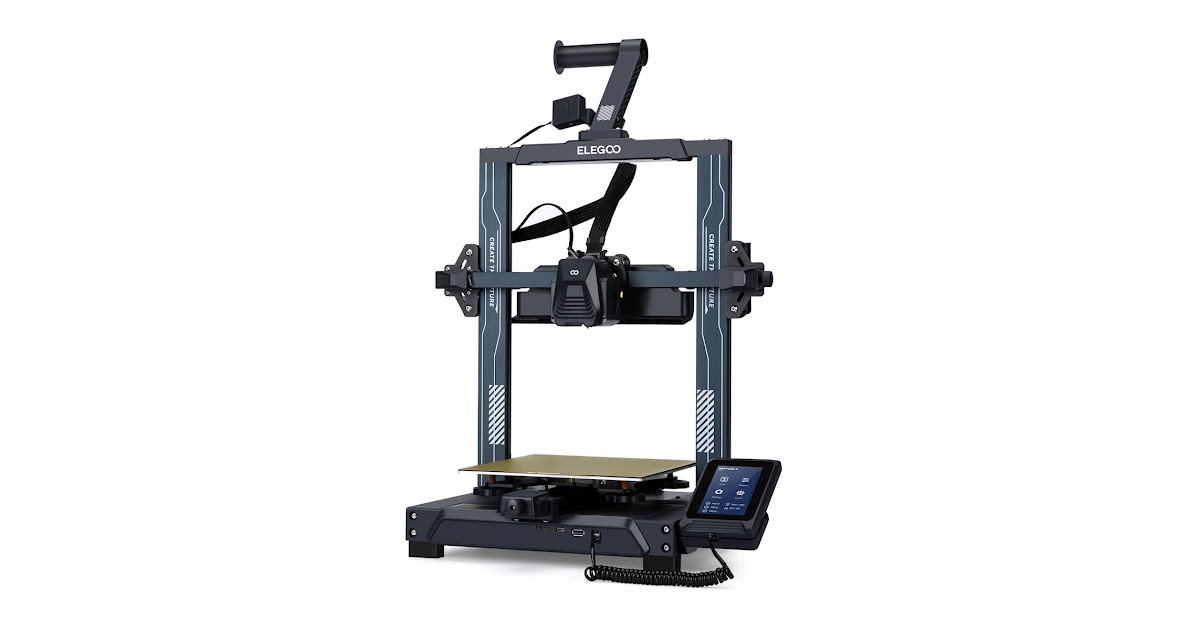
The Elegoo Neptune 4 Plus emerges as a standout contender in the desktop 3D printer arena, offering a robust suite of features that cater to both speed and efficiency, all without breaking the bank. This model elevates the game with its high-speed printing capabilities, seamless Wi-Fi integration, and the incorporation of Klipper firmware, setting a new standard at a price point of $350. It’s designed to bridge the gap between its siblings, the Neptune 4 Pro and Neptune 4 Max, striking an optimal balance in size, speed, and affordability. With a generous build volume of 320mm x 320mm x 385mm, along with a novel part cooling fan assembly, dual gear 5.2:1 direct drive extruder, and sensorless homing, it’s no surprise that this printer makes it to the top of many lists.
Diving into the specifics, the Neptune 4 Plus is engineered to support a wide array of materials, including PLA, PLA+, TPU, PETG, Nylon, and ABS. This flexibility is powered by a 400W power supply, facilitating rapid heating of the nozzle and bed, with the bed reaching temperatures up to 110°C and the nozzle up to 300°C.
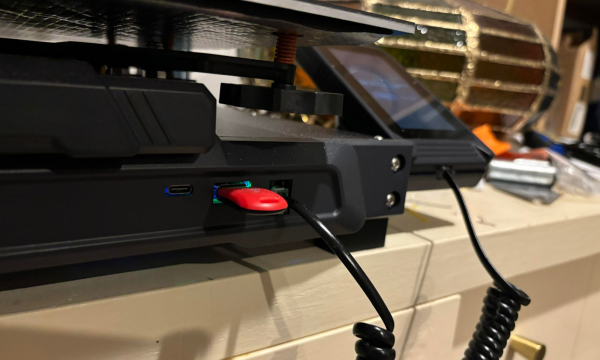
This printer impresses with its magnetic, flexible, removable PEI platform, ensuring easy print removal and bed cleaning. Connectivity is a breeze with USB, microSD, and Wi-Fi options, complemented by a user-friendly 4.3-inch color touchscreen interface. The machine’s build and design feature dual lead screws with a synchronizing belt for the Z-axis, enhancing stability for taller prints.
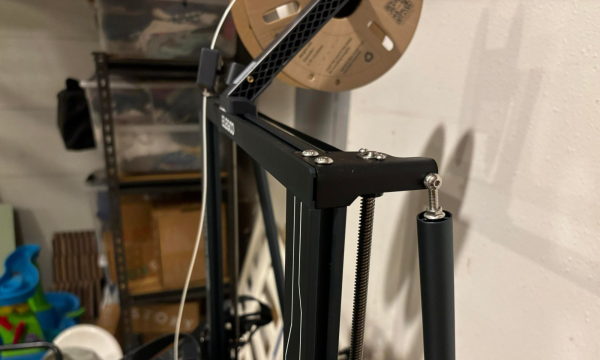
Assembly and design considerations highlight the user-friendly nature of the Neptune 4 Plus. Stabilizing rods add significant rigidity to the frame, ensuring consistent print quality even at the maximum build height. While the setup process is straightforward, requiring minimal assembly, the printer’s design nuances, like sensorless homing and a comprehensive cooling system, underscore its advanced capabilities. The machine’s ability to quickly heat the entire build platform is a testament to the powerful 400W PSU, making it a versatile tool for many printing projects.
What I Liked Most About The Neptune 4 PLUS
It Was Fast
I’ve always found that while PLA printers have larger build plates and can often print more reliably and with less mess than resin printers, they take much longer to finish the job. It’s not uncommon for prints to take multiple days to print, which is a tough pill to swallow if you’re coming from the world of resin printing, which can print most things in less than a day (most times just overnight).
But the second I got the Neptune 4 Plus up and running, I realized how fast this machine printed. Sure, it couldn’t print at the same speed as a resin printer – PLA vs. resin is like apples to oranges – but it could print the duplicate files at about half the speed as other PLA printers I’ve used or even own.
It Was Incredibly User-Friendly
3D printing is not often for the faint of heart and requires a fair amount of forum combing and Facebook group discussions while you troubleshoot what needs to be fixed, how to adapt your room, and how to calibrate your printer to do what you need to do. This is the last thing busy musicians and music producers who want to crank out unique merchandise for their brands or live shows have time or resources for.
This is the headspace I always approach 3D printing, and I was pleasantly surprised to find just how easy this printer was to use and assemble.
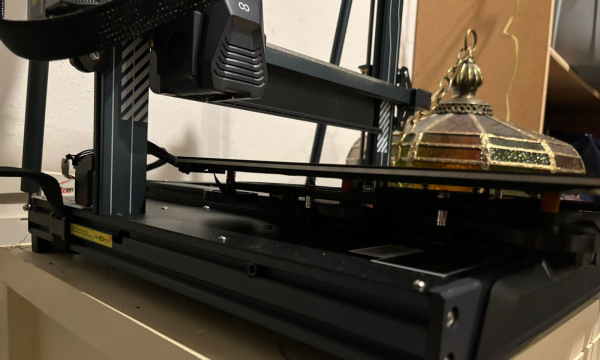
The hardest part about the whole thing was leveling the bed, but that only took about 15 minutes, and the entire process of unboxing to full assembly only took about 45 minutes (longer than what Elegoo claims it to take, but still nothing not to be impressed by regardless).
I’ve been using this printer for the past three months and have never had to recalibrate the printer or redo any bed leveling. It’s been pretty set-and-forget save for some anomaly issues that were easy to solve.
It Has A Large Build Plate
The Neptune 4 Plus has a massive build plate and can print extremely tall prints, which has a ton of great use cases for our audience of readers specifically.
Firstly, if you’re looking to print smaller merch to populate your merch booth or to give to fans at a live show, you can print a ton of them at once and be stocked up on inventory with just a few printing cycles.
But also, if you’re looking to print backlit logos or other stage-design products to spice up the aesthetics of your live streams or live events, this is the best 3D printer for the price. Using semi-translucent PLA, you can print large versions of your logos or even just your artist name and backlight them with LED lights to create pro-level branding, all from the comfort of your home or studio.
Sure, you’ll need to create a custom file or find somebody who can, but there are a ton of options and resources out there to make this happen, and once you have the core STL file of your logo or artist name, you can print as many as you need!
What I Wasn’t Crazy About
The LED Pad Struggled To Connect
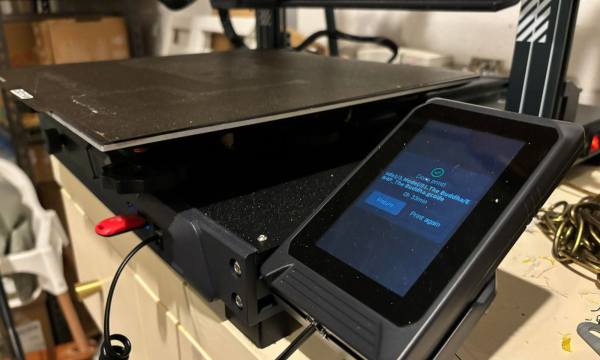
I encountered a frustrating issue about a month into using this 3D printer. The LED screen connected to the printer would not turn on when it was turned on. This was a little alarming, as I tried several different solutions, but all of them continued to leave me dead in the water.
Elegoo’s customer support was quick to jump on the issue, though.
It provided a long list of potential solutions and asked a handful of questions to help dial in what exactly was going on and preventing the printer from turning on for an entire week. During the troubleshooting process, though, I woke up one morning to find the LED screen had reconnected itself and, despite the befuddlement of both Elegoo’s team and me, continued to work as intended without any further issues.
This was a bit of a concerning problem, as in the troubleshooting process, I learned that I wasn’t the only user who experienced this issue. Some users in different Neptune 4 user Facebook pages returned their units for new ones.
But the silver lining here is that I did learn just how comprehensive and responsive Elegoo’s customer support team is when troubles like this arise!
Who Is The Neptune 4 PLUS For?
Musicians
If you’re a music producer or musician looking to create custom merch or logos for your live gigs and streams, this is a great printer. It’s user-friendly and can work magic by printing your prints while you work in the studio. It’s about as plug-and-print as you could want, which is worth its weight for busy and time-crunched artists looking to differentiate themselves from the sea of other producers doing the same thing as they are.
Also, don’t forget that you can print all sorts of studio tools and cable management devices using 3D printers!
Gamers
There’s an endless amount of files that gamers could tap into. Whether it’s printing off busts of your favorite heroes or costume bits of iconic gaming characters to wear at the next convention that you go to, the massive build plate and speed at which this print means that you can produce a whole lot of gamer swag without taking too much time away from the act of gaming itself.
Hobbyists
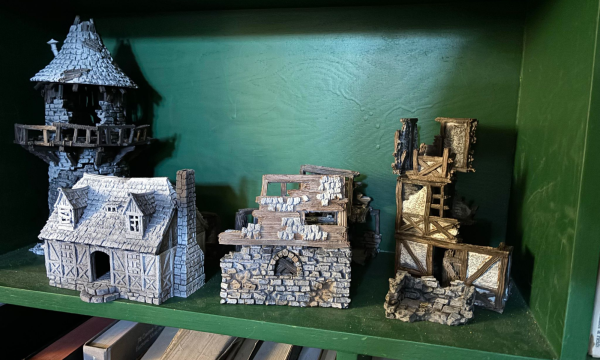
3D printing is massively popular in the gaming community, mostly among fans of games like Dungeons & Dragons and Warhammer, and the massive build plate and detail that this prints off make it incredibly impressive for printing off large amounts of terrain for games like D&D.
As with most PLA vs. Resin printers, if you want to print off miniatures, you’d be better off using resin printers instead of PLA. Still, this is one of the best printers that offers the most value for your money for terrain and larger pieces that aren’t as detail-focused.
Final Thoughts
At a price point that’s hard to beat, it doesn’t just offer a middle ground between the Neptune 4 Pro and Neptune 4 Max; it redefines what users can expect from a printer in its class. With features like high-speed printing, Wi-Fi connectivity, and support for a broad range of materials, it’s an ideal choice for anyone looking to explore the potential of 3D printing without compromising quality or breaking the bank. Whether it’s for hobbyists, gamers, or musicians looking to create custom merchandise or studio tools, the Neptune 4 Plus delivers on its promises, making it a top contender for anyone’s next 3D printing investment.
Moreover, the user experience with the Neptune 4 Plus speaks volumes about Elegoo’s commitment to not just innovation but also to user satisfaction and support. From its easy assembly and user-friendly design to impressive after-sales support, this printer stands out as a reliable and versatile tool for many projects. Despite some hiccups, like the LED pad connection issue, Elegoo’s responsive customer service exemplifies their dedication to resolving problems swiftly, ensuring users can continue exploring and creating with minimal interruption.
For those venturing into 3D printing or seeking to enhance their printing capabilities, the Neptune 4 Plus is not just another printer—it’s a gateway to endless possibilities, tailor-made for creative minds across various domains.

Will Vance is a professional music producer who has been involved in the industry for the better part of a decade and has been the managing editor at Magnetic Magazine since mid-2022. In that time period, he has published thousands of articles on music production, industry think pieces and educational articles about the music industry. Over the last decade as a professional music producer, Will Vance has also ran multiple successful and highly respected record labels in the industry, including Where The Heart Is Records as well as having launched a new label with a focus on community through Magnetic Magazine. When not running these labels or producing his own music, Vance is likely writing for other top industry sites like Waves or the Hyperbits Masterclass or working on his upcoming book on mindfulness in music production. On the rare chance he's not thinking about music production, he's probably running a game of Dungeons and Dragons with his friends which he has been the dungeon master for for many years.