As any DJ will know, sometimes finding exciting new music to use in mixes can be the hardest part of the process.
Often, you’ll run dry in your normal sources, and it isn’t always clear where to look for new songs.
This guide shows you how you can find endless new music with DJ.Studio, and how you can also use this as an experimental tool to test out songs in a mix – letting you try before you buy.
We’ll also share some general tips for finding new music, and show you how you can use DJ.Studio to make the most out of these methods.
Why DJs Should Always Focus On Finding New Music

One of the most important elements of being a successful DJ is being able to share new music for your audience to listen to constantly. You don’t want to get stuck in a rut playing the same 10 tracks in every mix you make. The most interesting DJ sets are usually full of new music and remixes that the audience hasn’t heard before. (Unless you’re a wedding DJ…)
Constantly bringing new music into your mixes is a great way to keep your performances fresh and exciting, and ensures that your audiences won’t get tired of hearing the same set churned out every time. It can also earn you a reputation in the DJ scene as being an innovator in music discovery, and always sharing the latest hidden gems.

Having a good method for finding new songs is a tool often underappreciated by many DJs, and instead is forgotten and replaced by flashy technique and distracting gear. Being able to share new music is key; you need to develop a good method of music discovery.
If you ever get stuck in a creative DJ rut, often the key to breaking this barrier is finding new music that re-inspires you as a DJ and motivates you to carry on mixing.
Sure, some tracks are usually certified floor-fillers, but you don’t want to rely on them constantly. You might get the party going a couple of times, but if you have the same audience, eventually, they’ll get bored. These are just some reasons why constantly rotating new music is essential to great DJing.
In the next sections, I’ll share some methods for finding new music.
How To Discover New Music: The DJ’s Guide
Now that you know how important musical discovery is for DJs, let’s explore the methods.
Get Inspiration From Your Favorite DJs

They say imitation is the highest form of flattery – which is true in most cases. While you don’t want to copy other DJ’s sets track for track, there’s nothing wrong with looking up a couple of track IDs that you love from their sets and using them in your own mixes.
Anybody who’s tried to Shazam a song at a gig, or even over the radio, probably knows that the algorithm isn’t 100% accurate, and sometimes you’ll spend hours searching for a track that’s worked its way into your brain. Particularly if the song is a lesser-known release or remix.
Here’s something we wish we’d heard of before, it would have saved so much time: 1001Tracklists.

1001Tracklists is the ultimate tool in this kind of situation. It’s essentially a DJ mix ID platform. Users upload links to DJ mixes (from concerts, festivals, podcasts, radio, etc), and then the community collectively helps to ID all the tracks in a mix (where possible).
If you’re looking for some track IDs in a mix, search the set on 1001Tracklists, and see if the IDs are there. They have a huge collection and it’s updated constantly with the latest sets. This is great if there are specific tracks you’re trying to find, but it’s also perfect for general discovery. Because it has such a huge database, you’ll probably be able to find a bunch of ID’d sets from your favorite DJ (just search their name), and from there, you can cherry-pick any tracks that catch your ear. You can thank us later!
We’re going to explain DJ.Studio more later in this guide – but it’s totally integrated with 1001Tracklists. From inside the app, you can browse DJ sets, pick out tracks, and add them directly to your timeline mix project. (But more on that later).
Browse Playlists
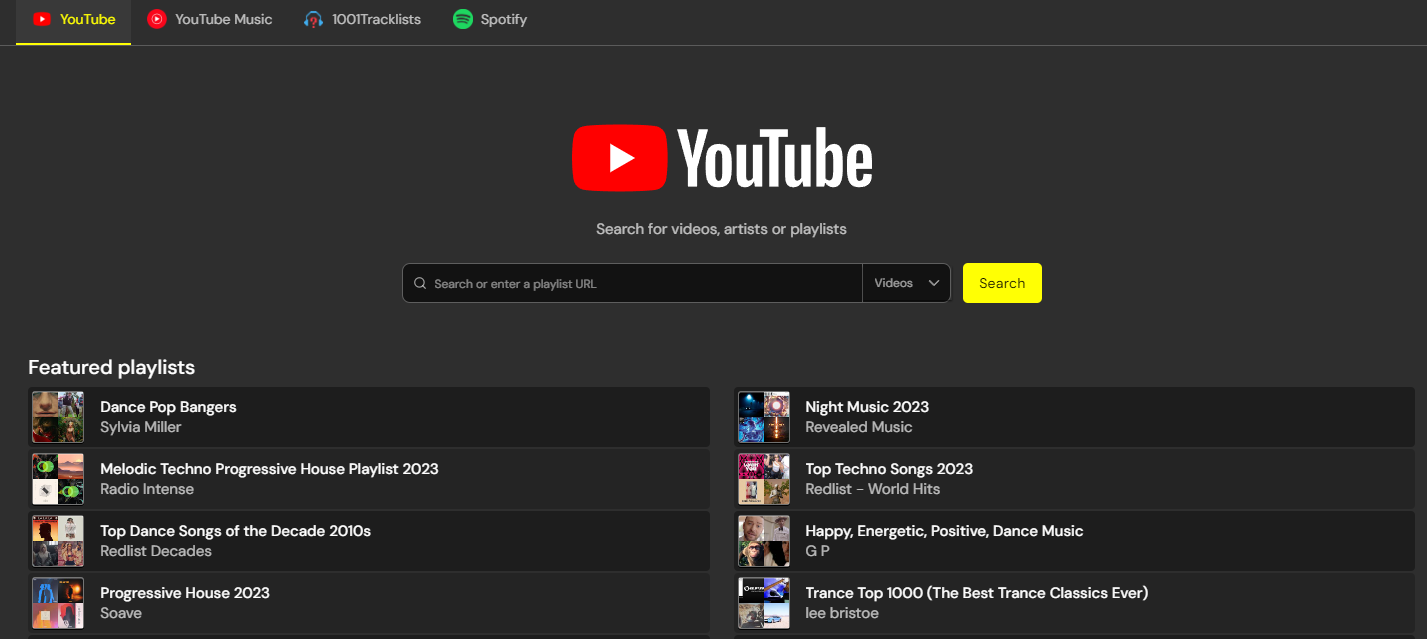
Another basic (but often overlooked) method is simply browsing YouTube playlists. Whatever genre you’re looking for, chances are, somebody has already made a massive YouTube playlist full of bangers. I will explain later on that you can browse, import, and DJ Youtube directly from within DJ.Studio.
It might sound simple, but it can often yield a huge range of results – no matter how niche the genre you’re hunting for.
Open YouTube, search your genre, and filter to ‘Playlists’. You should get a bunch of results.
I’d recommend making your playlist and adding the songs you like to it. You can then import your YouTube playlist into DJ.Studio, and instantly make a mix from the entire list. This is a great way to experiment with songs before buying them.
Use AI Recommendations
Love it or loathe it, AI is undeniably a powerful tool for people working in music, particularly DJs.
While some services are better than others, there are a bunch of platforms out there which can use AI to suggest similar music, based on a selection of tracks that you feed to the algorithm.
It seems a bit lazy, but it can be surprisingly effective at giving you new suggestions that fit your vibe.
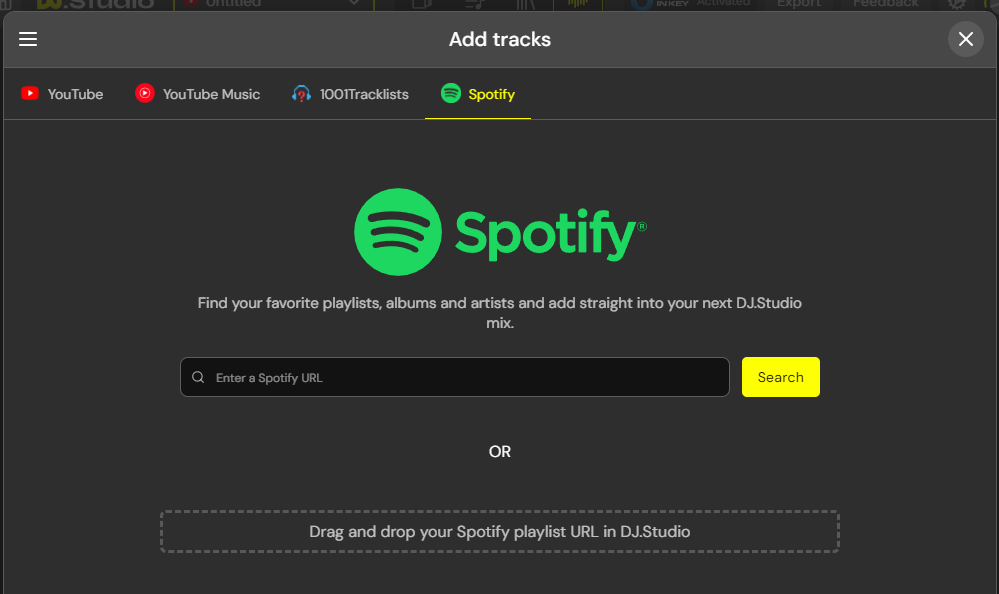
One of the best platforms for this method is Spotify, and you can seamlessly DJ Using Spotify and DJ.Studio
One great method using Spotify is:
- Search for a song you like on Spotify, and listen to it.
- Let Spotify go on autoplay.
- Listen through the songs you like (and add them to a playlist), and skip songs you don’t like.
- Over time, the AI will become better tuned to your tastes, and provide you with more suitable tracks.
You can also copy links to Spotify tracks and playlists into DJ.Studio, and start experimenting with them in a DJ mix. This is useful for testing out any song without buying it.
What is DJ.Studio
With the above methods, you’ll have no trouble finding a constant stream of new and exciting music for your mixes. But how exactly can you go about testing and incorporating them into a mix? DJ.Studio is the answer.
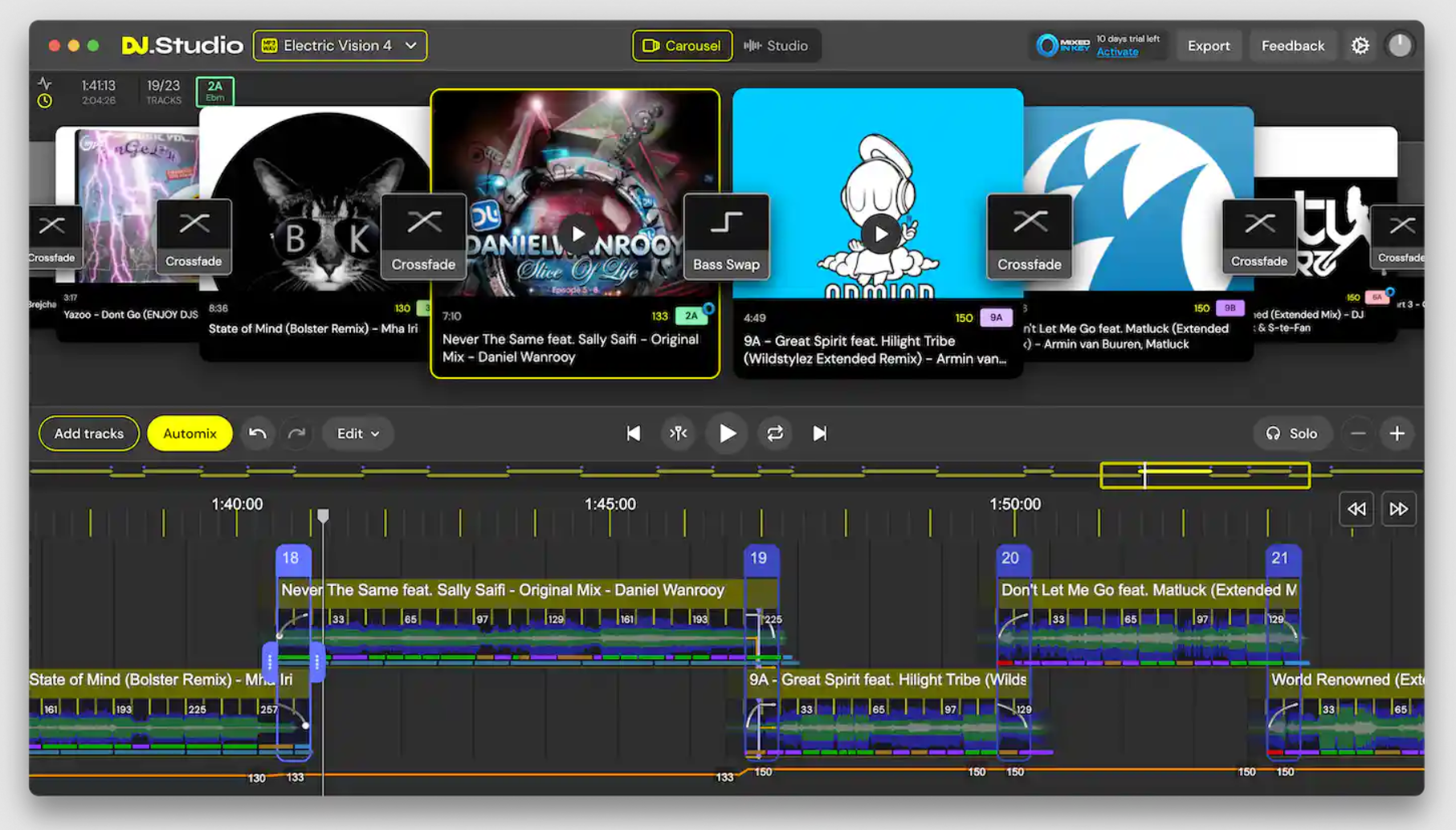
DJ.Studio is a new type of DJ software offering a wide range of unique features unlike any mainstream DJ apps – but one field it excels in is discovery and experimentation. Because all of the platforms above are integrated into the app, you can use it as a hub for discovering new music, and testing out tracks.
Check out this video demo for a quick overview!
To understand what DJ.Studio is, and why it’s so useful in this situation, check out the workflow.
- Download and run the app. (Or you can even run it from your browser).
- Create a new project. You can either make a local file project, or a YouTube project which works with online sources, in this example, we’ll use a YouTube project.
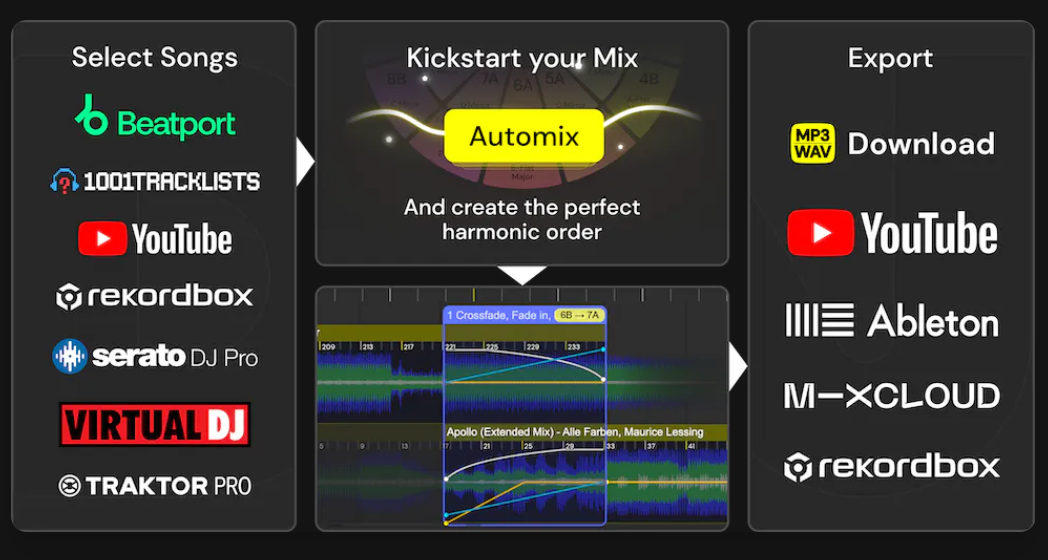
- Import songs. You’ll want to build up a music library to make a mix from. You can use the YouTube search to directly find songs on YouTube/YT music, or you can paste track/playlist URLs to copy over a whole bunch instantly. The same can also be done with Spotify and 1001Tracklists. Because these all convert to YouTube sources, you can mix tracks from all the online platforms.
- Automix (optional)
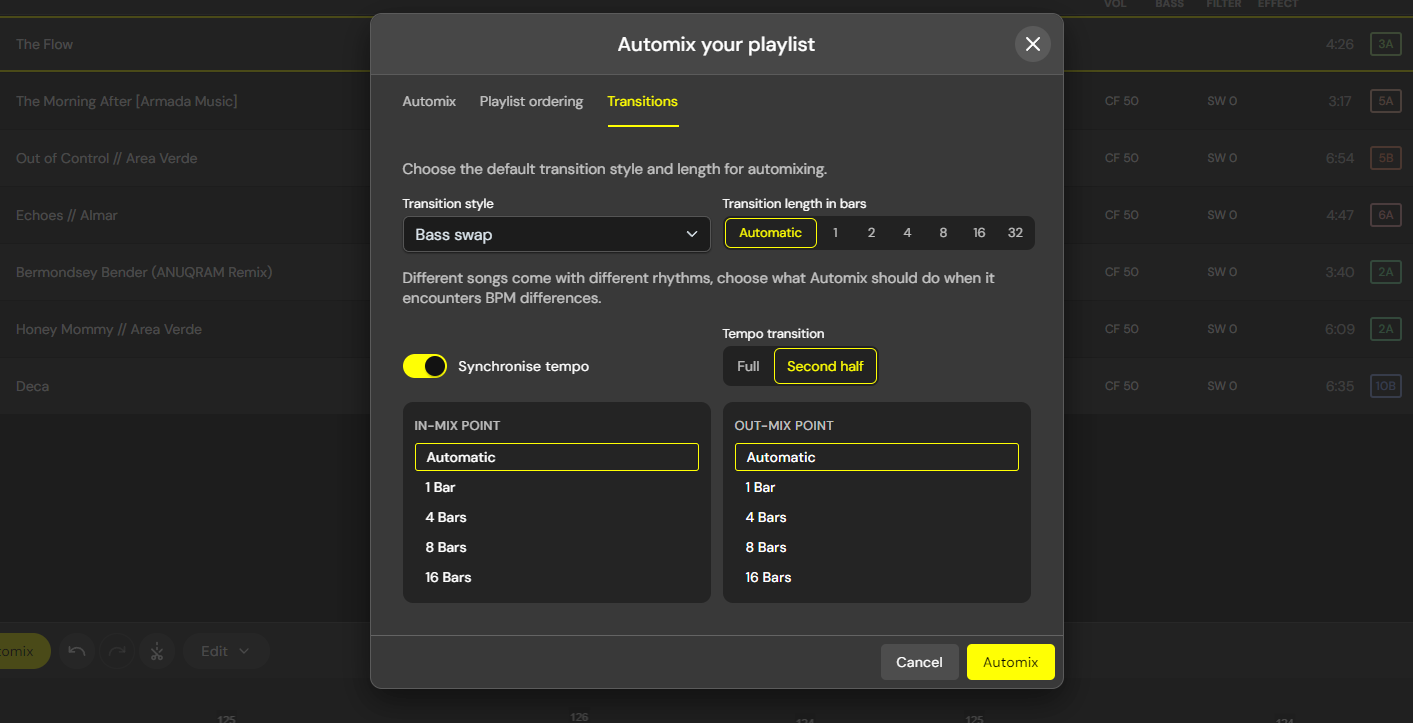
The Automix algorithm can automatically suggest the best order for your tracks based on harmony and tempo. It then beat matches the tracks, applies transitions, and then places them on the timeline. You don’t have to use this if you want to arrange your playlist manually.
- Refine your mix
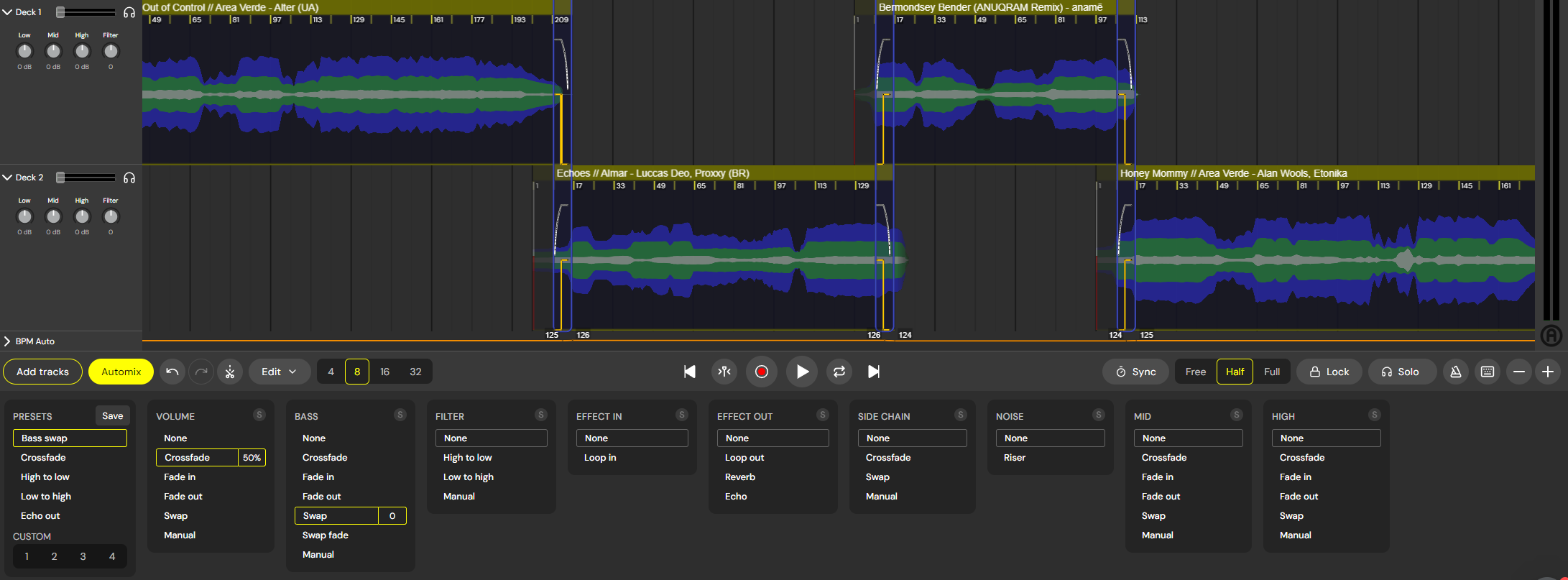
After arranging the order, you can fine-tune and refine your mix. The timeline editor gives you the ability to manually customize the mix in as much detail as you like. You can use automation, effects, transition editors, loops, and a bunch of other features to sculpt your mix in perfect precision. This interface will be familiar to anybody who has worked with a DAW or audio editing software. It lets you edit mixes in more detail than you could achieve manually recording a mix on decks, and also you don’t need to worry about mistakes or rehearsal.
- Share your mix
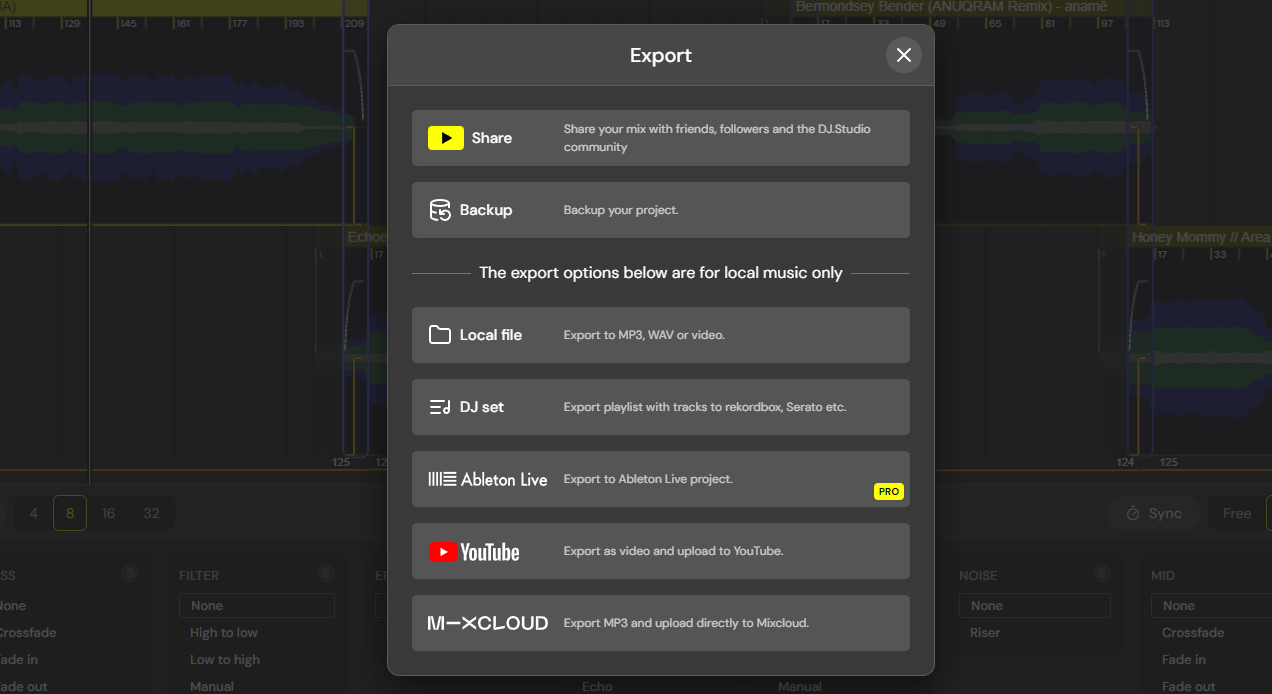
In YouTube mode, you can use the DJ.Studio online mix-sharing system to create a streamable link of your mix. Because DRM prevents you from downloading YouTube audio, you must share it on our community platform. Although this can be accessed from anywhere with the internet – all you need is a copy of the URL, you don’t need an account, and it works on mobile. In local file mode (where you import MP3s/WAVs), you can download your mixes as files, videos, or Ableton live sets.
As you can see, the DJ.Studio mix creation method is unique and unlike traditional DJ software. This increases the production times of mixes and lets you craft mixes in more detail without rehearsing.
Thanks to the integration with the mentioned streaming platforms (and most other DJ software libraries), you don’t need to open thousands of tabs and flick between apps to compile music from various sources.
It’s also connected to Beatport (in beta).

This just shows one way of using DJ.Studio as a discovery and mix creation tool. You can use it in a range of other ways.
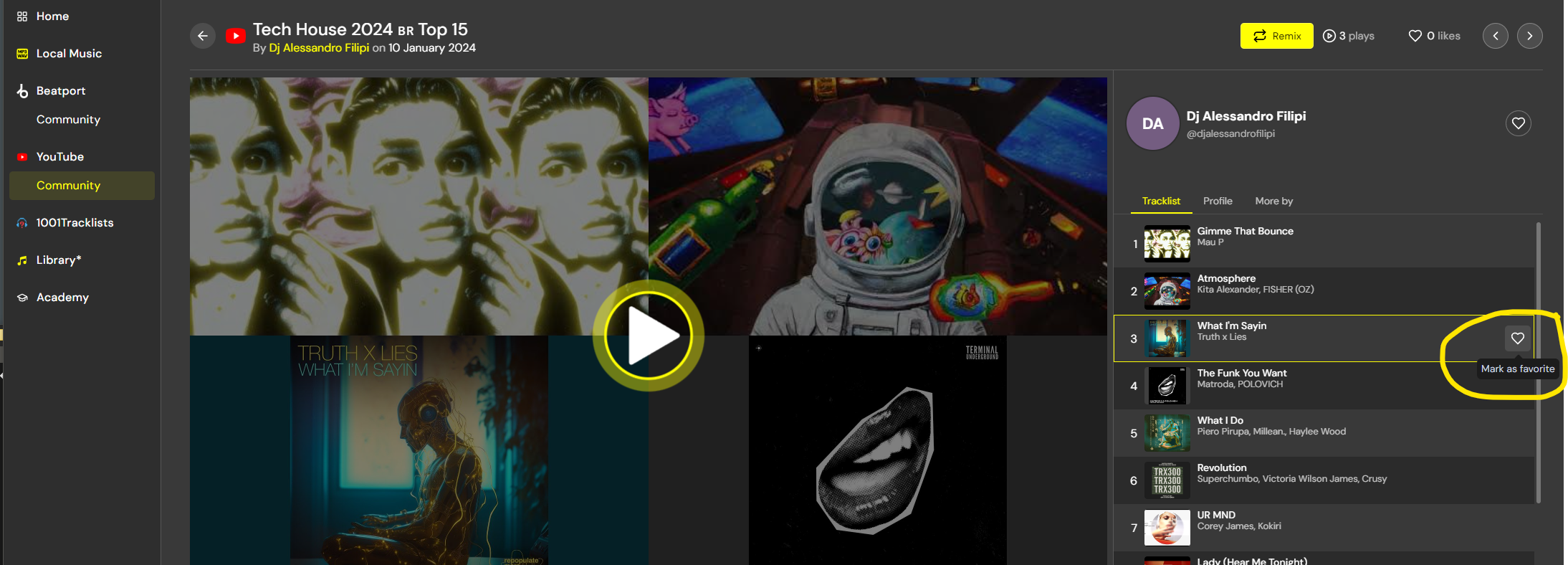
Another neat way to discover new music is by checking out the community mix page. You can browse thousands of mixes made by the community, and pick through their tracklists. If you find tracks that you like in a mix, simply hit the ‘Favorite’ button to save it to your library. Then you can quickly add them to your own mix!
Finally…
Staying on top of new releases and keeping your DJ library can be a tough task, but using tools like DJ.Studio and the methods outlined above will make it a fun process.
You can effortlessly browse an infinite library of music and experiment with any song in a mix. Speeding up your discovery workflow like this will keep the inspiration flowing, and make your sets more exciting than DJs who get stuck without a working rhythm.
If you’re excited by these features, test out DJ.Studio yourself and see how it can enhance your DJ workflow. The 14-day free trial allows you to get started for free today!

Magnetic byline note: This byline is used for staff produced updates and short announcements, often based on press materials and official release information. Editorial responsibility: David Ireland (Editor in Chief) and Will Vance (Managing Editor). About: https://magneticmag.com/about/ Masthead: https://magneticmag.com/masthead/ Contact: https://magneticmag.com/contact/